During multi-epoch AI training, GPU nodes sit idle while loading datasets from remote storage on every epoch. Local cache acceleration eliminates this bottleneck by caching data on the compute nodes themselves, so subsequent epochs read from local memory and disk instead of the network.
How it works
Local cache is built from the memory and local disks of Lingjun compute nodes. During multi-epoch training:
Epoch 1 reads data from Object Storage Service (OSS) or Lingjun CPFS at normal network speed and populates the cache.
Epoch 2 and later read from the local cache, bypassing the network entirely.
Cache capacity depends on the Lingjun resource specification. When the cache is full, the least recently used (LRU) data is evicted to make room for new data.
Capabilities
| Capability | Details |
|---|---|
| High-speed cache | Builds single-node and distributed read caches from node memory and local disks, reducing dataset and checkpoint access latency |
| Horizontal scaling | Cache throughput scales linearly with the number of compute nodes, from hundreds to thousands of nodes |
| Peer-to-peer (P2P) model distribution | Loads and distributes large models at high concurrency using P2P technology over the high-speed network between GPU nodes, accelerating parallel reads of hot data |
| Serverless | Enable or disable with one click, with no code changes, no program intrusion, and no operations and maintenance (O&M) required |
Limitations
| Constraint | Details |
|---|---|
| Supported storage | OSS and Lingjun CPFS only. Other storage types are not accelerated. |
| Supported resources | Lingjun resources only. Enabling local cache consumes CPU and memory on the compute node. |
| Capacity and policy | Maximum cache capacity depends on Lingjun resource specifications. Eviction policy is Least Recently Used (LRU). |
| Read-only | Accelerates data reads only. Write operations are not supported. |
| Data availability | High availability is not guaranteed. Data in the local cache can be lost. Back up important training data promptly. |
Prerequisites
Before you begin, make sure you have:
A Lingjun resource quota with associated storage paths configured
Access to create DLC jobs using Lingjun AI Computing Service resources
(Conditional) If your resource quota uses an Enterprise Security Group: permission to add inbound rules to that security group
If your resource quota uses an Enterprise Security Group, configure the security group inbound rule before enabling local cache. See Configure security group inbound rules below.
Enable local cache
Step 1: Enable local cache on the resource quota
In the left-side navigation pane, click Resource Quota > Intelligent Computing LINGJUN Resources.
Find your target resource quota and click its name.
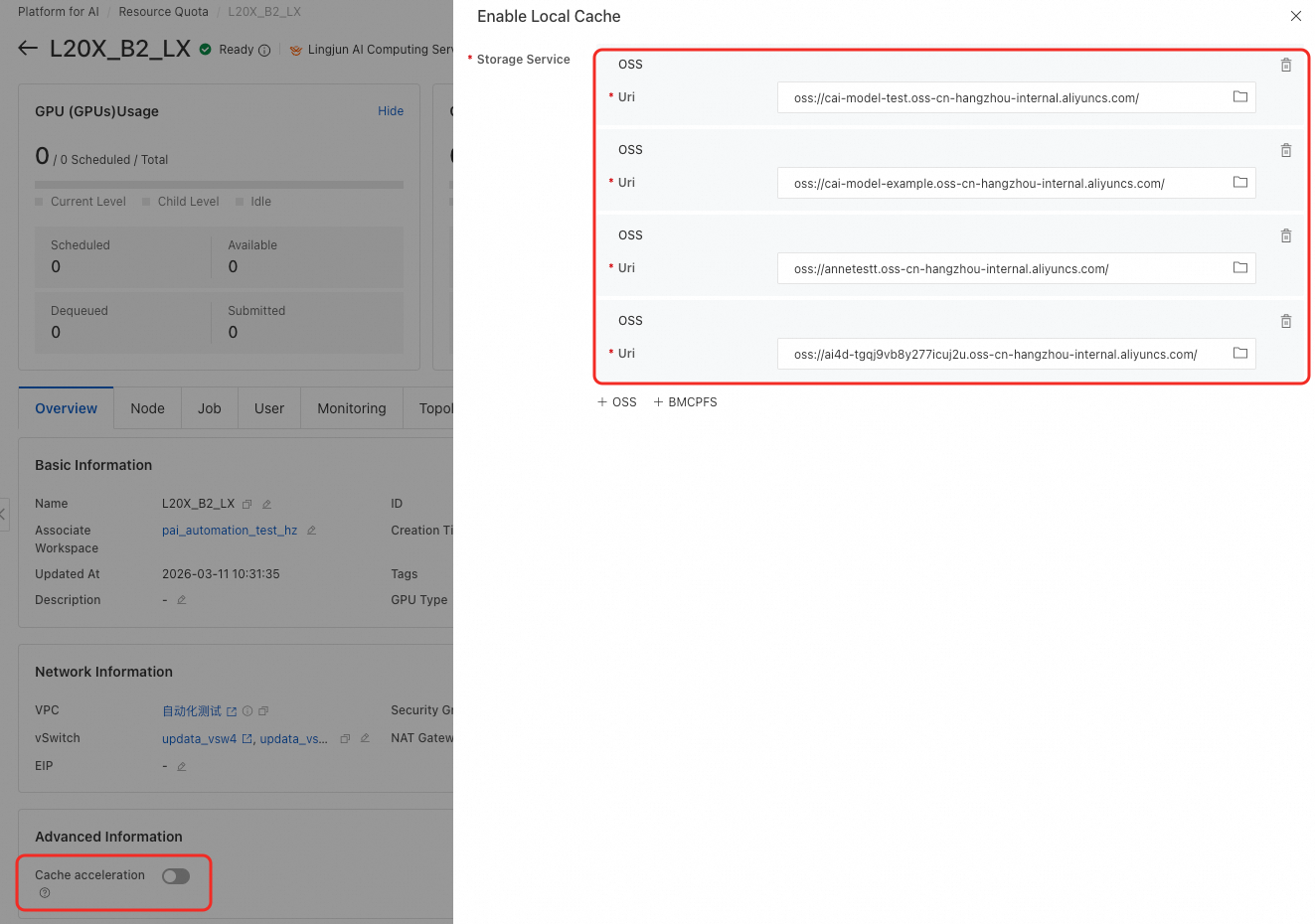
Enable the Enable Local Cache switch.
Specify the storage paths to cache.
For nested resource quotas, enable local cache on the top-level resource quota.

Step 2: Enable cache on the DLC job
Create a DLC job using Lingjun AI Computing Service resources associated with the target resource quota.
In the job configuration, enable Use Cache.
When a mounted storage path matches a cached path from Step 1, data access is automatically accelerated. To disable cache for a specific job, turn off Use Cache in that job's configuration.

Configure security group inbound rules
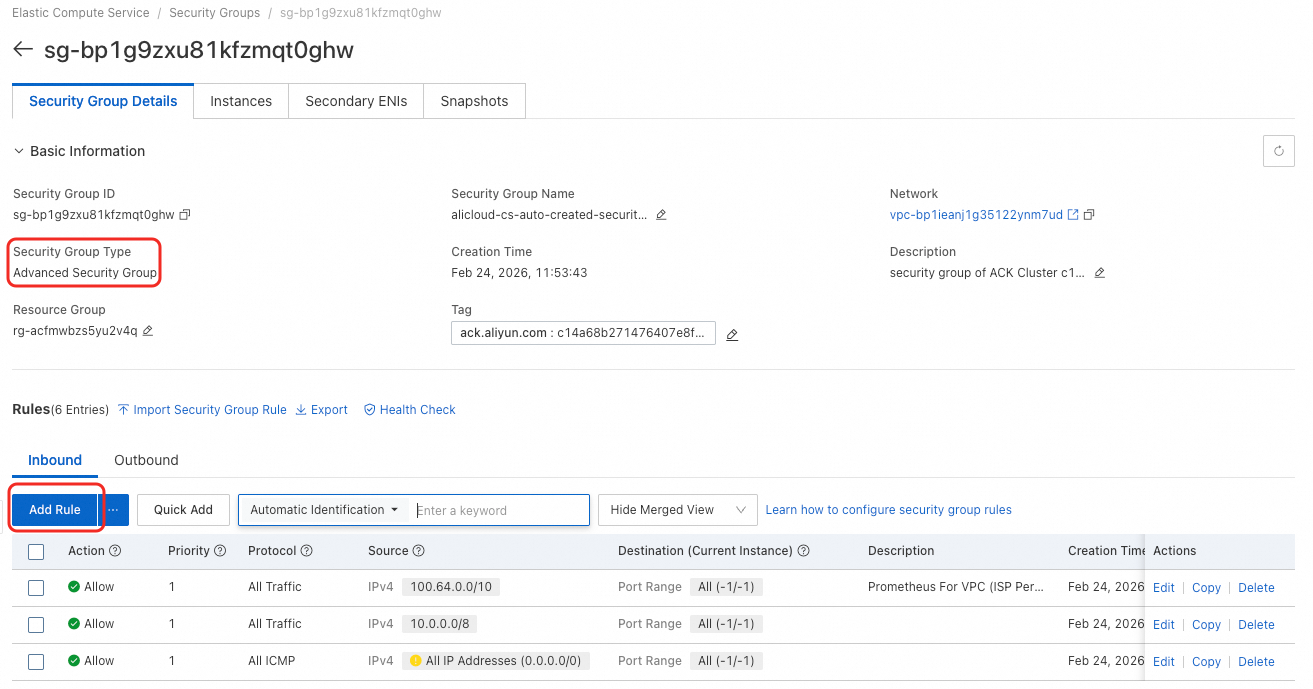
If your resource quota uses an Enterprise Security Group, add an inbound rule to allow traffic from your Virtual Private Cloud (VPC). Skip this section if your security group is not the Enterprise type.
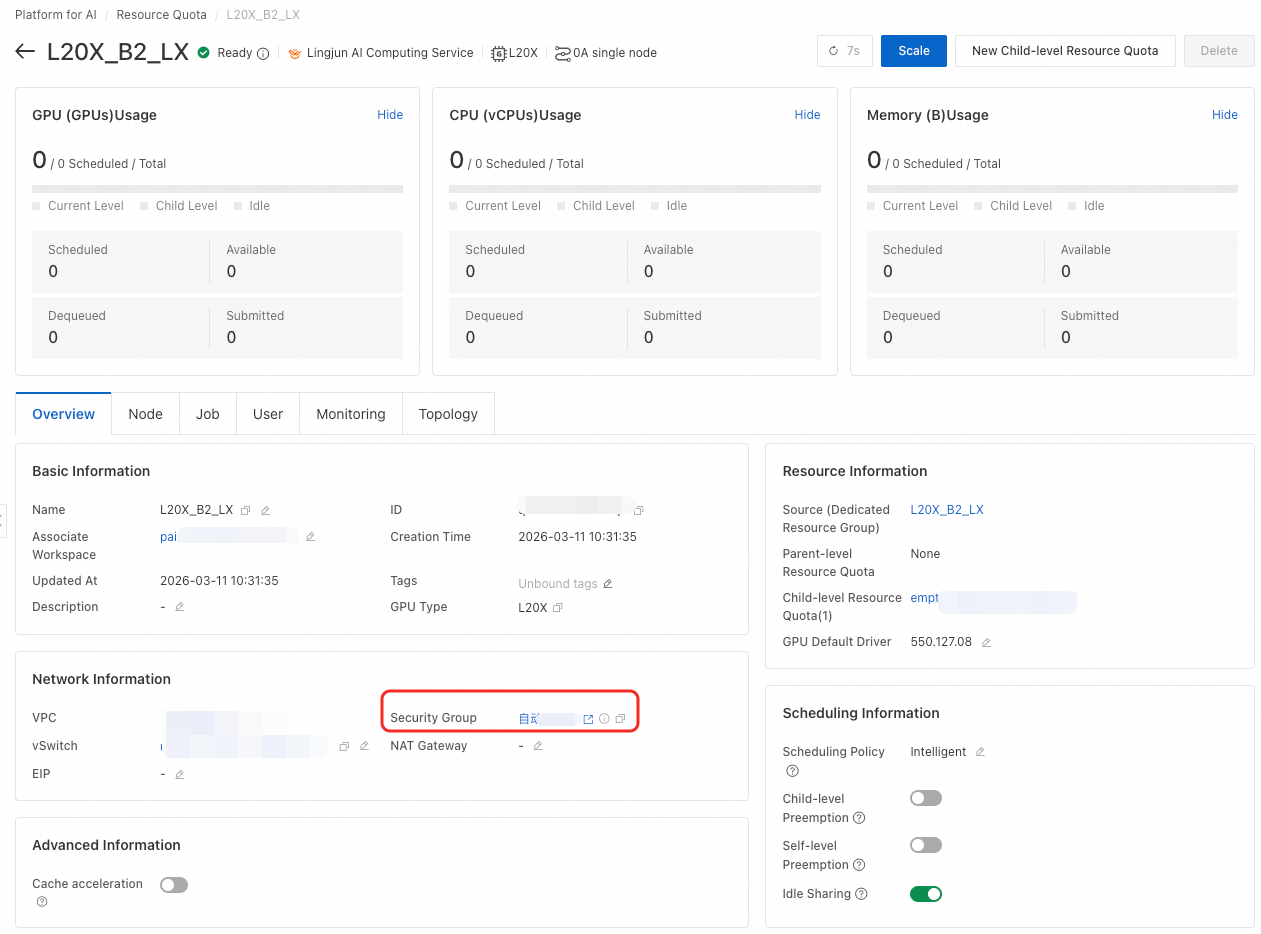
On the Resource Quota page, find the security group listed in the Network Information section.
Check how many storage services are cached. The number of inbound ports must match the number of storage services. This example uses four storage services.
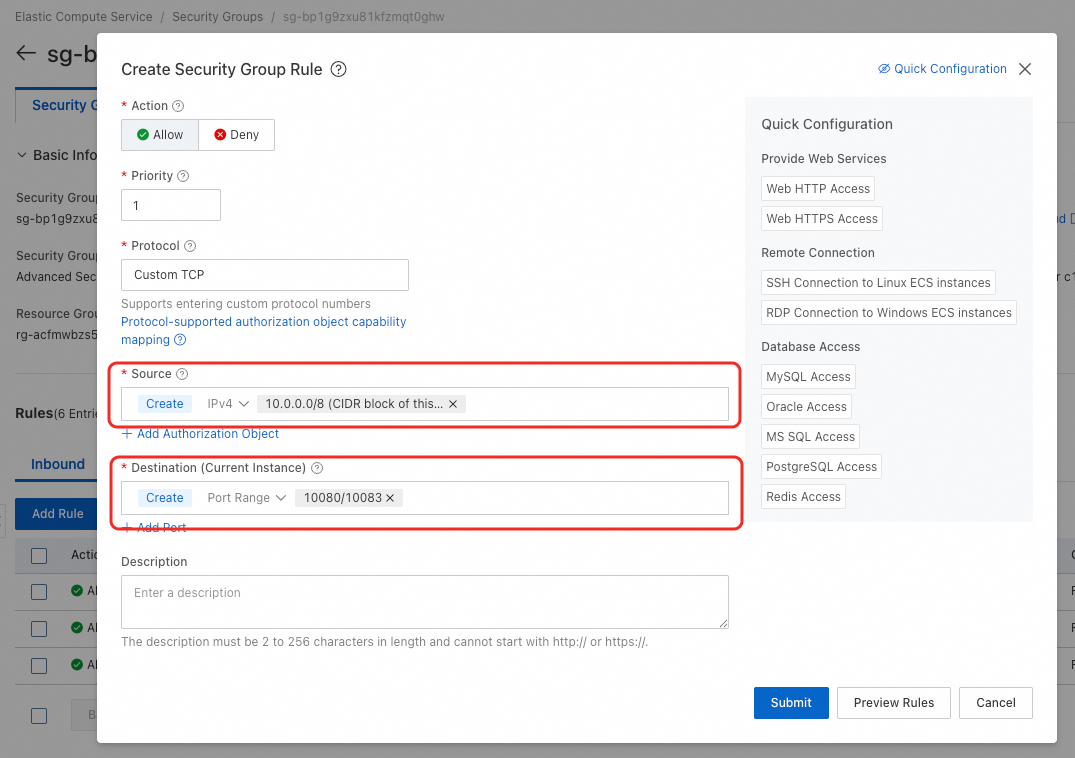
Go to your security group. If the type is Enterprise, add an inbound rule with the following settings:
Source: The CIDR block of the vSwitch used by your resource quota.
Destination (port range): Use the formula
10080/10080+n-1, wherenis the number of cached storage services andn<= 10. For example, with four storage services, set the port range to10080/10083.