iTAG supports offline and online pre-labeling to reduce manual labeling effort in classification tasks.
Limitations
Pre-labeling is supported only for classification tasks, such as image classification and text classification.
Offline pre-labeling
File format
Prepare a manifest file, such as prelabel_offline.manifest, and use it to create an OSS dataset.
-
Each manifest entry must contain a
sourcefield and at least one custom field for the pre-labeled result. Multiple custom fields are supported.{ "data": { "label": "label_2", "source": "Alibaba Group celebrates its 10th anniversary and establishes Alibaba Cloud" } }Fields:
-
label: Pre-labeled result generated offline. -
source: Original data to label.
For format requirements by labeling type, see Create a dataset for a labeling job. Incorrectly formatted manifest files cause pre-labeled results to display incorrectly.
-
-
Create the dataset from this manifest file as an OSS dataset. For more information, see Create and manage datasets.
Job configuration
When creating a labeling job, configure the parameters on the Intelligent Labeling Configurations wizard page.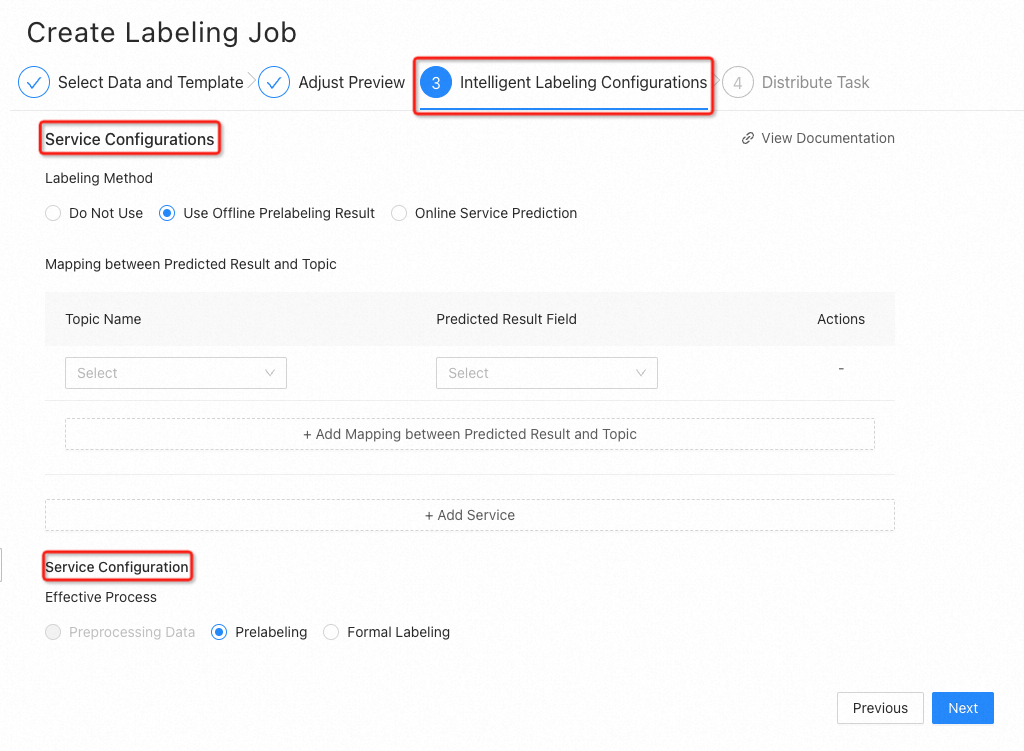
-
In the Service Configurations section, configure the parameters described in the following table.
Parameter
Description
Labeling Method
Labeling method:
-
Do Not Use: Disables intelligent labeling.
-
Use Offline Prelabeling Result: The dataset already contains pre-labeled results. iTAG displays the results for workers to review.
-
Online Service Prediction: The dataset does not contain pre-labeled results. iTAG calls an online prediction service to generate them.
Mapping between Predicted Result and Topic
Maps pre-labeled result columns in the manifest file to topic names.
For multiple topics, click + Add Mapping between Predicted Result and Topic to add more column-to-topic mappings.
-
-
In the Service Configuration section, set the Effective Process parameter:
-
Prelabeling: Pre-labeled results apply only to the pre-labeling stage. Workers review and correct the results during formal labeling.
-
Formal Labeling: Pre-labeled results apply directly to formal labeling. Workers skip manual labeling and proceed to verification or acceptance.
-
Result example
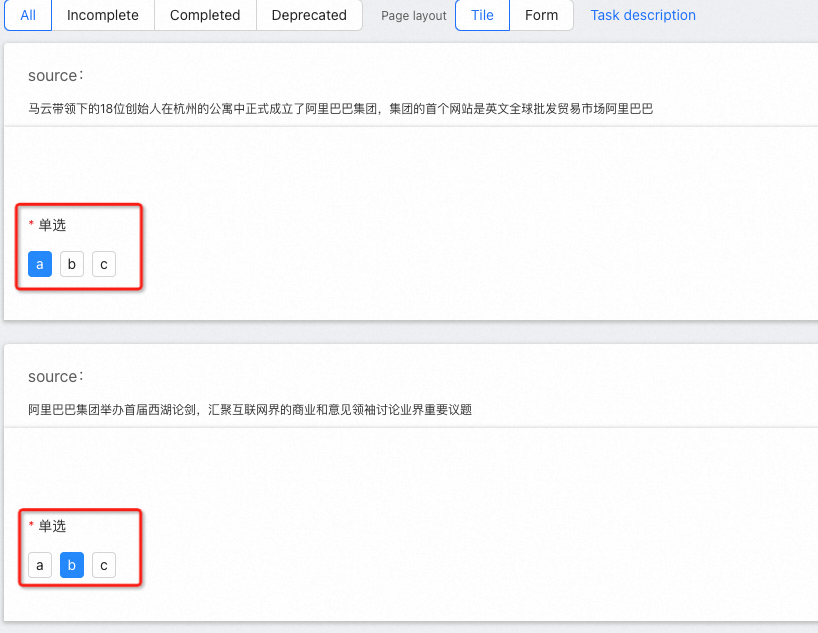
Each question on the labeling page displays its pre-labeled result.