Progressive display renders a low-resolution preview of a JPG image immediately, then sharpens detail as more data loads. This reduces perceived load time for large images or images served over slow networks — the image appears usable right away instead of loading row by row from the top.
OSS image processing (IMG) supports progressive display via the interlace parameter.
Parameters
Action: interlace
| Parameter | Accepted values | Description |
|---|---|---|
[value] | 0 | Standard display: loads the image top to bottom, row by row |
1 | Progressive display: renders a low-resolution preview first, then sharpens detail as data loads |
Progressive display applies only to JPG images. To use progressive display on a non-JPG image, first convert it to JPG using format,jpg.Implementation methods
Set progressive display using object URLs, OSS SDKs, or the OSS API. Object URLs work only for publicly accessible images. For private images, use an SDK or call the API directly. For more information, see IMG implementation modes.
Configure progressive display for public images
Append the x-oss-process query parameter to the object URL. The following examples use the bucket domain name https://oss-console-img-demo-cn-hangzhou.oss-cn-hangzhou.aliyuncs.com.
Example 1: Resize to 200 px wide and enable progressive display
Parameters used:
Resize to 200 px wide:
resize,w_200Enable progressive display:
interlace,1
https://oss-console-img-demo-cn-hangzhou.oss-cn-hangzhou.aliyuncs.com/example.jpg?x-oss-process=image/resize,w_200/interlace,1
Example 2: Convert PNG to JPG and enable progressive display
Parameters used:
Convert to JPG:
format,jpgEnable progressive display:
interlace,1
https://oss-console-img-demo-cn-hangzhou.oss-cn-hangzhou.aliyuncs.com/panda.png?x-oss-process=image/format,jpg/interlace,1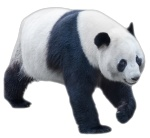
Configure progressive display for private images
Use OSS SDKs or the OSS RESTful API. All examples below apply image/resize,w_200/interlace,1 as the process string, which resizes the image to 200 px wide and enables progressive display.
Use OSS SDKs
The following samples download a processed image to a local file. For information about how to configure progressive display using OSS SDKs for other programming languages, see Overview.
Python
OSS SDK for Python V2.18.4 or later
# -*- coding: utf-8 -*-
import oss2
from oss2.credentials import EnvironmentVariableCredentialsProvider

# Load credentials from environment variables OSS_ACCESS_KEY_ID and OSS_ACCESS_KEY_SECRET.
auth     = oss2.ProviderAuthV4(EnvironmentVariableCredentialsProvider())
endpoint = 'https://oss-cn-hangzhou.aliyuncs.com'
region   = 'cn-hangzhou'
bucket   = oss2.Bucket(auth, endpoint, 'examplebucket', region=region)

key     = 'example.jpg'
new_pic = 'D:\\dest.jpg'

# Resize to 200 px wide and enable progressive display.
image = 'image/resize,w_200/interlace,1'
bucket.get_object_to_file(key, new_pic, process=image)
Java
OSS SDK for Java V3.17.4 or later
import com.aliyun.oss.*;
import com.aliyun.oss.common.auth.*;
import com.aliyun.oss.common.comm.SignVersion;
import com.aliyun.oss.model.GetObjectRequest;
import java.io.File;

public class Demo {
    public static void main(String[] args) throws Throwable {
        // Specify the endpoint of the region. Example: China (Hangzhou).
        String endpoint = "https://oss-cn-hangzhou.aliyuncs.com";
        // Specify the region ID. Example: cn-hangzhou.
        String region = "cn-hangzhou";
        // Load credentials from environment variables OSS_ACCESS_KEY_ID and OSS_ACCESS_KEY_SECRET.
        EnvironmentVariableCredentialsProvider credentialsProvider = CredentialsProviderFactory.newEnvironmentVariableCredentialsProvider();
        String bucketName = "examplebucket";
        String objectName = "example.jpg";
        // Specify the local file path to save the processed image.
        String pathName = "D:\\dest.jpg";

        ClientBuilderConfiguration clientBuilderConfiguration = new ClientBuilderConfiguration();
        clientBuilderConfiguration.setSignatureVersion(SignVersion.V4);
        OSS ossClient = OSSClientBuilder.create()
                .endpoint(endpoint)
                .credentialsProvider(credentialsProvider)
                .clientConfiguration(clientBuilderConfiguration)
                .region(region)
                .build();

        try {
            // Resize to 200 px wide and enable progressive display.
            String image = "image/resize,w_200/interlace,1";
            GetObjectRequest request = new GetObjectRequest(bucketName, objectName);
            request.setProcess(image);
            ossClient.getObject(request, new File(pathName));
        } catch (OSSException oe) {
            System.out.println("Error Message:" + oe.getErrorMessage());
            System.out.println("Error Code:" + oe.getErrorCode());
            System.out.println("Request ID:" + oe.getRequestId());
            System.out.println("Host ID:" + oe.getHostId());
        } catch (ClientException ce) {
            System.out.println("Error Message:" + ce.getMessage());
        } finally {
            if (ossClient != null) {
                ossClient.shutdown();
            }
        }
    }
}
Go
OSS SDK for Go V3.0.2 or later
package main

import (
    "fmt"
    "os"

    "github.com/aliyun/aliyun-oss-go-sdk/oss"
)

func HandleError(err error) {
    fmt.Println("Error:", err)
    os.Exit(-1)
}

func main() {
    // Load credentials from environment variables OSS_ACCESS_KEY_ID and OSS_ACCESS_KEY_SECRET.
    provider, err := oss.NewEnvironmentVariableCredentialsProvider()
    if err != nil {
        HandleError(err)
    }

    client, err := oss.New(
        "https://oss-cn-hangzhou.aliyuncs.com", "", "",
        oss.SetCredentialsProvider(&provider),
        oss.AuthVersion(oss.AuthV4),
        oss.Region("cn-hangzhou"),
    )
    if err != nil {
        HandleError(err)
    }

    bucket, err := client.Bucket("examplebucket")
    if err != nil {
        HandleError(err)
    }

    sourceImageName := "example.jpg"
    targetImageName := "D://dest.jpg"

    // Resize to 200 px wide and enable progressive display.
    image := "image/resize,w_200/interlace,1"
    err = bucket.GetObjectToFile(sourceImageName, targetImageName, oss.Process(image))
    if err != nil {
        HandleError(err)
    }
}
PHP
OSS SDK for PHP V2.7.0 or later
<?php
if (is_file(__DIR__ . '/../autoload.php')) {
    require_once __DIR__ . '/../autoload.php';
}
if (is_file(__DIR__ . '/../vendor/autoload.php')) {
    require_once __DIR__ . '/../vendor/autoload.php';
}
use OSS\Credentials\EnvironmentVariableCredentialsProvider;
use OSS\OssClient;

// Load credentials from environment variables OSS_ACCESS_KEY_ID and OSS_ACCESS_KEY_SECRET.
$provider = new EnvironmentVariableCredentialsProvider();
$endpoint = "https://oss-cn-hangzhou.aliyuncs.com";
$bucket   = "examplebucket";
$object   = "example.jpg";
// Specify the local file path to save the processed image.
$download_file = "D:\\dest.jpg";

$config = array(
    "provider"         => $provider,
    "endpoint"         => $endpoint,
    "signatureVersion" => OssClient::OSS_SIGNATURE_VERSION_V4,
    "region"           => "cn-hangzhou",
);
$ossClient = new OssClient($config);

// Resize to 200 px wide and enable progressive display.
$image = "image/resize,w_200/interlace,1";

$options = array(
    OssClient::OSS_FILE_DOWNLOAD => $download_file,
    OssClient::OSS_PROCESS       => $image,
);

$ossClient->getObject($bucket, $object, $options);
Use the RESTful API
Include the interlace parameter in a GetObject request. Sign the request using Signature Version 4 (recommended).
GET /oss.jpg?x-oss-process=image/format,jpg/interlace,1 HTTP/1.1
Host: oss-example.oss-cn-hangzhou.aliyuncs.com
Date: Fri, 28 Oct 2022 06:40:10 GMT
Authorization: OSS4-HMAC-SHA256 Credential=LTAI********************/20250417/cn-hangzhou/oss/aliyun_v4_request,Signature=a7c3554c729d71929e0b84489addee6b2e8d5cb48595adfc51868c299c0c218e