Top searches and hints appear near the search box and guide users toward relevant queries before they finish typing. For operators, they surface interest trends and create opportunities to shape search behavior through operational strategy.
How it works
OpenSearch generates top search and hint recommendations through a three-stage pipeline:
Collect — The system pulls search queries from historical search logs. Only queries submitted with the
raw_queryparameter are counted. Theraw_queryvalue must be a standalone, non-repeated query that returns results.Rank — Queries are ranked by frequency. The recommendation interface uses data from the past 14 days by default. After models are created, the system retrains them automatically every day.
Serve — Call the API or SDK to retrieve ranked recommendations. By default, 10 top searches and 3 hints are returned per request.
The top search recommendation interface and the top search list in the console use different data scopes. The recommendation interface covers only the past 14 days and only raw_query queries; the console list includes queries from the default index and does not filter out zero-result queries.Key concepts
Top search model — Ranks queries by popularity and returns them as a list. Use this to display trending searches near the search box.
Hint model — Returns query completions as users type. Use this to power drop-down suggestions in the search box.
Both model types are trained from the same raw_query data. You can create up to three top search models or hint models per application.
Prerequisites
Before you begin, make sure that:
Search requests in your application include the
raw_queryparameter with real user queriesAt least some historical search requests with
raw_queryvalues exist in the system
If no historical search requests contain the raw_query parameter, model training will fail.
Create a top search or hint model
Create a model in the console
Log on to the OpenSearch console. In the left-side navigation pane, choose Search Algorithm Center > Search Guidance, then click Top Searches and Hints.
Click Create.
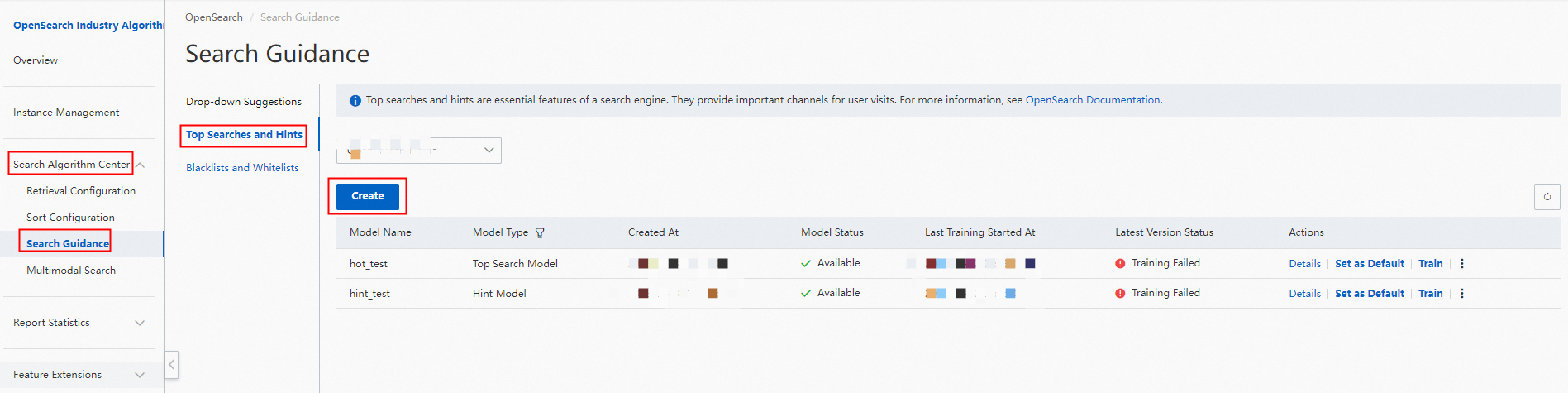
Configure the following parameters:
Parameter Description Model name A name consisting of letters, digits, and underscores ( _). The name cannot consist of only digits and must be no longer than 30 characters.Model type Select Top Search Model or Hint Model. Filter condition (Optional) Restrict which historical search queries are used for training. Format: [parameter][operator][value]. Supported parameters:biz_typeanduser_id. Supported operators:<,>,<=,>=,=,!=. Separate multiple conditions with commas — all conditions are applied with AND logic. Example:user_id=1,biz_type=1.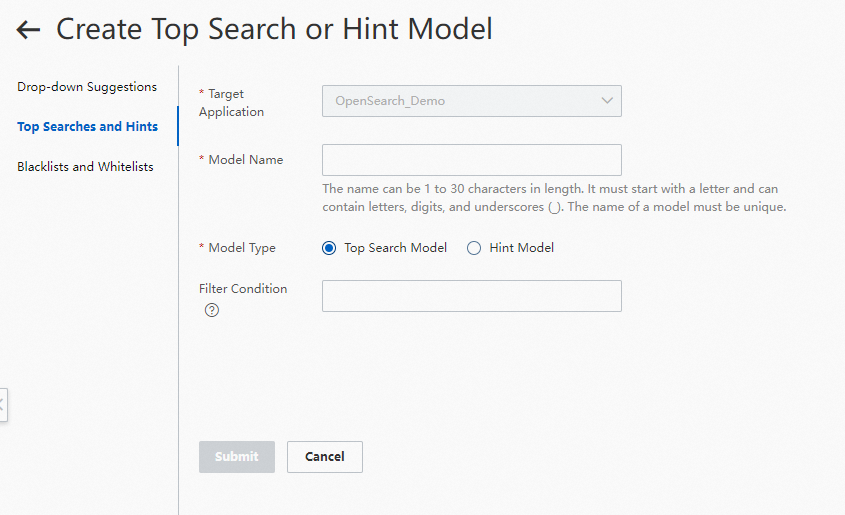
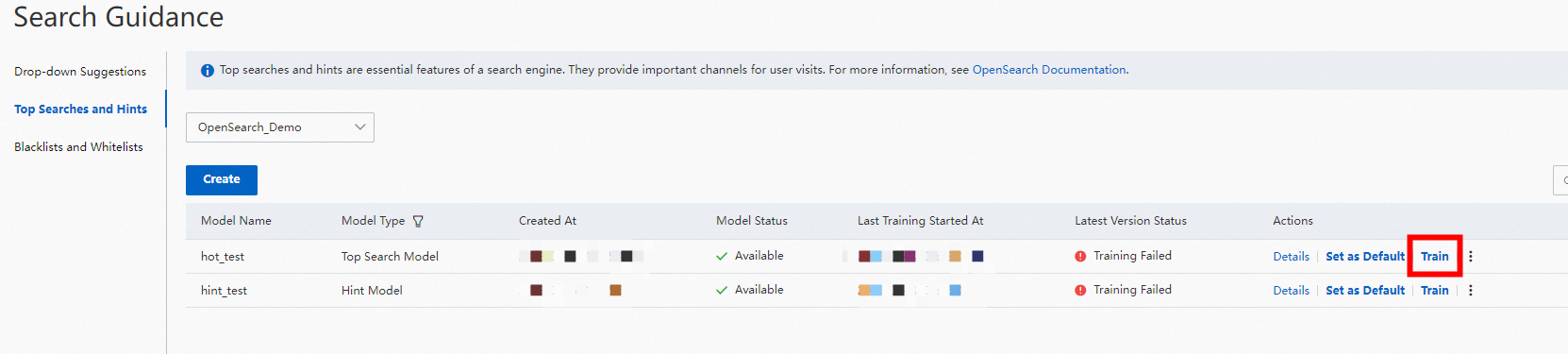
Find the model in Pending Training status and click Train in the Actions column.
After training completes, preview the results:
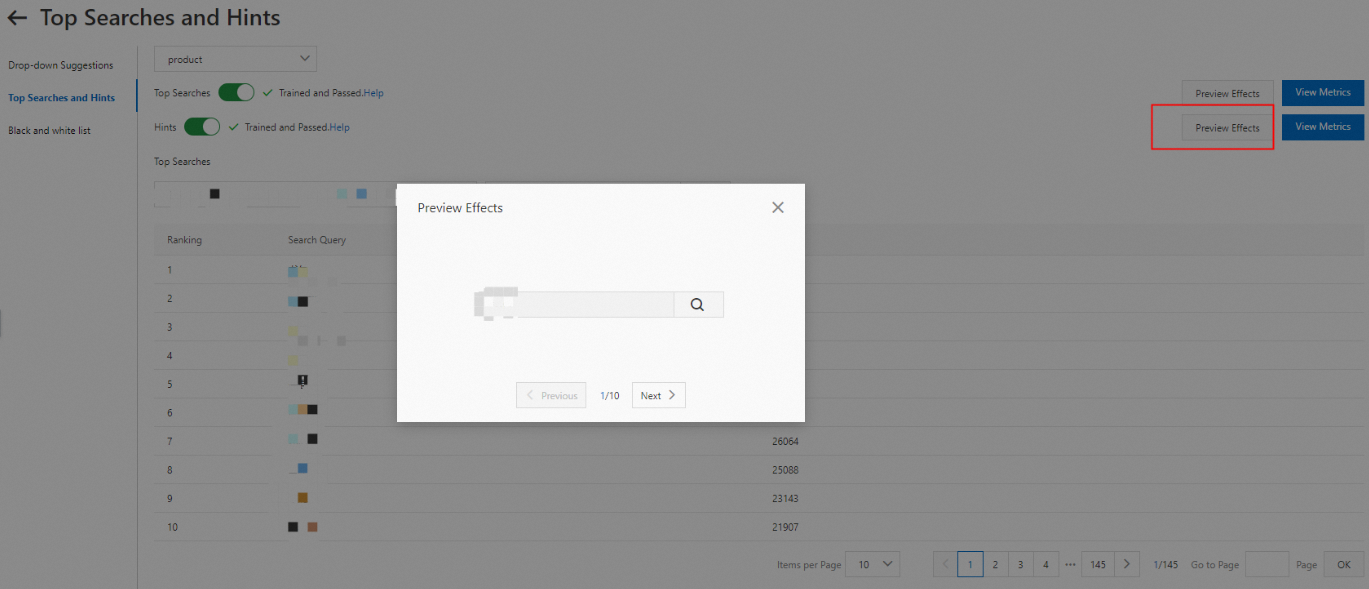
Top search preview: Click Preview Effects to see up to 10 recommended top searches per page, across up to 20 pages.
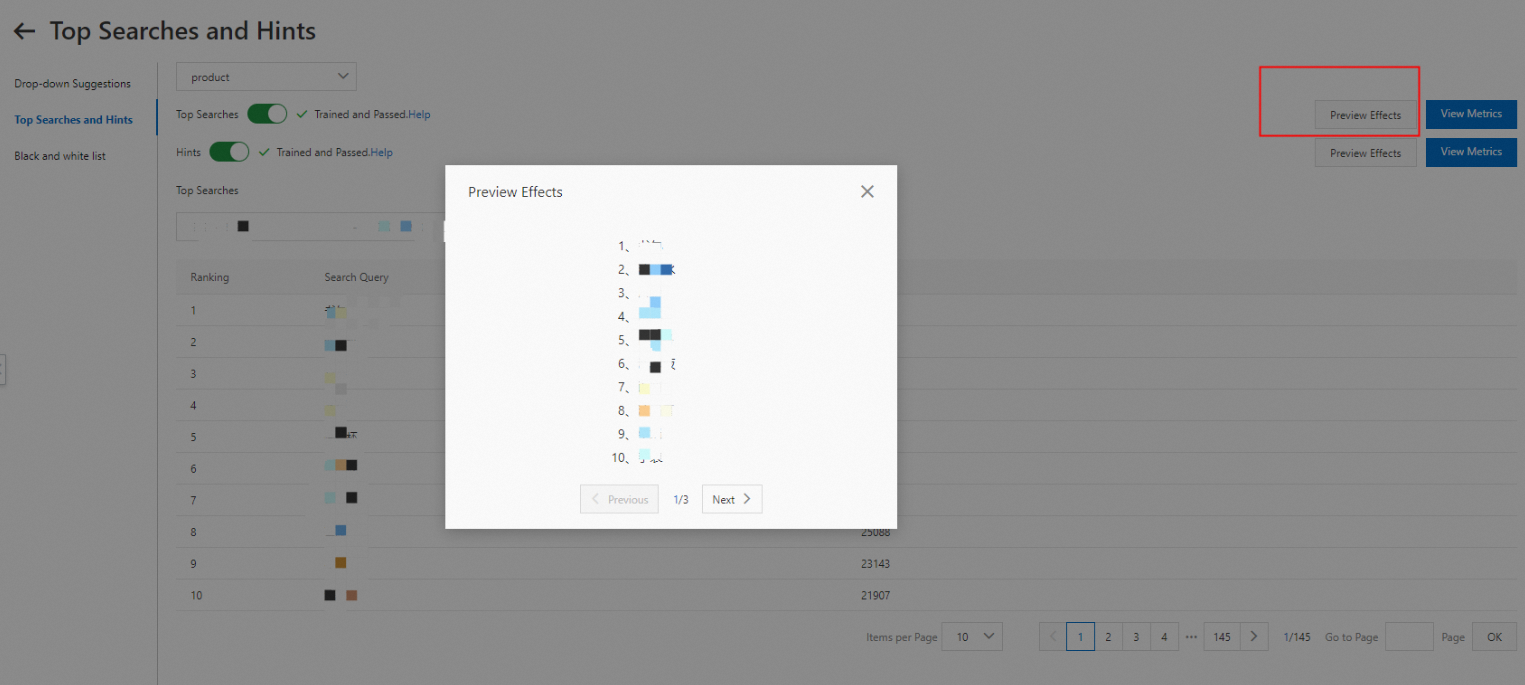
Hint preview: Click Preview Effects to see up to 30 recommended hints, one per page.
Create a model using the API or SDK
When you create a model using the API, the system immediately starts training the model upon receiving the creation request.
Add the Management and Control SDK to your project:
<dependency>
    <groupId>com.aliyun</groupId>
    <artifactId>aliyun-java-sdk-opensearch</artifactId>
    <version>0.7.0</version>
</dependency>
<dependency>
    <groupId>com.aliyun</groupId>
    <artifactId>aliyun-java-sdk-core</artifactId>
    <version>4.5.0</version>
</dependency>
The following example creates a top search model. Set type to "hot" for a top search model or "hint" for a hint model.
import com.aliyuncs.DefaultAcsClient;
import com.aliyuncs.IAcsClient;
import com.aliyuncs.exceptions.ClientException;
import com.aliyuncs.exceptions.ServerException;
import com.aliyuncs.http.FormatType;
import com.aliyuncs.http.HttpResponse;
import com.aliyuncs.opensearch.model.v20171225.*;
import com.aliyuncs.profile.DefaultProfile;

public class CreateModel {
    public static void main(String[] args) {
        DefaultProfile profile = DefaultProfile.getProfile(
            "cn-beijing",
            System.getenv("ALIBABA_CLOUD_ACCESS_KEY_ID"),
            System.getenv("ALIBABA_CLOUD_ACCESS_KEY_SECRET")
        );
        IAcsClient client = new DefaultAcsClient(profile);

        CreateModelRequest request = new CreateModelRequest();
        request.setAppGroupIdentity("app_name");  // Replace with your application name

        // type: "hot" = top search model, "hint" = hint model
        // name: letters, digits, underscores only; max 30 characters
        String content = "{\"type\": \"hot\", \"name\": \"model_name\"}";
        request.setHttpContent(content.getBytes(), "UTF-8", FormatType.JSON);

        try {
            HttpResponse response = client.doAction(request);
            System.out.println(response.getHttpContentString());
        } catch (ServerException e) {
            e.printStackTrace();
        } catch (ClientException e) {
            e.printStackTrace();
        }
    }
}
Retrieve top searches and hints
After training completes, call the API or SDK to get recommendations. There is no API operation for checking training status — poll the results endpoint to determine when recommendations become available.
Add the Traffic SDK to your project:
<dependency>
    <groupId>com.aliyun.opensearch</groupId>
    <artifactId>aliyun-sdk-opensearch</artifactId>
    <version>3.5.0</version>
</dependency>
The following example retrieves top searches. Use the same API path for hints by setting the appropriate model_name.
import java.util.HashMap;
import java.util.Map;
import com.alibaba.fastjson.JSON;
import com.aliyun.opensearch.OpenSearchClient;
import com.aliyun.opensearch.sdk.generated.OpenSearch;
import com.aliyun.opensearch.sdk.generated.commons.OpenSearchClientException;

public class Hot {
    private static final String accesskey = System.getenv("ALIBABA_CLOUD_ACCESS_KEY_ID");
    private static final String secret    = System.getenv("ALIBABA_CLOUD_ACCESS_KEY_SECRET");
    private static final String host      = "<endpoint>";      // e.g., http://opensearch-cn-hangzhou.aliyuncs.com
    private static final String appName   = "<your-app-name>";

    // API path for top searches
    private static final String HOT_API_PATH = "/apps/{app_name}/actions/hot";

    public static void main(String[] args) {
        OpenSearch openSearch = new OpenSearch(accesskey, secret, host);
        OpenSearchClient client = new OpenSearchClient(openSearch);

        String requestPath = HOT_API_PATH.replace("{app_name}", appName);

        Map<String, String> params = new HashMap<>();
        params.put("model_name", "<your-model-name>");  // The model name you created
        params.put("hit", "20");  // Number of results to return (max 30 for top searches, 10 for hints)

        try {
            String response = client.call(requestPath, params, OpenSearchClient.METHOD_GET);
            System.out.println(JSON.toJSONString(response));
        } catch (OpenSearchClientException e) {
            e.printStackTrace();
        }
    }
}
Return value limits:
| Model type | Default results | Maximum (hit parameter) |
|---|---|---|
| Top search | 10 | 30 |
| Hint | 3 | 10 |
To get hotword rankings, call the ListStatisticLogs operation.
Manage models
Model list
The Top Searches and Hints page lists all models with their name, type, creation time, status, last training start time, and latest version status. Set one model as the default — when no model_name is specified in a request, the default model is used.
Model details
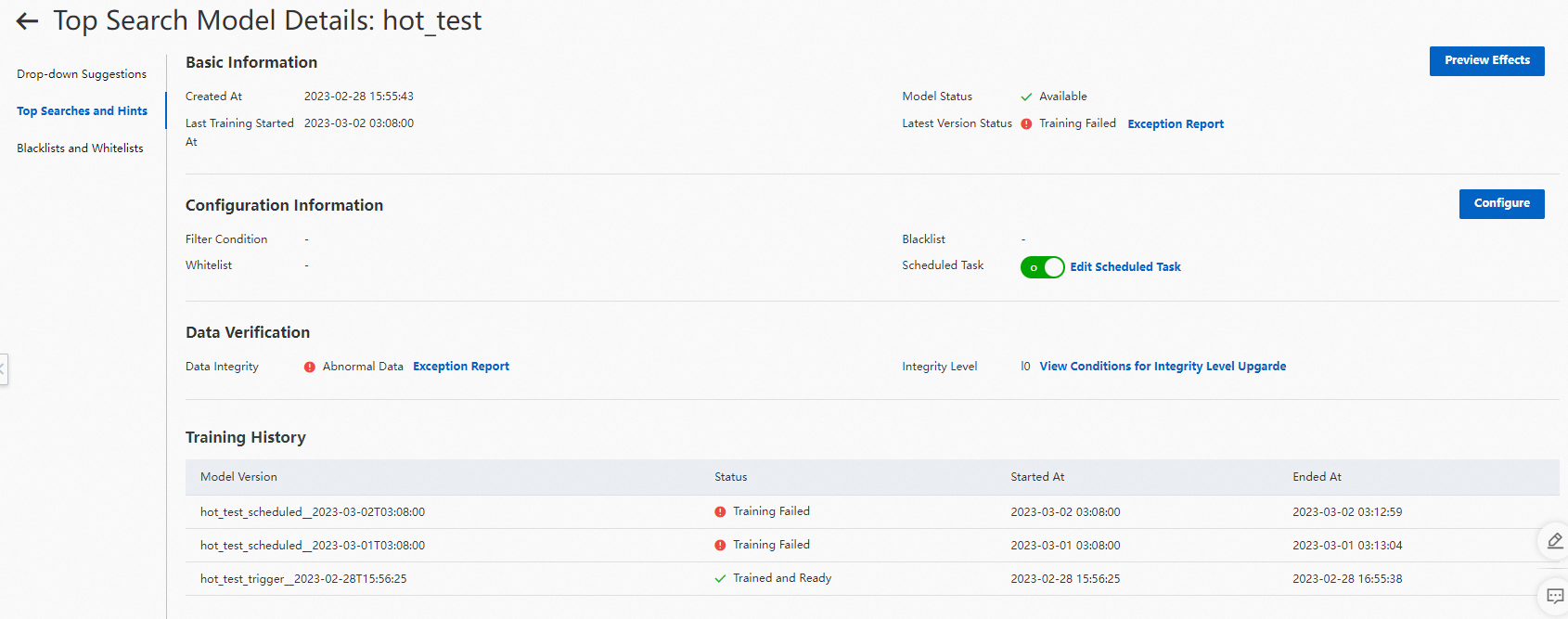
Click a model name to open its details page. The Basic Information section shows the current model status and training timestamps. The Training History section lists each training run with its version, status, start time, and end time.
Troubleshoot a failed training
On the model details page, hover over Exception Report to see the failure reason. Hover over View Conditions for Integrity Level Upgrade to see what criteria the model needs to meet for a higher integrity level.
Configure blacklists and whitelists
In the Configuration Information section, click Configure to set up a blacklist or whitelist for the model. For details, see Blacklists and whitelists.

Adjust top search list size
By default, the top search list displays up to 10,000 entries. Set a custom limit (minimum: 100) based on your business requirements.
Optimize model quality
Connect user behavioral data
Top searches and hints generated from raw search logs are a good starting point, but connecting user behavioral data improves recommendation quality over time.
Include the following parameters in search requests to enable behavioral tracking:
from_request_id— Set this to therequest_idvalue returned when a user clicks a top search or hint. This links the subsequent search to the recommendation that triggered it.user_id— Enables unique visitor (UV) metrics in business operation reports.
How it works end-to-end:
A user sees a list of top searches returned by the API. The response includes a
request_id.The user clicks a top search, triggering a new search request.
Set
from_request_idin that search request to therequest_idfrom step 1.If the user pages through results, set
from_request_idin each page-turn request as well — each page view counts as an independent page view (PV).
With this data connected, business operation reports will show:
Page views (PVs) and unique visitors (UVs) of searches guided by top searches and hints
Zero-result rate for guided searches
Click rate on recommendations
User interest trends for operational planning
View business operation reports
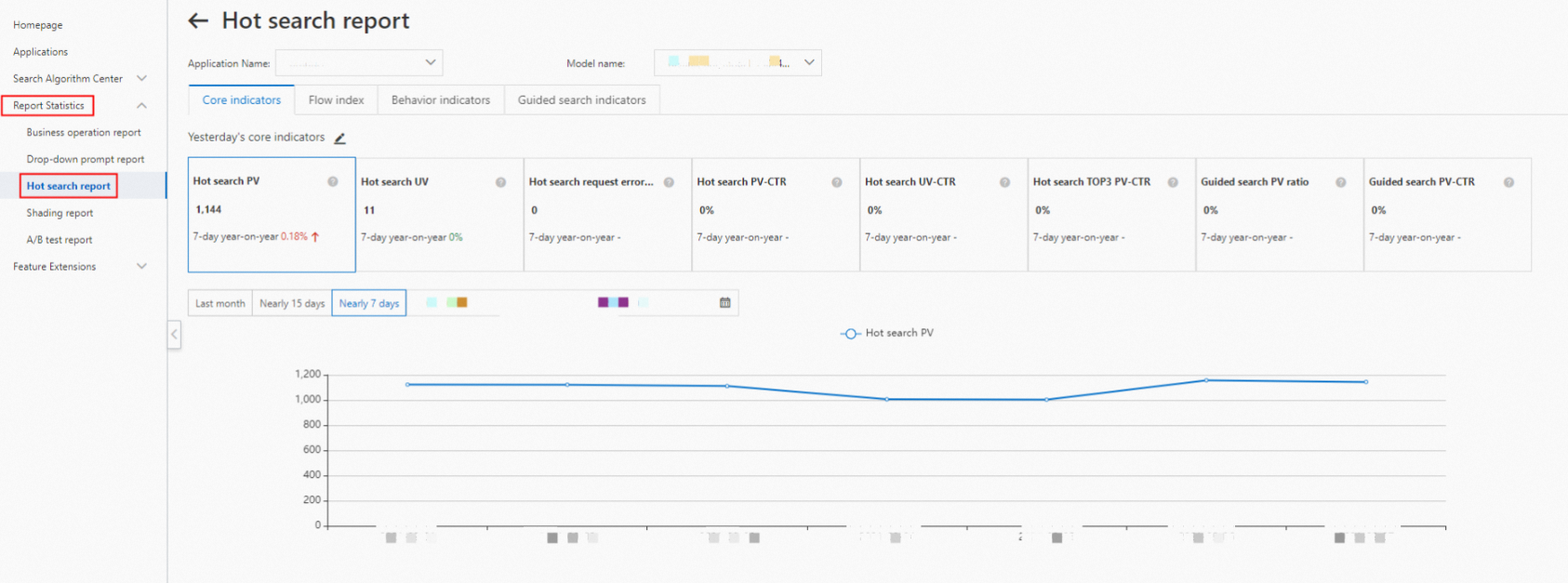
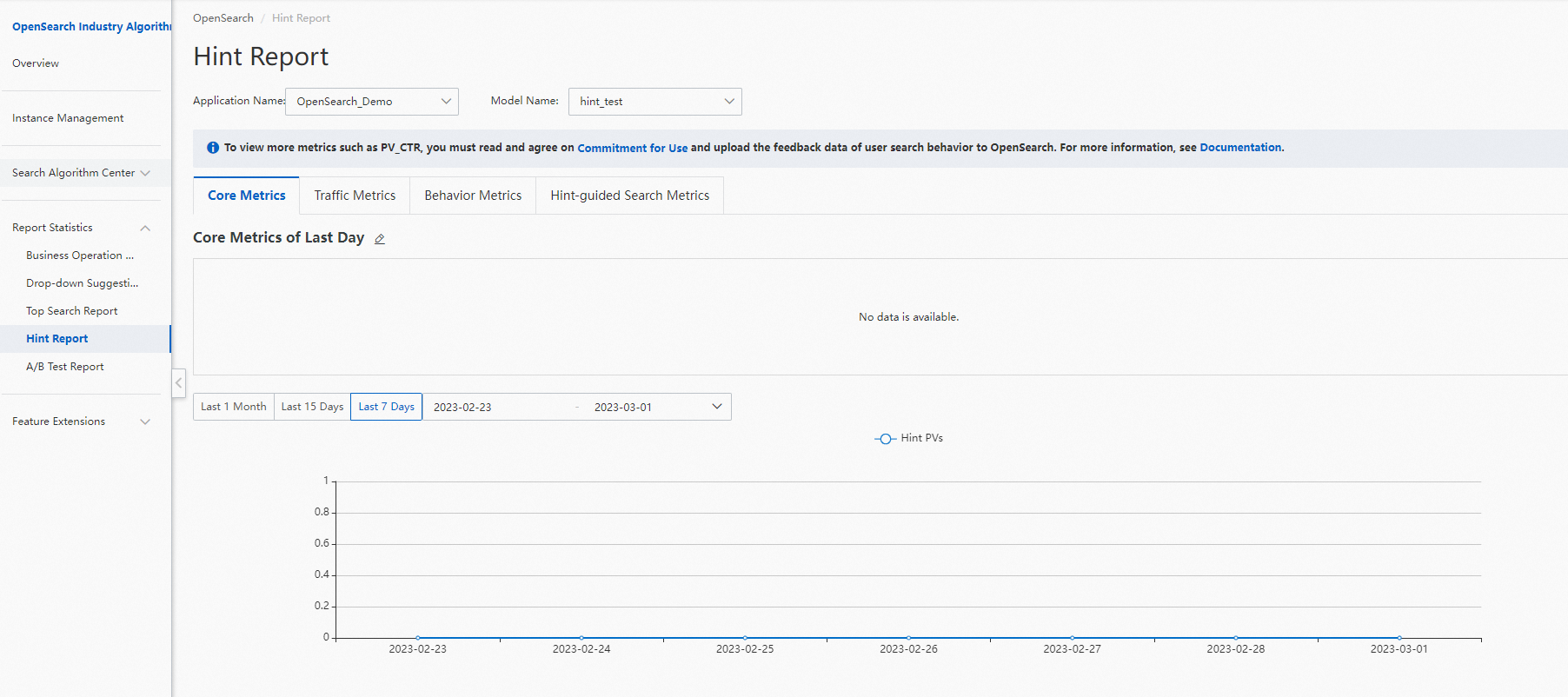
In the OpenSearch console, navigate to Report Statistics to view performance metrics.
Top search report: Choose Report Statistics > Top Search Report.
Hint report: Choose Report Statistics > Hint Report.
For a full description of report metrics, see Top search report and Hint report.
Limits
| Limit | Value |
|---|---|
| Top search or hint models per application (combined) | 3 |
| Top search list size (default) | 10,000 entries |
| Top search list size (minimum) | 100 entries |
| Training data window | Past 14 days (default); up to 6 months |
| Training schedule | Daily (automatic) |
| Queries eligible for training | raw_query only; must return results; must not be repeated |
What's next
Initiate search requests — Learn how to include
raw_query,from_request_id, anduser_idin search requests.Query top searches and hints — Full API reference for the recommendation endpoints.
Blacklists and whitelists — Filter specific queries in or out of recommendations.