Prerequisites
Before you begin, ensure that you have:
Access to the OpenSearch console
A target field of the LITERAL_ARRAY type
The MultiValueSpliter plug-in works only with LITERAL_ARRAY fields. If the target field uses a different type, update the field type in your application schema before proceeding. See Application schema.
Add the plug-in to a new application
Configure the plug-in for the target field in the Data Source step of the application creation wizard.
In the OpenSearch console, start creating an application.
In the Data Source step, find the LITERAL_ARRAY field you want to configure and select the MultiValueSpliter plug-in.
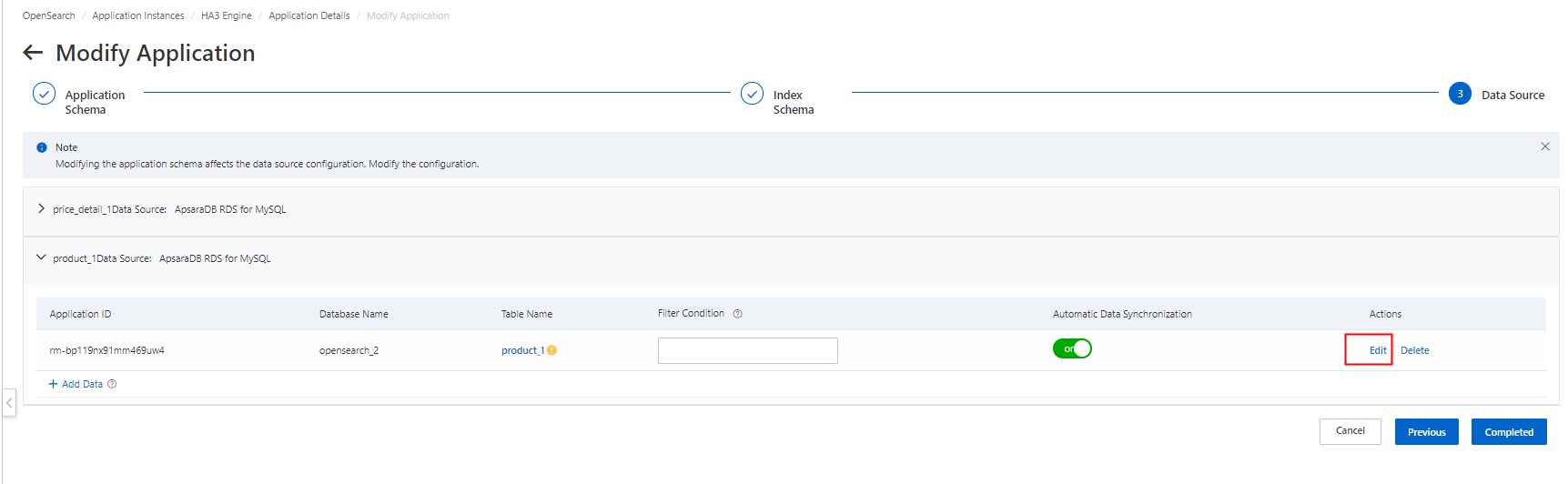
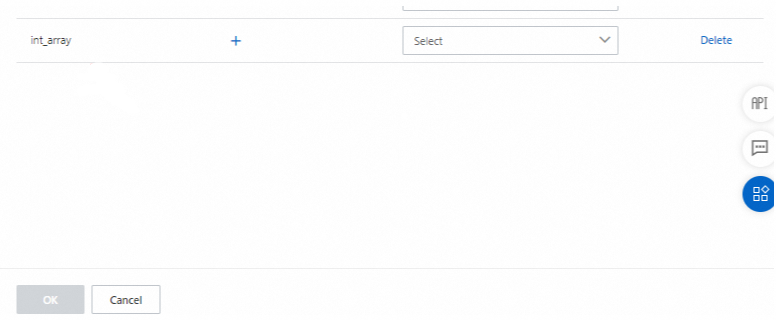
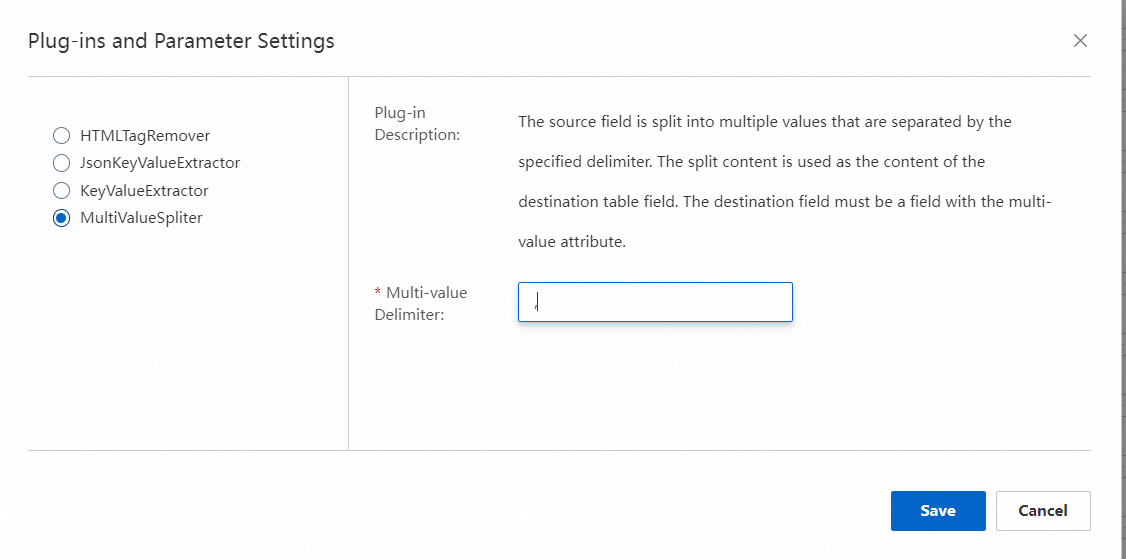
Complete the remaining steps to create the application.
Add the plug-in to an existing application
To add the plug-in to an application that is already online, modify the application offline and reconfigure the Data Source step.
On the Instance Management page in the OpenSearch console, find the application and click Details in the Actions column.
On the Online Application tab of the Instance Details page, click Modify Offline Application.
In the Modify Application wizard, go to the Data Source step.
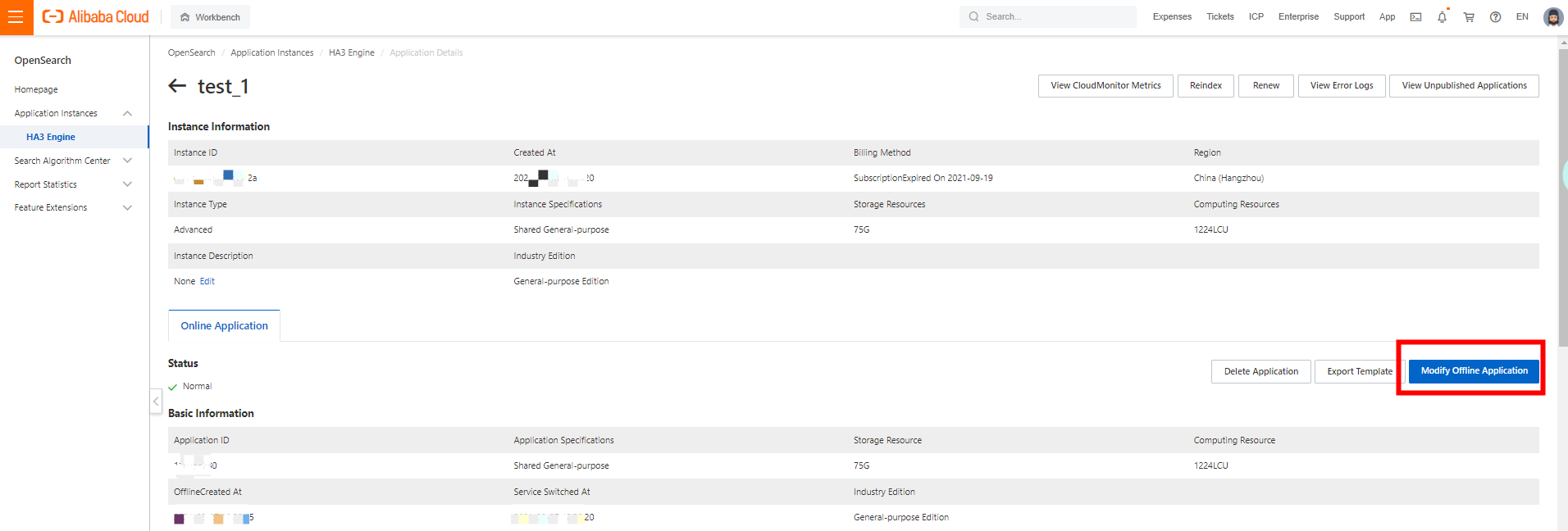
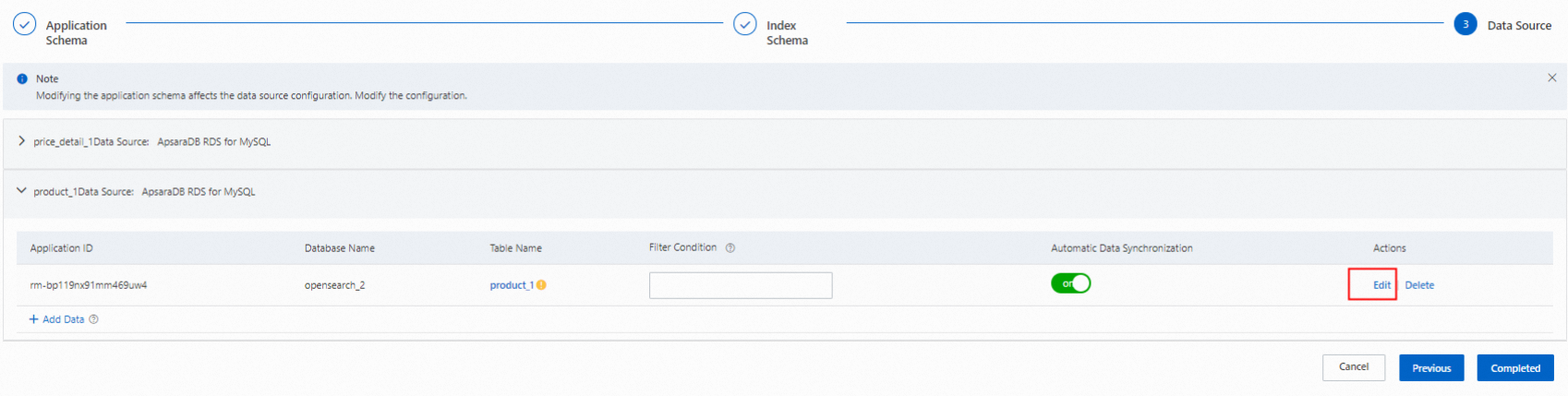
Find the LITERAL_ARRAY field you want to configure and select the MultiValueSpliter plug-in.
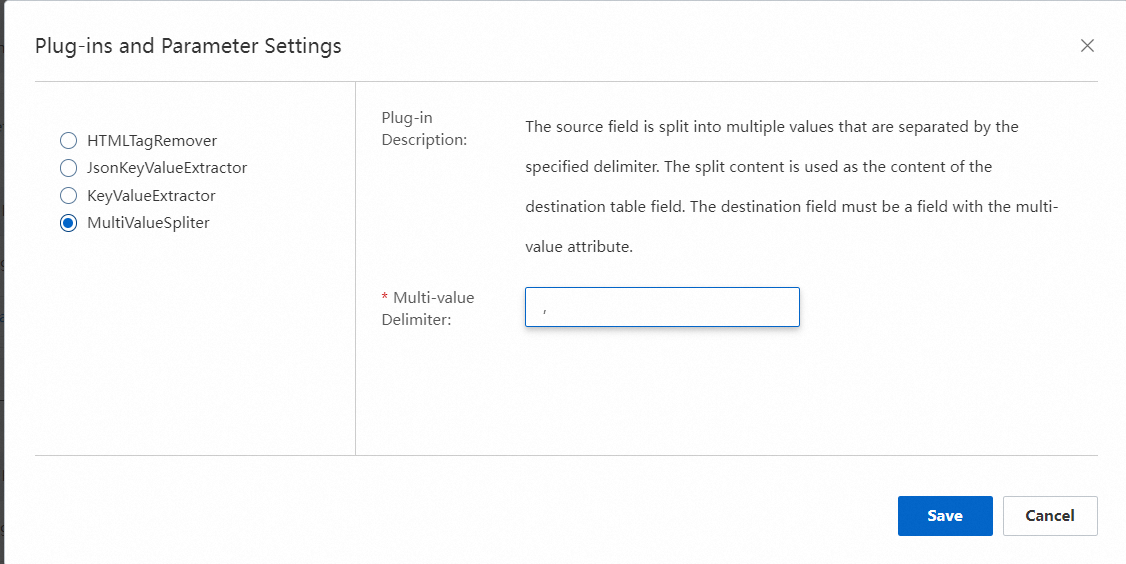
Complete the remaining steps to save and publish the changes.
What's next
Application schema — Understand field types, including LITERAL_ARRAY, and learn how to define or update your application schema.