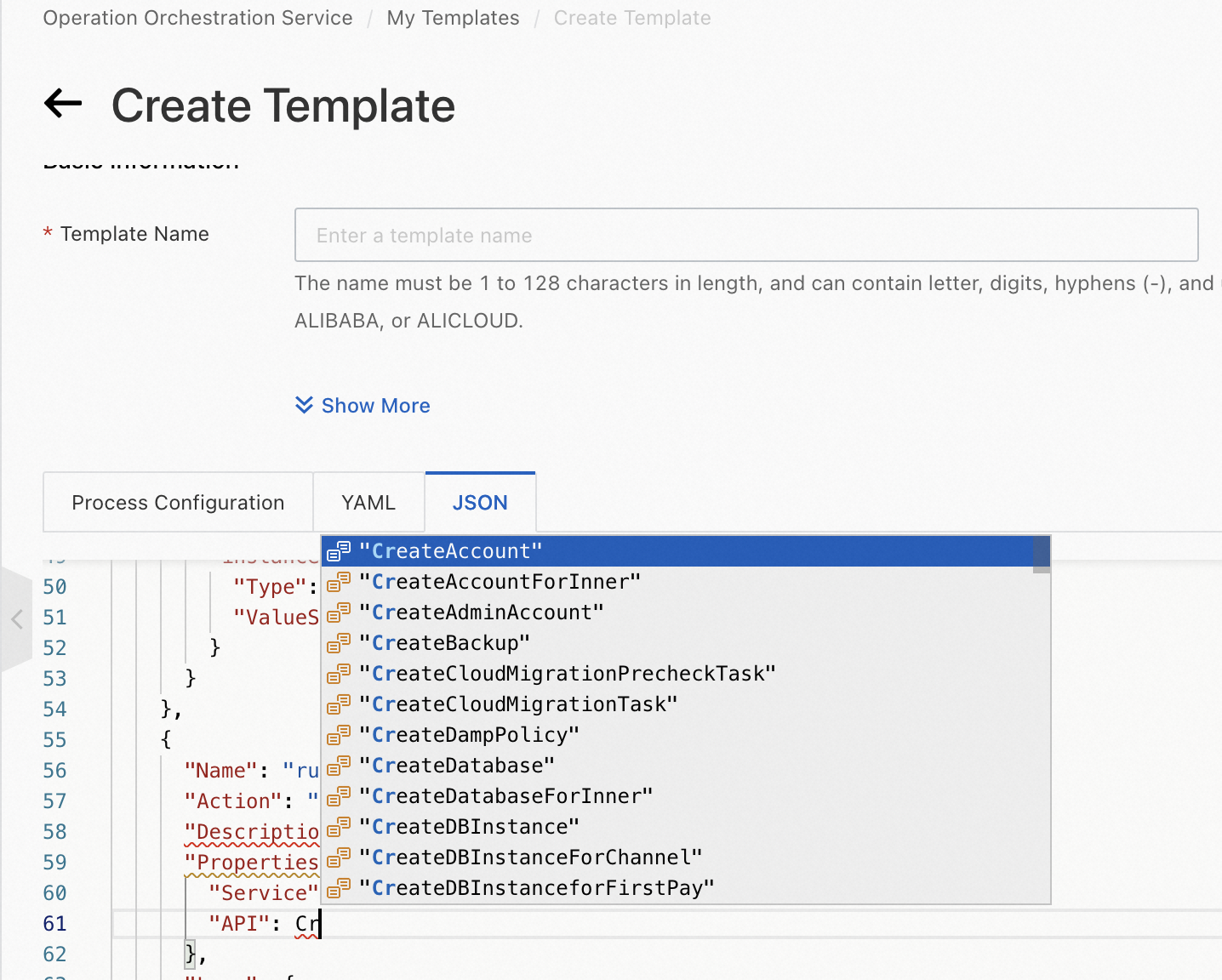
The OOS online template editor supports automatic code completion and intelligent hinting to help you write templates in YAML or JSON format.
Prerequisites
You are familiar with the syntax and basic structure of OOS templates. For more information, see Template structure.
Procedure
-
Log on to the CloudOps Orchestration Service console.
-
In the left-side navigation pane, choose Automated Task > Custom Template.
-
On the Custom Template page, click Create Template.
-
On the Create Template page, click the YAML or JSON tab and edit your template.
Use the YAML template editor
The YAML template editor supports automatic code completion and intelligent hinting.
-
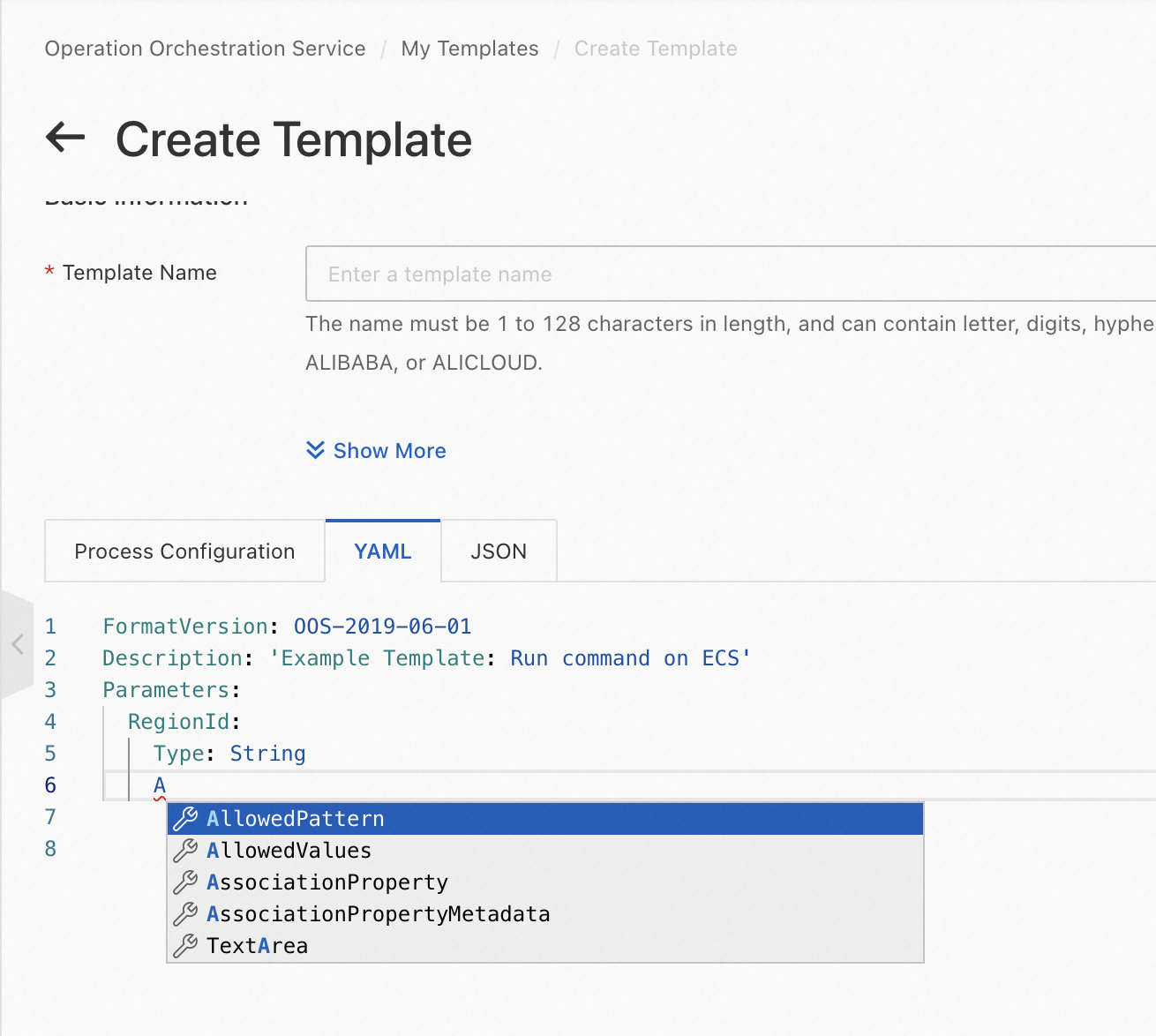
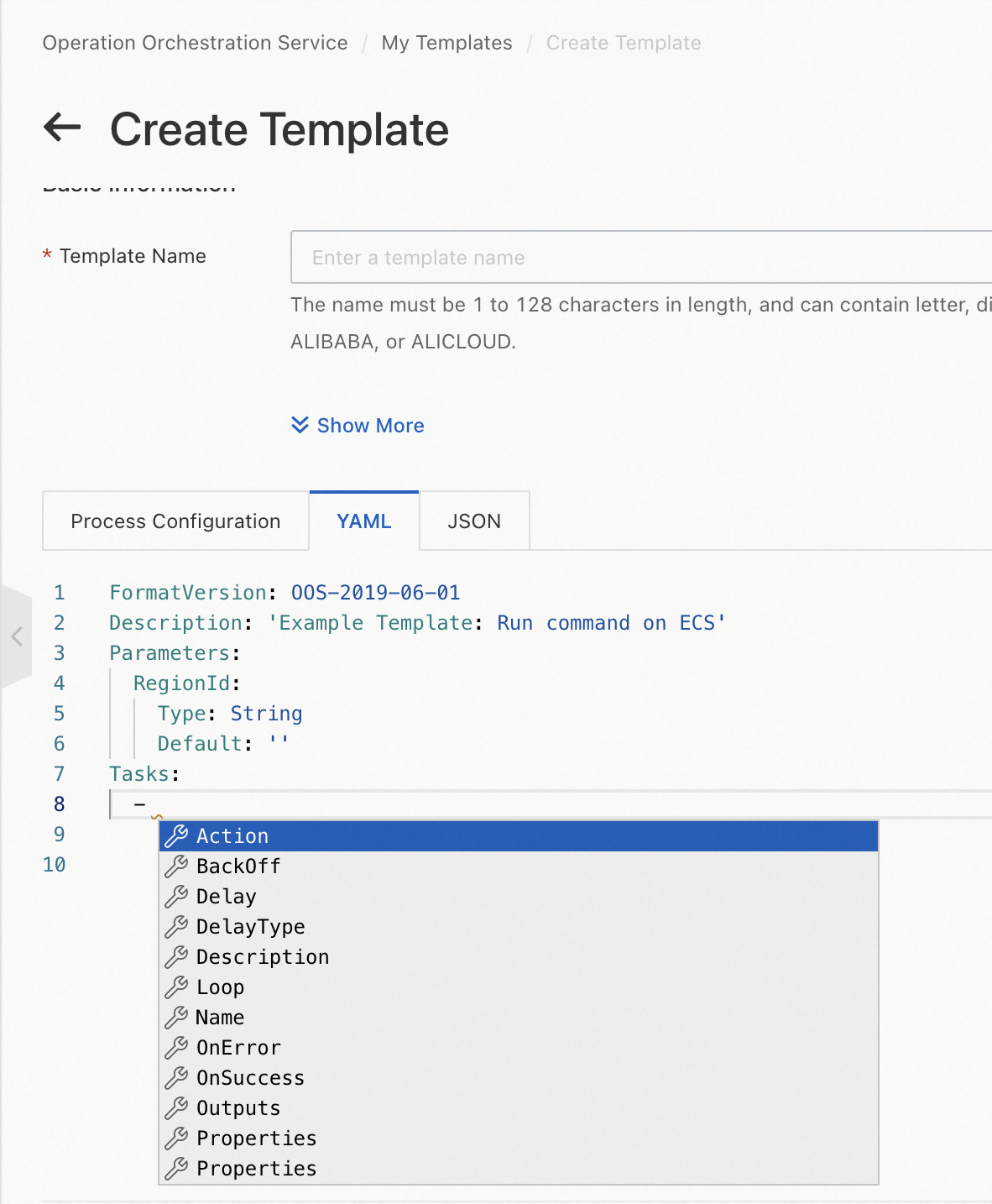
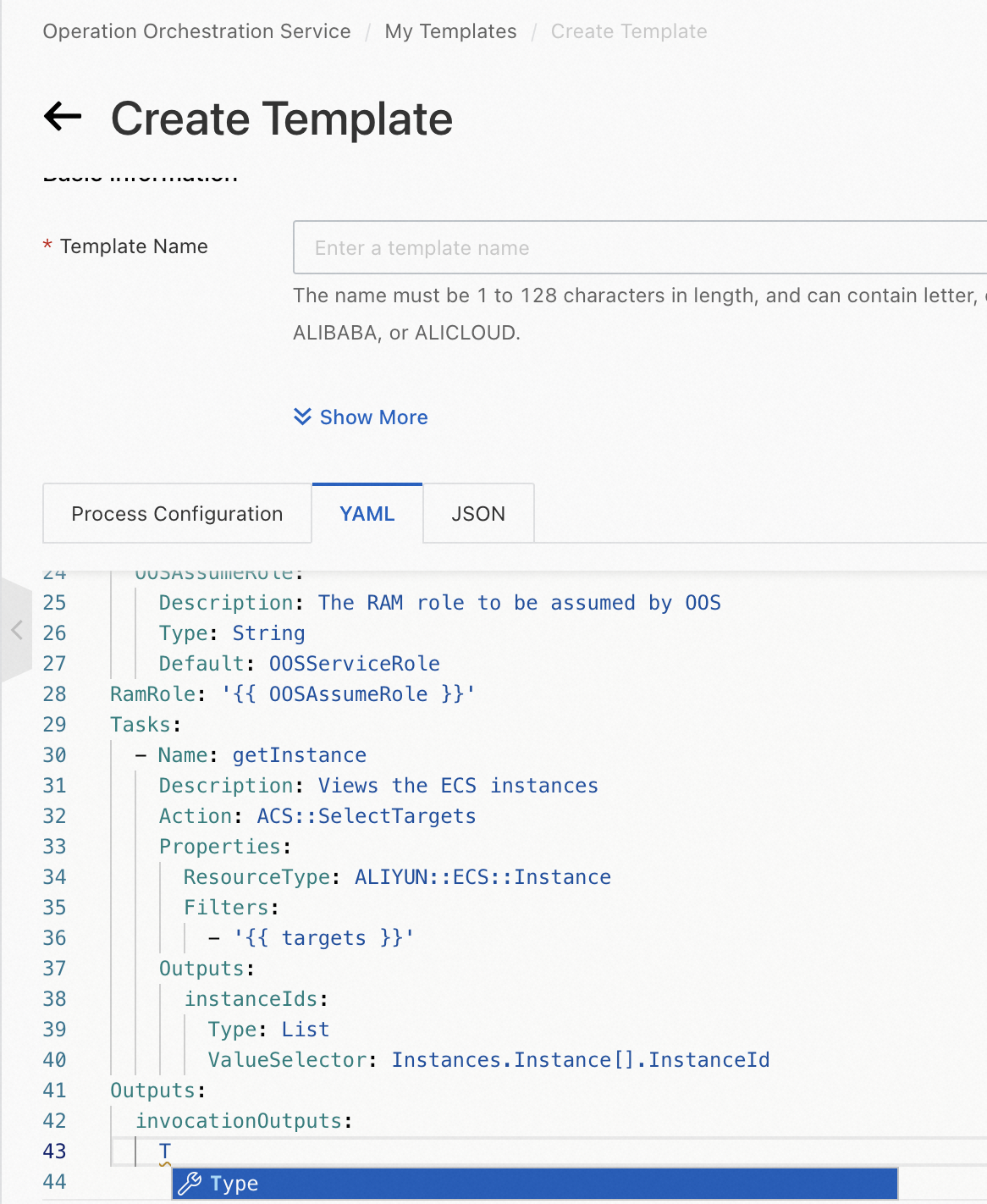
Automatic code completion
When you configure the Parameters, Tasks, or Outputs section of an OOS template, the YAML template editor automatically suggests properties based on your input.
-
Parameters section
-
Tasks section
-
Outputs section
-
Intelligent code hinting for parameter types and properties
When you configure the Parameters section of an OOS template, the YAML template editor suggests parameter types and properties such as AssociationProperty. 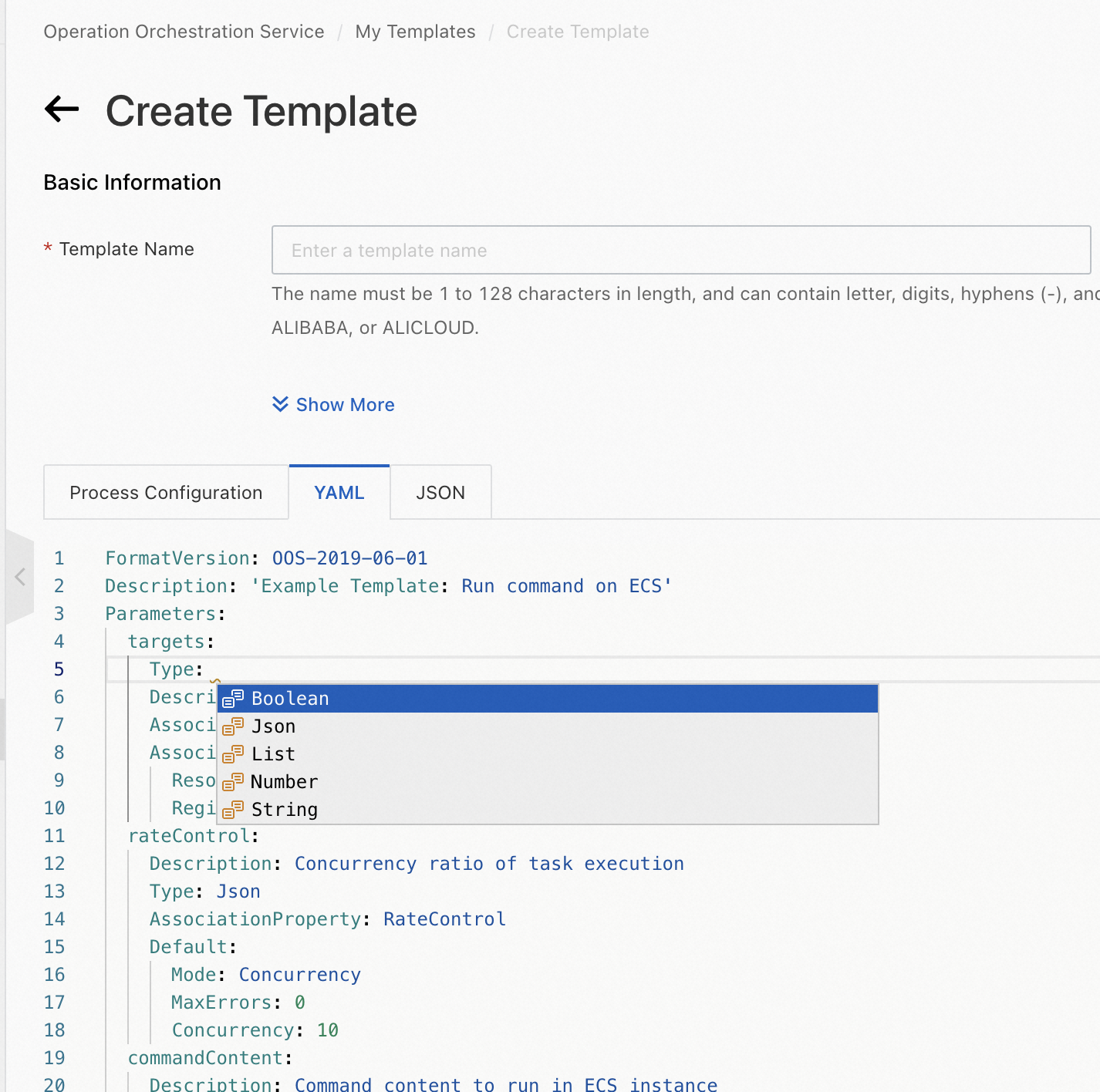
-
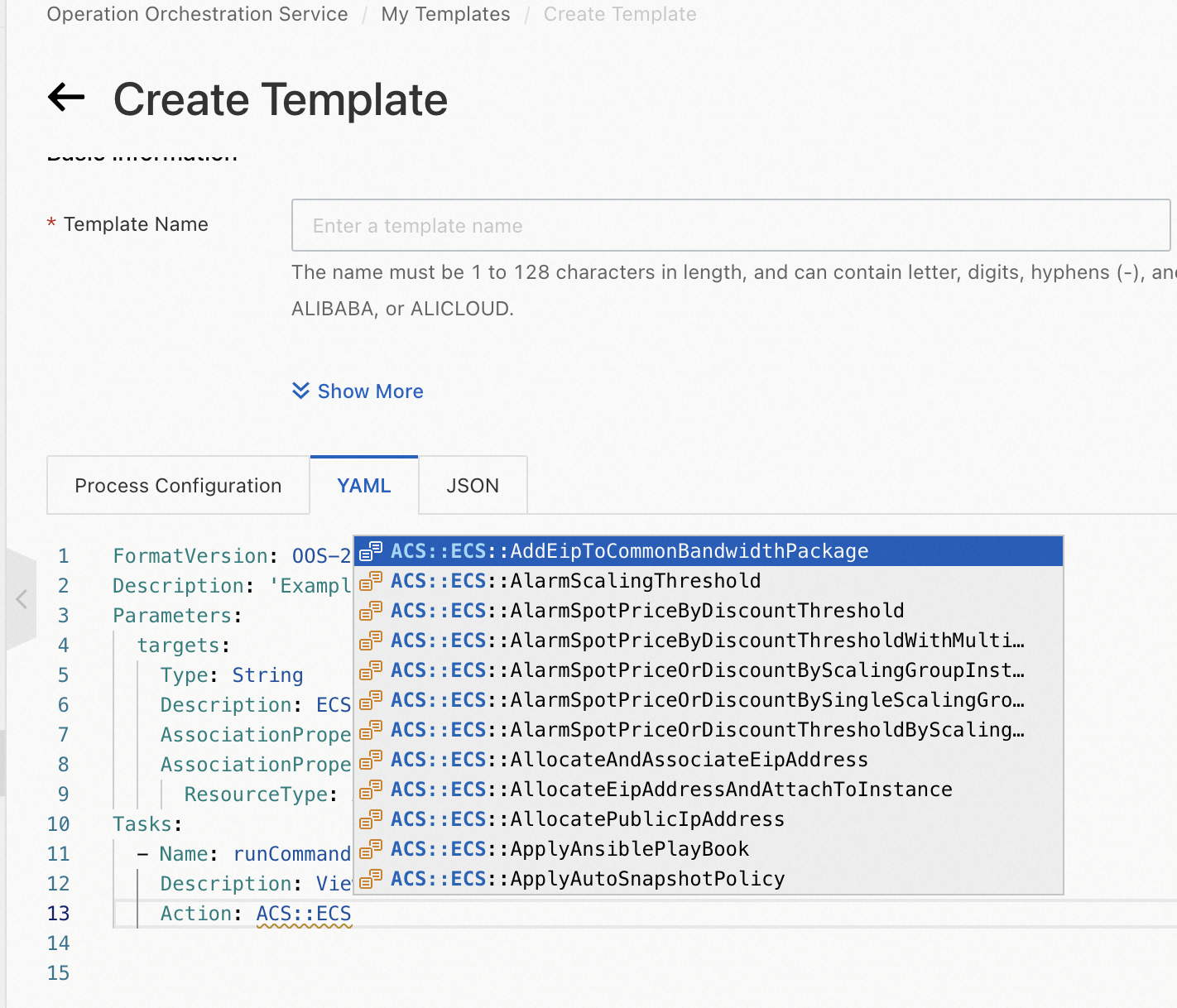
Intelligent code hinting for task types
When you configure the Tasks section of an OOS template, the YAML template editor suggests atomic actions and Alibaba Cloud service actions.
-
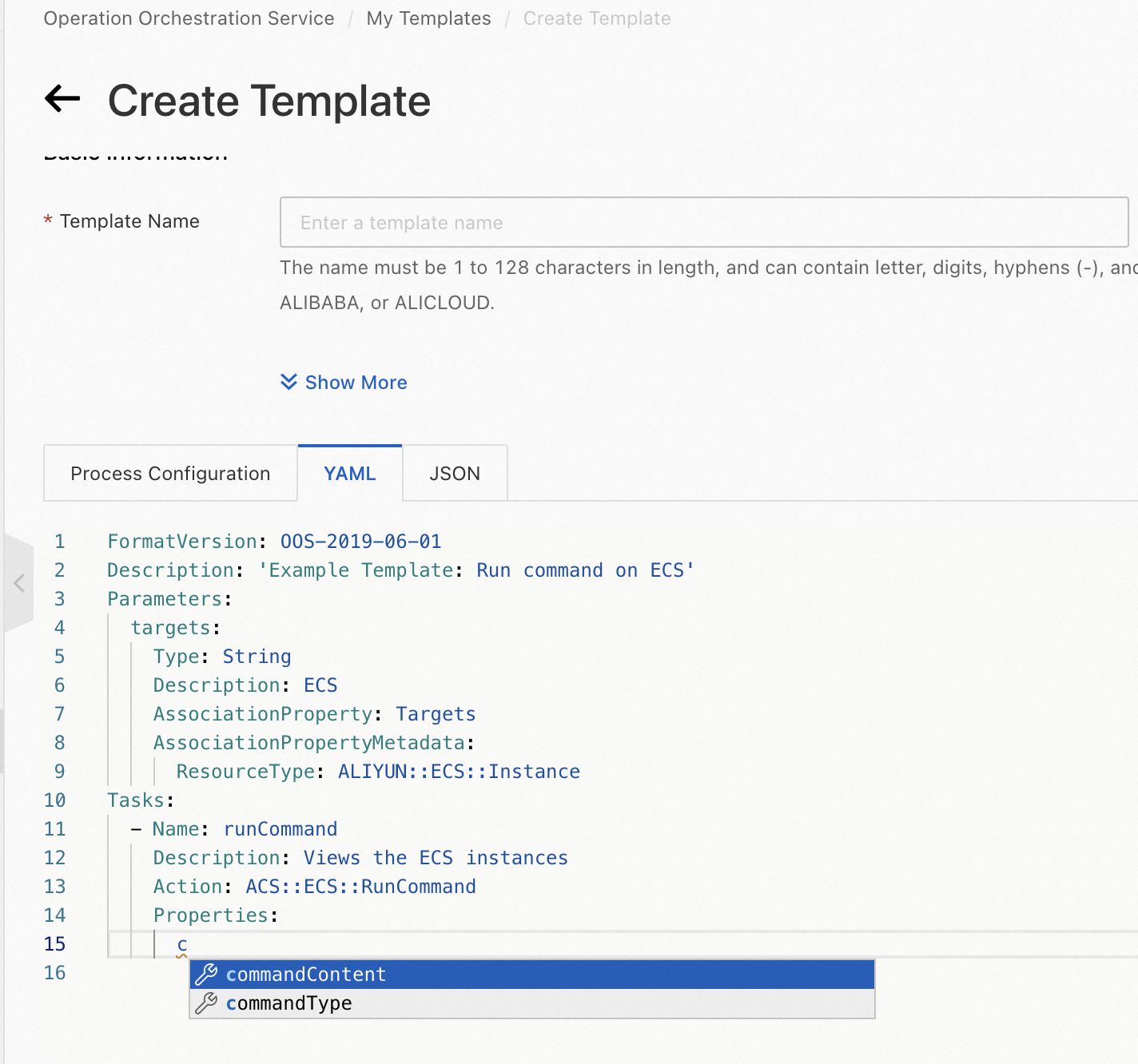
Intelligent code hinting for the properties of an Alibaba Cloud service action
When you configure the Tasks section of an OOS template, the YAML template editor suggests properties for the selected Alibaba Cloud service action.
-
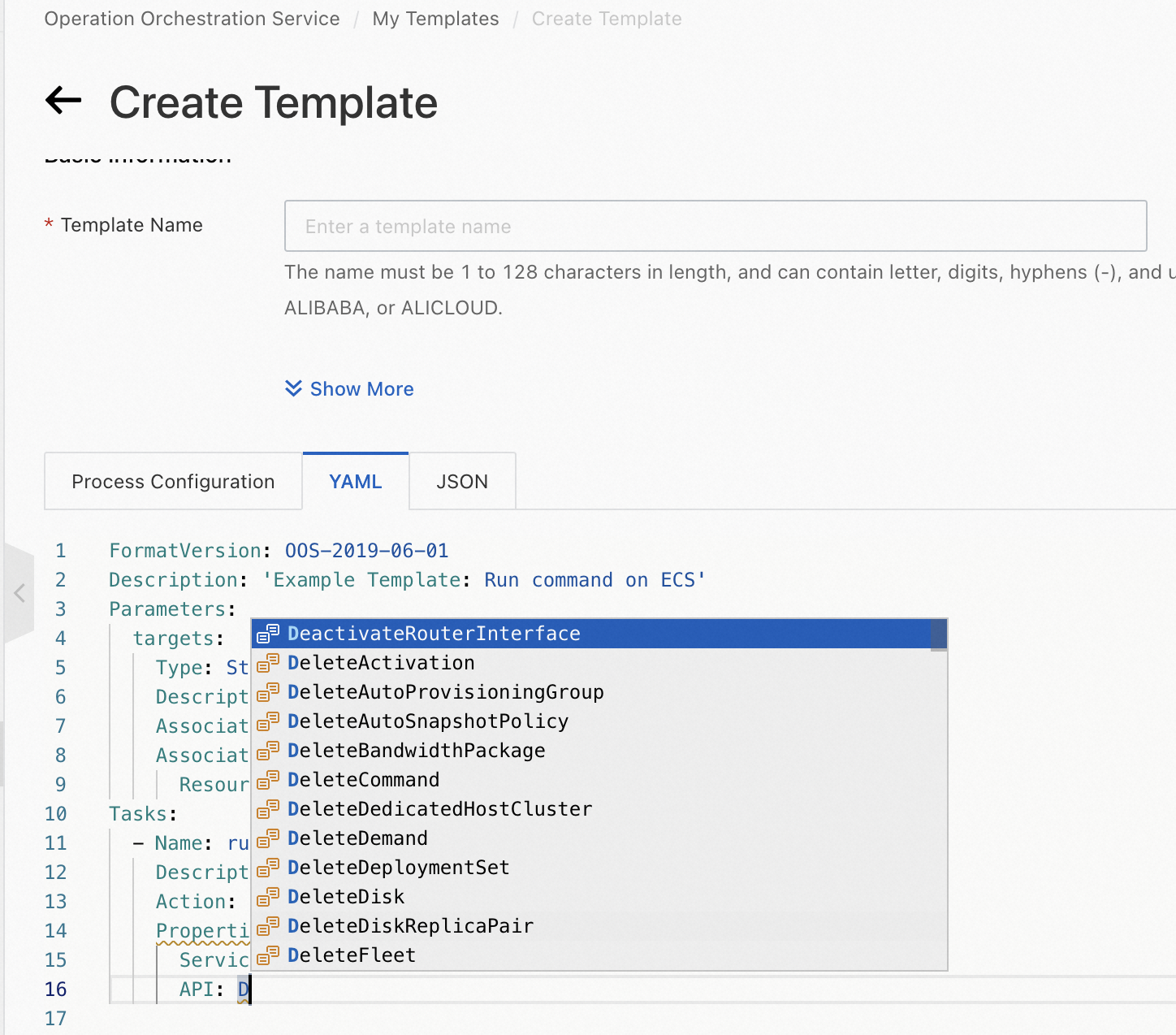
Intelligent code hinting for the name and parameters of an API operation
When you configure the Tasks section of an OOS template, the YAML template editor suggests the name and parameters of API operations called by atomic actions.
Use the JSON template editor
The JSON template editor supports automatic code completion and intelligent hinting.
-
Automatic code completion
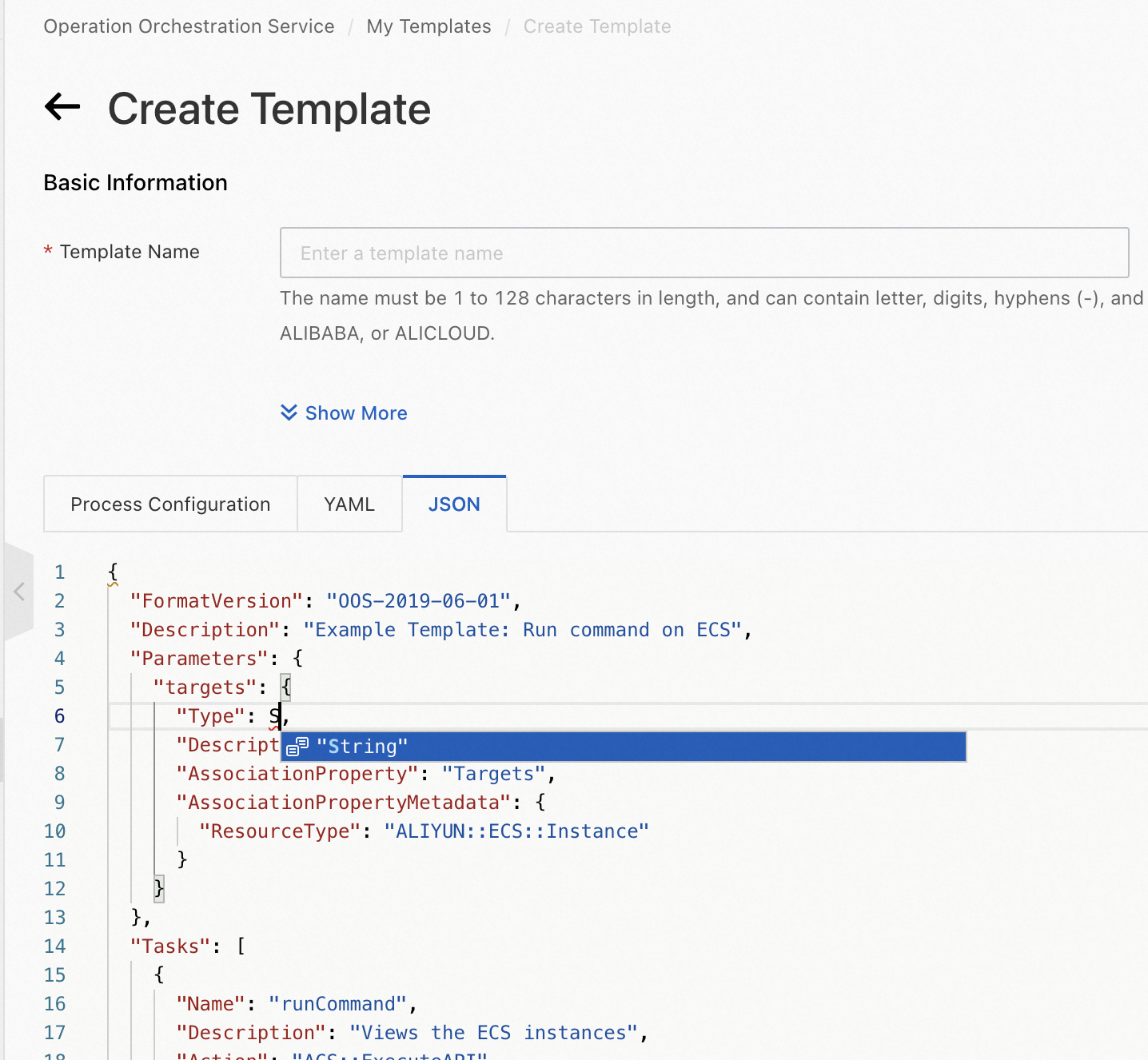
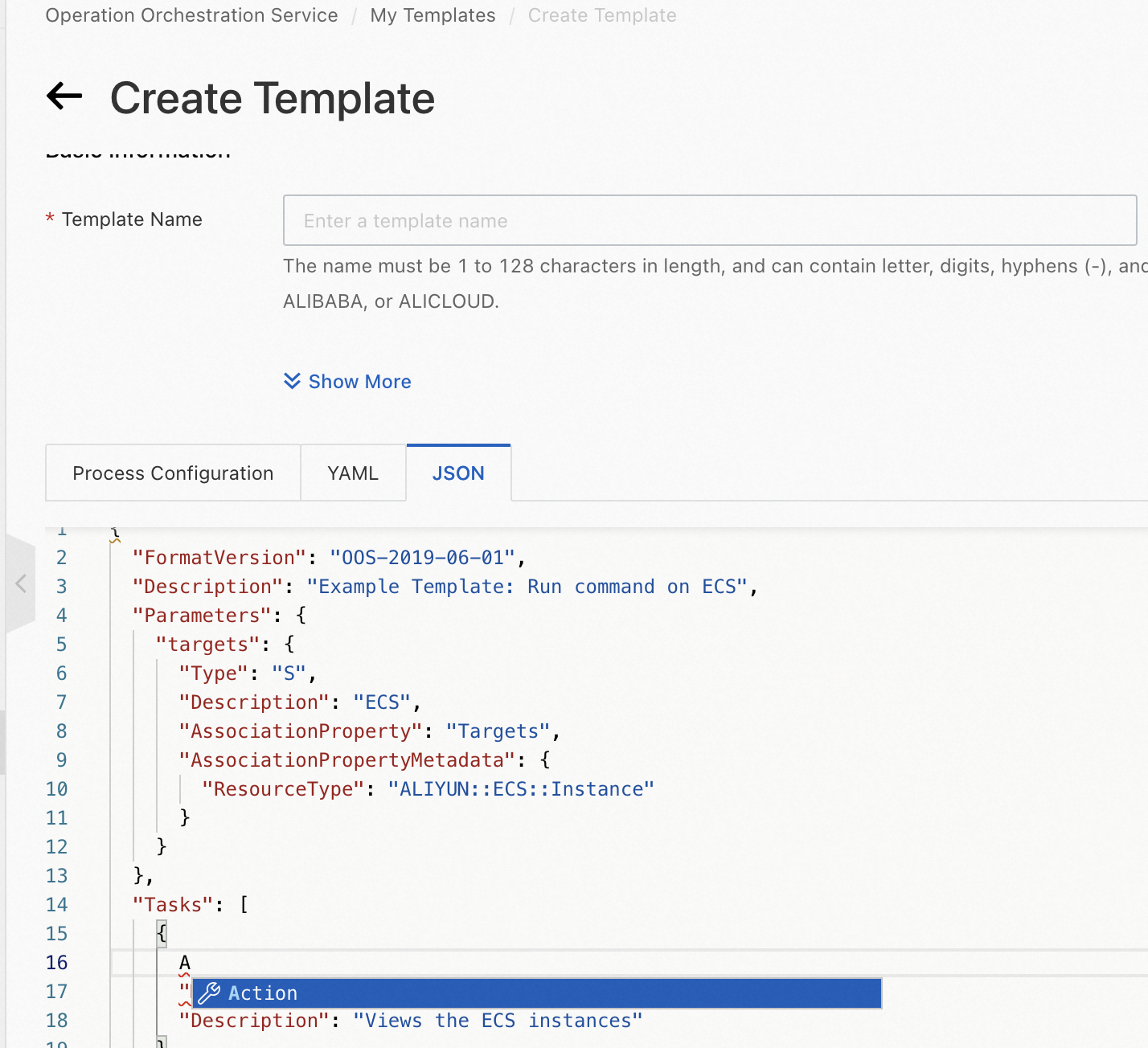
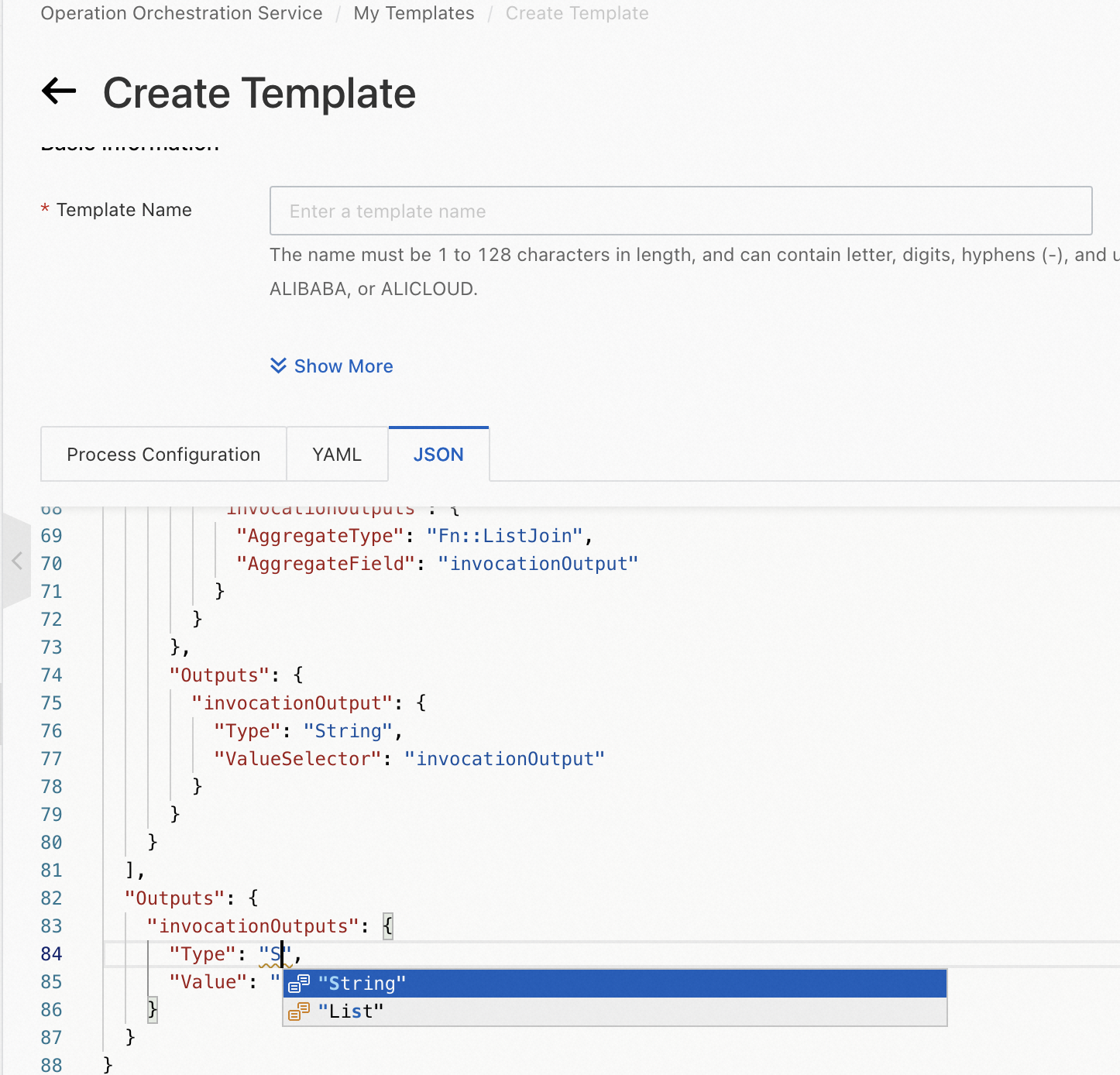
When you configure the Parameters, Tasks, or Outputs section of an OOS template, the JSON template editor automatically suggests properties based on your input.
-
Parameters section
-
Tasks section
-
Outputs section
-
Intelligent code hinting for parameter types and properties
When you configure the Parameters section of an OOS template, the JSON template editor suggests parameter types and properties such as AssociationProperty. 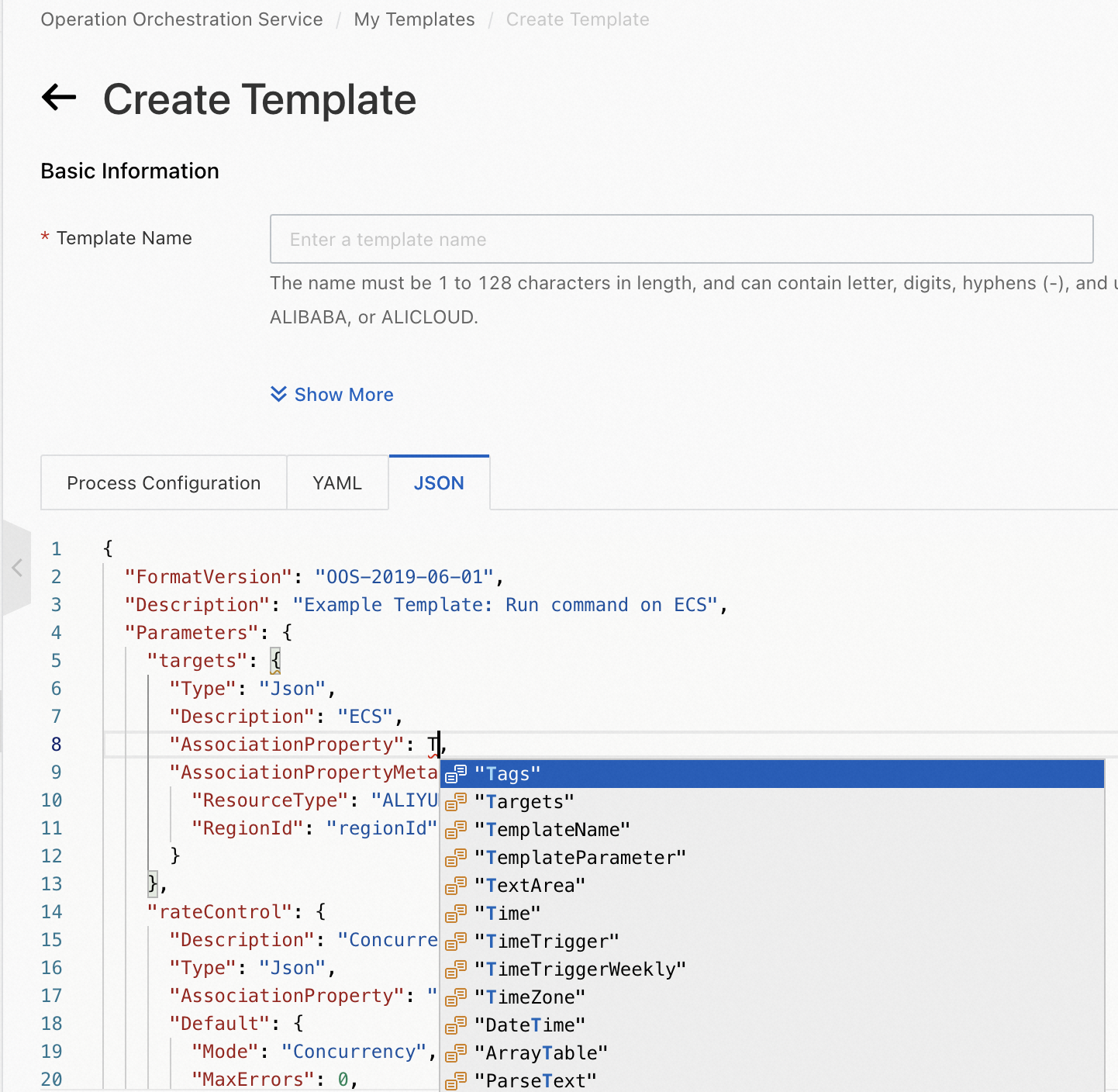
-
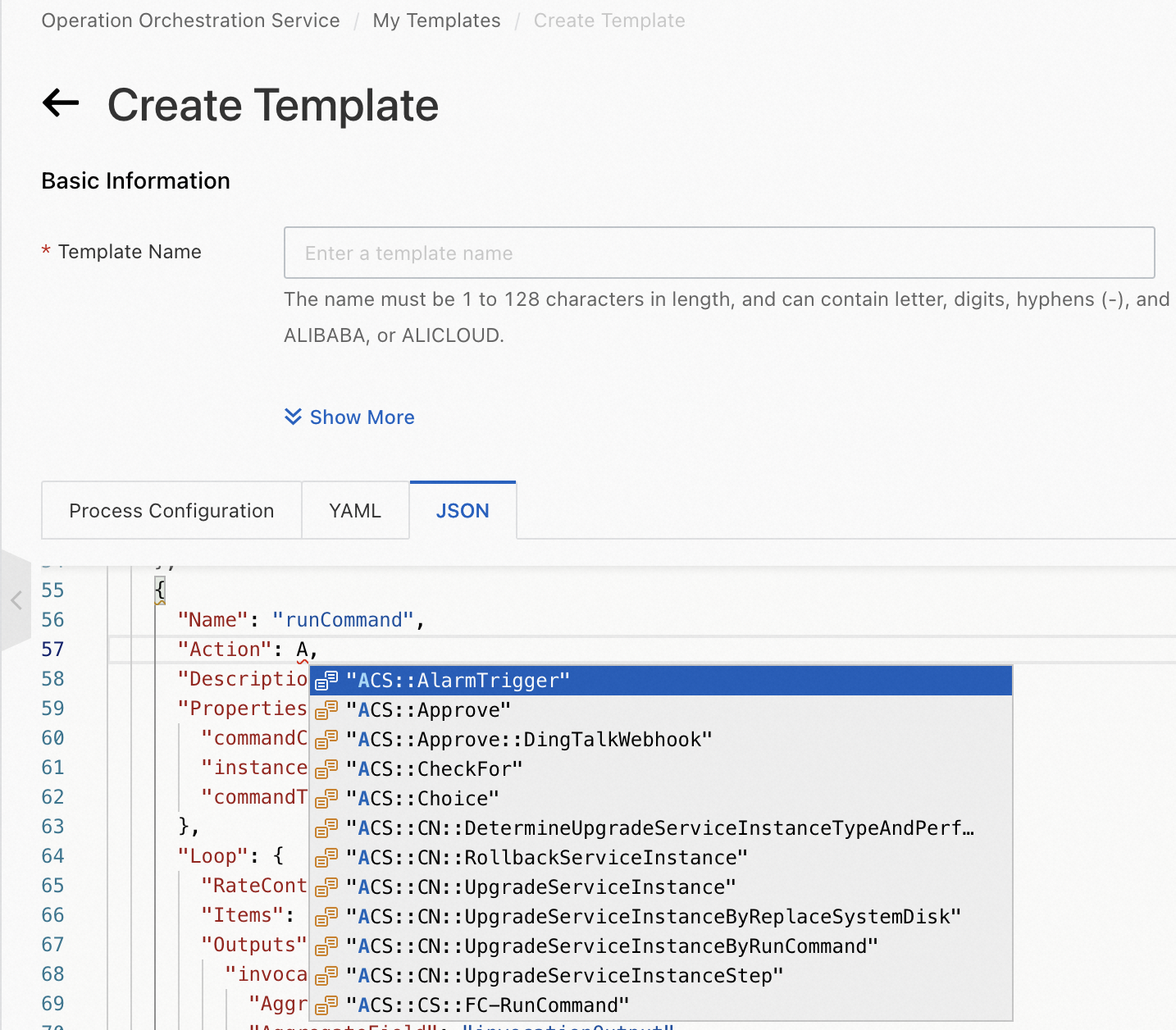
Intelligent code hinting for task types
When you configure the Tasks section of an OOS template, the JSON template editor suggests atomic actions and Alibaba Cloud service actions.
-
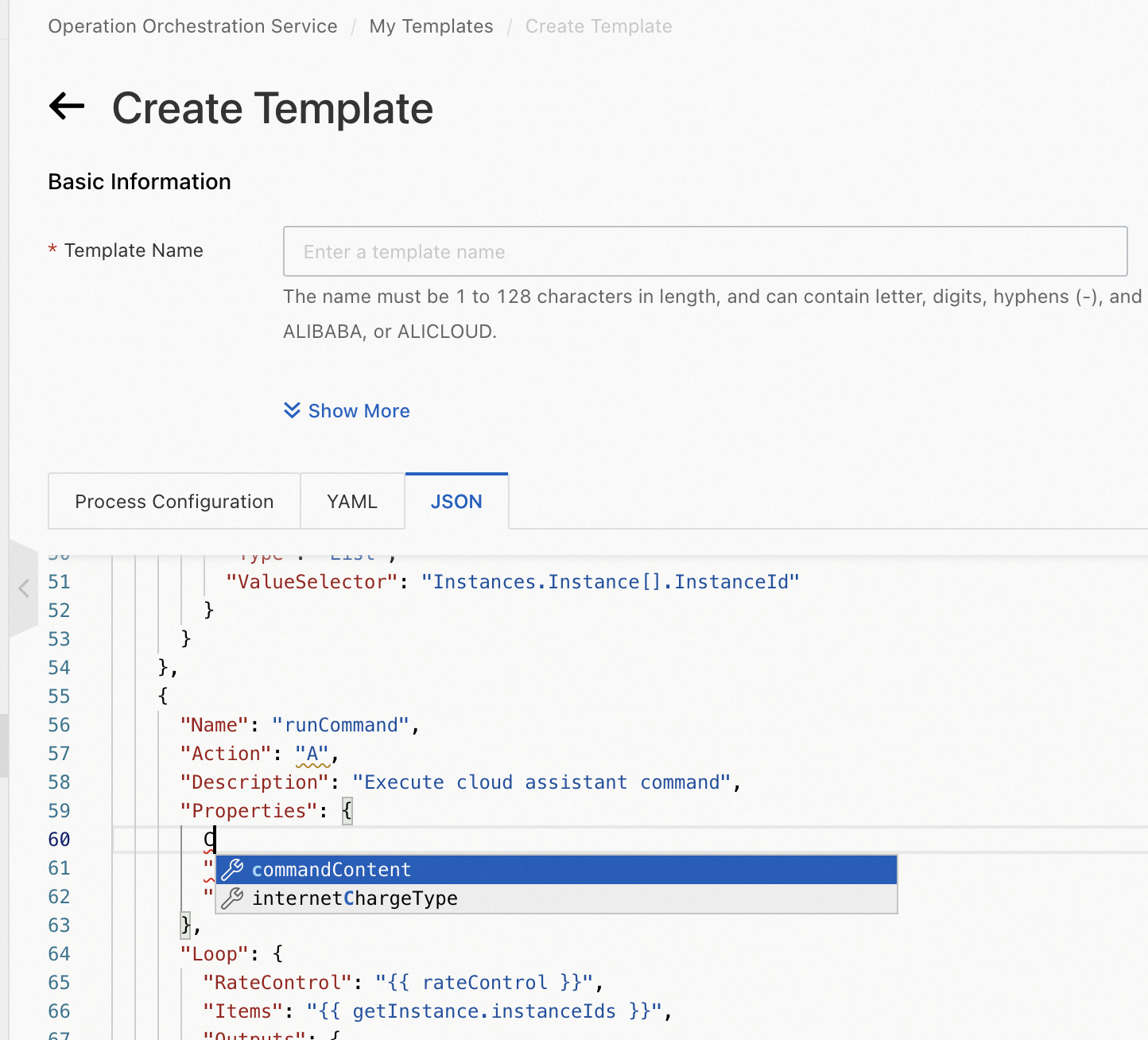
Intelligent code hinting for the properties of an Alibaba Cloud service action
When you configure the Tasks section of an OOS template, the JSON template editor suggests properties for the selected Alibaba Cloud service action.
-
Intelligent code hinting for the name and parameters of an API operation
When you configure the Tasks section of an OOS template, the JSON template editor suggests the name and parameters of API operations called by atomic actions.