Qwen-Image-Edit supports multi-image input and output. It can modify text in images, add/delete/move objects, change subject actions, transfer styles, and enhance details.
Getting started
Before making a call, get an API key and export the API key as an environment variable.
To call the API using the SDK, install the DashScope SDK. The SDK is available for Python and Java.
Python
import os
import base64
import mimetypes
import dashscope
from dashscope import MultiModalConversation

dashscope.base_http_api_url = 'https://{WorkspaceId}.ap-southeast-1.maas.aliyuncs.com/api/v1'

def encode_file(file_path):
    mime_type, _ = mimetypes.guess_type(file_path)
    if not mime_type or not mime_type.startswith("image/"):
        raise ValueError("Unsupported or unrecognized image format")
    with open(file_path, "rb") as image_file:
        encoded_string = base64.b64encode(image_file.read()).decode('utf-8')
    return f"data:{mime_type};base64,{encoded_string}"

# [Method 1] Use a public image URL
image_url = "https://alidocs.oss-cn-zhangjiakou.aliyuncs.com/res/yBRq1ZPYEaXdyOdv/img/33a80a19-7ac7-4c64-b0fa-7d685b7046a0.png"

# [Method 2] Use a Base64-encoded image
# image_url = encode_file("./your_image.png")

response = MultiModalConversation.call(
    api_key=os.getenv("DASHSCOPE_API_KEY"),
    model="qwen-image-3.0-pro",
    messages=[{
        "role": "user",
        "content": [
            {"image": image_url},
            {"text": "Generate a sophisticated urban-style female portrait. Perfectly preserve the facial features and smooth black long hair of the young woman in the input image. Change her outfit to an elegant urban professional look. Set the scene in a modern minimalist upscale coffee shop."}
        ]
    }],
    prompt_extend=True
)

print(response)
if response.status_code == 200:
    url = response.output.choices[0].message.content[0]["image"]
    print(f"Generated image URL: {url}")
else:
    print(f"Error: {response.code} - {response.message}")
Java
import java.util.Arrays;
import java.util.Base64;
import java.util.Collections;
import java.io.IOException;
import java.nio.file.Files;
import java.nio.file.Path;
import java.nio.file.Paths;
import com.alibaba.dashscope.aigc.multimodalconversation.MultiModalConversation;
import com.alibaba.dashscope.aigc.multimodalconversation.MultiModalConversationParam;
import com.alibaba.dashscope.aigc.multimodalconversation.MultiModalConversationResult;
import com.alibaba.dashscope.common.MultiModalMessage;
import com.alibaba.dashscope.common.Role;
import com.alibaba.dashscope.utils.Constants;

public class ImageEditExample {
    public static void main(String[] args) {
        Constants.baseHttpApiUrl = "https://{WorkspaceId}.ap-southeast-1.maas.aliyuncs.com/api/v1";

        // [Method 1] Use a public image URL
        String imageUrl = "https://alidocs.oss-cn-zhangjiakou.aliyuncs.com/res/yBRq1ZPYEaXdyOdv/img/33a80a19-7ac7-4c64-b0fa-7d685b7046a0.png";

        // [Method 2] Use a Base64-encoded image
        // String imageUrl = encodeFile("/path/to/your/image.png");

        MultiModalConversation conv = new MultiModalConversation();
        MultiModalMessage userMessage = MultiModalMessage.builder()
            .role(Role.USER.getValue())
            .content(Arrays.asList(
                Collections.singletonMap("image", imageUrl),
                Collections.singletonMap("text", "Generate a sophisticated urban-style female portrait. Perfectly preserve the facial features and smooth black long hair of the young woman in the input image. Change her outfit to an elegant urban professional look. Set the scene in a modern minimalist upscale coffee shop.")
            ))
            .build();
        MultiModalConversationParam param = MultiModalConversationParam.builder()
            .apiKey(System.getenv("DASHSCOPE_API_KEY"))
            .model("qwen-image-3.0-pro")
            .messages(Arrays.asList(userMessage))
            .parameter("prompt_extend", true)
            .build();
        try {
            MultiModalConversationResult result = conv.call(param);
            System.out.println(result);
        } catch (Exception e) {
            e.printStackTrace();
        }
    }

    public static String encodeFile(String filePath) {
        Path path = Paths.get(filePath);
        if (!Files.exists(path)) {
            throw new IllegalArgumentException("File does not exist: " + filePath);
        }
        String mimeType = null;
        try {
            mimeType = Files.probeContentType(path);
        } catch (IOException e) {
            throw new IllegalArgumentException("Cannot detect file type: " + filePath);
        }
        if (mimeType == null || !mimeType.startsWith("image/")) {
            throw new IllegalArgumentException("Unsupported or unrecognized image format");
        }
        byte[] fileBytes = null;
        try {
            fileBytes = Files.readAllBytes(path);
        } catch (IOException e) {
            throw new IllegalArgumentException("Cannot read file content: " + filePath);
        }
        String encodedString = Base64.getEncoder().encodeToString(fileBytes);
        return "data:" + mimeType + ";base64," + encodedString;
    }
}
curl
The following command uses the URL for the Singapore region. If you use a model in the China (Beijing) region, replace the URL with: https://{WorkspaceId}.cn-beijing.maas.aliyuncs.com/api/v1/services/aigc/multimodal-generation/generation
curl --location 'https://{WorkspaceId}.ap-southeast-1.maas.aliyuncs.com/api/v1/services/aigc/multimodal-generation/generation' \
--header 'Content-Type: application/json' \
--header "Authorization: Bearer $DASHSCOPE_API_KEY" \
--data '{
    "model": "qwen-image-3.0-pro",
    "input": {
        "messages": [
            {
                "role": "user",
                "content": [
                    {
                        "image": "https://alidocs.oss-cn-zhangjiakou.aliyuncs.com/res/yBRq1ZPYEaXdyOdv/img/33a80a19-7ac7-4c64-b0fa-7d685b7046a0.png"
                    },
                    {
                        "text": "Generate a sophisticated urban-style female portrait. Perfectly preserve the facial features and smooth black long hair of the young woman in the input image. She changes from her beige knit top into an elegant urban professional outfit: a champagne silk blouse with a well-tailored dark grey casual blazer and matching high-waisted wide-leg trousers. The scene is in a modern minimalist upscale coffee shop with floor-to-ceiling windows showing a bustling city view. Dark wood tables and leather chairs furnish the interior, with a silver laptop, documents, and a steaming Americano on the table. She sits relaxed, leaning slightly back with one arm on the armrest and the other holding a coffee cup, gazing at the camera with calm, slightly languid eyes and an elegant smile. Polished formal makeup with clean base, defined brows, and mauve lipstick. Soft afternoon light enters from the side through the windows, creating delicate light transitions on her face and clothing. Natural bokeh background in earth tones, greys and warm whites, creating a serene, sophisticated urban office atmosphere."
                    }
                ]
            }
        ]
    },
    "parameters": {
        "prompt_extend": true
    }
}'
Response example
{
    "output": {
        "choices": [
            {
                "finish_reason": "stop",
                "message": {
                    "content": [
                        {
                            "image": "https://dashscope-result-sz.oss-cn-shenzhen.aliyuncs.com/xxx.png?Expires=xxx"
                        }
                    ],
                    "role": "assistant"
                }
            }
        ]
    },
    "usage": {
        "output_height": 1024,
        "output_width": 1024,
        "input_image_count": 1,
        "input_image_type": "qima_input_1k",
        "output_image_count": 1,
        "output_image_type": "qima_output_1k"
    },
    "request_id": "571ae02f-5c9d-436c-83c2-f221e6df0xxx"
}
Download images to your local device
# You need to install requests to download the image: pip install requests
import requests

def download_image(image_url, save_path='output.png'):
    try:
        response = requests.get(image_url, stream=True, timeout=300)  # Set a timeout.
        response.raise_for_status()  # Raise an exception if the HTTP status code is not 200.
        with open(save_path, 'wb') as f:
            for chunk in response.iter_content(chunk_size=8192):
                f.write(chunk)
        print(f"Image successfully downloaded to: {save_path}")

    except requests.exceptions.RequestException as e:
        print(f"Image download failed: {e}")

image_url = "https://dashscope-result-sz.oss-cn-shenzhen.aliyuncs.com/xxx.png?Expires=xxx"
download_image(image_url, save_path='output.png')
import java.io.FileOutputStream;
import java.io.InputStream;
import java.net.HttpURLConnection;
import java.net.URL;

public class ImageDownloader {
    public static void downloadImage(String imageUrl, String savePath) {
        try {
            URL url = new URL(imageUrl);
            HttpURLConnection connection = (HttpURLConnection) url.openConnection();
            connection.setConnectTimeout(5000);
            connection.setReadTimeout(300000);
            connection.setRequestMethod("GET");
            InputStream inputStream = connection.getInputStream();
            FileOutputStream outputStream = new FileOutputStream(savePath);
            byte[] buffer = new byte[8192];
            int bytesRead;
            while ((bytesRead = inputStream.read(buffer)) != -1) {
                outputStream.write(buffer, 0, bytesRead);
            }
            inputStream.close();
            outputStream.close();

            System.out.println("Image downloaded successfully to: " + savePath);
        } catch (Exception e) {
            System.err.println("Image download failed: " + e.getMessage());
        }
    }

    public static void main(String[] args) {
        String imageUrl = "http://dashscope-result-bj.oss-cn-beijing.aliyuncs.com/xxx?Expires=xxx";
        String savePath = "output.png";
        downloadImage(imageUrl, savePath);
    }
}
Model recommendations
qwen-image-3.0-proseries (Recommended): The flagship Qwen Image 3.0 model with comprehensively upgraded image generation and editing capabilities, offering enhanced text rendering, realistic textures, semantic adherence, and intelligent prompt rewriting.qwen-image-3.0series: The standard Qwen Image 3.0 model that balances quality and speed.
For the models supported in each region, see Model list.
Input instructions
Input images (messages)
The messages parameter is an array that must contain a single object. This object must include the role and content properties. The role property must be set to user. The content property must include both image (one to three images) and text (one editing instruction).
The input images must meet the following requirements:
-
The supported image formats are JPG, JPEG, PNG, BMP, TIFF, WEBP, and GIF.
The output image is in PNG format. For animated GIFs, only the first frame is processed.
-
For best results, the image resolution should be between 384 and 3072 pixels for both width and height. A low resolution may result in a blurry output, while a high resolution increases processing time.
-
The size of a single image file cannot exceed 10 MB.
"messages": [
    {
        "role": "user",
        "content": [
            { "image": "Public URL or Base64 data of Image 1" },
            { "image": "Public URL or Base64 data of Image 2" },
            { "image": "Public URL or Base64 data of Image 3" },
            { "text": "Your editing instruction, for example: 'The girl in Image 1 wears the black dress from Image 2 and sits in the pose from Image 3'" }
        ]
    }
]
Image input order
Image numbers in prompts correspond to array position: the first image is "image 1", the second is "image 2". You can also use markers like "[image 1]" and "[image 2]".
{
    "content": [
        {"text": "Editing instruction, for example: Place the alarm clock from image 1 next to the vase on the dining table in image 2"},
        {"image": "https://example.com/image1.png"},
        {"image": "https://example.com/image2.png"}
    ]
}
Input image | Output image | ||
|---|---|---|---|
Image 1 |
Image 2 |
Prompt: Move image 1 onto image 2 |
Prompt: Move image 2 onto image 1 |
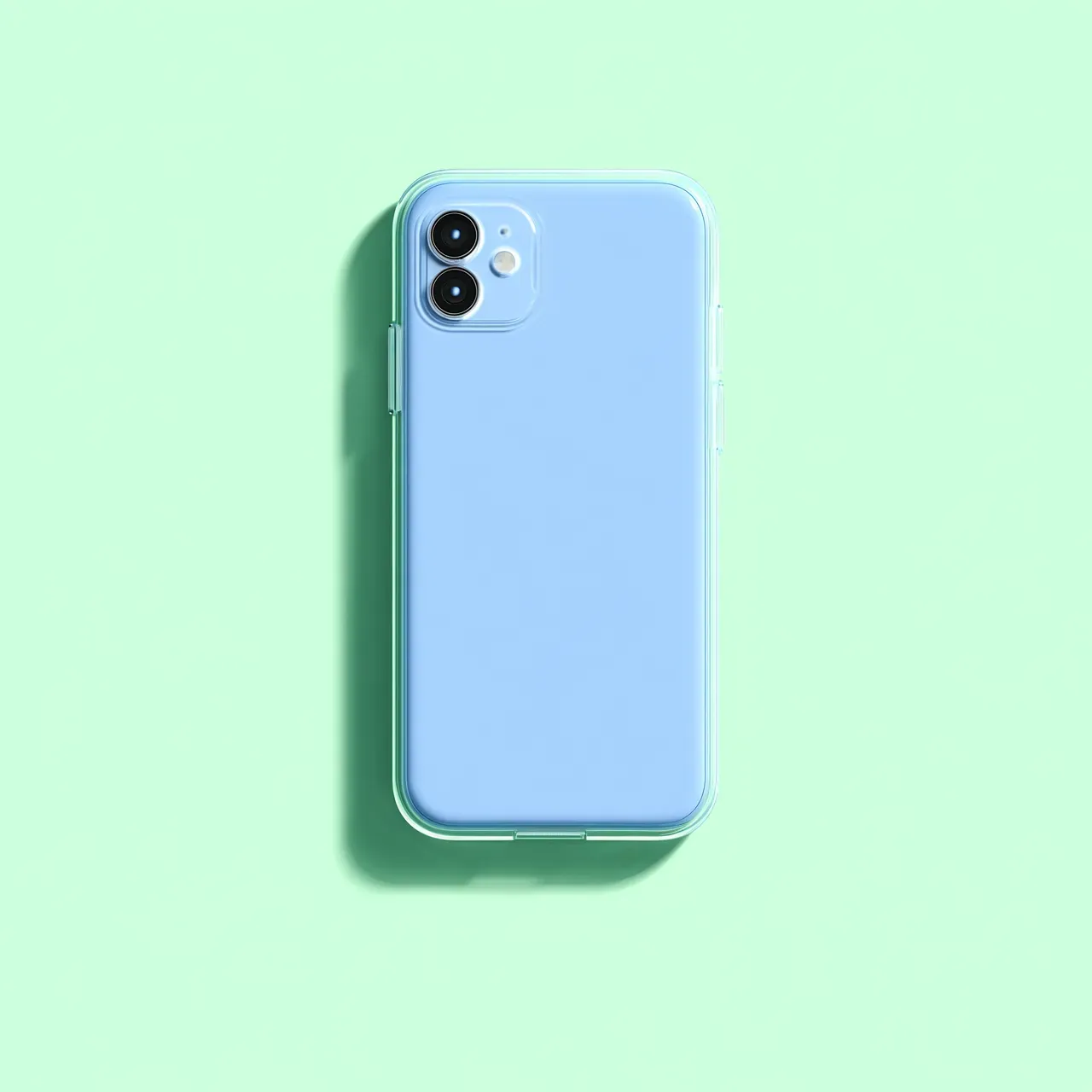
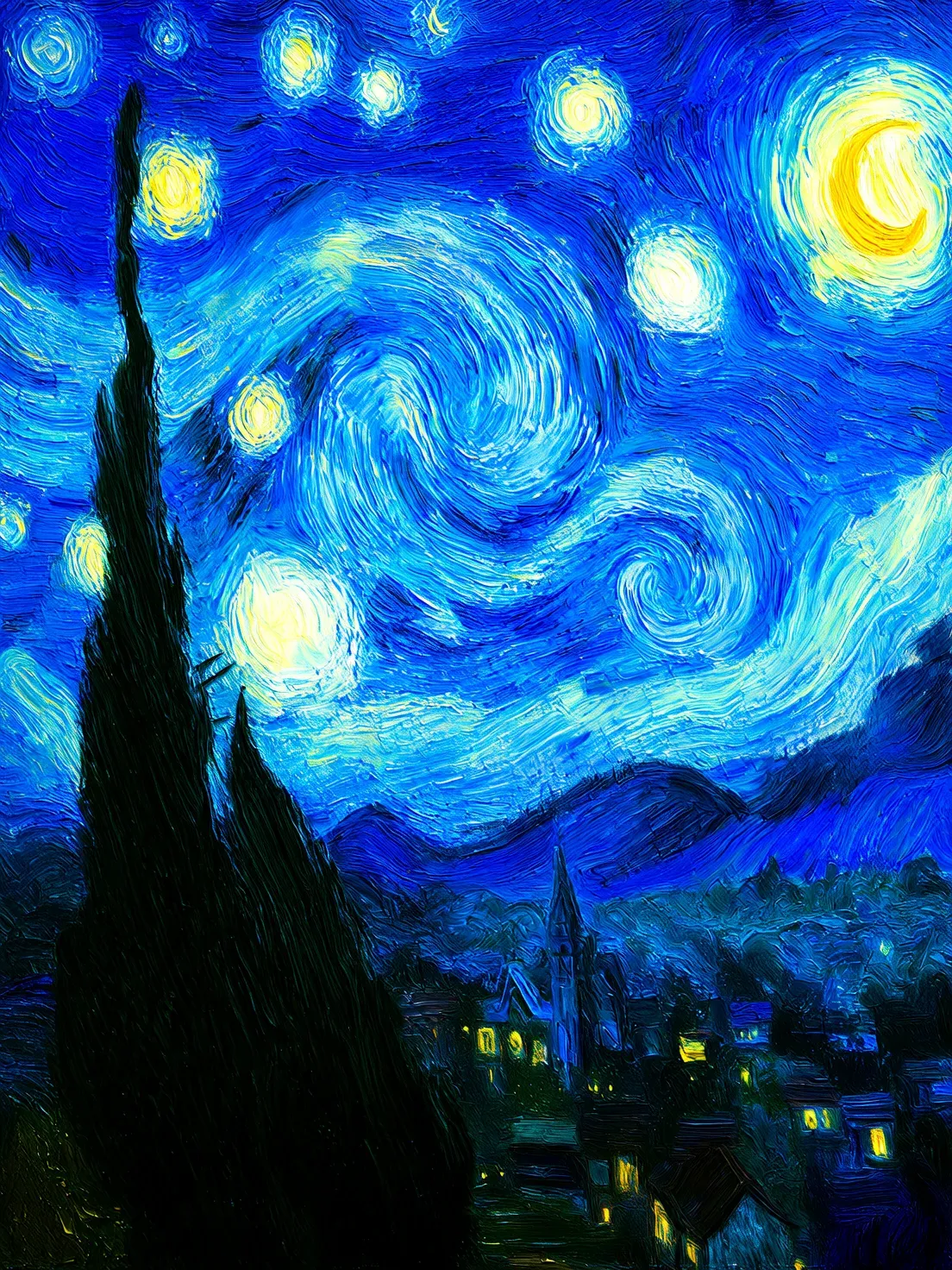
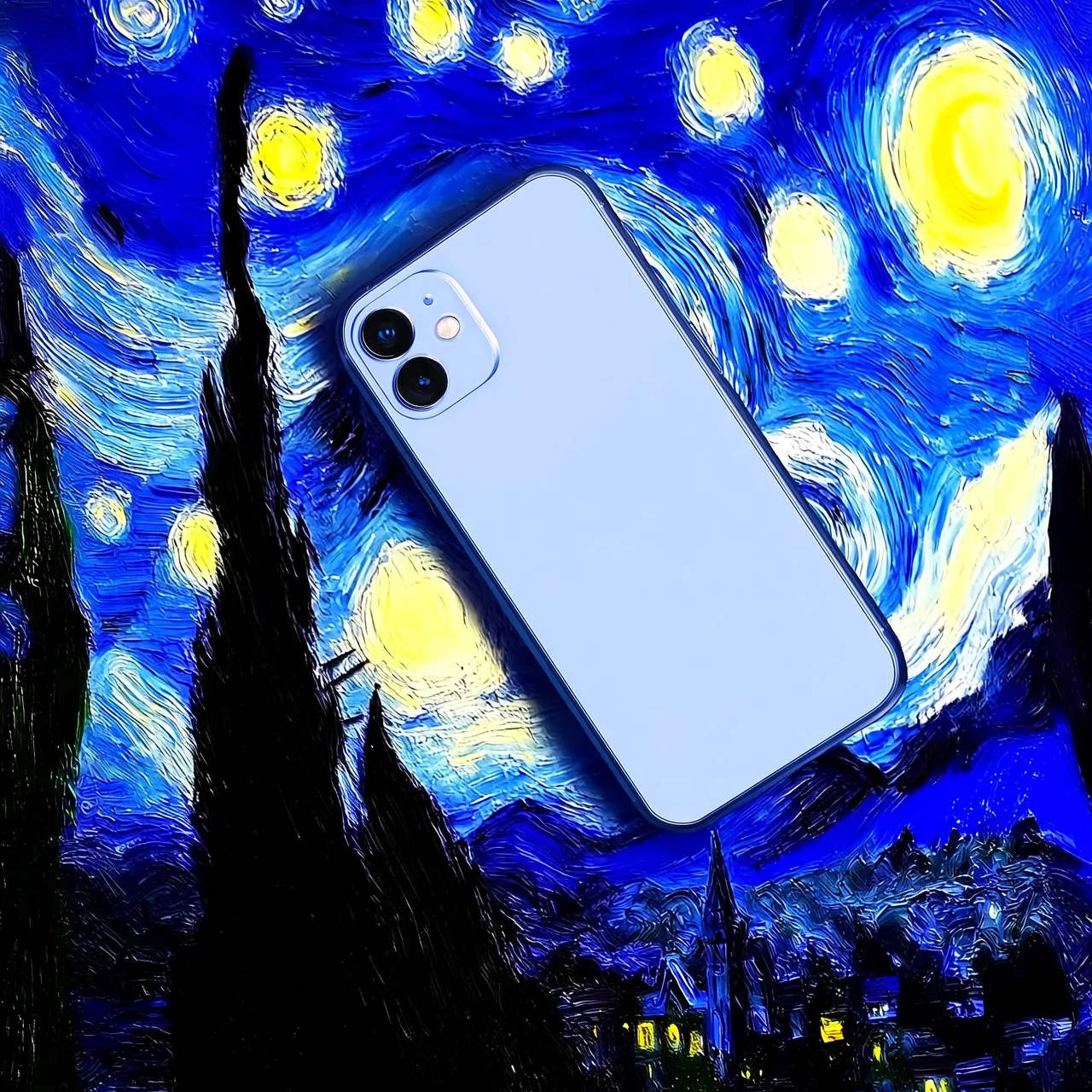
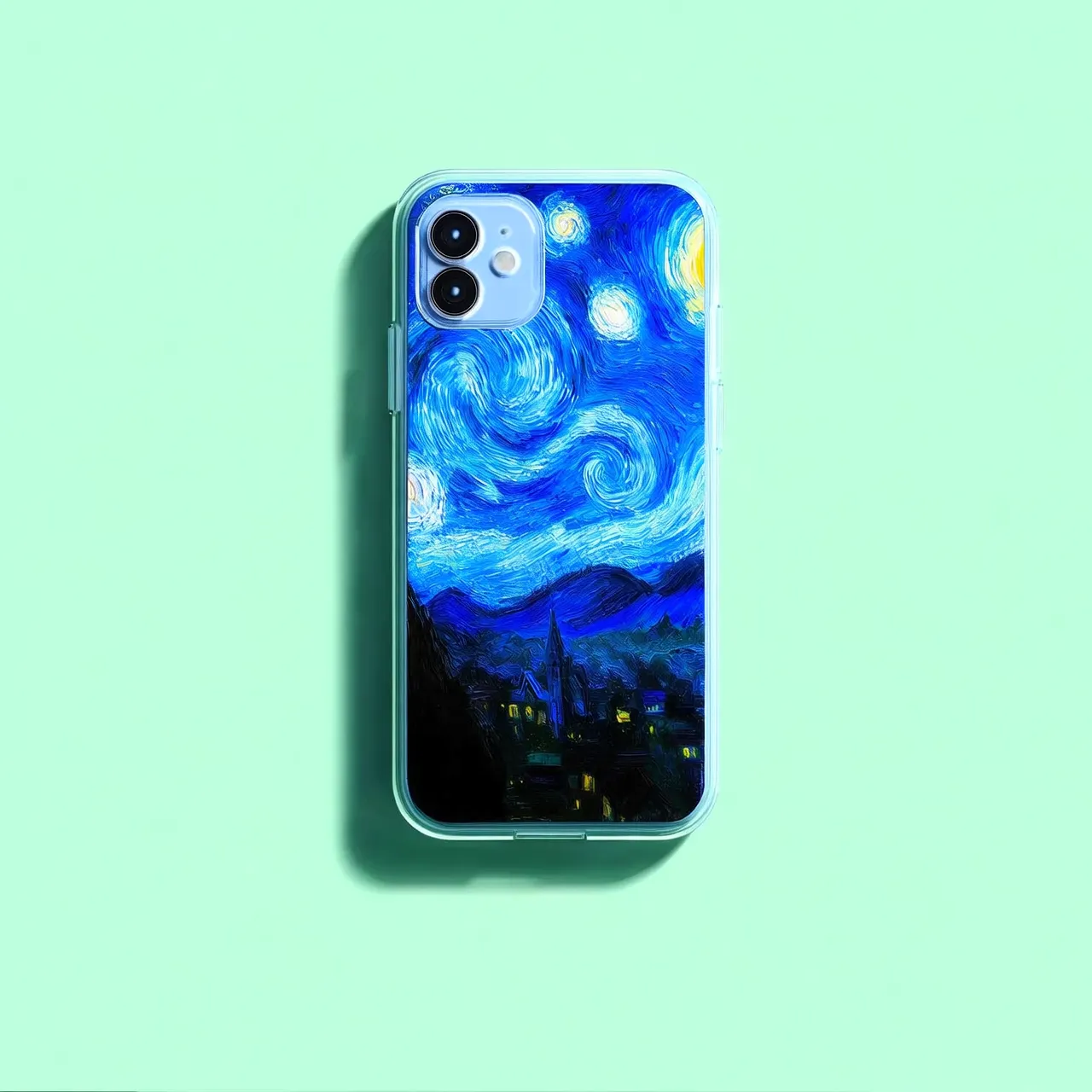
Image input methods
Public URL- You can provide a publicly accessible image URL that supports the HTTP or HTTPS protocol.
- Example value:
https://xxxx/img.png.
Convert the image file to a Base64-encoded string and concatenate it in the following format: data:{mime_type};base64,{base64_data}.
{mime_type}: The media type of the image, which must correspond to the file format.{base64_data}: The Base64-encoded string of the file.- Example value:
data:image/jpeg;base64,GDU7MtCZz...(The example is truncated for demonstration purposes.)
For complete code examples, see Python SDK call and Call using the Java SDK.
More parameters
Adjust the generation results using the following optional parameters:
- n: The number of images to generate. The default value is 1. The qwen-image-3.0, qwen-image-2.0, qwen-image-edit-max, and qwen-image-edit-plus series of models support generating one to six images. The
qwen-image-editmodel supports generating only one image. - negative_prompt: Describes content to exclude from the image, such as "blur" or "extra fingers". This parameter helps optimize the quality of the generated image.
- watermark: Specifies whether to add a "Qwen-Image" watermark to the bottom-right corner of the image. The default value is
false. - seed: The random number seed. The value must be an integer from
[0, 2147483647]. If this parameter is not specified, the algorithm generates a random number to use as the seed. Using the same seed value helps ensure consistent generation results.
The following optional parameters are available only for the qwen-image-3.0, qwen-image-2.0, qwen-image-edit-max, and qwen-image-edit-plus series of models:
- size: The resolution of the output image. The format is
width*height, such as"1024*2048". For the qwen-image-3.0 series models, the total pixel area must be between 512×512 and 2048×2048, and the aspect ratio must be between 1:8 and 8:1. If not specified, the model automatically recommends a resolution based on the prompt. For the qwen-image-2.0 series models, you can set the width and height freely. The total pixels of the output image must be between 512 × 512 and 2048 × 2048. By default, the resolution is the same as the input image (the last image if multiple are provided). For the qwen-image-edit-max and qwen-image-edit-plus series models, the width and height can range from 512 to 2048 pixels. By default, the output image has a resolution close to1024*1024and an aspect ratio similar to the original image. - prompt_extend: Enables or disables the prompt rewriting feature. The default value is
true. If enabled, the model optimizes the prompt. This feature can significantly improve the results for simple or less descriptive prompts.
For a complete list of parameters, see Qwen-Image-Edit API reference.
Overview
Multi-image fusion
Input image 1 | Input image 2 | Input image 3 | Output image |
|---|---|---|---|
|
|
|
The girl in Image 1 wears the necklace from Image 2 and carries the bag from Image 3 on her left shoulder. |
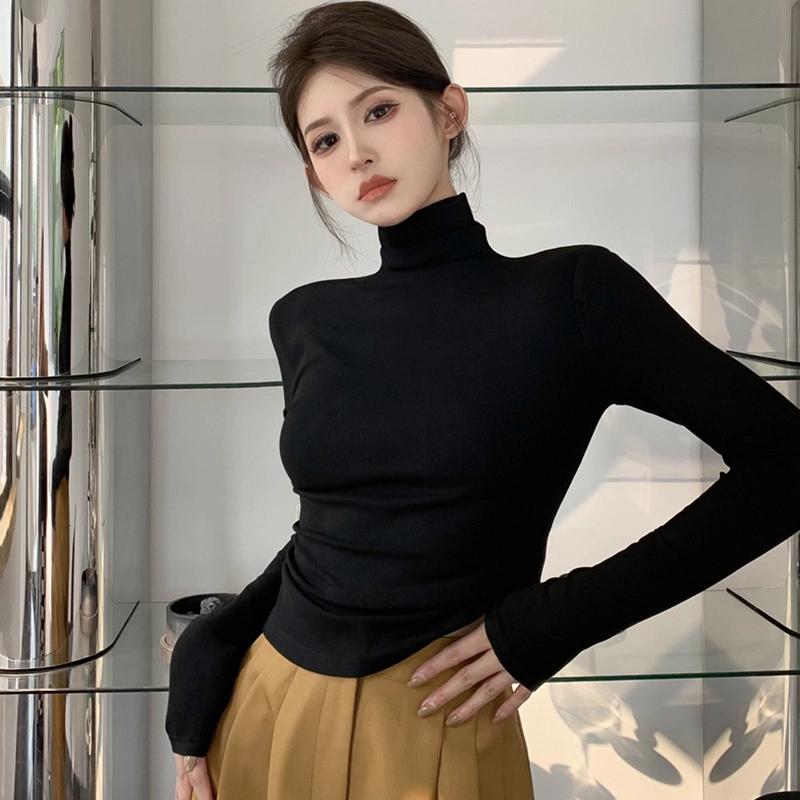
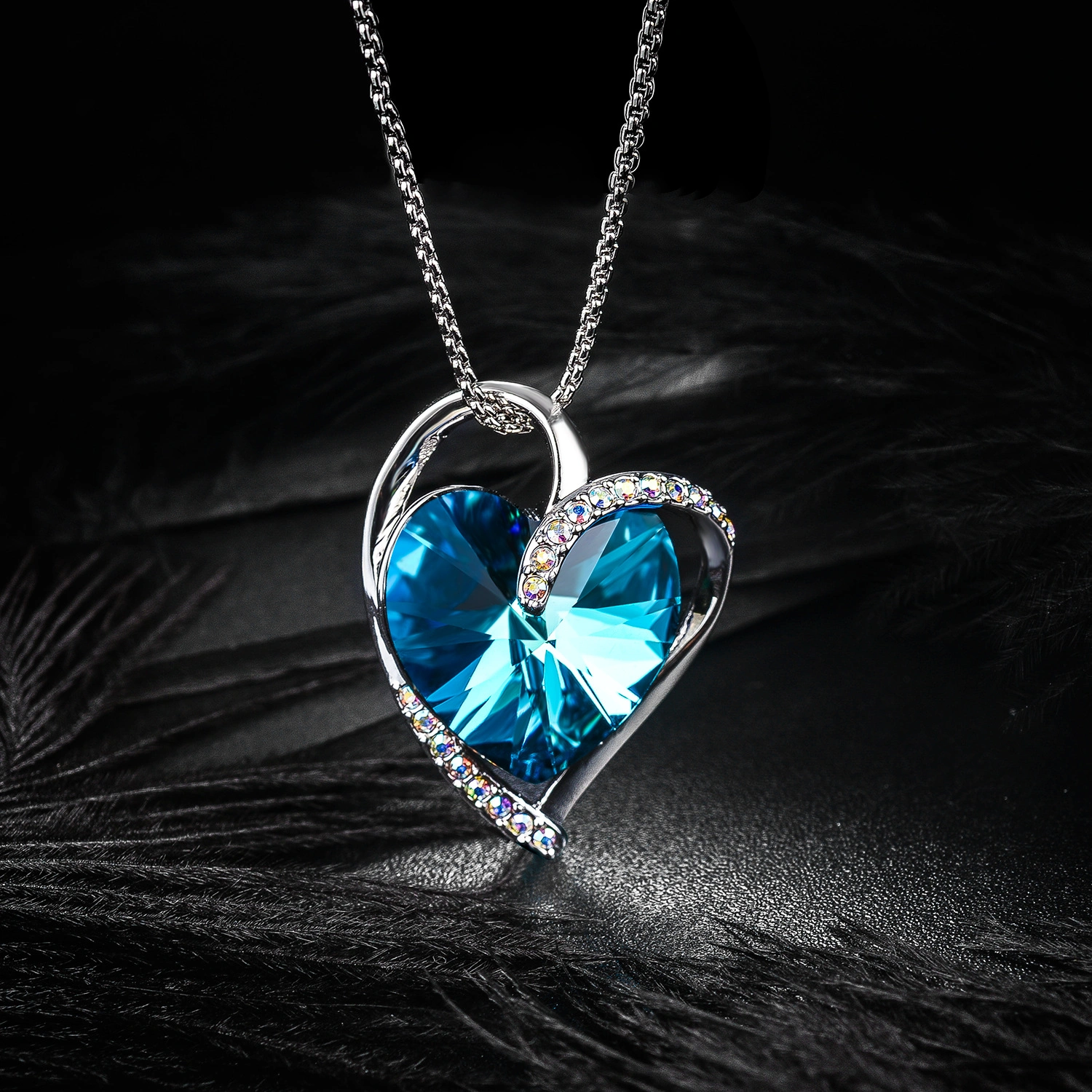
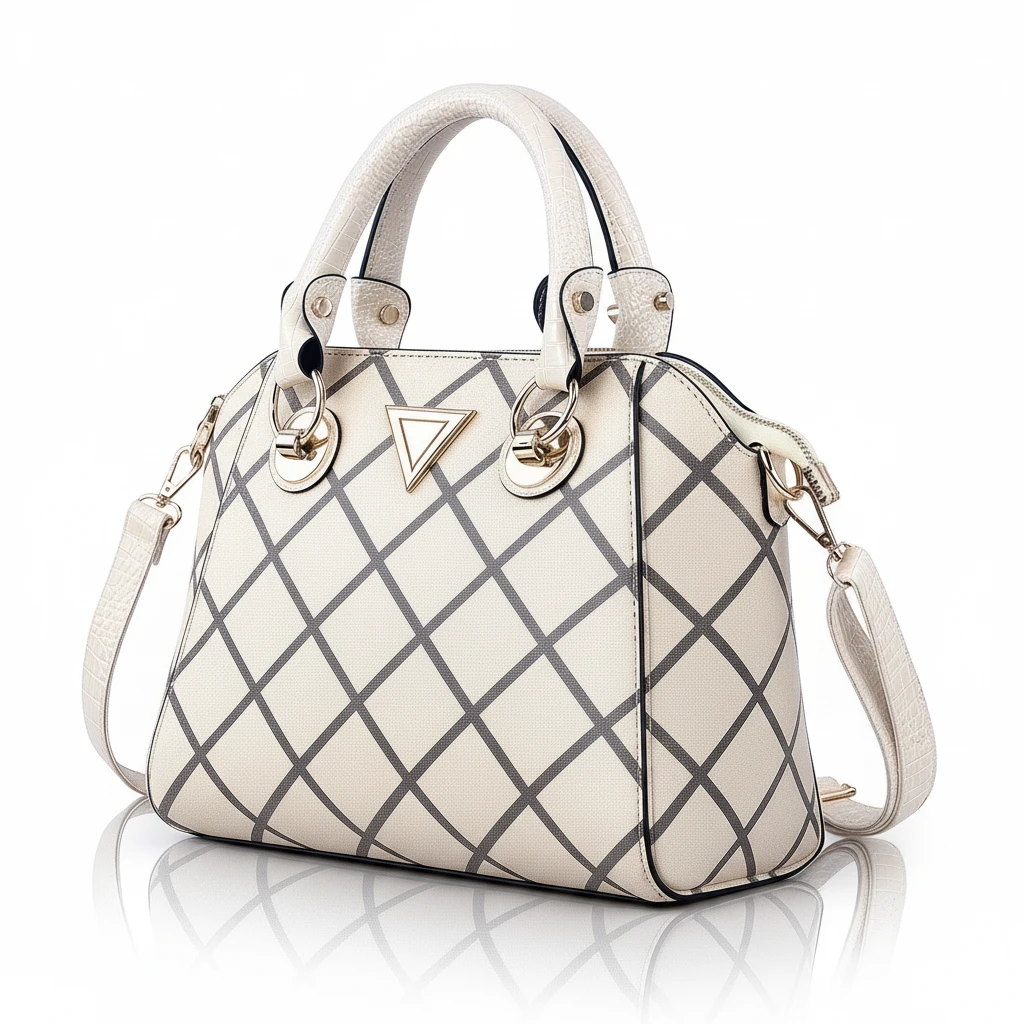

Subject consistency
Input image | Output image 1 | Output image 2 | Output image 3 |
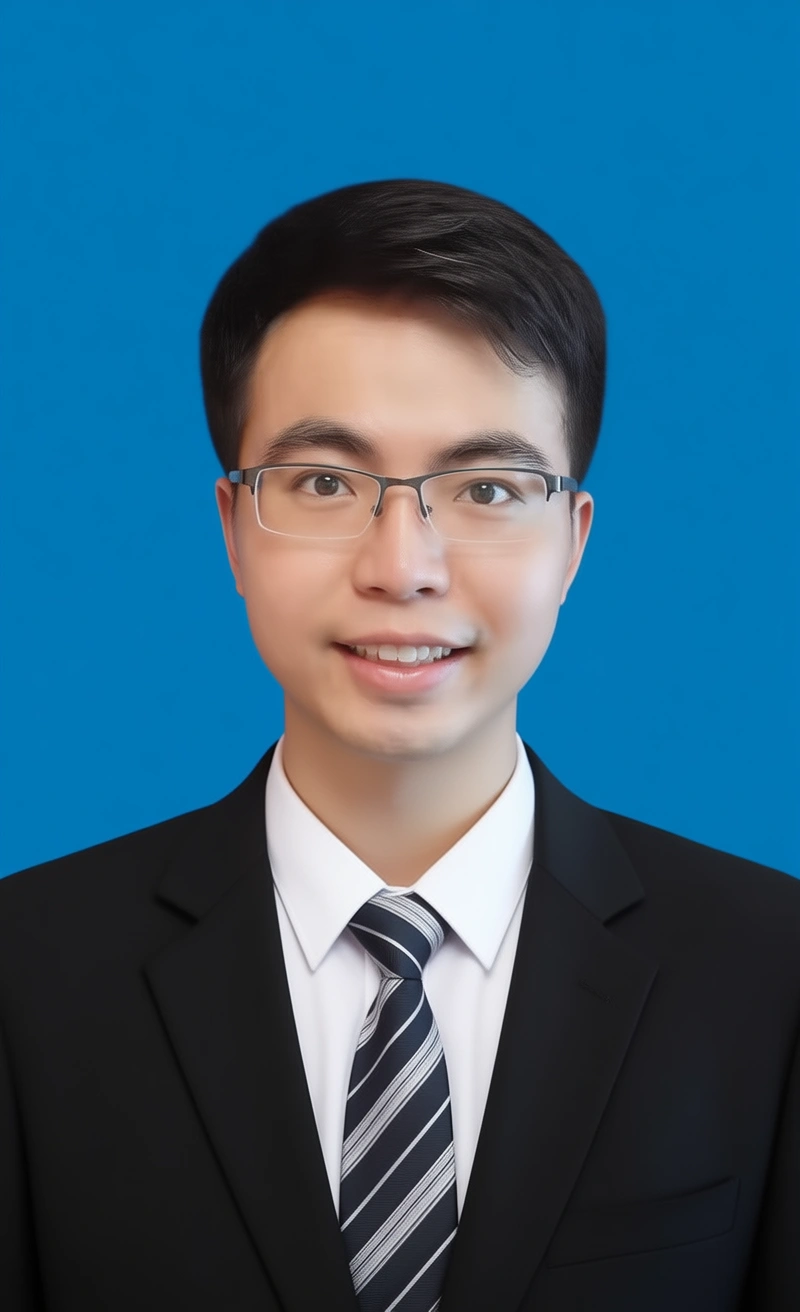
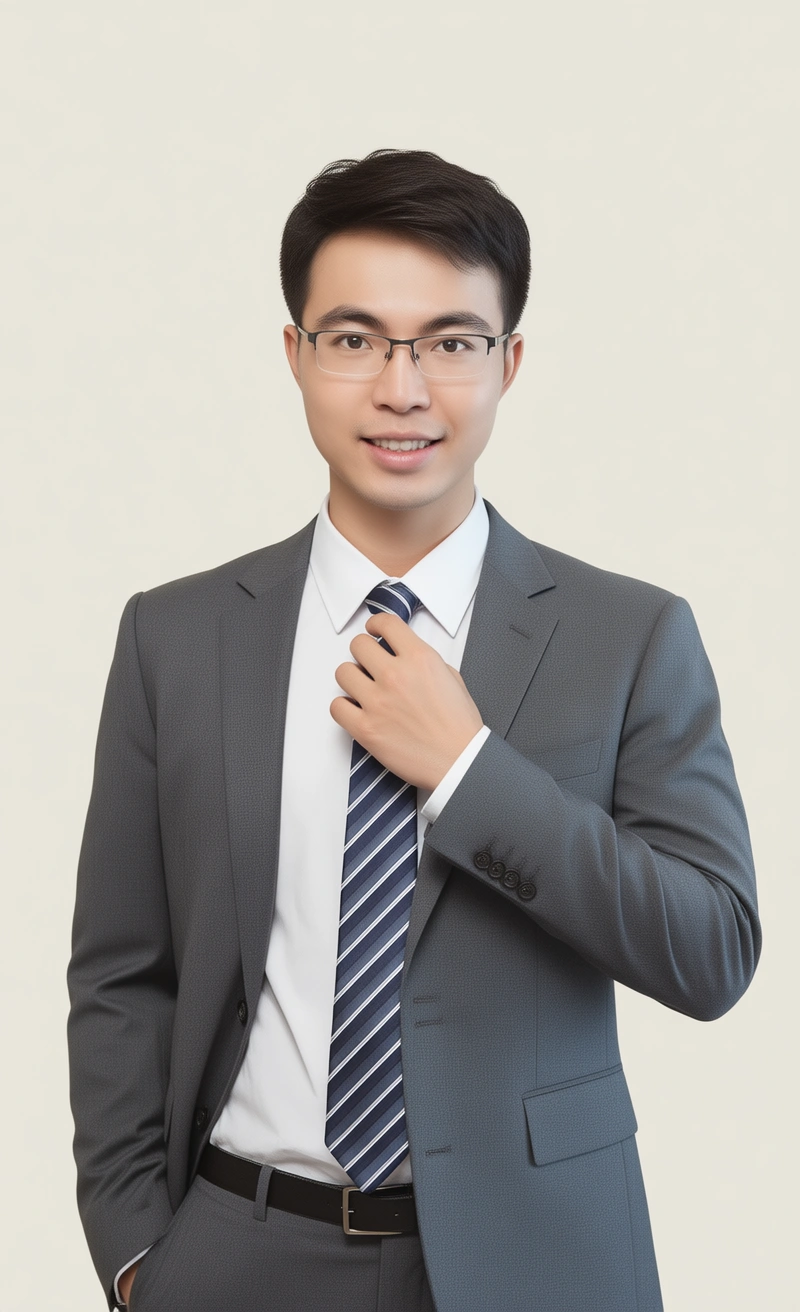
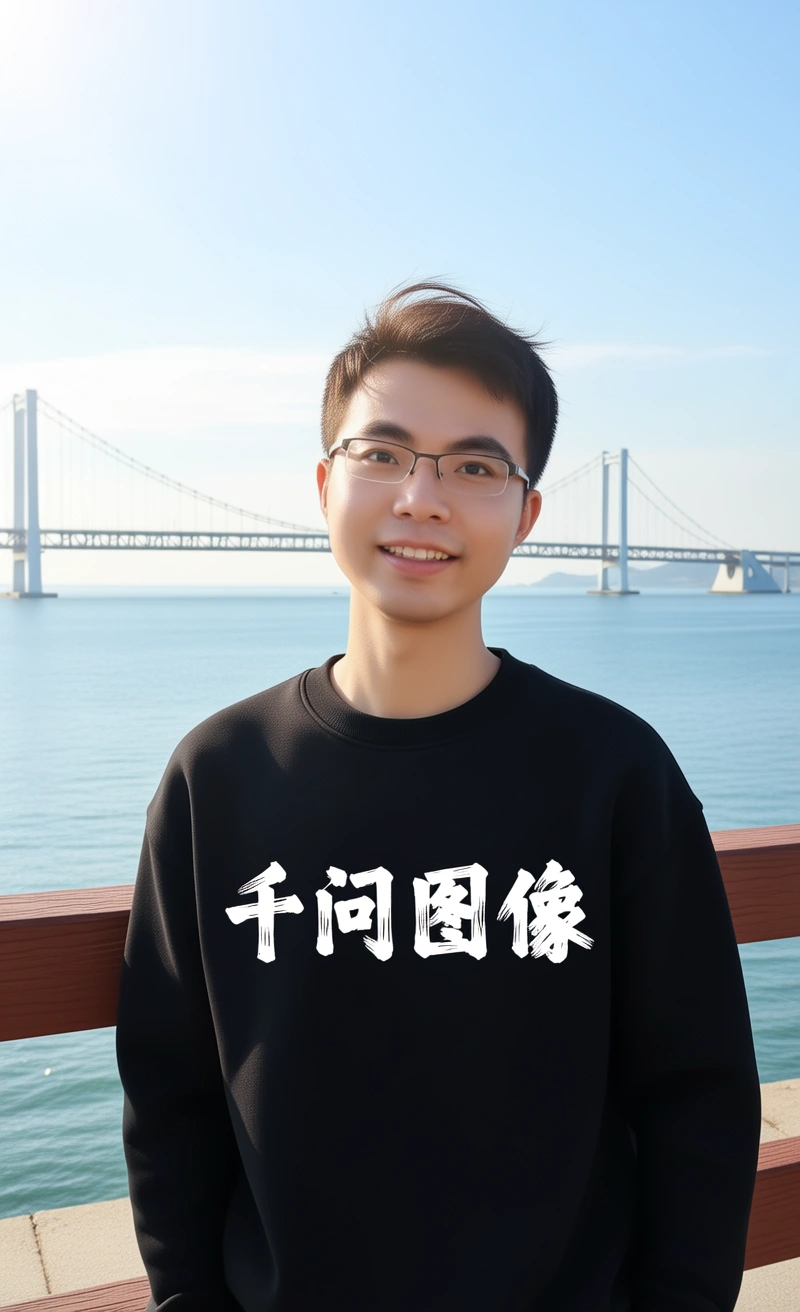
|---|---|---|---|
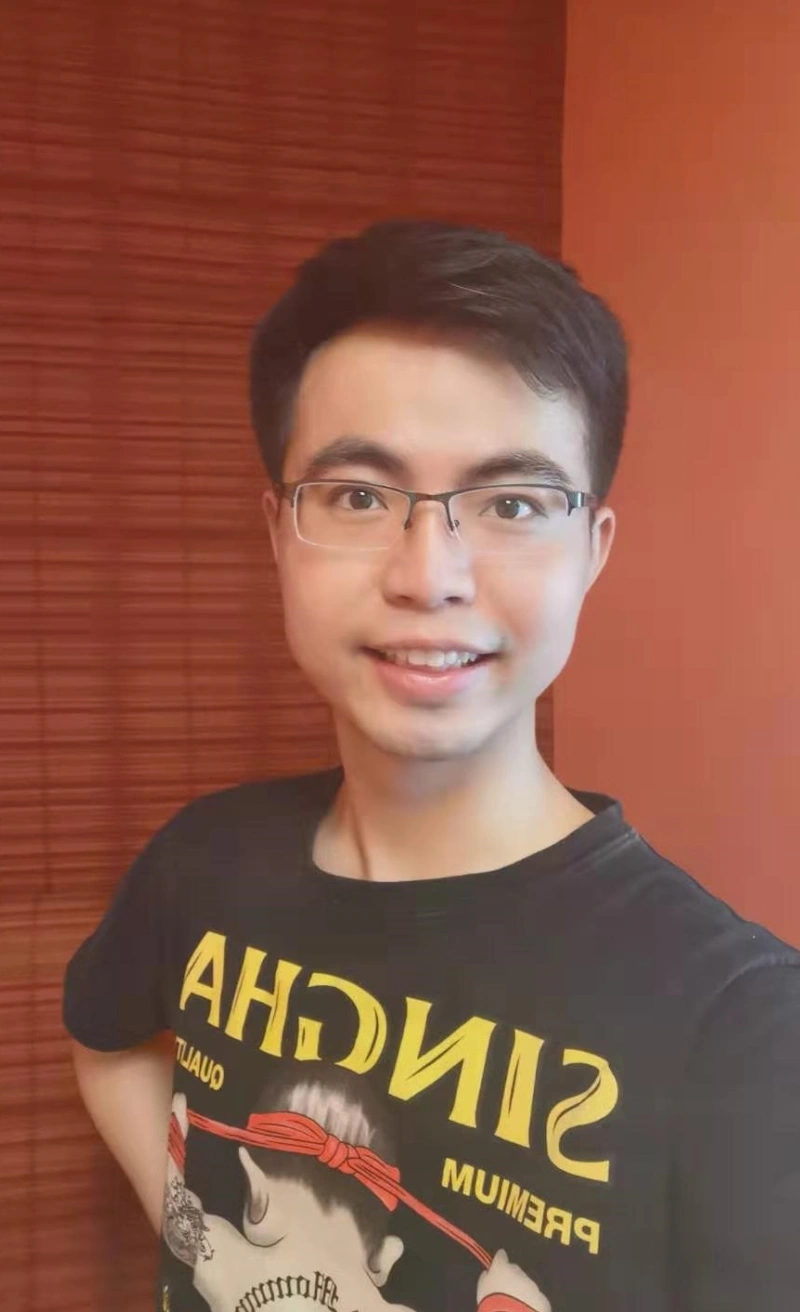
|
Change the image to an ID photo with a blue background. The person is wearing a white shirt, a black suit, and a striped tie. |
The person is wearing a white shirt, a gray suit, and a striped tie. One hand rests on the tie. The background is light-colored. |
The person is wearing a black hoodie with "Qwen Image" in a thick brushstroke font. They are leaning on a guardrail with sunlight in their hair. A bridge and the sea are in the background. |
|
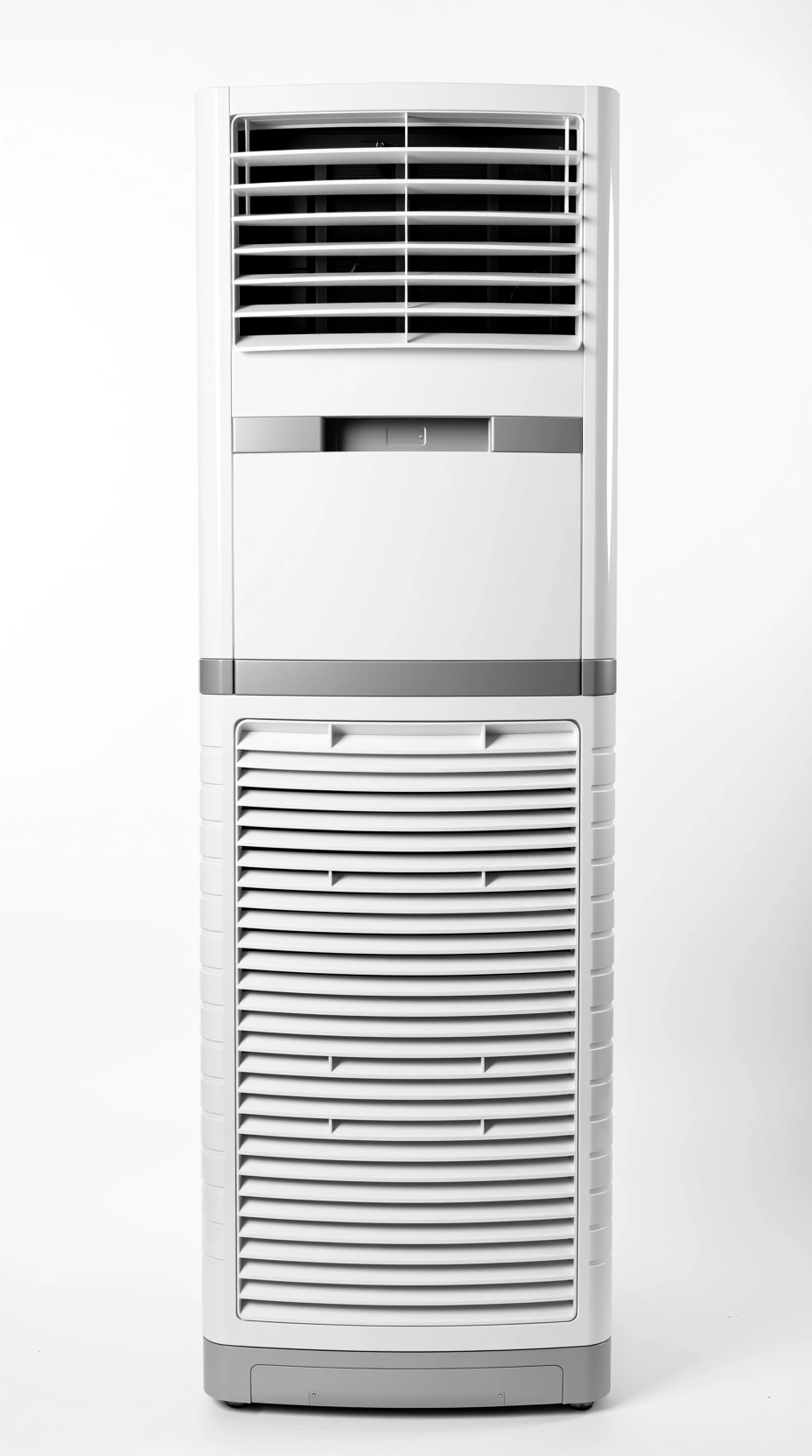
The air conditioner is placed in a living room next to a sofa. |
Mist is added from the air conditioner's vent, extending over the sofa. Green leaves are also added. |
The white handwritten text "Natural Fresh Air Enjoy Breathing" is added at the top. |
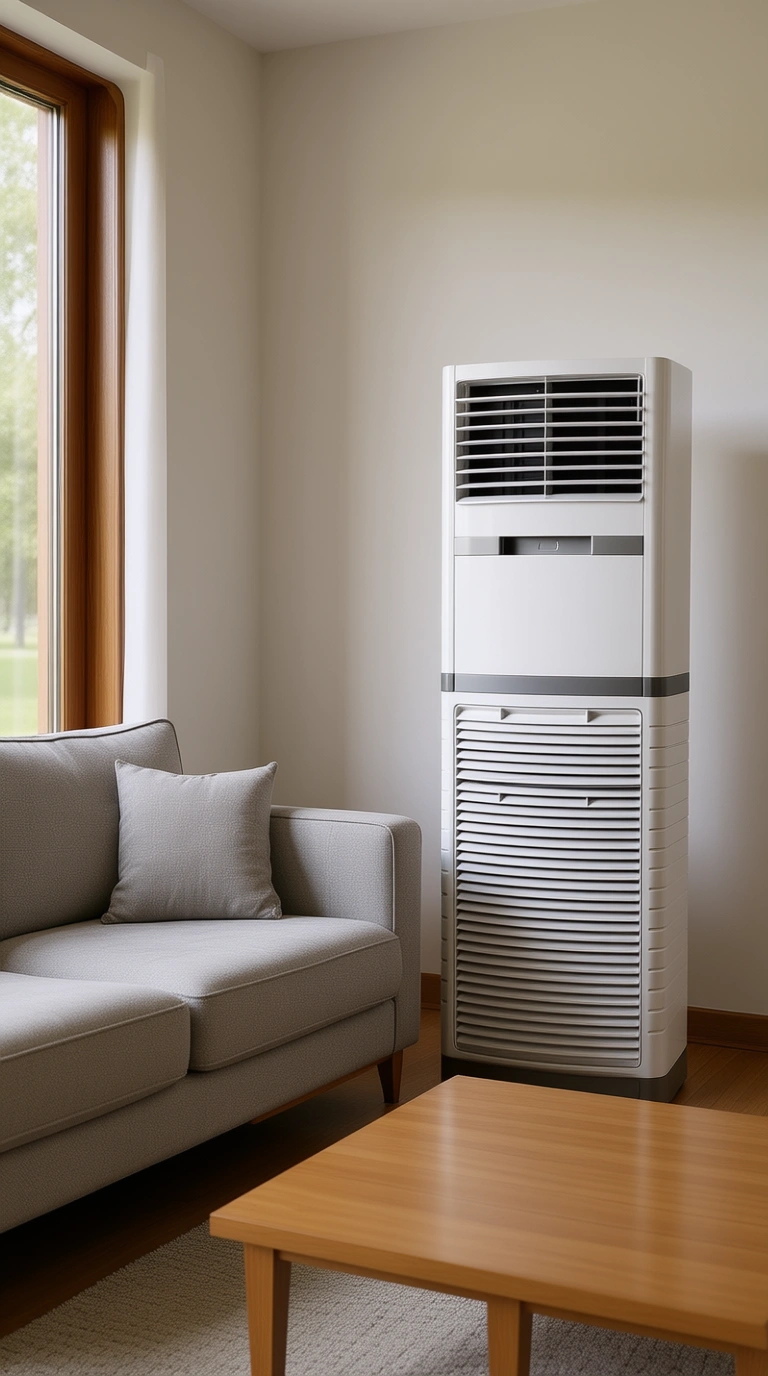
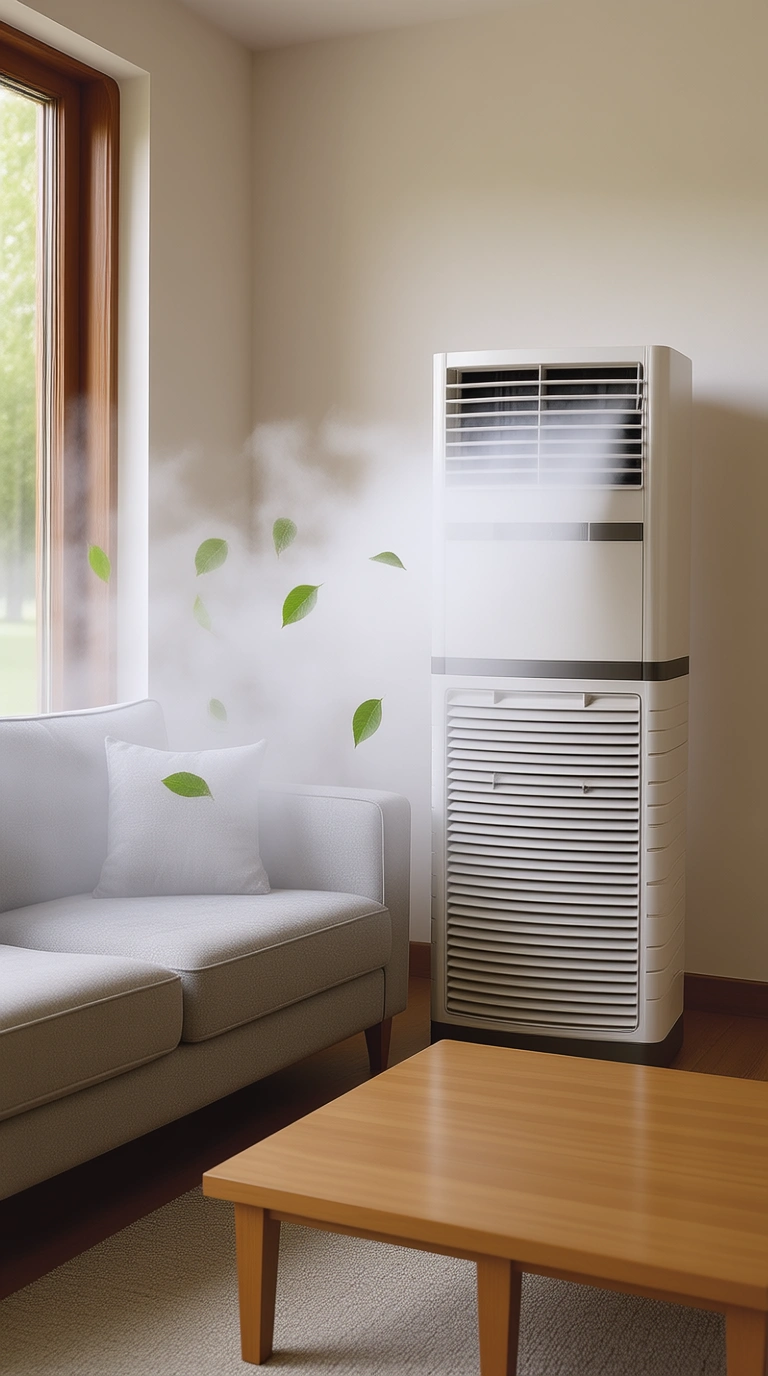
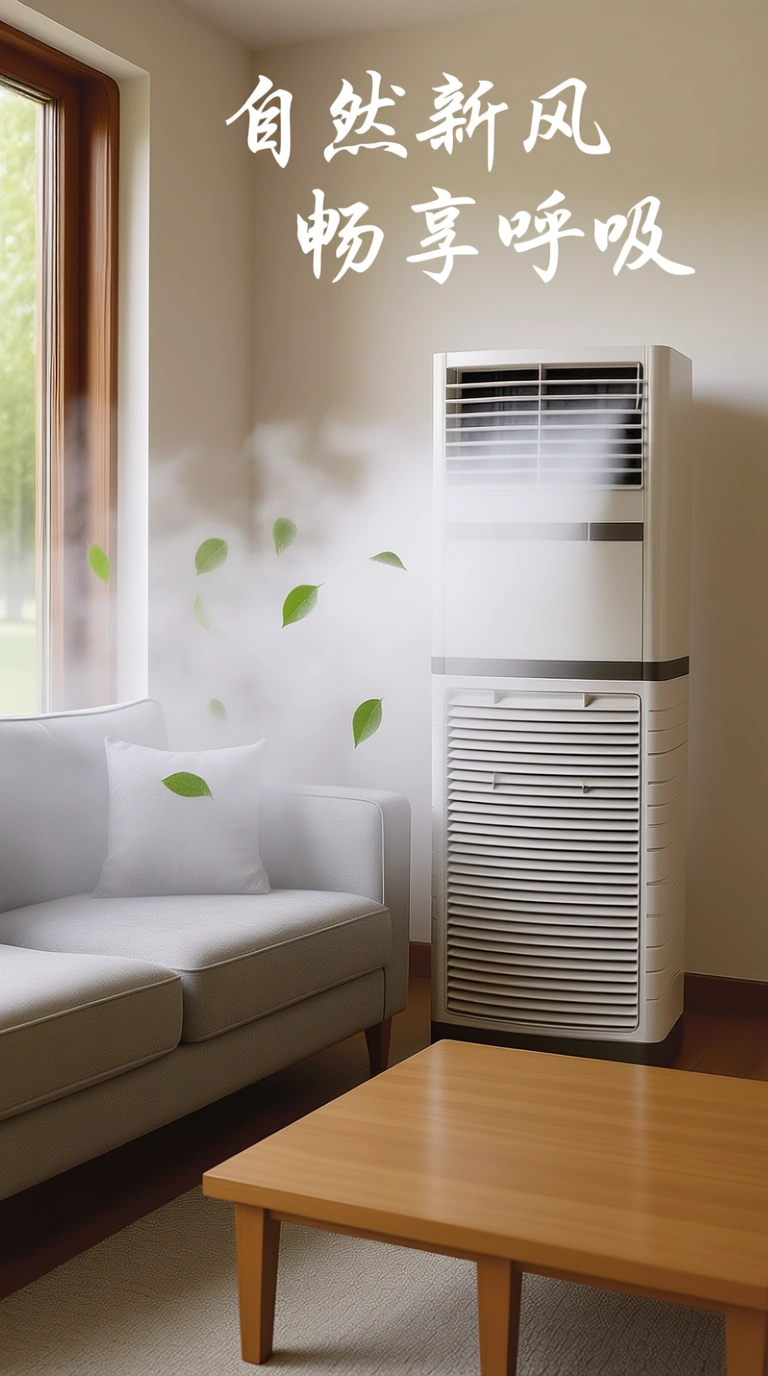
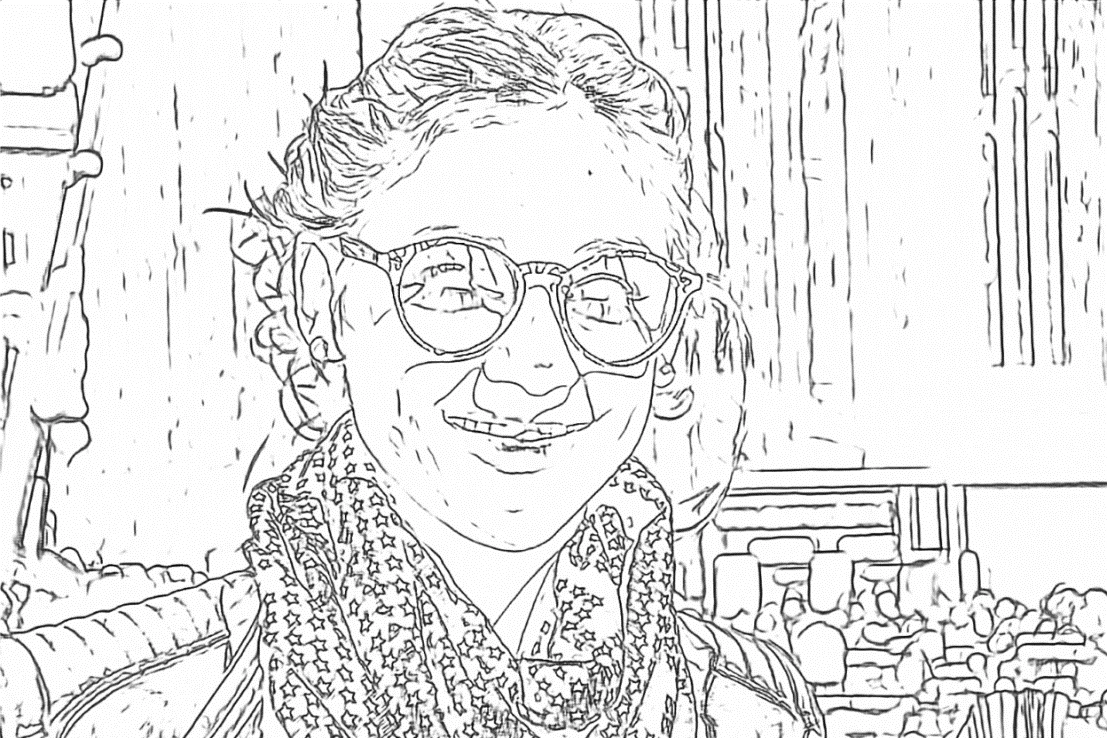
Sketch creation
Input image | Output image | |
|---|---|---|
|
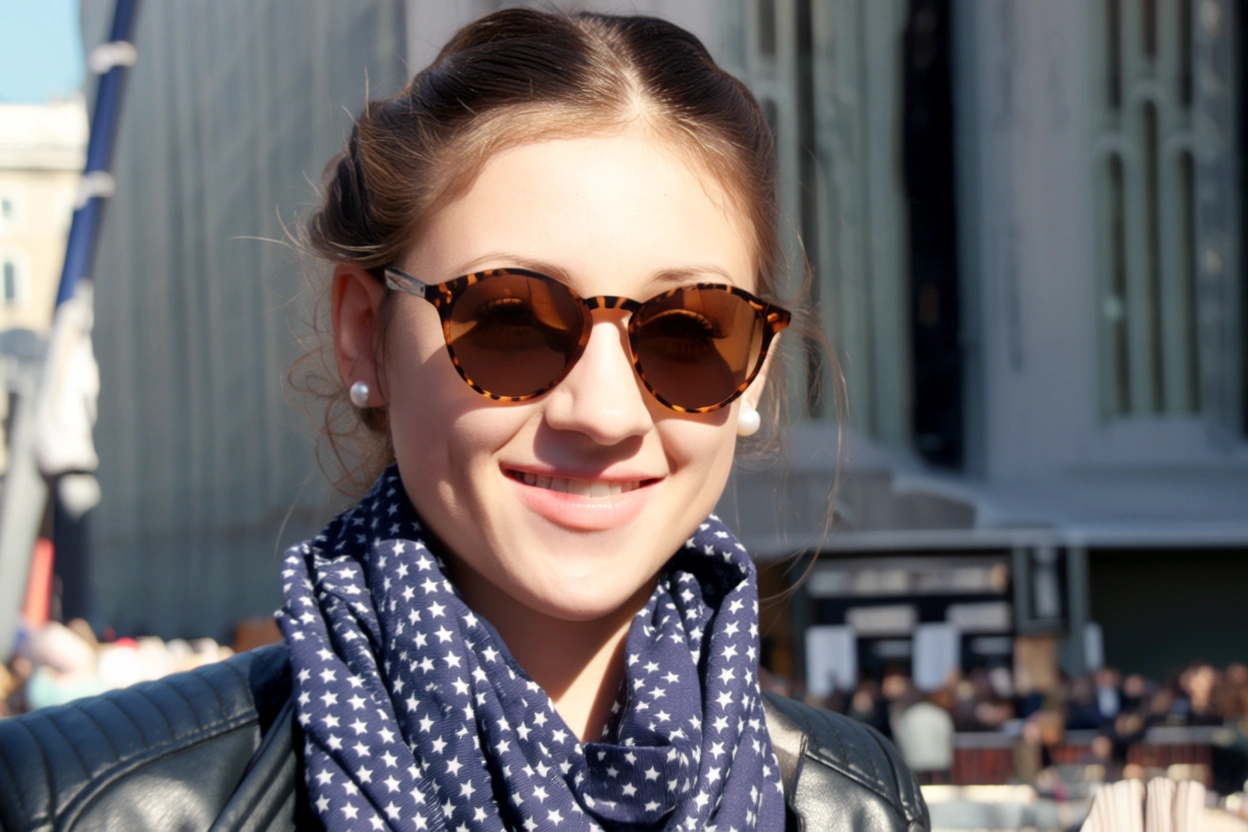
Generate an image that matches the detailed shape outlined in Image 1 and follows this description: A young woman smiles on a sunny day. She wears round brown sunglasses with a leopard print frame. Her hair is neatly tied up, she wears pearl earrings, a dark blue scarf with purple star patterns, and a black leather jacket. |
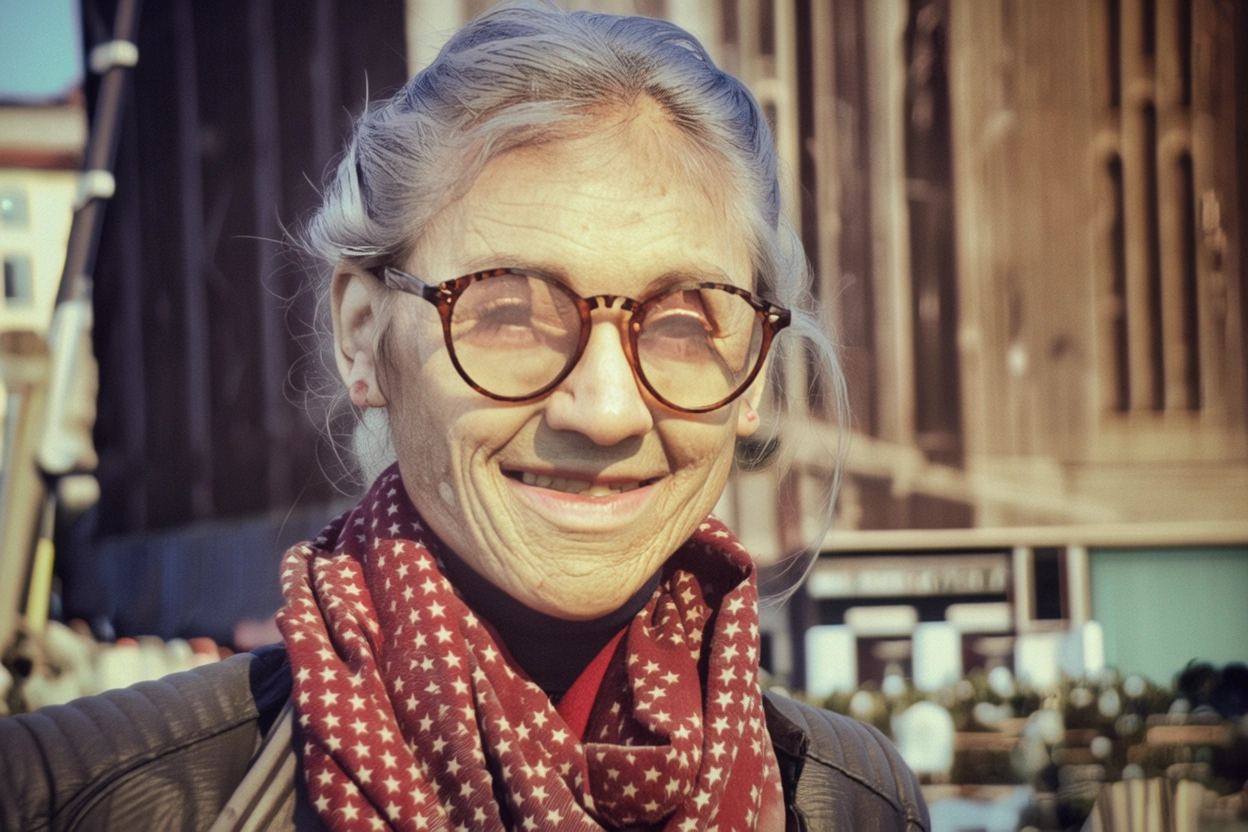
Generate an image that matches the detailed shape outlined in Image 1 and follows this description: An elderly man smiles at the camera. His face is wrinkled, his hair is messy in the wind, and he wears round-framed reading glasses. He has a worn-out red scarf with star patterns around his neck and is wearing a cotton-padded jacket. |
Creative product generation
Input image | Output image | ||
|---|---|---|---|
|
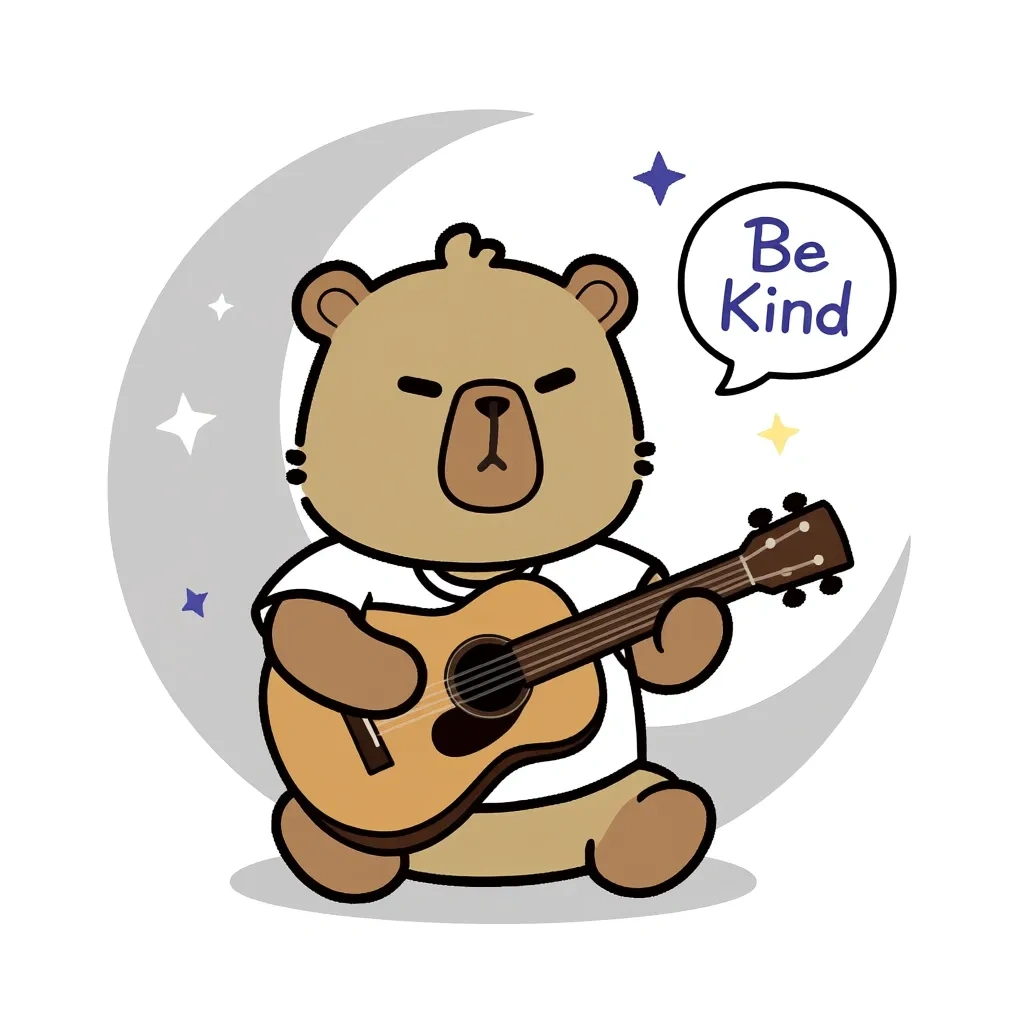
Make this bear sit under the moon (represented by a light gray crescent outline on a white background), holding a guitar, with small stars and speech bubbles with phrases such as "Be Kind" floating around. |
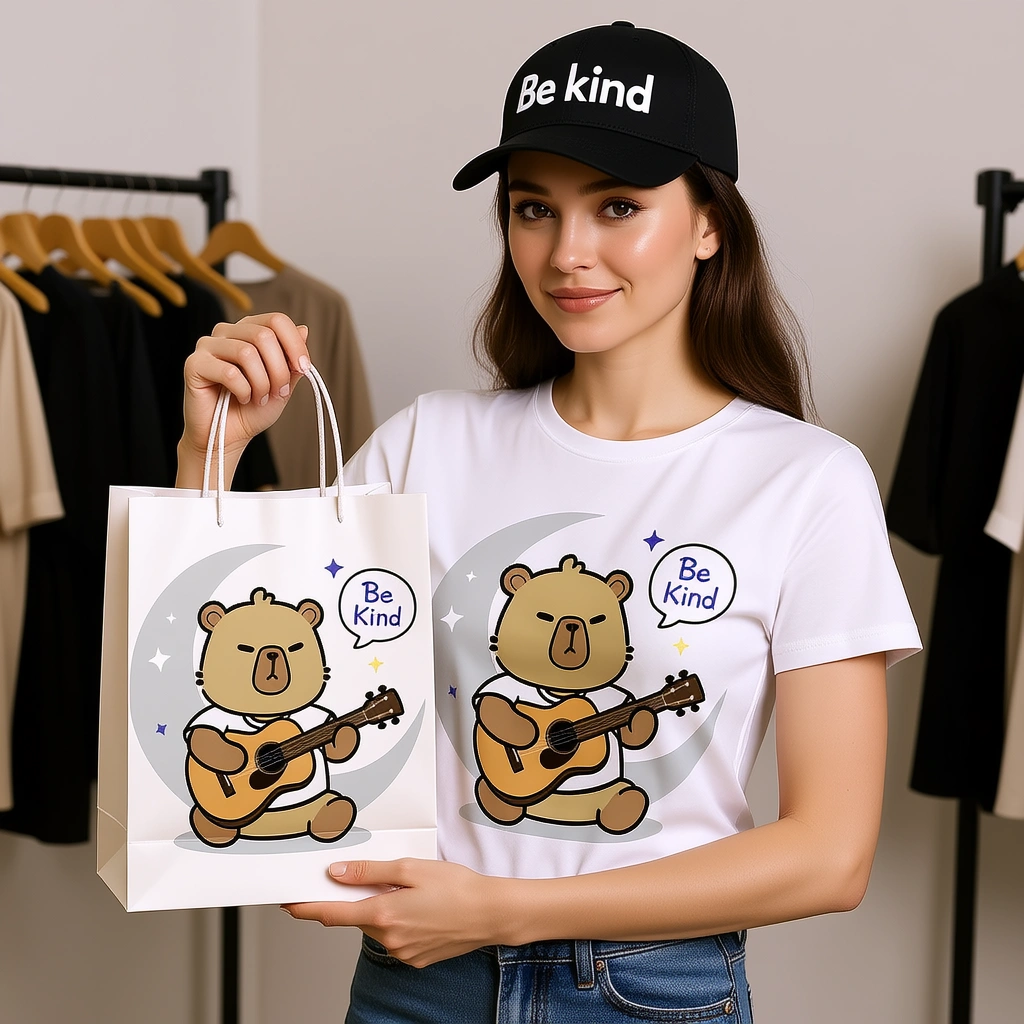
Print this design on a T-shirt and a paper tote bag. A female model is displaying these items. The woman is also wearing a baseball cap with "Be kind" written on it. |
A hyper-realistic 1/7 scale character model, designed as a commercial finished product, is placed on a desk with an iMac that has a white keyboard. The model stands on a clean, round, transparent acrylic base with no labels or text. Professional studio lighting highlights the sculpted details. On the iMac screen in the background, the ZBrush modeling process for the same model is displayed. Next to the model, place a packaging box with a transparent window on the front, showing only the clear plastic shell inside. The box is slightly taller than the model and reasonably sized to hold it. |
This bear is wearing an astronaut suit and pointing into the distance. |
This bear is wearing a gorgeous ball gown, with its arms spread in an elegant dance pose. |
This bear is wearing sportswear, holding a basketball, with one leg bent. | |

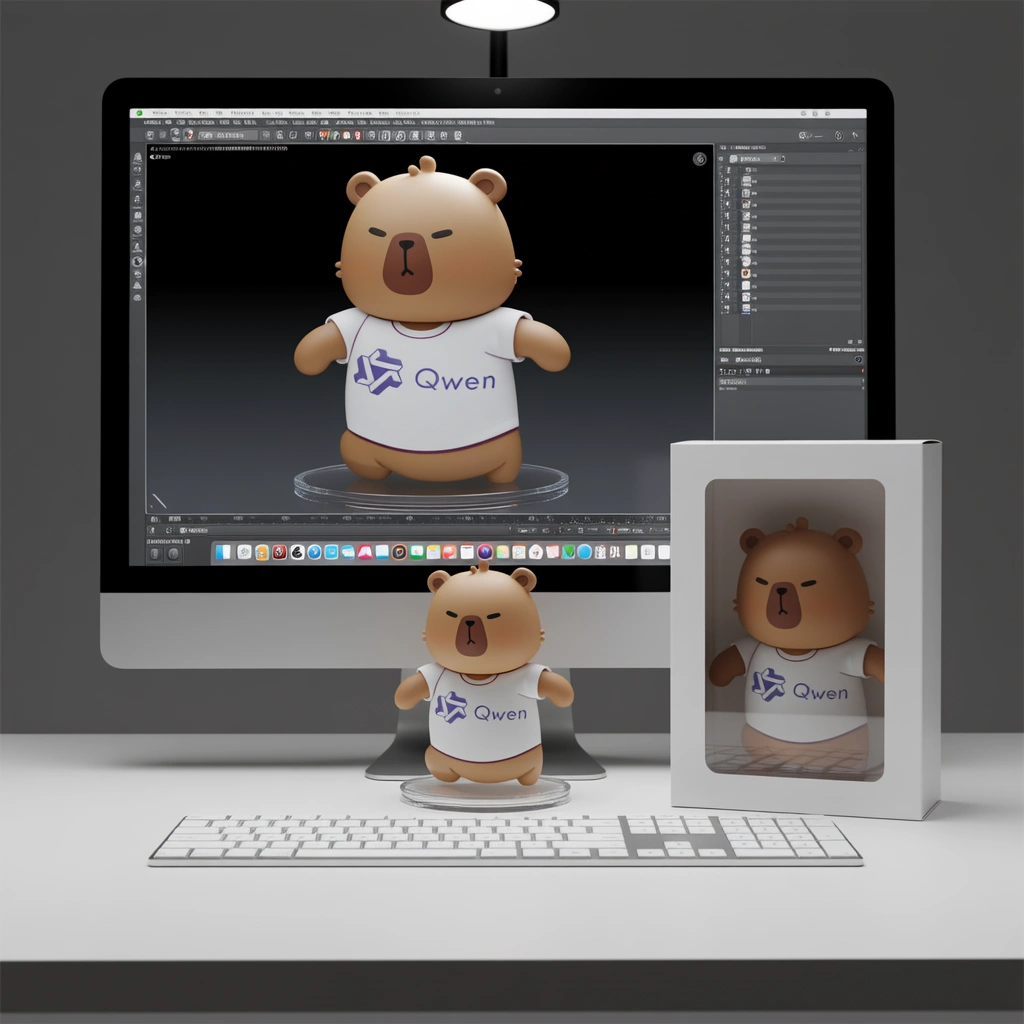


Generate image from depth map
Input image | Output image | |
|---|---|---|
|
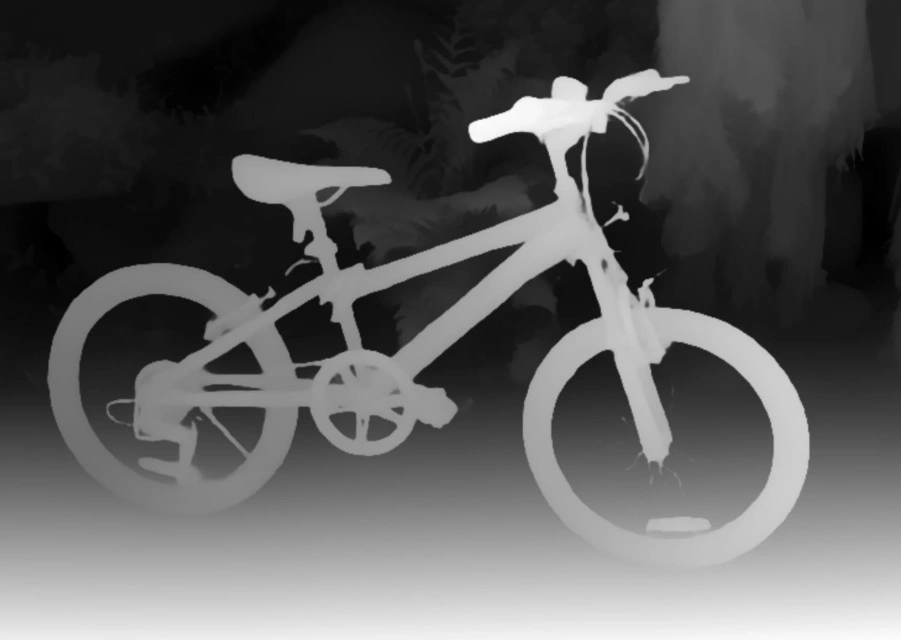
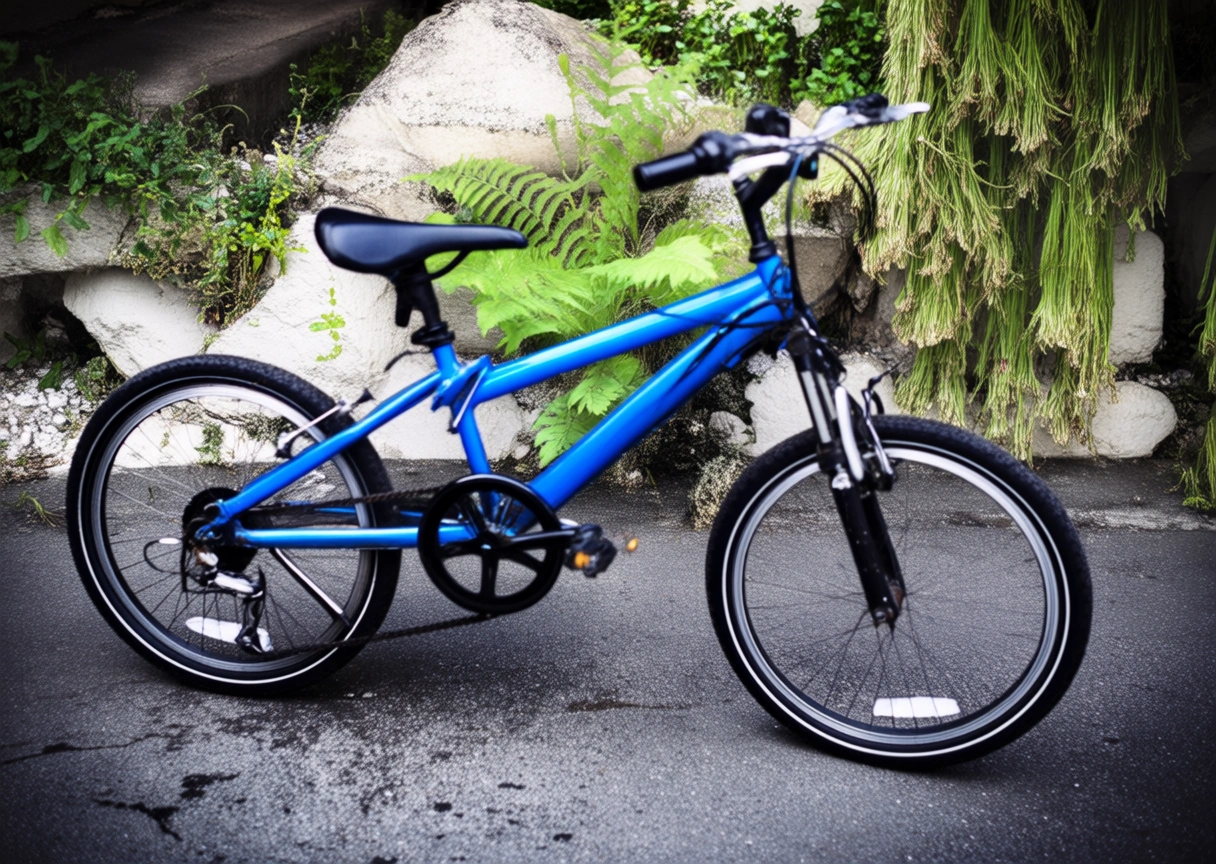
Generate an image that matches the depth map outlined in Image 1 and follows this description: A blue bicycle is parked in a side alley, with a few weeds growing from cracks in the stone in the background. |
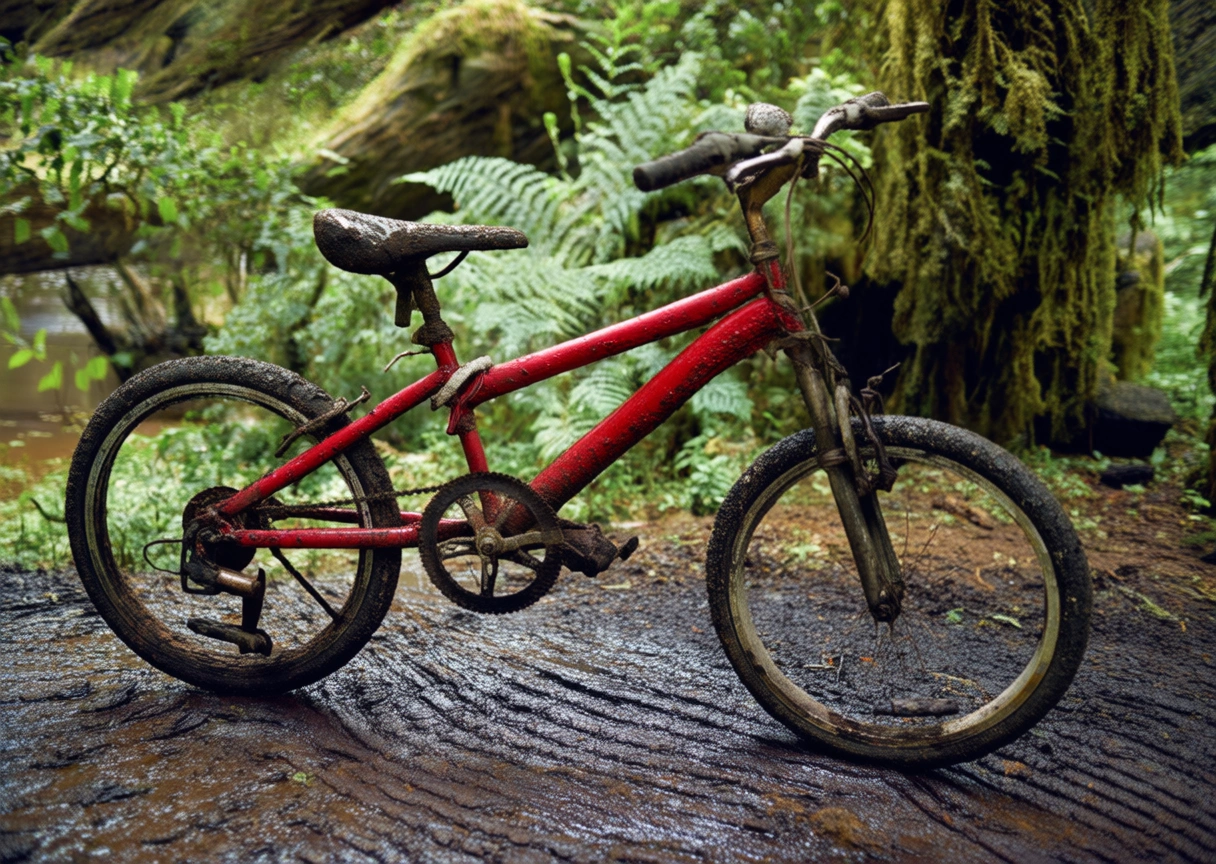
Generate an image that matches the depth map outlined in Image 1 and follows this description: A worn-out red bicycle is parked on a muddy path, with a dense primeval forest in the background. |
Generate image from keypoints
Input image | Output image | |
|---|---|---|
|
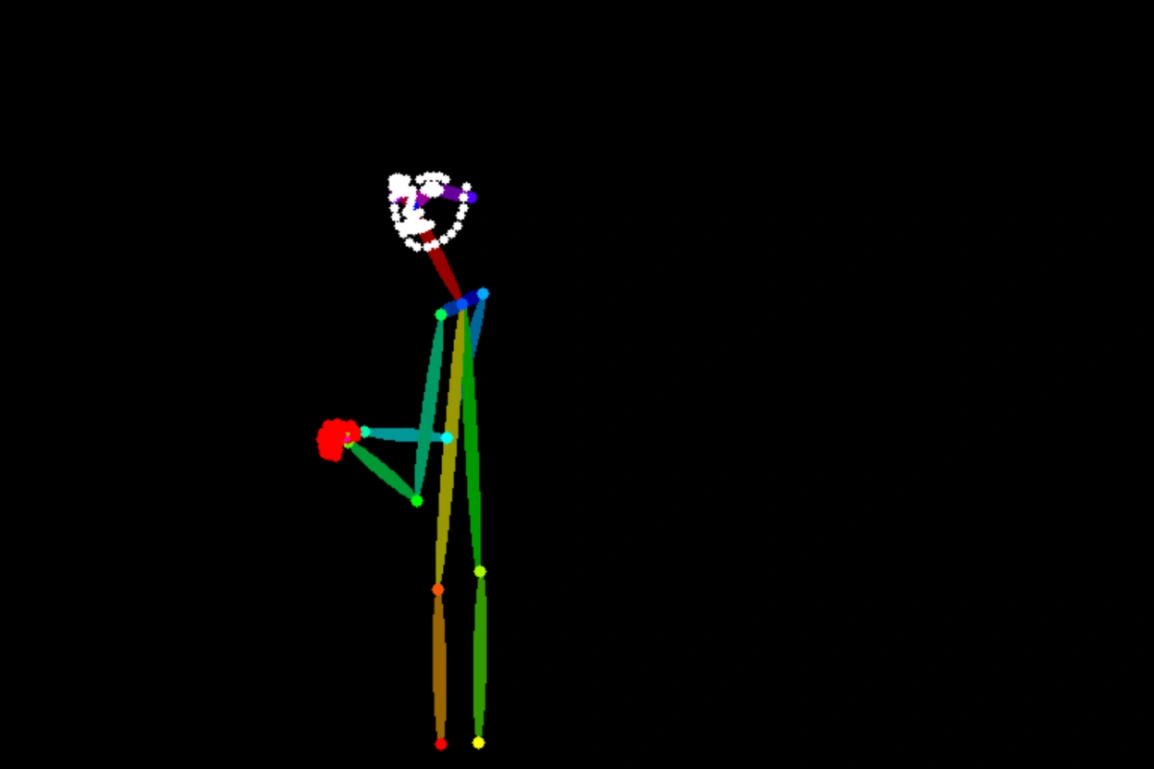
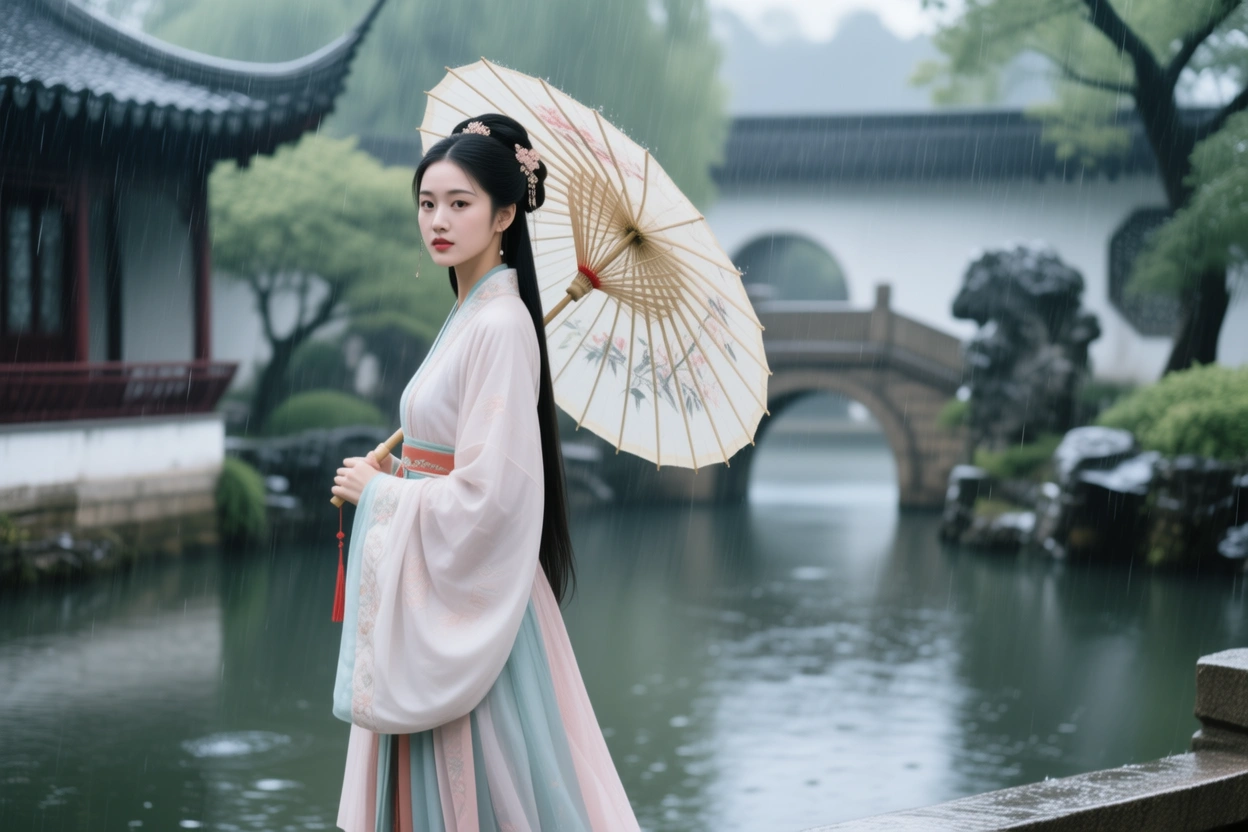
Generate an image that matches the human pose outlined in Image 1 and follows this description: A Chinese woman in a Hanfu is holding an oil-paper umbrella in the rain, with a Suzhou garden in the background. |
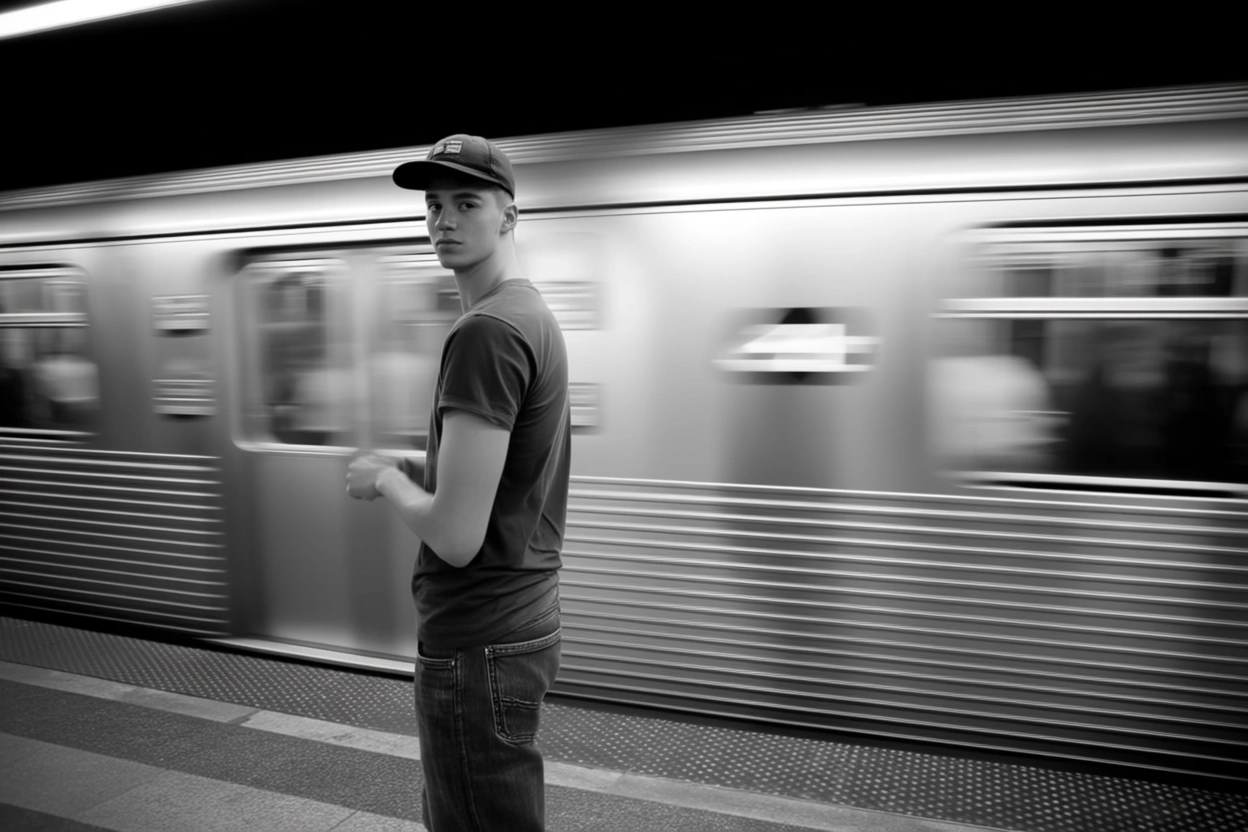
Generate an image that matches the human pose outlined in Image 1 and follows this description: A young man stands on a subway platform. He wears a baseball cap, a T-shirt, and jeans. A train is speeding by behind him. |
Text editing
Input image | Output image | Input image | Output image |
|---|---|---|---|
|
Replace 'HEALTH INSURANCE' on the Scrabble tiles with 'Tomorrow Will Be Better'. |
|
Change the phrase "Take a Breather" on the note to "Relax and Recharge". |


Input image | Output image | ||
|---|---|---|---|
|
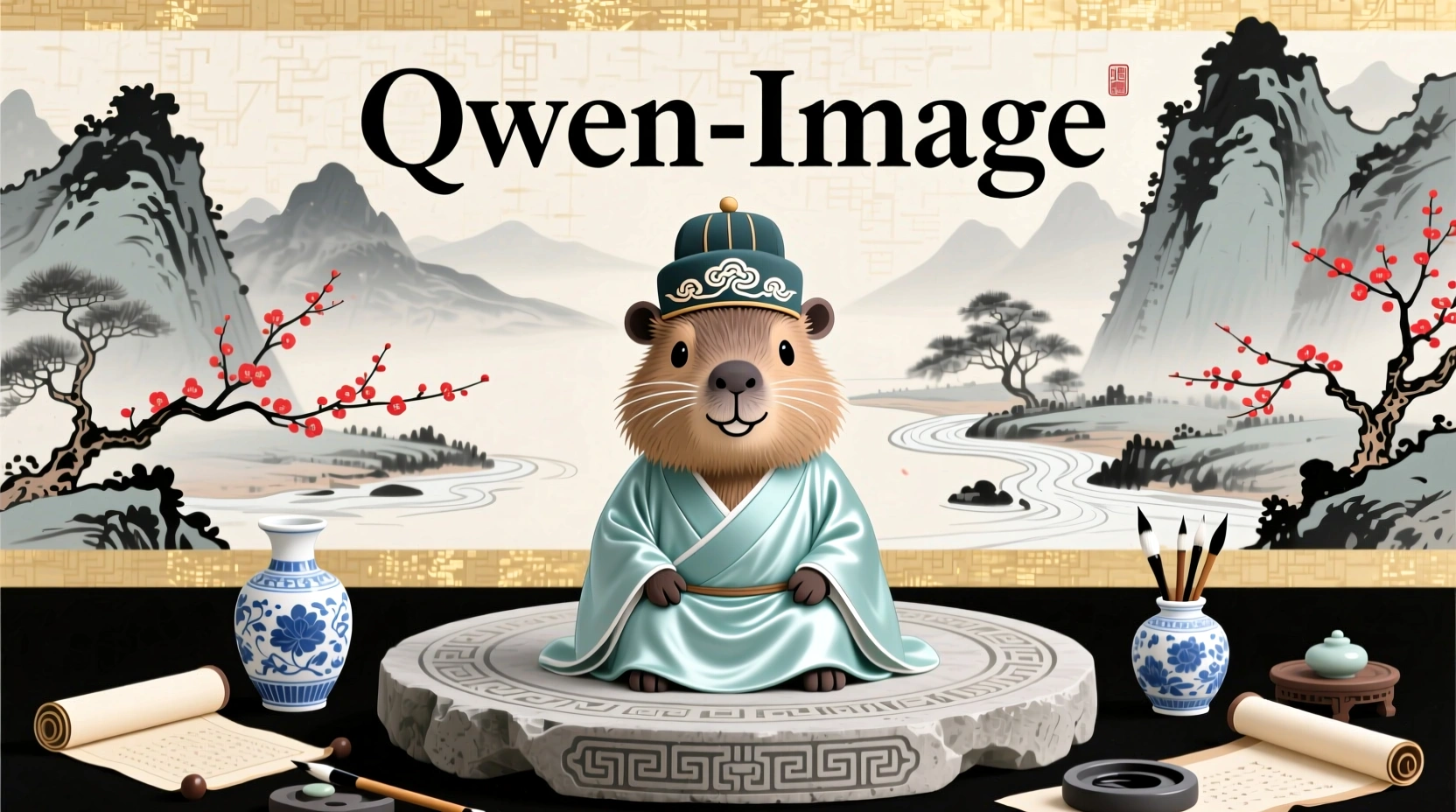
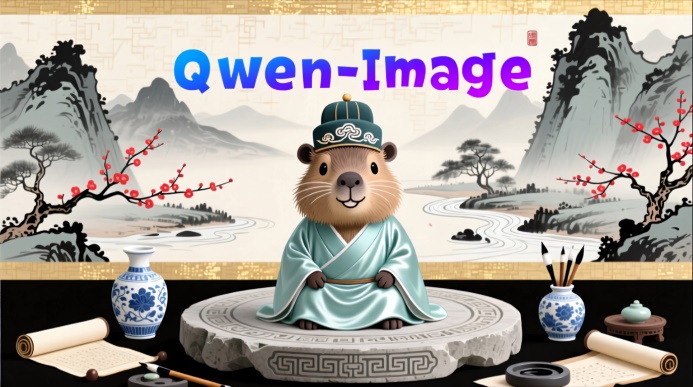
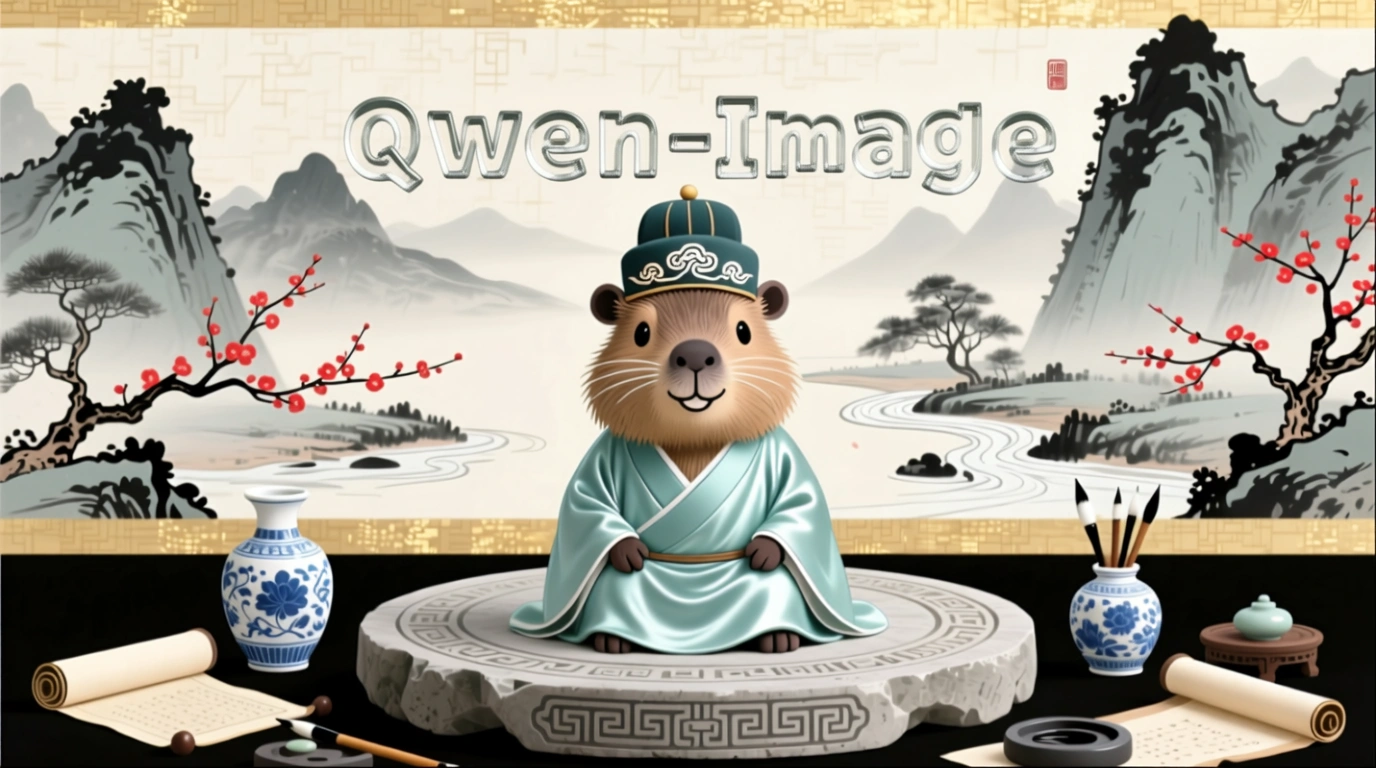
Change "Qwen-Image" to a black ink-drip font. |
Change "Qwen-Image" to a black handwriting font. |
Change "Qwen-Image" to a black pixel font. |
Change "Qwen-Image" to red. |
Change "Qwen-Image" to a blue-purple gradient. |
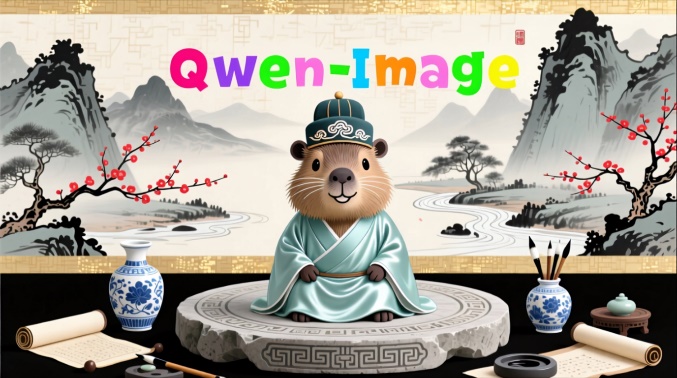
Change "Qwen-Image" to candy colors. | |
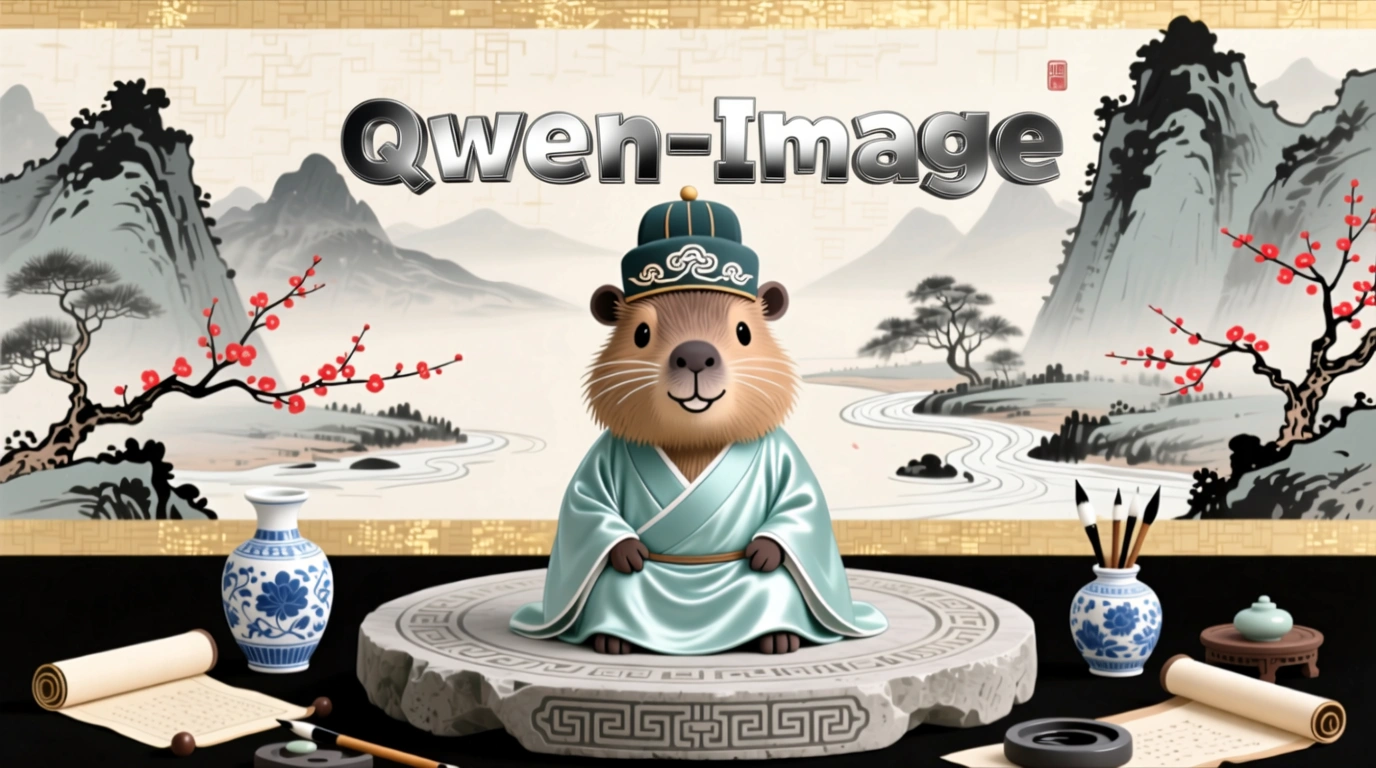
Change the material of "Qwen-Image" to metal. |
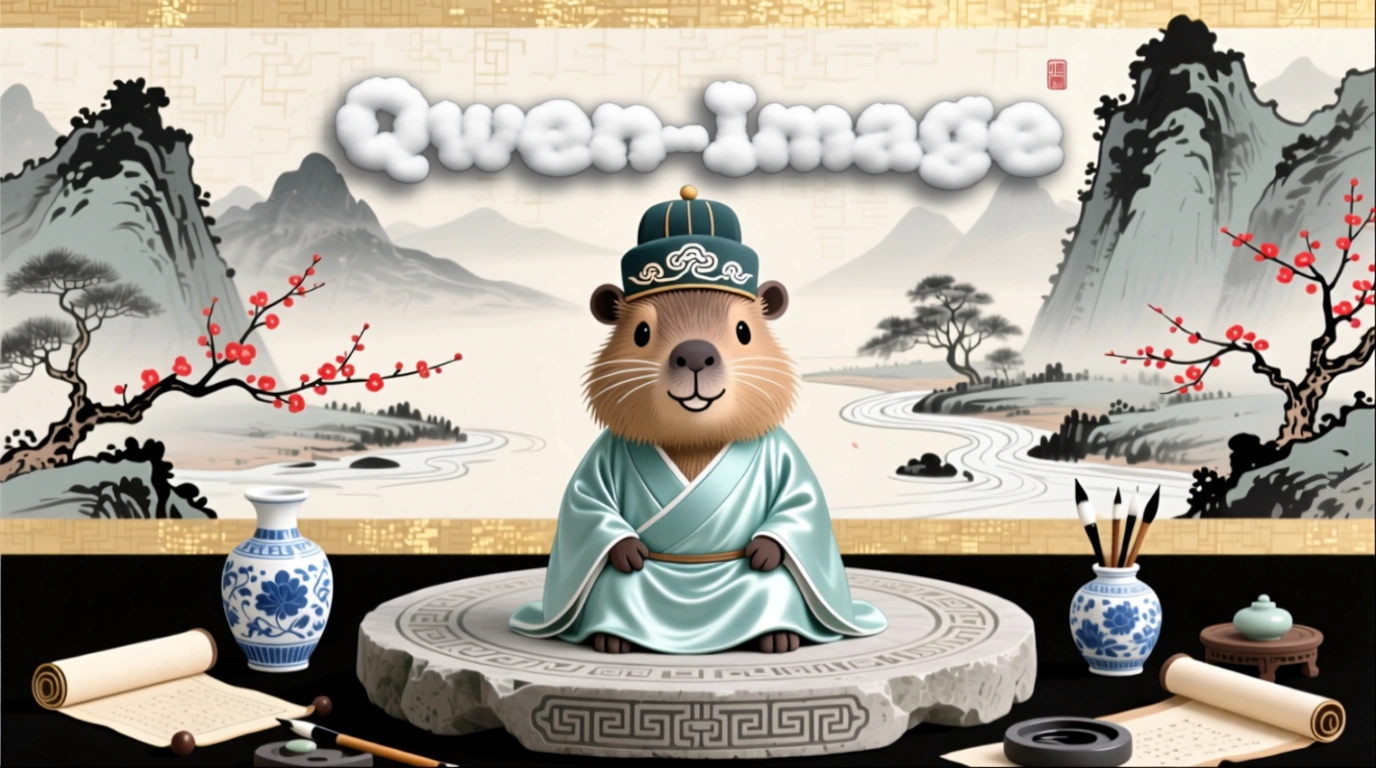
Change the material of "Qwen-Image" to clouds. |
Change the material of "Qwen-Image" to glass. | |
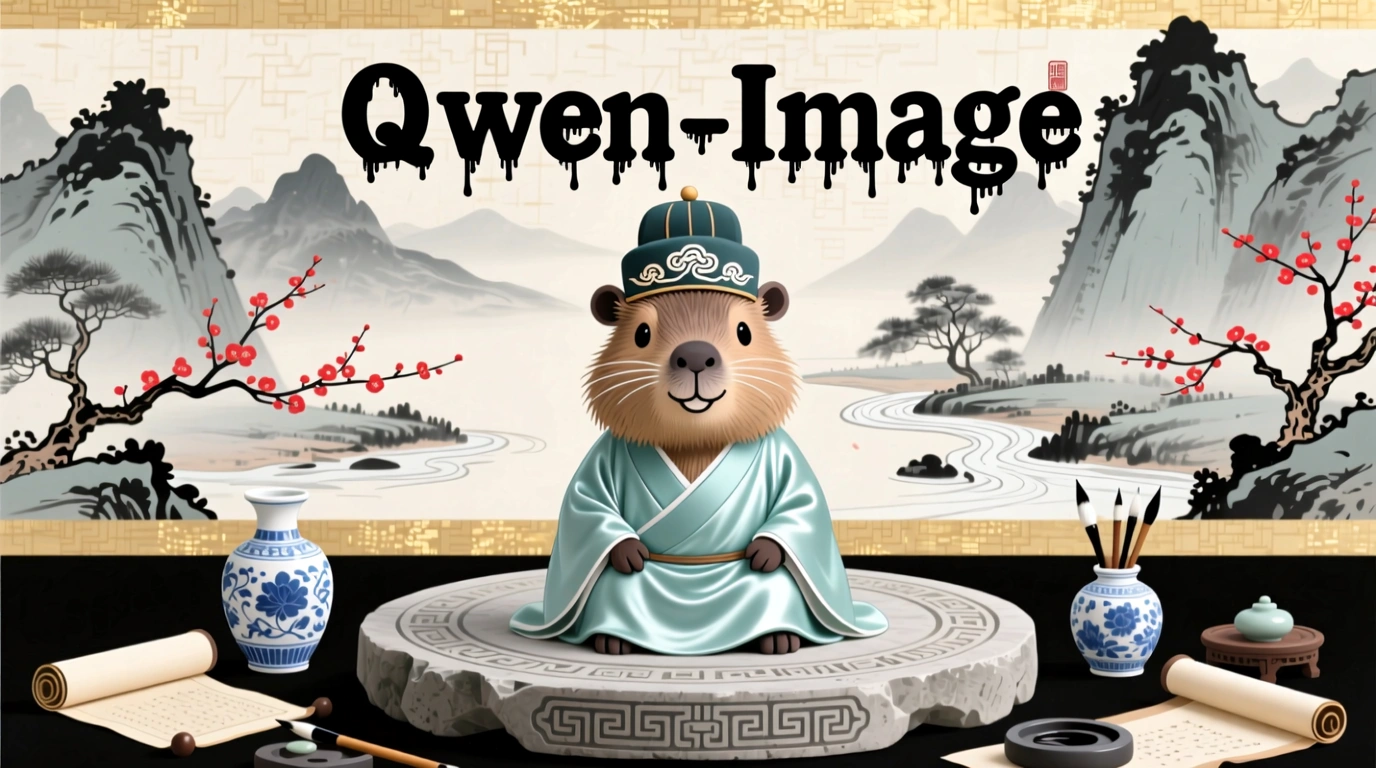
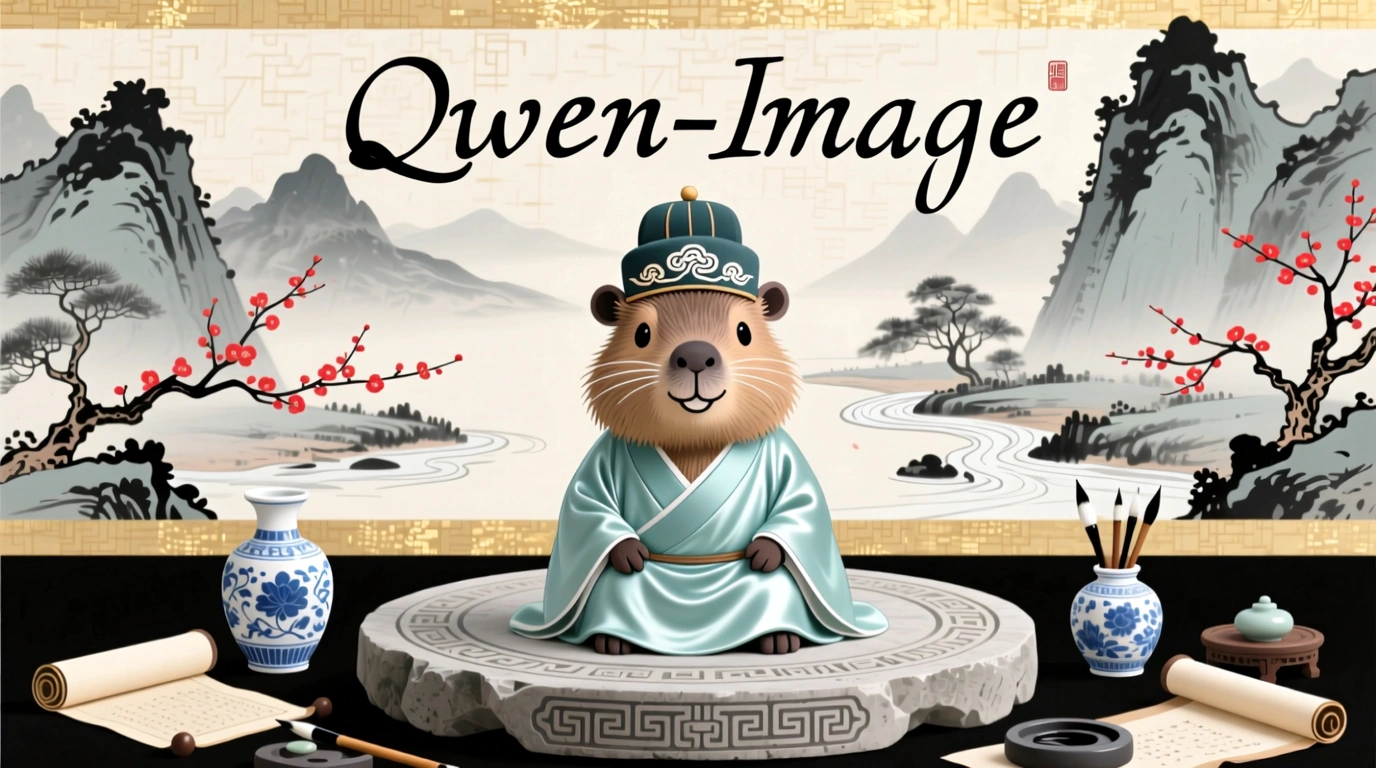
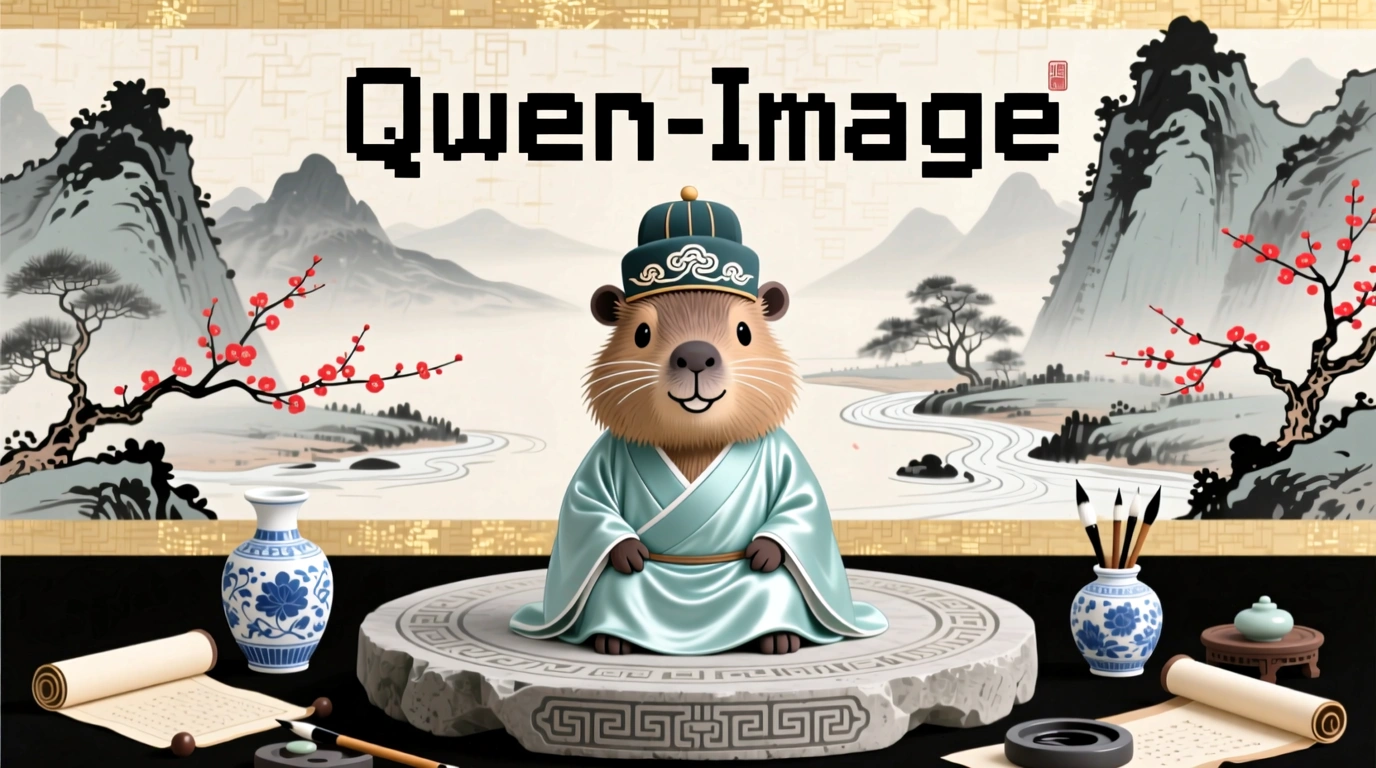
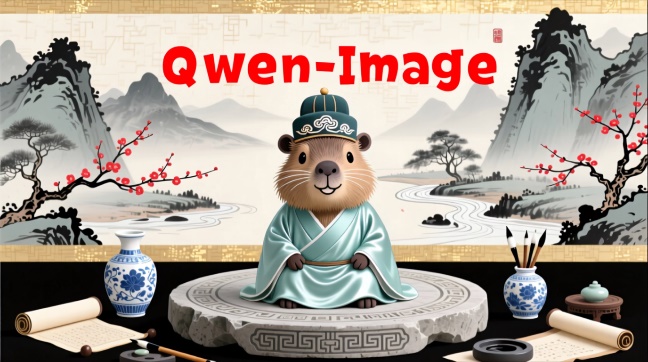
Add and delete
Capability | Input image | Output image |
|---|---|---|
Add element |
|
Add a small wooden sign in front of the penguin that says "Welcome to Penguin Beach". |
Delete element |
|
Remove the hair from the plate. |


Viewpoint transformation
Input image | Output image | Input image | Output image |
|---|---|---|---|
|
Get a front view. |
|
Face left. |
|
Get a rear view. |
|
Face right. |


Old photo processing
Capability | Input image | Output image |
|---|---|---|
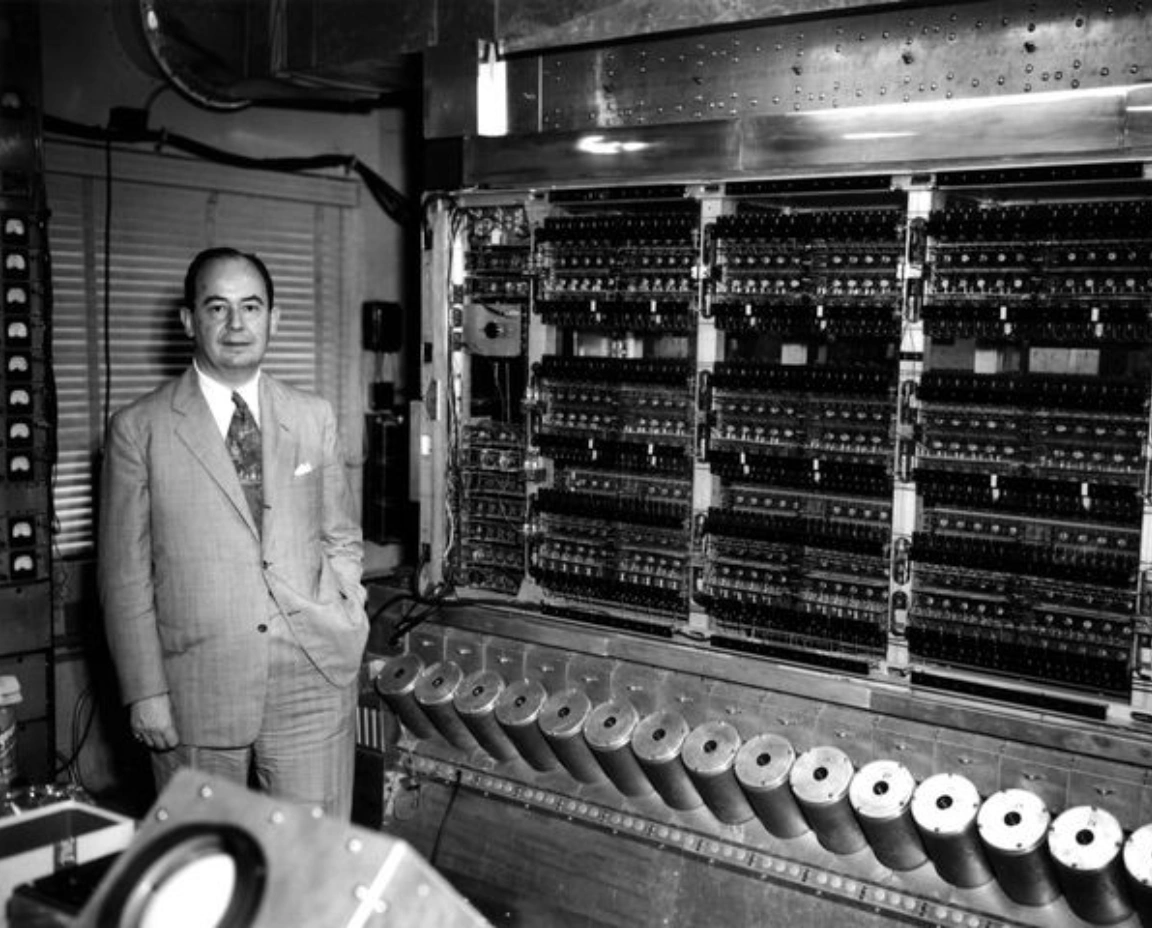
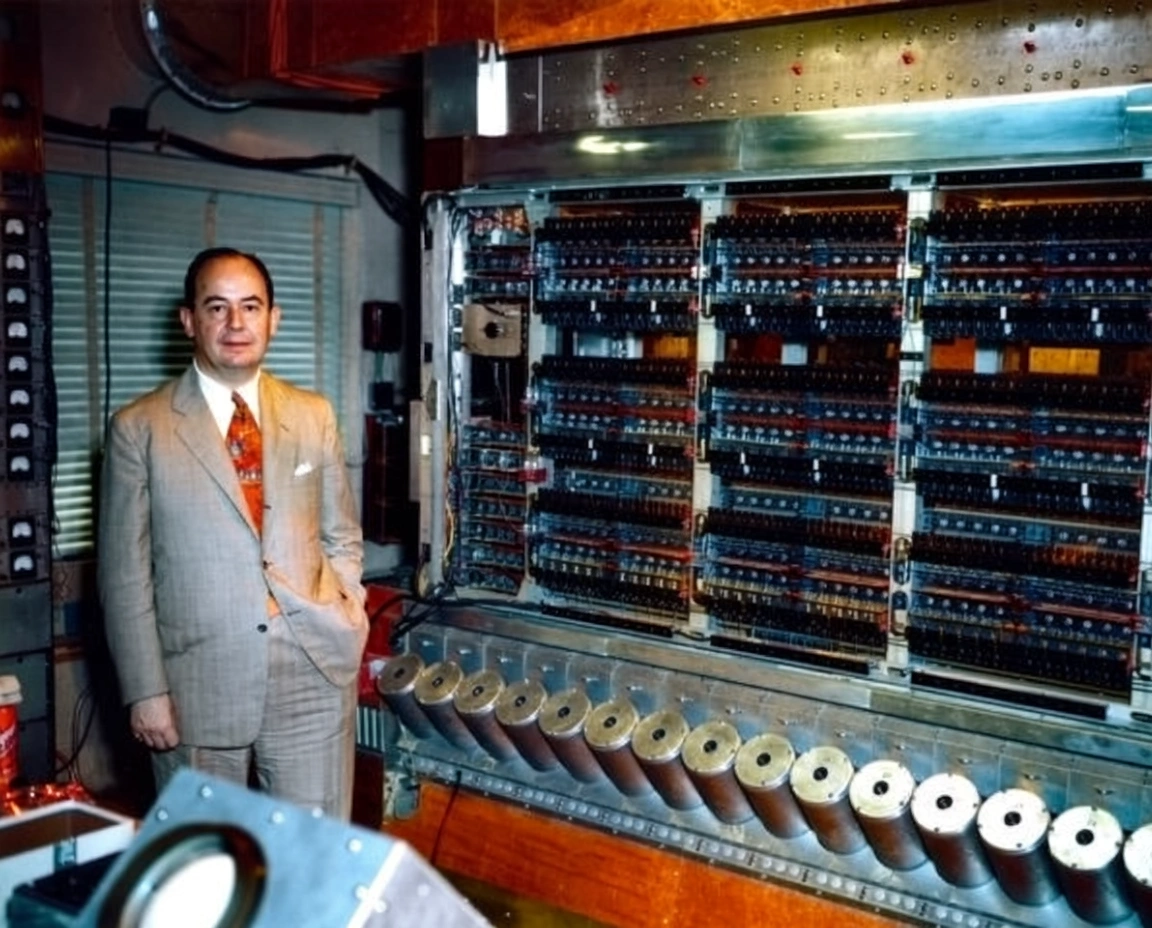
Old photo restoration and colorization |
|
Restore the old photo, remove scratches, reduce noise, enhance details, high resolution, realistic image, natural skin tone, clear facial features, no distortion. |
|
Intelligently colorize the image based on its content to make it more vivid. |


API reference
See Qwen-Image Edit for API parameters.
Error codes
If the model call fails and returns an error message, see Error codes for resolution.
FAQ
Q: What languages does the Qwen Image Editing model support?
A: The model currently supports Simplified Chinese and English. You can try other languages, but performance is not guaranteed.
Q: How do I view model invocation metrics?
A: One hour after a model invocation completes, go to the Monitoring (Singapore) or Monitoring (China (Beijing)) page to view metrics such as invocation count and success rate. For more information, see Billing and cost management.
Q: How do I get the domain name whitelist for image storage?
A: Images generated by models are stored in OSS. The API returns a temporary public URL. To configure a firewall whitelist for this download URL, note the following: The underlying storage may change dynamically. This topic does not provide a fixed OSS domain name whitelist to prevent access issues caused by outdated information. If you have security control requirements, contact your account manager to obtain the latest OSS domain name list.
See the Image generation FAQ.