AUResultView provides a result page with an icon and three levels of text.
Preview
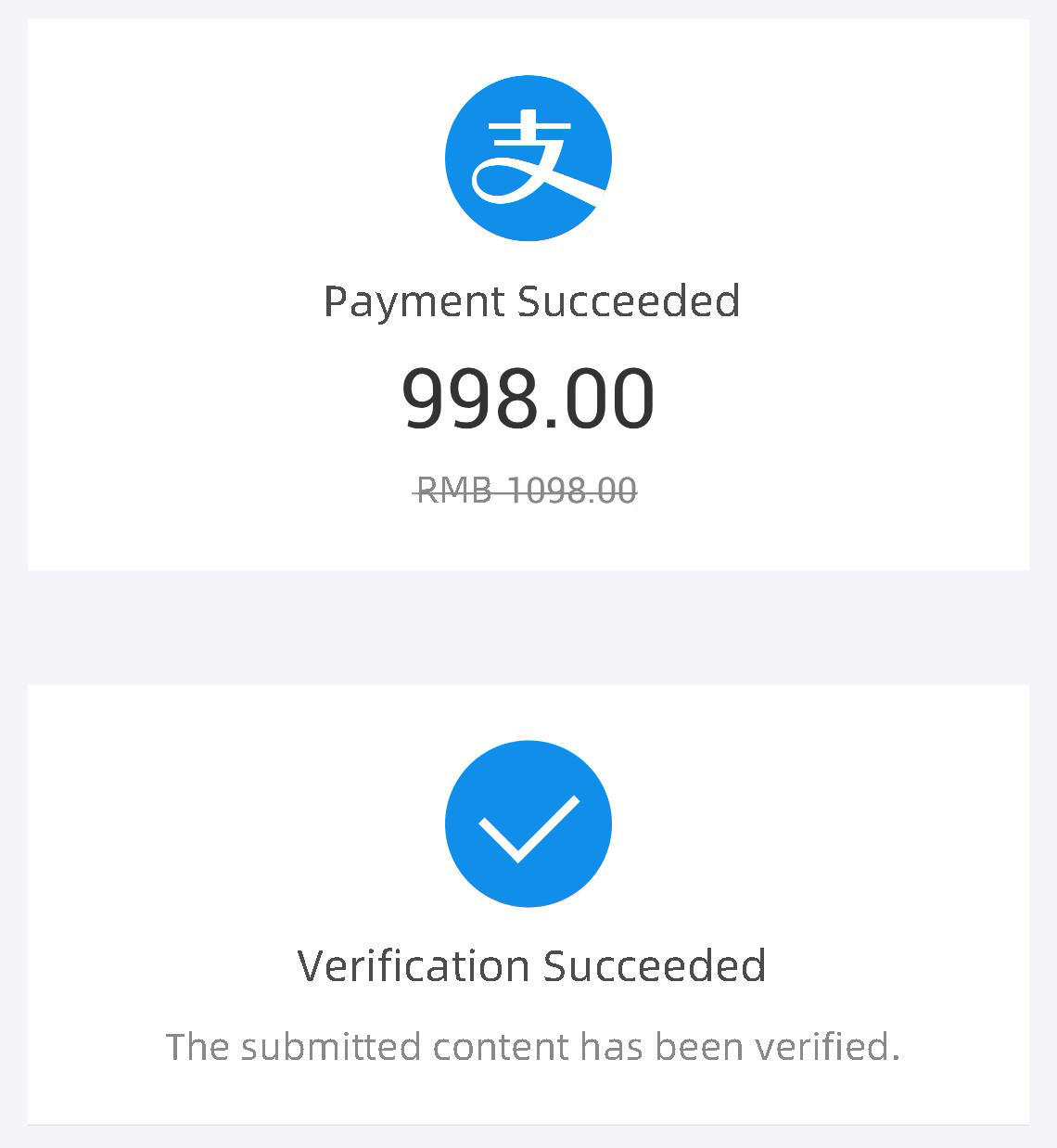
API reference
    /**
     * Sets the icon.
     *
     * @param iconRes The resource ID of the icon.
     */
    public void setIcon(@DrawableRes int iconRes);

    /**
     * Sets the main title text.
     *
     * @param text The text content.
     */
    public void setMainTitleText(CharSequence text);

    /**
     * Sets the subtitle text.
     *
     * @param text The text content.
     */
    public void setSubTitleText(CharSequence text);

    /**
     * Sets the tertiary title text.
     *
     * @param text The text content.
     */
    public void setThirdTitleText(CharSequence text);

    /**
     * Sets the tertiary title text with a strikethrough effect.
     *
     * @param text The text content.
     * @param strikeThrough Specifies whether to display the text with a strikethrough.
     */
    public void setThirdTitleText(CharSequence text, boolean strikeThrough);
Custom properties
Property | Description | Type |
icon | Icon | reference |
mainTitleText | Main title text | string, reference |
subTitleText | Subtitle text | string, reference |
thirdTitleText | Tertiary title text | string, reference |
Code example
XML example:
<com.alipay.mobile.antui.status.AUResultView
    android:id="@+id/result_view2"
    android:layout_width="match_parent"
    android:layout_height="wrap_content"
    android:layout_marginTop="20dp"
    app:icon="@drawable/icon_result_alipay"
    app:mainTitleText="Payment successful"
    app:subTitleText="998.00"
    app:thirdTitleText="CNY 1098.00"/>