This topic provides answers to frequently asked questions about task startup failures when using Proxima CE with MaxCompute.
"Cannot find or load the main class CentauriRunner" error
-
Error message
Error: Cannot find or load the main class com.alibaba.proxima.CentauriRunner. -
Cause
MaxCompute fails to load the executable JAR package of Proxima CE.
-
Resolution
Search for the DingTalk group ID 11782920 to join the MaxCompute developer community group for technical support.
"Vector dimension [=1] is different from configured dimension [=128]" error
-
Error message
FAILED: ODPS-0123131:User defined function exception - Traceback: ProximaCEException(code=20003, msg=Parameter verification exception, detailMsg=The vector dimension [=1] in the data is different from the configured vector dimension [=128],) at com.alibaba.proxima.utils.VectorConvert.convert(VectorConvert.java:17) at com.alibaba.proxima.mr.BuildMapper.map(BuildMapper.java:58) at sun.reflect.NativeMethodAccessorImpl.invoke0(Native Method) at sun.reflect.NativeMethodAccessorImpl.invoke(NativeMethodAccessorImpl.java:62) at sun.reflect.DelegatingMethodAccessorImpl.invoke(DelegatingMethodAccessorImpl.java:43) at java.lang.reflect.Method.invoke(Method.java:497) at com.aliyun.MaxCompute.mapred.bridge.utils.MapReduceUtils.runMapper(MapReduceUtils.java:120) at com.aliyun.MaxCompute.mapred.bridge.LotMapperUDTF.run(LotMapperUDTF.java:807) at com.aliyun.MaxCompute.udf.impl.batch.BatchStandaloneUDTFEvaluator.run(BatchStandaloneUDTFEvaluator.java:53) -
Cause
The delimiter used to separate vector components is not specified correctly. When the delimiter is missing or wrong, Proxima CE cannot split the vector data into individual dimensions. As a result, the entire vector string is treated as a single value, producing a dimension of 1 instead of the expected 128.
-
Resolution
Use the -vector_separator command-line parameter to specify a valid delimiter. The default delimiter is a tilde (
~). For more information, see Optional parameters.NoteThe delimiter cannot be enclosed by single quotation marks (') or double quotation marks ("). For example, if a comma (,) is used as a delimiter and is enclosed by single quotation marks (''), the combination of the comma and the single quotation marks (
',') is recognized as a string (',') instead of a delimiter (,).
"JDK setting of a resource group is invalid" error
-
Error message
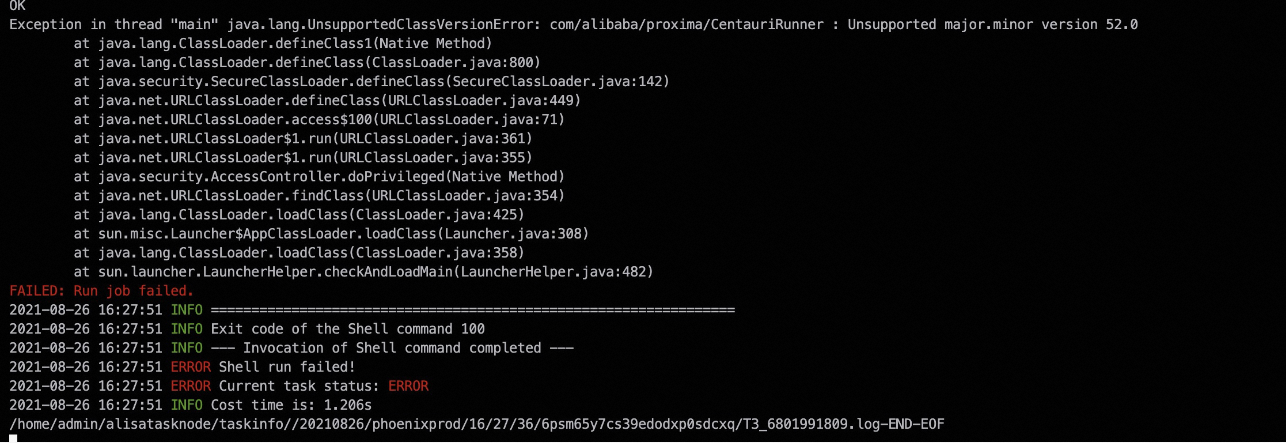
-
Cause
The JDK version on the assigned resource group is outdated. The Java Development Kit (JDK) version must be V1.8 or later. When you create a MaxCompute task, the scheduling configuration includes multiple gateway resource groups, and one default resource group typically exists. If the task is assigned to a resource group with an older JDK version, this error occurs.
-
Resolution
Manually change the resource group to one that has JDK V1.8 or later installed.
"Lost volume dir" error
-
Error message
MaxCompute-0010000: System internal error - Lost volume dir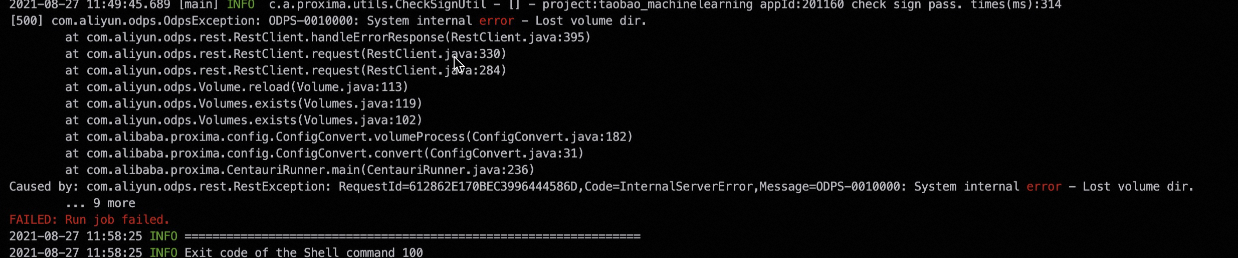
-
Cause
The directory of the volume may be damaged.
-
Resolution
Delete the damaged directory and rerun the code. To delete the directory, perform the following steps:
-
List the directories that have the
proxima_v2/xxxprefix:vfs -ls /; -
Delete the damaged directory. The directory path must match the volume directory recorded in run logs. You can run either of the following commands:
-
Delete the specified directory:
vfs -rm -r -f /proxima_v2/xxx; -
Delete the entire volume:
vfs -rmv /proxima_v2;
-
-
"Exceeds the allowed maximum length of 2097152" error
-
Error message
MaxCompute-0420031: Invalid xml in HTTP request body - The request body is malformed or the server version doesn't match this sdk/client. XML Schema validation failed: Element 'Value': [facet 'maxLength'] The value has a length of '7238452'; this exceeds the allowed maximum length of '2097152'. -
Cause
The startup parameter -classpath may be incorrectly configured.
-
Resolution
Correctly configure the -classpath parameter by following the instructions in the "Run a basic vector search task" section of Basic vector search.
"no jniproxima in java.library.path" error
-
Error message
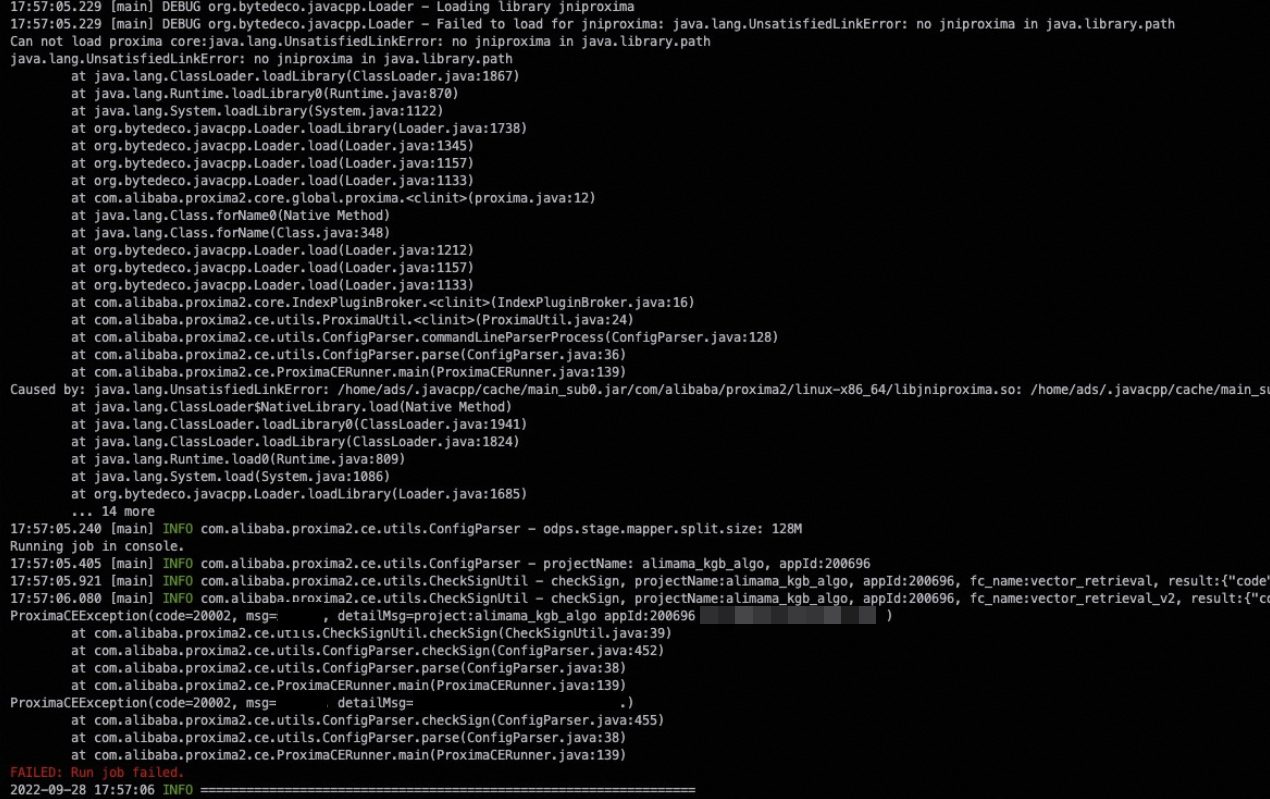
-
Cause
This error occurs when a MapReduce task of MaxCompute fails to load the SDK for Proxima CE. This typically happens because the machine on which the MapReduce task runs is outdated or the environment configuration of the MapReduce task is excessively low. The probability of this issue is low.
-
Resolution
Rerun the task. The system schedules the task to a different machine that can run as expected.