The MaxCompute table lifecycle feature automatically reclaims table or partition data that has not been modified for a specified number of days. Use lifecycle to reduce storage costs and remove stale data without manual intervention.
How lifecycle works
Lifecycle is measured in days and must be a positive integer. Once per day, MaxCompute scans all tables and partitions and evaluates each one against this condition:
(current time − LastModifiedTime) > lifecycle daysWhen the condition is met, the table or partition is eligible for reclamation. Reclamation completes within 24 hours of eligibility; actual timing depends on service load.
Example: A partitioned table has a lifecycle of 1 day. The last modification time for a partition is February 17, 2026, 15:00.
-
A scan before February 18, 2026, 15:00 finds the partition not yet eligible — no reclamation occurs.
-
A scan on February 19, 2026 finds
LastModifiedTimehas exceeded the lifecycle — the partition is reclaimed.
Behavior by table type
| Dimension | Non-partitioned table | Partitioned table |
|---|---|---|
| Scope | Entire table | Each partition individually |
| Lifecycle set at | Table level | Table level (applies to all partitions equally) |
| On expiration | Entire table is reclaimed (equivalent to DROP TABLE) |
Only the expired partition is reclaimed; the table remains |
| If no lifecycle is set | MaxCompute does not auto-reclaim | MaxCompute does not auto-reclaim |
| After table deletion | All properties, including lifecycle, are deleted | All properties, including lifecycle, are deleted |
| Per-partition lifecycle | Not applicable | Not supported — lifecycle cannot be set at the partition level |
| Table deleted after last partition reclaimed | Not applicable | No — the empty table persists |
When you delete a table and recreate it with the same name, the new table's lifecycle follows its newly configured properties — the previous lifecycle is not restored.
Audit reclamation events
The Alibaba Cloud service account maxcompute.aliyuncs.com performs all lifecycle reclamation operations. Records are available in ActionTrail and DataWorks Data Map.
View records in ActionTrail
Retrieve operation records from ActionTrail. A typical record looks like:
Table bettergithubanalytics.test_lifecycle automatically reclaimed by MaxCompute based on its lifecycle.Non-partitioned table reclamation records:
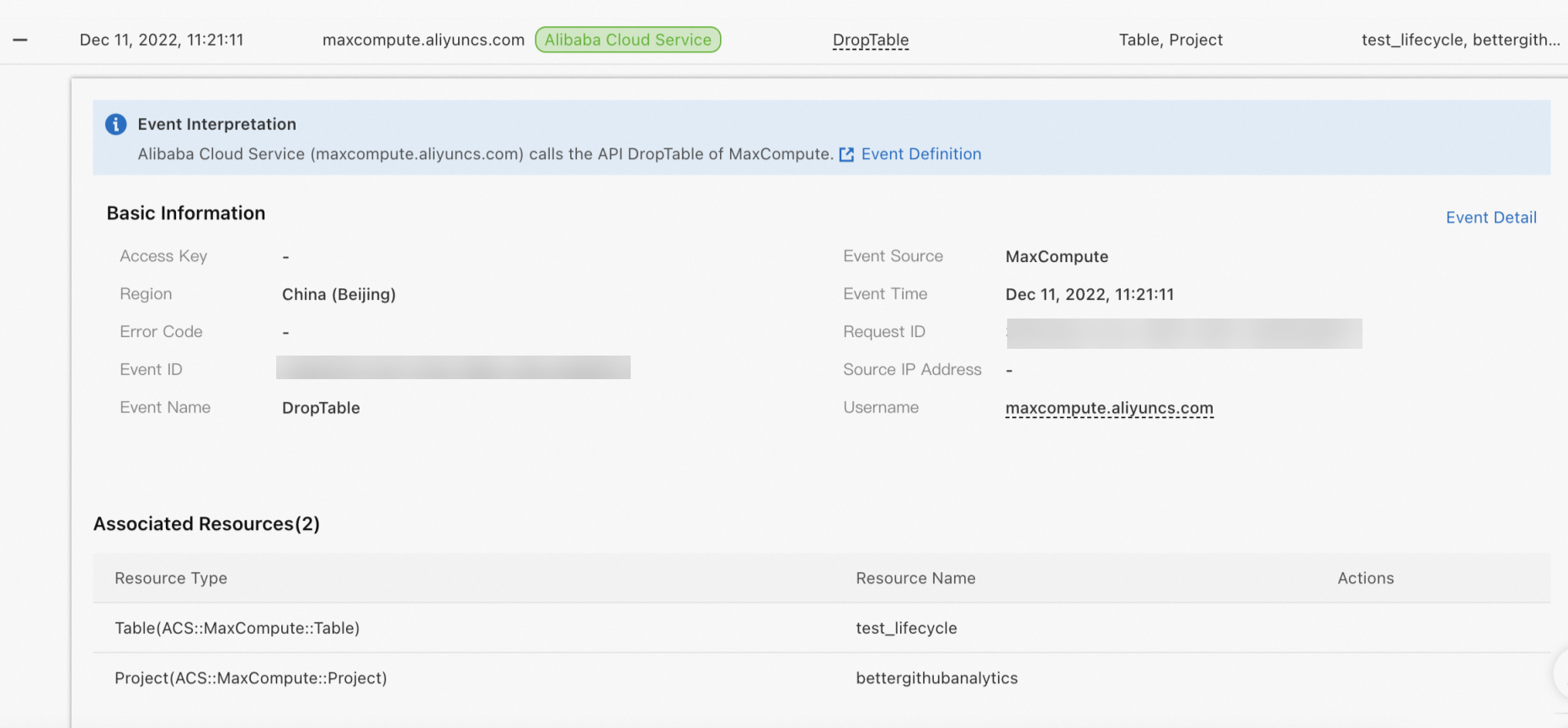
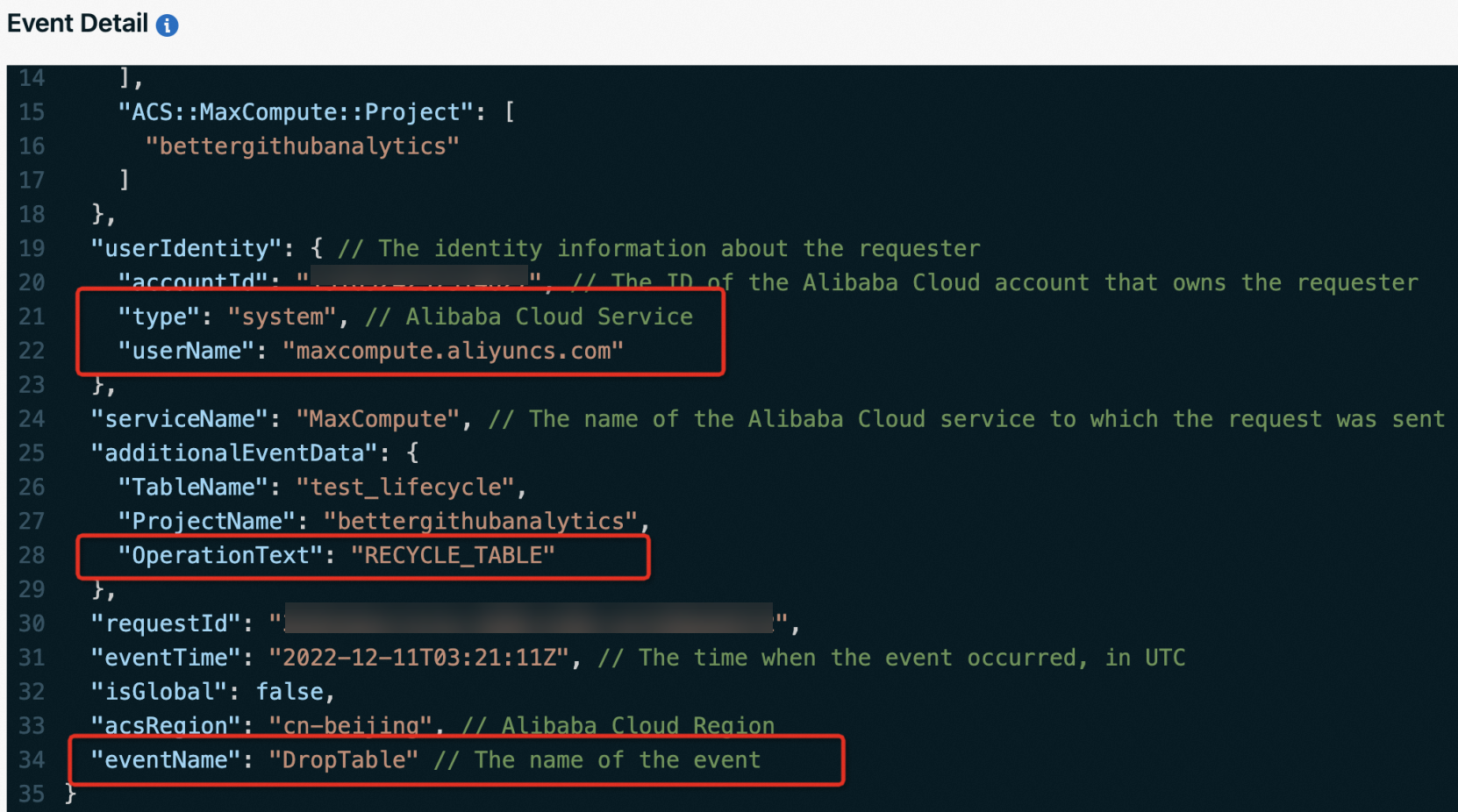
Partitioned table reclamation records (example: partition sale_date=2013/region=china of table bettergithubanalytics.sale_detail):
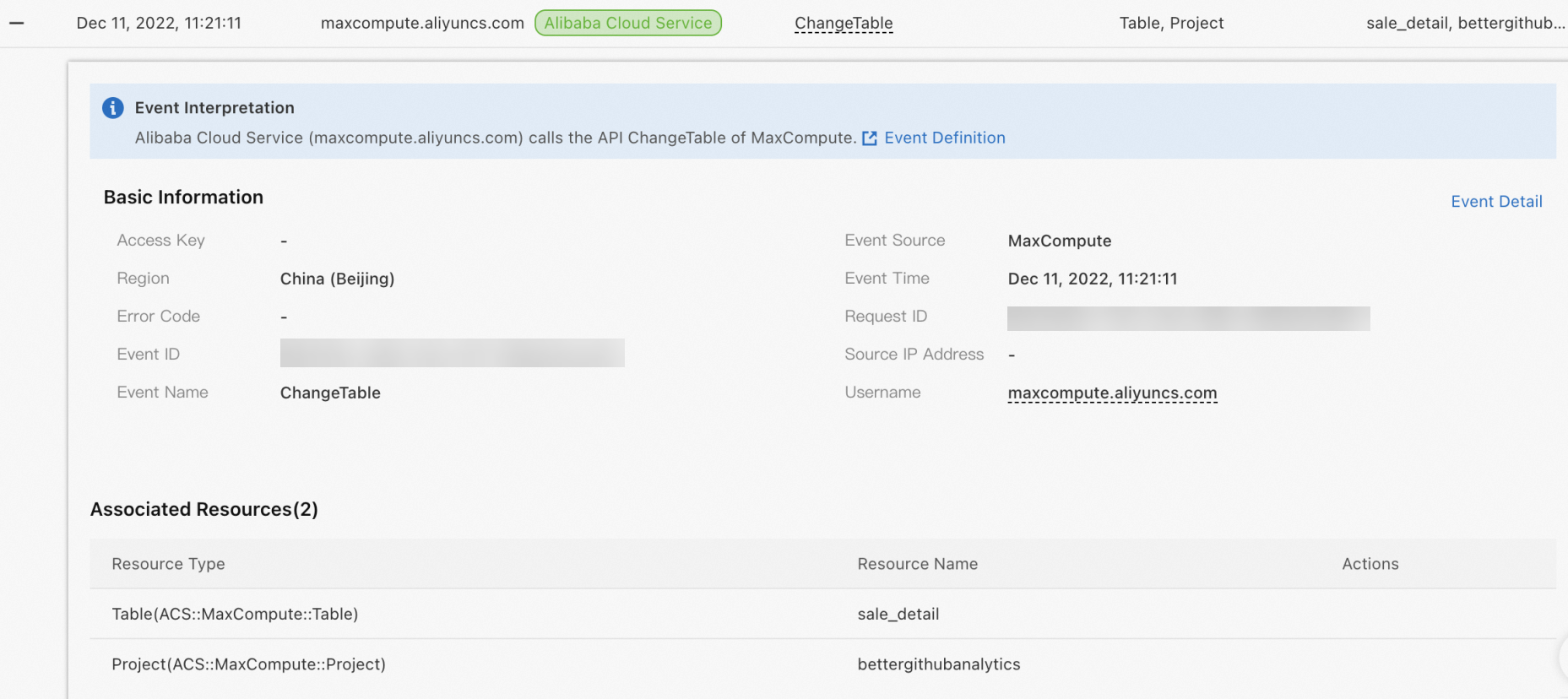
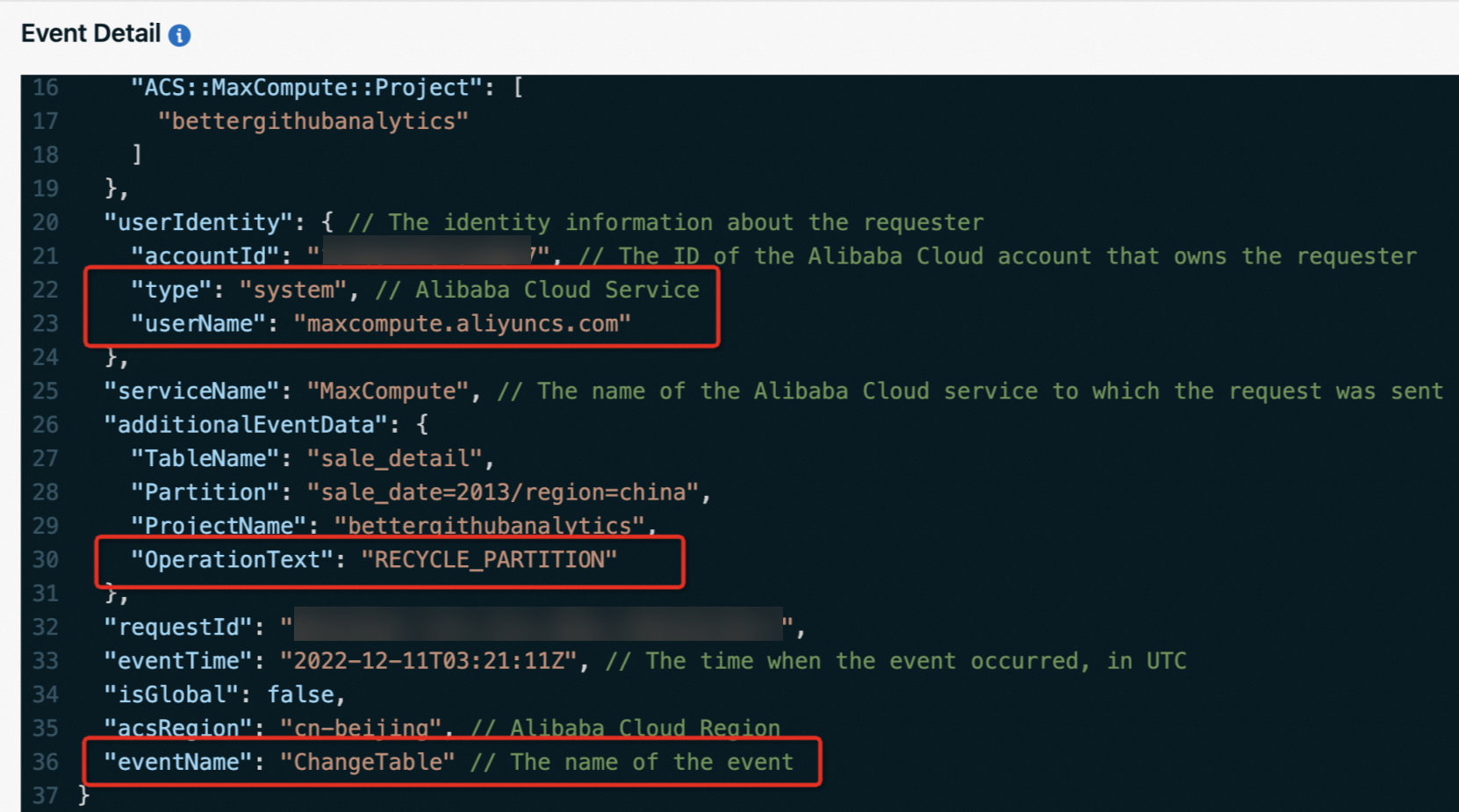
View records in DataWorks Data Map
The Data Map feature in DataWorks also shows reclamation records. The operator account displayed is odps_user@aliyun.com, which corresponds to the MaxCompute system account maxcompute.aliyuncs.com.

Related topics
-
To specify or modify a table lifecycle when creating tables, and to modify
LastModifiedTimewhen creating tables, see Table Operations. -
For more lifecycle operations, such as to set, disable, or recover lifecycles for existing or new tables, see Lifecycle Operations.