Enable request authentication to protect your HTTPDNS billing against unauthorized usage.
1. Background
HTTPDNS provides an authentication mechanism to protect your billing against unauthorized usage.
2. Authentication solution
Some existing users access HTTPDNS without authentication. Their products must continue to use the non-authenticated API operations.
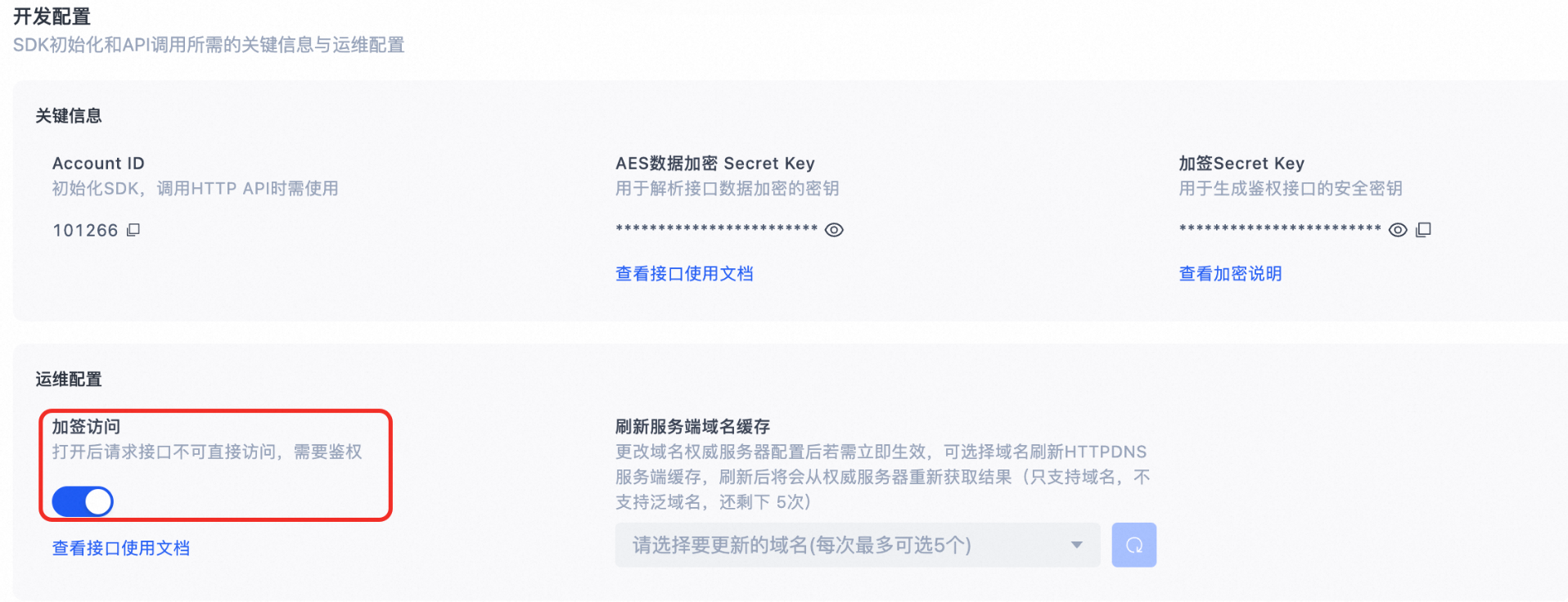
To accommodate this, HTTPDNS provides a separate authenticated API operation. Gradually migrate new product versions to this operation. When the old app user count drops to an acceptable level, turn on the signed access switch to protect your billing. The following figure illustrates this process.
2.1 Migrate existing users
-
Turning on the signed access switch blocks users on older product versions from accessing HTTPDNS.
-
Guide existing users to update their product versions and migrate to the authenticated API operation.
-
When users on the non-authenticated API operation drop to an acceptable level, manually turn on the signed access switch.
2.2 New users
-
The signed access switch is off by default to avoid additional integration cost.
-
If you only use the authenticated API operation, manually turn on the signed access switch.
2.3 Manage the signed access switch
-
Leaving the switch off exposes your account to potential security threats.
-
Turn on the signed access switch to prevent unauthorized charges from attacks.
3. Signature generation and authentication
Before using the HTTP API, review the Best practices to avoid service failures.
3.1 Signature algorithm and examples
Authenticated API operations
-
http://47.74.XXX.XXX/{account_id}/sign_d
-
http://47.74.XXX.XXX/{account_id}/sign_resolve
-
Replace {account_id} with your HTTPDNS Account ID, which is available in the HTTPDNS console.
-
The IP parameter can be added to the request URL but is not included in the signature calculation.
-
To obtain service IP addresses, follow the steps in Obtain the endpoints of the resolution service.
Signature algorithm
sign = md5sum( host-secret-timestamp )
Authentication fields
|
Field |
Description |
|
host |
The domain name to resolve. Must match the host parameter in the request URL. |
|
secret |
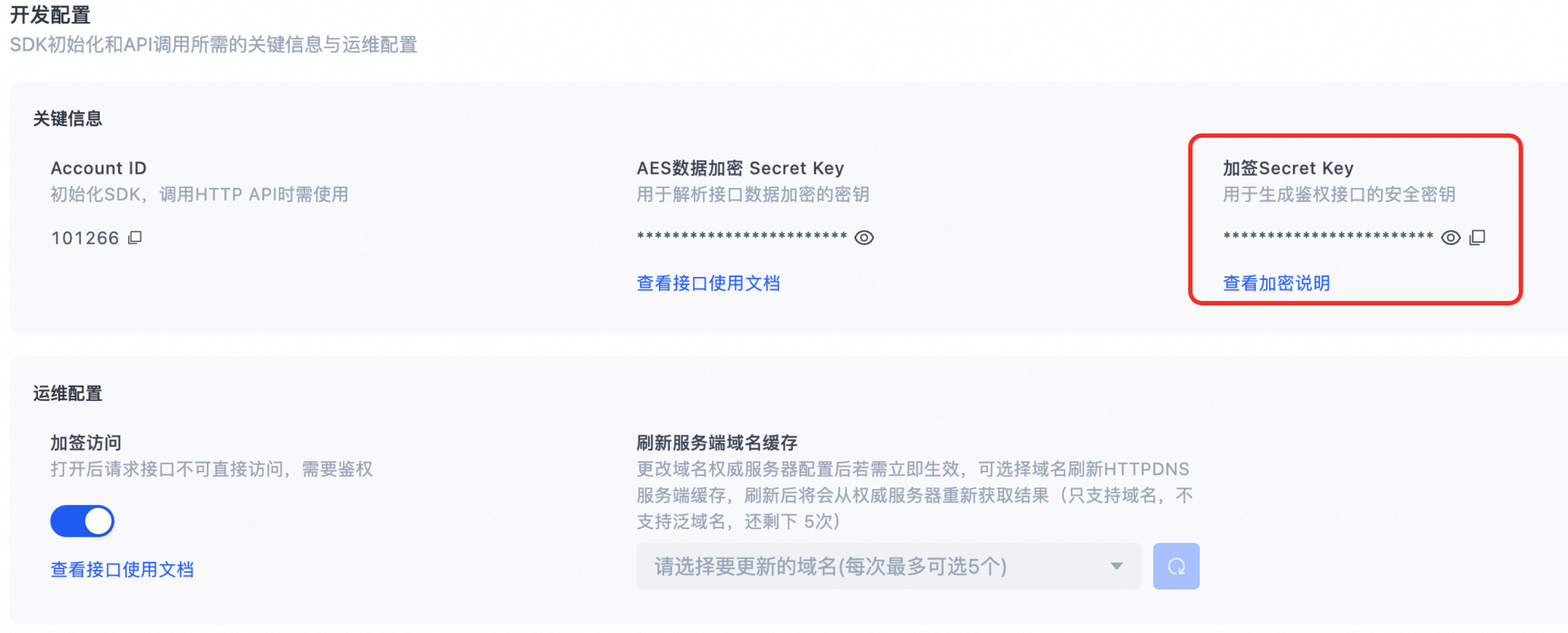
Generated by the server. Obtain the secret in the console > Developer Configuration.
|
|
timestamp |
The signature expiration time as a Unix timestamp (seconds since January 1, 1970). Must be a 10-digit positive integer. Note
The maximum validity period of a signature is 24 hours. |
Signature examples
-
Example 1: Resolve a single domain name
-
Original request: http://47.74.XXX.XXX/{account_id}/d?host=www.aliyun.com
-
Secret key: IAmASecret. Expiration: 15:00:00 on August 15, 2018 (UTC+8), corresponding to timestamp 1534316400.
-
sign = md5sum("www.aliyun.com-IAmASecret-1534316400") = 60c71e98b6d7fcbb366243e224eab457
-
Authenticated request: http://47.74.XXX.XXX/{account_id}/sign_d?host=www.aliyun.com&t=1534316400&s=60c71e98b6d7fcbb366243e224eab457
-
-
Example 2: Batch resolve domain names
-
Original request:
http://47.74.XXX.XXX/{account_id}/resolve?host=www.aliyun.com,www.taobao.com
-
Secret key: IAmASecret. Expiration: 15:00:00 on August 15, 2018 (UTC+8), corresponding to timestamp 1534316400.
-
sign = md5sum("www.aliyun.com,www.taobao.com-IAmASecret-1534316400") = 12a3f6b1b14a46ca813ca6439beb59a4
-
Authenticated request: http://47.74.XXX.XXX/{account_id}/sign_resolve?host=www.aliyun.com,www.taobao.com&t=1534316400&s=12a3f6b1b14a46ca813ca6439beb59a4
-
Pros and cons of this solution
-
Disadvantages
-
Client and server clocks may be out of sync.
-
Storing the secret key on the client risks key compromise.
-
-
Advantages
-
No server-side data retrieval required.
-
3.2 Authentication response
-
On success, the response returns status code 200. The response format matches the API Response Description section in Resolve a single domain name.
-
On failure, the response returns status code 403 or 400 with a JSON error code.
{ "code": "InvalidSignature" }
3.3 Status codes
|
HTTP status code |
Error code |
Description |
|
403 |
SignatureExpired |
The timestamp has expired. |
|
403 |
InvalidSignature |
The signature is incorrect. |
|
400 |
InvalidDuration |
Signature validity period exceeds the maximum of 86,400 seconds. |
|
400 |
InvalidSignature |
The signature format is incorrect. |
|
400 |
InvalidTimestamp |
The timestamp format is incorrect. |
|
400 |
AccountNotExists |
The account does not exist or is disabled. |