Quickly verify and test HTTPDNS domain name resolution directly from the EMAS console.
Access the Page
-
Log on to the or the EMAS console.
-
In the left navigation pane, select Access Configuration > Online Trial.
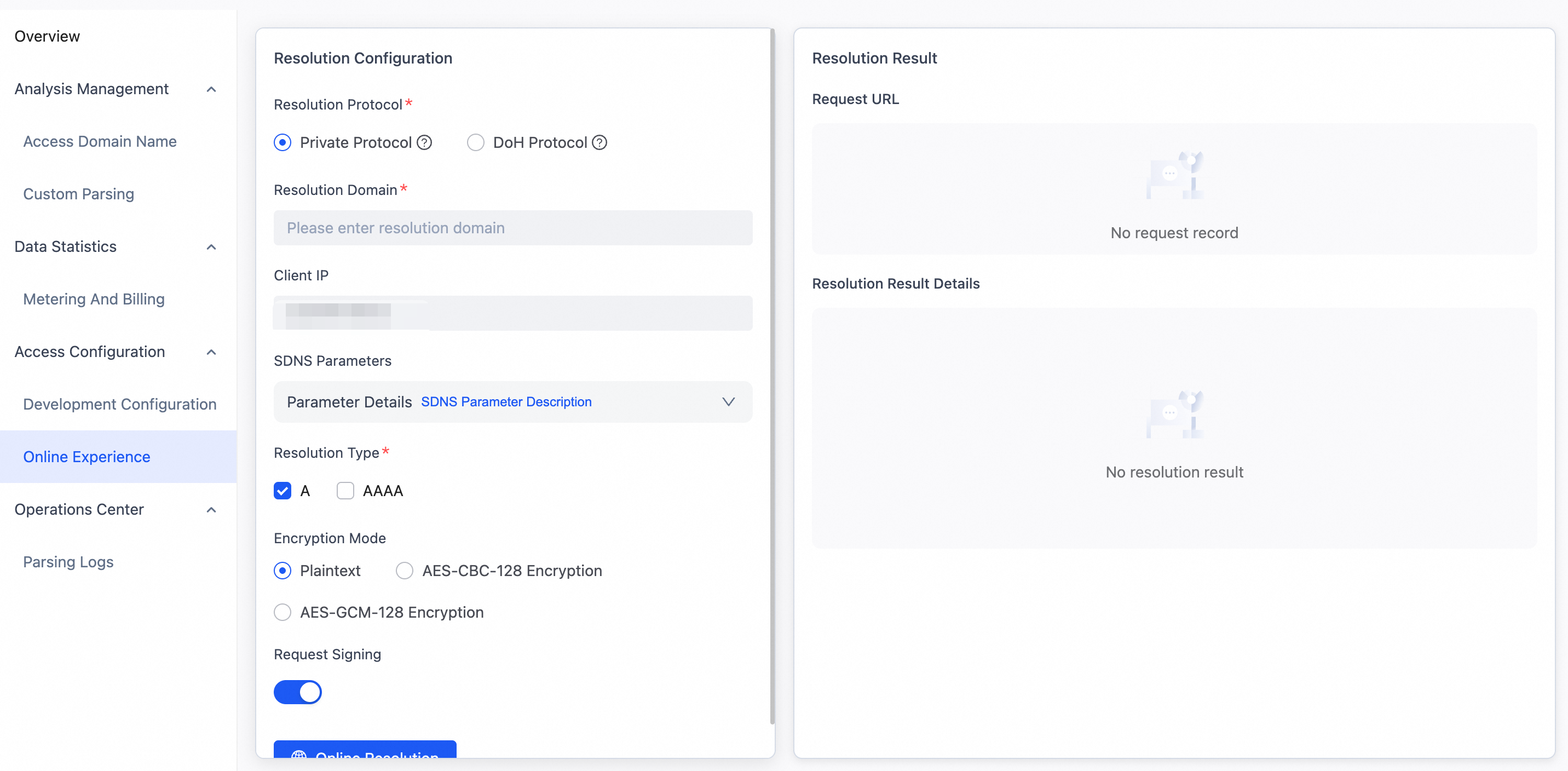
Proprietary Protocol
By default, the page uses the proprietary protocol for resolution testing.
What is the proprietary protocol?
The proprietary protocol is a custom HTTP API provided by HTTPDNS. It supports request encryption, batch resolution, request signing, and business parameter scheduling. For more information, see or Domain Name Resolution Interface.
Procedure
-
In the Parameter Settings area, enter a domain name and configure the parameters:
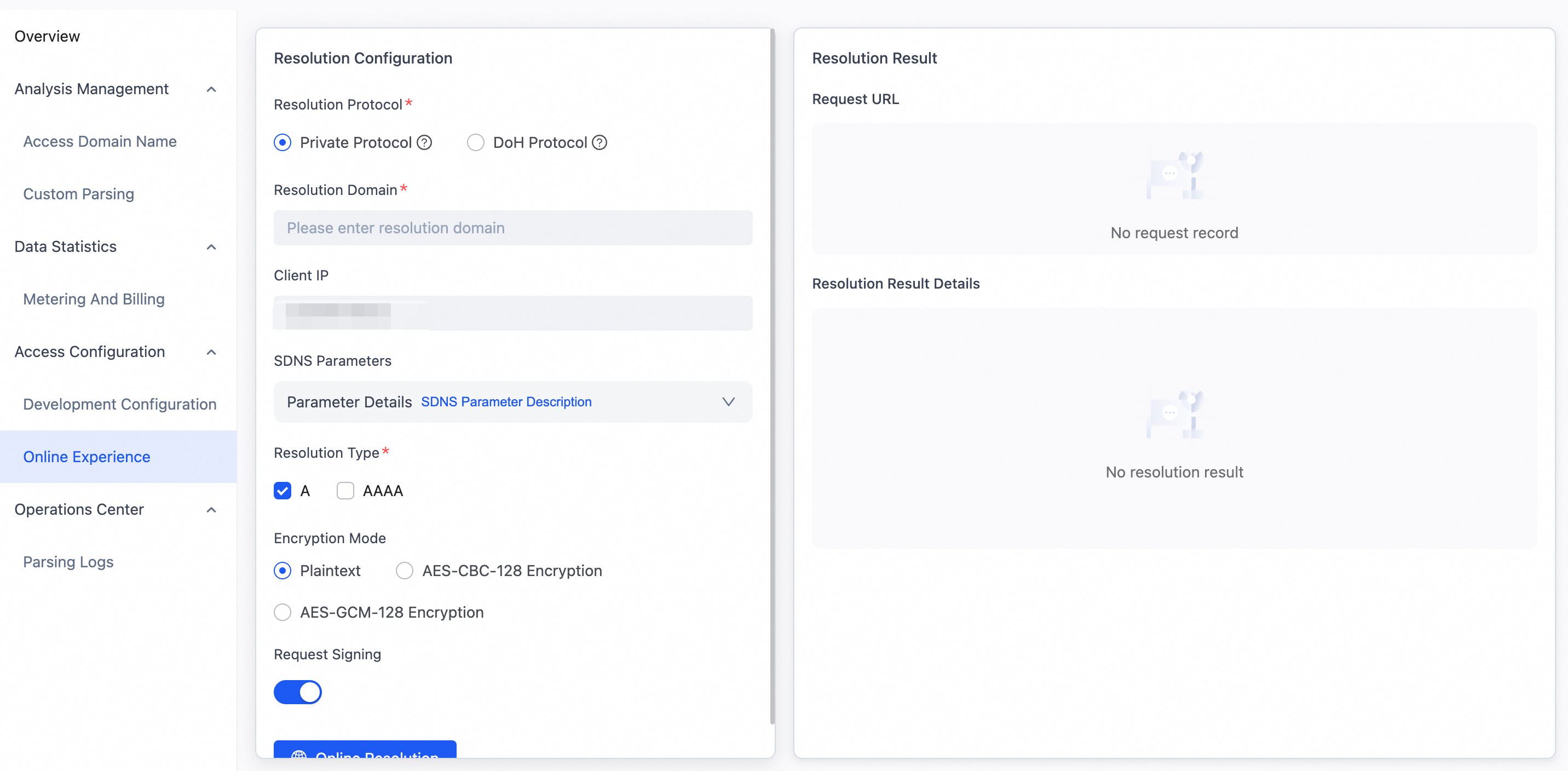
Configuration Item
Description
Required
Domain Name to Resolve
The domain name to resolve.
Yes
Client IP
Editable. Defaults to the source IP address of the client connection. Use this to simulate different network environments.
No
Custom SDNS Parameters
Business-related parameters. Up to 10 parameters are supported.
No
Record Type
Record types to resolve. You can select multiple types.
No
Encryption Mode
Encryption method for requests.
Yes
Request Signing
Enables signature verification for requests.
No
-
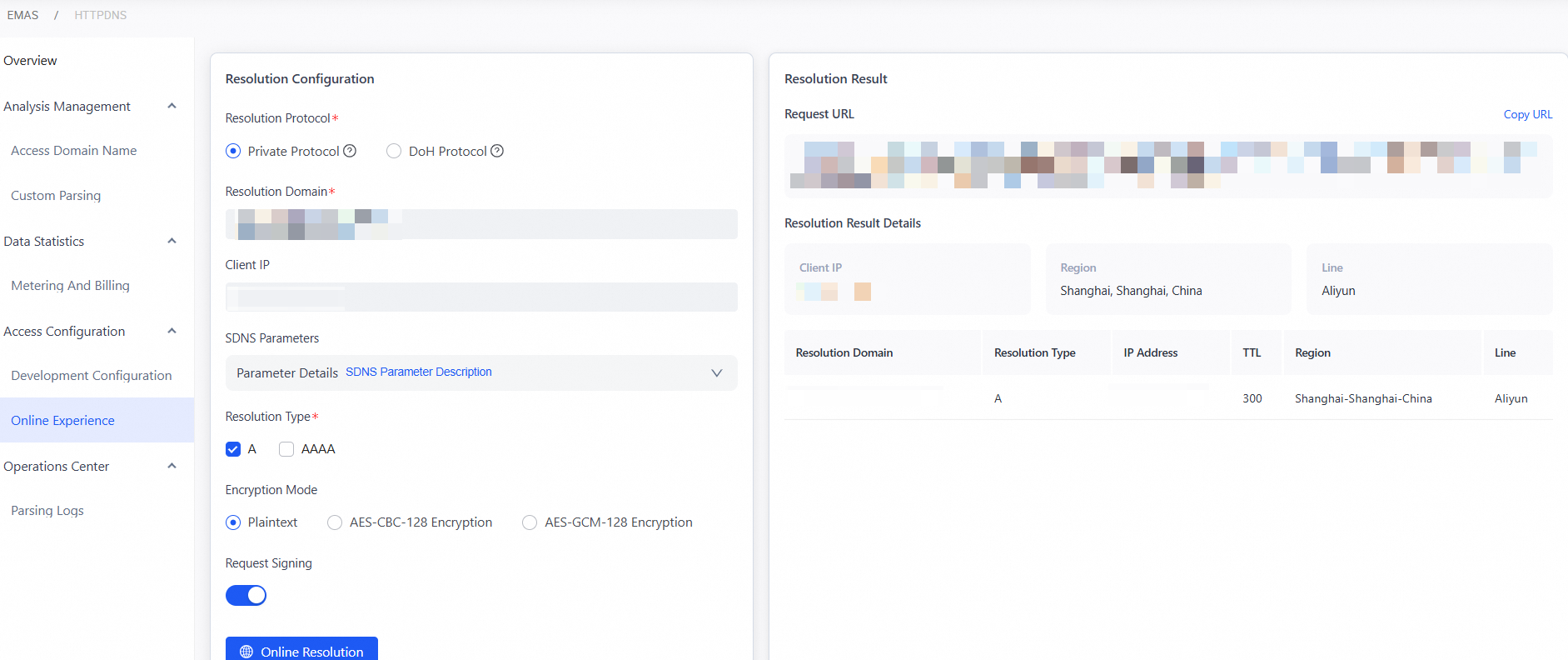
Click Resolve to send the request. The request URL is generated in real time and can be copied. The response appears in the Resolution Results section.
-
Client IP: Public IP address of the device that sent the resolution request.
-
Region: Geographic region of the client IP address.
-
Line: ISP (such as China Telecom, China Unicom, or China Mobile) or network path type.
-
Number of Domain Names to Resolve: Total domain names in the resolution request.
-
Detailed Content:
Resolution Status
Display Format
Result Details
Success
Table format showing resolution results for each domain name
Includes the following fields:
-
Domain Name to Resolve: original domain name in the request
-
IP Type: A or AAAA
-
IP Address: resolved IP address
-
TTL: maximum time the domain name resolution result remains in cache
-
Region: geographic region where the IP address is located
-
Line: ISP line for the target IP address
Failure
Error message shown in the corresponding row of the results table
Shows specific error messages, such as:
-
Domain name does not exist
-
Resolution timeout
-
Invalid parameter
-
No available records
-
-
Try DNS over HTTPS (DoH) Resolution Online
What is the DoH protocol?
DNS over HTTPS (DoH) is a secure resolution protocol defined in RFC 8484. It encrypts DNS queries using HTTPS to prevent hijacking and data tampering. For more information, see or DoH Integration Guide.
Procedure
-
Click Switch to DoH Protocol. In the Parameter Settings section, enter a domain name and configure the parameters as follows:
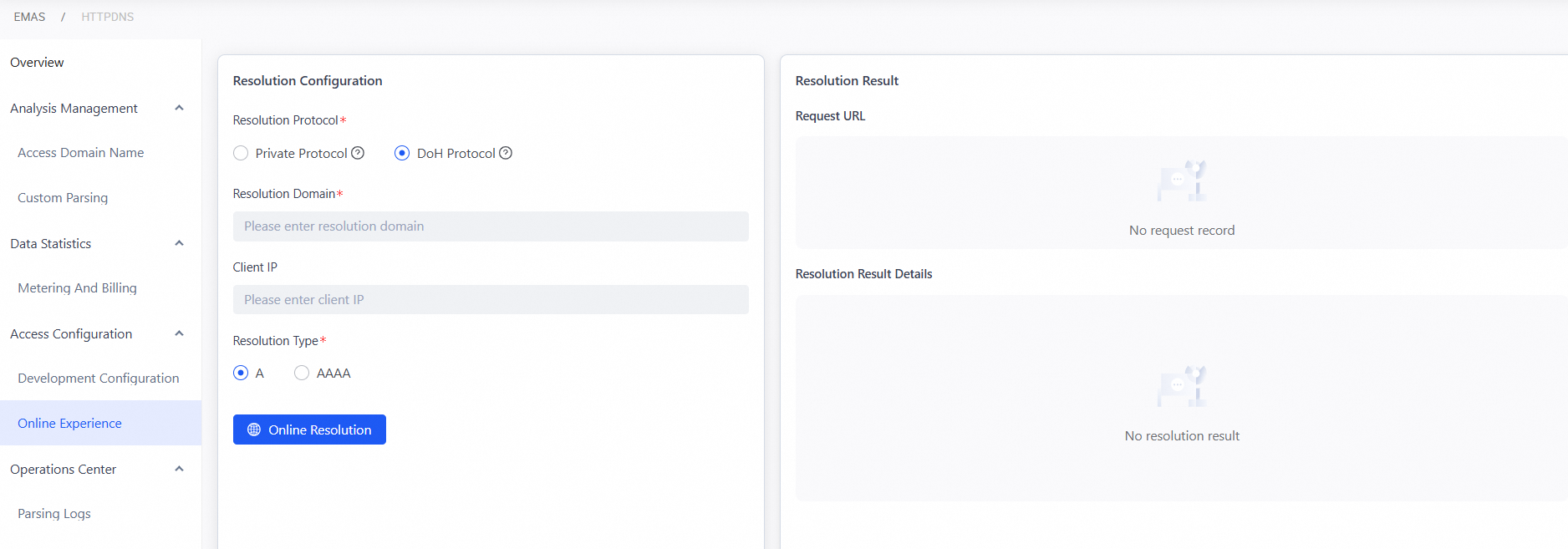
Configuration Item
Description
Required
Domain Name to Resolve
The domain name to resolve.
Yes
Record Type
Record type to resolve.
No
-
Click Resolve to send the request. The request URL is generated in real time and can be copied. The response appears in the Resolution Results section.
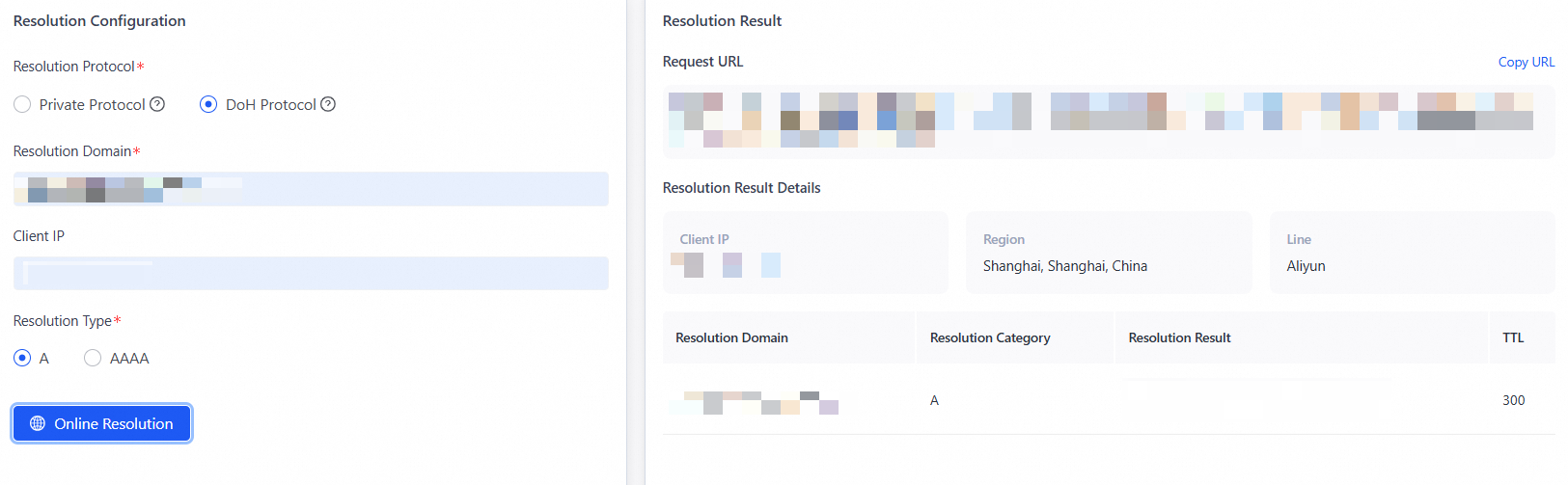
-
Client IP: Public IP address of the device that sent the resolution request.
-
Region: Geographic region of the client IP address.
-
Line: ISP (such as China Telecom, China Unicom, or China Mobile) or network path type.
-
Number of Domain Names to Resolve: Total domain names in the resolution request.
-
Detailed Content:
Resolution Status
Display Format
Result Details
Success
Table format showing resolution results for each domain name
Includes the following fields:
• Domain Name to Resolve: original domain name in the request
• Record Classification: A or AAAA
• Resolution Result: specific resolution result
• TTL: maximum time the domain name resolution result remains in cache
Failure
Error message shown in the Result Description column of the corresponding row in the results table
Shows specific error messages, such as:
• Domain name does not exist
• Resolution timeout
• Invalid parameter
• No available records
-