Enable log parsing to forward DNS parse logs to Alibaba Cloud Simple Log Service (SLS) for long-term storage, multidimensional analysis, and audit compliance.
Configure permissions for RAM users
If you use a RAM user, that user cannot enable log parsing by default. The root account must first grant the required permissions.
Grant permissions
-
Log on to the RAM console. In the left navigation pane, choose Identity Management > Users, and locate the RAM user.
-
Click Add Permissions. Then grant the following permissions:
-
AliyunHTTPDNSFullAccess (full HTTPDNS operations)
-
AliyunLogFullAccess (full SLS permissions)
-
AliyunRAMFullAccess (required for role-based authorization)
-
-
After you save the settings, the RAM user can enable log parsing.
Navigate to the page
-
Log on to the EMAS console.
-
In the left navigation pane, choose Operation Center > DNS Logs.
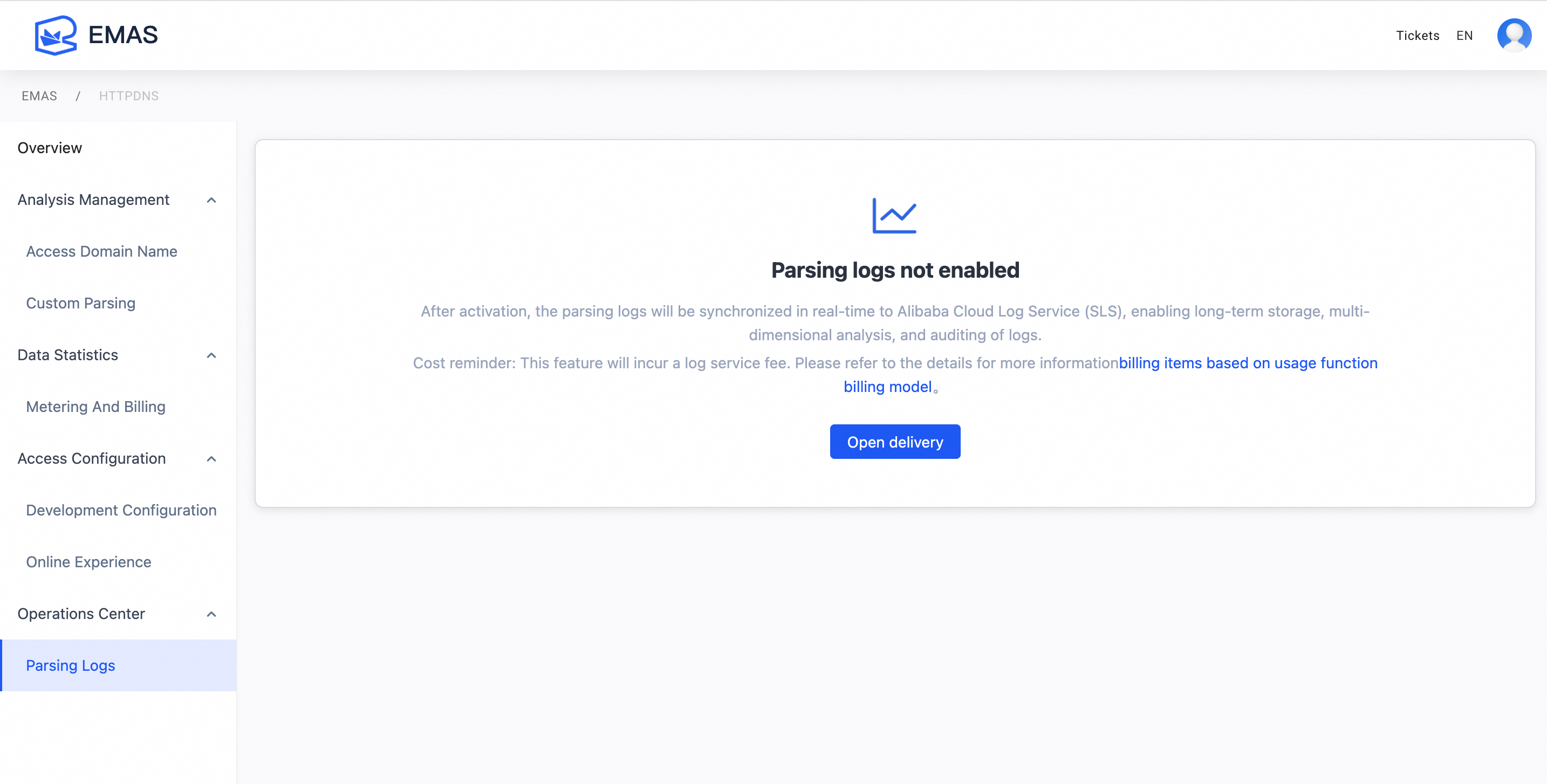
Enable and start parse logs
Step 1: Enable Simple Log Service (SLS)
If your Alibaba Cloud account has not yet enabled SLS, enable it before using log parsing.
On the Parse Logs page, click Enable Now. On the Simple Log Service page, read and select Simple Log Service Agreement. Then click Enable Now. After SLS is enabled, return to the Parse Logs tab.
If your Alibaba Cloud account already has SLS enabled, skip this step.
Step 2: Complete role-based authorization
If you have not yet completed role-based authorization, complete it before using log parsing.
On the Parse Logs page, if no authorization has been performed, a prompt appears automatically. Click Authorize Now. You are redirected to the quick authorization page in the Resource Access Management console. Review the authorization details and click Confirm Authorization to complete the role grant.
If your Alibaba Cloud account has already completed role-based authorization, skip this step.
Step 3: Start parse logs
On the Parse Logs page, click Start Delivery and confirm.
After you start log parsing, HTTPDNS parse logs are stored in SLS. You can view and analyze the logs. SLS charges apply. For details, see Billing items for pay-as-you-go features.
View forwarded logs
-
After you enable log parsing, DNS logs are collected and forwarded to SLS in real time. You can view detailed log content in the console.
|
Field name |
Description |
Example value |
|
status |
Request status. success means an IP address was resolved. failed means no IP address was resolved. For possible causes, see the |
|
|
error_code |
Error code. |
|
|
http_scheme |
Protocol type used for the HTTPDNS request. Values include |
|
|
domain |
Target domain name for resolution. |
|
|
client_ip |
Client IP address passed to the authoritative DNS server. By default, this is the public outbound IP of the client device. |
|
|
ips |
List of resolved IP addresses returned by HTTPDNS. Multiple IPs are comma-separated. |
|
|
cost |
Time taken by the server to process the resolution request. |
|
|
encryption |
Content encryption method used for the resolution request parameters. This does not include transport-layer encryption such as HTTPS. |
|
|
os |
Client operating system type. Examples include |
|
|
query |
DNS query type. Common values include |
|
|
remote_ip |
Public outbound IP address seen by the HTTPDNS server. |
|
|
sdk_version |
HTTPDNS SDK version number. For requests without the SDK, this field shows |
|
|
sid |
Session ID from the SDK. A new ID is generated each time the app restarts. For requests without the SDK, this field shows |
|
|
signed |
Whether signature verification was performed on the request. |
|
|
time |
Time when the server finished processing the request. |
|
|
account_id |
ID of the HTTPDNS account. |
|
|
user_agent |
User-Agent string from the client. |
|
Stop parse logs
-
To stop parsing logs, you can click the Close button.
-
The system displays a confirmation dialog box to confirm the shutdown.
FAQ
The UI displays the "The index is not enabled for the Logstore" message
-
Reason: Index initialization may be delayed after you create a project for the first time. This is normal.
-
Solution: Wait a few minutes and refresh the page. No manual action is needed.
project xxx has been forbidden
-
Reason: The corresponding SLS project was deleted and moved to the recycle bin.
-
Solution: Log on to the Simple Log Service console, go to the recycle bin, find the deleted Project, and perform a recovery operation.
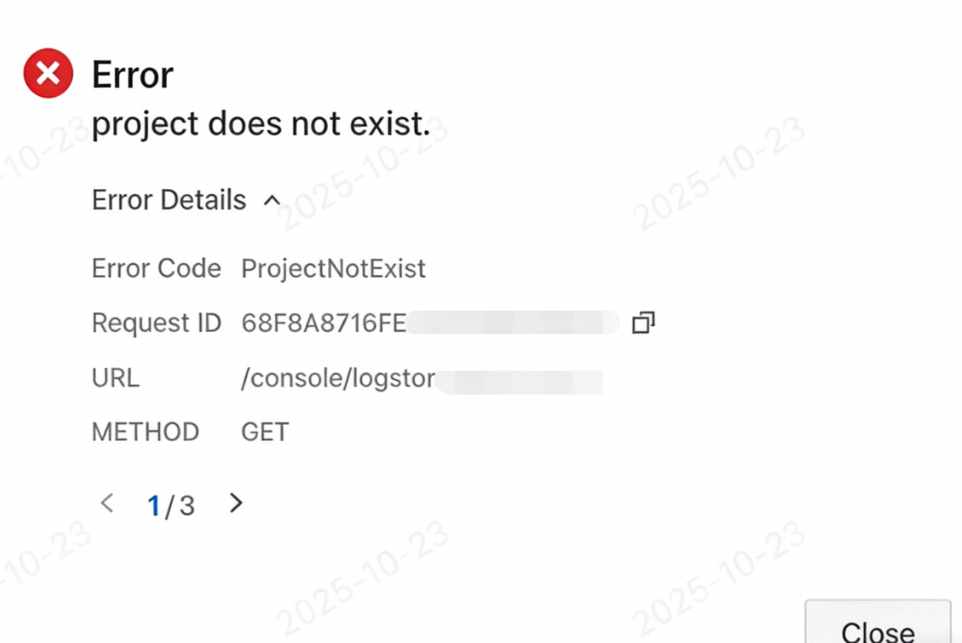
Project does not exist
-
Reason: Project configuration failed or project creation failed.
-
Solution: On the DNS Logs page, click Close and then click Enable again.