This topic describes how to configure rule-based custom parsing.
Prerequisites
You have added the domain name for which you want to configure custom DNS resolution. For more information, see Add a domain name.
Procedure
Log on to the EMAS console.
In the left navigation pane, choose Resolution Management > Custom Resolution.
Click Add Custom Resolution, and set the policy type to Rule Policy.
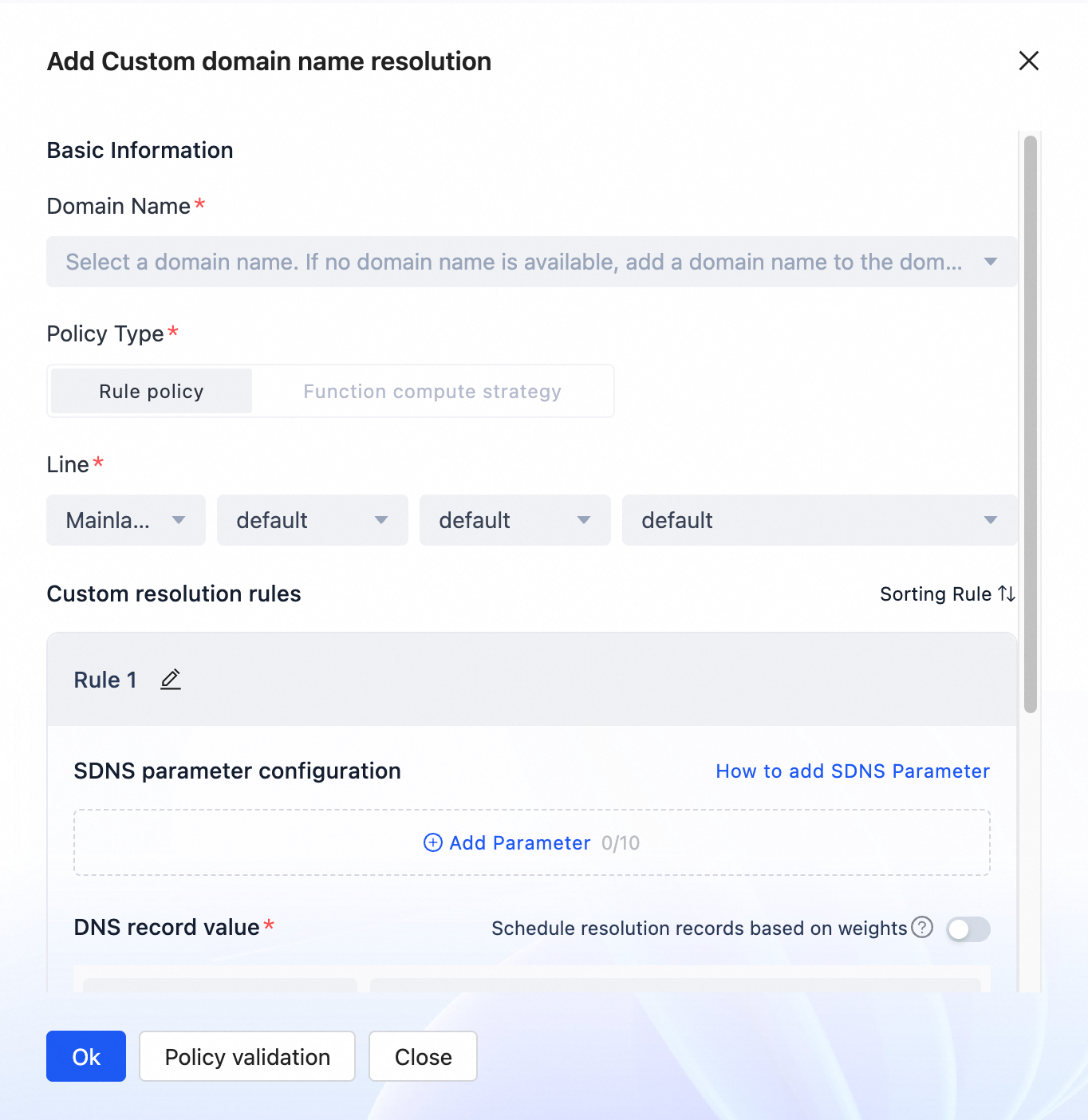
Configure the following parameters:
Basic information
Parameter
Description
Domain Name
The domain name for which you want to configure custom DNS resolution, such as www.aliyun.com.
NoteThe domain names in the drop-down list are sourced from the domain names that you have added in Connected Domain Names. If the domain name you want to use is not in the list, add it to the domain name list before you add a custom DNS record for it.
If you want to add a custom DNS record for a subdomain of a wildcard domain name, such as a.aliyun.com for *.aliyun.com, you must add a.aliyun.com to the domain name list first.
If you cannot find the domain name in the drop-down list, one of the following situations may apply:
The domain name is not in the domain name list. You can add it in Connected Domain Names.
The domain name is a subdomain of a wildcard domain name. Add the subdomain to the domain name list.
A custom DNS record already exists for the domain name. You must manage the domain name in the custom DNS record list.
Line
You can configure lines based on carriers and regions.
Lines in the Chinese mainland: Configure lines based on Carrier > Region > Province.
Carrier: You can specify a carrier, such as China Telecom. If you set Carrier to Default, the line covers all carriers.
Region: Regions are geographical areas, such as Northeast China, North China, and East China. Provinces belong to their corresponding regions. If you set Region to Default, the line covers all regions.
Province: You can specify a province, such as Beijing or Hebei. If you set Province to Default, the line covers all provinces.
Lines outside the Chinese mainland: This takes effect when you select a region outside the Chinese mainland. Configure lines based on Continent > Country or Region.
You can select a continent, such as Asia, Europe, or South America. You can also select a specific country or region within a continent, such as Japan or the United Kingdom.
If you set Continent and Country or Region to Default, the line covers all areas within the selected scope.
NoteFor users in the same region under the same domain name, the line priority is: Carrier > Geographic Location > Default. For example, the priority order is China Telecom-North China-Beijing > China Telecom-North China-Default > Default-North China-Beijing > Default-Default-Default.
For example, if two rule policies exist for the same domain name with lines set to China Telecom-North China-Beijing and China Telecom-North China-Default, users of China Telecom in Beijing will use the rule policy for the China Telecom-North China-Beijing line.
Custom Parsing Rules
A rule policy supports up to 10 custom resolution rules.
Parameter
Description
Rule Name
The name of the rule. You can use the name to describe the purpose of the rule, such as scheduling based on the SDK version.
Rule Sorting
You can adjust the order of multiple rules. The rules are matched serially from top to bottom. The order determines which rule is hit first. After you adjust the order, the rules are matched in the new order.
SDNS parameter settings
These parameters are used to match the SDNS parameters carried in the client's resolution request to determine whether the rule is hit. If a match is found, the DNS record value in the rule is returned. For more information about the matching logic, see Rule policy matching logic.
Parameter Name: The name of the SDNS parameter. The name can be 2 to 64 characters in length.
Parameter Value: The value of the SDNS parameter. The value can be 1 to 64 characters in length.
NoteYou can add up to 10 SDNS parameters to a rule.
You can add SDNS parameters to the resolution API. For more information, see Pass custom resolution parameters from the client .
DNS record value
A collection of return values for custom resolution. Each record value represents a DNS record in the record set. This parameter is required.
Record Type: The type of the returned DNS record value. A and AAAA records are supported.
Record Value: The returned record value.
You can add multiple record values. If weight-based scheduling is disabled, the added record values are merged and returned together.
You can also schedule based on weight. To do this, enable weight-based scheduling. After you enable this feature, you can set a weight for each record value. The weight can be from 1 to 100. A suitable record value is returned based on the weights and a load balancing algorithm.
NoteYou can add up to 10 record values to a rule.
TTL
Required. The validity period of the custom DNS record. A shorter validity period causes the DNS record cache in the HTTPDNS SDK to expire faster. This also increases the frequency at which the HTTPDNS SDK requests new DNS records.
Policy validation
The page for adding a rule policy provides a rule validation feature, as shown in the following figure:
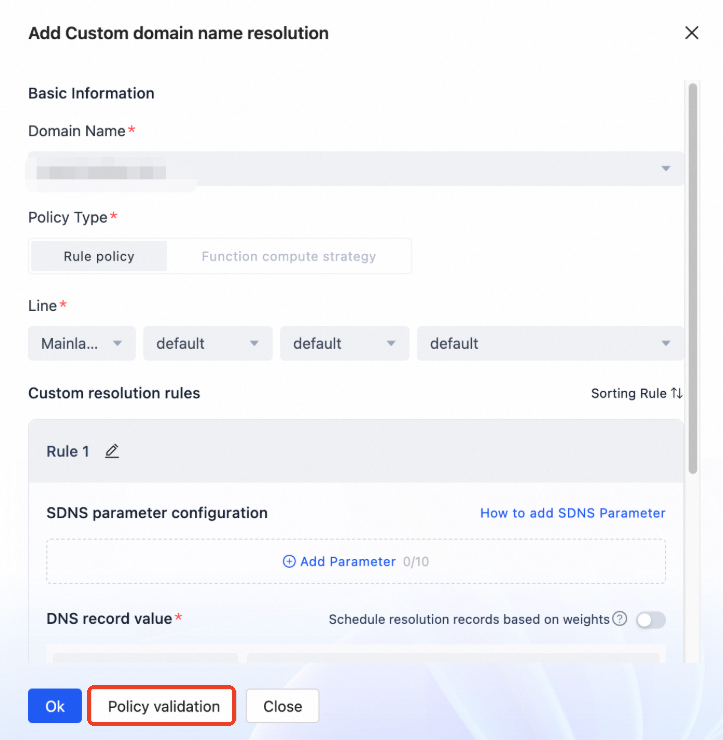
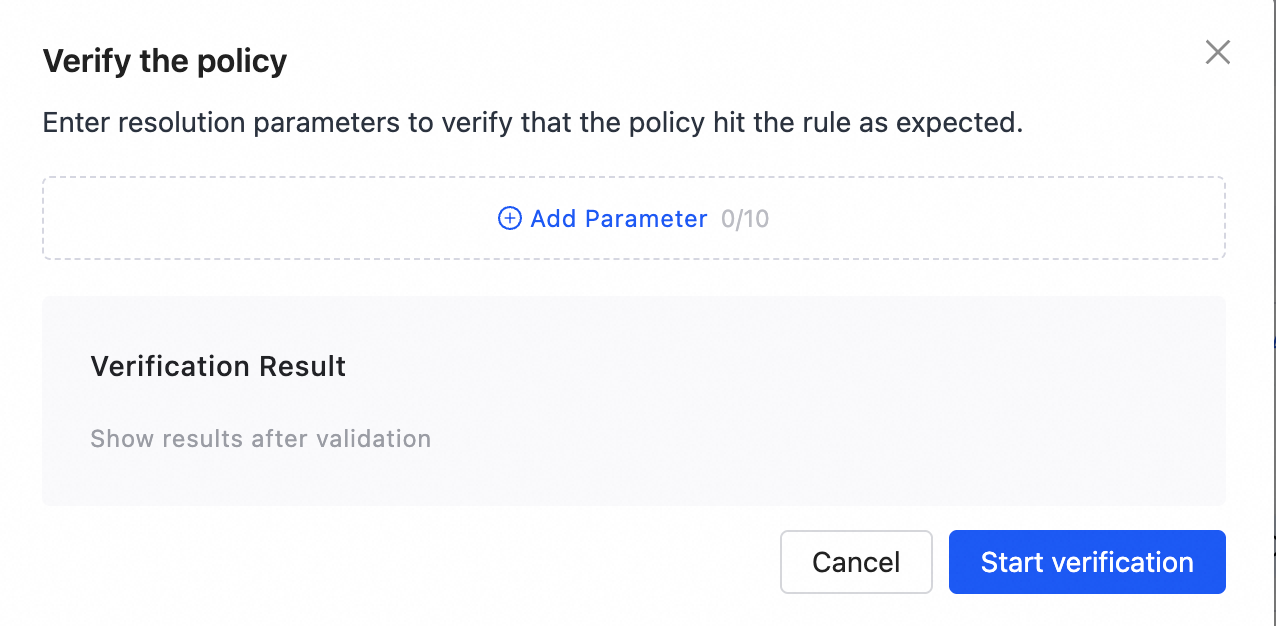
In the Policy Validation window that appears, enter the required parameters to verify that the policy works as expected.
Rule policy matching logic
The resolution process for a rule policy is as follows. The parameters in the API request are used to match against the configured rules. The rules are evaluated sequentially from top to bottom. Once a rule is hit, the matching process stops, and the record value of the matched rule is returned. If no rules are hit, the system queries the authoritative server and returns the result.

The logic for matching the parameters of a single rule is as follows:
A rule is hit if the parameters in the API request meet the conditions configured for the rule. A match occurs when the parameters configured for the rule are a subset of or identical to the parameters in the request.
If no parameters are configured for a rule, the rule is considered a match.
The parameters within a rule have a logical AND relationship.
The following examples describe the specific matching logic:
Assume that the domain name that requires custom DNS resolution is www.example.com.
Example 1
Rule A is configured with the following parameters:
Parameter name | Parameter value |
osType | Android |
Rule B is configured with the following parameters:
Parameter name | Parameter value |
osType | iOS |
Rule C is configured with the following parameters:
Parameter name | Parameter value |
osType | Android |
bizType | car |
Request parameters:
Parameter name | Parameter value |
osType | iOS |
Matching result:
In this example, the request parameters are an exact match for Rule B. The HTTPDNS server-side returns the record value from Rule B.
Example 2
Rule A is configured with the following parameters:
Parameter name | Parameter value |
osType | iOS |
bizType | app |
Rule B is configured with the following parameters:
Parameter name | Parameter value |
osType | iOS |
Rule C is configured with the following parameters:
Parameter name | Parameter value |
osType | Android |
bizType | car |
Carried parameters:
Parameter name | Parameter value |
osType | iOS |
Matching results:
In Example 2, because the parameters in a rule have a logical AND relationship, the incoming parameters completely match Rule B based on the complete match principle. The HTTPDNS server-side returns the record value from Rule B.
Example 3
Rule A is configured with the following parameters:
Parameter name | Parameter value |
osType | iOS |
bizType | car |
Rule B is configured with the following parameters:
Parameter name | Parameter value |
osType | iOS |
bizType | car |
region | hangzhou |
Rule C is configured with the following parameters:
Parameter name | Parameter value |
osType | Android |
bizType | car |
region | shanghai |
Request parameters:
Parameter name | Parameter value |
osType | iOS |
bizType | car |
region | hangzhou |
Matching result:
In Example 3, the request parameters exactly match Rule A. Based on the exact-match and priority-return principles, the HTTPDNS server-side returns the record value from Rule A.
Example 4
Rule A is configured with the following parameters:
Parameter name | Parameter value |
osType | Android |
bizType | car |
Rule B is configured with the following parameters:
Parameter name | Parameter value |
osType | iOS |
bizType | car |
region | hangzhou |
Rule C is configured with the following parameters:
Parameter name | Parameter value |
osType | Android |
bizType | car |
region | shanghai |
Request parameters:
Parameter name | Parameter value |
osType | iOS |
Matching result:
In this example, the request parameters do not match any of the configured rules. Therefore, the HTTPDNS server-side queries the authoritative server and returns the result.
Example 5
Rule A is configured with the following parameters:
Parameter name | Parameter value |
osType | Android |
bizType | car |
Rule B has no parameters configured.
Rule C is configured with the following parameters:
Parameter name | Parameter value |
osType | Android |
bizType | car |
region | shanghai |
Request parameters:
Parameter name | Parameter value |
osType | iOS |
Matching result:
In Example 5, the request parameters are an exact match for Rule B, and based on the Exact Match and Priority Return Principle, the HTTPDNS server-side prioritizes returning the record value from Rule B.
What to do next
You have now configured rule-based custom DNS resolution. For the subsequent steps, see Overall workflow.