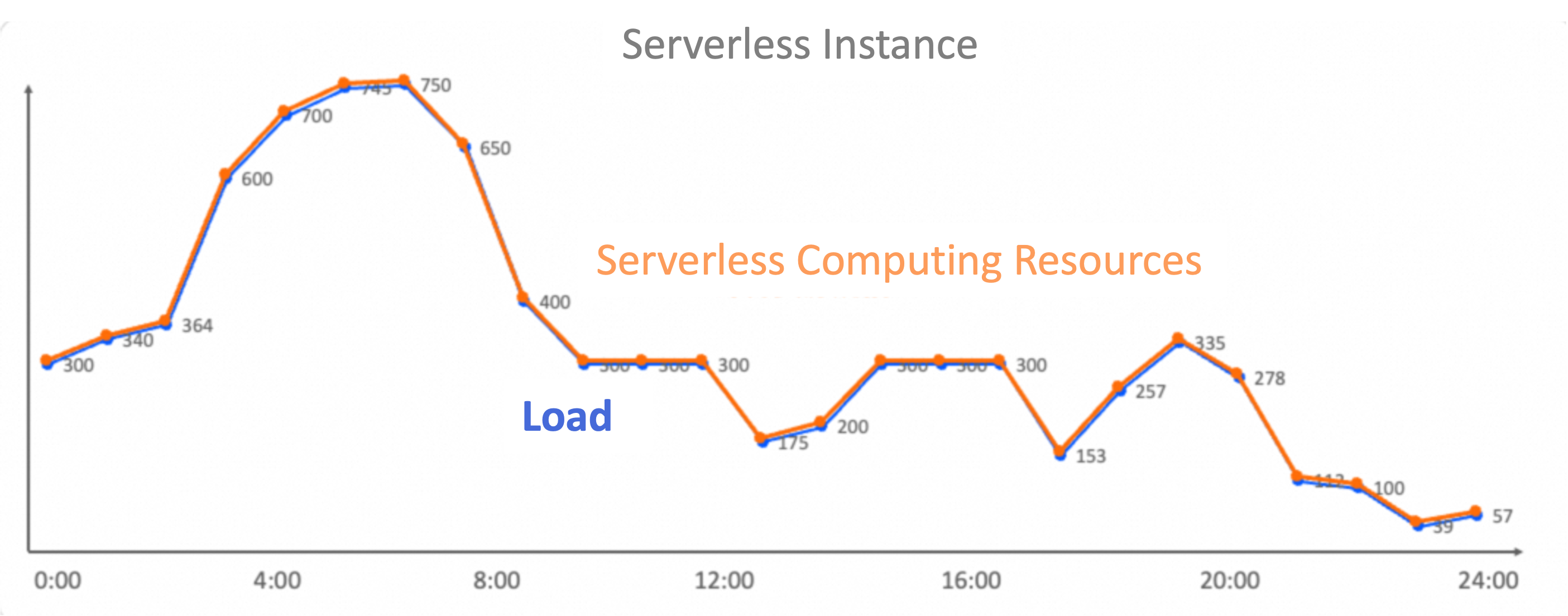
A Hologres serverless instance lets you run queries and write data without reserving dedicated computing resources. Instead of estimating your workload upfront and purchasing a fixed cluster, you get compute capacity on demand — paying only for what each query or write request actually uses.
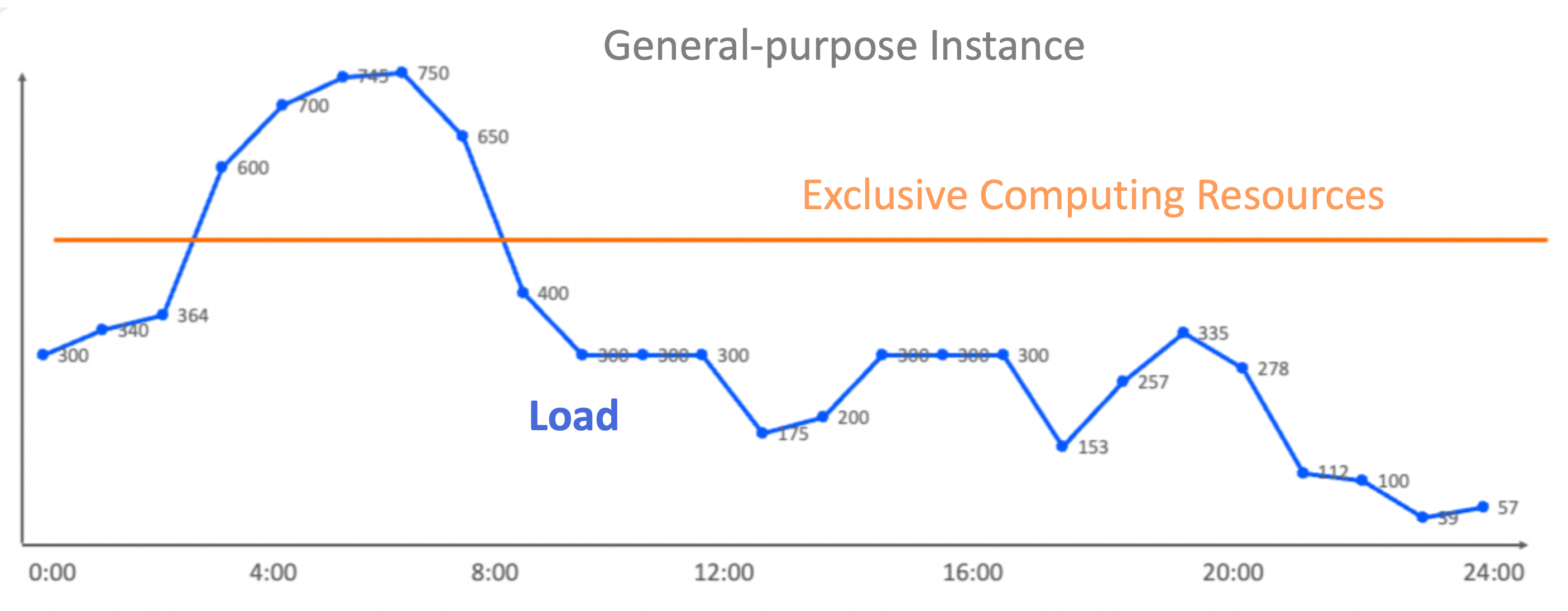
This eliminates the two core problems of provisioned instances: over-provisioning during off-peak hours and insufficient resources during traffic spikes.
Hologres has two things with similar names: a serverless instance (this topic) and Serverless Computing (a feature). See Serverless instance vs. Serverless Computing if you're unsure which one applies to you.
Billing
| Resource | Model | Details |
|---|---|---|
| Computing resources | Pay-as-you-go | No holding costs. Charged based on actual resource usage per data write and query request. |
| Storage resources | Pay-as-you-go | Standard storage (locally redundant storage). |
For pricing details, see Billing.
Benefits
-
Elastic computing — No upfront resource purchase. Compute is scheduled from a zone-level shared resource pool based on actual workload.
-
Flexible storage — Hologres internal tables support flexible index construction for high query performance. Query MaxCompute data through foreign tables without importing or exporting data. You can flexibly select storage types based on your needs.
-
High stability — Each query gets its own physically isolated resources, so one query's load cannot affect another's execution.
-
Low cost — Pay only for the duration and resource usage of each query. No idle resource charges.
-
O&M free — No cluster deployment or scaling to manage.
Use cases
Serverless instances work well for:
-
Reads and writes of small datasets
-
High-performance, infrequent reads and writes of large datasets
-
Workloads with significant fluctuations where peak loads are hard to predict
-
Development and testing environments
-
Testing query latency with a fixed resource amount
Limitations
Not recommended:
-
High-QPS performance stress testing — Serverless instances schedule resources per query, which adds overhead at high request rates. Use virtual warehouse instances for stress testing instead.
Not supported:
-
Real-time streaming data writes — Serverless instances do not support accelerating SQL execution with fixed plans; they always use HQE (Hologres Query Engine) for execution. For high-throughput streaming ingest, use a virtual warehouse instance.
Supported for batch and near-real-time workloads:
-
Near-real-time and offline refresh through dynamic tables, making them suitable for building offline and near-real-time data warehouses.
For a full comparison of instance types, see Instance types.
Serverless instance vs. Serverless Computing
These two terms are often confused because both use "serverless."
| Serverless instance | Serverless Computing | |
|---|---|---|
| What it is | An instance type — a pay-as-you-go exclusive instance with its own instance ID and independent storage | A feature — a fully managed compute resource pool |
| Scope | All reads and writes in a serverless instance are handled by Serverless Computing | Serverless Computing can also handle reads and writes in general-purpose instances, serverless instances, and virtual warehouse instances |
In short: a serverless instance is built entirely on top of the Serverless Computing feature. Serverless Computing is a broader capability available across all Hologres instance types.
Architecture
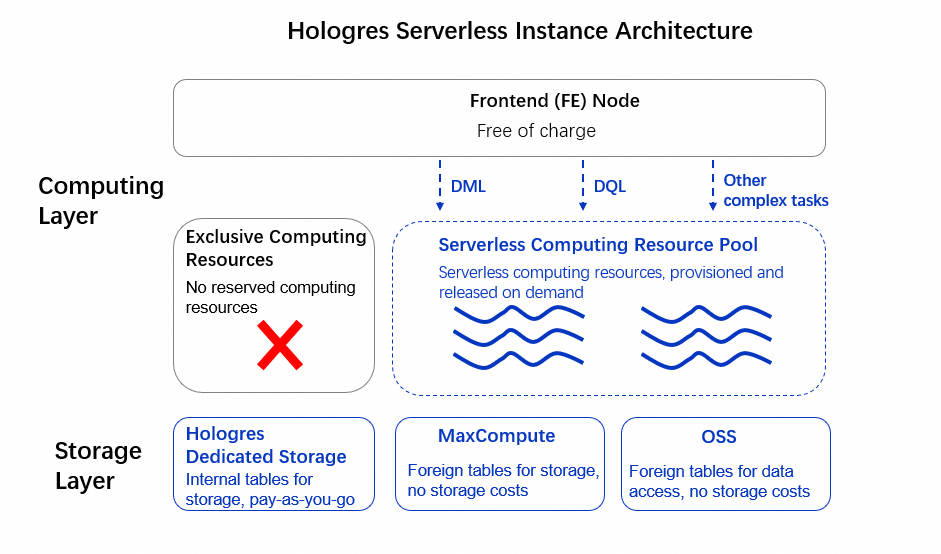
A serverless instance has two layers:
Computing layer
-
Frontend (FE) nodes — Free of charge. Connect to the instance, estimate resource requirements for each request, and dispatch requests to the serverless resource pool.
-
Serverless computing resources — A zone-level shared computing resource pool. Executes requests and allocates resources separately for each one.
Storage layer
-
Hologres dedicated storage — Built on Apsara Distributed File System (Pangu). Provides high performance, high reliability, high availability, low cost, elastic storage space, and powerful, stable, and secure services.
-
MaxCompute storage — Accessible through foreign tables at no additional storage cost.