To integrate ZOLOZ with your application, please use the phased approach described below to prepare for integration and testing, implement the integration solution and test the product.
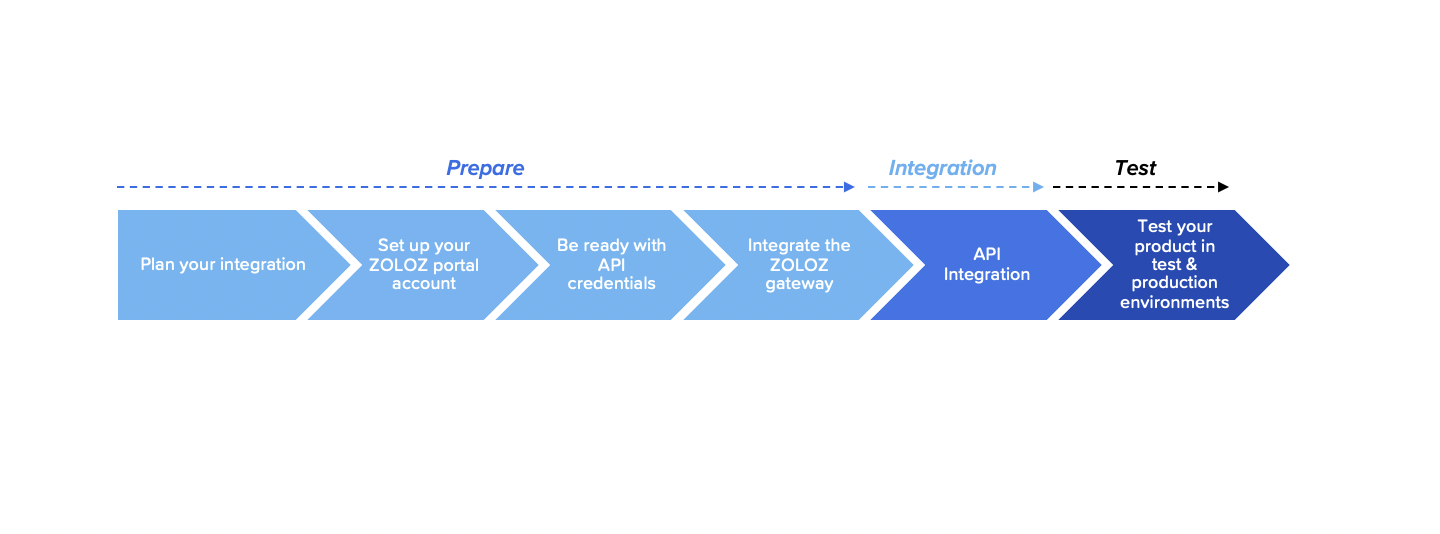
Figure 1. Integration flow
As Figure 1 shows, 3 phases are involved in the ZOLOZ AML integration:
Prepare
In order to be ready for the integration implementation, please perform the following actions first:
1. Plan your integration
Before making any concrete actions, make a plan for your integration process:
a. Obtain the corresponding service endpoints for access
The service endpoints that you need to access, including the ZOLOZ AML portal and base API URI, are different. To find out more information about the environment and its related service endpoints, see Understanding service endpoints.
2. Set up your ZOLOZ portal account
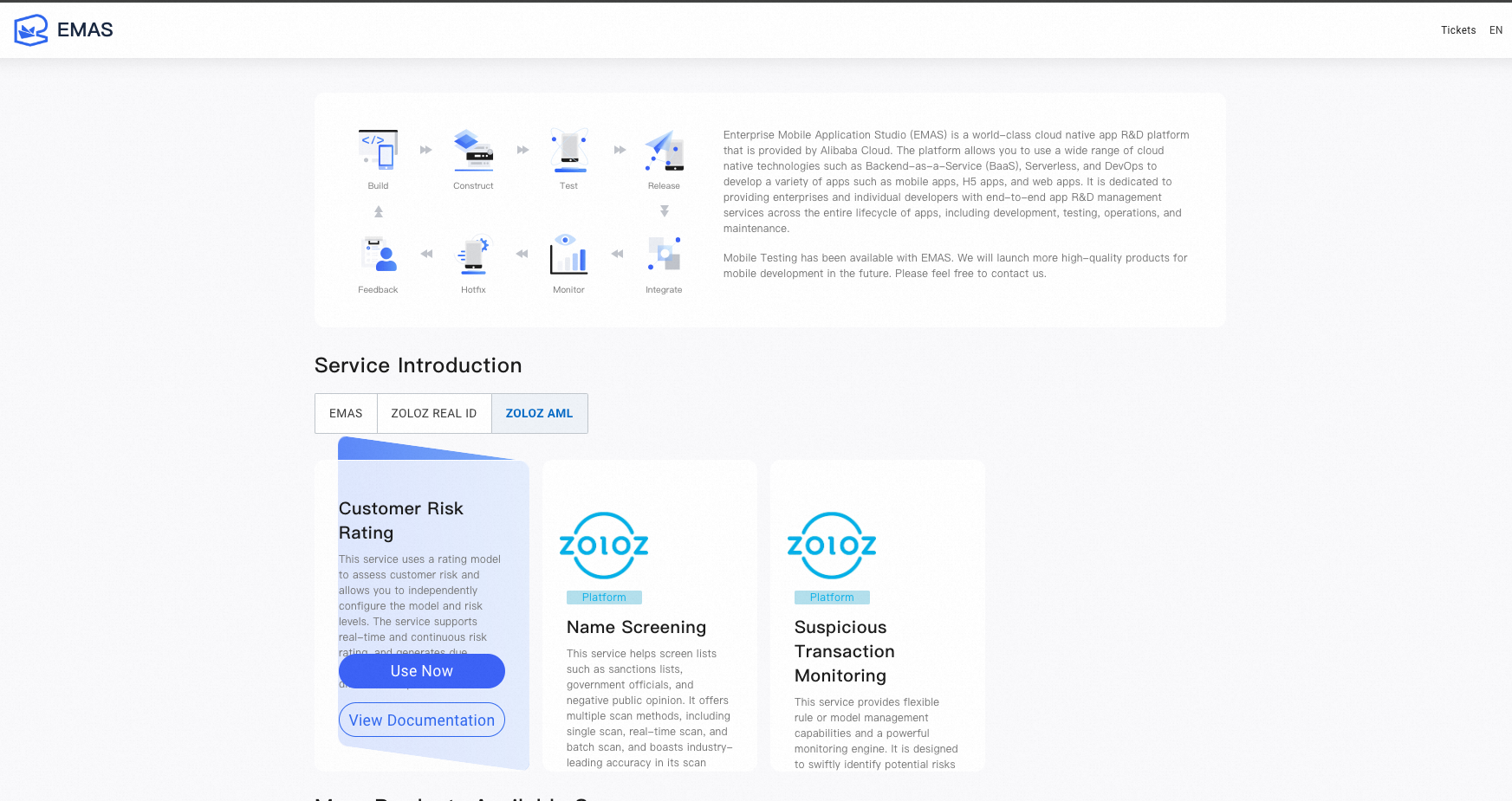
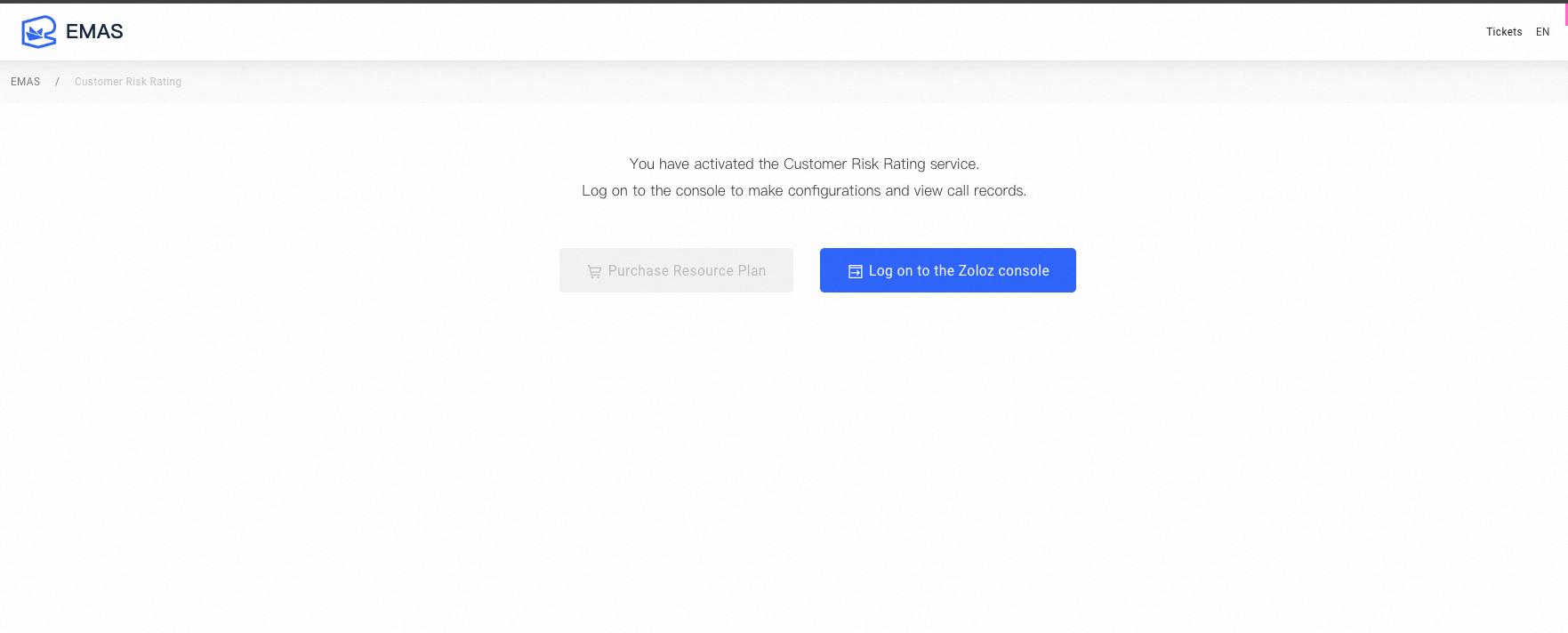
a. Administrator Account: The ZOLOZ administrator account redirects from the AliCloud account to the ZOLOZ console. The administrator account cannot change the password in the ZOLOZ console. User Path: You can log in to the ZOLOZ console by first going to the EMAS HTTPDNS console and activating the appropriate product.
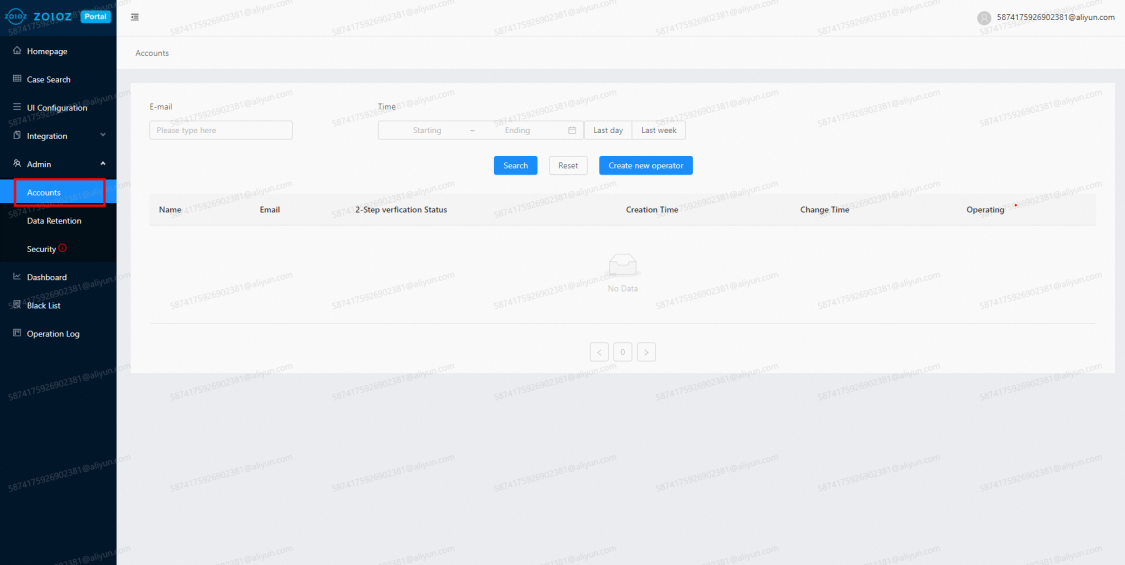
b. Sub-account Settings
After logging in and jumping to ZOLOZ console with the main account of Aliyun, you can set up the sub-account in the console. Sub-accounts can log in directly in the ZOLOZ console without logging in from Aliyun.
3. Get API credentials ready
To ensure message transmission security between your business and ZOLOZ's services, you will need to prepare the following API credentials to use for a successful gateway integration:
Client ID: the unique identifier of your account, which is used to trace your transaction. It is generated when your account is created and can be obtained from the ZOLOZ portal.
ZOLOZ transaction public key: the public key that you can use to encrypt your requests or validate response signatures returned from ZOLOZ. It is generated when your account is created and guaranteed to be unique. You can obtain it from the ZOLOZ portal.
Your transaction key pair: the key pair that is provided by you. Your public key must be registered in the ZOLOZ system so that the ZOLOZ service can use the key to validate the signature of your request or encrypt the response returned to you. You can use the ZOLOZ portal to automatically generate a key pair for convenience, or generate it by yourself.
For more information about how to get the API credentials ready, see Get API credentials ready for use.
4. Integrate the ZOLOZ gateway
To integrate with the ZOLOZ API, you must firstly integrate the ZOLOZ gateway so that API requests and responses can be transmitted and handled correctly. For more information, see Integrate the ZOLOZ gateway.
Integration
Follow the relevant integration guide below when needed:
API integration
Test
Once you complete the integration, you can test your product to verify whether the integration is successful. It is strongly recommended that you implement and test your integration solution in the test environment first before going live in the production environment.
You can use following requests to test API.
The following example is a non-hit list case:
{
"bizCode": "MANUAL_SCAN_SANCTION",
"extendData": {
"certName": "Peter"
},
"tenantID": "XXX",
"tntInstID": "XXX"
}
The following example is a hit list case:
{
"bizCode": "MANUAL_SCAN_SANCTION",
"extendData": {
"certName": "Hamza bin Laden"
},
"tenantID": "XXX",
"tntInstID": "XXX"
}
To find out the details of XXX in "XXX", such as in "tenantID": "XXX" and "tntInstID": "XXX", please contact ZOLOZ BD/Solution team.