Check your plan type, associated website, status, and expiration time in the ESA console.
Procedure
-
Log on to the ESA console. In the left-side navigation pane, choose .
-
Click the Website Plans tab.
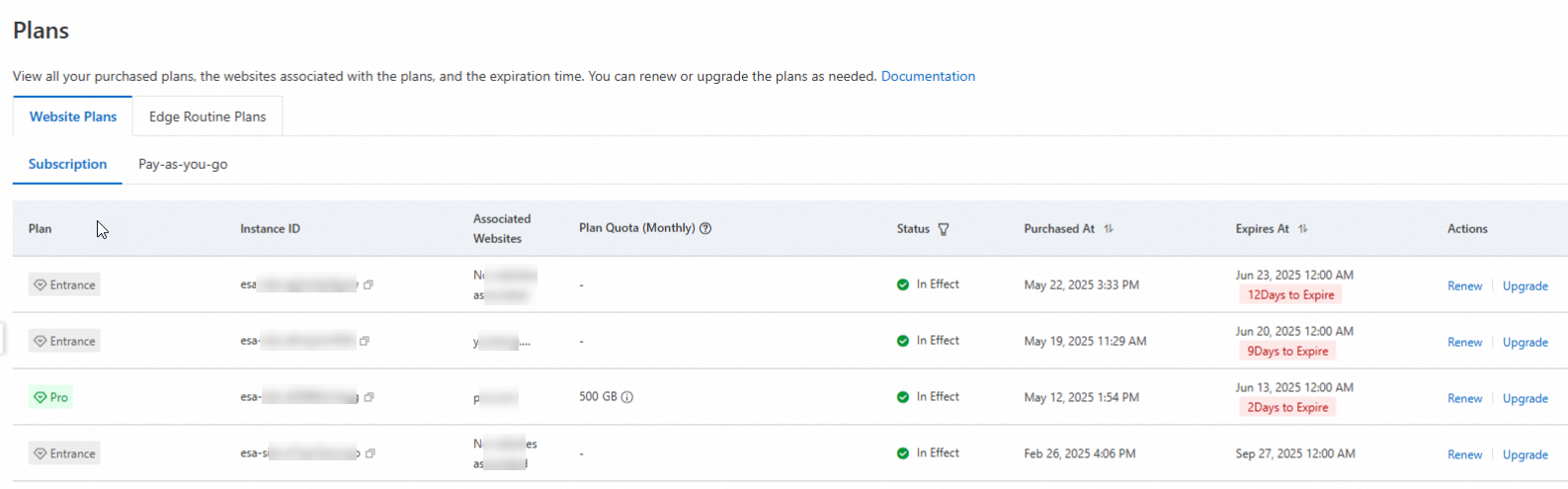
Status
Criterion
Description
Renewable
Upgradable
In effect
The plan has not expired.
The plan is active. All included services are available.
Yes
Yes
Expired
The plan expired less than 15 days ago.
Services are unavailable, but your configured website instance is retained. Renew to restore service.
Note-
Before expiration, you are notified by internal message.
-
Enable auto-renewal to avoid service interruption.
Yes
No
Released
The plan expired more than 15 days ago.
Services are unavailable and your website instance is released.
WarningOnce released, the instance cannot be restored by renewal.
No
No
Overdue
Your Alibaba Cloud account is overdue.
Suspended due to an overdue Alibaba Cloud account.
No
No
-