This topic describes how to activate a genuine Windows Server on an ECS instance in a VPC network using the KMS domain name that Microsoft provides for Alibaba Cloud.
Background
When you purchase a Windows Server license from Alibaba Cloud, the operating system activates automatically.
You purchase a Windows Server license from Alibaba Cloud when you:
-
You create an ECS instance by using a Windows Server public image.
-
You create an ECS instance from a custom image that you imported with the Alibaba Cloud official license type.
If automatic activation fails, follow the steps in this topic to manually activate the system.
The following table lists the KMS domain names for different regions.
If you need to add a KMS server IP address to your firewall or security group allowlist, find the IP address by running the ping <KMS domain name> command. For example, to find the IP address of the KMS server in the Chinese mainland region, run the command ping kms.cloud.aliyuncs.com.
|
Region name |
KMS domain name |
|
Chinese mainland |
kms.cloud.aliyuncs.com |
|
China (Hong Kong) |
kms.cloud.aliyuncs.com |
|
Singapore |
sg.kms.cloud.aliyuncs.com |
|
US (Silicon Valley) |
us1.kms.cloud.aliyuncs.com |
|
US (Virginia) |
us2.kms.cloud.aliyuncs.com |
|
Japan (Tokyo) |
jp.kms.cloud.aliyuncs.com |
|
Germany (Frankfurt) |
de.kms.cloud.aliyuncs.com |
|
UAE (Dubai) |
db.kms.cloud.aliyuncs.com |
|
Malaysia (Kuala Lumpur) |
my.kms.cloud.aliyuncs.com |
|
Indonesia (Jakarta) |
id.kms.cloud.aliyuncs.com |
|
UK (London) |
eu.kms.cloud.aliyuncs.com |
Procedure
The following steps use an ECS instance in the Chinese mainland as an example. If your instance is in another region, use the KMS domain name for that region.
-
Connect to your ECS instance.
For more information, see Connect to a Windows instance by using Workbench.
-
Click Start > Run, type cmd, and press Enter to open a Command Prompt window.
-
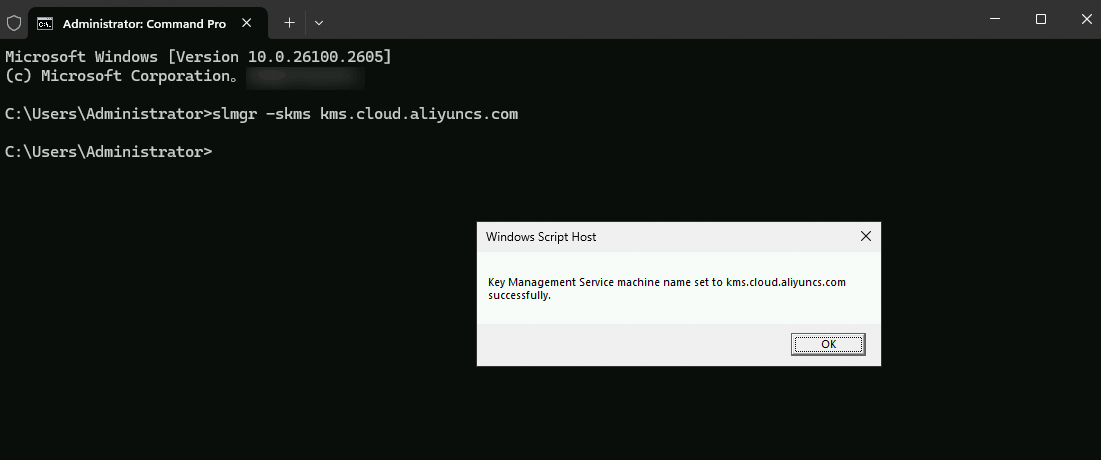
Run the following command to change the KMS domain name.
slmgr -skms kms.cloud.aliyuncs.comImportantIf the command fails, check whether you are using an Alibaba Cloud DNS server. A third-party DNS server might fail to resolve the
kms.cloud.aliyuncs.comdomain name. For ECS instances in a VPC, set the DNS server address to 100.100.2.136 or 100.100.2.138.The following message indicates the change was successful. Click OK.
-
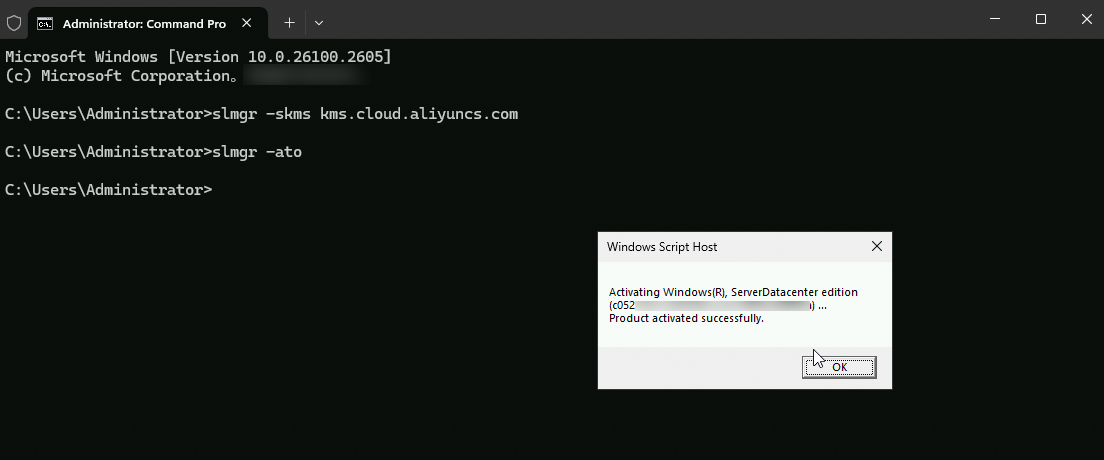
Run the following command to activate Windows. (This activation method uses Microsoft's Key Management Services, which is distinct from the Alibaba Cloud Key Management Service product.)
slmgr -atoThe following message indicates a successful activation.
References
Activation can fail due to network issues, server clock drift, or an incorrect product key. For more information, see Troubleshoot Windows activation failures on ECS instances.