If you receive an error message when you use Data Transmission Service (DTS), see Common errors for a solution. If you do not receive a specific error message, find the problem and solution based on the following categories.
Problem categories
The following types of common problems may occur:
Billing issues
How is DTS billed?
DTS offers two billing methods: subscription and pay-as-you-go. For more information about the billing methods, see Billing overview.
How do I view DTS bills?
For information about how to view DTS bills, see View bills.
Am I charged for paused instances?
You are not charged for paused data migration instances.
You are charged for paused data synchronization instances, regardless of whether the database is connected. This is because DTS only pauses data writes to the destination database but continues to consume resources, such as CPU and memory, to connect to the source database and pull logs. This process ensures that the instance can be resumed quickly.
Why is data synchronization more expensive than data migration?
Data synchronization provides more advanced features, such as modifying synchronization objects online and configuring two-way data synchronization between MySQL databases. In addition, data synchronization uses internal network transmission, which ensures lower network latency.
What are the impacts of overdue payments?
For more information about the impacts of an overdue payment, see Expiration or overdue payments.
How do I release a subscription task in advance?
First, switch the billing method of the subscription task to pay-as-you-go, and then release the task. For more information about how to switch the billing method, see Switch between billing methods.
Can I switch the billing method of a task from subscription to pay-as-you-go?
Yes, you can. For more information, see Switch between billing methods.
Can I switch the billing method of a task from pay-as-you-go to subscription?
Yes, you can for data synchronization or change tracking tasks. For more information, see Switch between billing methods.
Data migration tasks support only the pay-as-you-go billing method.
Why did my DTS task suddenly start incurring fees?
The free trial period for the instance may have expired. DTS offers a free trial for tasks where the destination database is an engine developed by Alibaba Cloud. After the free trial period expires, you are charged for these tasks.
Why am I still being charged for a released task?
Bills for pay-as-you-go DTS tasks are generated daily. You are charged for the day on which you release the task because you used the DTS service on that day.
How does pay-as-you-go billing work?
You are charged for a pay-as-you-go task only when the task is running. This period includes the time when an Incremental Data Synchronization task is paused, but does not include the time when an Incremental Data Migration task is paused. For more information, see Billing method.
Does DTS charge for traffic?
Some DTS tasks incur fees for public network and data traffic, regardless of the regions of the source and destination databases. A migration task incurs public network traffic fees if the Access Method for the destination database is set to Public IP Address. A full validation task in Full field validation by row sampling mode incurs data traffic fees based on the amount of validated data. For more information, see Billable items.
Performance and specification issues
What are the differences between instance types?
For information about the differences between instance types, see Data migration link specifications and Data synchronization link specifications.
Can I upgrade an instance type?
Yes, you can. For more information, see Upgrade the link specifications of an instance.
Can I downgrade an instance type?
You can currently downgrade only data synchronization instances. For more information, see Downgrade the specifications of a data synchronization instance.
Can I downgrade the instance type of a DTS task?
You can downgrade the link specifications for eligible DTS tasks. For more information, see Downgrade the link specifications of an instance.
Can I downgrade a DTS task to a specification lower than medium?
Not supported.
How long does it take to synchronize or migrate data?
The time required for a DTS task cannot be accurately estimated. Performance depends on many factors, such as the load on the DTS, source, and destination database instances, data volume, the existence of incremental tasks, and network conditions. If you have high performance requirements, select an instance type with a higher performance limit. For more information about specifications, see Data migration link specifications and Data synchronization link specifications.
How do I view the performance information of a data migration or data synchronization task?
For information about how to view performance information, see View the status and performance of an incremental migration link or View the status and performance of a synchronization link.
Why can't I find a specific DTS instance in the console?
Possible cause: The specified DTS instance is a subscription instance that has expired and been released.
The selected resource group is incorrect. We recommend that you select All Resources.
The selected region is incorrect. Make sure that you have selected the region where the destination instance resides.
The selected task type for the instance is incorrect. Verify that the current task list page matches the task type of the destination instance. For example, sync instances are displayed only on the Data Synchronization Tasks list.
The instance was released due to expiration or an overdue payment. After a DTS instance expires or has an overdue payment, the data transmission task stops. If the payment is not made within seven days, the system releases and deletes the instance. For more information, see Expiration or overdue payments.
Precheck issues
Why does the Redis eviction policy check item generate an alert?
If the data eviction policy (maxmemory-policy) of the destination database is set to a value other than noeviction, the data in the destination may become inconsistent with the data in the source. For more information about data eviction policies, see Introduction to Redis data eviction policies.
What do I do if a binary logging-related precheck item fails during incremental data migration?
You can check whether the binary logs of the source database are functioning correctly. For more information, see Source database binary logging check.
Database connection issues
What do I do if the connection to the source database fails?
You can check whether the information and settings of the source database are correct. For more information, see Source database connectivity check.
What do I do if the connection to the destination database fails?
You can check whether the information and settings of the destination database are correct. For more information, see Destination database connectivity check.
What do I do if the source or destination instance is in a region that is not supported by DTS and I want to perform data migration and synchronization?
For a data migration task, you can request a public endpoint for the database instance, such as an RDS MySQL instance, and use the Public IP Address connection type. This requires you to select a DTS-supported region for the instance and add the CIDR blocks of the DTS servers in that region to the instance's whitelist. For information about the IP addresses to add to the whitelist, see Add the CIDR blocks of DTS servers to the IP whitelist.
DTS does not support data synchronization in these regions because it does not support the Public IP Address connection type for database instances.
How long does it take for DTS to detect a domain name switch for a source or destination instance?
DTS detects the domain name binding switch within 10 minutes and automatically switches the DTS task to the new IP address bound to the domain name. During the domain name switch, make sure that the binary logging replication relationship between the old and new instances is maintained for more than 10 minutes.
Data synchronization issues
Which database instances does DTS support for synchronization?
DTS supports data synchronization between various data sources, such as relational database management systems (RDBMS), NoSQL databases, and online analytical processing (OLAP) databases. For information about the supported database instances, see Overview of data synchronization solutions.
What is the difference between data migration and data synchronization?
The following table describes the differences between data migration and data synchronization.
A database instance is classified as a self-managed database if its Access Method is not set to Alibaba Cloud Instance when you configure a DTS instance. Self-managed databases include database instances from third-party clouds, databases deployed on on-premises servers, and databases deployed on ECS instances.
Item | Data migration | Data synchronization |
Scenarios | Primarily used for cloud migration, such as migrating on-premises databases, self-managed databases on ECS instances, or third-party cloud databases to Alibaba Cloud databases. | Primarily used for real-time data synchronization between two data sources. It is suitable for scenarios such as active geo-redundancy, data disaster recovery, cross-border data synchronization, query and report offloading, cloud business intelligence (BI), and real-time data warehousing. |
Supported databases | For more information, see Overview of data migration solutions. Note For some databases that data synchronization does not support, you can use data migration to achieve data synchronization. Examples include single-node MongoDB databases and OceanBase (MySQL mode) databases. | For more information, see Overview of data synchronization solutions. |
Supported database deployment locations (connection types) |
|
Note Data synchronization is based on internal network transmission, which ensures lower network latency. |
Feature differences |
|
|
Billing method | Supports only pay-as-you-go. | Supports pay-as-you-go and subscription. |
Is it a paid service? | Yes, but fees are incurred only for migration instances that include incremental migration tasks. | Yes. Synchronization instances include incremental synchronization tasks by default and always incur fees. |
Billing rule | You are charged only when incremental data migration is running. You are not charged when incremental data migration is paused. You are not charged for schema migration or full data migration. |
|
How does data synchronization work?
For information about how data synchronization works, see Service architecture and features.
How is synchronization latency calculated?
Synchronization latency is the time difference in milliseconds between the timestamp of the latest data synchronized to the destination database and the current timestamp of the source database.
Normal latency is within 1,000 milliseconds.
Can I modify the synchronization objects of a data synchronization task?
Yes, you can. For information about how to modify synchronization objects, see Add a synchronization object and Remove a synchronization object.
Can I add a new table to a data synchronization task?
Yes, you can. For information about how to add a new table, see Add a synchronization object.
How do I modify the synchronization objects, such as tables and fields, of a running synchronization task?
You can modify the synchronization objects after the task's full synchronization phase is complete and the incremental data synchronization phase begins. For information about how to modify synchronization objects, see Add a synchronization object and Remove a synchronization object.
If I pause a synchronization task and then restart it after a period of time, will this cause data inconsistency?
If the source database changes while the synchronization task is paused, data inconsistency between the source and destination databases may occur. After you restart the synchronization task and the incremental data is synchronized to the destination database, the data in the destination database becomes consistent with the data in the source database.
If I delete data from the source database of an incremental synchronization task, will the synchronized data in the destination database be deleted?
If the DML operations to be synchronized for the incremental synchronization task do not include delete, the data in the destination database is not deleted. Otherwise, the synchronized data in the destination database is deleted.
Will the data in the destination Redis instance be overwritten during synchronization between Redis instances?
Yes, data with the same key is overwritten. DTS checks the destination during the precheck phase. If the destination is not empty, an error is reported.
Can a synchronization task filter some fields or data?
Yes, it can. You can use the mapping feature to filter columns that do not need to be synchronized and specify SQL WHERE conditions to filter the data to be synchronized. For more information, see Synchronize or migrate some columns and Filter data using SQL conditions.
Can a synchronization task be converted to a migration task?
No, they cannot. Tasks of different types cannot be converted to each other.
Can I synchronize only data without synchronizing the schema?
Yes, you can. When you configure the synchronization task, do not select Schema Synchronization.
What are the possible causes of data inconsistency between the source and destination of a data synchronization instance?
The possible causes of data inconsistency are as follows:
You did not clear the data in the destination when you configured the task, so the destination contains historical data.
You selected only incremental synchronization and not full synchronization when you configured the task.
You selected only full synchronization and not incremental synchronization when you configured the task, and the source data changed after the task was complete.
Data was written to the destination from sources other than the DTS task.
Incremental writes have a delay, and not all incremental data has been written to the destination.
Can I change the name of the source database in the destination database for a data synchronization task?
Yes, you can. For information about how to change the name of the source database in the destination database, see Set the name of a synchronization object in the destination instance.
Is real-time synchronization of DML or DDL operations supported?
Yes. Data synchronization for relational data supports DML (INSERT, UPDATE, and DELETE) and DDL (CREATE, DROP, ALTER, RENAME, and TRUNCATE) operations.
The supported DML or DDL operations vary by scenario. Select a link that meets your business needs in Overview of data synchronization solutions and check the supported DML or DDL operations in the specific link configuration document.
Can a read-only instance be used as the source instance for a synchronization task?
By default, sync tasks include incremental data synchronization. This results in the following two scenarios:
If the instance is a read-only instance that records transaction logs, such as an ApsaraDB RDS for MySQL 5.7 or 8.0 instance, it can be used as a source instance.
If the instance is a read-only instance that does not record transaction logs, such as an ApsaraDB RDS for MySQL 5.6 instance, it cannot be used as a source instance.
Does DTS support data synchronization for sharded databases and tables?
Yes, you can. For example, you can merge multiple sharded tables by synchronizing them from MySQL and PolarDB for MySQL to AnalyticDB for MySQL.
Why is the data volume of the destination instance smaller than that of the source instance after a synchronization task is complete?
If data was filtered during synchronization, or if there are many table fragments in the source instance, the data volume of the destination instance may be smaller than that of the source instance after the synchronization is complete.
Does a cross-account data synchronization task support two-way synchronization?
Yes, but currently, only two-way synchronization tasks between ApsaraDB RDS for MySQL instances, between PolarDB for MySQL clusters, between Tair (Enterprise Edition) instances, between ApsaraDB for MongoDB (ReplicaSet) instances, or between ApsaraDB for MongoDB (sharded cluster) instances support cross-account two-way synchronization.
Does the reverse synchronization of a two-way synchronization instance support DDL synchronization?
No, it does not. Only the forward synchronization task (from the source database to the destination database) supports DDL synchronization. The reverse synchronization task (from the destination database to the source database) does not support DDL synchronization and automatically filters DDL operations.
To synchronize the DDL operations for the current reverse synchronization task, you can reverse the direction of the two-way synchronization instance if your business allows.
Do I need to manually configure a reverse synchronization task?
Yes. Wait for the forward synchronization task to complete initialization (until the Status is Running). Then, locate the reverse synchronization task and click Configure Task.
We recommend that you configure the reverse synchronization task after the forward synchronization task has no latency (the latency is 0 milliseconds).
Does DTS support cross-border two-way synchronization tasks?
No, it does not.
Why is a record not added to the other database when it is added to one database in a two-way synchronization task?
This issue may occur because a reverse task was not configured.
Why does the incremental synchronization task never reach 100%?
An incremental synchronization task continuously synchronizes changes from the source to the destination in real time and does not end on its own. This means there is no 100% completion state. If you no longer need real-time synchronization, you can end the task in the DTS console.
Why can't an incremental synchronization task synchronize data?
If a DTS instance is configured for only incremental synchronization, DTS synchronizes only the incremental data generated after the task starts. This means that data generated before the task starts is not synchronized to the destination database. To ensure data consistency, we recommend that you select Incremental Data Synchronization, Schema Synchronization, and Full Data Synchronization when you configure the task.
Does synchronizing full data from an RDS database affect the performance of the source RDS instance?
Yes, it affects the query performance of the source database. You can use one of the following three methods to reduce the impact of the DTS task on the source database:
Upgrade the specifications of the source database instance.
Pause the DTS task and restart it when the load on the source database is low.
Reduce the rate of the DTS task. For information about how to adjust the rate, see Adjust the full migration rate.
Why does a synchronization instance with a PolarDB-X 1.0 source not display latency?
Latency information is not displayed for instances with a PolarDB-X 1.0 source. This is because the instance runs as a distributed task, and metrics monitored by DTS exist only in subtasks. To view the latency information, click the instance ID and go to the Subtask Details section on the Task Management page.
Why does a multi-table merge task report the DTS-071001 error?
This error may occur because you performed online DDL operations on the source database while the multi-table merge task was running. These operations modified the table schema of the source database, but you did not make the corresponding changes in the destination database.
What do I do if adding a whitelist fails when I configure a task in the legacy console?
You can use the new console to configure the task.
What do I do if a data synchronization task fails because a DDL operation was performed on the source database during the process?
Based on the DDL operation that was performed on the source database, manually execute the DDL operation on the destination database and restart the task. During data synchronization, do not use tools such as pt-online-schema-change to perform online DDL operations on the synchronization objects of the source database. Otherwise, the synchronization fails. If no data other than DTS data is written to the destination database, you can use Data Management (DMS) to perform online DDL operations, or you can modify the synchronization objects to remove the tables that are affected by the DDL operation. For information about how to remove a synchronization object, see Remove a synchronization object.
What do I do if a data synchronization task fails because a DDL operation was performed on the destination database during the process?
If a database or table in the destination database is deleted during incremental synchronization and causes the task to become abnormal, you can use one of the following two solutions to restore the task:
Method 1: Reconfigure the task and do not select the database or table that caused the failure as a synchronization object.
Method 2: Modify the synchronization objects to remove the database or table that caused the failure. For more information, see Remove a synchronization object.
Can a synchronization task be restored after it is released? Can reconfiguring the task ensure data consistency?
A synchronization task cannot be restored after it is released. If you reconfigure the task without selecting Full Data Synchronization, any data added between the release of the original task and the start of the new task will not be synchronized to the destination database, and data consistency cannot be guaranteed. If data accuracy is critical for your business, you can delete the data in the destination database, reconfigure the synchronization task, and select both Schema Synchronization and Full Data Synchronization in the Task Stages. Incremental Data Synchronization is selected by default.
What do I do if a DTS full synchronization task shows no progress for a long time?
If the table to be synchronized has no primary key, full synchronization will be very slow. We recommend that you add a primary key to the table to be synchronized in the source database before you start the synchronization.
When synchronizing data between tables with the same name, can I configure it so that data from the source table is transferred only if it does not exist in the destination table?
Yes. When you configure the task, you can set Processing Mode of Conflicting Tables to Ignore Errors and Proceed. If the table schemas are consistent, and a record from the source database has a primary key value that already exists in the destination database, that record will not be synchronized during a full synchronization.
How do I configure a cross-account synchronization task?
First, you need to understand the scenarios for cross-account tasks. Then, use the Alibaba Cloud account to which the database instance belongs to configure RAM authorization for a cross-Alibaba Cloud account task. Finally, configure the cross-Alibaba Cloud account task.
What do I do if I cannot select a DMS LogicDB instance?
Make sure that the region of the instance is correct. If you still cannot select the instance, there may be only one instance. You can continue to configure other parameters.
Does a synchronization task with a SQL Server source support synchronizing functions?
No, it does not. If the synchronization object granularity is set to table, other objects such as views, triggers, and stored procedures will not be synchronized to the destination database.
What do I do if a data synchronization task reports an error?
You can find a solution in Common errors based on the error message.
How do I enable hot spot merge for a synchronization task?
See Modify parameter values to change the value of trans.hot.merge.enable to true.
How do I perform synchronization when the source database has triggers?
When the synchronization object is the entire database and a trigger in the database updates a table in the database, data inconsistency between the source and destination databases may occur. For information about the synchronization operation, see Configure a synchronization or migration job when the source database has triggers.
Does DTS support synchronizing the sys database and system databases?
No, it does not.
Does DTS support synchronizing the admin and local databases of MongoDB?
No, it does not. DTS does not support using the admin and local databases of MongoDB as the source or destination.
When can the reverse task of a two-way synchronization task be configured?
The reverse task of a two-way synchronization task can be configured only after the forward incremental task has no latency.
When PolarDB-X 1.0 is the source, does the source PolarDB-X 1.0 of a synchronization task support node scaling?
No, it does not. If the source PolarDB-X 1.0 undergoes node scaling, you need to reconfigure the task.
Can the data synchronized to Kafka by DTS be guaranteed to be unique?
No, it cannot. Because data written to Kafka is appended, there may be duplicate data when the DTS task is restarted or when it repeatedly pulls logs from the source. DTS ensures data idempotence, which means that data is arranged in order, and the latest value of duplicate data will be placed at the end.
Does DTS support data synchronization from RDS for MySQL to AnalyticDB for MySQL?
Yes, it does. For information about how to configure it, see Synchronize data from RDS for MySQL to AnalyticDB for MySQL 3.0.
Why does a synchronization task between Redis instances not show full synchronization?
Synchronization between Redis instances includes both full and incremental data synchronization. These two methods are collectively displayed as Incremental Data Synchronization.
Can full synchronization be skipped?
Yes, it can. After you skip full synchronization, incremental synchronization will continue, but errors may occur. We recommend that you do not skip full synchronization.
Can I schedule automatic synchronization?
No, DTS does not currently support scheduling the start of data synchronization tasks.
Will table fragmentation be synchronized during the process?
No, it will not.
What should I be aware of when synchronizing from MySQL 8.0 to MySQL 5.6?
You need to create a database in MySQL 5.6 before you perform the synchronization operation. We recommend that the source and destination database versions be consistent, or that you synchronize from a lower version to a higher version to ensure compatibility. If you synchronize from a higher version to a lower version, database compatibility issues may occur.
Can accounts in the source database be synchronized to the destination database?
Currently, only synchronization tasks between ApsaraDB RDS for MySQL instances support synchronizing accounts. Other synchronization tasks do not.
Can I configure a cross-account two-way synchronization task?
Yes, but currently, only two-way synchronization tasks between ApsaraDB RDS for MySQL instances, between PolarDB for MySQL clusters, between Tair (Enterprise Edition) instances, between ApsaraDB for MongoDB (ReplicaSet) instances, or between ApsaraDB for MongoDB (sharded cluster) instances support cross-account two-way synchronization.
For tasks that lack the Replicate Data Across Alibaba Cloud Accounts configuration item, you can use CEN to configure cross-account two-way synchronization tasks. For more information, see Access database resources across Alibaba Cloud accounts or regions.
How do I configure parameters when Message Queue for Apache Kafka is the destination?
You can configure the parameters as needed. For information about how to configure some special parameters, see Configure parameters for a Message Queue for Apache Kafka instance.
How do I resolve the ERR invalid DB index error when I use DTS to synchronize or migrate Redis data?
Cause: The ERR invalid DB index error occurs when the destination database executes the SELECT DB operation. This is usually because the number of databases in the destination database is insufficient. If the destination database uses a proxy, check whether the proxy can lift the limit on the number of databases.
Solution: Modify the databases configuration of the destination database. Increase the number to match the source database, and then restart the DTS task. You can run the following command to query the databases configuration of the destination database:
CONFIG GET databases;How do I resolve the IDENTIFIER CLUSTERED error when I synchronize or migrate SQL Server data to AnalyticDB for PostgreSQL?
Cause: When you synchronize or migrate SQL Server data to AnalyticDB for PostgreSQL, the task fails because the CREATE CLUSTERED INDEX command is not supported.
Solution: After you confirm that there are no other DDL commands during the latency period, modify the instance parameter sink.ignore.failed.ddl to true to filter out all DDL executions. After the incremental synchronization or migration offset advances, change sink.ignore.failed.ddl back to false.
In a Redis synchronization or migration task, does extending the expiration time of a key in the destination database have any practical effect?
To prevent keys from expiring during full data synchronization, you can extend the key expiration time in the destination database. For DTS tasks that involve incremental synchronization or migration, if a key in the source database expires and is deleted, the corresponding key in the destination database is also released.
After setting an extended expiration time for a key in the destination database, if the key in the source database expires, will the key in the destination database be released immediately?
A key in the destination database is not necessarily released immediately upon expiration. It is released immediately only when the corresponding key in the source database expires and is cleared.
For example, if a key in the source database is set to expire in 5 seconds, but the key's expiration time in the destination database is 30 seconds, the key in the destination database is deleted when the source key expires. When the key in the source database expires, the system adds a delete operation to the Append-Only File (AOF). This request is then synchronized to the destination database and executed.
How do I resolve the column_name[xxx], the length of input string is too long than vec schema error when I use DTS to synchronize data to SelectDB?
Detailed error message:
Reason: The input string for column_name[xxx] is longer than the length specified in the vector schema. First 32 bytes of the input string: [01a954b4-xxx-xxx-xxx-95b675b9]. Schema length: 2147483643. Limit length: 1048576. Actual length: 7241898. Source line: [].Cause: The size of the incremental data in the source xxx field exceeds the length limit of the corresponding destination field.
Solution: If the field is a
STRINGtype, you can increase the string_type_length_soft_limit_bytes parameter in the SelectDB console. The value must be greater than theactual length(7241898).
How do I resolve the column(xxx) values is null while columns is not nullable. error when I use DTS to synchronize data to SelectDB?
Detailed error message:
Reason: column(xxx) values is null while columns is not nullable. src line [ xxx ];Cause: The xxx field in the destination is
NOT NULL, butNULLvalues are being written.NoteCommon scenario: The source date format contains invalid data, such as
0000-0000-0000, which causes DTS to automatically convert it to aNULLvalue and trigger the error.Solution:
Change the field type in the destination to allow NULL values.
Modify the synchronization object: Remove the problematic table, correct the source data, and then delete the table in the destination. Then, modify the synchronization object again to add the table back, and finally re-run the full and incremental synchronization.
Data migration issues
Will the data in the source database still exist after a data migration task is executed?
DTS performs data migration and synchronization by copying data from a source database to a destination database without affecting the source.
Which database instances does DTS support for migration?
DTS supports data migration between various data sources, such as RDBMS, NoSQL databases, and OLAP databases. For information about the supported migration instances, see Overview of data migration solutions
How does data migration work?
For information about how data migration works, see Service architecture and features.
Can I modify the migration objects of a data migration task?
No, you cannot.
Can I add a new table to a data migration task?
No, you cannot.
How do I modify the migration objects, such as tables and fields, of a running migration task?
Migration tasks do not support modifying migration objects.
If I pause a migration task and then restart it after a period of time, will this cause data inconsistency?
If the source database changes while the migration task is paused, data inconsistency between the source and destination databases may occur. After you restart the migration task and the incremental data is migrated to the destination database, the data in the destination database becomes consistent with the data in the source database.
Can a migration task be converted to a synchronization task?
No, they cannot. Tasks of different types cannot be converted to each other.
Can I migrate only data without migrating the schema?
Yes, you can. When you configure the migration task, do not select Schema Migration.
What are the possible causes of data inconsistency between the source and destination of a data migration instance?
The possible causes of data inconsistency are as follows:
You did not clear the data in the destination when you configured the task, so the destination contains historical data.
You selected only incremental migration and not full migration when you configured the task.
You selected only full migration and not incremental migration when you configured the task, and the source data changed after the task was complete.
Data was written to the destination from sources other than the DTS task.
Incremental writes have a delay, and not all incremental data has been written to the destination.
Can I change the name of the source database in the destination database for a data migration task?
Yes, you can. For information about how to change the name of the source database in the destination database, see Database, table, and column mapping.
Is data migration within the same instance supported?
Yes, it is. For information about how to migrate data within the same instance, see Data synchronization or migration between different database names.
Is real-time migration of DML or DDL operations supported?
Yes, it is. The supported DML operations for data between relational databases are INSERT, UPDATE, and DELETE. The supported DDL operations are CREATE, DROP, ALTER, RENAME, and TRUNCATE.
The supported DML or DDL operations vary by scenario. Select a link that meets your business needs in Overview of data migration solutions and check the supported DML or DDL operations in the specific link configuration document.
Can a read-only instance be used as the source instance for a migration task?
If a migration task does not require incremental data migration, you can use a read-only instance as the source instance. If a migration task requires incremental data migration, there are two scenarios:
If the instance is a read-only instance that records transaction logs, such as an ApsaraDB RDS for MySQL 5.7 or 8.0 instance, it can be used as a source instance.
If the instance is a read-only instance that does not record transaction logs, such as an ApsaraDB RDS for MySQL 5.6 instance, it cannot be used as a source instance.
Does DTS support data migration for sharded databases and tables?
Yes, it does. For example, you can migrate sharded databases and tables in MySQL and PolarDB for MySQL to AnalyticDB for MySQL to merge multiple tables.
Can a migration task filter some fields or data?
Yes, it can. You can use the mapping feature to filter columns that do not need to be migrated and specify SQL WHERE conditions to filter the data to be migrated. For more information, see Synchronize or migrate some columns and Filter data to be migrated.
Why is the data volume of the destination instance smaller than that of the source instance after a migration task is complete?
If data was filtered during migration, or if there are many table fragments in the source instance, the data volume of the destination instance may be smaller than that of the source instance after the migration is complete.
Why is the value of "Completed" greater than the total in a migration task?
The displayed total is an estimated value. After the migration task is complete, the total will be adjusted to the accurate value.
What is the purpose of the increment_trx table added to the destination database during data migration?
The increment_trx table is an offset table that DTS incremental migration creates in the destination instance. It is mainly used to record the offset of incremental migration and solve the problem of resuming from a breakpoint after an abnormal task restart. Do not delete it during the migration process. Otherwise, the migration will fail.
Does a data migration task support resuming from a breakpoint during the full migration phase?
Yes, it does. If you pause a task during the full migration phase and then restart it, the task will continue from where it left off, without starting over.
How do I migrate a non-Alibaba Cloud instance to Alibaba Cloud?
For information about how to migrate a non-Alibaba Cloud instance to Alibaba Cloud, see Migrate data from a third-party cloud to Alibaba Cloud.
How do I migrate an on-premises Oracle database to PolarDB?
For information about how to migrate an on-premises Oracle database to PolarDB, see Migrate data from a self-managed Oracle database to a PolarDB for PostgreSQL (Compatible with Oracle) database.
Can a data migration task that has not completed the full migration phase be paused?
Yes, it can.
How do I migrate some data from RDS for MySQL to a self-managed MySQL database?
When you configure the migration task, you can select the objects to be migrated in the Source Objects section or filter them in the Selected Objects section as needed. The migration operations between MySQL databases are similar. For more information, see Migrate data from a self-managed MySQL database to an ApsaraDB RDS for MySQL instance.
How do I migrate RDS instances under the same Alibaba Cloud account?
DTS supports migration and synchronization between RDS instances. For information about how to configure it, see the relevant configuration documents in Overview of data migration solutions.
What do I do if an IOPS alert is triggered for the source database after a migration task starts, and how do I ensure the stability of the source database business?
If the load on the source database instance is high when a DTS task is running, you can use one of the following three methods to reduce the impact of the DTS task on the source database:
Upgrade the specifications of the source database instance.
Pause the DTS task and restart it when the load on the source database is low.
Reduce the rate of the DTS task. For information about how to adjust the rate, see Adjust the full migration rate.
Why can't a data migration task select a database named "test"?
DTS data migration does not support migrating system databases. You must select a business-created database for migration.
Why does a migration instance with a PolarDB-X 1.0 source not display latency?
Latency information is not displayed for instances with a PolarDB-X 1.0 source. This is because the instance runs as a distributed task, and metrics monitored by DTS exist only in subtasks. To view the latency information, click the instance ID and go to the Subtask Details section on the Task Management page.
Why can't DTS migrate a MongoDB database?
This may be because the database to be migrated is "local" or "admin". DTS does not support using the admin and local databases of MongoDB as the source or destination.
Why does a multi-table merge task report the DTS-071001 error?
This error may occur because you performed online DDL operations on the source database while the multi-table merge task was running. These operations modified the table schema of the source database, but you did not make the corresponding changes in the destination database.
What do I do if adding a whitelist fails when I configure a task in the legacy console?
You can use the new console to configure the task.
What do I do if a data migration task fails because a DDL operation was performed on the source database during the process?
Based on the DDL content that was executed on the source database, manually execute the DDL operation on the destination and restart the task. During data migration, do not use tools such as pt-online-schema-change to perform online DDL operations on the migration objects of the source database. Otherwise, the migration will fail. If no data other than DTS data is written to the destination database, you can use Data Management (DMS) to perform online DDL operations.
What do I do if a data migration task fails because a DDL operation was performed on the destination database during the process?
If a database or table in the destination database is deleted during incremental migration and causes the task to become abnormal, you can reconfigure the task and not select the database or table that caused the failure as a migration object.
Can a migration task be restored after it is released? Can reconfiguring the task ensure data consistency?
A migration task cannot be restored after it is released. If you reconfigure the task without selecting Full Data Migration, data added after the task is released will not be migrated to the destination database, and data consistency cannot be guaranteed. If high data accuracy is required, you can delete the data in the destination database, reconfigure the migration task, and select Schema Migration, Incremental Data Migration, and Full Data Migration in the Task Stages.
What do I do if a DTS full migration task shows no progress for a long time?
If the table to be migrated has no primary key, full migration will be very slow. We recommend that you add a primary key to the table to be migrated in the source database before you start the migration.
When migrating data between tables with the same name, can I configure it so that data from the source table is transferred only if it does not exist in the destination table?
Yes, you can. When you configure the task, you can set Processing Mode of Conflicting Tables to Ignore Errors and Proceed. If the table schemas are consistent, source records with primary keys that already exist in the destination database will not be migrated during the full migration.
How do I configure a cross-account migration task?
First, you need to understand the scenarios for cross-account tasks. Then, use the Alibaba Cloud account to which the database instance belongs to configure RAM authorization for a cross-Alibaba Cloud account task. Finally, configure the cross-Alibaba Cloud account task.
How does a data migration task connect to an on-premises database?
Set the Access Method for the on-premises database to Public IP Address to configure the migration task. For more information, see Migrate data from a self-managed MySQL database to an ApsaraDB RDS for MySQL instance.
What do I do if a data migration fails with the DTS-31008 error?
Based on the error message, you can click View Cause or refer to Common errors.
What do I do if the network is disconnected when connecting to a self-managed database through a leased line?
Check whether the DTS-related IP address whitelist is correctly configured for the leased line. For the list of IP addresses to be added to the whitelist, see Add the IP address ranges of DTS servers to the IP address whitelist of a self-managed database.
Does a migration task with a SQL Server source support migrating functions?
No, it does not. If the migration object granularity is set to table, other objects such as views, triggers, and stored procedures will not be migrated to the destination database.
What do I do if a DTS full migration is slow?
The data migration may take some time to complete. You can view the migration progress in the Full Data Migration module of the task details on the Task Management page.
What do I do if schema migration reports an error?
Click the instance ID to go to the task details page. View the error message in the schema migration module on the Task Management page and resolve the error accordingly. For solutions to common errors, see Common errors.
Are schema migration and full migration free of charge?
This service is free of charge. For more information, see Billing Items.
Will the zset data in the destination be overwritten during a data migration task between Redis instances?
Yes, the zset in the destination will be overwritten. If a key that is the same as in the source already exists in the destination, DTS will first delete the zset of the corresponding key in the destination, and then zadd each object in the source zset collection to the destination.
What is the impact of full migration on the source database?
The process of DTS full migration is to first segment the data, and then read and write the data within the segments. For the source database, the IOPS of the source database will increase during the data segmentation process. During the process of reading data within the segments, the IOPS, CachePool, and outbound bandwidth of the source database will be affected to some extent. Based on DTS's practical experience, these impacts are negligible.
When PolarDB-X 1.0 is the source, does the source PolarDB-X 1.0 of a migration task support node scaling?
No, it does not. If the source PolarDB-X 1.0 undergoes node scaling, you need to reconfigure the task.
Can the data migrated to Kafka by DTS be guaranteed to be unique?
No, it cannot. Because data written to Kafka is appended, there may be duplicate data when the DTS task is restarted or when it repeatedly pulls logs from the source. DTS ensures data idempotence, which means that data is arranged in order, and the latest value of duplicate data will be placed at the end.
If I configure a full migration task first, and then an incremental data migration task, will data inconsistency occur?
Yes, data inconsistency may occur. When an incremental data migration task is configured separately, the task starts migrating data only after it is started. Incremental data that is generated in the source instance before the incremental migration task starts will not be synchronized to the destination instance. To perform a zero-downtime migration, we recommend that you select schema migration, full data migration, and incremental data migration as the migration types when you configure the task.
Do I need to select schema migration when I configure an incremental migration task?
Schema migration is the process of migrating the definitions of migration objects to the destination instance before data migration begins, such as migrating the table definition of table A to the destination instance. To perform incremental migration, we recommend that you select schema migration, full data migration, and incremental data migration to ensure data consistency.
Why is the storage space used by RDS larger than the source database during migration from a self-managed database to RDS?
Because DTS performs a logical migration, it encapsulates the data to be migrated into SQL and migrates it to the destination RDS instance. At this time, binary log data will be generated in the destination RDS instance, so the storage space used by RDS during the migration process may be larger than the source database.
Does DTS support migrating MongoDB in a VPC?
Yes, it does. DTS currently supports using ApsaraDB for MongoDB in a VPC as the source database for migration.
What happens to the migrated data if the source database changes during data migration?
If the migration task is configured with schema migration, full migration, and incremental migration, any data changes that occur in the source database during the migration will be migrated to the destination database by DTS.
Will releasing a completed migration task affect the use of the migrated database?
No. You can safely release a migration task only after it is complete, which is when its Status is Completed.
Does DTS support incremental migration for MongoDB?
Yes, it does. For relevant configuration examples, see Overview of data migration solutions.
What is the difference between using an RDS instance and a self-managed database instance with a public IP address as the source for a migration task?
If you select an RDS instance when you configure a migration task, the DTS migration task can adapt to changes such as DNS modifications and network type switches of the RDS instance, which effectively ensures link reliability.
Does DTS support migrating a self-managed database on an ECS instance in a VPC to an RDS instance?
Yes, it does.
If the source ECS instance and the destination RDS instance are in the same region, DTS can directly access the self-managed database on the ECS instance in the VPC.
If the source ECS instance and the destination RDS instance are in different regions, the ECS instance needs to be mounted with an Elastic IP Address (EIP). When you configure the migration task, select the ECS instance as the source instance, and DTS will automatically use the EIP of the ECS instance to access the database on the ECS instance.
Does DTS lock tables during migration? Does it affect the source database?
DTS does not lock tables on the source database during full data migration and incremental data migration. During full data migration and incremental data migration, the data tables of the migration source can be accessed for reading and writing normally.
When DTS performs RDS migration, does it get data from the primary or secondary RDS database?
When DTS performs data migration, it pulls data from the primary RDS database.
Can I schedule automatic migration?
No, DTS does not currently support scheduling the start of data migration tasks.
Does DTS support data migration for RDS instances in VPC mode?
Yes, you can specify the RDS instance ID when you configure a migration task.
When DTS performs migration or synchronization for the same account or across accounts, does it use the internal network or the public network for ECS and RDS instances? Are there traffic fees?
The network (internal or public) used by DTS for synchronization or migration tasks is not related to whether the task is cross-account. Whether traffic fees are charged depends on the task type.
Network used
Migration task: If data migration is performed within the same region, DTS uses the internal network to connect to ECS and RDS instances. If migration is performed across regions, DTS uses the public network to connect to the source instance (ECS or RDS) and the internal network to connect to the destination RDS instance.
Synchronization task: Uses the internal network.
Traffic fees
For migration tasks, public network outbound traffic fees are charged if the Access Method of the destination database instance is Public IP Address. Other types of DTS instances do not incur traffic fees.
Synchronization task: No traffic fees are charged.
Will the data in the source database be deleted after migration using DTS?
No, it will not. When DTS performs data migration, it copies the data from the source database to the destination database and does not affect the data in the source database.
When DTS performs data migration between RDS instances, can I specify the name of the destination database?
Yes, you can. When you perform data migration between RDS instances, you can use the database name mapping feature provided by DTS to specify the name of the destination database. For more information, see Data synchronization or migration between different database names.
What do I do if the source of a DTS migration task cannot connect to an ECS instance?
The ECS instance may not have a public IP address exposed. You can bind an EIP to the ECS instance and try again. For information about how to bind an EIP, see Elastic IP Address.
Why does a migration task between Redis instances not show full migration?
You can migrate data between Redis instances using Incremental Data Migration, which combines full data migration and incremental data migration.
Can full migration be skipped?
Yes, it can. After you skip full migration, incremental migration will continue, but errors may occur. We recommend that you do not skip full migration.
Does a cluster edition of Redis support connecting to DTS with a public IP address?
No, it does not. Currently, only a standalone edition of Redis supports connecting to a DTS migration instance with a public IP address.
What should I be aware of when migrating from MySQL 8.0 to MySQL 5.6?
You need to create a database in MySQL 5.6 before you perform the migration operation. We recommend that the source and destination database versions be consistent, or that you migrate from a lower version to a higher version to ensure compatibility. If you migrate from a higher version to a lower version, database compatibility issues may occur.
Can accounts in the source database be migrated to the destination database?
Currently, only migration tasks between ApsaraDB RDS for MySQL instances support migrating accounts. Other migration tasks do not.
How do I configure parameters when Message Queue for Apache Kafka is the destination?
You can configure the parameters as needed. For information about how to configure some special parameters, see Configure parameters for a Message Queue for Apache Kafka instance.
How do I perform scheduled full migration?
You can use the scheduling policy of the data integration feature to periodically migrate the schema and historical data from the source database to the destination database. For more information, see Configure a data integration task between ApsaraDB RDS for MySQL instances.
Is it supported to migrate a self-managed SQL Server on an ECS instance to an on-premises self-managed SQL Server?
Yes, it is. The on-premises self-managed SQL Server needs to be connected to Alibaba Cloud. For more information, see Overview of preparations.
Is it supported to migrate PostgreSQL databases from other clouds?
Yes, data migration through DTS is supported when a PostgreSQL database from another cloud allows DTS to access it through the public network.
If the PostgreSQL version is earlier than 10.0, incremental migration is not supported.
Data Subscription Issues
How does data subscription work?
For more information about data subscription, see Service Architecture and Principles.
Will the consumer group be deleted after a change tracking task expires?
After a DTS change tracking task expires, the data consumer group is retained for seven days. If the instance is not renewed within seven days after it expires, it will be released, and the corresponding consumer group will also be deleted.
Can a read-only instance be used as the source instance for a tracking task?
This can occur in the following two situations:
If the instance is a read-only instance that records transaction logs, such as an ApsaraDB RDS for MySQL 5.7 or 8.0 instance, it can be used as a source instance.
If the instance is a read-only instance that does not record transaction logs, such as an ApsaraDB RDS for MySQL 5.6 instance, it cannot be used as a source instance.
How do I consume tracked data?
For more information, see Consuming subscription data.
Why does the date data format change after data is transferred using the change tracking feature?
The default date data storage format for DTS is YYYY:MM:DD. YYYY-MM-DD is the displayed format, but the actual storage format is YYYY:MM:DD. Therefore, regardless of the format of the transferred data, it will eventually be converted to the default format.
How do I troubleshoot a tracking task?
For information about how to troubleshoot a tracking task, see Troubleshoot a tracking task.
What do I do if the SDK suddenly pauses and cannot track data while downloading data normally?
Check whether the ackAsConsumed interface is called in the SDK code to report the consumer offset. If ackAsConsumed is not called to report the offset, the data in the Record cache space set inside the SDK will not be deleted. When the cache is fully occupied, new data cannot be pulled, which will cause the SDK to pause and be unable to track data.
What do I do if the SDK cannot successfully track data after being rerun?
Before you start the SDK, modify the consumer offset to make it within the data range. For information about how to modify the consumer offset, see Save and query consumer offsets.
How does a client specify a point in time for data consumption?
When you consume tracked data, you can fill in the initCheckpoint parameter to specify a point in time. For more information, see Use SDK sample code to consume tracked data.
How do I reset the offset if a DTS tracking task has a backlog?
According to the usage mode of the SDK client, open the corresponding code file, such as DTSConsumerAssignDemo.java or DTSConsumerSubscribeDemo.java.
NoteFor more information, see Use SDK sample code to consume tracked data.
In the Data Range column of the tracking task list, you can view the modifiable offset range for the destination tracking instance.
Select a new consumer offset as needed and convert it to a UNIX timestamp.
Use the converted new consumer offset to replace the old consumer offset (initCheckpoint parameter) in the code file.
Rerun the client.
What do I do if the client cannot connect using the VPC address of the tracking task?
The machine where the client is located may not be in the VPC that was specified when the tracking task was configured (for example, the client VPC was changed). You need to reconfigure the task.
Why is the consumer offset in the console larger than the maximum value of the data range?
This is because the update frequency of the data range of the tracking channel is 1 minute, while the update frequency of the consumer offset is 10 seconds. So if you consume in real time, the value of the consumer offset may be larger than the maximum value of the tracking channel data range.
How does DTS ensure that the data tracked by the SDK is a complete transaction?
DTS searches for the complete transaction that corresponds to the provided consumer offset. The server-side distributes data downstream starting from the BEGIN statement of the entire transaction, so the complete transaction content can be received.
How do I confirm whether data is being consumed normally?
If data is being consumed normally, the consumer offset in the Data Transmission Service console will move forward normally.
What does usePublicIp=true mean in the change tracking SDK?
In the change tracking SDK configuration, usePublicIp=true means that the SDK accesses the DTS tracking channel through the public network.
Will the business be affected when the primary RDS database of a change tracking task is switched or restarted?
When a primary/secondary switchover or restart occurs for an ApsaraDB RDS for MySQL, ApsaraDB RDS for PostgreSQL, PolarDB for MySQL, PolarDB for PostgreSQL, or PolarDB-X 1.0 (storage type is RDS for MySQL) instance, DTS will adaptively switch, and the business will not be affected.
Does RDS provide a tool for automatic binary log download to a local server?
The change tracking feature of DTS supports real-time tracking of RDS binary logs. You can activate the DTS change tracking service and use the DTS SDK to track RDS binary log data and synchronize it to a local server in real time.
Does the real-time incremental data of change tracking refer only to new data, or does it include modified data?
The incremental data that can be tracked by DTS change tracking includes all additions, deletions, modifications, and schema changes (DDL).
Why does the SDK receive duplicate data after restarting if a record is not ACKed by the consumer end of a change tracking task?
When a message is not ACKed by the SDK, the server-side will finish pushing all messages in the buffer. After the push is complete, the SDK can no longer receive messages. At this time, the consumer offset saved by the server-side is the offset of the last message before the un-ACKed one. When the SDK restarts, to ensure that no messages are lost, the server-side will re-push data from the offset corresponding to the message before the un-ACKed one. Therefore, the SDK will receive some duplicate messages.
How often is the change tracking consumer offset updated, and why does the SDK sometimes receive duplicate data when it is restarted?
After the change tracking SDK consumes each message, it must call ackAsConsumed to reply with an ACK to the server-side. After receiving the ACK, the server-side updates the consumer offset in memory and then persists the consumer offset every 10 seconds. If the SDK is restarted before the latest ACK is persisted, the server-side will start pushing messages from the last persisted consumer offset to ensure that no messages are lost. In this case, the SDK will receive duplicate messages.
Can one change tracking instance track multiple RDS instances?
No, it cannot. Currently, one change tracking instance can track only one RDS instance.
Will data inconsistency occur in a change tracking instance?
No, it will not. A change tracking task only obtains the changes from the source database and does not involve data inconsistency. If the data consumed by the client is inconsistent with what you expect, you must troubleshoot it yourself.
What to do when UserRecordGenerator appears while consuming subscription data?
When you consume tracked data, if you see a message such as UserRecordGenerator: haven't receive records from generator for 5s, you need to check whether the consumer offset is within the offset range of the incremental data ingestion module and ensure that the consumer end is running normally.
Can multiple partitions be created for one topic?
No, they cannot. To ensure the global order of messages, each tracking topic in DTS has only one partition, which is fixedly assigned to partition 0.
Does the change tracking SDK support Go?
Supported. For sample code, see the dts-subscribe-demo repository.
Does the change tracking SDK support Python?
Yes, there is. For sample code, see dts-subscribe-demo.
Does flink-dts-connector support multi-threaded concurrent consumption of tracked data?
No, it does not.
Data validation issues
What are the reasons for data inconsistency in a data validation task?
Common causes are as follows:
The migration or synchronization task has a delay.
A column with a default value is added to the source database, and the task has a delay.
Data is written to the destination database from sources other than DTS.
A DDL operation was performed on the source database of a task with the multi-table merge feature enabled.
The migration or synchronization task used the database, table, and column name mapping feature.
Why does a schema validation task report a difference in isRelHasoids?
In PostgreSQL versions earlier than 12, you can add a globally unique object identifier (OID) field by specifying WITH OIDS when you create a table. If the source for a structure validation task has tables that were created with WITH OIDS, and the destination is a later version of PostgreSQL that does not support WITH OIDS, an `isRelHasoids` difference is detected.
Do I need to pay attention to an isRelHasoids difference reported by a schema validation task?
No, you do not.
Will DTS synchronize or migrate the object identifier (OID) field?
The object identifier (OID) field is automatically generated by specifying WITH OIDS. Regardless of whether the destination supports this field, DTS will not synchronize or migrate this data.
How do I check if a table has an object identifier (OID) field?
In the command, replace <table_name> with the name of the table to be queried.
SQL command:
SELECT relname AS table_name, relhasoids AS has_oids FROM pg_class WHERE relname = '<table_name>' AND relkind = 'r';Client command:
\d+ <table_name>
Other issues
What is the impact of modifying data in the destination database while a data synchronization or migration task is running?
Modifying data in the destination database may cause the DTS task to fail. During data migration or synchronization, if you perform operations on the objects to be migrated or synchronized in the destination database, it may cause primary key conflicts, no update records, or other situations, which will eventually cause the DTS task to fail. However, you can perform operations that will not interrupt the DTS task, such as creating a table in the destination instance and writing to it. Because this table is not in the migration or synchronization object table, it will not cause the DTS task to fail.
Because DTS reads the source instance database information and migrates or synchronizes its full data, schema data, and incremental data to the destination instance, data that is modified in the destination database during the task may be overwritten by the data migrated or synchronized from the source database.
Can data be written to both the source and destination databases at the same time while a data synchronization or migration task is running?
Yes, but if data is written to the destination database from other data sources besides DTS while the DTS instance is running, it may cause the destination database data or the DTS instance to become abnormal.
What happens if I change the password of the source or destination database while a DTS instance is running?
The DTS instance reports an error and is interrupted. You can click the instance ID to view the instance details and modify the source or destination account password on the Basic Information tab. Then, go to the Task Management tab and restart the module that reported the error in the Basic Information section.
Why do some source or destination databases not have a public IP connection type?
This is related to the connection type of the source or destination database, the task type, and the database type. For example, for a source of the MySQL database type, migration and tracking tasks can choose to connect using a public IP address, while synchronization tasks do not support public IP connections.
Is cross-account data migration or data synchronization supported?
Yes, it is. For information about how to configure it, see Configure a cross-Alibaba Cloud account task.
Can the source and destination databases be the same database instance?
Yes, they can. If your source and destination databases are the same database instance, we recommend that you use the mapping feature to isolate and distinguish the data. Otherwise, the DTS instance may fail or data may be lost. For more information, see Database, table, and column mapping.
Why does a task with Redis as the destination report the "OOM command not allowed when used memory > 'maxmemory'" error?
This may be because the storage space of the destination Redis instance is insufficient. If the architecture type of the destination Redis instance is cluster, it may also be that a shard has reached its memory limit. You need to upgrade the specifications of the destination instance.
What is the AliyunDTSRolePolicy access policy and what is it used for?
The AliyunDTSRolePolicy policy is used to access cloud resources such as RDS and ECS under the current account or across accounts. It can call relevant cloud resource information when you configure a data migration, synchronization, or tracking task. For more information, see Grant DTS permissions to access cloud resources.
How do I perform RAM role authorization?
When you log on to the console for the first time, DTS will ask you to authorize the AliyunDTSDefaultRole role. You can follow the prompts on the console to go to the RAM authorization page for authorization. For more information, see Grant DTS permissions to access cloud resources.
You need to log on to the console with an Alibaba Cloud account to perform the operation.
Can the account password entered for a DTS task be modified?
You can modify the password of the database account for a DTS task. Click the instance ID to open the instance details page. On the Basic Information tab, click Change Password to change the password for the source or destination database.
The system account password of a DTS task cannot be modified.
Why does a MaxCompute table have a "_base" suffix?
Initial schema synchronization.
DTS synchronizes the schema definitions of the tables from the source database to MaxCompute. During initialization, DTS adds the
_basesuffix to the table names. For example, if the source table iscustomer, the table in MaxCompute will becustomer_base.Initial full data synchronization.
DTS synchronizes all existing data from the source tables to the
_basetables in MaxCompute. For example, data from thecustomertable is synchronized to thecustomer_basetable. This data serves as the baseline for subsequent incremental data synchronization.NoteThis table is also known as a full baseline table.
Incremental data synchronization.
DTS creates an incremental data table in MaxCompute with the
_logsuffix, such ascustomer_log. It then synchronizes incremental data from the source database to this table in real time.NoteFor more information about the schema of the incremental data table, see Incremental log table schema.
What do I do if I cannot get the Kafka topic?
The currently configured Kafka broker may not have topic information. You can run the following command to check the broker distribution of the topic:
./bin/kafka-topics.sh --describe --zookeeper zk01:2181/kafka --topic topic_nameCan I build a MySQL instance locally as a secondary database for an RDS instance?
Yes, you can. You can use the data migration feature of Data Transmission Service (DTS) to configure real-time data synchronization from RDS to a local self-managed MySQL instance to achieve a primary-secondary architecture.
How do I copy data from an RDS instance to a newly created RDS instance?
You can use the DTS data migration feature and select schema migration, full migration, and incremental migration as the migration types for the migration task. For information about how to configure it, see Data migration between ApsaraDB RDS instances.
Does DTS support copying a database within an RDS instance to create a new database that is identical except for the database name?
Yes, it does. The object name mapping feature provided by DTS can be used to copy a database within an RDS instance to create a new database that is identical except for the database name.
What do I do if a DTS instance always shows a delay?
Possible causes are as follows:
Multiple DTS tasks were created for the source database instance using different accounts, which resulted in a high load on the instance. You should use the same account to create tasks.
The destination database instance has insufficient memory. You can arrange your business and restart the destination database instance. If the problem persists, upgrade the specifications of the destination instance or perform a primary/secondary switchover.
NoteA primary/secondary switchover may cause a transient disconnection. Make sure that your application has an automatic reconnection mechanism.
What do I do if the fields are all lowercase after synchronizing or migrating to the destination database in the legacy console?
You can use the new console to configure the task and use the destination database object name case policy feature. For more information, see Destination database object name case policy.
Can a paused DTS task be resumed?
In general, a DTS task that has been paused for no more than 24 hours can be resumed normally. If the data volume is small, a DTS task that has been paused for no more than 7 days can be resumed normally. We recommend that you do not pause a task for more than 6 hours.
Why does the progress start from 0 after a task is paused and restarted?
After a task is restarted, DTS re-queries the completed data and then continues to process the remaining data. During this process, the task progress may differ from the actual progress due to latency.
What is the principle of DDL lockless change?
For the main principles of DDL lockless change, see Main principles.
Does DTS support pausing the synchronization or migration of a specific table?
No, it does not.
Do I need to repurchase a task if it fails?
No, you do not. You can reconfigure the original task.
What happens if multiple tasks write data to the same destination?
This may cause data inconsistency.
Why is the instance still locked after renewal?
After you renew a locked DTS instance, it takes some time for the instance to be unlocked. Please wait.
Can I change the resource group of a DTS instance?
Yes, you can. On the Basic Information page of the instance, click Modification next to Resource Group Name in the Basic Information area.
Does DTS have a binary log analysis tool?
No, DTS does not have a binary log analysis tool.
Is it normal for an incremental task to always show 95%?
Yes, it is. An incremental task is continuous and will not be completed. The progress will not reach 100%.
Why hasn't a DTS task been released after more than 7 days?
Occasionally, a frozen task may be saved for more than 7 days.
Can I modify the port of a created task?
This is not supported.
Can the RDS for MySQL instance mounted under PolarDB-X 1.0 in a DTS task be downgraded?
Downgrading is not recommended. Downgrading triggers a primary/secondary switchover, which may cause data loss.
Can the source or destination instance be upgraded or downgraded while a DTS task is running?
Upgrading or downgrading the source or destination instance while a DTS task is running may cause task latency or data loss. We do not recommend changing the specifications of the source or destination instance.
What is the impact of a DTS task on the source and destination instances?
Initial full data synchronization will occupy some read and write resources of the source and destination databases, which may increase the database load. We recommend that you perform full tasks during off-peak hours.
What is the approximate latency of a DTS task?
The latency of a DTS task cannot be estimated because it is limited by many factors, such as the running load of the source instance, the bandwidth of the transmission network, network latency, and the write performance of the destination instance.
If the Data Transmission Service console automatically jumps to the Data Management DMS console, how do I return to the legacy Data Transmission Service console?
In the DMS console, click the  icon in the bottom-right corner, and then click
  to return to the previous version of the Data Transmission Service console.
Does DTS support data encryption?
DTS supports secure access to the source or destination database through Secure Sockets Layer (SSL) encryption to read data from the source database or write data to the destination database, but it does not support encryption of data in-transit during data transmission.
Does DTS support ClickHouse as a source or destination?
No, it does not.
Does DTS support AnalyticDB for MySQL 2.0 as a source or destination?
AnalyticDB for MySQL 2.0 is supported only as a destination, and the solution with AnalyticDB for MySQL 2.0 as the destination is not yet available in the new console. It can be configured only in the legacy console.
Why can't I see a newly created task in the console?
You may have selected the wrong task list or filtered the tasks. Select the correct filter options in the corresponding task list, such as the correct region and resource group.
Can the grayed-out configuration items of a created task be modified?
This is not supported.
How do I configure latency alerts and thresholds?
DTS provides a monitoring and alerting feature. You can set alert rules for important monitoring metrics in the console to stay informed of the running status. For information about how to configure it, see Configure monitoring and alerting.
Can I view the cause of failure for a task that has failed for a long time?
No, you cannot. If a task has failed for a long time (for example, more than 7 days), the relevant logs are cleared, and the cause of failure cannot be viewed.
Can a task that has failed for a long time be restored?
No, it cannot. If a task has failed for a long time (for example, more than 7 days), the relevant logs are cleared and cannot be restored. You need to reconfigure the task.
What is the rdsdt_dtsacct account?
If you have not created the rdsdt_dtsacct account, it may have been created by DTS. DTS creates a built-in account rdsdt_dtsacct in some database instances to connect to the source and destination database instances.
How do I view information about heap tables, tables without primary keys, compressed tables, tables with computed columns, and tables with sparse columns in SQL Server?
You can run the following SQL statements to check whether the source database has tables in these scenarios:
-
Check for heap tables in the source database:
SELECT s.name AS schema_name, t.name AS table_name FROM sys.schemas s INNER JOIN sys.tables t ON s.schema_id = t.schema_id AND t.type = 'U' AND s.name NOT IN ('cdc', 'sys') AND t.name NOT IN ('systranschemas') AND t.object_id IN (SELECT object_id FROM sys.indexes WHERE index_id = 0); -
Check for tables without a primary key:
SELECT s.name AS schema_name, t.name AS table_name FROM sys.schemas s INNER JOIN sys.tables t ON s.schema_id = t.schema_id AND t.type = 'U' AND s.name NOT IN ('cdc', 'sys') AND t.name NOT IN ('systranschemas') AND t.object_id NOT IN (SELECT parent_object_id FROM sys.objects WHERE type = 'PK'); -
Check for primary key columns that are not included in the clustered index:
SELECT s.name schema_name, t.name table_name FROM sys.schemas s INNER JOIN sys.tables t ON s.schema_id = t.schema_id WHERE t.type = 'U' AND s.name NOT IN('cdc', 'sys') AND t.name NOT IN('systranschemas') AND t.object_id IN ( SELECT pk_colums_counter.object_id AS object_id FROM (select pk_colums.object_id, sum(pk_colums.column_id) column_id_counter from (select sic.object_id object_id, sic.column_id FROM sys.index_columns sic, sys.indexes sis WHERE sic.object_id = sis.object_id AND sic.index_id = sis.index_id AND sis.is_primary_key = 'true') pk_colums group by object_id) pk_colums_counter inner JOIN ( select cluster_colums.object_id, sum(cluster_colums.column_id) column_id_counter from (SELECT sic.object_id object_id, sic.column_id FROM sys.index_columns sic, sys.indexes sis WHERE sic.object_id = sis.object_id AND sic.index_id = sis.index_id AND sis.index_id = 1) cluster_colums group by object_id ) cluster_colums_counter ON pk_colums_counter.object_id = cluster_colums_counter.object_id and pk_colums_counter.column_id_counter != cluster_colums_counter.column_id_counter); -
Check for compressed tables in the source database:
SELECT s.name AS schema_name, t.name AS table_name FROM sys.objects t, sys.schemas s, sys.partitions p WHERE s.schema_id = t.schema_id AND t.type = 'U' AND s.name NOT IN ('cdc', 'sys') AND t.name NOT IN ('systranschemas') AND t.object_id = p.object_id AND p.data_compression != 0; -
Check for tables that contain computed columns:
SELECT s.name AS schema_name, t.name AS table_name FROM sys.schemas s INNER JOIN sys.tables t ON s.schema_id = t.schema_id AND t.type = 'U' AND s.name NOT IN ('cdc', 'sys') AND t.name NOT IN ('systranschemas') AND t.object_id IN (SELECT object_id FROM sys.columns WHERE is_computed = 1); -
Check for tables that contain sparse columns:
SELECT s.name AS schema_name, t.name AS table_name FROM sys.schemas s INNER JOIN sys.tables t ON s.schema_id = t.schema_id AND t.type = 'U' AND s.name NOT IN ('cdc', 'sys') AND t.name NOT IN ('systranschemas') AND t.object_id IN (SELECT object_id FROM sys.columns WHERE is_sparse = 1);
What do I do if the schemas of the source and destination are inconsistent?
You can try using the mapping feature to establish a mapping relationship between the columns of the source and destination. For more information, see Database, table, and column mapping.
Modifying the column type is not supported.
Does database, table, and column mapping support modifying the column type?
No, it does not.
Does DTS support limiting the read speed of the source database?
No, it does not. You need to evaluate the performance of the source database (such as whether the IOPS and network bandwidth meet the requirements) before the task runs. We also recommend that you run the task during off-peak hours.
How do I clean up orphaned documents in a MongoDB sharded cluster instance?
Check for orphaned documents
Connect to the MongoDB sharded cluster instance using the mongo shell.
For information about how to connect to ApsaraDB for MongoDB, see Connect to a sharded cluster instance using the mongo shell.
Run the following command to switch to the destination database.
use <db_name>Run the following command to view information about orphaned documents.
db.<coll_name>.find().explain("executionStats")NoteView the
executionStatsof each shard. If thechunkSkipsfield in theSHARDING_FILTERstage is not 0, it means that there are orphaned documents on the corresponding shard.The following sample output indicates that 102 documents ("nReturned" : 102) are returned in the
FETCHstage before theSHARDING_FILTERstage. Then, two orphaned documents ("chunkSkips" : 2) are filtered out in theSHARDING_FILTERstage. Finally, 100 documents ("nReturned" : 100) are returned."stage" : "SHARDING_FILTER", "nReturned" : 100, ...... "chunkSkips" : 2, "inputStage" : { "stage" : "FETCH", "nReturned" : 102,For more information about the
SHARDING_FILTERstage, see the MongoDB Manual.
Clean up orphaned documents
If you have multiple databases, you need to clean up the orphaned documents for each database.
ApsaraDB for MongoDB instances
Running the cleanup script on an ApsaraDB for MongoDB instance with a major version earlier than 4.2 or a minor version earlier than 4.0.6 causes an error. To check the version, see MongoDB minor version release notes. To upgrade, see Upgrade the major version of an instance and Update the minor version of an instance.
MongoDB 4.4 and later
-
Create a JavaScript file named
cleanupOrphaned.json a server that can connect to the sharded cluster instance.This script deletes orphaned documents from all collections in multiple databases across multiple shards. To target a specific collection, modify the parameters in the script.
Parameter Description shardNamesThe IDs of the shards to clean up. Find them in the Shard List section on the Basic Information page of the sharded cluster instance. Example: d-bp15a3796d3a****.databasesToProcessThe names of the databases from which to delete orphaned documents. // The names of shards. var shardNames = ["shardName1", "shardName2"]; // The databases from which you want to delete orphaned documents. var databasesToProcess = ["database1", "database2", "database3"]; shardNames.forEach(function(shardName) { // Traverse the specified databases. databasesToProcess.forEach(function(dbName) { var dbInstance = db.getSiblingDB(dbName); // Obtain the names of all collections of the specified databases. var collectionNames = dbInstance.getCollectionNames(); // Traverse all collections. collectionNames.forEach(function(collectionName) { // The complete collection name. var fullCollectionName = dbName + "." + collectionName; // Build the cleanupOrphaned command. var command = { runCommandOnShard: shardName, command: { cleanupOrphaned: fullCollectionName } }; // Run the cleanupOrphaned command. var result = db.adminCommand(command); if (result.ok) { print("Cleaned up orphaned documents for collection " + fullCollectionName + " on shard " + shardName); printjson(result); } else { print("Failed to clean up orphaned documents for collection " + fullCollectionName + " on shard " + shardName); } }); }); });Update the following parameters in the script:
-
In the directory where
cleanupOrphaned.jsis stored, run:Parameter Description <Mongoshost>The endpoint of the mongos node. Format: s-bp14423a2a51****.mongodb.rds.aliyuncs.com.<Primaryport>The port number of the mongos node. Default: 3717.<database>The name of the authentication database for the account. <username>The database account. <password>The password for the database account. output.txtThe file that stores execution results. mongo --host <Mongoshost> --port <Primaryport> --authenticationDatabase <database> -u <username> -p <password> cleanupOrphaned.js > output.txt
MongoDB 4.2 and earlier
-
Create a JavaScript file named
cleanupOrphaned.json a server that can connect to the sharded cluster instance.This script deletes orphaned documents from a specific collection across multiple shards. To process multiple collections, update the
fullCollectionNameparameter and run the script again, or modify the script to iterate over all collections.Parameter Description shardNamesThe IDs of the shards to clean up. Find them in the Shard List section on the Basic Information page of the sharded cluster instance. Example: d-bp15a3796d3a****.fullCollectionNameThe full name of the collection to clean up. Format: database name.collection name.function cleanupOrphanedOnShard(shardName, fullCollectionName) { var nextKey = { }; var result; while ( nextKey != null ) { var command = { runCommandOnShard: shardName, command: { cleanupOrphaned: fullCollectionName, startingFromKey: nextKey } }; result = db.adminCommand(command); printjson(result); if (result.ok != 1 || !(result.results.hasOwnProperty(shardName)) || result.results[shardName].ok != 1 ) { print("Unable to complete at this time: failure or timeout.") break } nextKey = result.results[shardName].stoppedAtKey; } print("cleanupOrphaned done for coll: " + fullCollectionName + " on shard: " + shardName) } var shardNames = ["shardName1", "shardName2", "shardName3"] var fullCollectionName = "database.collection" shardNames.forEach(function(shardName) { cleanupOrphanedOnShard(shardName, fullCollectionName); });Update the following parameters in the script:
-
In the directory where
cleanupOrphaned.jsis stored, run:Parameter Description <Mongoshost>The endpoint of the mongos node. Format: s-bp14423a2a51****.mongodb.rds.aliyuncs.com.<Primaryport>The port number of the mongos node. Default: 3717.<database>The name of the authentication database for the account. <username>The database account. <password>The password for the database account. output.txtThe file that stores execution results. mongo --host <Mongoshost> --port <Primaryport> --authenticationDatabase <database> -u <username> -p <password> cleanupOrphaned.js > output.txt
Self-managed MongoDB databases
-
Download the
cleanupOrphaned.jsscript on a server that can connect to the self-managed MongoDB database:wget "https://docs-aliyun.cn-hangzhou.oss.aliyun-inc.com/assets/attach/120562/cn_zh/1564451237979/cleanupOrphaned.js" -
In the
cleanupOrphaned.jsfile, replacetestwith the name of the database from which to delete orphaned documents.ImportantTo process multiple databases, repeat steps 2 and 3 for each database.
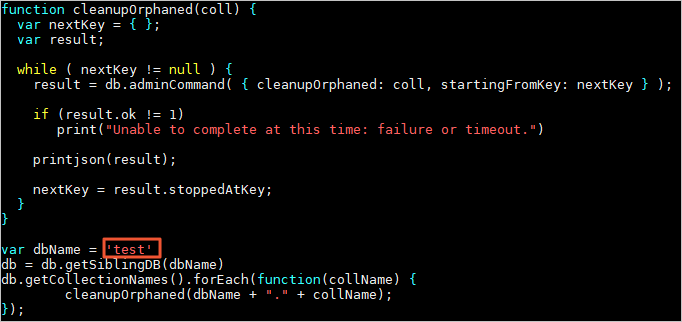
-
On each shard, run the following command to delete orphaned documents from all collections in the specified database:
Parameter Description <Shardhost>The IP address of the shard. <Primaryport>The service port of the primary node in the shard. <database>The name of the authentication database for the account. <username>The account used to log in to the self-managed MongoDB database. <password>The password used to log in to the self-managed MongoDB database. mongo --host <Shardhost> --port <Primaryport> --authenticationDatabase <database> -u <username> -p <password> cleanupOrphaned.jsExample: For a self-managed MongoDB database with three shards, run the command once per shard:
mongo --host 172.16.1.10 --port 27018 --authenticationDatabase admin -u dtstest -p 'Test123456' cleanupOrphaned.js

mongo --host 172.16.1.11 --port 27021 --authenticationDatabase admin -u dtstest -p 'Test123456' cleanupOrphaned.js

mongo --host 172.16.1.12 --port 27024 --authenticationDatabase admin -u dtstest -p 'Test123456' cleanupOrphaned.js
Troubleshooting
If idle cursors exist on the namespace of an orphaned document, the cleanup process might not complete, and the mongod log will contain the following information:
Deletion of DATABASE.COLLECTION range [{ KEY: VALUE1 }, { KEY: VALUE2 }) will be scheduled after all possibly dependent queries finishYou can connect to a mongod instance using the mongo shell and run the following command to check for idle cursors on the current shard. If idle cursors exist, you must clear them using the restart mongod or killCursors command. You can then try to clean up the orphaned documents again. For more information, see the JIRA ticket.
db.getSiblingDB("admin").aggregate( [{ $currentOp : { allUsers: true, idleCursors: true } },{ $match : { type: "idleCursor" } }] )How do I handle uneven data distribution in a sharded MongoDB cluster?
You can enable the Balancer feature and use pre-sharding to resolve data skew. Data skew occurs when most data is written to a single shard.
Enable the Balancer
If the Balancer is disabled or the active period for the Balancer window has not started, you can enable the Balancer or temporarily cancel the Balancer window to start data balancing immediately.
Connect to the MongoDB sharded cluster instance.
In the mongos node command window, switch to the config database.
use configRun the following commands as needed.
Enable the Balancer feature
sh.setBalancerState(true)Temporarily cancel the Balancer window
db.settings.updateOne( { _id : "balancer" }, { $unset : { activeWindow : true } } )
Pre-sharding
MongoDB supports two sharding methods: range sharding and hash sharding. Pre-sharding distributes chunks evenly across multiple shard nodes. This helps achieve optimal load balancing during DTS data synchronization or migration.
Hash sharding
You can use the numInitialChunks parameter to implement pre-sharding. The value of this parameter defaults to number of shards × 2 and can be set to a maximum of number of shards × 8192. For more information, see sh.shardCollection().
sh.shardCollection("phonebook.contacts", { last_name: "hashed" }, false, {numInitialChunks: 16384})Range sharding
If the source MongoDB is a sharded cluster, you can use the data in
config.chunksto retrieve the chunk range of the sharded table. You can then use this range as a reference for the<split_value>in your pre-sharding commands.If the source MongoDB is a replica set, you can use only the
findcommand to determine the range of the sharding key and then define a reasonable split point.# Get the minimum value of the sharding key db.<coll>.find().sort({<shardKey>:1}).limit(1) # Get the maximum value of the sharding key db.<coll>.find().sort({<shardKey>:-1).limit(1)
Command format
The following example uses the splitAt command. For more information, see sh.splitAt(), sh.splitFind(), and Split Chunks in a Sharded Cluster.
sh.splitAt("<db>.<coll>", {"<shardKey>":<split_value>})Sample statement
sh.splitAt("test.test", {"id":0})
sh.splitAt("test.test", {"id":50000})
sh.splitAt("test.test", {"id":75000})
After you complete the pre-sharding operation, you can run the sh.status() command on the mongos node to verify the pre-sharding results.
How do I set the number of instances displayed per page in the task list in the console?
The following steps use a synchronization instance as an example.
Go to the data synchronization task list page in the destination region. You can do this in one of two ways.
DTS console
Log on to the DTS console.
In the navigation pane on the left, click Data Synchronization.
In the upper-left corner of the page, select the region where the synchronization instance is located.
DMS console
NoteThe actual steps may vary depending on the mode and layout of the DMS console. For more information, see Simple mode console and Customize DMS console layout and style.
Log on to the DMS console.
In the top menu bar, choose .
To the right of Data Synchronization Tasks, select the region of the synchronization instance.
Scroll to the bottom of the page.
In the lower-right corner of the page, select Items per page.
NoteYou can set Items per page to 10, 20, or 50.
What do I do if a DTS instance reports a ZooKeeper connection timeout?
Try restarting the instance to restore the connection. For instructions on how to restart an instance, see Start a DTS instance.
Why is a DTS CIDR block automatically re-added after being deleted in CEN?
This can occur if you use a Basic Edition transit router from Cloud Enterprise Network (CEN) to connect your database to DTS. If you create a DTS instance using this database, DTS automatically adds the server's IP address range to the corresponding router, even if you delete the DTS CIDR block in CEN.
Can DTS tasks be exported?
Not supported.
How do I use Java to call an OpenAPI?
The method for calling an OpenAPI in Java is similar to that for Python. For more information, see Python SDK call example. You can go to the Data Transmission Service DTS SDK page, select your desired programming language from All Languages, and view the sample code.
How do I use an API to configure the ETL feature for a synchronization or migration task?
You can configure this feature using common parameters, such as etlOperatorCtl and etlOperatorSetting, in the Reserve parameter of the API operation. For more information, see ConfigureDtsJob and Reserve parameter description.
Does DTS support Azure SQL Database?
Yes, it does. To use Azure SQL Database as the source database, set SQL Server Incremental Synchronization Mode to Polling and querying CDC instances for incremental synchronization.
Will the source database data be retained after DTS synchronization or migration is complete?
Yes. DTS does not delete data in the source database. If you no longer need the data in the source database, you can delete it manually.
Can the rate be adjusted after a synchronization or migration instance is running?
Yes, it can. For more information, see Adjust the migration rate.
Does DTS support sampling data for synchronization or migration by time period?
No.
Do I need to manually create data tables in the destination database when synchronizing or migrating data?
For DTS instances that support database and table schema tasks (schema synchronization or schema migration), if Schema Synchronization is selected for Synchronization Types or Schema Migration is selected for Migration Types, you do not need to manually create data tables in the destination database.
Do the networks of the source and destination databases need to be connected when synchronizing or migrating data?
No, you do not.
Do I need to configure RAM authorization when I configure a cross-account DTS task using the public network?
No, you do not. When you configure a DTS task, you can set the Access Method of the database instance to Public IP Address and then complete the configuration.
Data synchronization tasks do not support connecting to a database instance using the Public IP Address method.
Will using DTS for data synchronization or migration overwrite existing data in the destination?
For data synchronization, the default behavior of DTS and the relevant parameters are as follows:
DTS default behavior
If a primary key or unique key conflict occurs while a synchronization task is running:
If the table schemas are consistent and a record in the destination database has the same primary key or unique key value as a record in the source database:
During full data synchronization, DTS retains the destination record and skips the source record.
During incremental synchronization, DTS overwrites the destination record with the source record.
If the table schemas are inconsistent, data initialization may fail. This can result in only partial data synchronization or a complete synchronization failure. Use with caution.
Related parameters
During the task configuration process, you can use the Processing Mode of Conflicting Tables parameter to control how DTS handles existing tables.
Precheck and Report Errors: Checks for tables with the same names in the destination database. If any tables with the same names are found, an error is reported during the precheck and the data synchronization task does not start. Otherwise, the precheck is successful.
NoteIf you cannot delete or rename the table with the same name in the destination database, you can map it to a different name in the destination. For more information, see Database Table Column Name Mapping.
Ignore Errors and Proceed: Skips the check for tables with the same name in the destination database.
WarningSelecting Ignore Errors and Proceed may cause data inconsistency and put your business at risk. For example:
If the table schemas are consistent and a record in the destination database has the same primary key or unique key value as a record in the source database:
During full data synchronization, DTS retains the destination record and skips the source record.
During incremental synchronization, DTS overwrites the destination record with the source record.
If the table schemas are inconsistent, data initialization may fail. This can result in only partial data synchronization or a complete synchronization failure. Use with caution.
Suggestion
To ensure data consistency, we recommend that you delete the destination table before you configure the DTS task, if your business operations permit.