After you enable DSC, authorize your assets and enable features like data classification and data audit in the asset center.
This topic covers the previous version of Data Asset Catalog. If you are using the new version, see Data Asset Catalog (new). To check your version, log on to the Data Security Center console and click Asset Center in the left-side navigation pane. You can identify the version by the UI style.
New assets center | Old assets center |
|
|
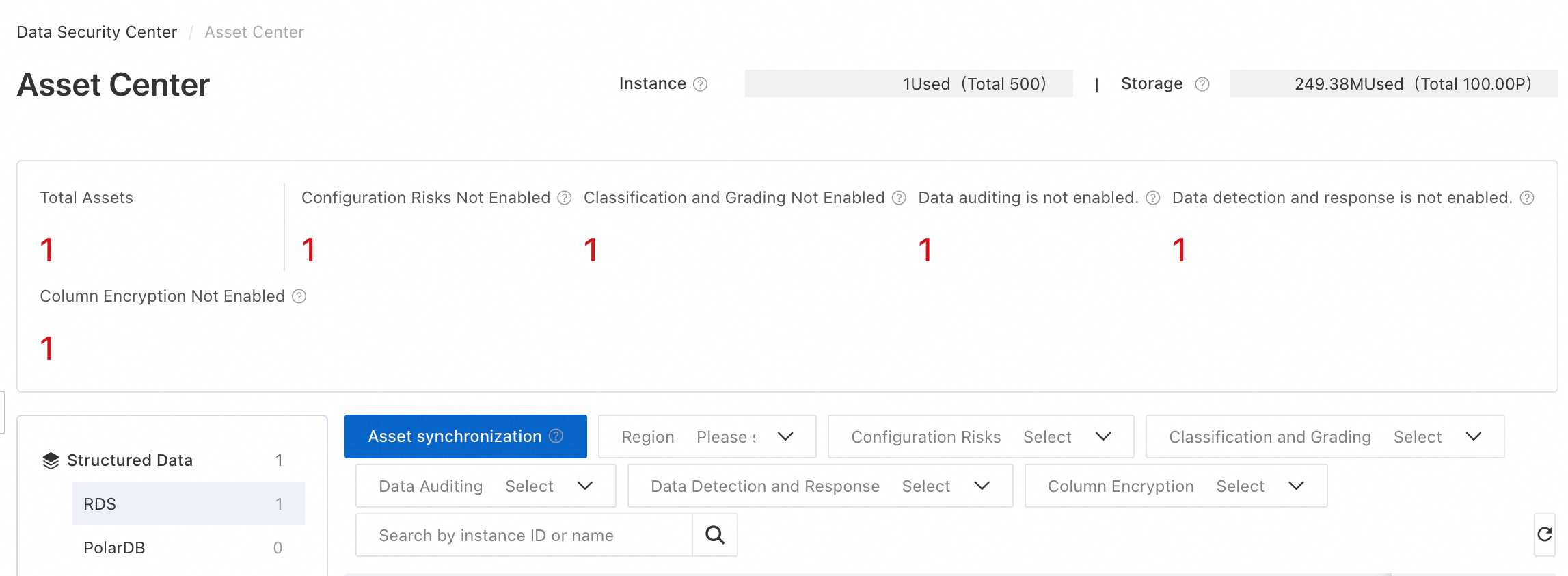
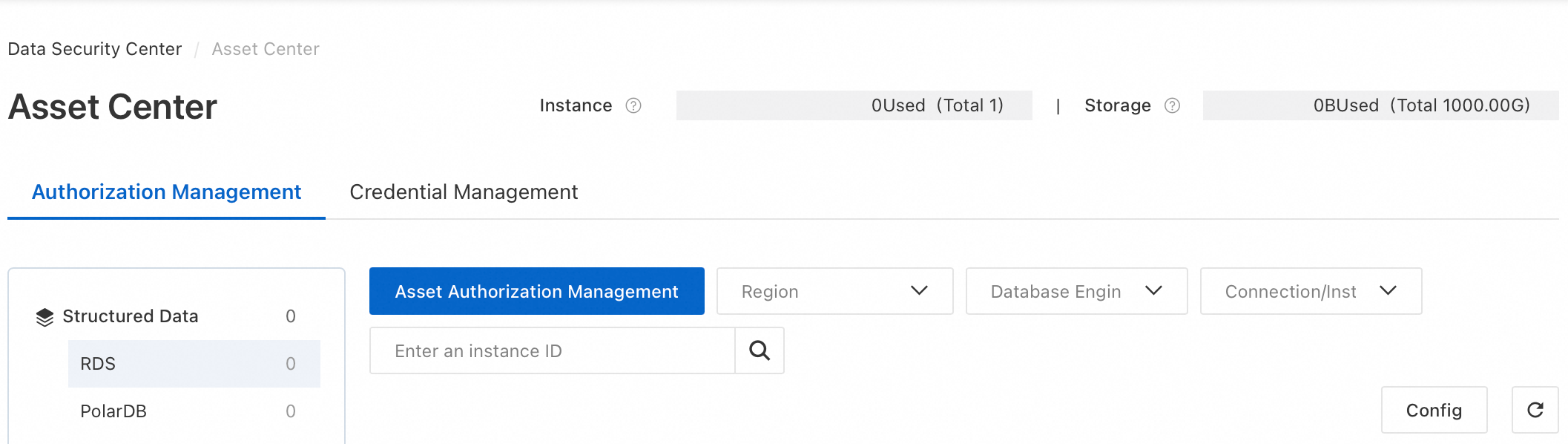
Enable asset features
Step 1: Authorize assets
Log on to the DSC console. On the left-side navigation pane, choose Asset Center.
On the Authorization Management tab, click Asset Authorization Management to go to the Asset Authorization Management page. If no assets are authorized, DSC redirects you here.
In the asset list on the left, click the asset type that you want to add.
General assets
DSC supports automatic asset synchronization for most data asset types. If you cannot find the target asset, click Asset synchronization and then refresh the page.
NoteAutomatic synchronization: After service-linked role authorization, the system creates
AliyunServiceRoleForSDDPwith theAliyunServiceRolePolicyForSDDPpolicy. DSC uses this role to scan and sync cloud assets daily at 00:00.Manual synchronization: Click Asset synchronization to sync assets immediately.
First-time authorization
Select the target assets and click OK in the lower-left corner.
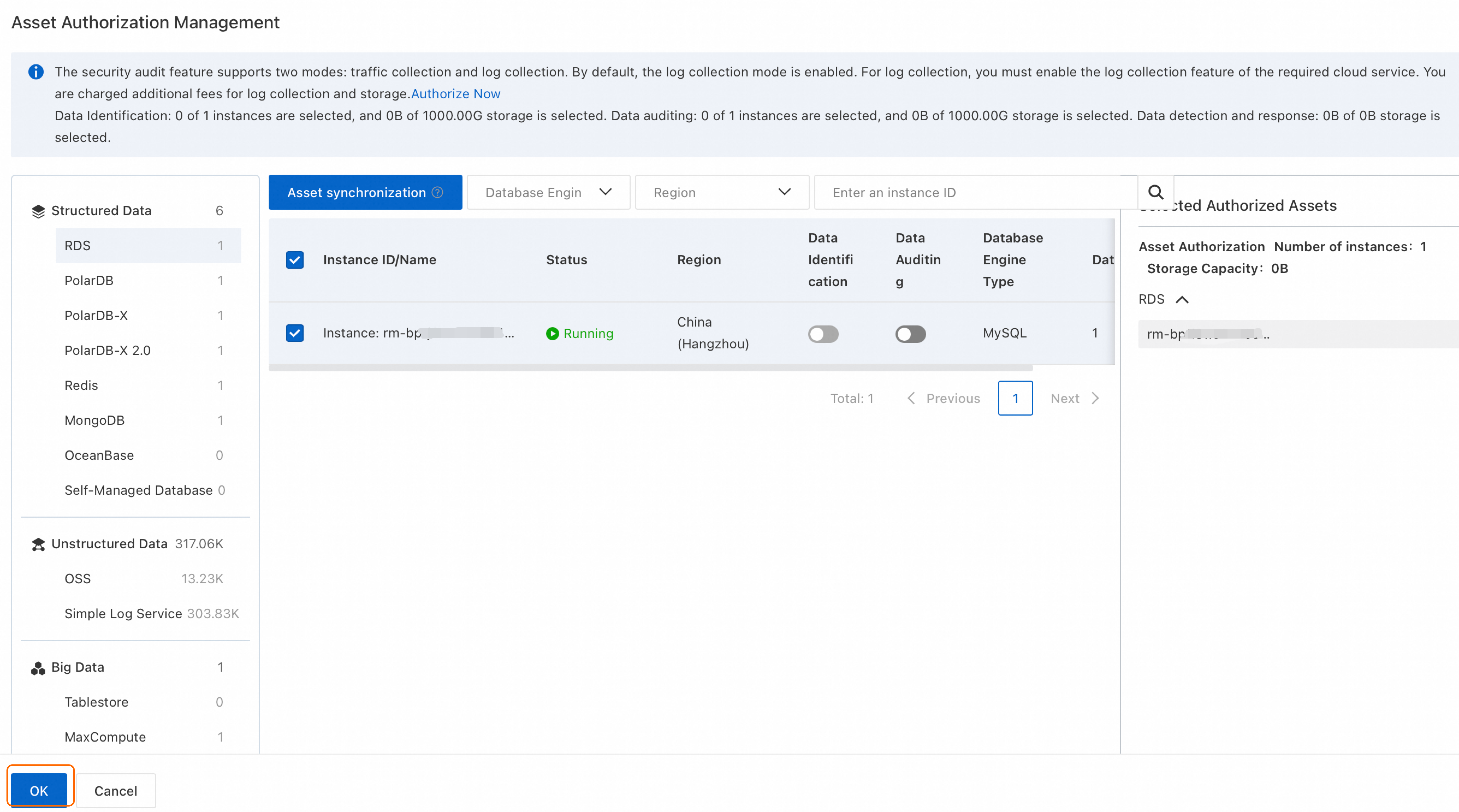 Note
NoteTurn on
 in the Data Identification and Data Auditing columns for the target asset. You can also enable these in the next step.
Additional authorization
In the Actions column of the target asset, click Authorization.
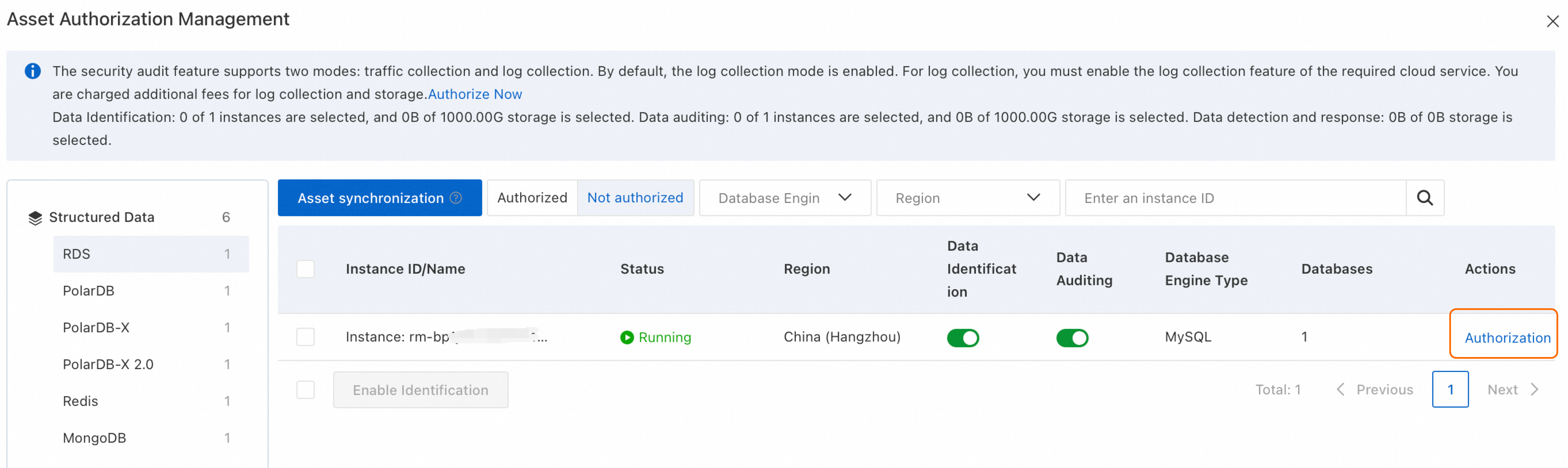 Note
NoteTurn on
in the Data Identification and Data Auditing columns for the target asset. You can also enable these in the next step.ImportantFor an authorized SLS Project, DSC cannot calculate the data volume for the current day. It can only calculate the data volume as of the end of the previous day.
Self-Managed Database
DSC supports self-managed databases on ECS instances. Supported database types include MySQL, SQL Server, and Oracle.
Log on to your database and run the following commands to create a user and grant DSC access. Replace
'<allowed-ip-range>'in the command with the IP range for your instance's region. The following example is for MySQL 8.0; you must adjust the syntax for other database types.CREATE USER '<username>'@'<allowed-ip-range>' IDENTIFIED BY '<password>'; GRANT SELECT ON <database-name>.* TO '<username>'@'<allowed-ip-range>';In the DSC console, go to the Asset Center page. Click Add Asset and configure the following parameters.
Parameter
Description
Database Engine Type
Select a supported database type.
Server Type
The only supported server type is ECS Instance.
Region and Instance ID
Select the region and instance ID of the target ECS instance.
Port
Enter the database port.
Permission Configuration Item
Data Identification: enables the Classification and Grading feature for the instance. If you select this option, you must click Add and Configure Permissions.
Audit: enables the Data Auditing feature for the instance.
Configure Permissions (Data IdentificationIdentification is selected)
Click Add Database and Account. Enter the database name, the username and password for the database connection, and set the permissions to Read/Write or Read-only based on the account's permissions in the database.
ADB-PG
AnalyticDB for PostgreSQL does not support asset synchronization. You must click Add Asset and configure the following parameters.
Parameter
Description
Region
Select the region where the instance is located.
Instance Name
Select the target instance.
Database Name
Enter the name of the database that you want to add to DSC.
Username
Enter the username for the database connection and set the account permissions to Read/Write or Read-only based on the account's permissions in the database.
Password
Enter the password for the database account.
Step 2: Enable features
Features by asset type
The following table lists features supported per asset type. For regional limitations, see Supported regions.
Feature | Configuration Risks | Classification and Grading | Data Auditing | Data Detection and Response | Column Encryption | Image Masking | Connect or Automatically create database accounts |
RDS | Supported only for non-read-only instances of MySQL, SQL Server, and MariaDB. | ||||||
PolarDB | Supported only for MySQL. | ||||||
PolarDB-X | |||||||
PolarDB-X 2.0 | |||||||
Redis | |||||||
MongoDB | |||||||
OceanBase | |||||||
Self-Managed Database | |||||||
OSS | |||||||
SLS | |||||||
TableStore | |||||||
MaxCompute | |||||||
ADB-MYSQL | |||||||
ADB-PG |
Classification and Grading
DSC provides industry-specific templates (finance, energy, automotive) to classify sensitive data by location, type, and sensitivity level. To enable Data Classification:
On the Authorization Management tab, locate the target instance.
Select a connection method. DSC connects to assets to identify sensitive data. Two methods are available, depending on asset type.
Connect: DSC creates a read-only account starting with
sddp_autoin the target database. For MaxCompute, DSC adds a memberyundun_sddpto the project with theadminrole.NoteThe system automatically removes this read-only account 15 days after your DSC instance expires.
Account Logon: Manually configure the account and password to connect to the target database.
Connect
In the Actions column for the target asset instance, click Connect. If an asset instance contains multiple databases or Logstores, you can click the
 icon to the left of the instance, and then click Connect in the Actions column for the desired database or Logstore.
In the dialog box that appears, configure the following parameters.
Parameter
Description
Scan assets and identify sensitive data now.
If you select this option, DSC immediately creates a default scan task.
You can later go to the tab and click Default Tasks to view or configure the default scan task. Scan for sensitive data by using an identification task.
Automatically connect to new databases. (supported only for some database assets)
If you enable this option, DSC automatically connects to new databases found within the instance during a manual or automatic asset synchronization.
Account Logon
In the Actions column for the target asset instance, click Account Logon.
On the Account Logon panel, click Add Credential in the Actions column for the target database.
In the Add Credential panel, in the Credential Association Mode section, select Create Credential and configure the following parameters. If an available credential already exists, you can select Existing Secrets. Manage credentials for Connect with Account.
Parameter
Description
Credential Name
Enter a descriptive name for the credential.
User Name and Password
Enter the username and password to connect to the database.
Credential Type
The credential type is only a label for the permission level. An account's actual permissions are defined on the database management page. Set this parameter to match those permissions.
Scan assets and identify sensitive data now.
If you select this option, DSC immediately creates a default scan task.
You can later go to the tab and click Default Tasks to view or configure the default scan task. Scan for sensitive data by using an identification task.
NoteAfter an asset connection is established, DSC adds a whitelist group named
ali_sddp_groupto the database asset instance. This group allows DSC to access information in the asset. The whitelist contains the IP addresses of the DSC service, which vary by region.
View the connection status
After you enable the Data Classification feature, you can click the number to the right of the switch to view the connection status. The initial status is Testing Connectivity. In this state, DSC performs a connectivity test every 30 seconds:
For database assets, DSC verifies that it can log on using the configured account and password.
For OSS assets, DSC verifies that the specified bucket exists.
If a test is successful, the connection status changes to Connected. If 10 consecutive tests fail, the status changes to Connection Failed.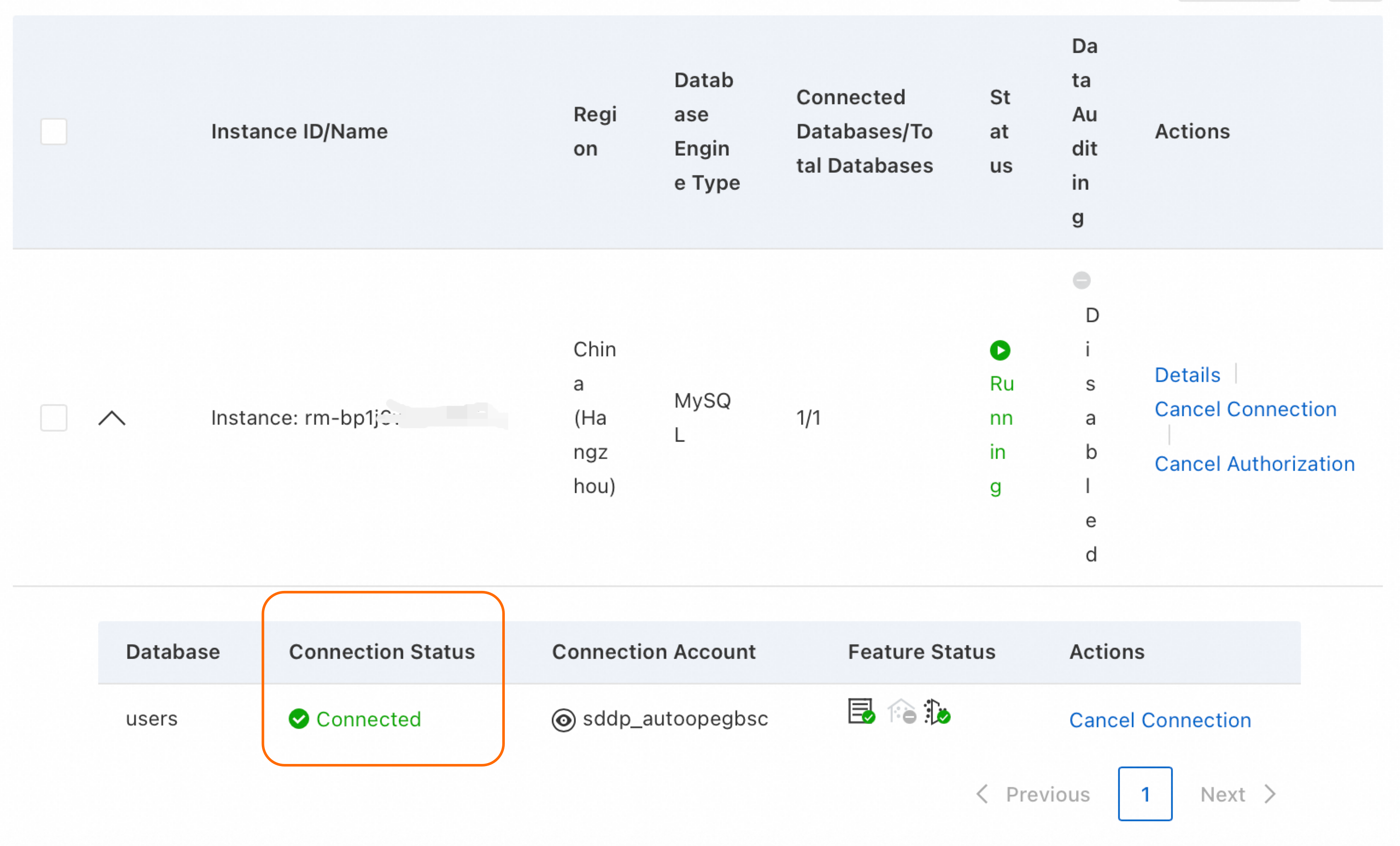
Next steps: You can view the identified sensitive data on the page, or configure sensitive data identification templates on the page. Data Classification.
Data Auditing
Overview: Audits logs from databases and OSS using 900+ built-in rules. Detects anomalous behavior, data leakage, and SQL injection. Supports custom rules, log filtering, and real-time alerts.
How to enable: Navigate to the page. In the Activation Status section on the right, locate the target asset and click Enable Now in the Actions column. Alternatively, you can enable the feature during asset authorization by turning on the
switch in the Data Auditing column. Cloud-native Data Audit.
Image Masking
Introduction: Scans a target OSS bucket for images containing sensitive information (ID card numbers, license plate numbers, faces) and covers it with gray rectangles.
How to enable: Go to the page, find the target bucket, and click Mask in the Actions column. OSS image desensitization.
Column Encryption
Introduction: Encrypts specific database columns to prevent unauthorized plaintext access to sensitive data through cloud platform software or database tools.
How to enable: After you authorize assets in Asset Center, navigate to the page. Locate the target asset and click Rapid Encryption in the Actions column. Column encryption.
ImportantBefore configuring column encryption, you must enable data classification and categorization and complete data scanning and identification.
Configuration Risks
Description: Dynamically assesses data asset configurations and identifies risks in permission management, access control, encryption in transit, and disaster recovery and backup. Continuously monitors configuration security.
How to enable: After completing asset authorization in Asset Center, go to the page. Security baseline check.
Data Detection and Response
Introduction: Scans OSS files for sensitive data (access keys, database connection strings) and detects access from leaked or anomalous access keys and suspicious logins from compromised accounts.
How to enable: Go to the page. Data Detection and Response.
Operations and maintenance
Manage licenses
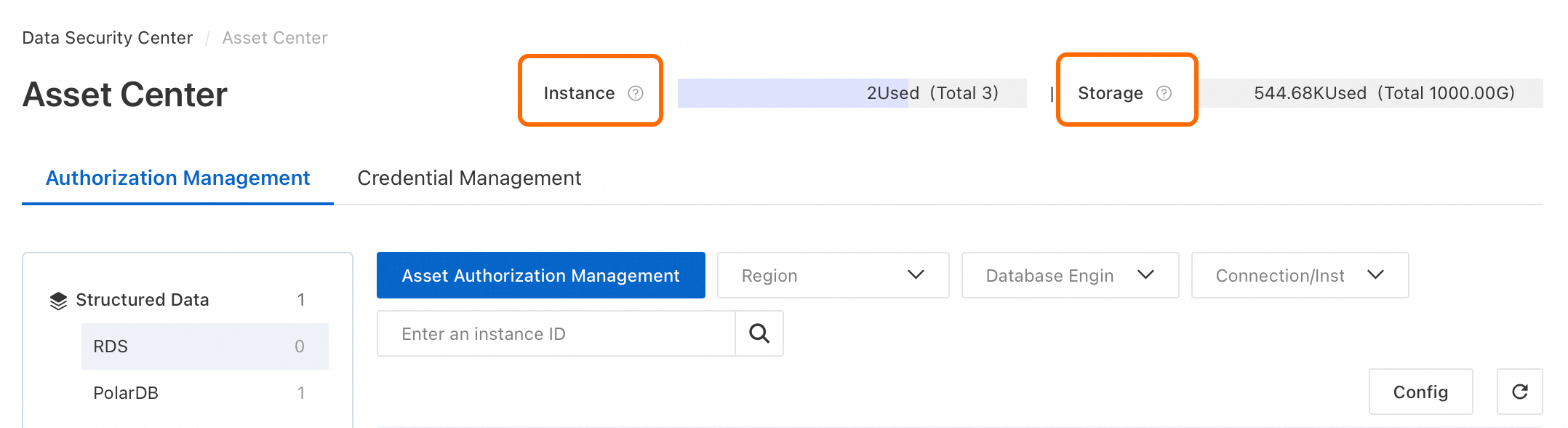
Each database authorization consumes one instance license. OSS and SLS authorizations deduct quota based on storage capacity.
You can view your usage of database instance licenses and storage capacity in the upper-right corner of the Asset Center page.
Authorizing a Redis instance does not consume a license.
If you have insufficient licenses, you have two options:
Purchase additional licenses: Go to the Overview page and click Upgrade. On the modify configuration page, select the number of additional licenses and complete the payment.
Free up licenses (Deauthorize): On the Asset Center page, locate the target instance and click Cancel Authorization in the Actions column. After deauthorization, the asset is no longer protected by DSC.
Disable data classification
Disconnecting an asset disables data classification and deletes its default discovery job, but does not release authorization licenses.
Procedure: On the Asset Center page, locate the target instance and click Cancel Connection in the Actions column.
Manage credentials
A credential stores the database username and password for data classification. Best practices:
Credential isolation: Create a separate credential for DSC to connect to the database. Do not share this credential with your business systems.
Principle of least privilege: Use a read-only account for the DSC credential. Do not use an account with the highest privileges.
Password security: After you add a credential, the password is no longer visible. DSC encrypts and stores the password and does not provide a password recovery feature. Store your password securely. DSC uses the password only to access the database.
Add a credential
You can add a credential either when connecting to a database with a username and password, or directly on the Credential Management tab.
In the navigation pane on the left, select Overview.
Click the Credential Management tab, and then click Add Credential.
In the Add Credential dialog box, configure the following parameters.
Parameter
Description
Credential Name
Enter a descriptive name for the credential.
Asset Type
Select the asset type for the credential.
User Name and Password
Enter the username and password to connect to the database.
Credential Type
This parameter serves as a label for the credential's permission level. Actual permissions are set in the database. Match this to the account's real permissions.
Associate the credential with an asset.
In the Actions column for the target credential, click Associate Asset. In the Associate Asset panel, click Create, select the desired databases, and then click Associate.
In the Do you want to scan sensitive data in new data assets? dialog box, click OK or Cancel.
OK: Runs the system default identification task immediately.
Cancel: Creates the system default identification task but does not run it. To run the task, go to the tab, click the Default Tasks, and then manually enable it.
Edit credential
To modify a credential's name, username, password, or credential type, click Edit in the Actions column for the credential on the Credential Management tab.
DSC immediately uses the updated credential to connect to the database.
Delete credential
You must disassociate a credential from all databases before you can delete it.
On the Credential Management tab, click Associate Asset in the Actions column for the credential you want to delete.
Click Associated, select all associated databases, and click Disassociate.
Return to the Credential Management tab and click Delete in the Actions column for the credential.
DSC IP address ranges for database access
Region | CIDR Block |
China (Qingdao) |
|
China (Beijing) |
|
China (Zhangjiakou) |
|
China (Hohhot) |
|
China (Hangzhou) |
|
China (Shanghai) |
|
China (Shenzhen) |
|
China (Hong Kong) |
|