mPaaS Mini Program lets you embed lightweight mini programs directly into your native apps using a single codebase, and distribute them across platforms such as DingTalk, Taobao, and Alipay.
Introduction
mPaaS Mini Program is built on the Alipay Mini Framework. Mini programs run with native-level performance, load quickly, stay compact in package size, and save traffic and storage space. They update independently of your app's release cycle — so you can ship changes without waiting for an app store review.
Features
-
Develop once, deploy anywhere
Write your mini program once and deploy it to multiple platforms. The built-in IDE covers the full development cycle — development, debugging, and release — in one place. It inherits the Alipay Mini Program IDE, combining the ease of HTML5 development with cross-platform reach and native performance.
-
Dynamic app release and update
Push new app versions, mini program packages, and switch configurations without going through a full app store release cycle. The publishing service supports both official release and gray release, letting you validate changes against a subset of users — filtered by whitelist, device model, city, or OS version — before rolling out broadly.
-
App operations and monitoring
Monitor stability and performance metrics including crash, stuck, lag, battery percentage, and traffic. Track user growth and engagement with breakdowns by platform, version, region, and time — covering user activation, new users, and login activity. Diagnose issues with individual user diagnosis and diagnostic log collection. Reach users with targeted push notifications and run personalized in-app campaigns to drive activation and retention.
Get started
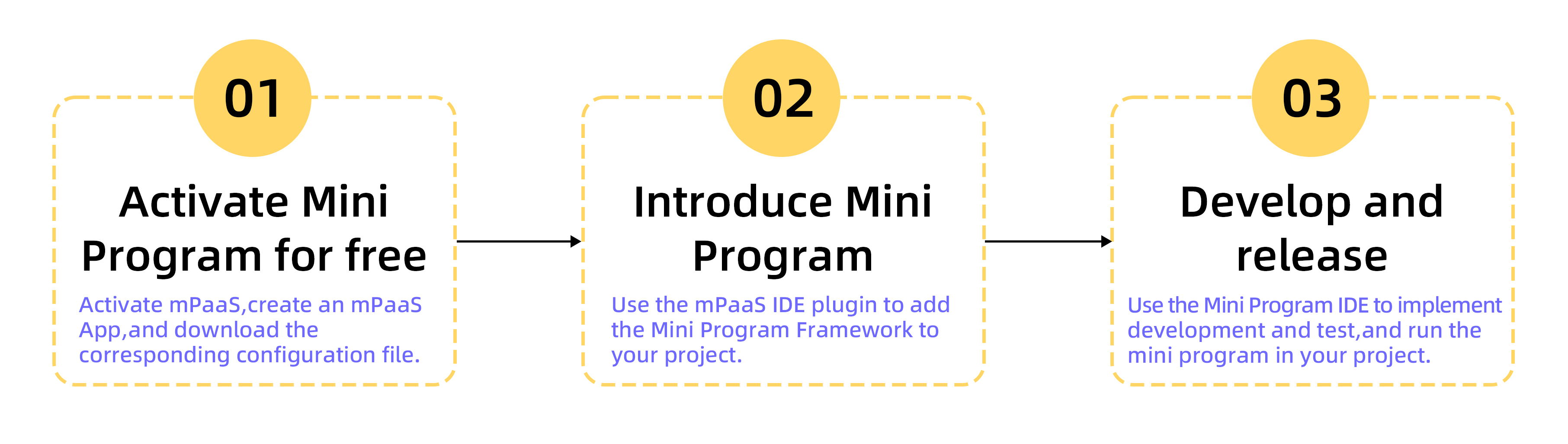
Activate the service. Activate mPaaS, create an mPaaS app, and download the configuration file.
-
Integrate Mini Program into your project.
Use the mPaaS IDE plugin to add the Mini Program framework to your project. For integration guides, see:
-
Develop and release a mini program.
Use the Mini Program IDE to develop, test, and run mini programs inside your project. For details, see Develop Mini Program.