Learn how to add and delete Private Zones in regular and acceleration regions.
Add a Private Zone
You can add Private Zones to regular and acceleration regions.
Acceleration region
-
Log on to the Alibaba Cloud DNS - Private Zone console.
-
On the User Defined Zones tab of Private Zone, click Add Zone.
-
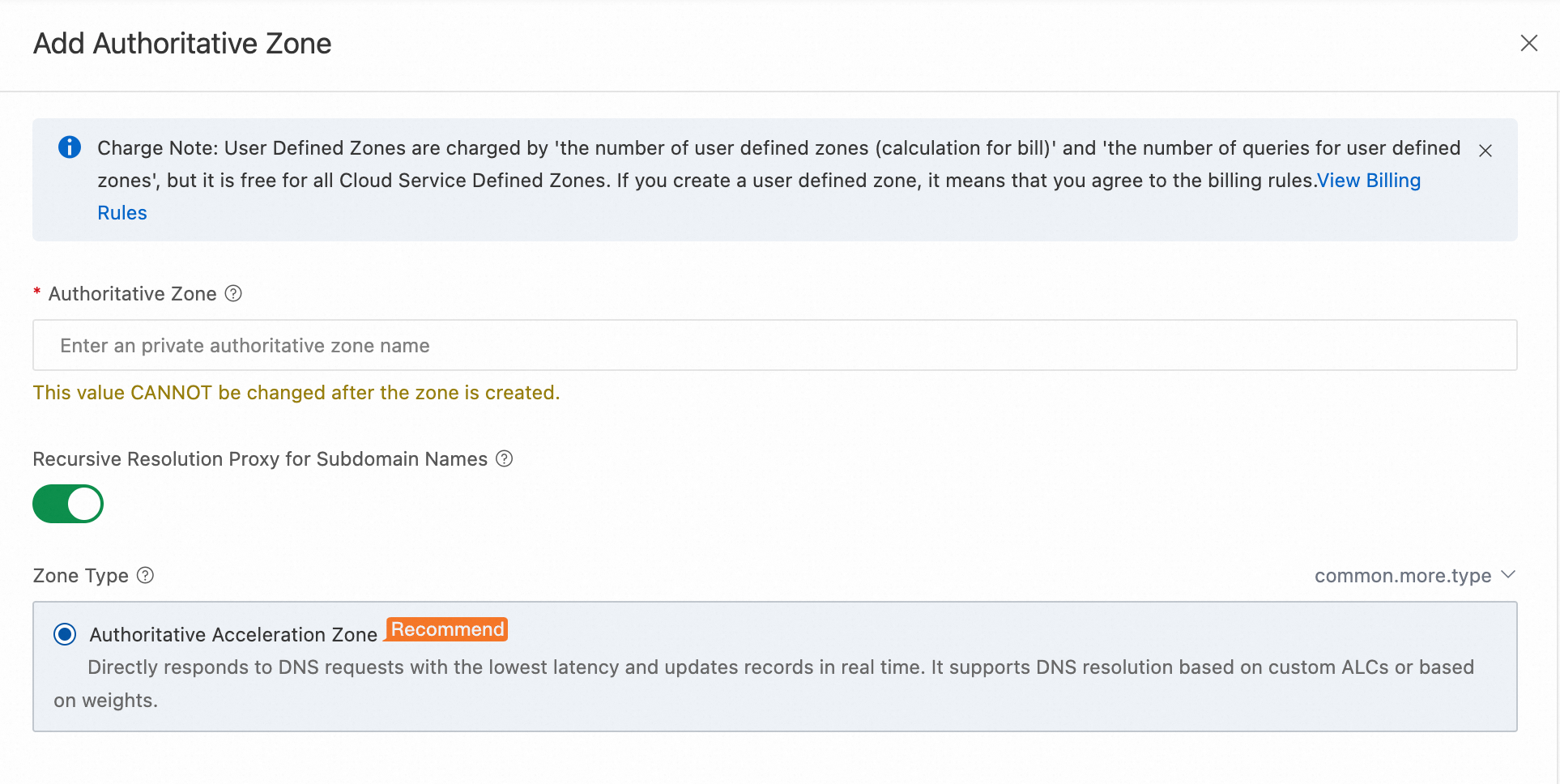
Enter the Authoritative Zone and click OK.
NoteSet Zone Type to Acceleration if the option is available. If Zone Type is not displayed, an Acceleration zone is created by default.
ImportantConfigure the Effective Scope after you add DNS records for the zone. You can change it at any time.
If you set an Effective Scope without DNS records, queries for the domain name within the scope are not recursively forwarded to Public Zone, and all queries fail.
If you add DNS records without setting an Effective Scope, queries are forwarded to Public Zone.
Important-
Starting from April 30, 2025 (UTC+8), when new Private Zone users create a zone, it is set to an acceleration region by default.
-
Starting from April 30, 2026 (UTC+8), all Regular Zones will be automatically switched to Acceleration Zones. After migration, DNS queries may increase, leading to higher costs. Enable NSCD for your ECS instances to reduce queries caused by the absence of a local cache.
-
Regular region
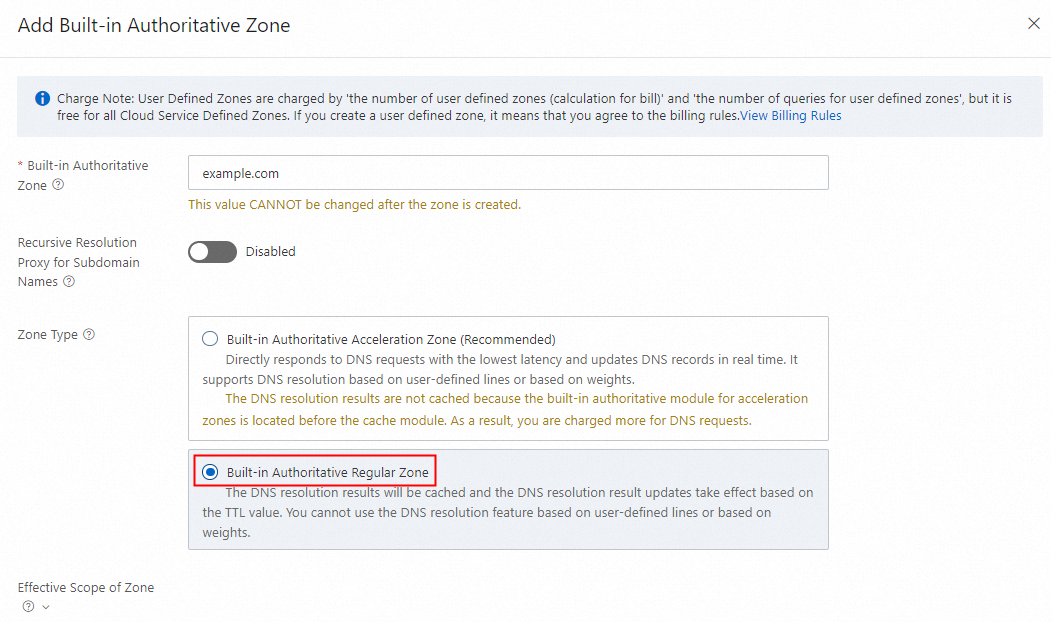
Regular Zones are available only to users who activated Private Zone before April 30, 2025 (UTC+8).
Acceleration Zones are created by default for new users.
-
Log on to the Alibaba Cloud DNS - Private Zone console.
-
On the User Defined Zones tab of Private Zone, click Add Zone.
-
Enter the Private Zone. Set Zone Type to Regular. In the Effective Scope section, select the target VPCs, and click OK.
ImportantConfigure the Effective Scope after you add DNS records for the zone. You can change it at any time.
If you set an Effective Scope without DNS records, queries for the domain name within the scope are not recursively forwarded to Public Zone, and all queries fail.
If you add DNS records without setting an Effective Scope, queries are forwarded to Public Zone.
Delete a Private Zone
To delete an idle Private Zone, first dissociate it from any effective scope.
-
Log on to the Alibaba Cloud DNS - Private Zone console.
-
On the User Defined Zones tab of Private Zone, find the target zone. In the Actions column, click the rightmost icon, then click Delete > OK.