All Products
Search
Document Center

Direct Mail:dedicated ip

Last Updated:Mar 06, 2026

What is a dedicated IP?

By default, emails sent through Direct Mail use a shared IP channel.

To provide enhanced sending services for professional customers, Alibaba Cloud Direct Mail offers a dedicated IP as a value-added service. Using a dedicated IP for email delivery prevents interference from other users, protects your email domain and IP reputation, and significantly improves email deliverability.

How to purchase a dedicated IP?

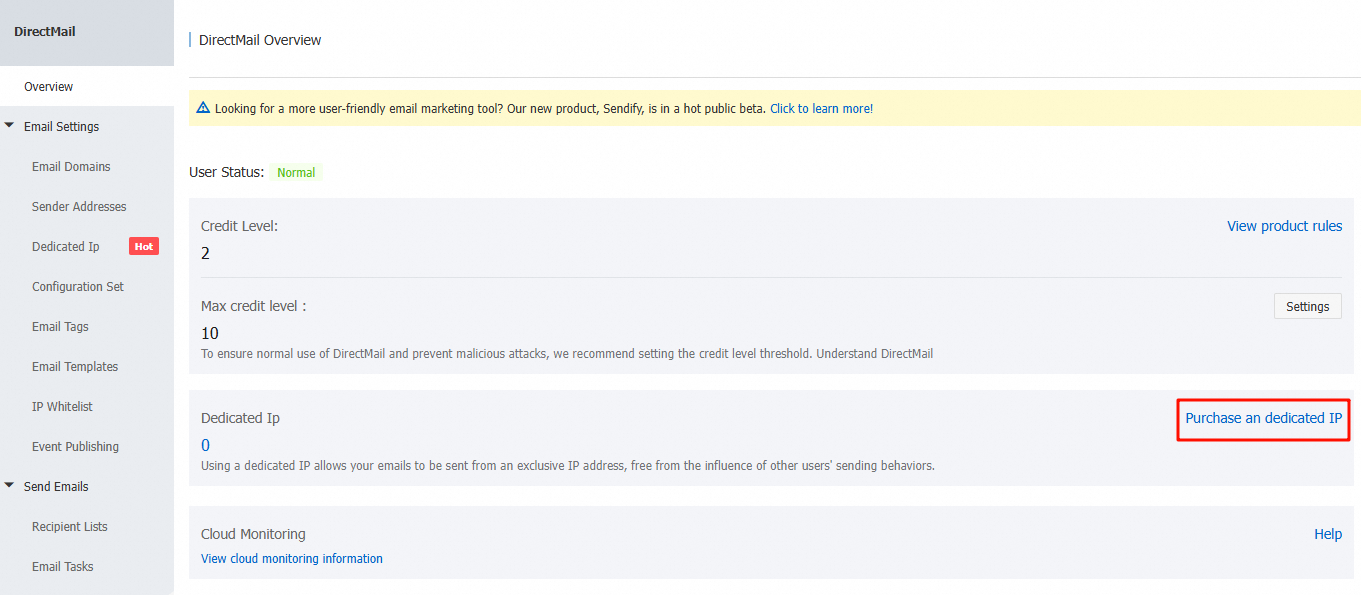
Go to the Direct Mail console home page and click to access the purchase page.

image.png

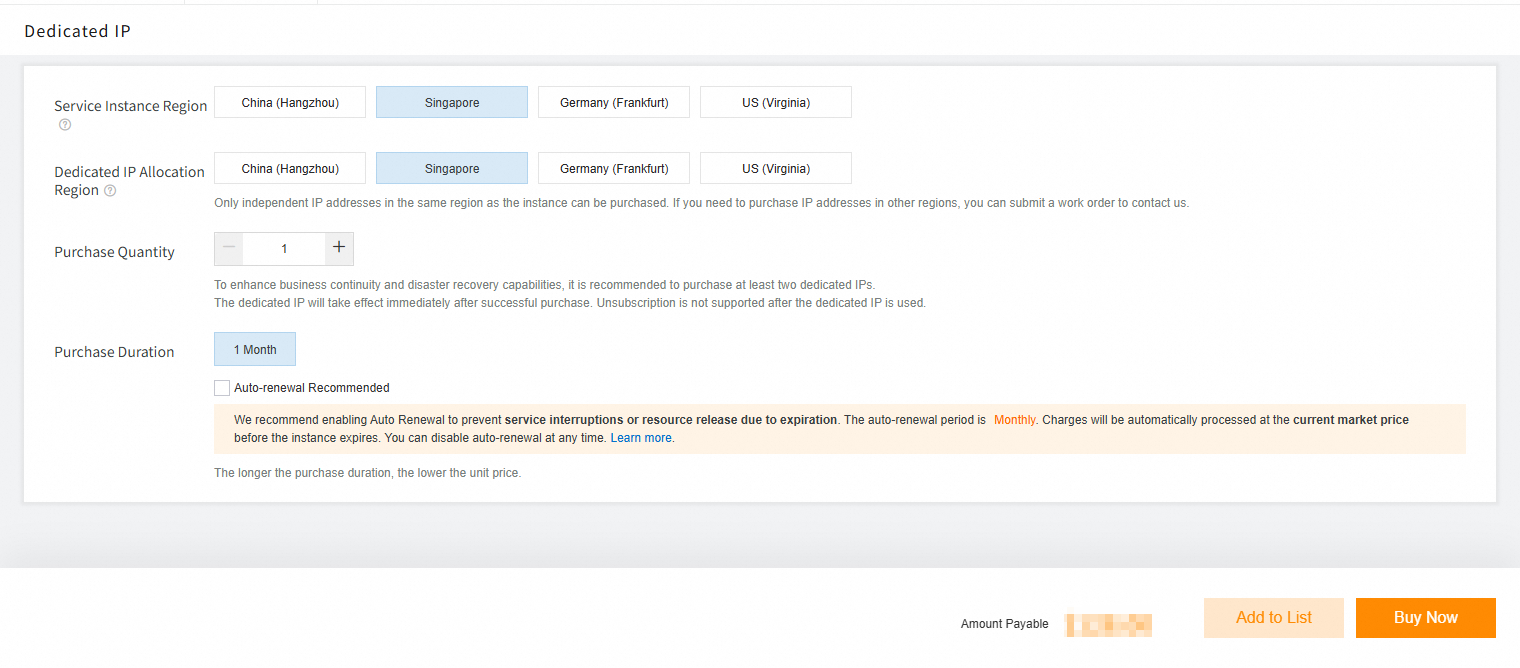
Select the region where you want to use the dedicated IP, choose the quantity, and submit the order.

Note: To avoid service interruption, select auto-renewal when purchasing.

image.png

Note

If you encounter out of stock or exceed the quantity limit, submit a ticket to request assistance.

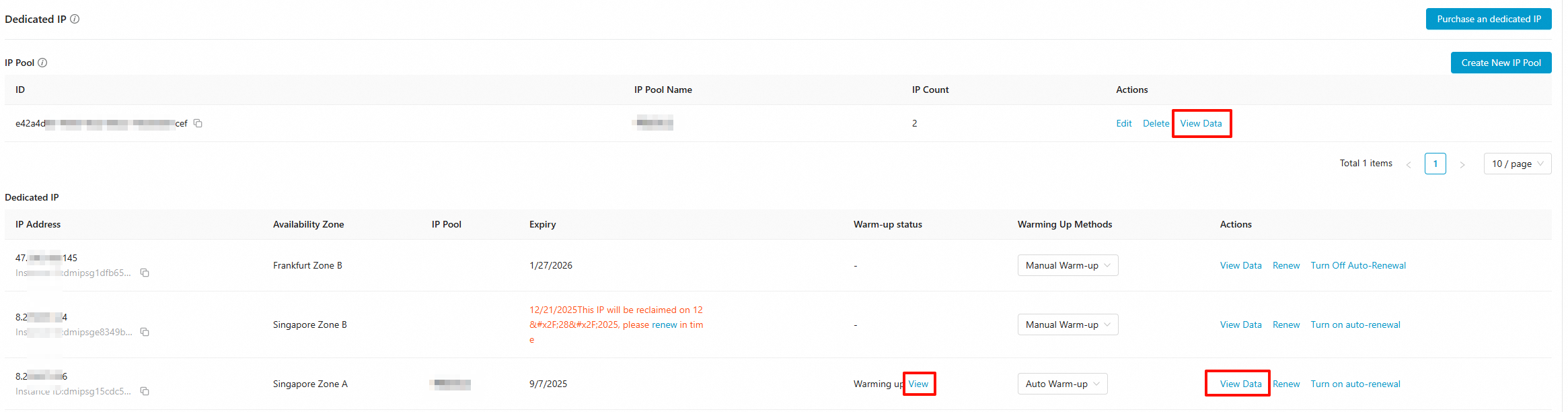
After purchase, go to the Direct Mail console to configure the dedicated IP. The resource becomes effective in approximately 1 to 5 minutes.

image.png

How to use a dedicated IP?

IP warming

Email delivery paths are complex. Each email service provider (ESP) typically sets a daily sending limit based on the reputation of the sending domain and IP address. Therefore, for new domains or new IPs that have not yet established a sending reputation, it is not advisable to send large volumes of emails initially.

To ensure good deliverability, you must gradually increase your daily sending volume until it reaches your target level. This process of incrementally building sending reputation is known as warming up.

Alibaba Cloud Direct Mail offers two warming-up modes:

  1. Manual warming-up

When you purchase a new dedicated IP, the default warming-up mode is manual warming-up. You can control the daily sending volume as needed and gradually scale up until you reach your target sending volume.

  1. Automatic warming-up

When the dedicated IP has not yet met the warming-up standard, the system automatically allocates a portion of your sending traffic to the dedicated IP channel for warming up (currently covering mainstream ESPs such as Gmail, Yahoo, Outlook, and iCloud). The entire process runs automatically without manual intervention.

If your actual sending volume exceeds the daily warming-up threshold, the excess traffic automatically switches to the public IP channel for delivery. You can monitor the IP’s warming-up progress in real time on the console.

Comparison of warming-up methods:

Warming-up Mode

Trigger Method

Sending Traffic Source

Can users immediately send emails using a dedicated IP?

Is the warming-up process automated?

Does it support viewing warming-up progress?

Typical Scenarios

Manual warming-up

Users control sending volume

User's own sending traffic

Yes (users control sending volume)

No (users must manually adjust daily sending volume)

Users must monitor sending performance

Want flexible control over warming-up pace; already have email sending experience

Automatic warming-up

System automatically executes based on daily warming-up threshold

User's own sending traffic (system automatically allocates to dedicated IP)

Yes, emails exceeding the warming-up threshold automatically switch to public IP

Yes (system automatically allocates and increments traffic)

Yes, view in the console

Want to avoid complex configurations and have the system automatically optimize warming-up

Create IP pools

When you purchase multiple dedicated IP addresses, group them into an IP pool. Subsequent sending actions will use the IP pool to determine which IP to use for sending.

In the upper-right corner of the console, click Create IP Pool. image.png

After entering the IP pool name and selecting the associated IPs, the creation is complete. (Note: IP pool names must be unique, and each dedicated IP can belong to only one IP pool.) The number of IP pools you can create cannot exceed the number of purchased IPs.

image.png

Common uses for IP pools include creating one pool specifically for marketing emails and another for transactional (notification) emails.

This separation ensures that the reputations of the two email types do not affect each other. With this configuration, even if a marketing campaign generates many complaints, the deliverability of your transactional emails remains unaffected.

Use a dedicated IP when sending emails

There are two ways to do this.

Method 1

In the console, bind the sender address to a configuration set. After binding, all sending methods automatically use the dedicated IP. You do not need to specify the IP pool ID parameter when sending emails. For more information, see Configuration Sets.

Method 2

When sending emails via the console, API, or SMTP, specify the IP pool parameter.

Use a dedicated IP through the console

Create a new email sending task, select an IP pool, and the system will use the IP configured in that pool to send the email.

image.png

Use a dedicated IP through API or SMTP

Obtain the IP pool ID (not an instance ID or an IP address):

image

API examples:

SMTP examples:

Data Statistics

image

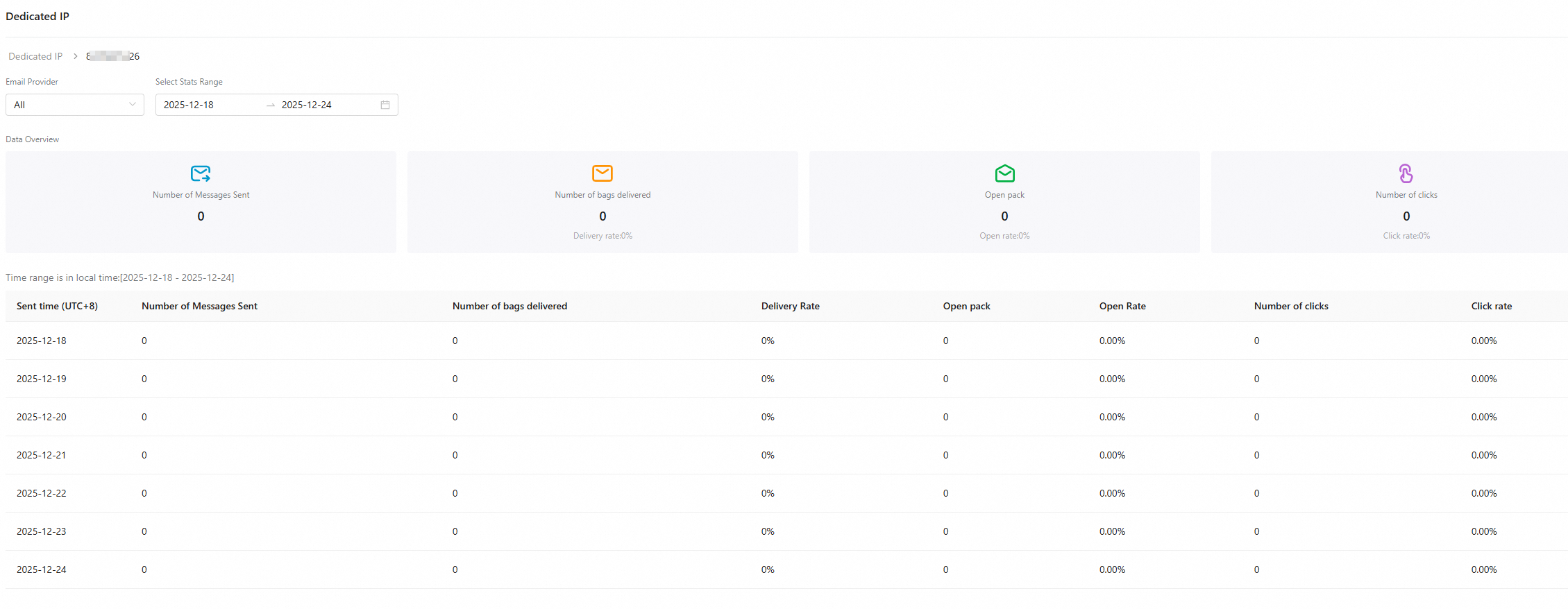
1. View data (IP pool): Displays statistics only for the specified IP pool. An IP pool can contain multiple dedicated IPs.

2. View data (dedicated IP): Displays statistics only for the specified dedicated IP.

image

Note

Microsoft personal mailboxes: outlook.com, hotmail.com, live.com, live.cn, msn.com, etc.

Microsoft enterprise mailboxes: Enterprise mailboxes with custom domain names provided by Microsoft (such as Microsoft 365/Exchange).

Different email services apply different throttling policies for sending frequency (confidential). The Outlook filter condition in dedicated IP data statistics applies only to personal mailboxes.

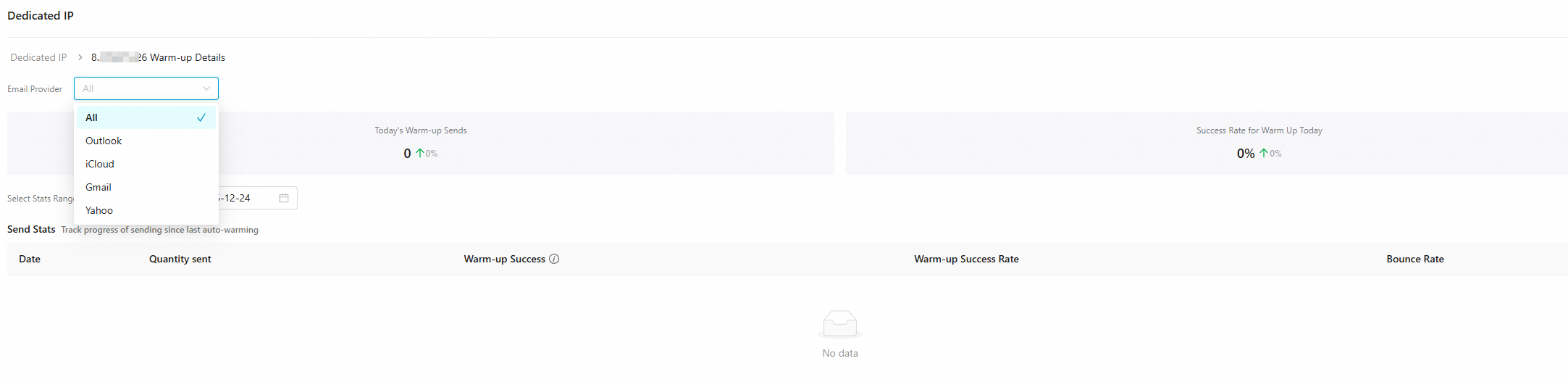
3. View (warming-up): Displays data only for service providers that support automatic warming-up, such as Outlook, iCloud, Gmail, and Yahoo.
image

FAQ

What is the price of a dedicated IP?

The unit price is $128 per IP per month. It uses a subscription model, and the service becomes effective immediately after purchase.

How many dedicated IPs should I purchase?

Estimate the number of sending IPs based on your actual sending volume. Based on experience, a single sending IP typically supports a maximum instantaneous sending volume of approximately 100,000 emails.

Considering business continuity and disaster recovery needs—for example, if the machine bound to a sending IP experiences downtime or hardware failure—purchase at least two sending IPs to enable automatic switchover using hot standby IPs and ensure uninterrupted service.

When purchasing dedicated IPs, the system distributes the newly purchased IPs across different zones as evenly as possible, based on your existing IP resources.

Recommendations for region-matching dedicated IP selection

If the region of your email recipients differs from the region where Alibaba Cloud Direct Mail is enabled (for example, the service is enabled in Hangzhou, China, but most recipients are in the United States, Europe, or other regions), prioritize purchasing a dedicated IP in the region where most recipients are located. Email service providers consider regional factors when evaluating IP reputation. Sending from a local IP helps build reputation and avoids cross-region delivery restrictions.

To confirm a region-matching solution or purchase a dedicated IP for a specific region, submit a ticket to contact us.

Will emails fail after a purchased IP expires?

It automatically switches to a shared IP to avoid errors.

What is the automatic warming-up logic for dedicated IPs?

Dedicated IPs require warming up to reach the target service provider's safe reception threshold (initial threshold: 1,000). After initiating a batch of sending requests, the automatic warming-up feature first delivers using the dedicated IP. If the dedicated IP exceeds its frequency limit, it automatically switches to other warmed-up dedicated IPs or shared IP channels. This prevents email delivery errors caused by recipient-side IP throttling and eliminates the need for manual warming-up.

Can I cancel a dedicated IP?

After using a dedicated IP, its reputation is affected, so cancellation is not supported.

Other questions: Dedicated IP-related issues