Sensitive data classification lets you classify data into categories and levels based on criteria such as its value, content sensitivity, impact, and distribution scope. Data with different sensitivity levels is subject to different governance principles and development requirements. After classification, you can govern sensitive data based on the defined categories and levels.
Accessing sensitive data classification
Log on to the DataWorks console. In the target region, click in the left-side navigation pane. On the page that appears, click Go to Security Center.
In the left-side navigation pane, click and then click Try Now to access Data Security Guard.
NoteIf your Alibaba Cloud account is already authorized, you are directed to the Data Security Guard homepage.
If your Alibaba Cloud account is not authorized, you are redirected to the Data Security Guard authorization page. To use Data Security Guard features for the first time, go to , select Data Security Guard in the pop-up dialog, and then complete the authorization.
-
In the left-side navigation pane, choose to open the configuration page.
Configure sensitive data classification
Data Security Guard provides a built-in classification template that includes four levels and four major categories, which you can use as-is.
-
Level: A level defines the sensitivity of data. A higher value indicates greater sensitivity.
-
Category: A category contains various sensitive field types and their corresponding sensitivity levels. Use categories to identify sensitive data and determine its sensitivity level.
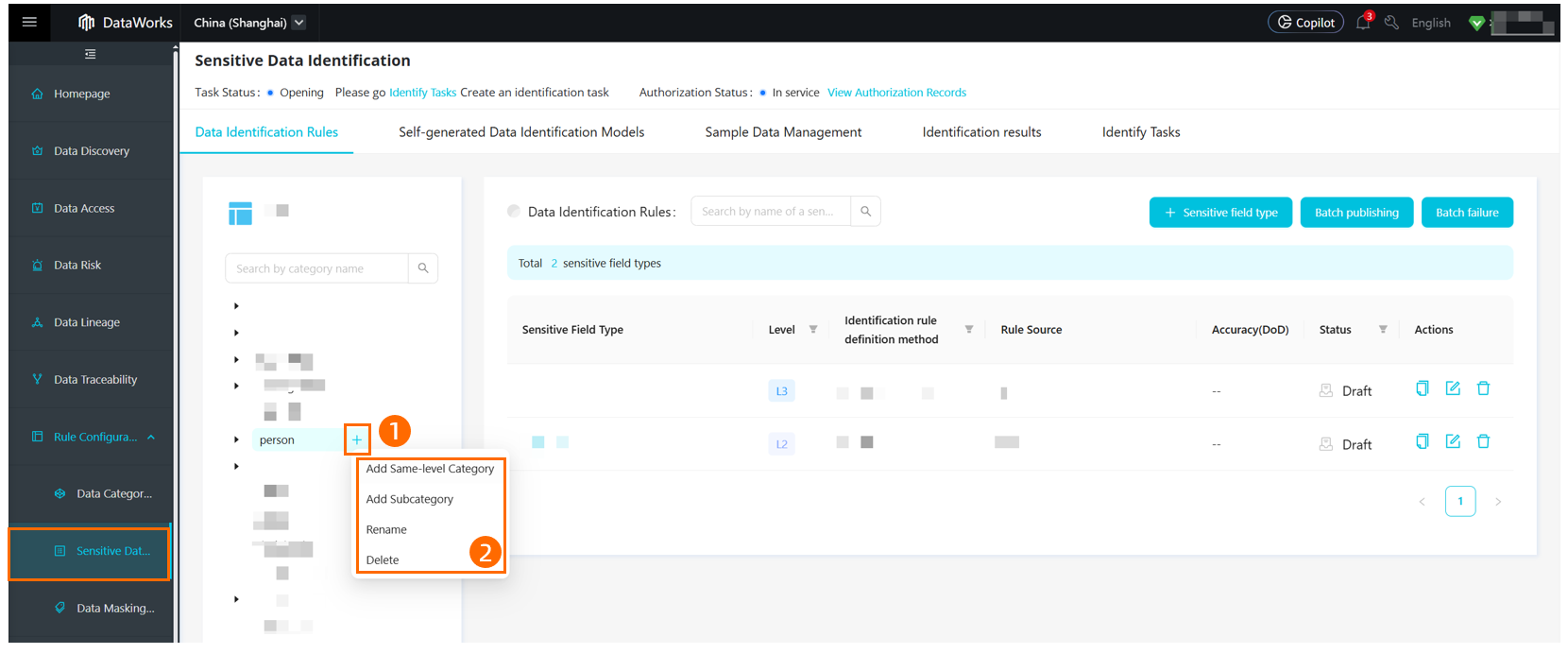
If the built-in template does not meet your needs, you can edit it or define new categories and levels. You can define up to 10 levels. For categories, you can define multiple layers that include subcategories and the sensitive field types they contain.
To delete an unused category or level, you must first delete all of its associated sensitive field types. For more information about how to delete sensitive field types, see Manage sensitive field types.
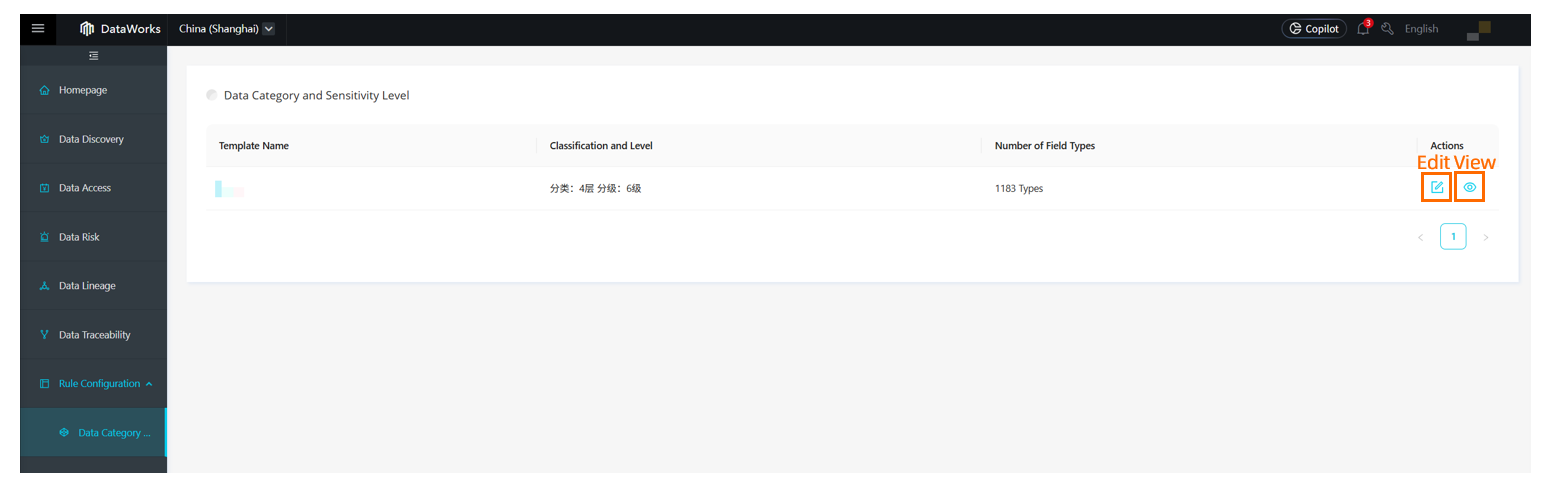
-
Click the Edit button. The Configure levels settings are displayed as shown in the following figure. You can configure up to 10 levels. To delete a level, you must first delete all sensitive field types under that level or move them to another level.
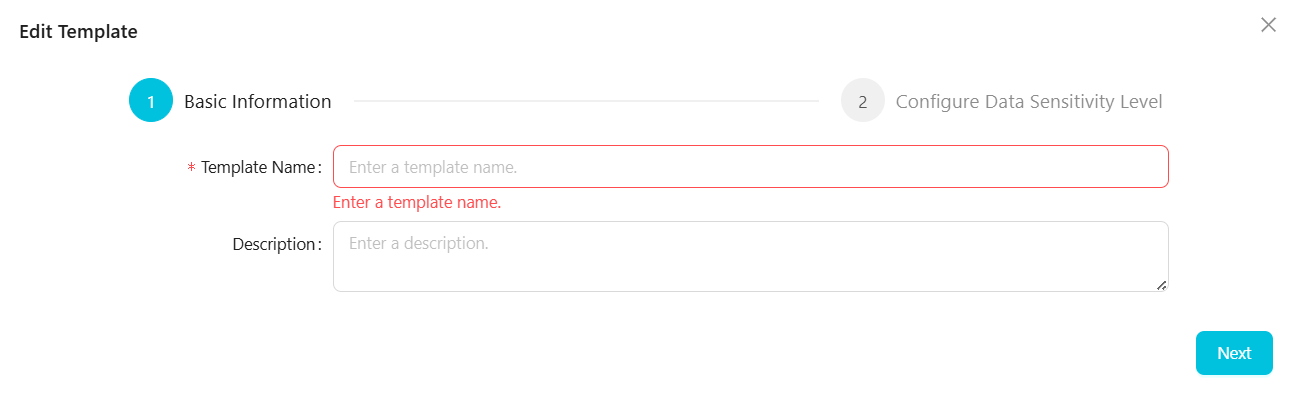
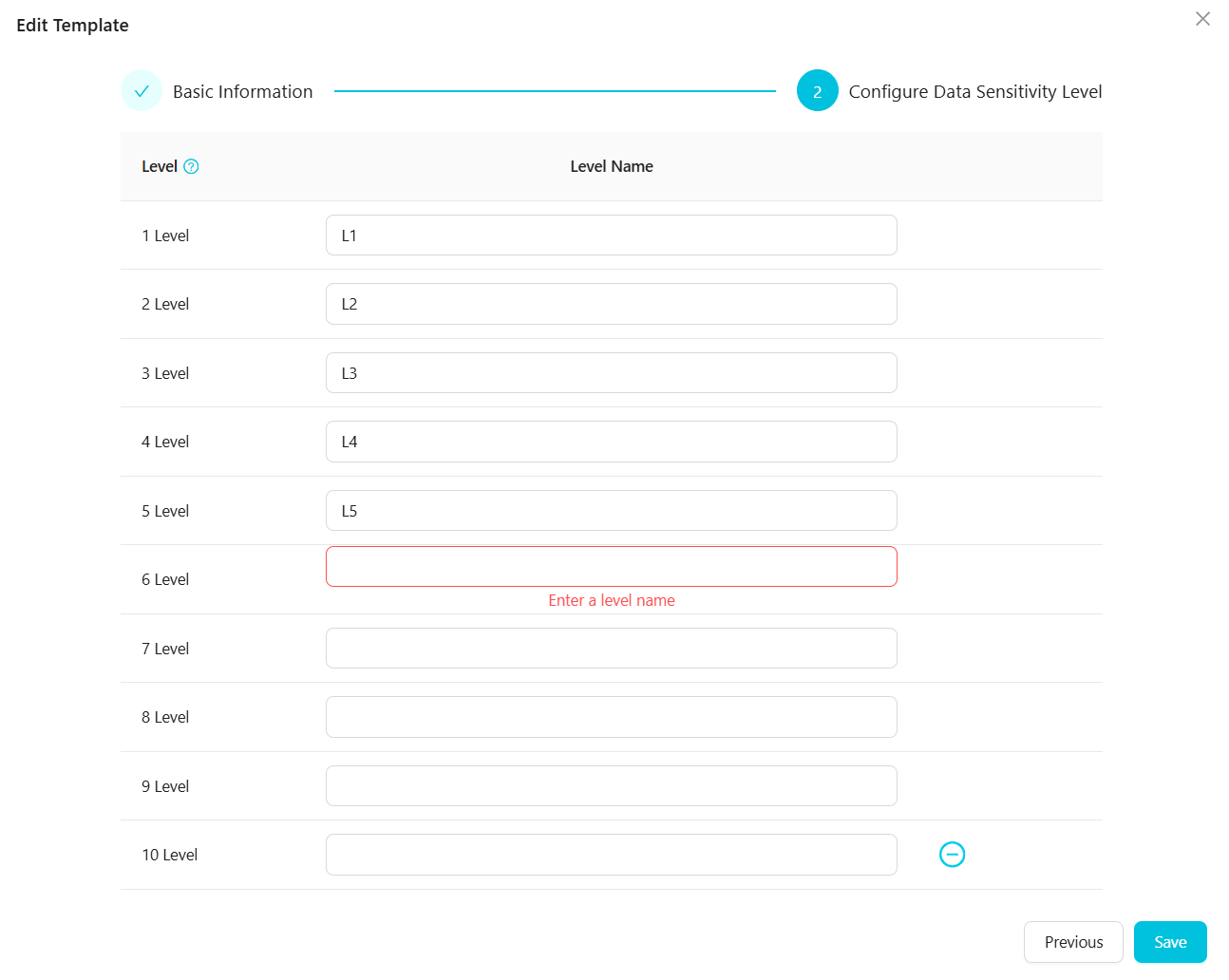
-
Click View to open the page, where you can edit or delete the categories in the rule template. You can create up to four layers of categories by adding subcategories.
Next steps
After configuring sensitive data classification, go to the Sensitive Data Identification page to define sensitive field types and configure identification rules. You can assign sensitive field types to appropriate categories and levels based on their usage and source. For more information, see Configure data identification rules.