View and manage the related objects of a logical table, including associated logical tables, input tables, and computation or integration tasks that reference the current table.
Logical table related objects entry
-
On the Dataphin home page, single click the top menu bar Developer. You will be directed to the data Development page by default.
-
On the data Development page, use the following steps to select the logical table whose related objects you wish to view and manage, and navigate to the logical table related objects management page:
Single click Dimension/Fact logical table -> single click to select the desired logical table -> single click Related.
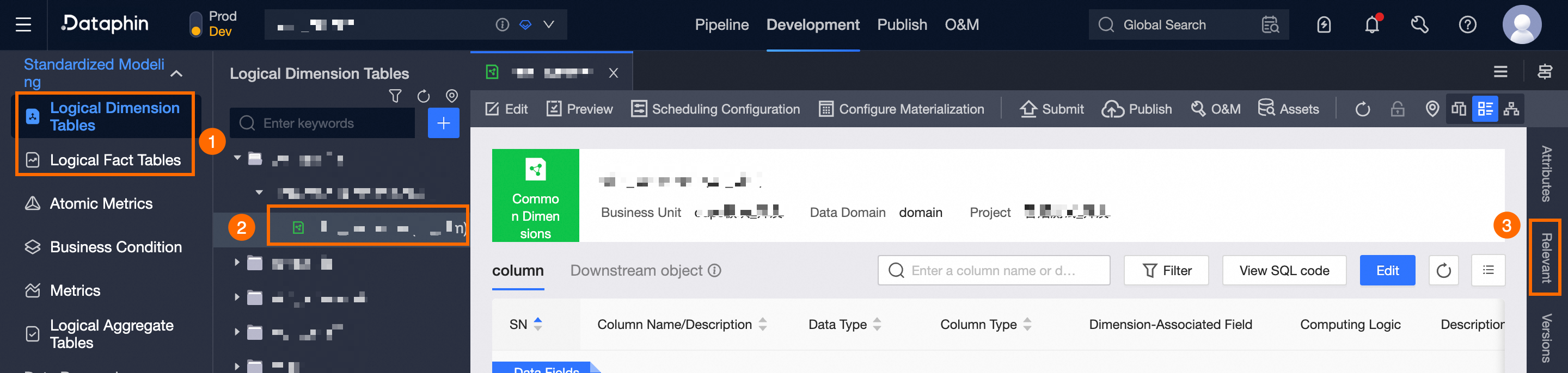
Introduction to logical table related objects
The related objects page shows the associated logical tables, input tables, and downstream tasks of the current logical table.
View associated logical tables
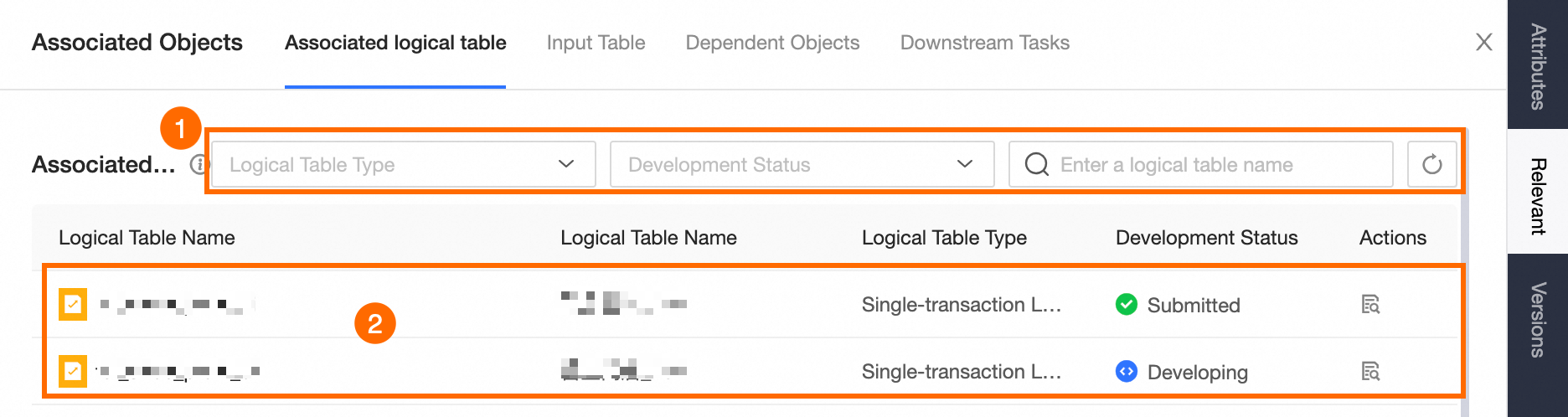
Associated dimensions reference other logical tables from the current table.
Note: Only dimension logical tables can be associated as logical tables.
|
Area |
Description |
|
①Search and filter area |
If the associated logical table you need is not displayed, click |
|
②Associated logical list |
Lists the logical tables linked to the current logical table and the available operations.
|
 to refresh the list.
 to view the associated logical table.
View input tables
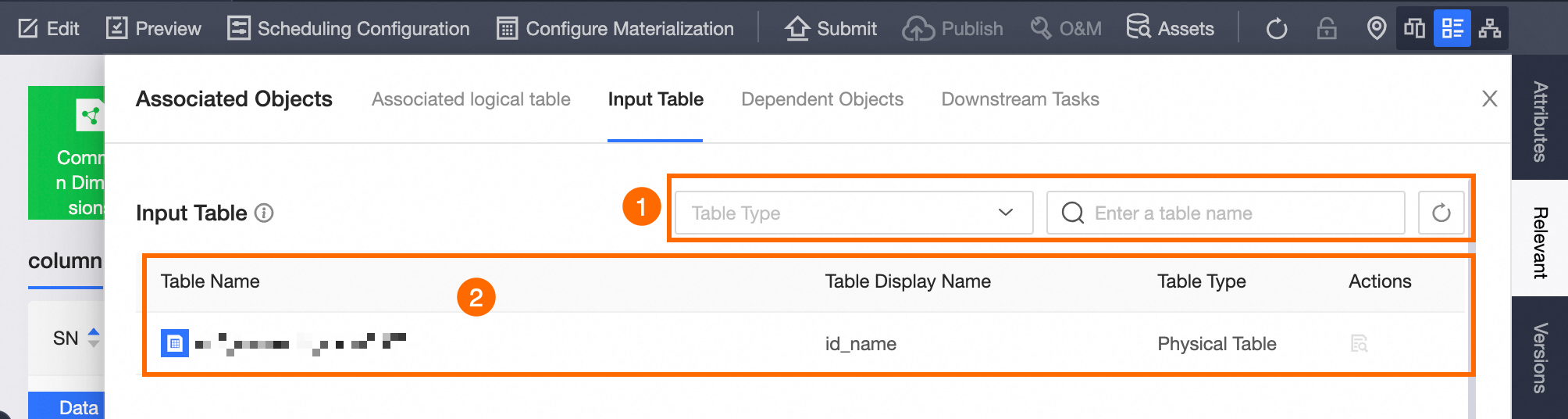
Input tables are tables read by the current table, as defined in the source configuration of the current logical table's computation logic.
-
Logical tables for virtual and enumeration dimensions do not support input tables.
-
The source for a hierarchical dimension logical table is the root physical table, rather than any intermediate tables.
|
Area |
Description |
|
①Search and filter area |
If the input table you need is not displayed, click |
|
②Input table list |
Lists the input tables of the current logical table and the available operations.
|
View dependent objects
Dependent objects of the logical table include public calendars and global variables.
Public calendar
|
Area |
Description |
|
Refresh |
Single click |
|
Public Calendar List |
Lists the public calendar objects related to the current logical table and the available operations.
|
 to update the public calendar list.
Global variables
|
Area |
Description |
|
Refresh |
Single click |
|
Global variable list |
Lists the global variable objects related to the current logical table and the available operations.
|
View downstream tasks
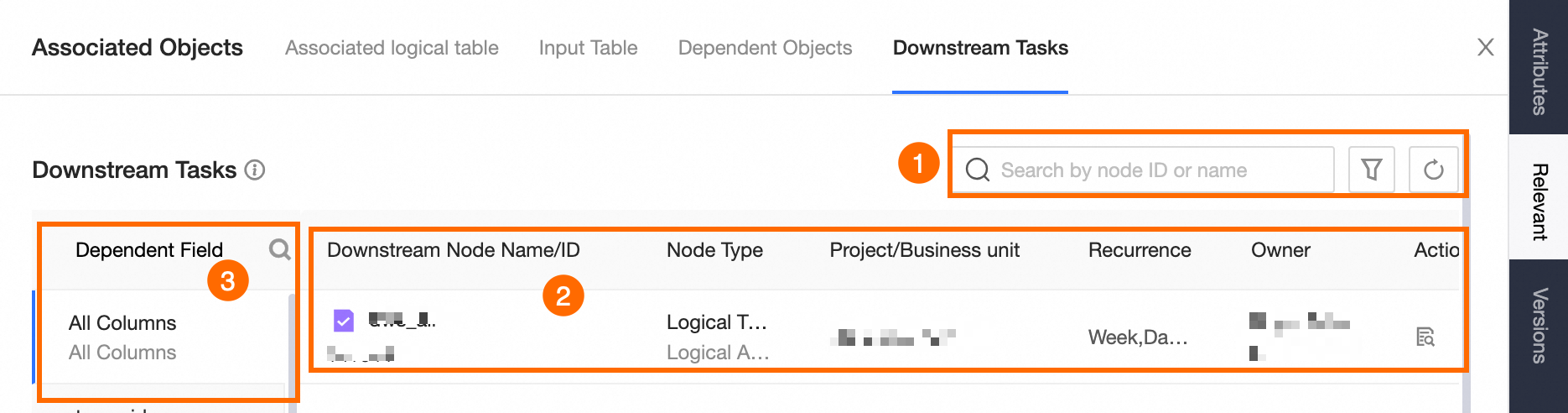
Downstream tasks refer to computation or integration tasks and logical tables that depend on the current logical table, where the current table serves as the input for these tasks.
|
Area |
Description |
|
①Search and filter area |
If the downstream task you need is not visible, click |
|
②Downstream task list |
Lists the tasks that depend on the current logical table and the available operations.
|
|
③Dependent fields |
Includes All fields and A specific field, showing the downstream tasks associated with each.
|