Dataphin automatically stores deleted compute tasks, data tables, files, and other resource objects from the data development page in the recycle bin. You can restore or permanently delete these resource objects as needed.
Recycle bin access
-
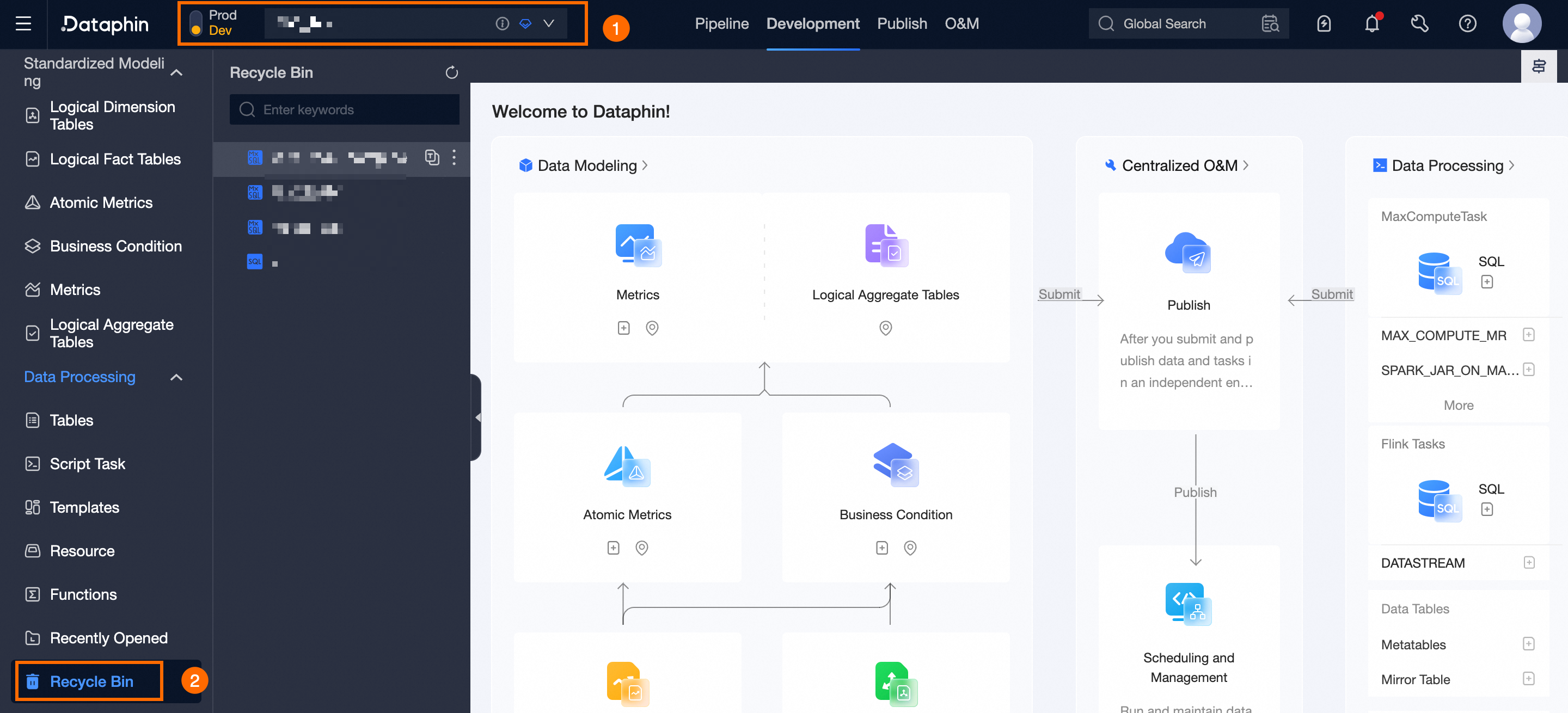
Navigate to the Dataphin home page and click Development on the top menu bar to access the data Development page by default.
-
From the data Development page, use the instructions in the figure below to go to the Recycle Bin page.
Restore resource objects
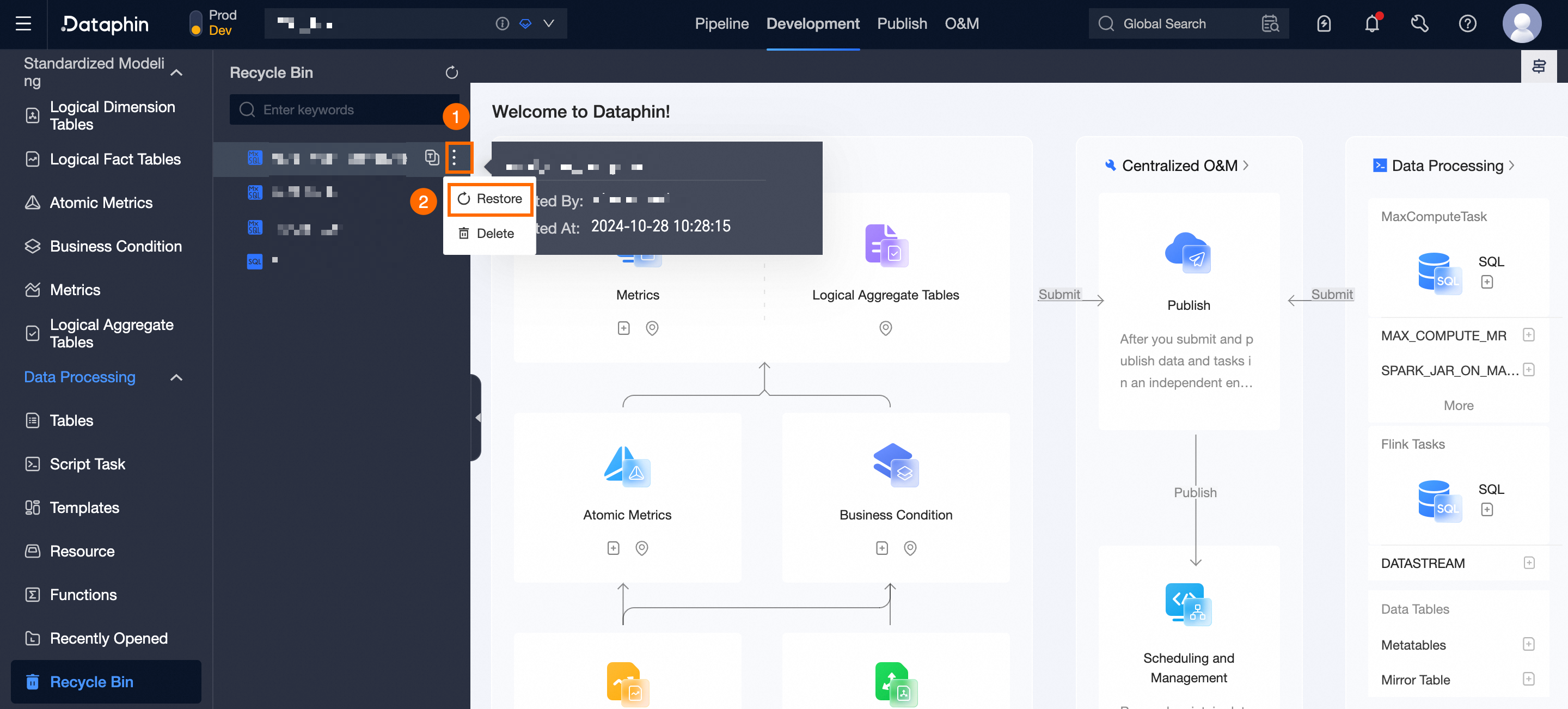
On the Recycle Bin page, select the resource objects you wish to Restore and follow the instructions in the figure below to recover them from the recycle bin.
Delete resource objects
Once a resource object is deleted from the recycle bin, it cannot be restored. Proceed with caution.
-
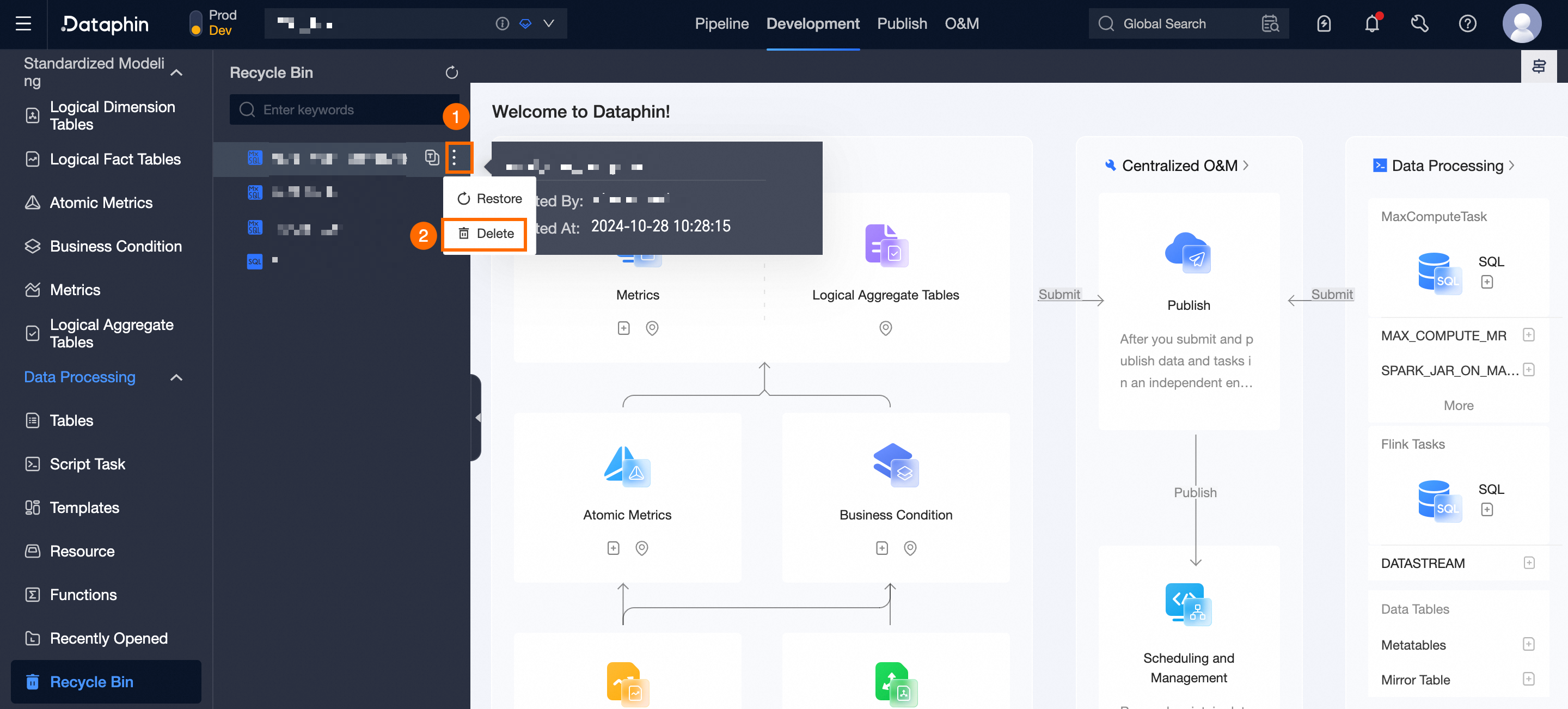
On the Recycle Bin page, select the resource objects you intend to Permanently Delete and follow the instructions in the figure below to remove them from the recycle bin.
-
In the confirmation dialog box for deleting a resource object, click Confirm.