Develop the West Lake Longjing business filter to define product-level qualification rules for order data.
Procedure
-
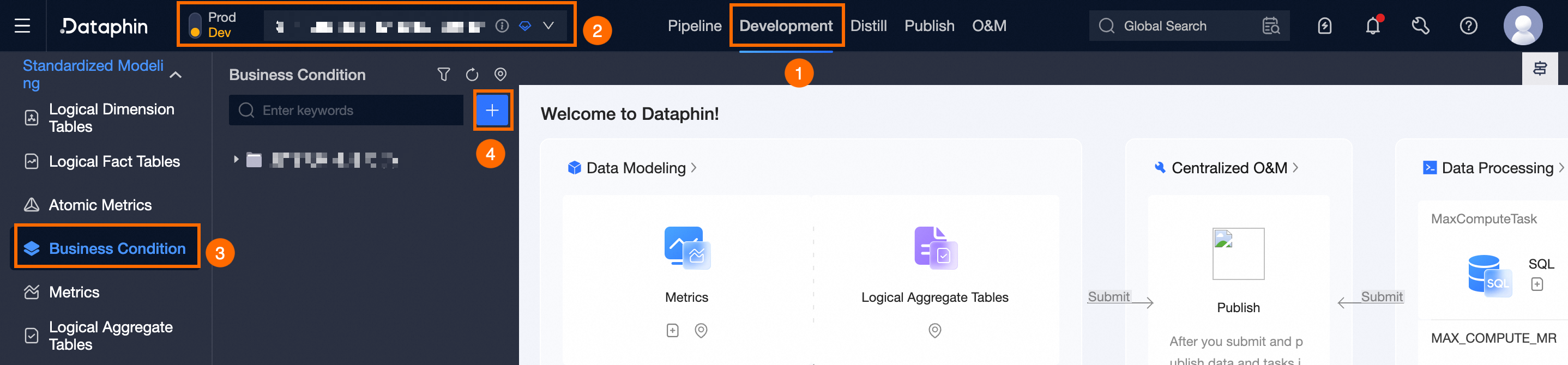
On the Dataphin home page, click Develop in the top menu bar. The Development page appears by default.
-
Follow the steps shown below to open the New Business Filter dialog box.
-
In the New Business Filter dialog box, configure the following parameters:
Parameter
Description
Basic Information
Business Entity
Select the Order Purchase (order_buy) business entity.
Data Domain
Use the default value Transaction Domain.
English Name
Enter longjing_tea as the English name.
Chinese Name
Enter West Lake Longjing as the Chinese name.
Description
Enter a brief description, for example, West Lake Longjing Category.
Computation Logic
Business Filter Type
Select Basic Business Filter.
Data Timeliness
Enable the Day option.
Main Source Table
Select the LD_dataphin_tutorial.fct_order_buy_di table.
Computation Logic
Select Unified Across All Periods and enter the following computation logic:
fct_order_buy_di.products_id = 1001 --'West Lake Longjing' -
Click Save And Submit to save and submit the business filter.