Background
Express Connect uses an Express Connect circuit to establish a dedicated connection between your on-premises data center and the cloud. To allow access, you must configure a whitelist for your database. To connect your on-premises database to cloud services such as Data Management (DMS), Data Transmission Service (DTS), or Database Backup Service (DBS), you must add the CIDR blocks of these services to your database's whitelist. If these CIDR blocks change, you must manually update the whitelist configuration, which results in high maintenance overhead.
Database Gateway simplifies whitelist management. You only need to add the IP address of the locally installed Database Gateway agent to the whitelist. This way, you no longer need to update the whitelist when the CIDR blocks of cloud services change. Additionally, Database Gateway reuses the existing Express Connect circuit, which provides better network performance and reliability than connecting over the Internet.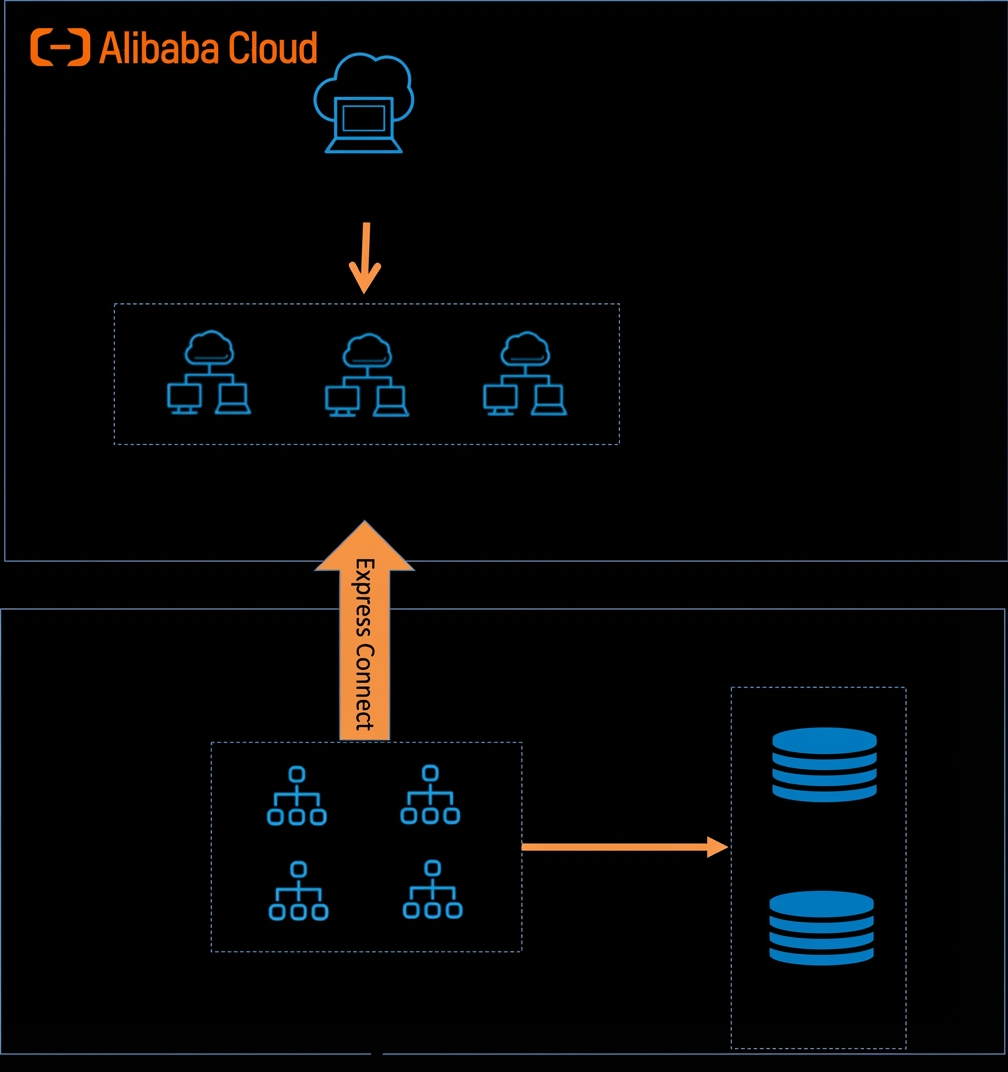
Prerequisites
- You have activated the Database Gateway service. For more information, see Preparations.
- You have configured Express Connect, VPN Gateway, or Cloud Enterprise Network (CEN).
Procedure
- When creating a database gateway, select Using Express/CEN/VPN Gateway to access. For more information, see Create a database gateway. In the Install gateway step, in the Download gateway section, select Connect via an Alibaba Cloud VPC internal address (for self-hosted databases on ECS, Express Connect, CEN, or VPN Gateway).
- Enter the hostname and port number of the target database in your data center to add the database, and then click Complete.