This topic describes how to power off a Data Transport Micro device, migrate data to the cloud, verify the data migration result, and retrieve, replace, and return the device.
Prerequisites
All data is migrated to a Data Transport Micro device and the device is powered off.
Power off a device
Press and hold the power button on the back panel of a Data Transport Micro device for about 3 seconds and release the button when you hear a beep sound.

Check the LED indicators on the front panel of the device. When all the LED indicators are off, unplug the power cord and Ethernet cable. The device is powered off.
Migrate data to the cloud and verify the migration result
Migrate data to the cloud
Select the nearest third-party data center and hand over the device to the personnel of the data center for data migration to the cloud.
You notify the personnel of a nearby third-party data center to retrieve the device.
You hand over the device and accessories to the personnel of the data center.
You can perform custom processing on the data. After the data is processed, the personnel migrate the data to the cloud.
After the migration of data for this time is complete, verify the data migration result.
Alibaba Cloud partners provide 18 third-party data centers in the following cities of the Chinese mainland: Beijing, Nanjing, Wuhan, Changsha, Shanghai, Jinan, Hefei, Guangzhou, Fuzhou, Zhengzhou, Tianjin, Shijiazhuang, Xi'an, Chengdu, Chongqing, Shenzhen, Hangzhou, and Xuzhou
Verify the data migration result
Data Transport only processes the migration of data and does not ensure data consistency or integrity. After a migration task is complete, you must review all the migrated data and verify the data consistency between the source and destination data addresses. After you confirm the data consistency, the data migration for the current time is complete. After all devices are returned, the migration task is complete.
Make sure that you verify the migrated data at the destination data address after the migration task is complete. If you delete the source data without verifying data consistency between the source and destination data addresses, you are responsible for any losses and consequences that arise.
Retrieve the device
After the data migration for the current time is complete, you need to hand over the Data Transport Micro device to the personnel of the data center for use in data migration for the next time.
Replace and return the device
This section describes the procedures for replacing and returning the Data Transport Micro device.
For more information about the billing during the replacement or return of the device, see Billing for the rental of a single Data Transport Micro device.
Replace the device
If a Data Transport Micro device does not work as expected, contact Alibaba Cloud technical support to check the device. After Alibaba Cloud technical support confirms the device exceptions, you can apply to replace the device with a new one.
Procedure
Send back the device to be replaced
Find the device that you want to replace on the device list page based on the serial number (SN) of the device.
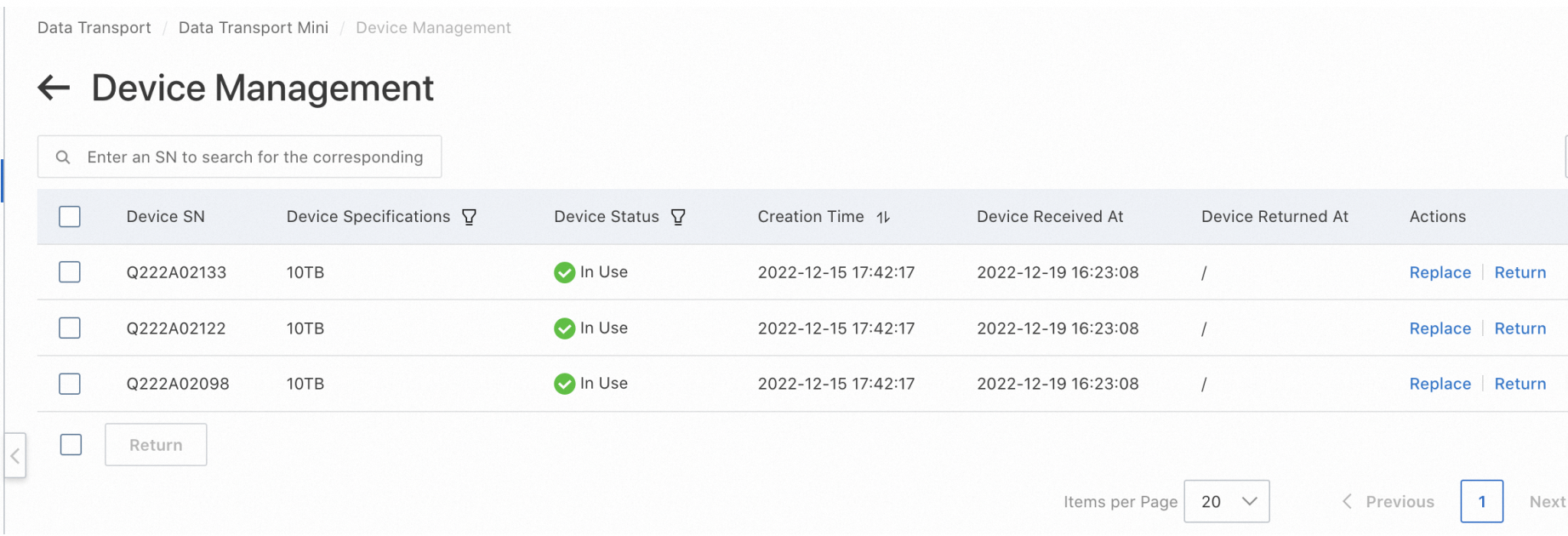
Click Replace and enter the required information to submit a device replacement application.
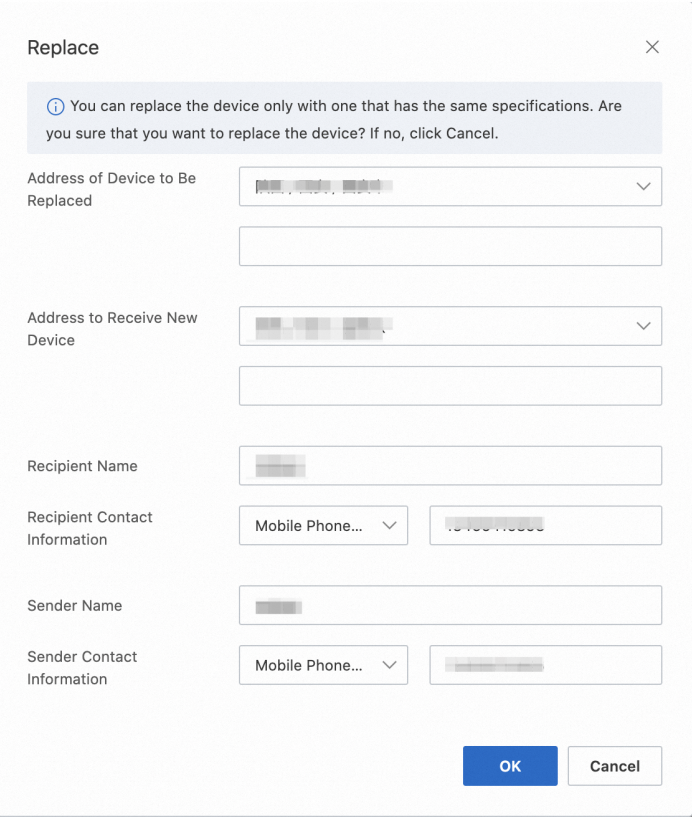
Wait for Alibaba Cloud technical support to call you to confirm the device status.
After Alibaba Cloud technical support confirms that the device has exceptions and needs to be replaced, shut down the device by referring to the steps in the Power off a device section.
You check the accessories of the device. If you lease multiple devices, check the number of devices and their accessories.
You notify Alibaba Cloud technical support to retrieve the device.
You hand over the device and accessories to the logistics personnel.
Receive a new device
When you receive a new device, unpack and inspect the device and accessories. Check whether the device is intact or damaged. If the device is damaged, contact Alibaba Cloud technical support.
Return a device
If you no longer need a Data Transport Micro device, you can apply to return the device. You can return one or more devices at a time.
After all devices are returned, the migration task is deemed complete.
Procedure
Find the device that you want to replace on the device list page based on the SN of the device.
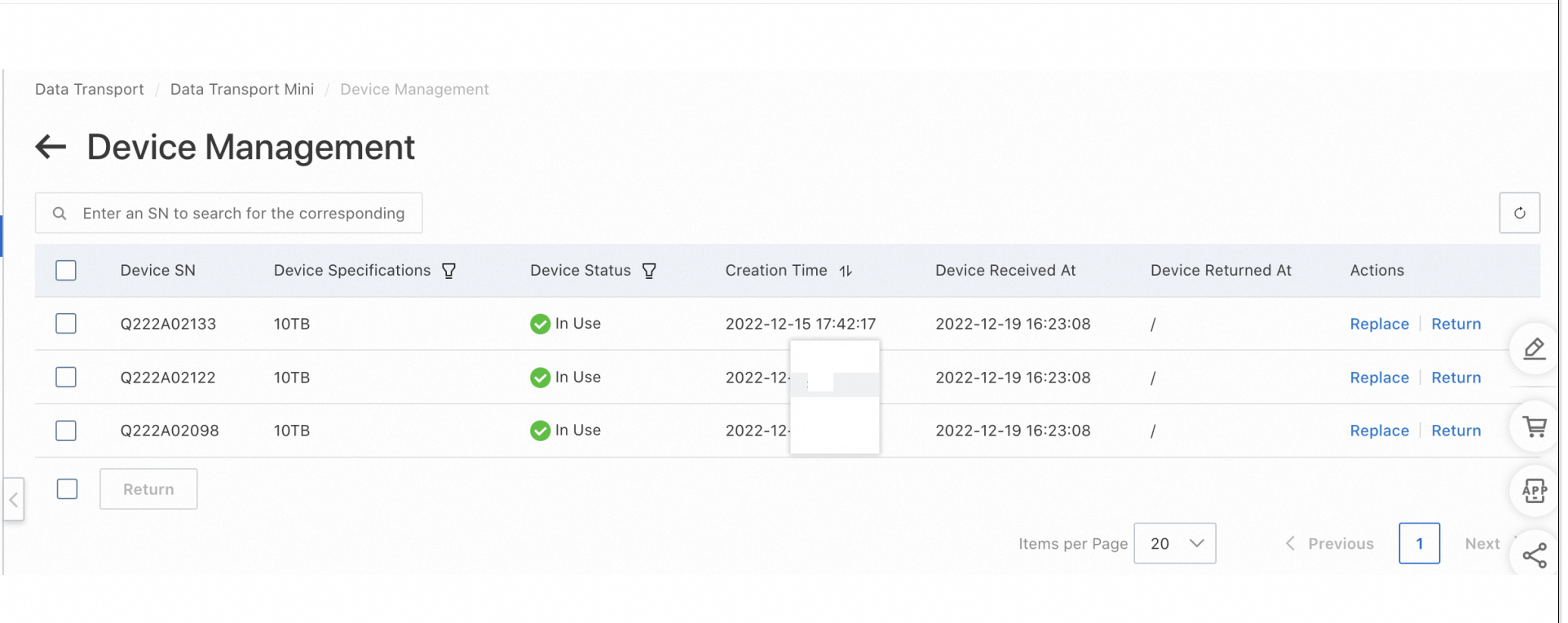
Click Return and enter the required information to submit a device return application. To return all devices on the device list page, select all devices and click Return in the lower-left corner of the page.
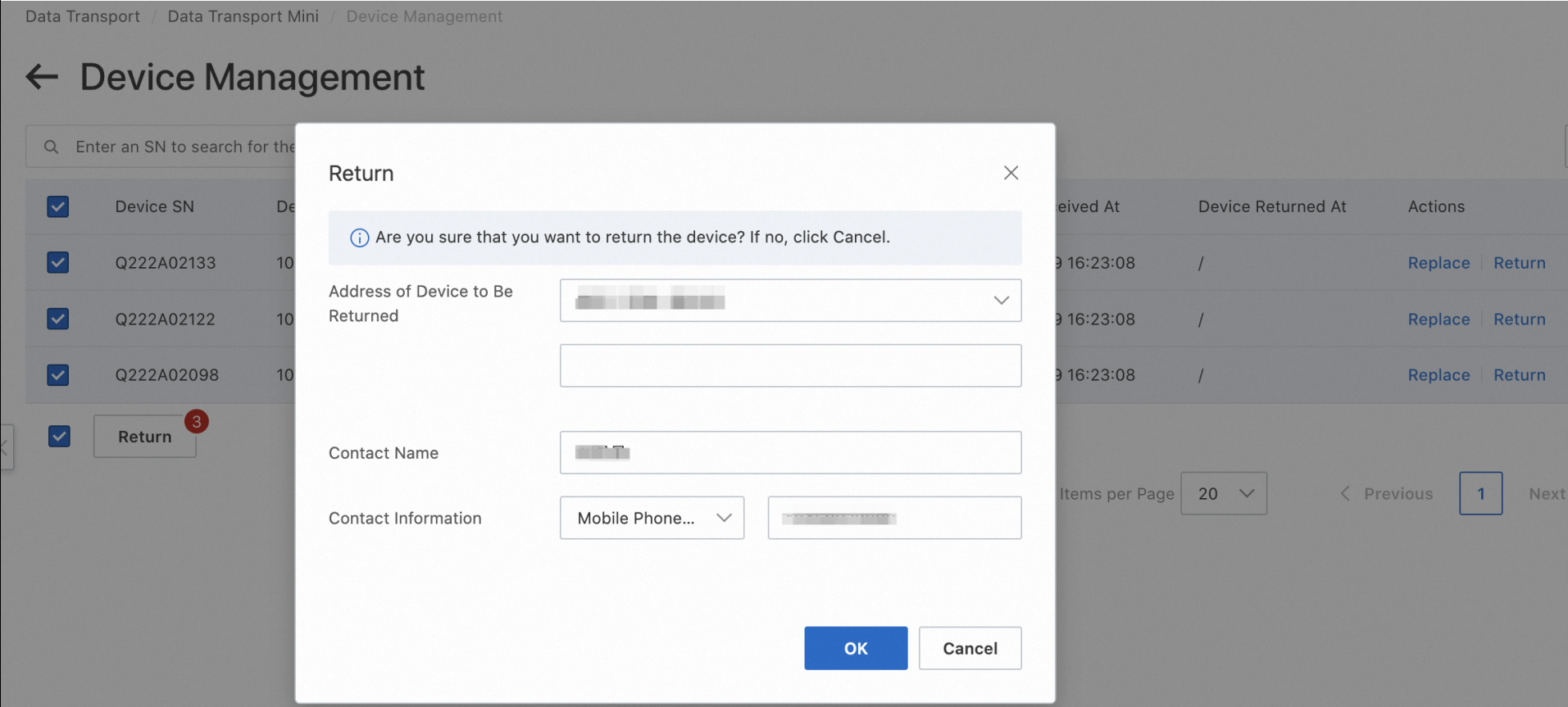
Power off the device by referring to the steps in the Power off a device section.
You check the accessories of the device. If you lease multiple devices, check the number of devices and their accessories.
You notify Alibaba Cloud technical support to retrieve the device.
You hand over the device and accessories to the logistics personnel.
After Alibaba Cloud technical support receives and checks the device and accessories, the order is complete.