Alibaba Cloud Container Service (ACS) provides the Pod diagnostics feature through Container Intelligence Service (CIS) to troubleshoot abnormal pods. This topic describes the diagnostic items for Pod diagnostics and their fix suggestions.
Container Intelligence Service (CIS) is a fault diagnosis system that uses expert knowledge and an AI model trained on large-scale data. Pod diagnostics combines expert-driven and AI-powered modes for in-depth root cause analysis.
-
Diagnostic items: Includes checks in the Pod and ClusterComponent categories.
-
Root causes: The identified root cause and fix suggestions.
When you run a diagnosis, the system runs a data collection program in your cluster to gather diagnostic data. The collected information includes the system version, the running status of workloads and container components, and key error messages from system logs. The program does not collect business information or sensitive data.
Covered scenarios
The following table describes the typical scenarios covered by Pod diagnostics and the AI mode.
|
Category |
Supported scenarios |
|
Pod diagnostics |
Pod is not processed by the scheduler. |
|
Pod cannot be scheduled due to unmet scheduling constraints. |
|
|
Pod is scheduled but not processed by the kubelet. |
|
|
Pod is waiting for a volume to become ready. |
|
|
Pod is evicted. |
|
|
The pod's sandbox container fails to be created. |
|
|
Pod is stuck in the Terminating state. |
|
|
A container in the pod encounters an out-of-memory (OOM) error. |
|
|
A container in the pod exits unexpectedly. |
|
|
A container in the pod is in the CrashLoopBackOff state. |
|
|
A container in the pod is NotReady. |
|
|
Pod fails to pull an image. |
|
|
Pod times out when pulling an image. |
|
|
AI mode |
Pod status is abnormal. |
|
Pod encounters an OOM error. |
|
|
A container in the pod exits unexpectedly. |
|
|
Pod has an invalid ConfigMap or Secret configuration. |
|
|
Pod fails a health check. |
|
|
Pod has an invalid persistent volume claim (PVC) configuration. |
|
|
Pod encounters an image pull error. |
How it works
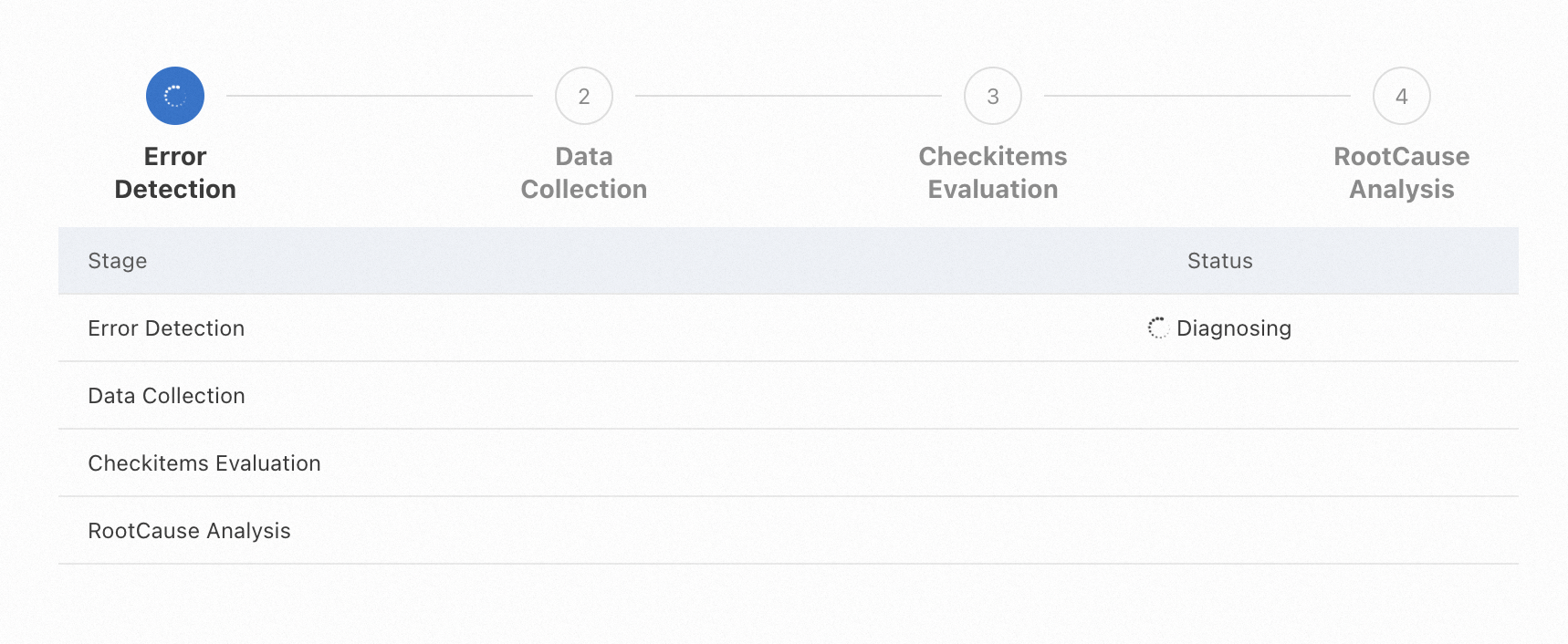
Pod diagnostics collects cluster information, identifies anomalies, and then performs a detailed analysis. A diagnosis consists of four stages: anomaly identification, data collection, diagnostic item evaluation, and root cause analysis. The diagnostic results are provided upon completion.
-
Anomaly identification: Analyzes basic data, such as pod status and cluster event streams, to quickly identify the current anomaly.
-
Data collection: Gathers contextual data based on the identified anomaly.
-
Diagnostic item evaluation: Evaluates whether key metrics are within normal ranges based on the collected data.
-
Root cause analysis: Analyzes the collected data and check results to determine the root cause of an issue.
Diagnostic results
Results fall into two types:
-
Root cause analysis results: include detected anomalies, the identified root cause, and fix suggestions.
-
Diagnostic item check results: include per-item check results. These can surface causes that root cause analysis may miss.
Diagnostic items vary by cluster configuration and reflect your actual cluster setup.
Diagnostic items
|
Category |
Description |
|
Checks for common pod issues, such as pod status and image pulling. |
|
|
Checks for common cluster issues, such as APIService and DNS availability. |
Pod
|
Diagnostic item |
Description |
Fix suggestion |
|
Container restart count |
Checks the restart count for containers in the pod. |
Check the pod status and logs. For more information, see Pod troubleshooting. |
|
Blocked container image pulls |
Checks whether image pulls for other pods on the same node are blocked. |
Check the pod status and logs. For more information, see Pod troubleshooting. |
|
Pod scheduling status |
Checks whether the pod is scheduled successfully. |
Check the pod status and logs. For more information, see Pod troubleshooting. |
ClusterComponent
|
Diagnostic item |
Description |
Fix suggestion |
|
APIService availability |
Checks whether the cluster APIService is available. |
Run the |
|
DNS service endpoints |
Checks the number of endpoints for the cluster's DNS service. |
Check the running status and logs of the CoreDNS pods. |
|
ClusterIP of the DNS service |
Checks whether a ClusterIP is correctly assigned to the cluster's DNS service. A DNS issue can cause cluster functions to fail and affect your workloads. |
Check the running status and logs of the CoreDNS pods. |