This topic describes how to create an Email channel, so that you can perform operations on the channel, such as binding a sender address and designing Email message templates.
Prerequisites
Alibaba Cloud account registration and enterprise identity verification have been completed.
Chat App Message Service has been activated.
Procedure
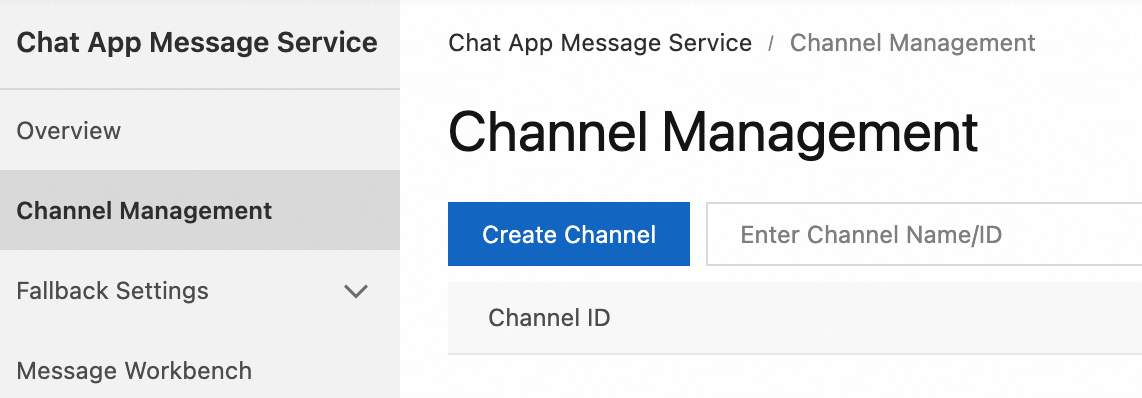
Log on to the Chat App Message Service console. In the left navigation pane, click Channel Management. On the page that appears, click Create Channel.
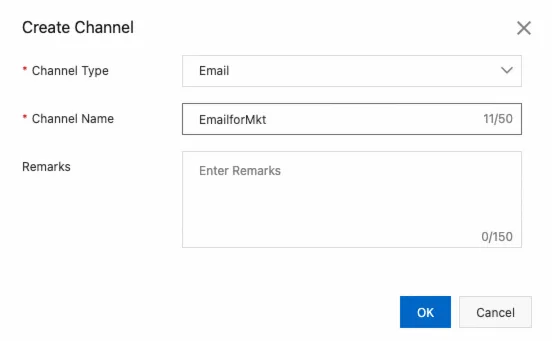
In the dialog box that appears, set Channel Type to Email, enter the channel name, and then click OK.
What to do next
After creating an Email channel, you can bind a sender address to it.