1. Notes
All forward operations are described in the operation guide steps, and the reverse "withdrawal" and "error" are described in the form of FAQs.
2. Operating Procedure
2.1. Alibaba Cloud Account Registration & Enterprise Certification
Step. 1 Alibaba Cloud Account Registration
Please go to the www.alibabacloud.com homepage to register an account.
Step. 2 Enterprise Certification
Please click the link below to complete the enterprise certification.
Enter https://account-console.alibabacloud.com/#/newIntlAuth
Step. 3 Log in Alibaba Cloud Homepage
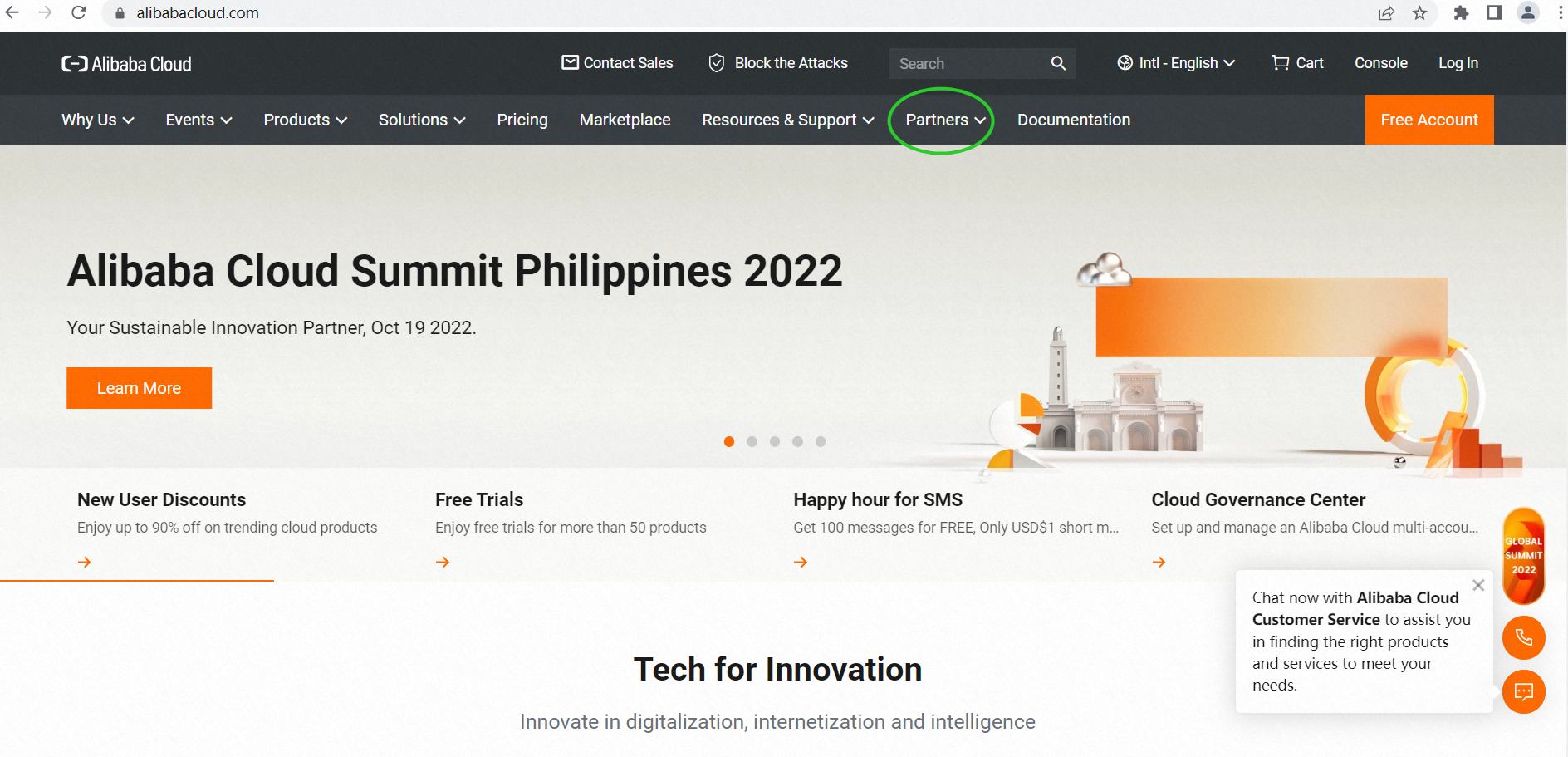
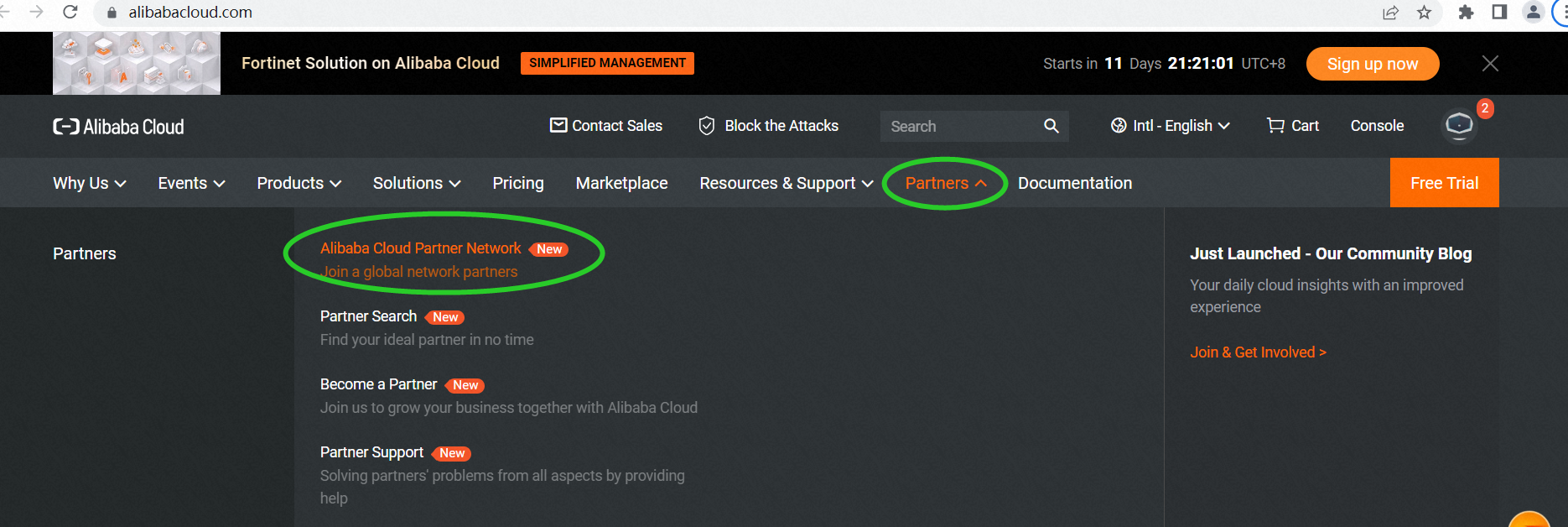
Log in to www.alibabacloud.com, then click Partners. (Green circle mark in the screenshot)
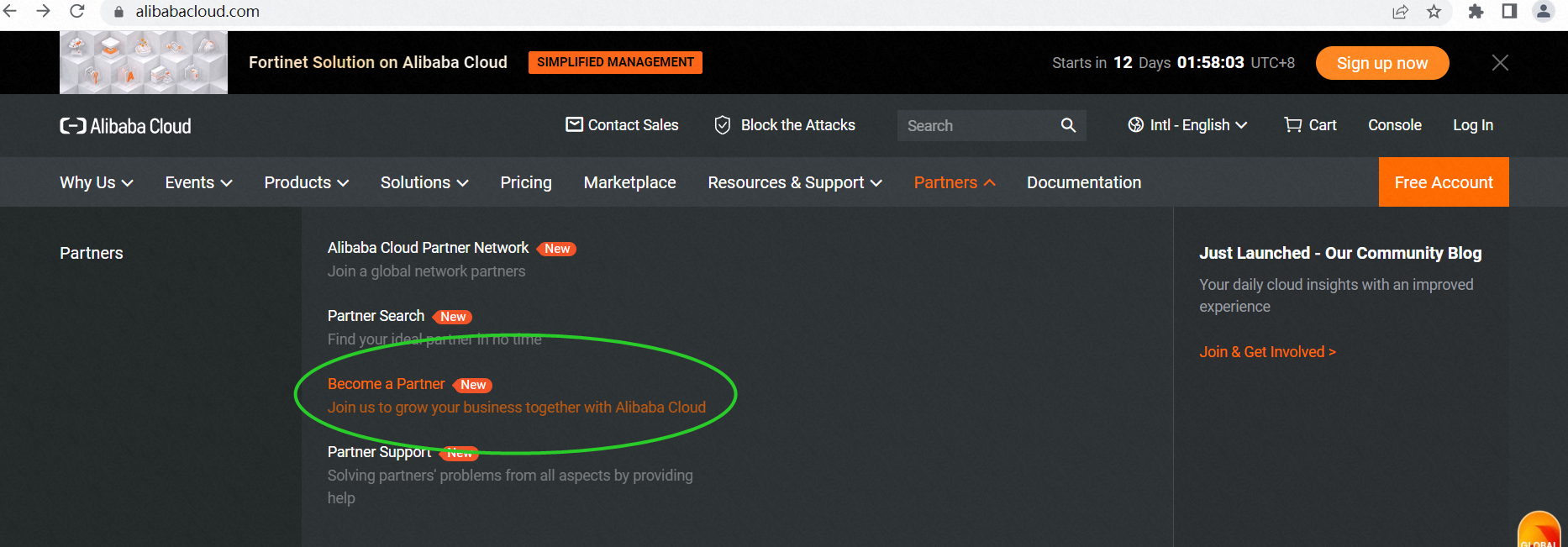
Choose Become a Partner
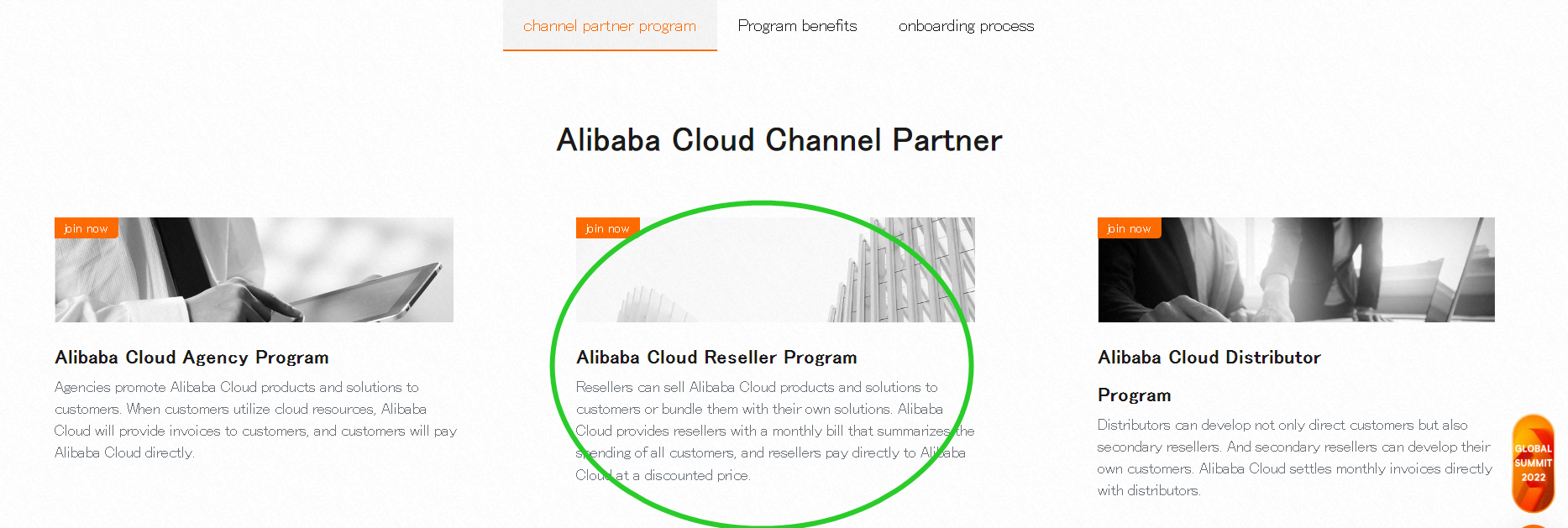
Select Alibaba Cloud Reseller Program, and click JOIN NOW
2.2. Submit the Application
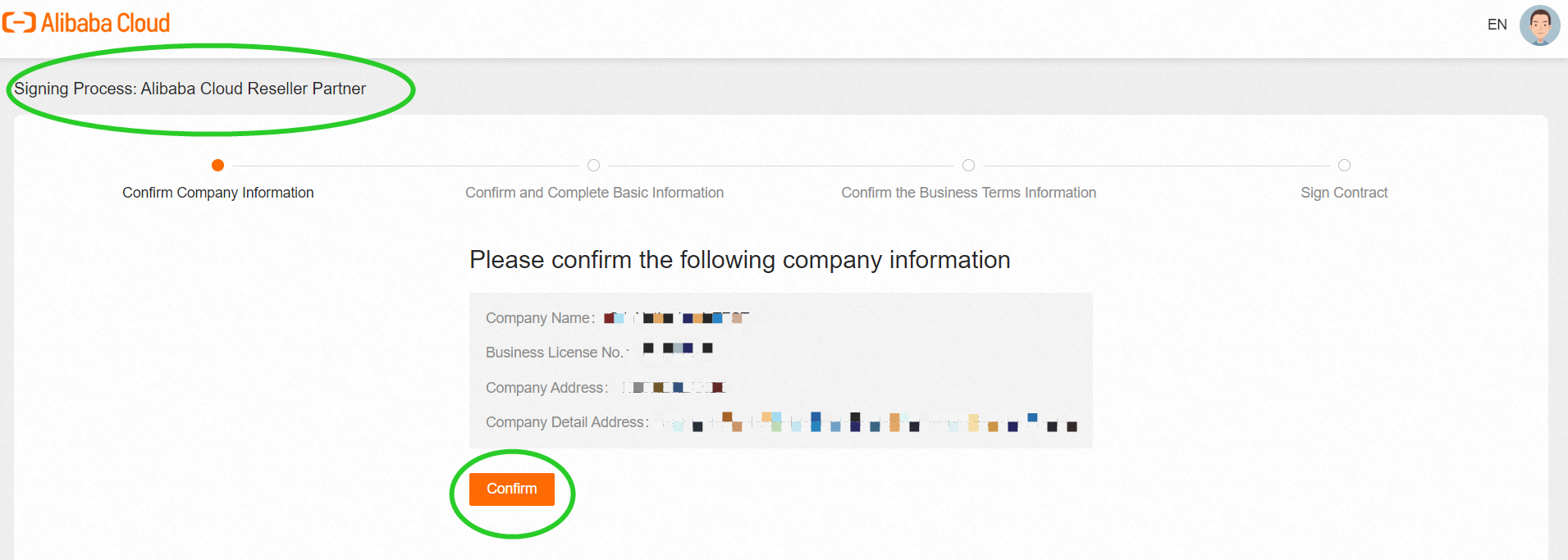
Step. 1 Confirm the Company Information
Confirm the upper left information is [Signing Process: Alibaba Cloud Reseller Partner].
Review and Company Information and click Confirm to the next step.
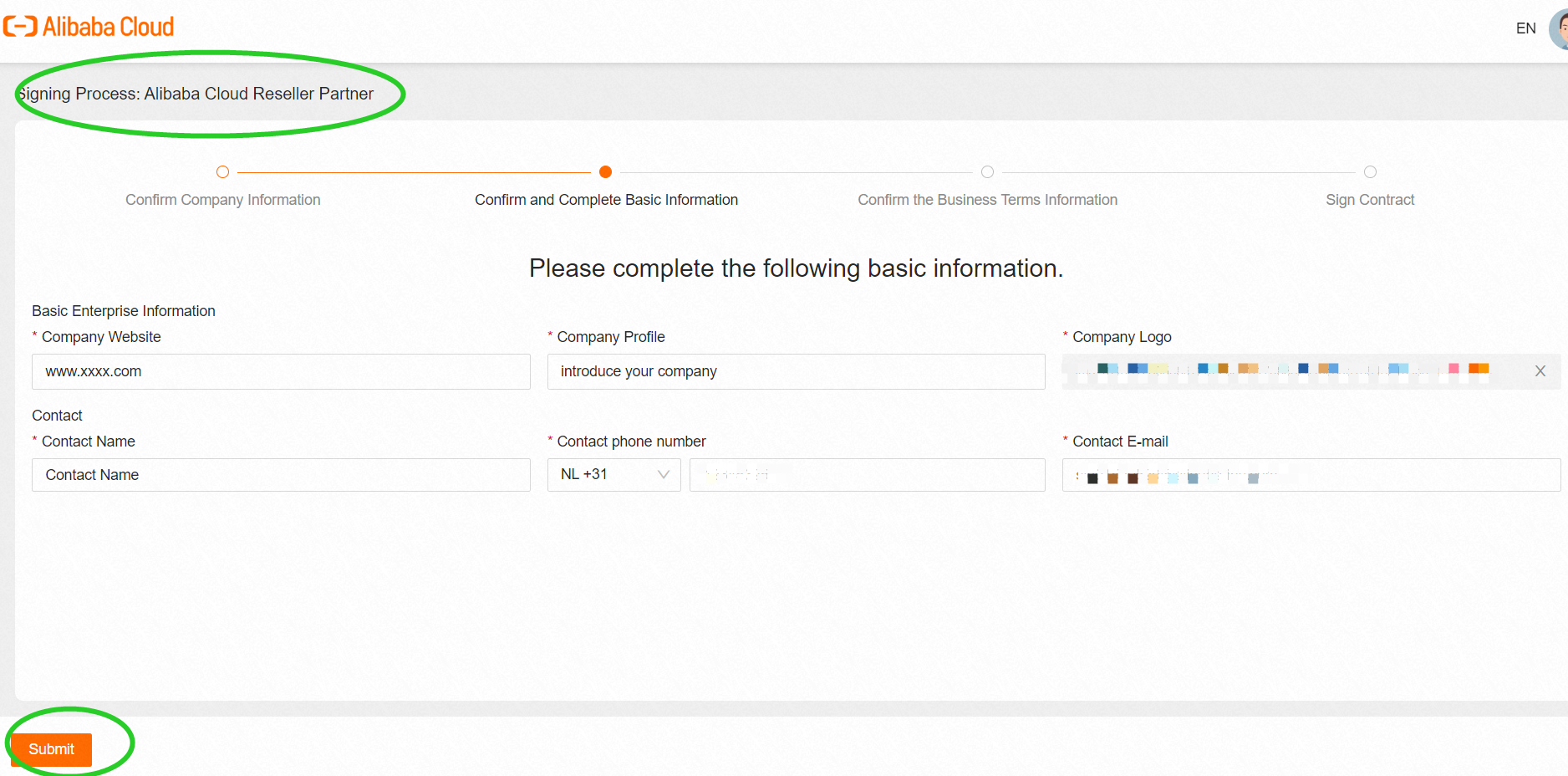
Step. 2 Confirm and Complete Basic Information
Fill in the required information in the table
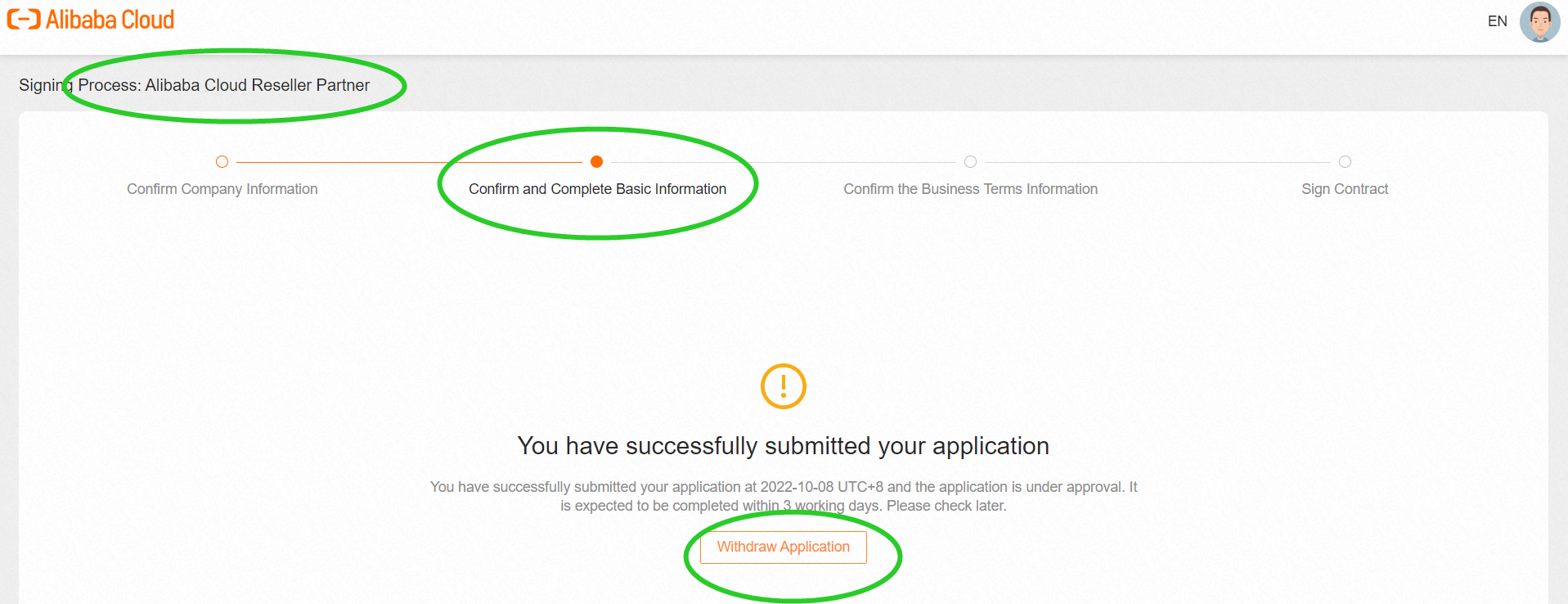
After the partner application is submitted, Alibaba Cloud BD will review the application within three working days.
Partner can check the relevant reminder E-mail in the filled "Contact E-mail" address and BD may contact the applicant to justify the qualification.
If the partner needs to modify information, please click Withdraw application.
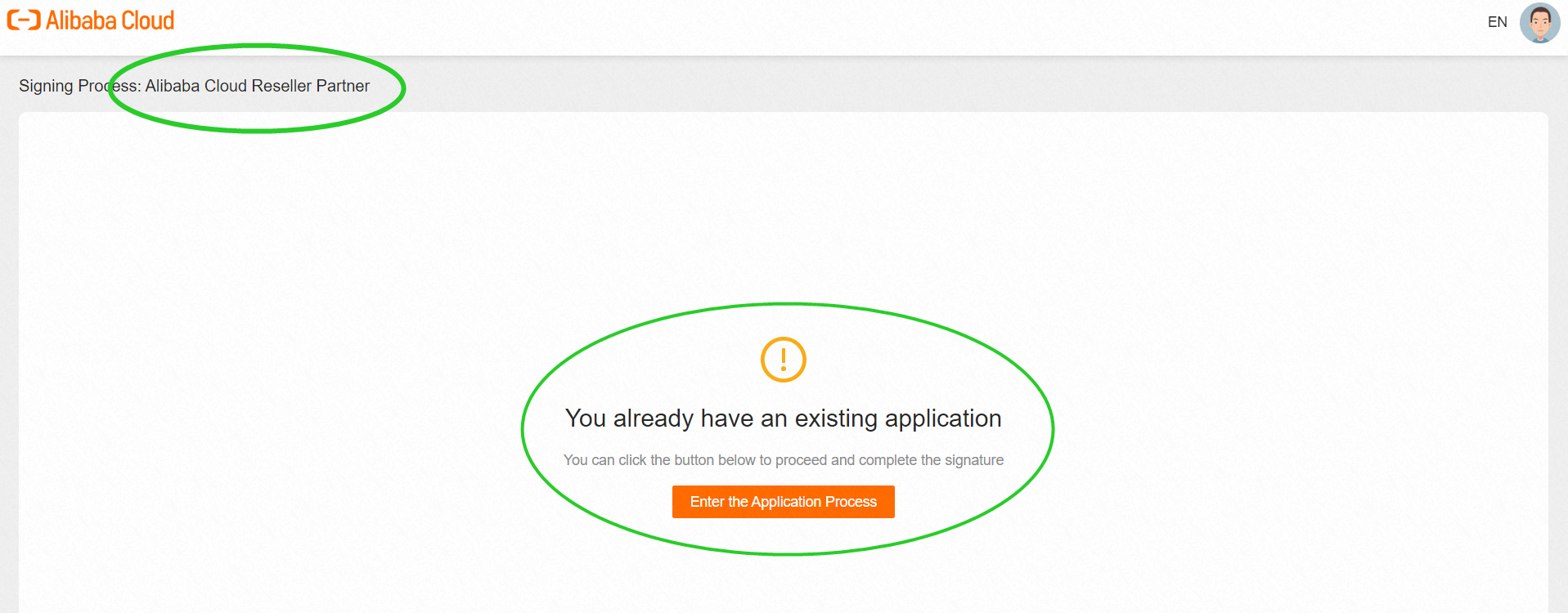
If the partner closes the webpage and re-enters the process, it will be prompted as the screenshot mentioned below, please be patient and wait for the approval.
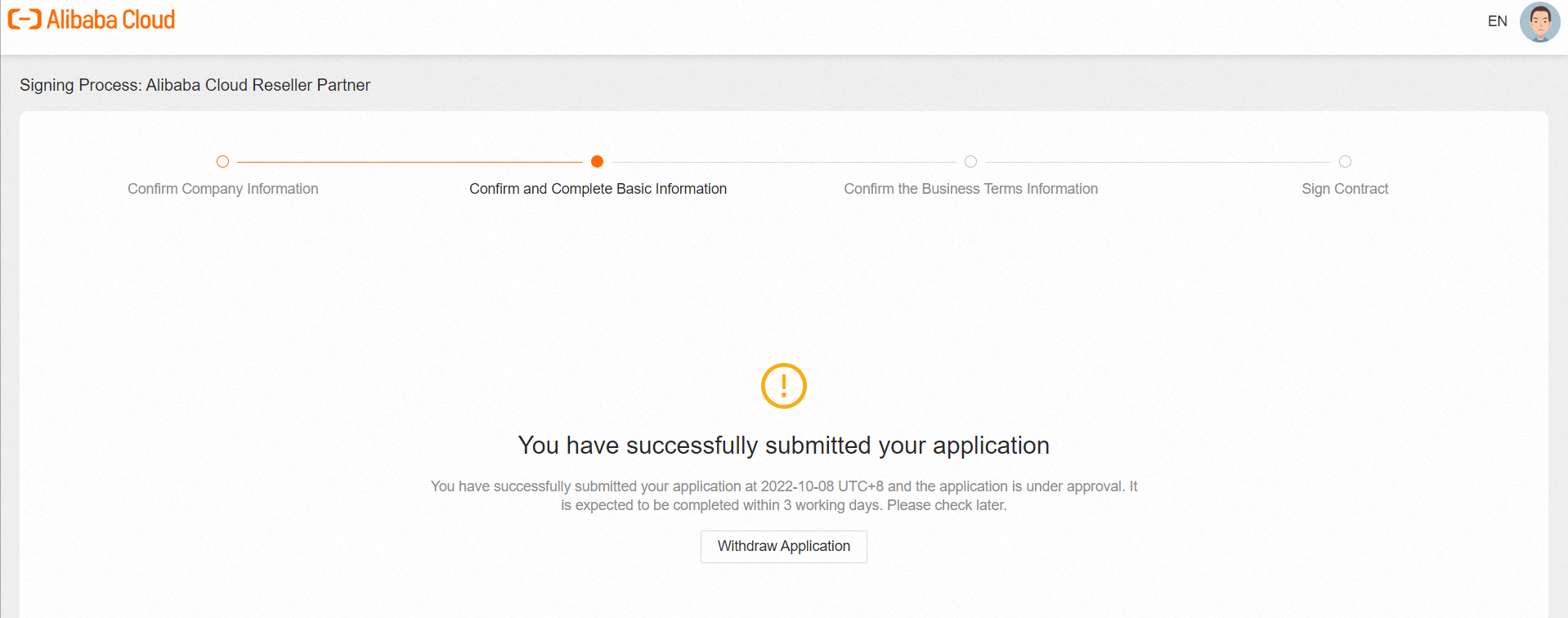
When the partner clicks Enter the Application Process, the webpage will display the current screenshot page.
2.3. Complete Decision Sheet Process
After Alibaba Cloud BD approves the application, the partner receives an E-mail notification.
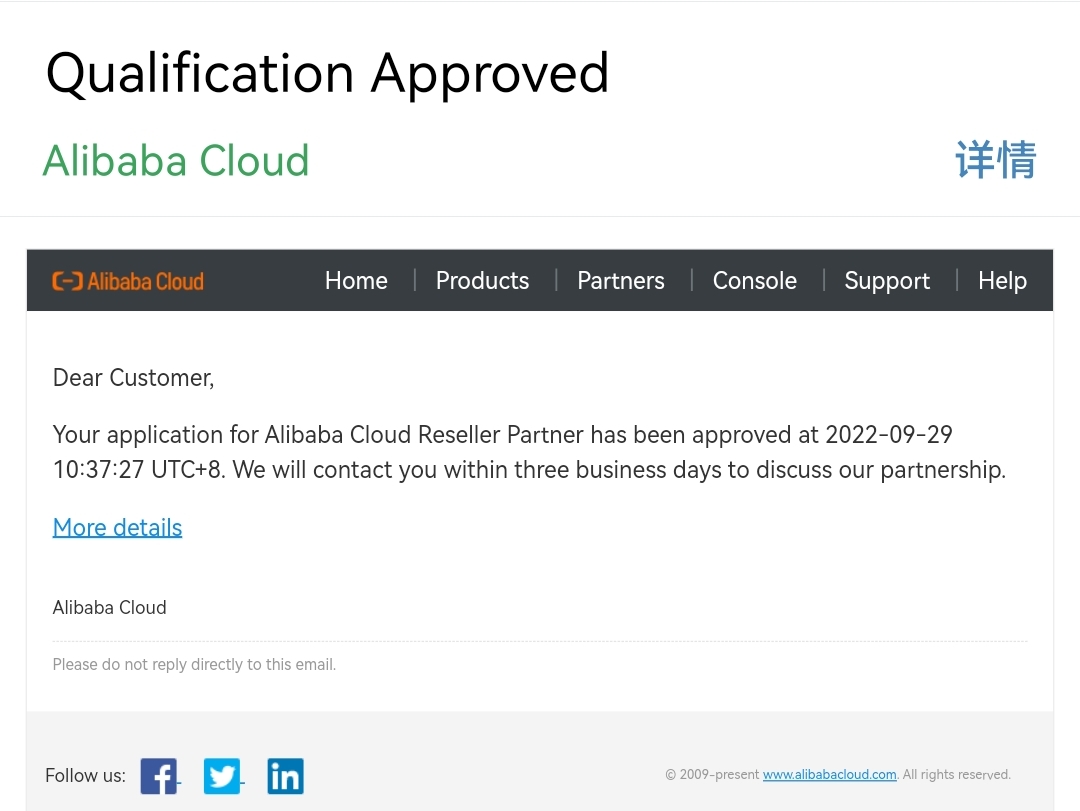
The signing process changed to [Congratulations on passing the qualification]
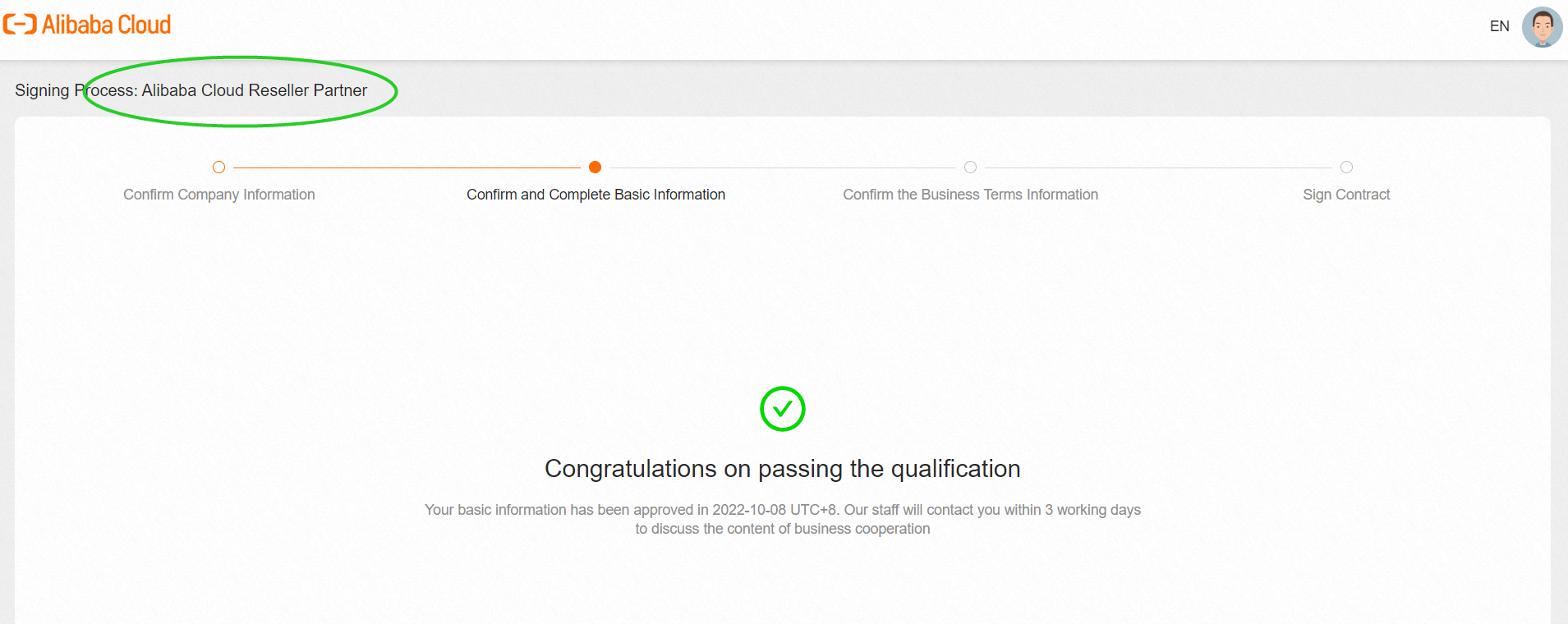
Partner communicates the decision sheet with Alibaba Cloud BD then BD shall fill in all the information according to the commonly agreed terms.
Partner will receive the following screenshot E-mail to remind partner to confirm the relevant decision sheet containing the terms.
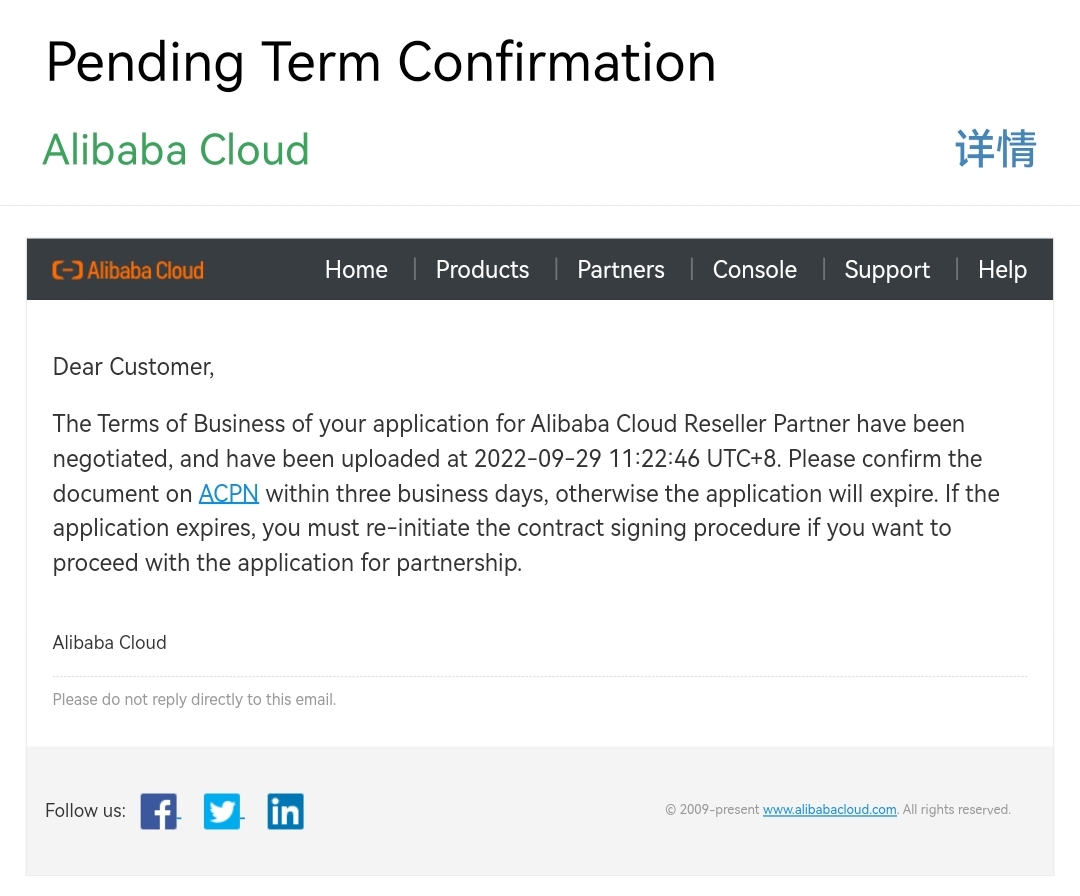
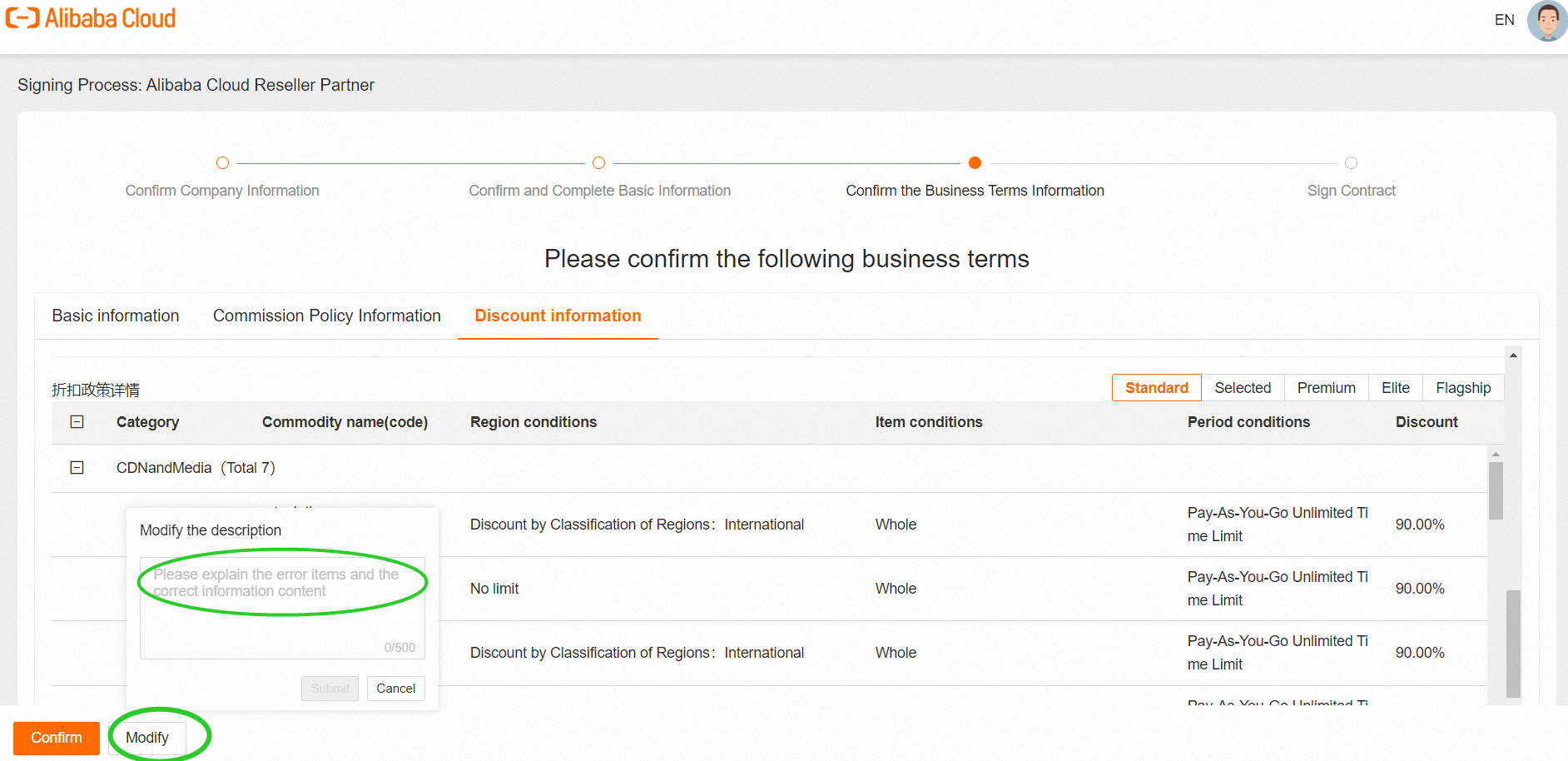
The signing process will enter [Please confirm the following business terms]. Please check carefully about [Basic information] [Commission Policy Information] [Discount information].
If a partner has any questions about the meaning of specific words, please consult BD.
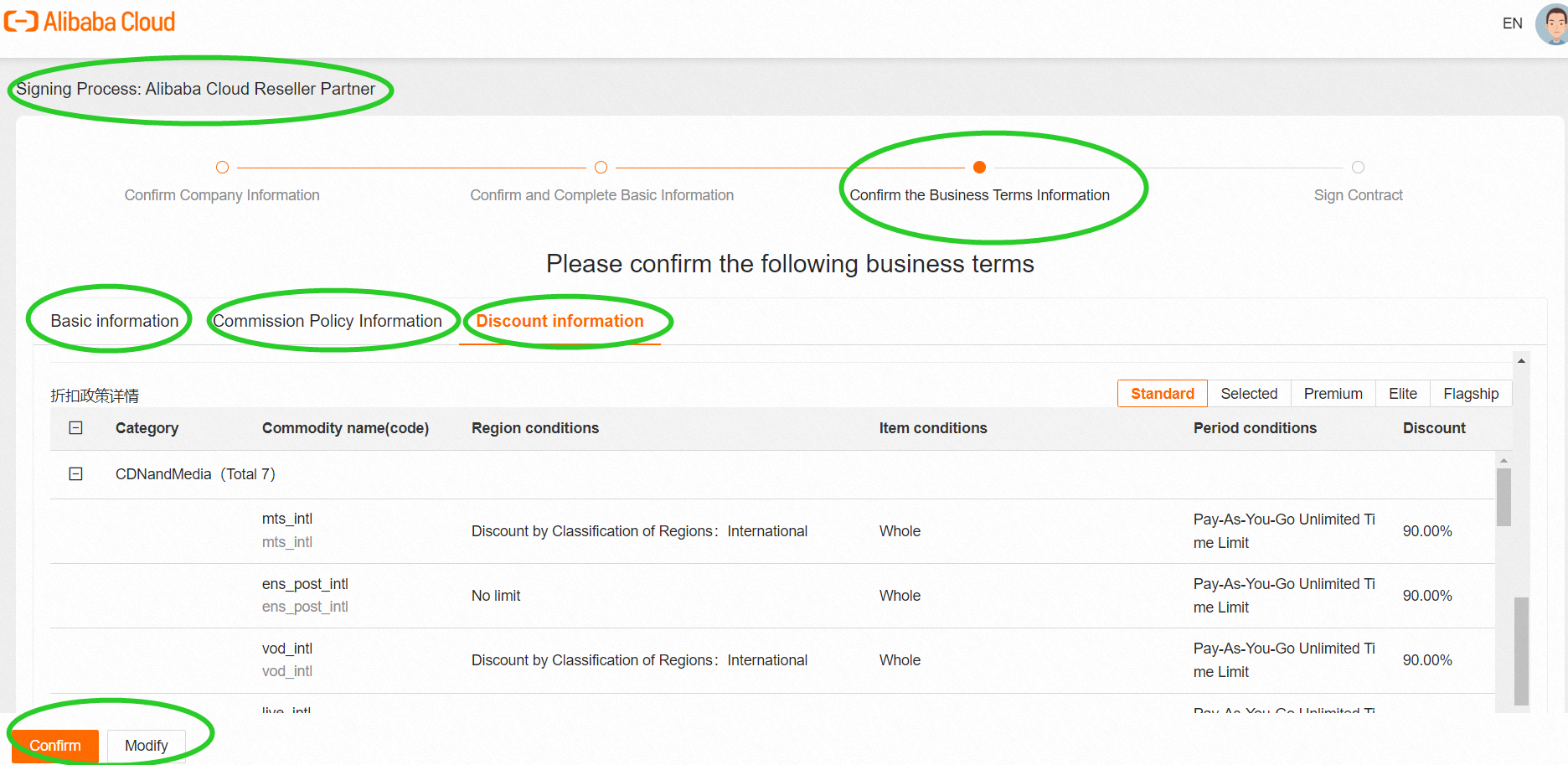
If there is an error, please click Modify to describe the revised information in detail and Submit (After submission, it will automatically enter the correction process). If everything is correct, click Confirm.
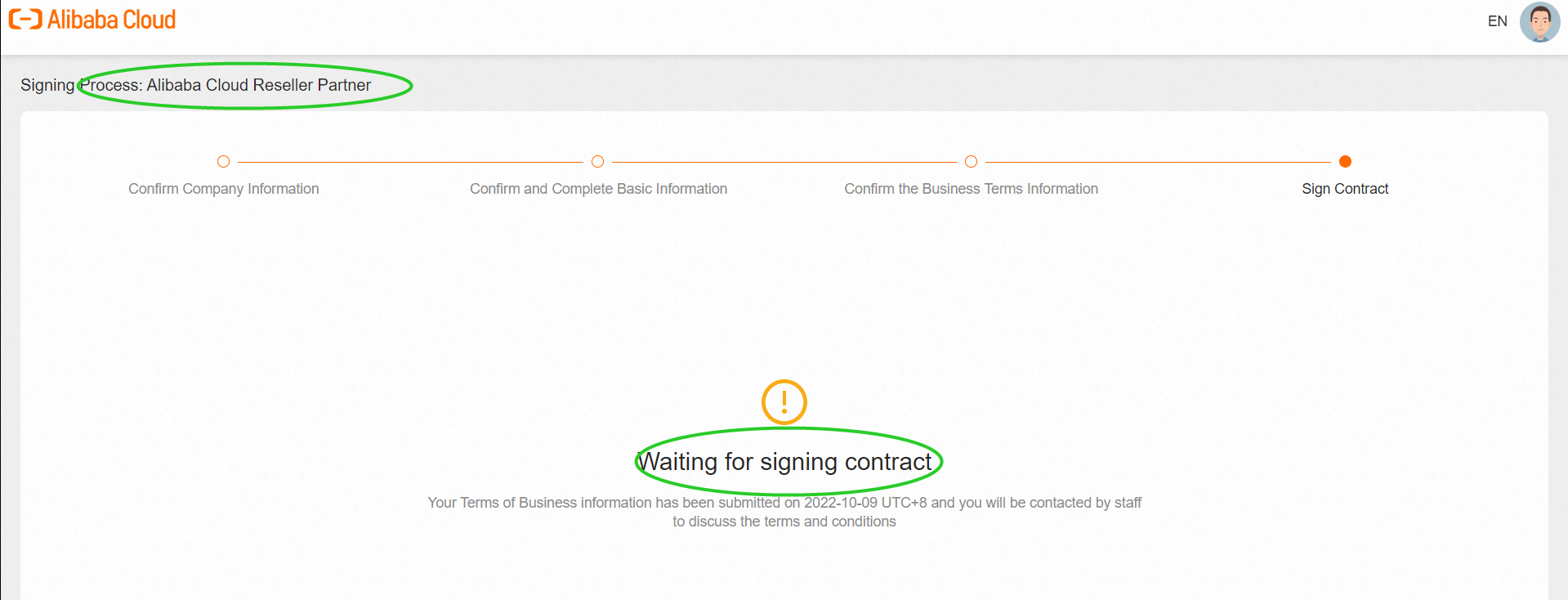
Partner enters the [Waiting for signing contract] process and waits for the contract to be signed. BD will contact the partner within three working days for commercial contract signing issues.
2.4. Complete the Contract-signing Process
According to the agreement between the partner and Alibaba Cloud, there would be different contract-signing processes. Please communicate with your BD to decide on the process path that suits your business needs.
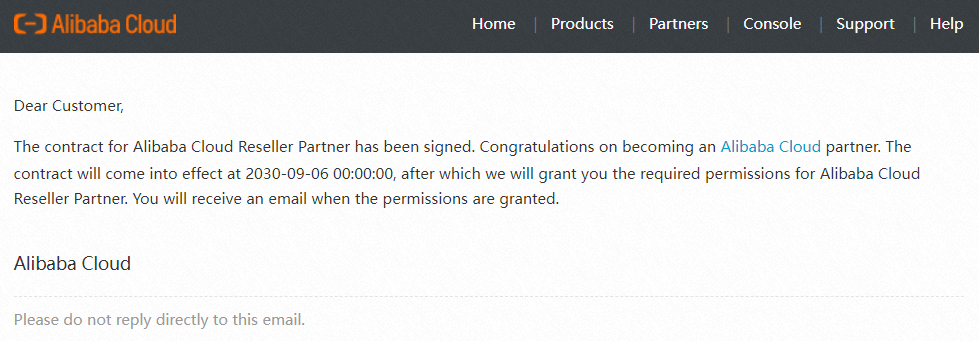
After both parties have signed the contract, the partner will receive the E-mail confirmation.
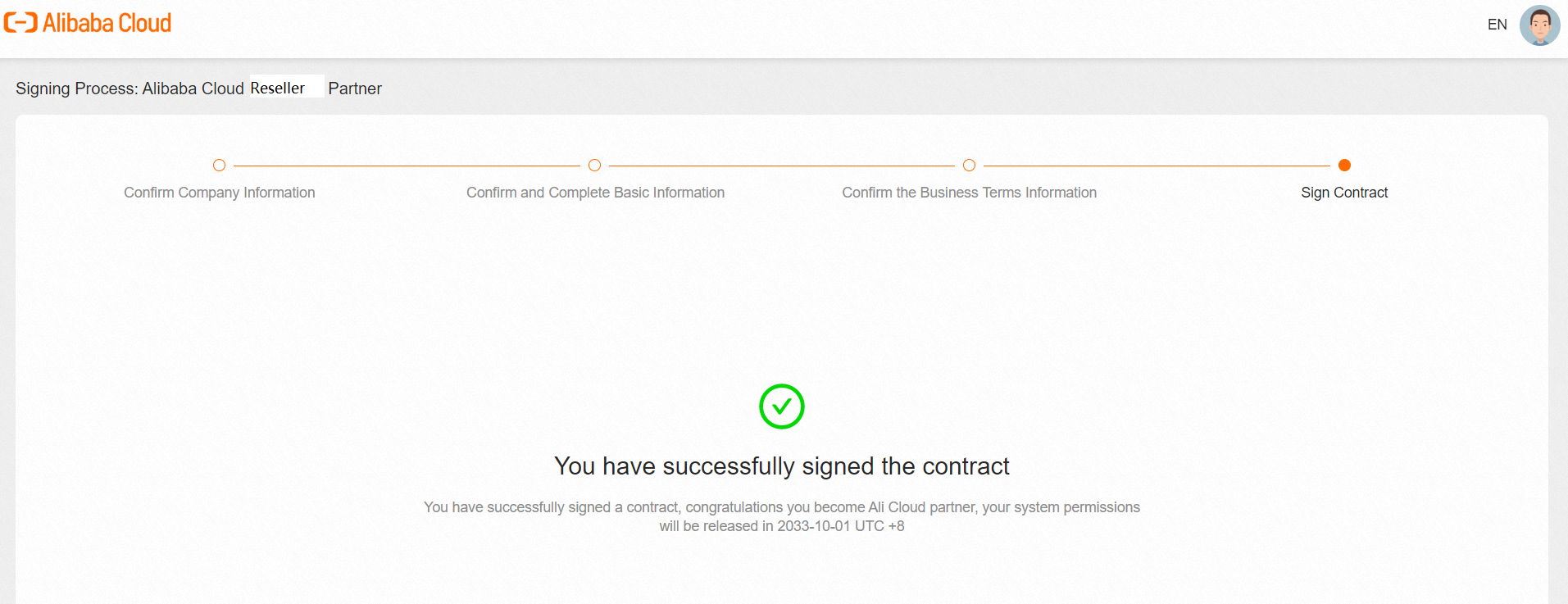
The status of the partner's signing process will be changed to the status of [You have successfully signed the contract]. Please be patient and wait for the E-mail for the contract to take effect and access to the ACPN platform.
Click to log in to the ACPN platform before the contract start date will cause an error message box.
2.5. Access to ACPN Platform is granted
After ACPN permission is activated, there will be an E-mail in the partner's mailbox.
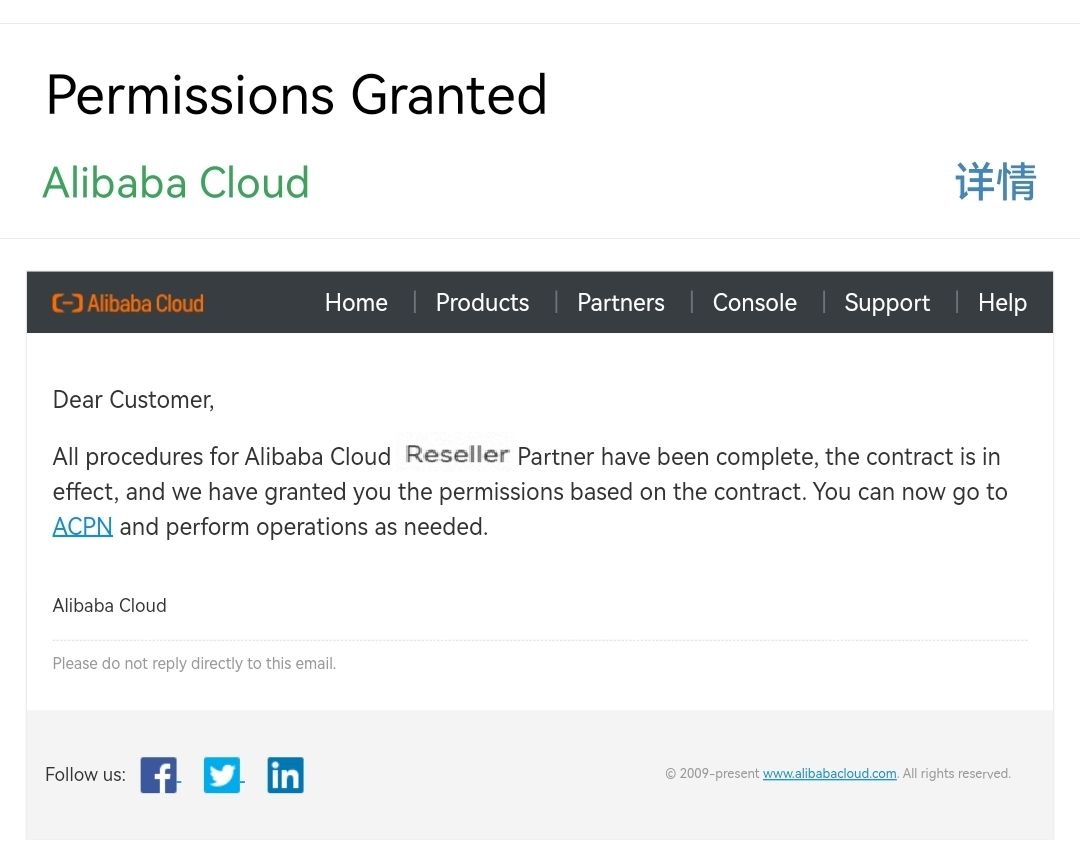
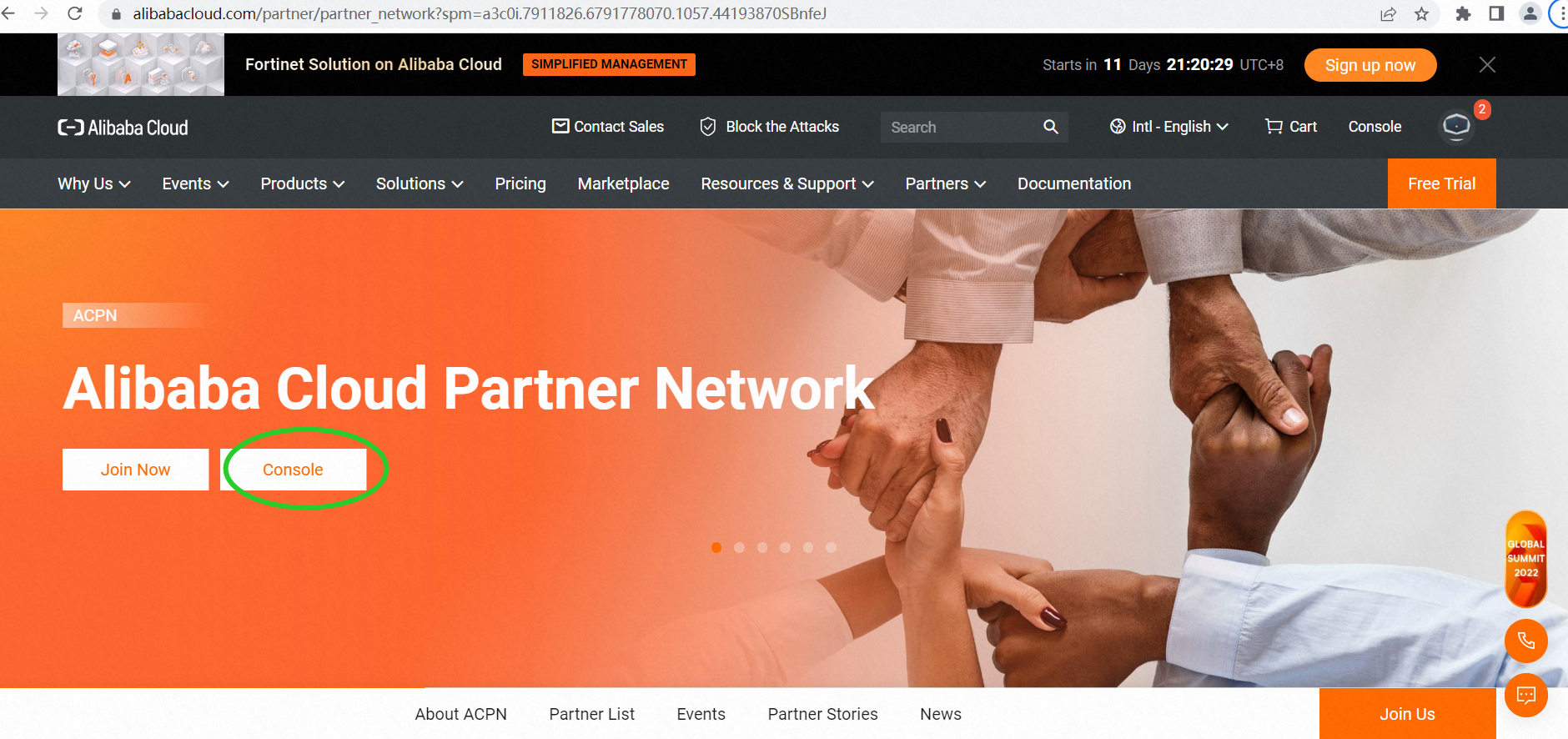
Partners can click the link in the E-mail or directly enter https://www.alibabacloud.com/, and click Alibaba Cloud Partner Network > Console to enter the ACPN Platform.
3. FAQ
Q1. When submitting the onboarding application, the message box "Your account has not completed enterprise verification" is presented.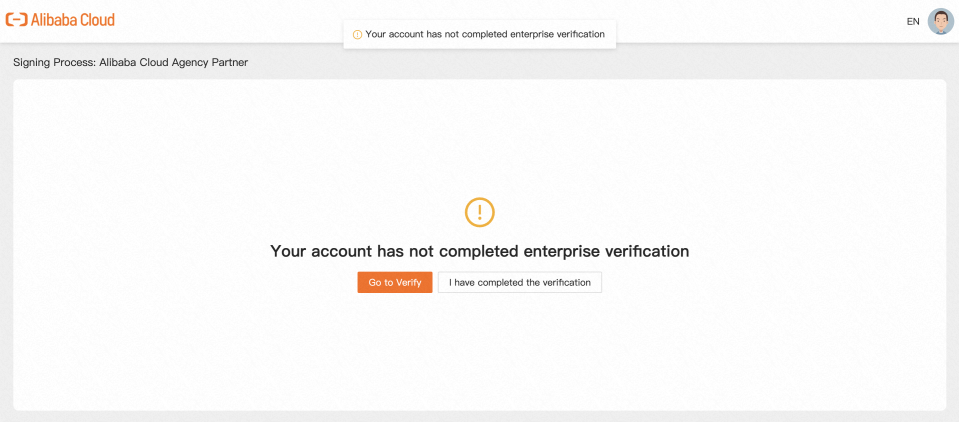
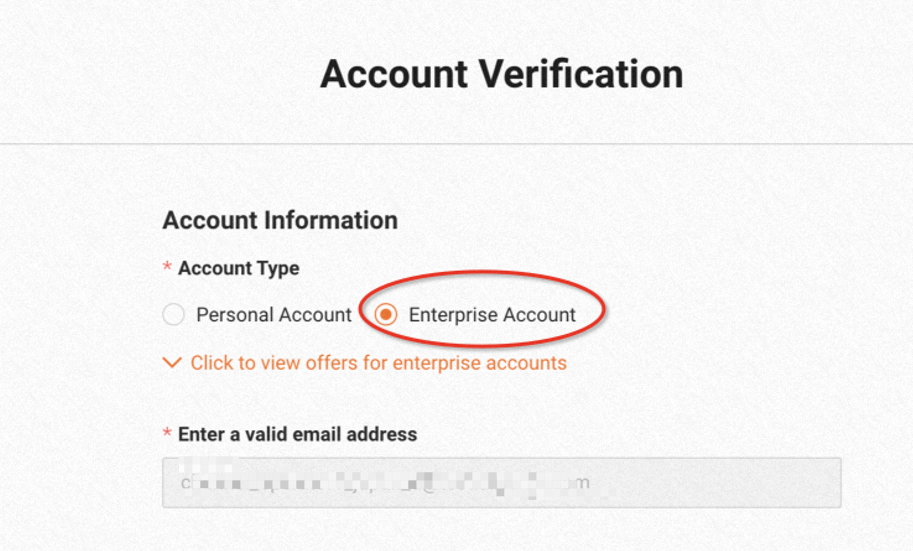
If there is an error as shown in the screenshot above, it is because the real-name authentication of the enterprise was not carried out when the partner registered. Please click Go to Verify.
Q2. The definition of Commitment:
It refers to the promised performance of the partner. Regardless of whether the partner achieves the performance, the partner needs to pay the corresponding compensation to Alibaba Cloud. Alibaba Cloud can evaluate the performance of partners and award partners at the corresponding partner tier. The partner's commitment decides the discounts and rebates. For relevant details, please refer to the Alibaba Cloud Channel Partner Policy.
Q3. The difference and connection between Company Master UID, Main UID, and Associated UID:
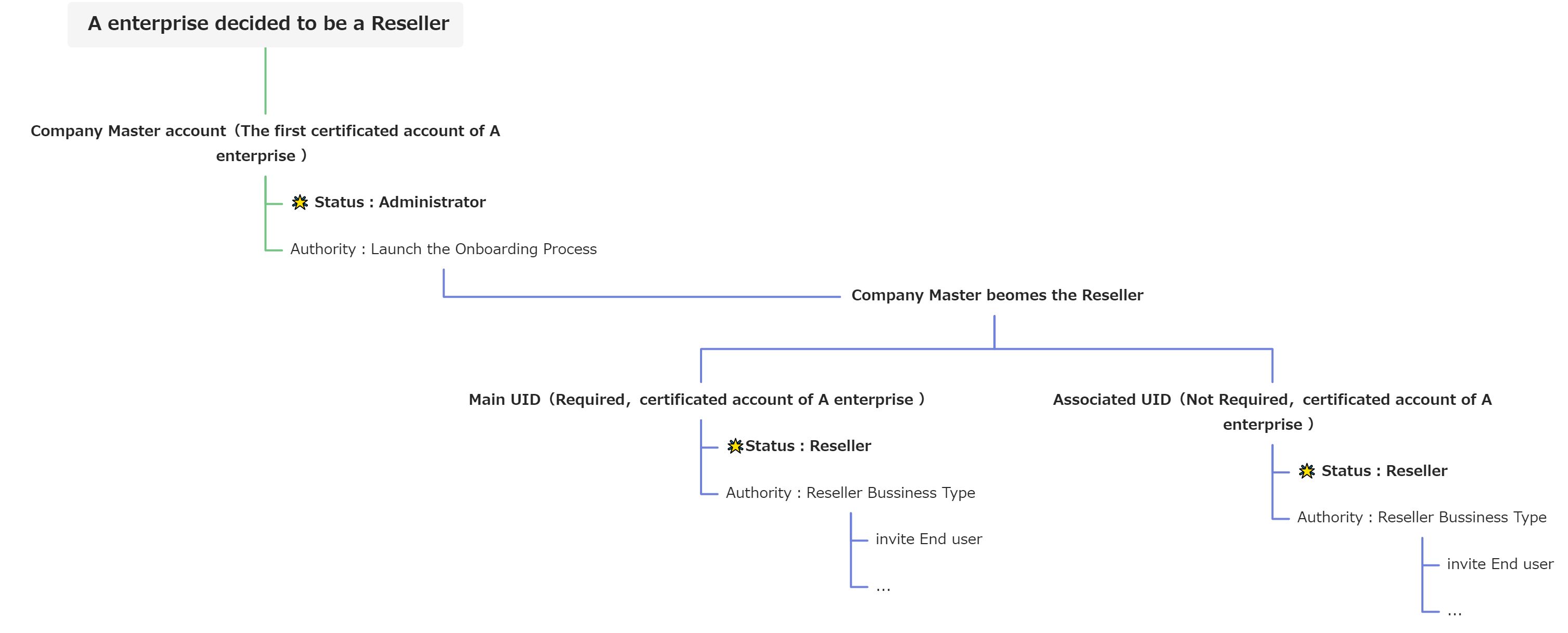
Company Master UID, Main UID, and Associated UID must apply the same enterprise-verified information.
Q4. Whether Company Master UID can conduct distribution business or not?
If partner want Company Master UID to carry out distribution business, please fill in the Company Master UID in the Main UID or Associated UID and the authorization can be completed after partner successfully settle in.
Q5.What types of businesses can partners with the same enterprise verifications have?
The associated UID and the main UID must have the same business type and the same partner commission level. For example, if the main UID business type is Reseller, the associated UID can only be Reseller, not Distributor or Agency. The same applies to Distributors and Agency.