Migrating a virtual border router (VBR) from an Express Connect peering connection to a Cloud Enterprise Network (CEN) instance replaces static, manually managed routes with CEN's automatic route advertisement and learning — accelerating network convergence and connecting all your network resources through a single platform.
Prerequisites
Before you begin, ensure that you have:
A CEN instance. See CEN instances
Migrate the VBR
Before you suspend or delete the router interfaces of the peering connection, make sure that the routes for both the VBR and the connected VPC have been migrated.
If health checks are configured for the VBR, delete them in the Express Connect console. See Configure and manage health checks.
Log on to the CEN consoleCEN console.
On the Instances page, click the ID of the CEN instance.
In the network instances section, click the
 icon next to the network instance type you want to attach.
On the Connection with Peer Network Instance page, configure the parameters to attach the VPC and the VBR to the CEN instance. See Connect VPCs and Connect VBRs.
If you need inter-region communication, purchase a bandwidth plan and allocate bandwidth. See Work with a bandwidth plan and Manage inter-region connections.
If the VPC has routes pointing to Elastic Compute Service (ECS) instances, VPN gateways, or high-availability virtual IP addresses (HAVIPs), advertise those routes to CEN in the CEN console based on your networking requirements.
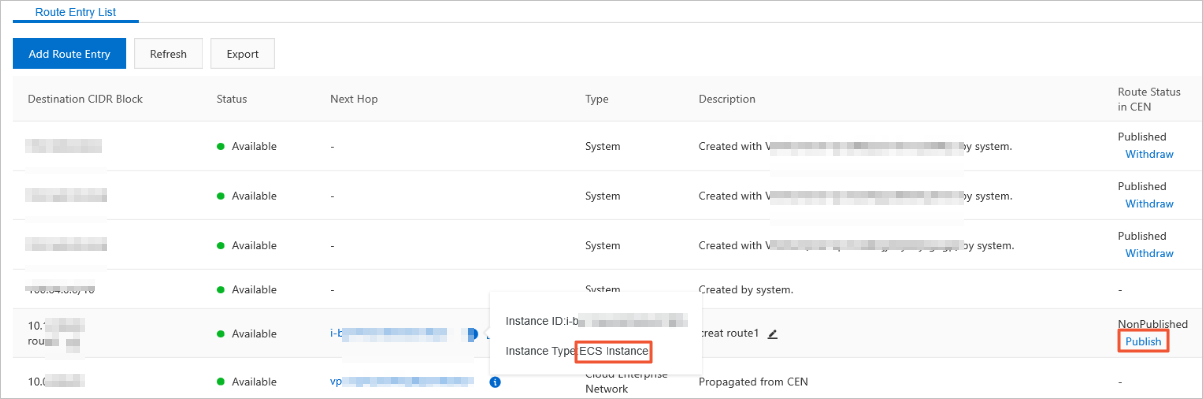
If your data center needs to reach Alibaba Cloud services such as Object Storage Service (OSS) or Alibaba Cloud DNS PrivateZone, configure access in the CEN console. See Access to cloud services and Configure PrivateZone.
In the CEN console, click the transit router in the region where the VPC and VBR reside, then go to the Network Routes tab to verify that the VBR and VPC routes do not conflict. Route priority rule: Static routes from a peering connection have higher priority than dynamically generated CEN routes. If a CEN route is more specific than or has the same destination as a static peering connection route, the CEN route cannot be learned. The following example shows a conflict: CEN has a route to
192.168.1.0/24, but the peering connection has a static route to192.168.0.0/16. Because the static peering connection route has higher priority than the CEN dynamic route, CEN cannot install its more-specific route. Choose an option based on your tolerance for downtime: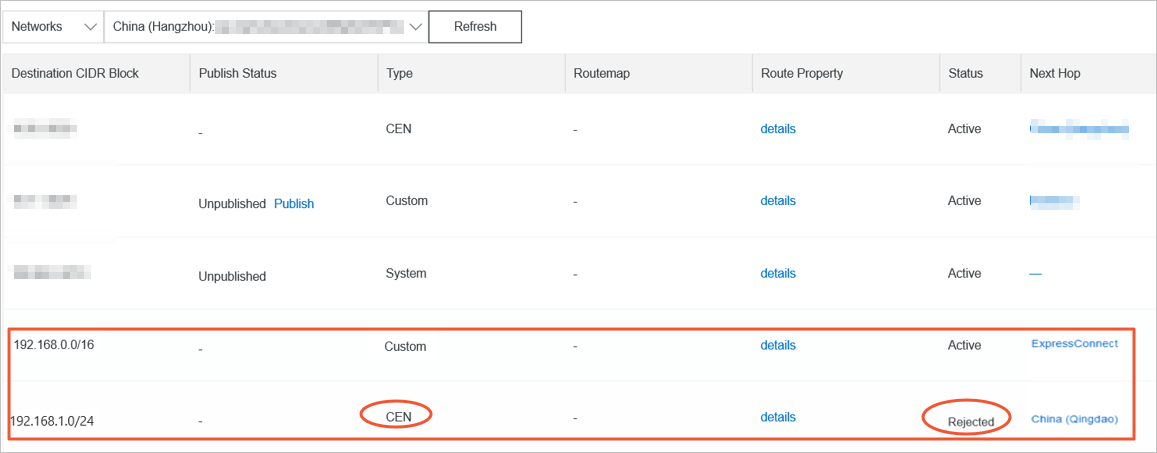
Option Downtime When to use A: Quick cutover — Delete the route to 192.168.0.0/16from the peering connection. The CEN route automatically takes effect. Downtime duration depends on the number of CEN routes.Brief Transient connection interruption is acceptable B: Smooth migration — Split the peering connection route into subnets more specific than any CEN route, switch traffic to CEN, then remove the peering connection routes. See below. None Business continuity is required
Smooth migration (option B)
In the Express Connect console, click the VBR ID, then click the Routes tab.Express Connect console
Click Add Route to add two routes: destination CIDR blocks
192.168.1.0/25and192.168.1.128/25, with the next hop set to the connected VPC.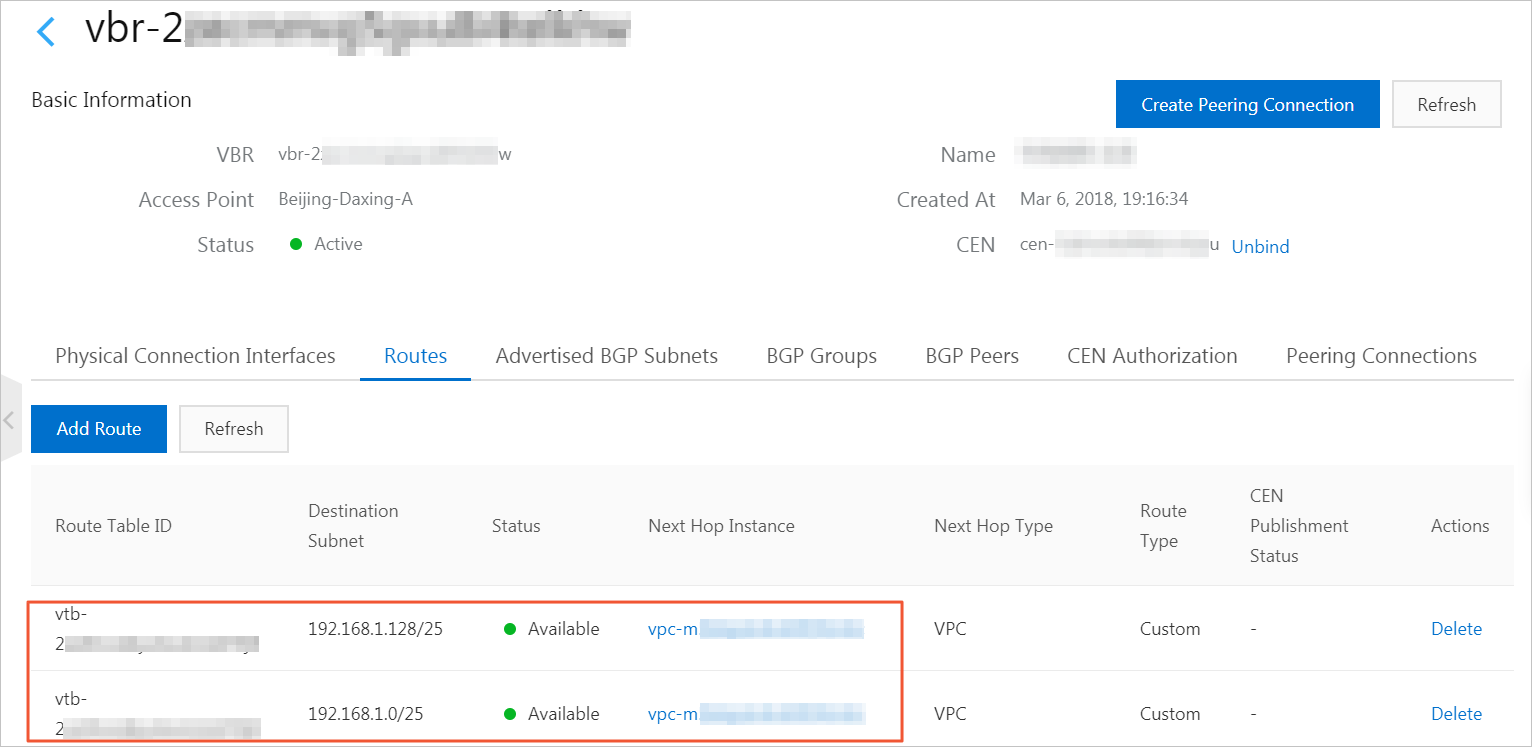
If Border Gateway Protocol (BGP) is in use, advertise the routes to
192.168.1.0/25and192.168.1.128/25.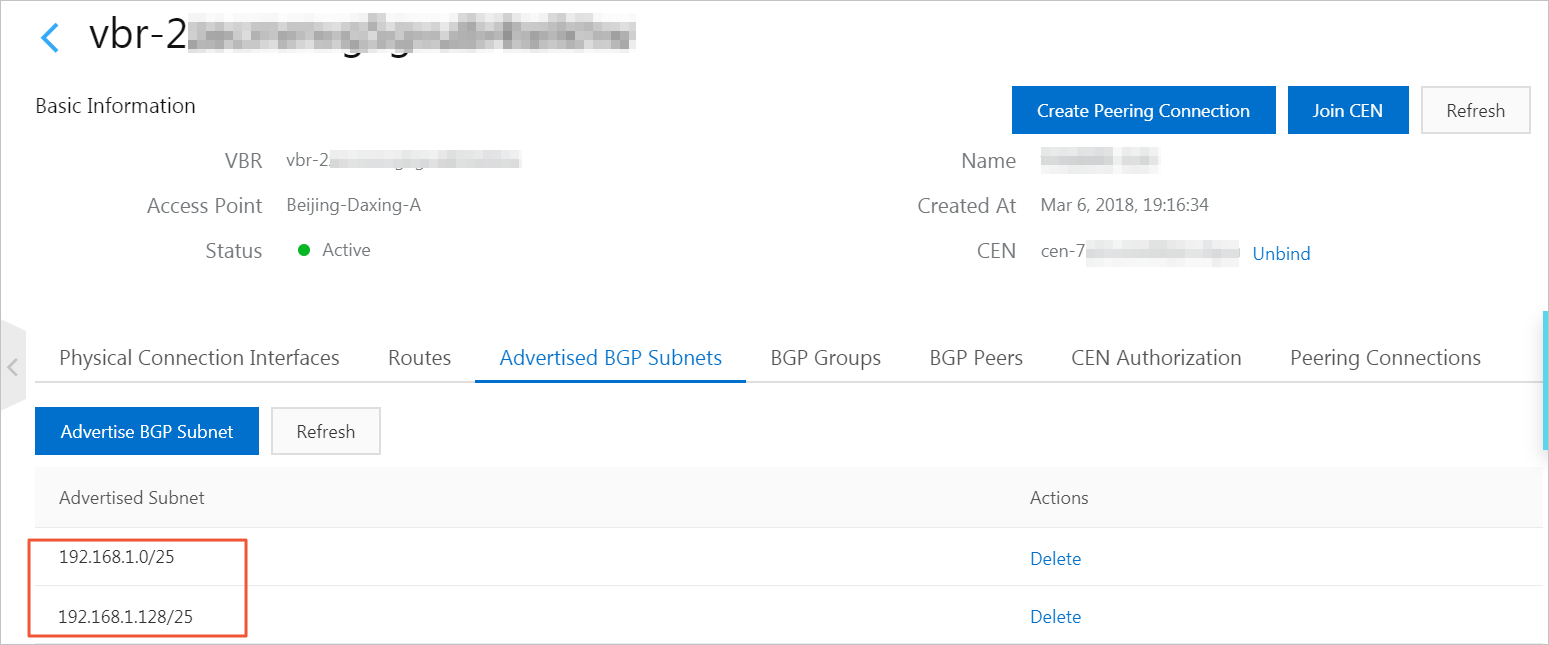
Delete the route to
192.168.0.0/16from the peering connection.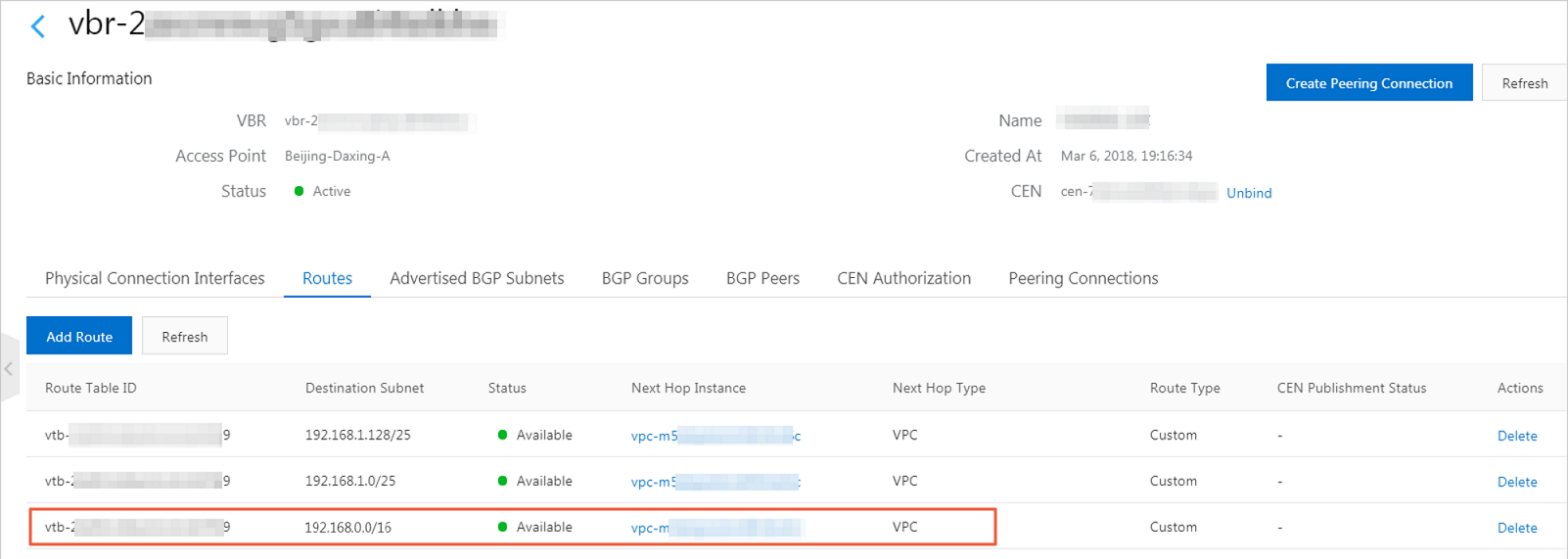
Click Refresh and confirm that the CEN routes are now active.
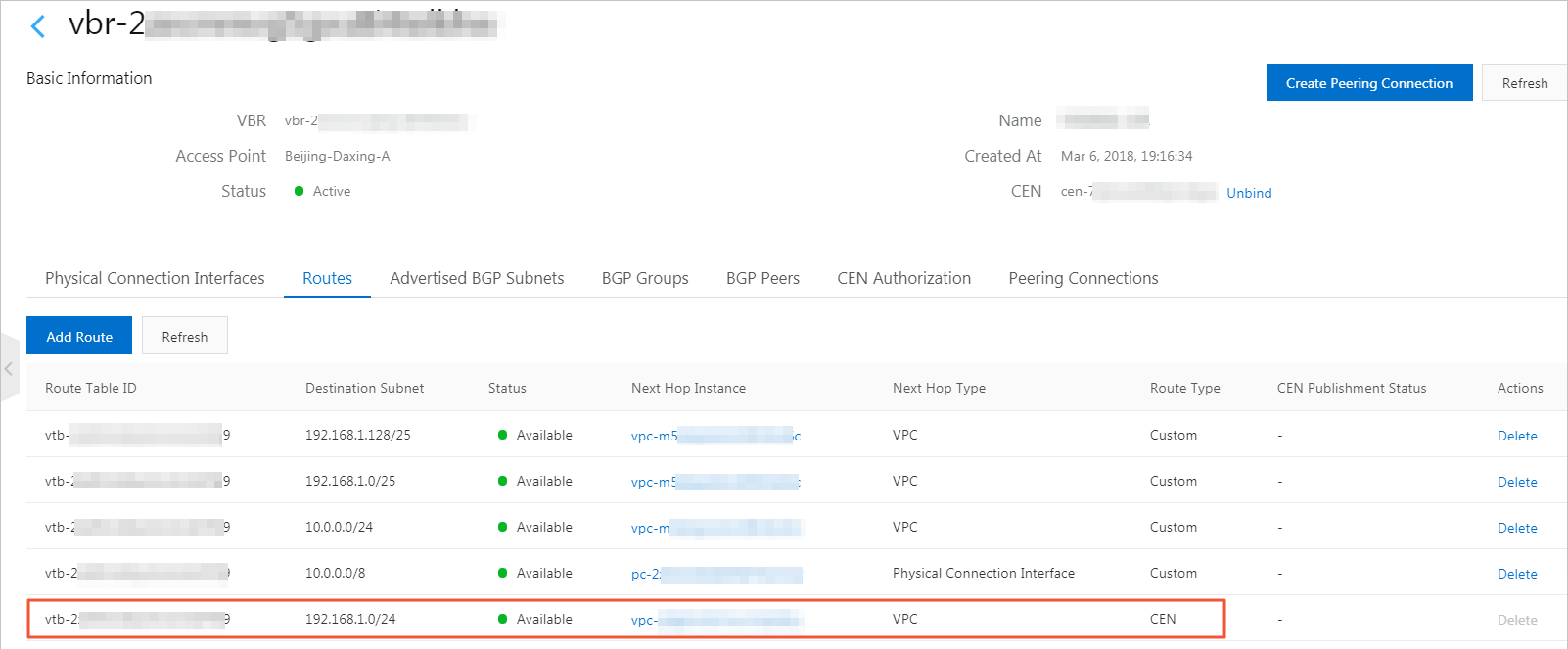
Delete the routes to
192.168.1.0/25and192.168.1.128/25from the VBR route table, and remove the advertised BGP routes.In the CEN console, configure health checks for the VBR. See Configure health checks.