This article describes how to ‘view my jobs’ and other information by using respective commands.
1. View my job list
bcs job # View the job list. This command can be abbreviated to "bcs j".
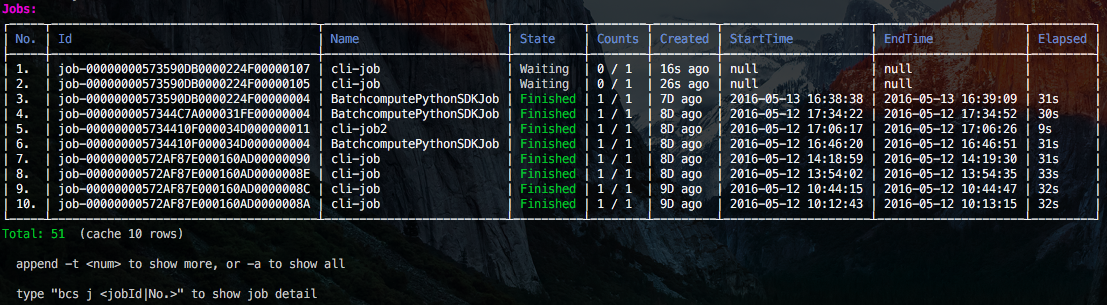
Add “-h” at the end of each command to view the help information, for example, bcs j -h.
2. View the job details
bcs j 1 # View details about the first job in the list.
Note: All commands that include serial numbers instead of IDs must be executed after the list is obtained, because the correspondence between a serial number and an ID is buffered only after the list is obtained.
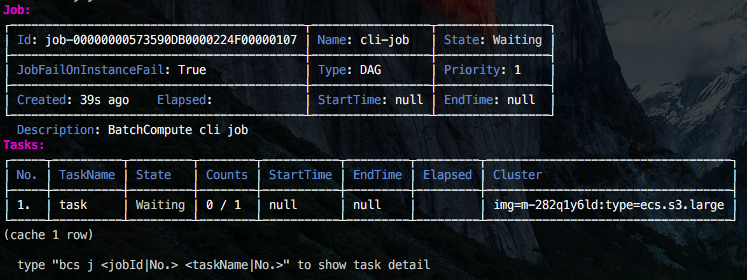
Use bcs j job-00000000573590DB0000224F00000107. The result is the same as that of bcs j 1.
3. View task details
bcs j 1 1 # View details about the first task of the job.
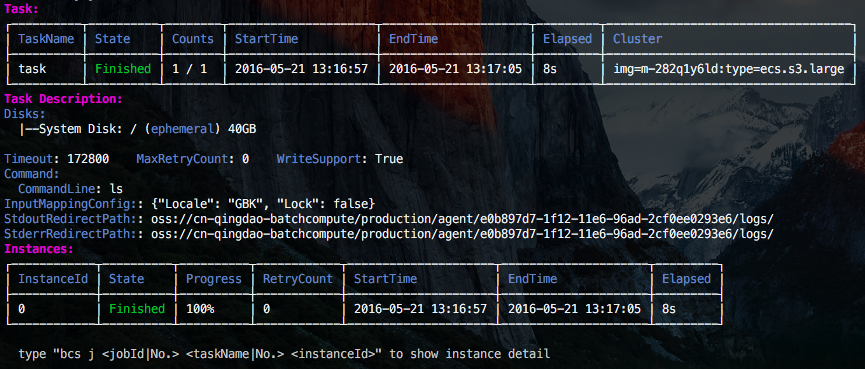
Use bcs j job-00000000573590DB0000224F00000107 task. The result is the same as that of bcs j 1 1.
4. View instance details
bcs j 1 1 0 # View the details and log of the instance whose instanceId is 0 in the first task of a job.
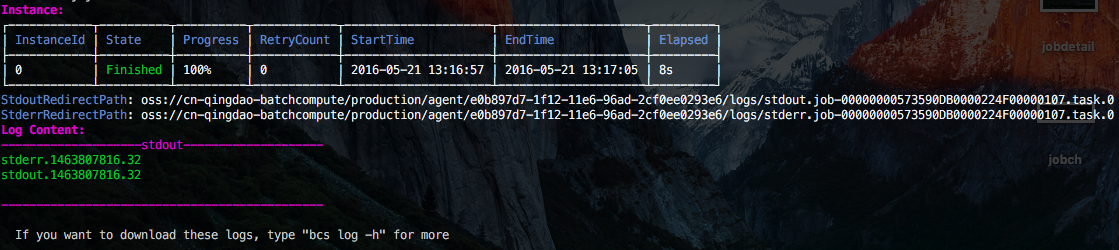
- Alternatively, use
bcs j job-00000000573590DB0000224F00000107 task 0. The result is the same as that ofbcs j 1 1 0.
5. View a job log
bcs log 1 # View a job log.

- Alternatively, use
bcs log job-00000000573590DB0000224F00000107. The result is the same as that ofbcs log 1.
For more information about other functions, add “-h” at the end of the command to view the help information.