Before you create a data migration or synchronization task, you must create a data source. This topic describes how to create a TiDB data source by using the data transmission service.
Security risks
You can choose to automatically or manually add public CIDR blocks for the data transmission service, but security risks exist. Your use of the data transmission service indicates that you have understood and acknowledged the possible security risks. You must take basic security protection measures, such as setting a complex password for your account, limiting the open port numbers of CIDR blocks, enabling authentication for communication among internal APIs, and regularly checking for and limiting CIDR blocks that are not required.
The data transmission service will add or delete the CIDR blocks automatically added to a whitelist or security group based on business needs and security risks. Do not use the CIDR blocks in a whitelist or security group for business needs other than the data transmission service. If you use such CIDR blocks for other business needs, the issues thus incurred are beyond the guarantee scope of the SLA of the data transmission service. For more information about how to add an IP address to a whitelist or security group for the data transmission service, see Add a whitelist.
Prerequisites
You have obtained the IP address and port number of the related database.
You have created a database user for data migration.
We recommend that you create a dedicated database user for the data migration task and grant the required data operation privileges to the user. For more information, see Create a TiDB database user.
If you need to subscribe to incremental logs from the TiDB database, deploy a Kafka data source and a Kafka topic. In addition, you must create a task to synchronize data from the TiDB database to the Kafka data source in advance. For more information, see the TiDB documentation.
ImportantThe names of the databases and tables that you subscribe to in the TiDB database must be the same as those specified in the data migration task.
Procedure
Log on to the ApsaraDB for OceanBase console.
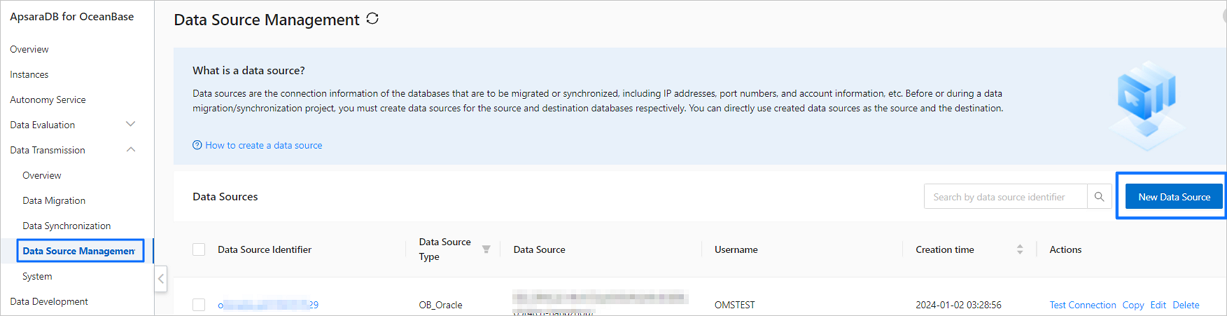
In the left-side navigation pane, choose Data Transmission > Data Source Management.
In the Data Sources section, click New Data Source in the upper-right corner.
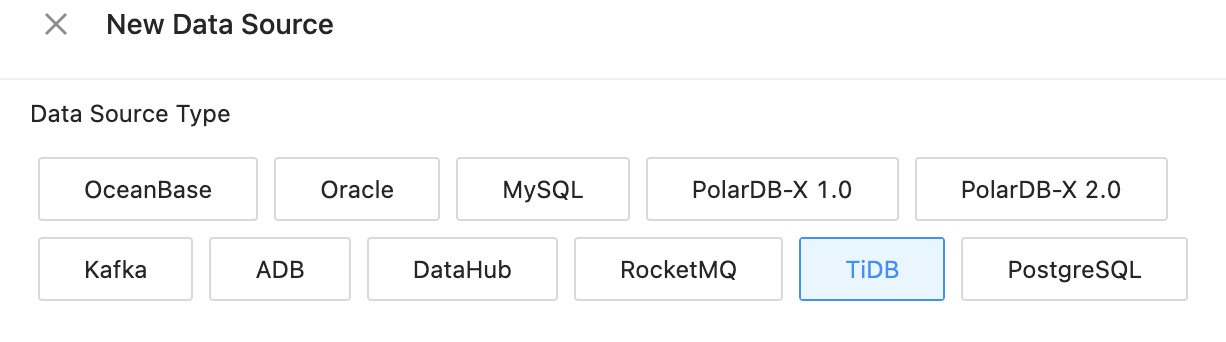
In the New Data Source dialog box, select TiDB for Data Source Type.
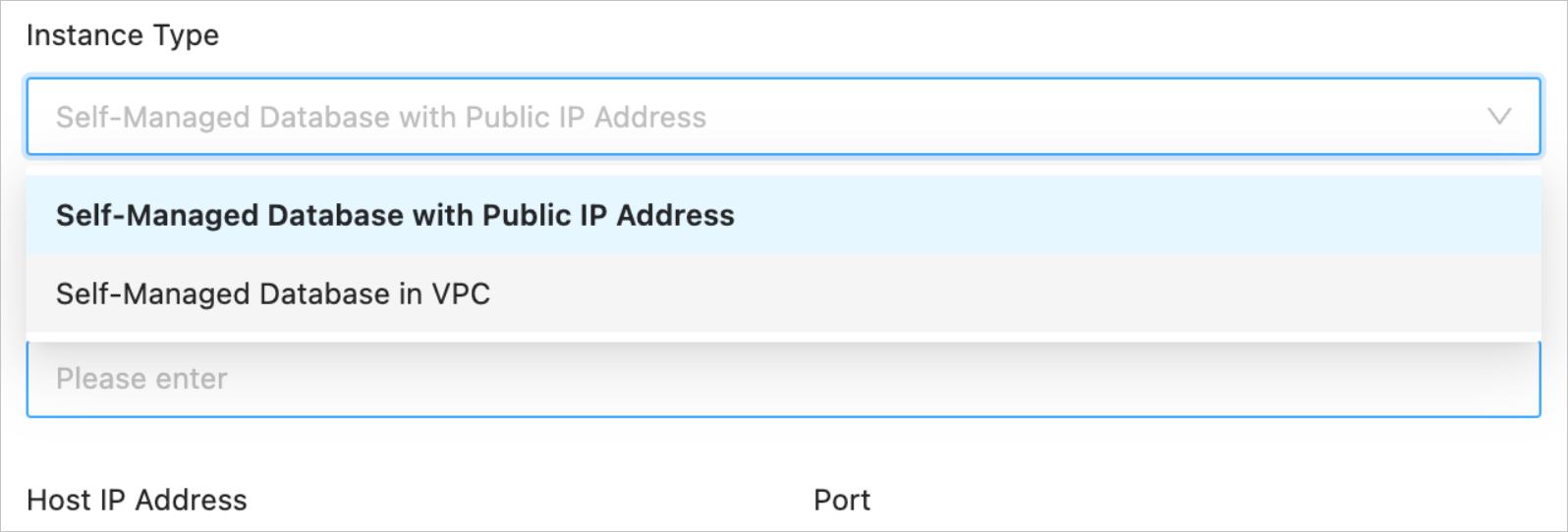
Configure the parameters. Select an instance type from the Instance Type drop-down list. The corresponding configuration section automatically appears.
Instance type
Parameter
Description
Self-Managed Database in VPC
Cross Alibaba Cloud Account
The data transmission service allows you to configure a task to migrate or synchronize data between instances under different Alibaba Cloud accounts.
You can choose whether to select this option based on business needs. If you select this option, enter the Alibaba Cloud account of the target instance. If you do not have permissions on this Alibaba Cloud account, request for authorization first. For more information, see Apply for cross-account authorization.
VPC
The unique ID of the VPC that you used. Select the desired virtual private cloud (VPC) from the VPC drop-down list. You can also perform a fuzzy search.
Common parameters
Self-Managed Database with Public IP Address (containing all common parameters)
Data Source Identifier
We recommend that you set it to a combination of digits and letters. It must not contain any spaces and cannot exceed 32 characters in length.
Host IP Address
The IP address of the server where the TiDB database is located.
Port
The port number corresponding to the IP address of the server where the TiDB database is located.
Username
The name of the TiDB database user for data migration or synchronization.
We recommend that you create a separate database user for the migration or synchronization task. For more information, see Create a database user.
Password
The password of the database user.
Incremental Synchronization Settings
Kafka Data Source/Topic
Specifies whether to use a Kafka data source to save the incremental logs of the TiDB database that are converted by TiCDC for consumption by the data transmission system.
If you select this option, select a Kafka data source and the corresponding Kafka topic from the drop-down list.
NoteAt present, the data transmission service supports only a self-managed Kafka instance in a VPC as the Kafka data source.
If you do not select this option, you cannot select Incremental Synchronization for Migration Type when you create a task to migrate data from a TiDB database to an OceanBase database in MySQL-compatible mode.
TiDB Data Format
When you migrate data from a TiDB database to an OceanBase database in MySQL-compatible mode, you can select the TiCDC or TiDB Binlog data format from the drop-down list.
Remarks (Optional)
The additional information about the data source.
Click Test Connection to verify the network connection between the data transmission service and the data source, as well as the validity of the username and password.
After the test is passed, click OK.