Edge Functions in AnalyticDB for PostgreSQL Supabase (AnalyticDB Supabase) is a fully managed serverless runtime that lets you deploy TypeScript functions backed by Deno. All your code and configuration stay in your private environment, and you get a management interface—Dashboard and CLI—that the open-source community version does not provide. This topic explains how to deploy, test, update, delete, and migrate Edge Functions, and how to manage secrets.
Benefits
Native TypeScript development: No compilation or packaging is required. Deploy TypeScript source code directly. Simplify your development flow.
Ecosystem integration: Access Supabase database, user authentication, and Object Storage Service directly from within a function. No extra configuration is needed.
Isolation and high performance: The sandbox mechanism and Deno security model ensure each request runs independently. Obtain millisecond-level responses and nearly imperceptible cold starts.
Prerequisites
Before you begin, make sure you have:
An AnalyticDB Supabase project
The
SUPABASE_API_URLandSUPABASE_API_KEY(service role key) for your project — see Get API Keys(For CLI) The functions-cli tool downloaded for your platform (see Deploy using functions-cli)
(For third-party dependencies or public network API calls) Public network access enabled for your project
Deploy an edge function
Two deployment methods are available. Use the Dashboard for quick prototyping; use functions-cli for production workflows and CI/CD pipelines.
Deploy using the Dashboard
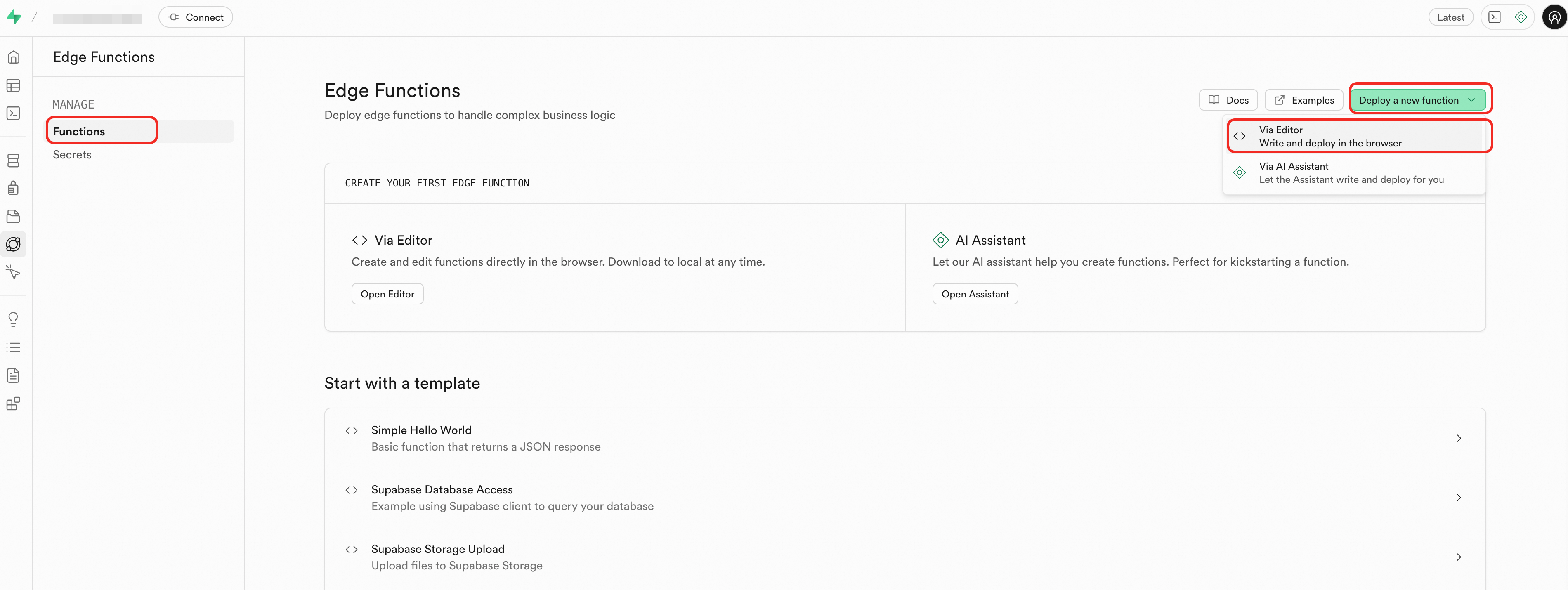
In the sidebar, click Edge Function > Functions.
In the upper-right corner, click Deploy a new function and select Via Editor.
Write your function code in the editor. The following example uses two files:
index.ts(the entry point) andfoo.ts.index.ts:ImportantTo import third-party dependencies or call public network APIs, enable public network access for your project first.
import { foo } from './foo.ts'; console.info('server started'); Deno.serve(async (req) => { const { name } = await req.json(); const data = { message: `Hello ${foo()} ${name}!` }; return new Response(JSON.stringify(data), { headers: { 'Content-Type': 'application/json', 'Connection': 'keep-alive' } }); });foo.ts:export function foo() { return 'bar'; }Enter a name for the function in the lower-right corner, then click Deploy.
Deploy using functions-cli
Configure
SUPABASE_API_URLandSUPABASE_API_KEYfor your project.SUPABASE_API_KEYis the service role key. See Get API Keys for how to retrieve it. Configure it using one of these methods: Example using environment variables:Environment variable:
export SUPABASE_API_KEY=xxx.envfile:SUPABASE_API_KEY=xxxCommand-line flag:
-key xxx
export SUPABASE_API_URL=https://sbp-xxx.supabase.opentrust.net
export SUPABASE_API_KEY=eyJ0eXAiOiJKV1QiLCJhbGciOiJIUzI1NiJ9.eyJyb2xlIjoic2Vxxxx
Prepare your function files in the following directory structure:
supabase └── functions └── hello ├── foo.ts └── index.tsindex.ts:import { foo } from './foo.ts'; console.info('server started'); Deno.serve(async (req) => { const { name } = await req.json(); const data = { message: `Hello ${foo()} ${name}!` }; return new Response(JSON.stringify(data), { headers: { 'Content-Type': 'application/json', 'Connection': 'keep-alive' } }); });foo.ts:export function foo() { return 'bar'; }Download functions-cli for your platform. Replace
functions-cliin subsequent commands with the downloaded filename.Platform Download macOS (Apple Silicon) functions-cli-darwin-arm64-2026-03-17 macOS (Intel) functions-cli-darwin-amd64-2026-03-17 Windows (32-bit) functions-cli-windows-386-2026-03-17.exe Windows (64-bit) functions-cli-windows-amd64-2026-03-17.exe Linux (32-bit) functions-cli-linux-386-2026-03-17 Linux (64-bit) functions-cli-linux-amd64-2026-03-17 Linux (ARM) functions-cli-linux-arm-2026-03-17 Linux (ARM64) functions-cli-linux-arm64-2026-03-17 Run the deploy command from the directory that contains the
supabase/functions/path:If you see the error "At least one file is required", your project may need an upgrade. In the console, find your project in the list, click More > Upgraded Version in the Actions column, then retry. If your project is at v1.0.0, the upgrade also updates the database connection string.
./functions-cli deploy helloTo disable JWT verification:
./functions-cli deploy hello --no-verify-jwt
Test an edge function
Test using the Dashboard
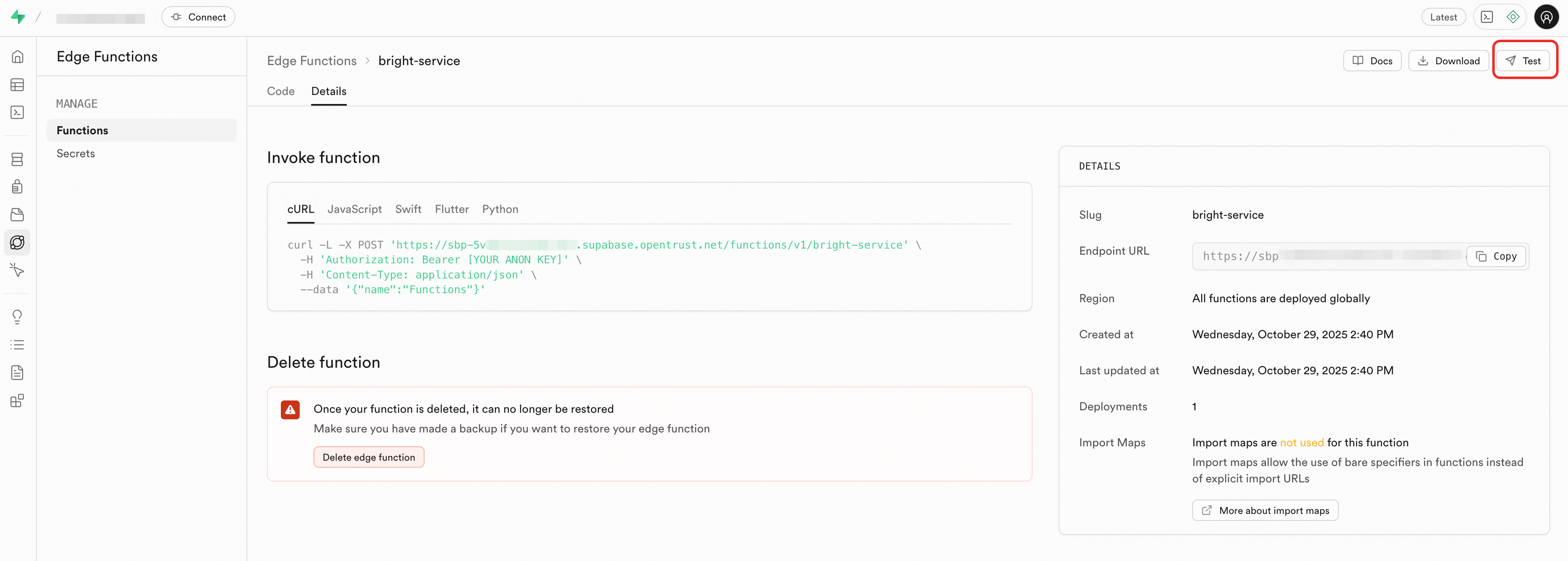
On the Functions page, click Test in the upper-right corner.
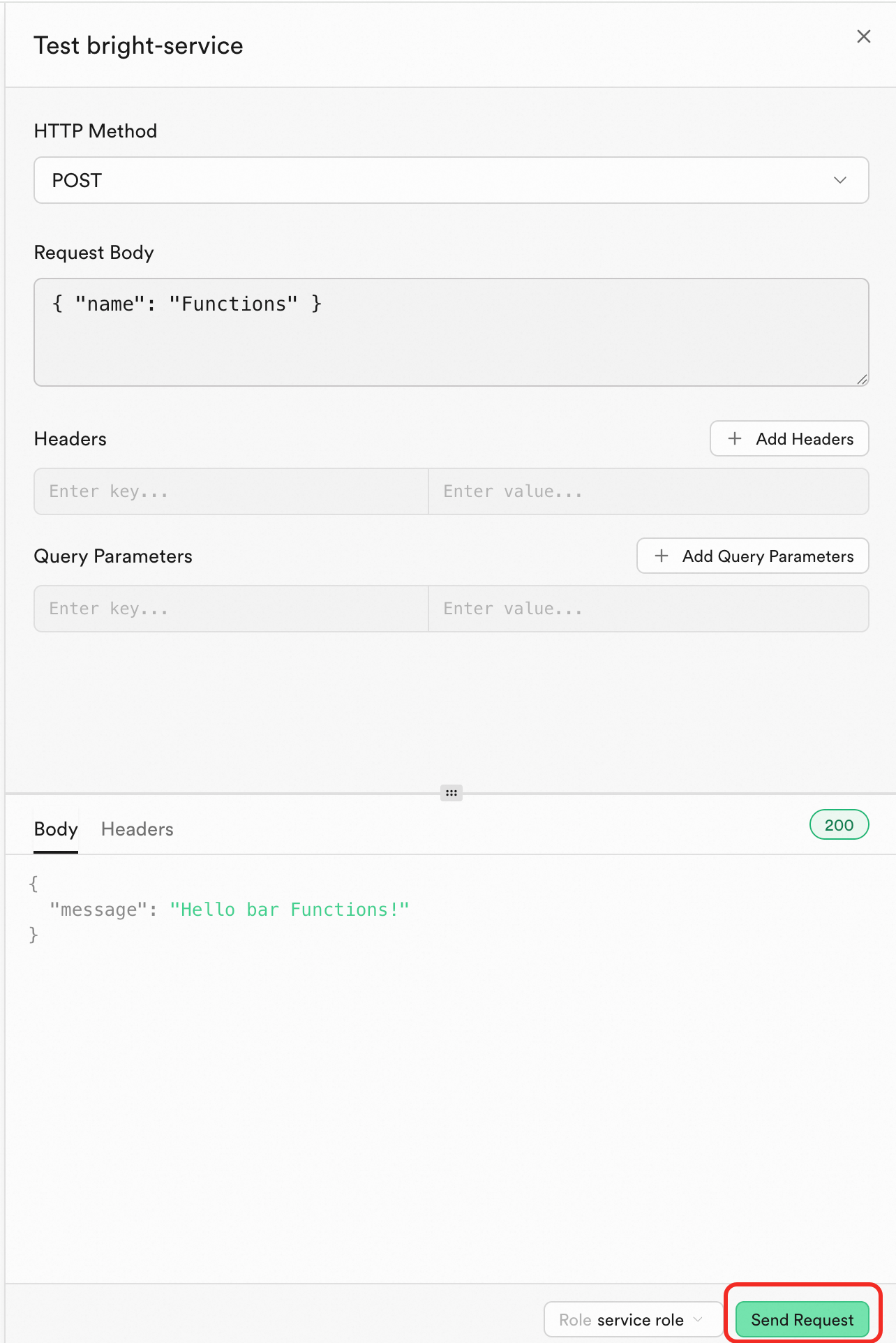
In the panel, click Send Request.
Test using curl
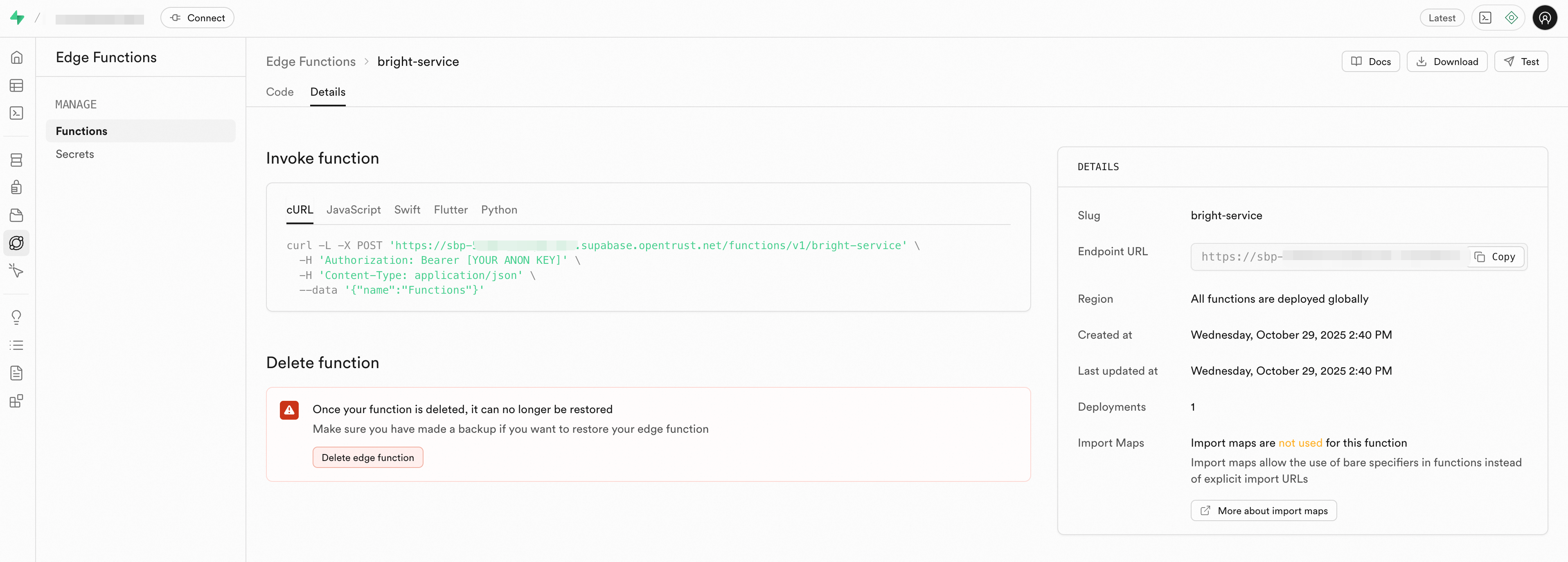
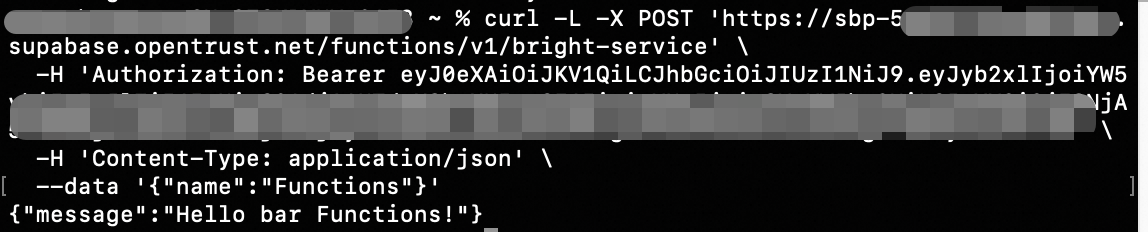
On the Details tab, copy the curl command and replace [YOUR ANON KEY] with your anon key or service role key.
A successful response looks similar to this:
Update an edge function
In the sidebar, click Edge Function > Functions, then click the function you want to update.
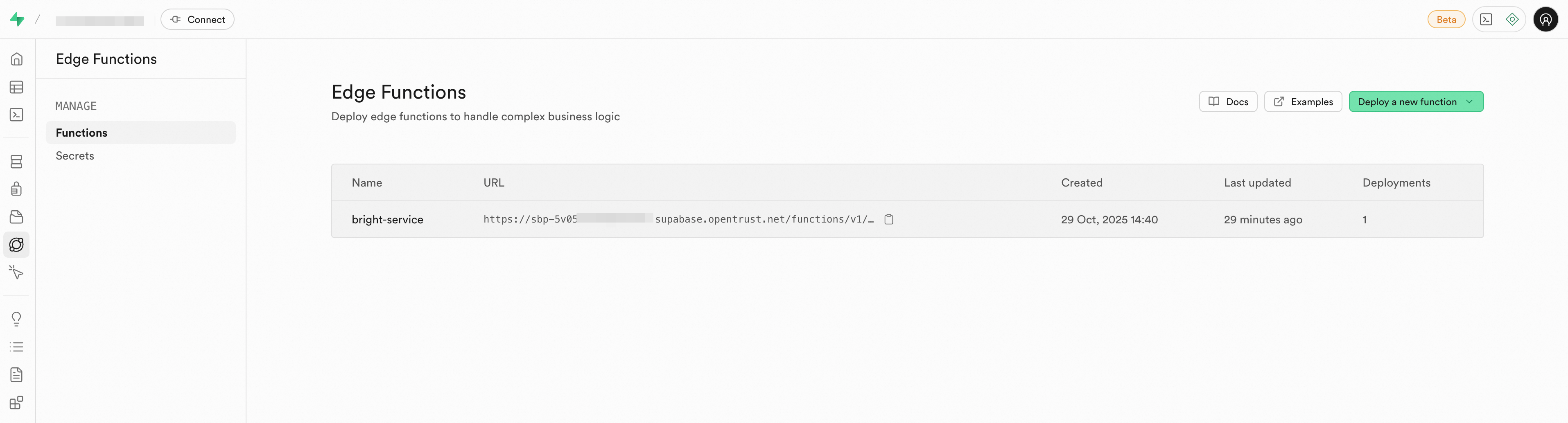
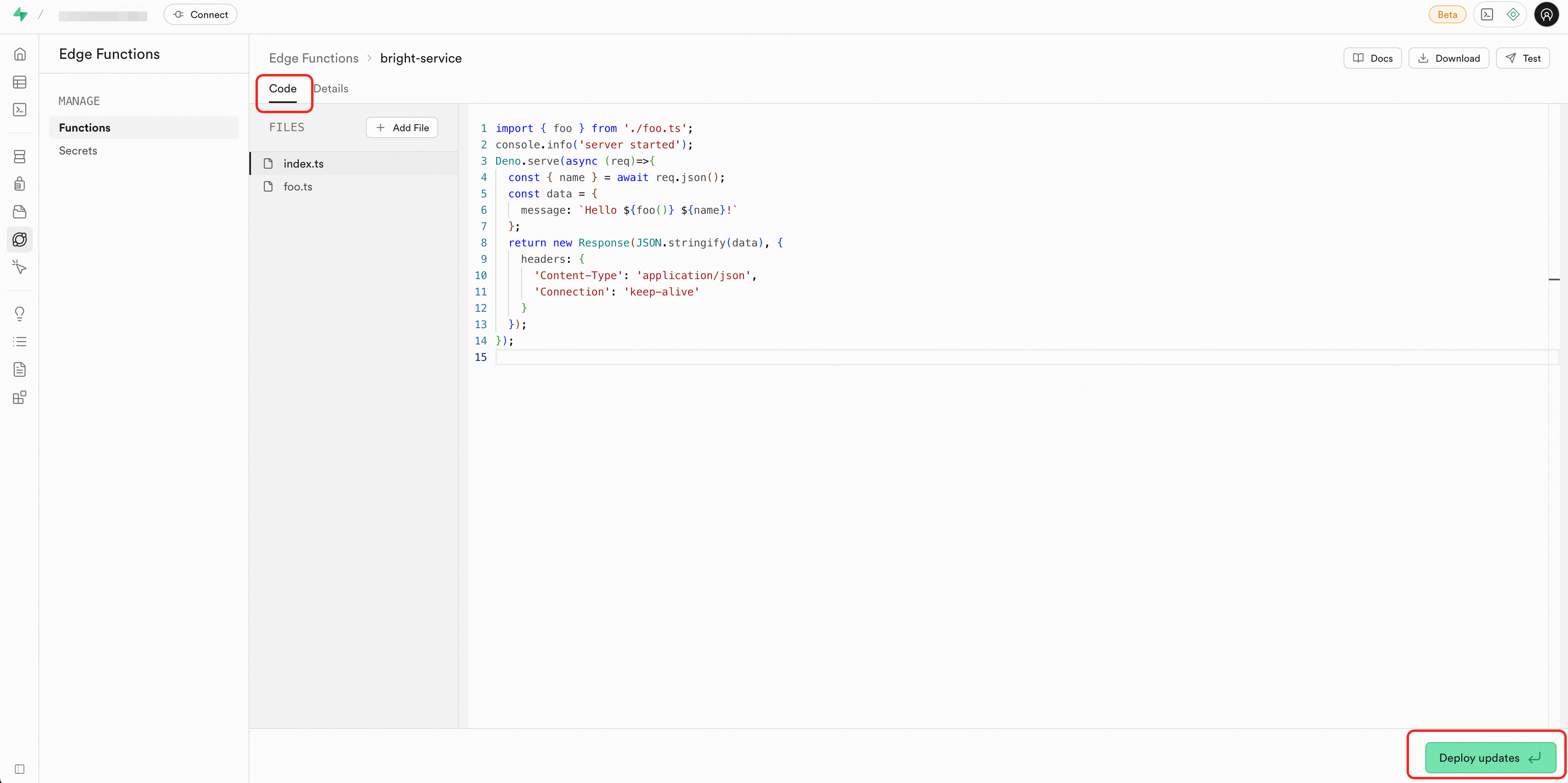
Click the Code tab and edit the file.
Click Deploy updates in the lower-right corner.
Delete an edge function
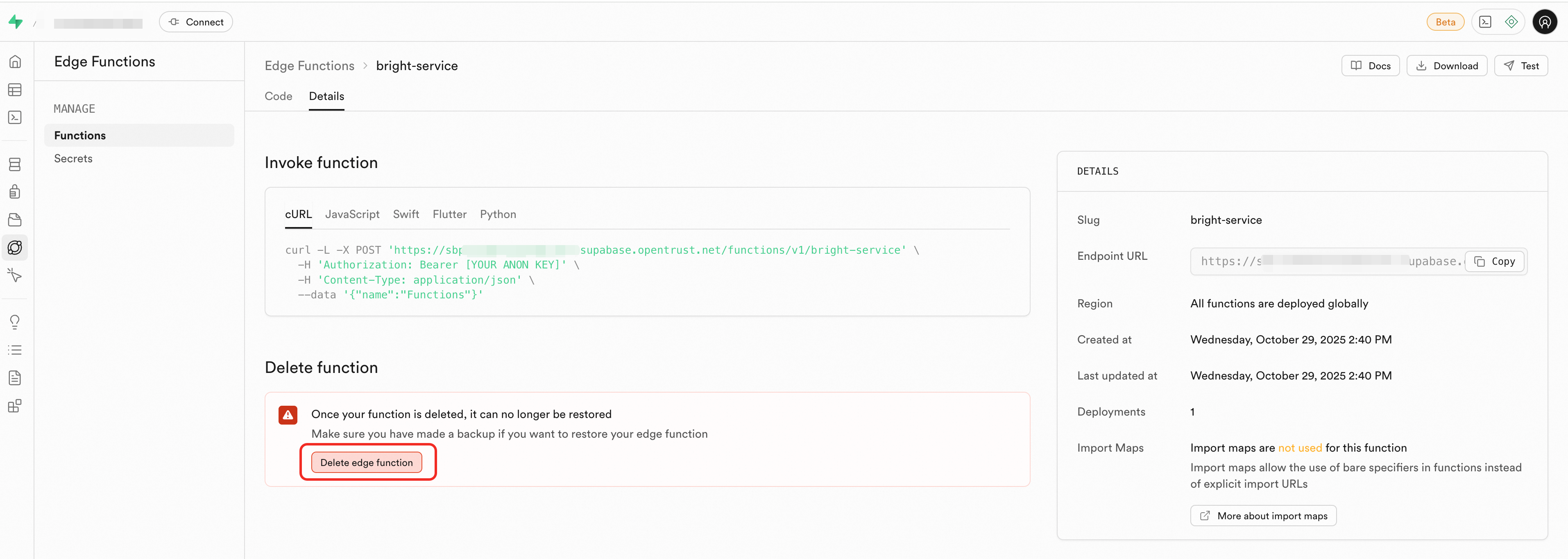
In the sidebar, click Edge Function > Functions, then click the target function.
Click the Details tab.
In the Delete function area, click Delete edge function. In the confirmation dialog, click Delete.
Migrate edge functions
Migrate from Supabase Cloud to AnalyticDB Supabase
Step 1: Get project information
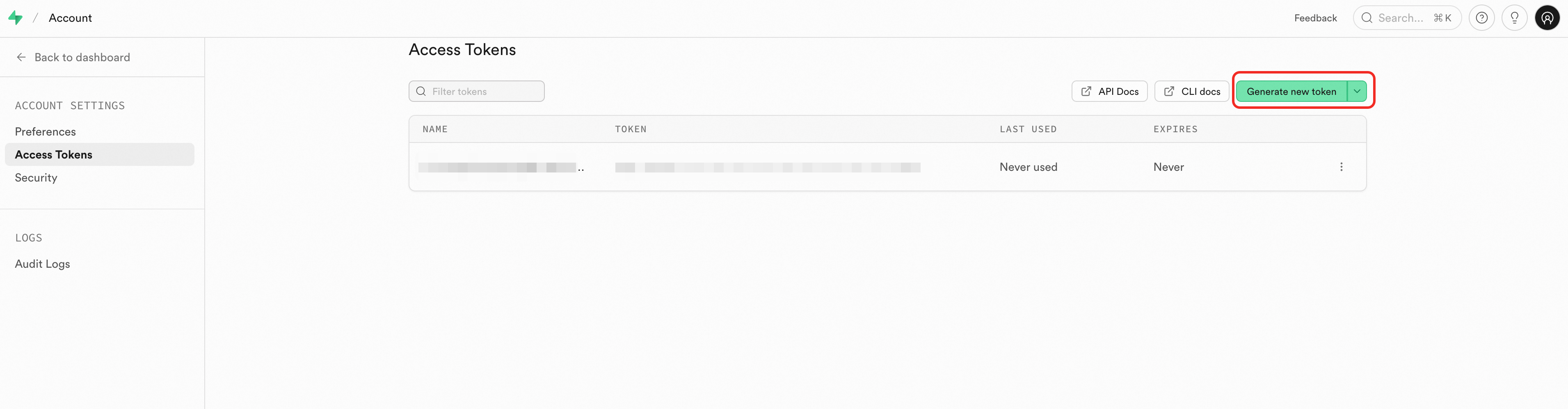
Get the personal access token for your Supabase Cloud project.
Go to the Supabase Cloud Access Tokens page.
Click Generate new token.
Enter a token name and click Generate token.
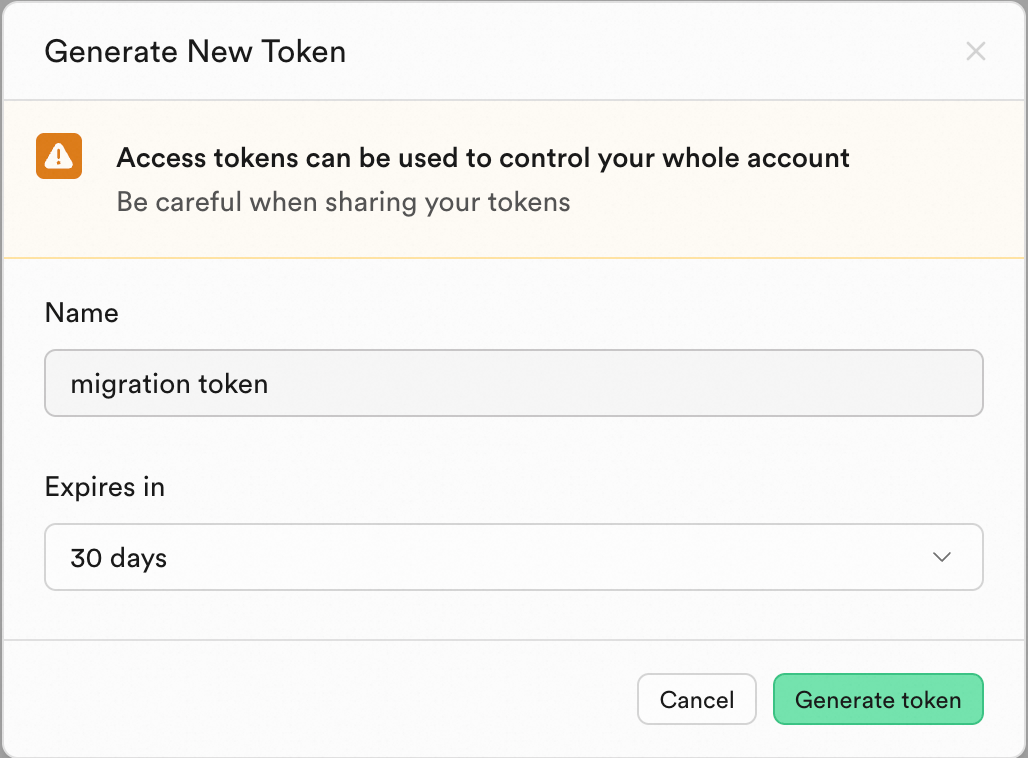
Copy and store the token securely.
Get the Project Ref for your Supabase Cloud project. Go to the Supabase console, click your project, and look at the URL. The Project Ref is the string at the end—for example, if the URL is
https://supabase.com/dashboard/project/qeqfhfoebrtkbmwd**`, the Project Ref is `qeqfhfoebrtkbmwd**.Get the
SUPABASE_API_URLandSUPABASE_API_KEY(service role key) for your AnalyticDB Supabase target project. See Get API Keys.Configure the source and target credentials. Example using environment variables:
export SUPABASE_SOURCE_REF=abcdefghijkl****
export SUPABASE_SOURCE_TOKEN=sbp_1760f47cc82fe3466dce9aa*********

export SUPABASE_API_URL=https://sbp-xxx.supabase.opentrust.net
export SUPABASE_API_KEY=eyJ0eXAiOiJKV1QiLCJhbGciOiJIUzI1NiJ9.eyJyb2xlIjoic2V****
You can also use a
.envfile (SUPABASE_API_KEY=xxx) or the-key xxxcommand-line flag.
Step 2: Install Deno
See Deno installation.
Step 3: Run the migration
Download functions-cli (see the download links in Deploy using functions-cli).
Migrate a single function
To migrate a single function by its slug:
./functions-cli migrate \
  -s hello \
  --source-ref abcdefghijkl**** \
  --source-token sbp_1a2b3c4d5e6f7g8h**** \
  --target-key eyJ0eXAiOiJKV1QiLCJhbGciOiJIUzI1NiJ9.eyJyb2xlIjoic2V**** \
  --target-url https://sbp-****.supabase.opentrust.net
Migrate all functions
To migrate all functions at once:
./functions-cli migrate \
  --all \
  --source-ref abcdefghijkl**** \
  --source-token sbp_1a2b3c4d5e6f7g8h**** \
  --target-key eyJ0eXAiOiJKV1QiLCJhbGciOiJIUzI1NiJ9.eyJyb2xlIjoic2V**** \
  --target-url https://sbp-****.supabase.opentrust.net
Sync between AnalyticDB Supabase projects
Use this method to copy functions from one AnalyticDB Supabase project to another.
Step 1: Get project information
Get the
SUPABASE_API_URLandSUPABASE_API_KEY(service role key) for both the source and target projects. See Get API Keys.Configure the credentials. Example using environment variables:
export SOURCE_API_URL=https://sbp-source***.supabase.opentrust.net
export SOURCE_API_KEY=eyJ0eXAiOiJKV1QiLCJhbGciOiJIUzI1NiJ9.eyJyb2xlIjoic2V****

export SUPABASE_API_URL=https://sbp-target***.supabase.opentrust.net
export SUPABASE_API_KEY=eyJ0eXAiOiJKV1QiLCJhbGciOiJIUzI1NiJ9.eyJyb2xlIjoic2V****
Step 2: Install Deno
See Deno installation.
Step 3: Run the sync
Download functions-cli (see the download links in Deploy using functions-cli).
Sync a single function
To sync a single function by its slug:
./functions-cli sync \
  -s hello \
  --source-key eyJ0eXAiOiJKV1QiLCJhbGciOiJIUzI1Ni**** \
  --source-url https://sbp-source***.supabase.opentrust.net \
  --target-key eyJ0eXAiOiJKV1QiLCJhbGciOiJIUzI1Ni**** \
  --target-url https://sbp-target***.supabase.opentrust.net
Sync all functions
To sync all functions at once:
./functions-cli sync \
  --all \
  --source-key eyJ0eXAiOiJKV1QiLCJhbGciOiJIUzI1NiJ9.source_key_**** \
  --source-url https://sbp-source****.supabase.opentrust.net \
  --target-key eyJ0eXAiOiJKV1QiLCJhbGciOiJIUzI1NiJ9.target_key_**** \
  --target-url https://sbp-target****.supabase.opentrust.net
Manage secrets
AnalyticDB Supabase provides native configuration and centralized management for Edge Function secrets. You can securely store sensitive information in the key vault of a function's runtime environment and read it using Deno.env.get to prevent hard coding or client-side exposure.
Default secrets
Every edge function has access to the following secrets automatically:
| Secret | Description |
|---|---|
SUPABASE_URL | API gateway URL of your AnalyticDB Supabase project |
SUPABASE_LOCAL_URL | Local API gateway endpoint. Does not use the Internet and has lower latency. |
SUPABASE_ANON_KEY | Anon key for the AnalyticDB Supabase API. Safe to use in a browser when Row Level Security (RLS) is enabled. |
SUPABASE_SERVICE_ROLE_KEY | The server role key for the AnalyticDB Supabase API. Use only in edge functions—never in a browser. Bypasses Row Level Security. |
Create custom secrets
Using the Dashboard
Using the Dashboard:
In the sidebar, click Edge Function > Secrets.
Enter the key and value.
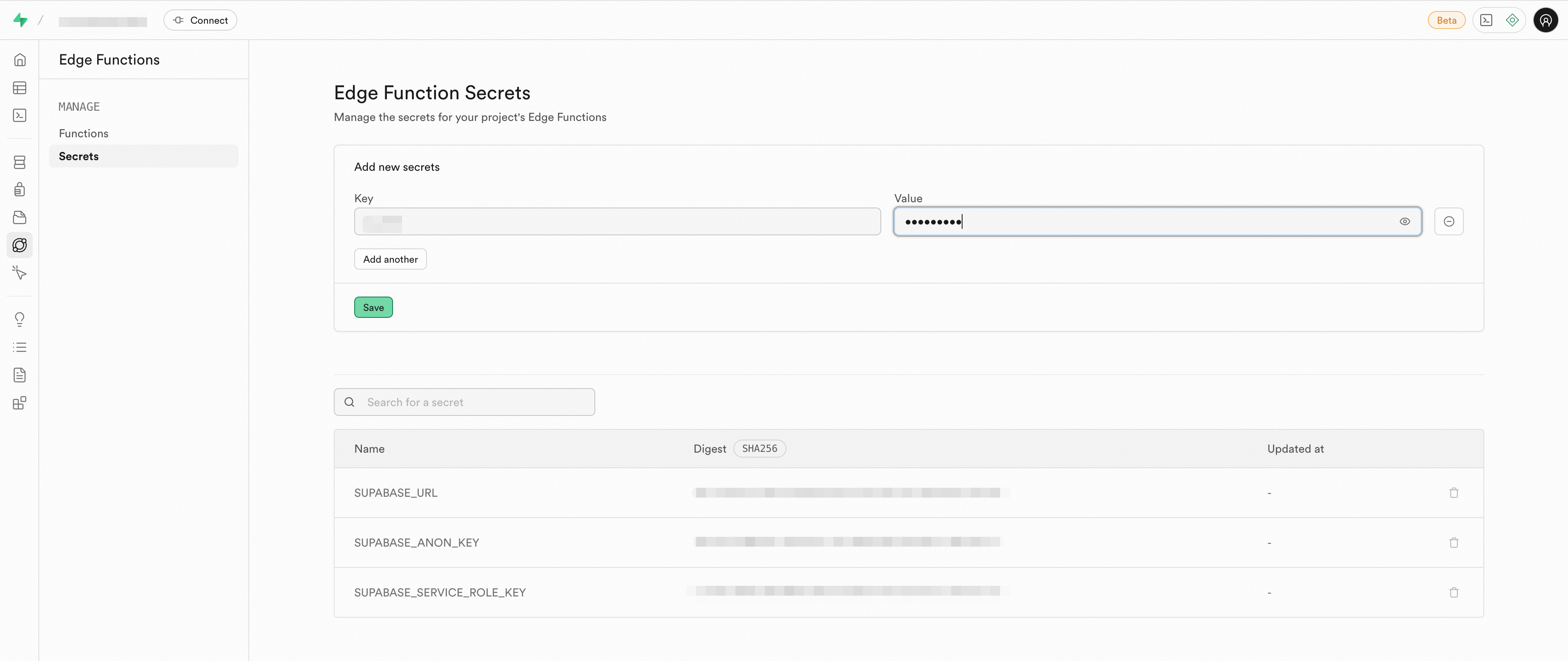
Click Save.
Using functions-cli
Using functions-cli:
Download functions-cli (see the download links in Deploy using functions-cli), then run:
# Add one secret
functions-cli secrets set DASHSCOPE_API_KEY=sk_test123456

# Add multiple secrets
functions-cli secrets set DASHSCOPE_API_KEY=sk_test123456 OPENAI_API_KEY=test123456

# Add secrets from an .env file
functions-cli secrets set --env-file supabase/functions/.env
Read secrets in a function
Use Deno.env.get with the secret name:
const apiKey = Deno.env.get('DASHSCOPE_API_KEY');For a full example of integrating secrets with AI services, see Integrate with AI services.