What Is the Email Group?
Group: is an organization and collaboration platform. This platform provides users with enterprise project collaboration and communication services. Through email, drive and task module, the members of the group are connected in series with email group to achieve the purpose of convenient communication and information sharing.
Group Administrator: the user who creates the group is the group administrator by default. Administrators have permissions to approve and manage groups.
Mail Group: creates a group and creates a corresponding mail group at the same time, and only supports static mail groups.
Group Members: users added to the group.
How to Create a Group?
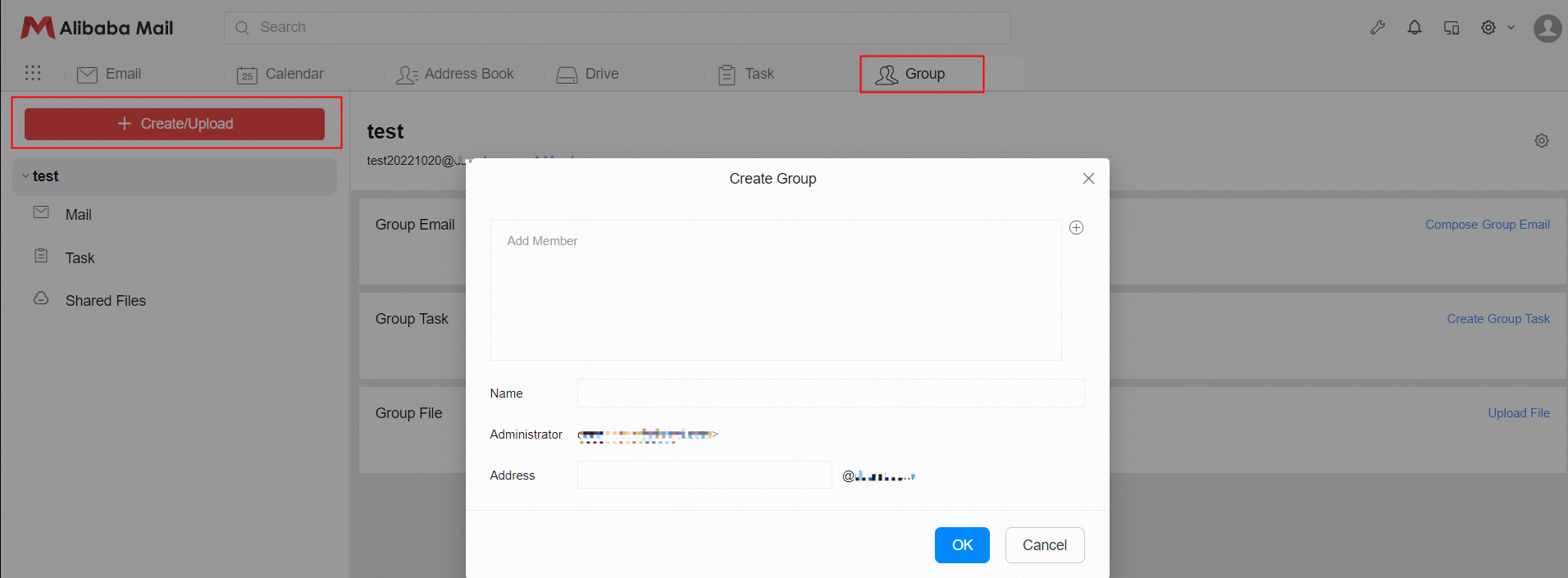
Login to the Webmail of Alibaba Mail>> click Group at the top of the page>> click + Create/upload and select Create Group>> add group members, fill group name and email address in the pop-up window>> click OK to complete the creation.
How to Add and Delete Group Members?
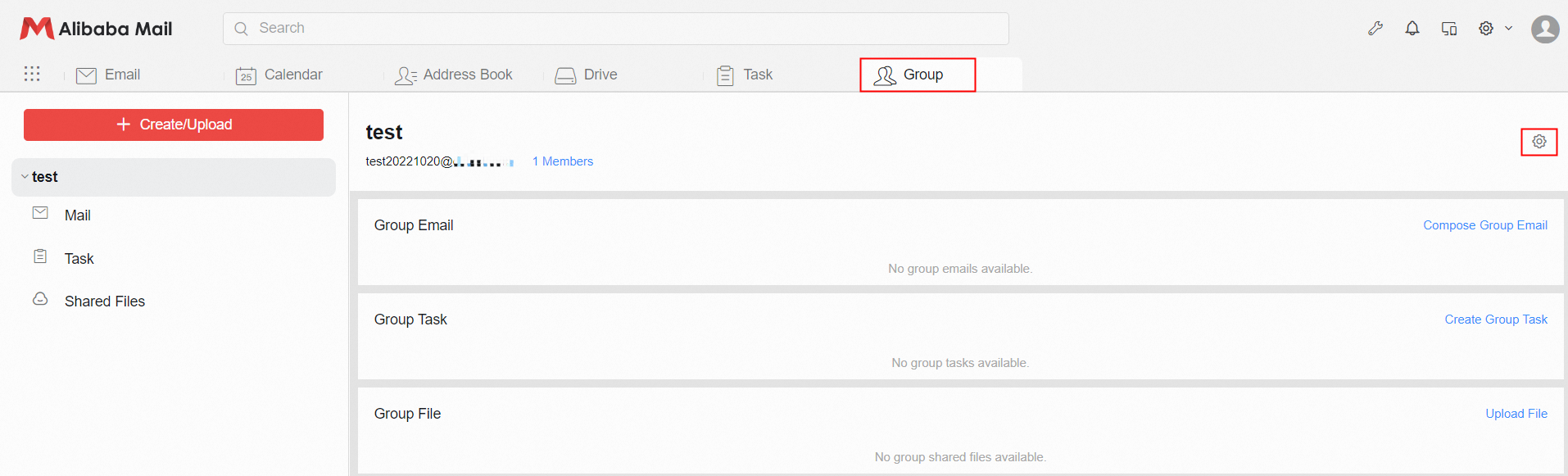
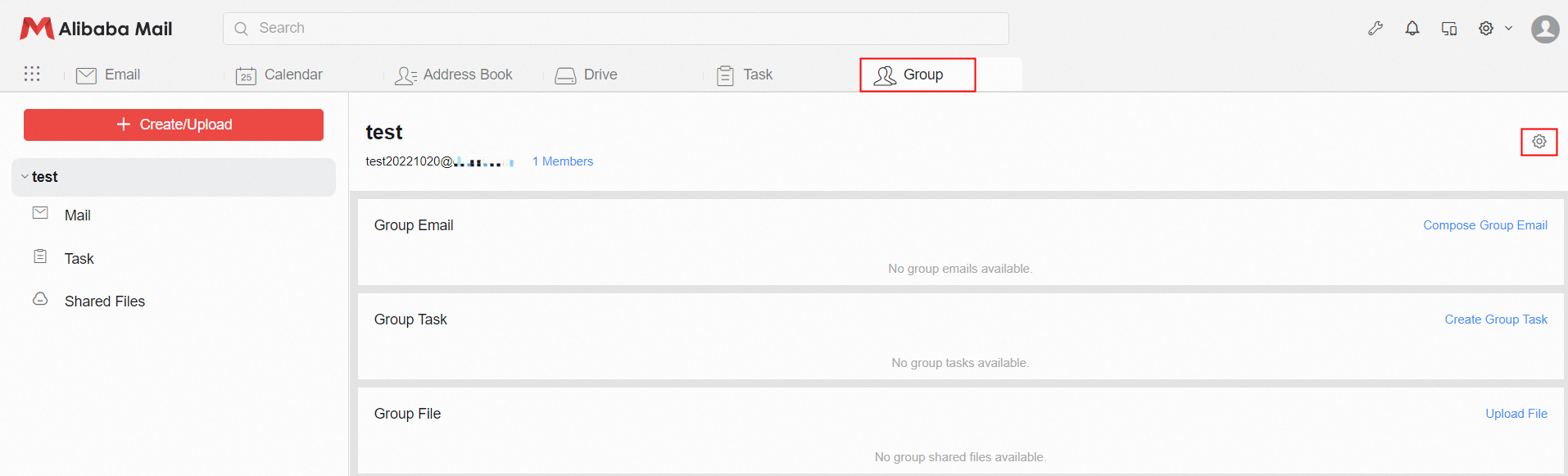
Add group members: Login to the Alibaba Mail>> click the Group at the top of the page>> click the group to which you want to add members>> click the setting icon ⚙.
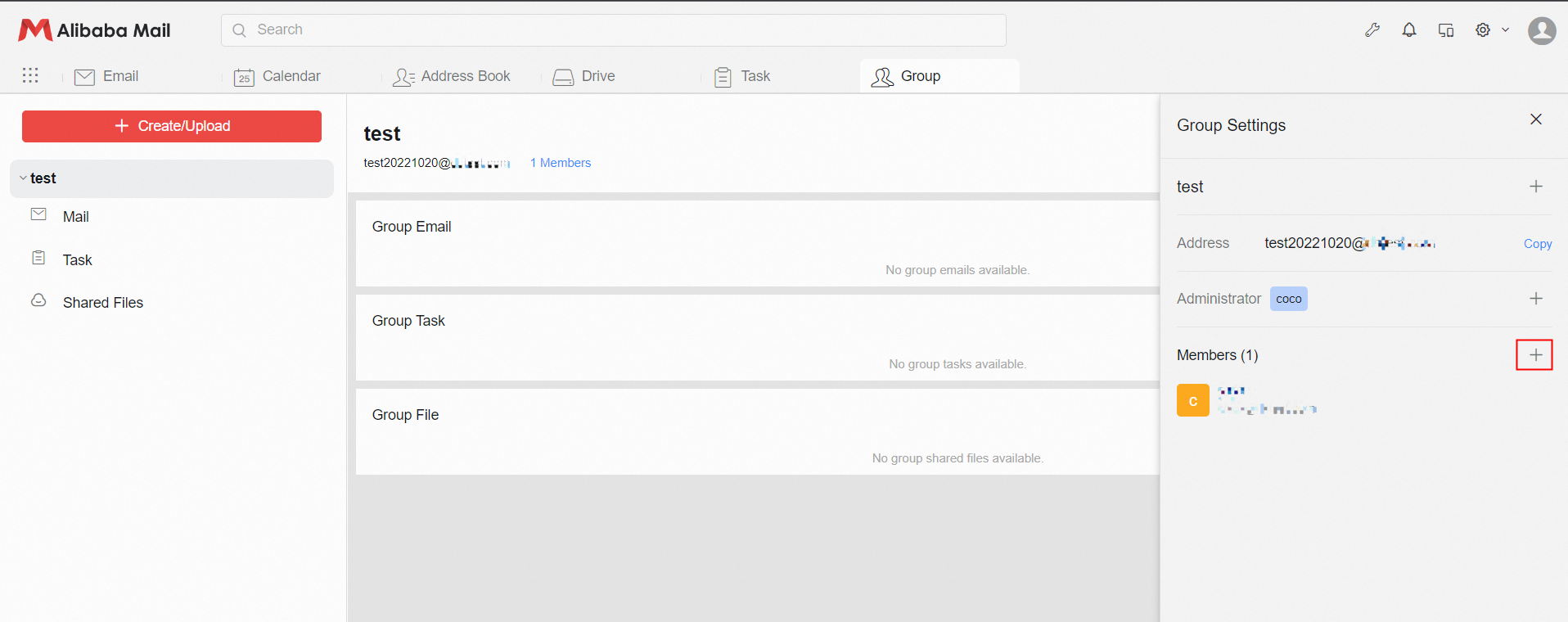
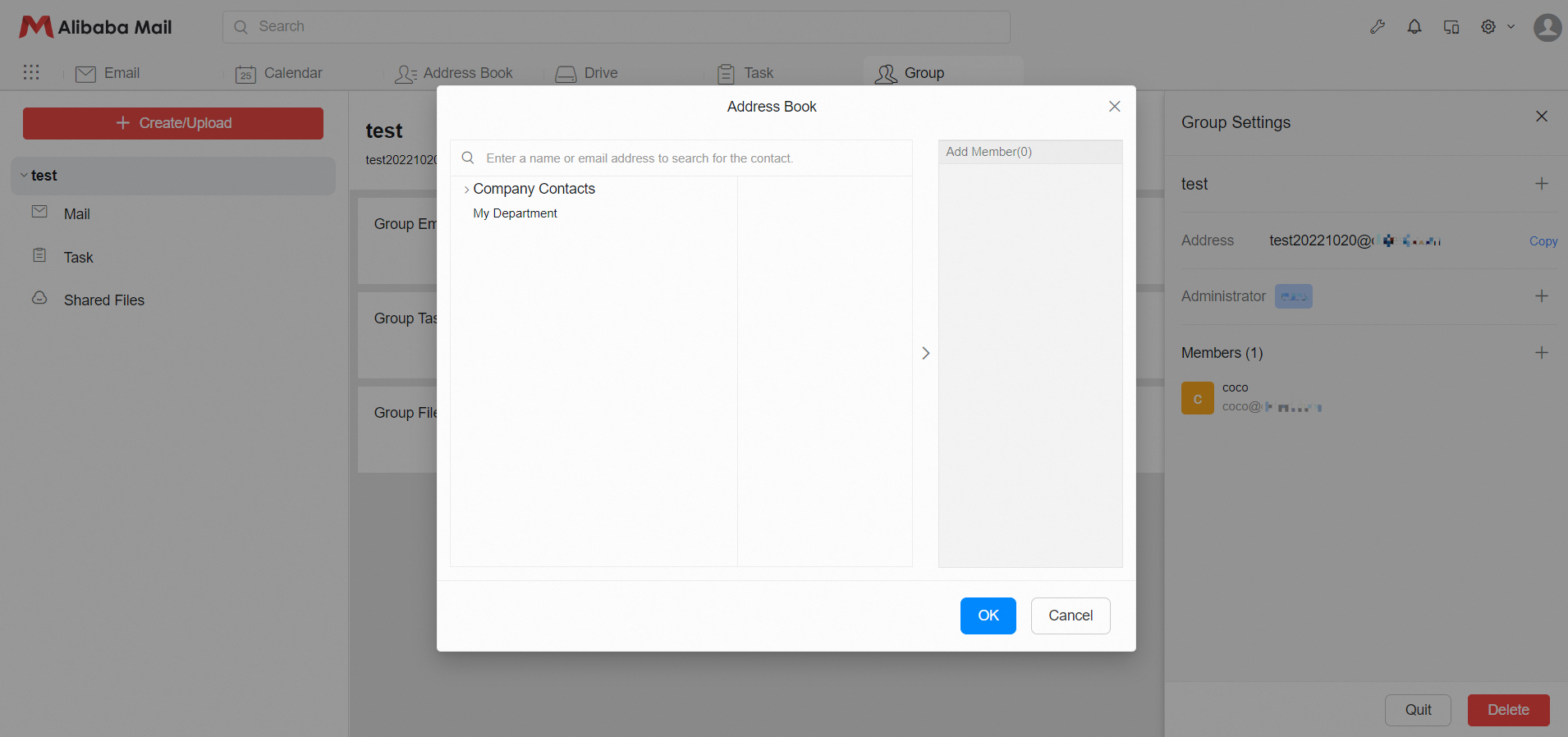
Click the + sign on the right side of the group member>> select the contact to be added in the address book in the pop-up window /enter the name or email address to search for the contact to add>> click OK to add the contact to enter the group.
Delete group members: Login to the Alibaba Mail>> click the Group at the top of the page>> click the group to which you want to delete members>> click the setting icon ⚙.
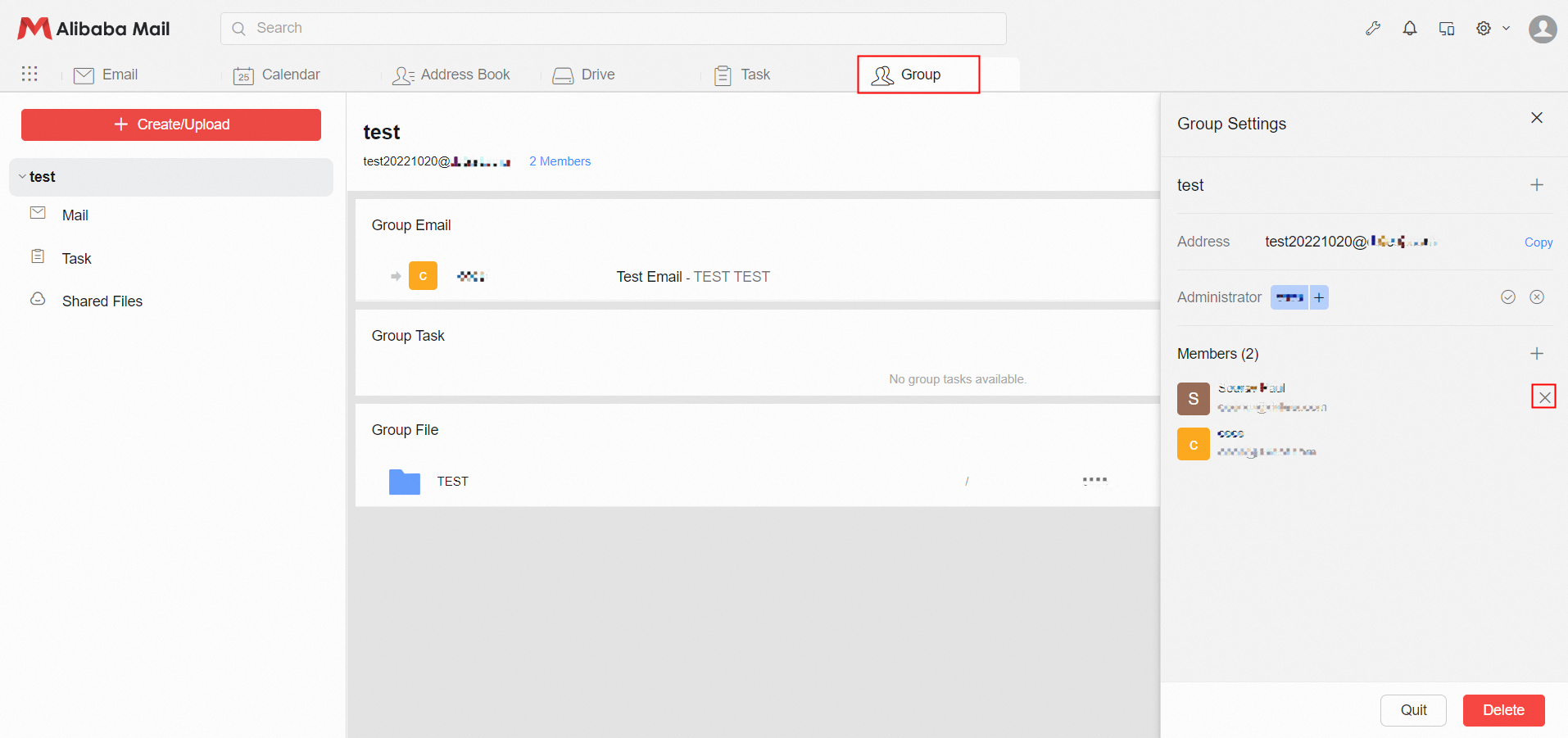
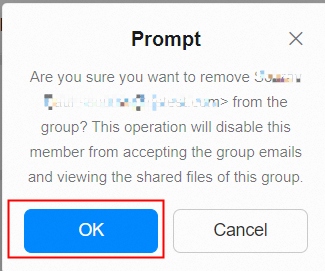
Move the mouse to the column of group members to be deleted>> click the x on the right>> and click OK in the pop-up window.
How to Exit and Disband A Group?
Exit the group: Login to the Alibaba Mail>> click the Group at the top of the page>> and click the group to be operated>> click the ⚙ Icon>> click Quit to exit the group.
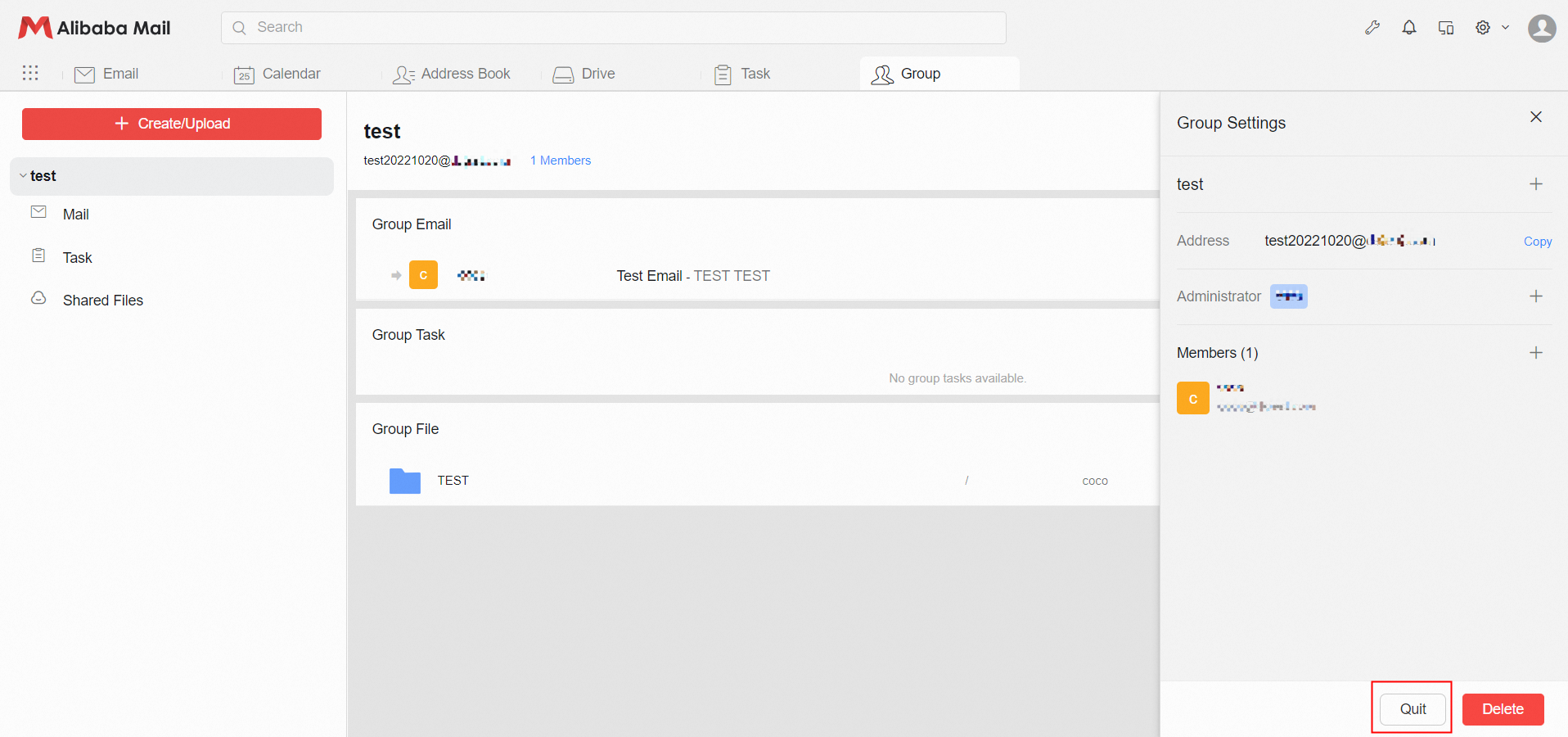
Disband the group: Login to the Alibaba Mail>> click the Group at the top of the page>> and click the group to be operated>> click the ⚙ Icon>> click Delete to disband the group.
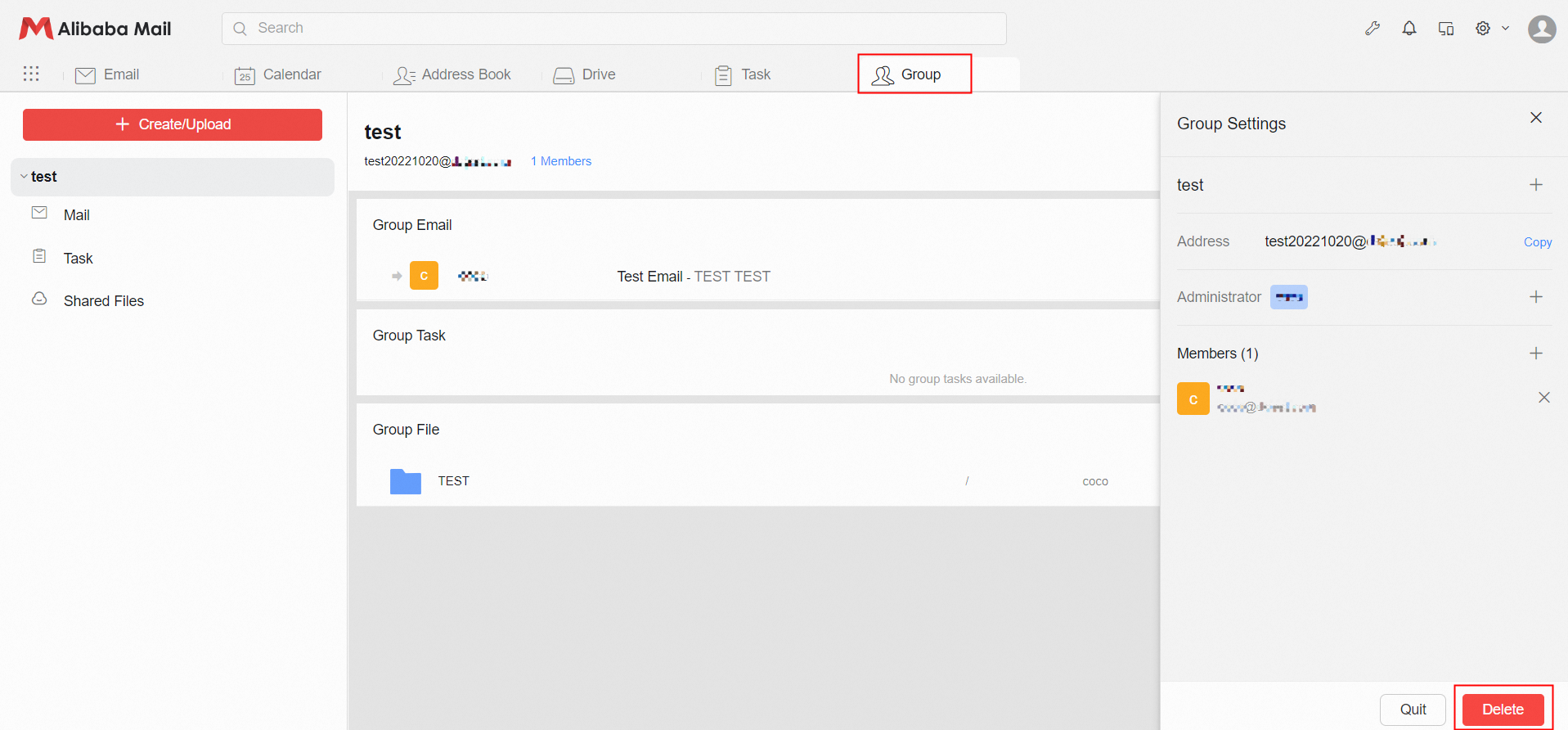
Note: Only group administrators can delete the group. After the group is dissolved, the previously received emails will be saved in the inbox. The shared files will be automatically deleted and cannot be viewed. Please make a backup in advance if necessary.
How to View Emails, Tasks, and Files in the Group?
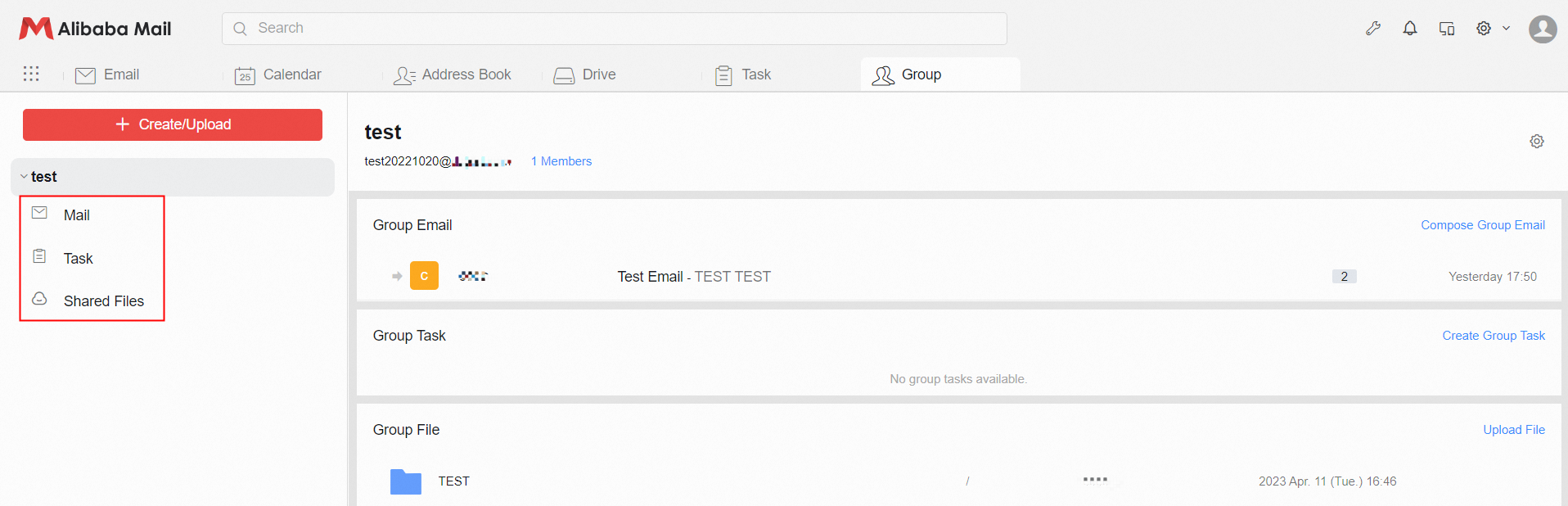
Login to the Alibaba Mail>> click the Group at the top of the page>> and click the group to be operated.
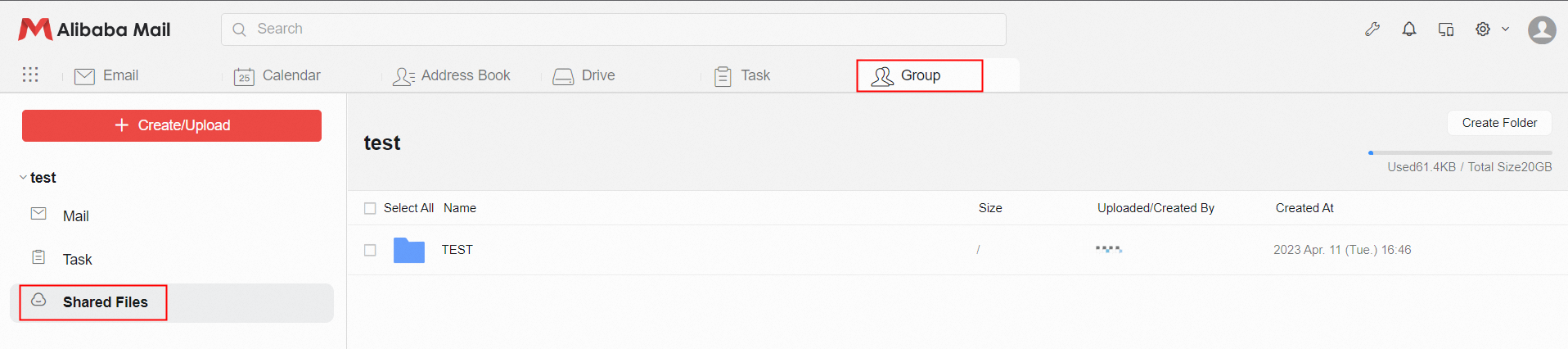
Click the Mail, and the column on the right will refresh and display the group email. Click the Task, and the column on the right will refresh and display the group task. Click Shared Files, and the column on the right will refresh and display the group file.
How to Write Group Emails?
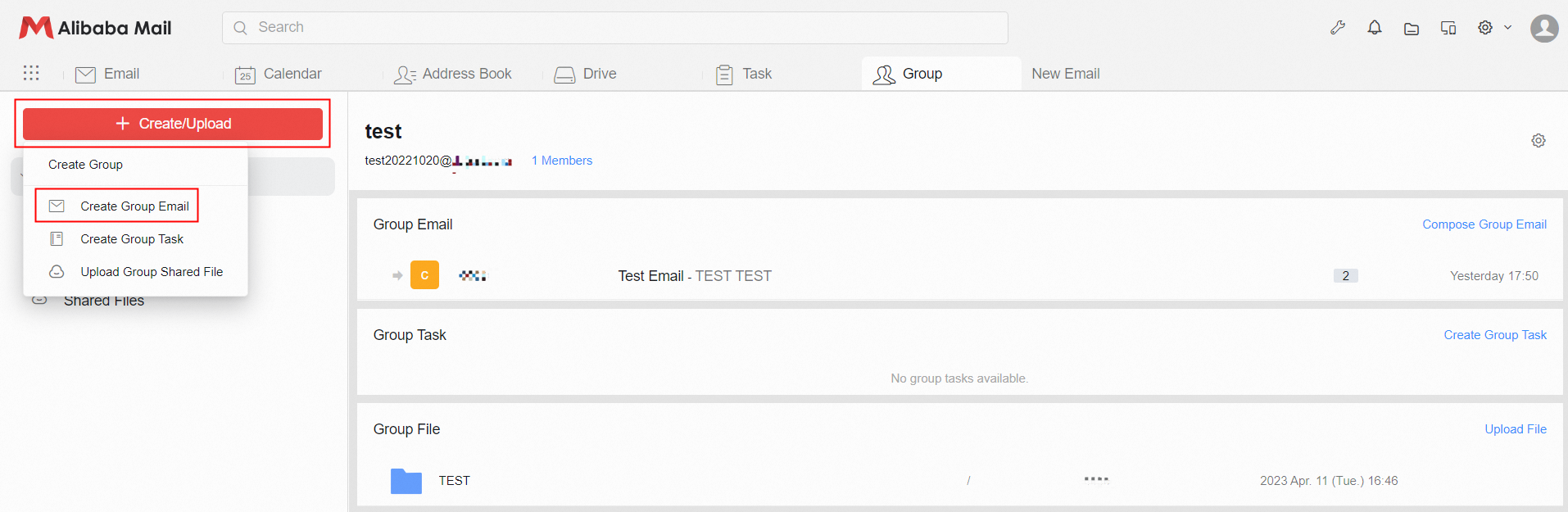
Login to the Webmail of Alibaba Mail>> click Group at the top of the page>> click + Create/Upload in the upper left corner>> select Create Group Email>> the system will automatically open the email edit page and add the group address to the To bar by default.
What Is the Difference Between Regular Email and Group Email?
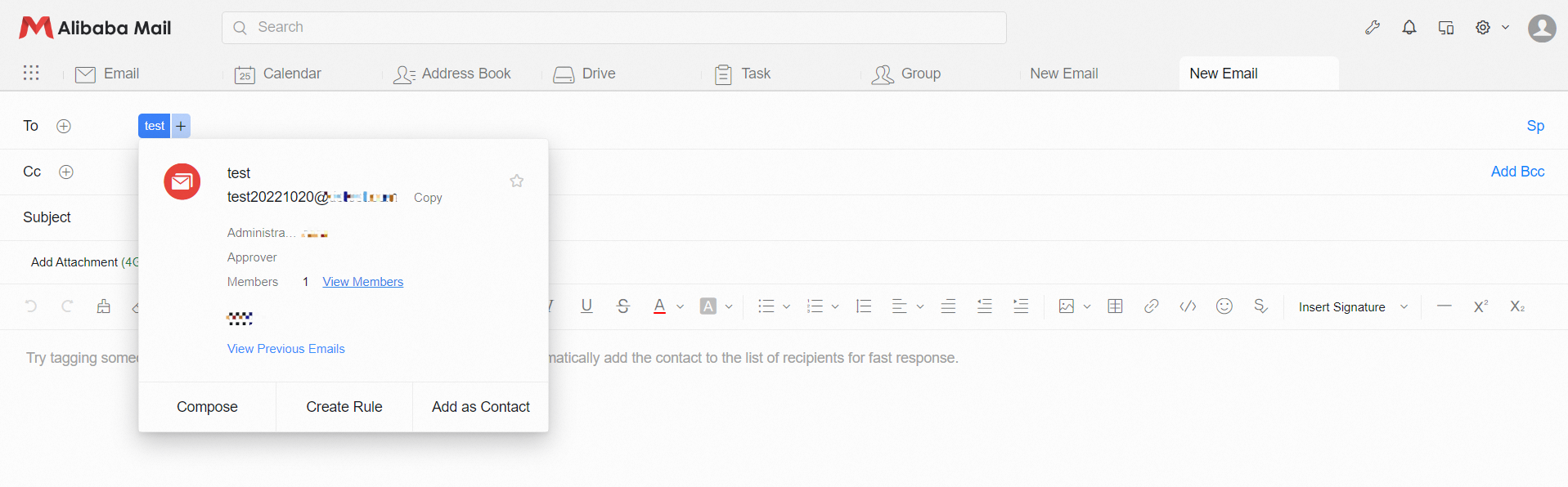
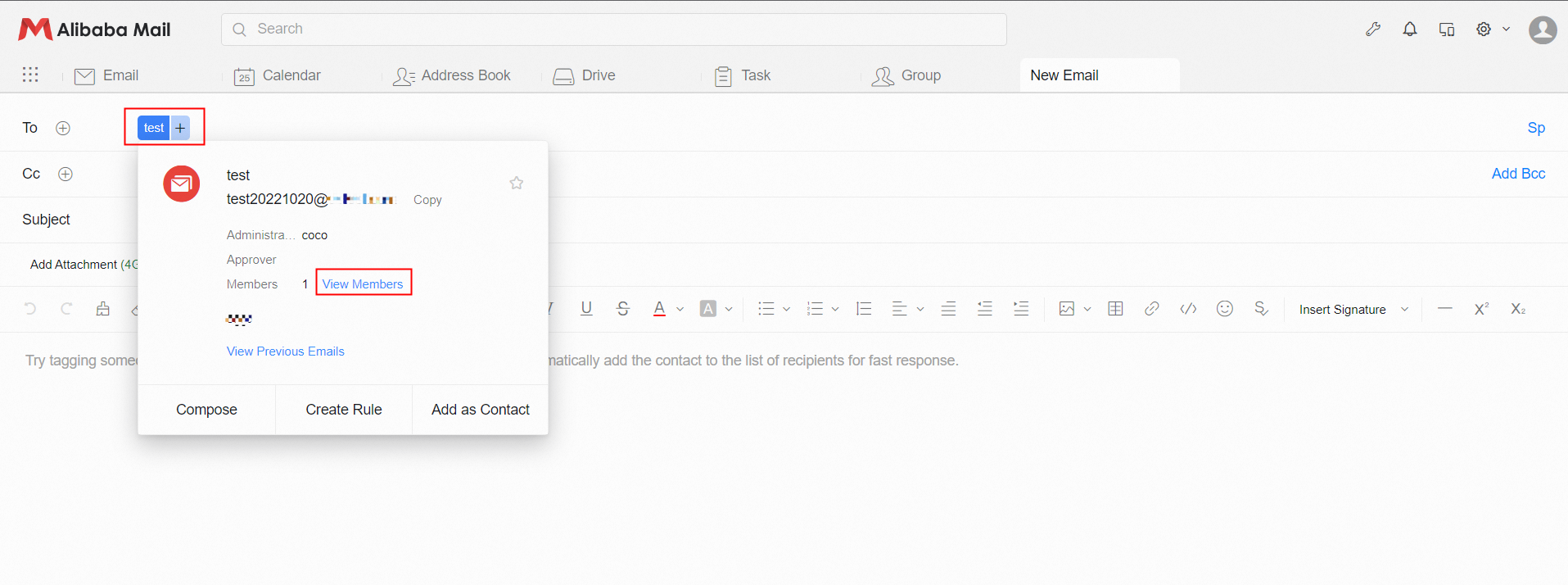
Click the email address to check whether this email address has group information. If user is in the group, he can query other members in the group.
How to Upload Group Files?
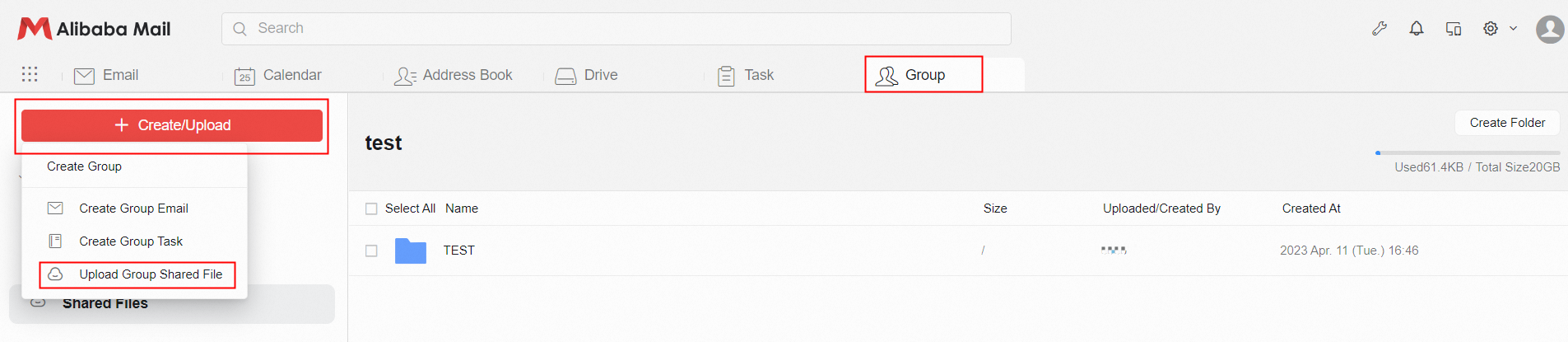
Login to the Webmail of Alibaba Mail>> click Group at the top of the page>> click + Create/Upload in the upper left corner>> select Upload Group Shared File>> click add file in the pop-up window>> and select the file saved in the computer to upload.
How to View Group Files?
Login to the Webmail of Alibaba Mail>> click Group at the top of the page>> click Shared Files to check the files in the group.
What Is the Difference between Group File and Personal collection files?
1. Files in the Group File, which is the content that belongs to the group, and the usage capacity accounts for the domain capacity of the enterprise.
2. Personal Files are personal content, and the usage capacity accounts for the capacity of the Alibaba Mail employee account itself.