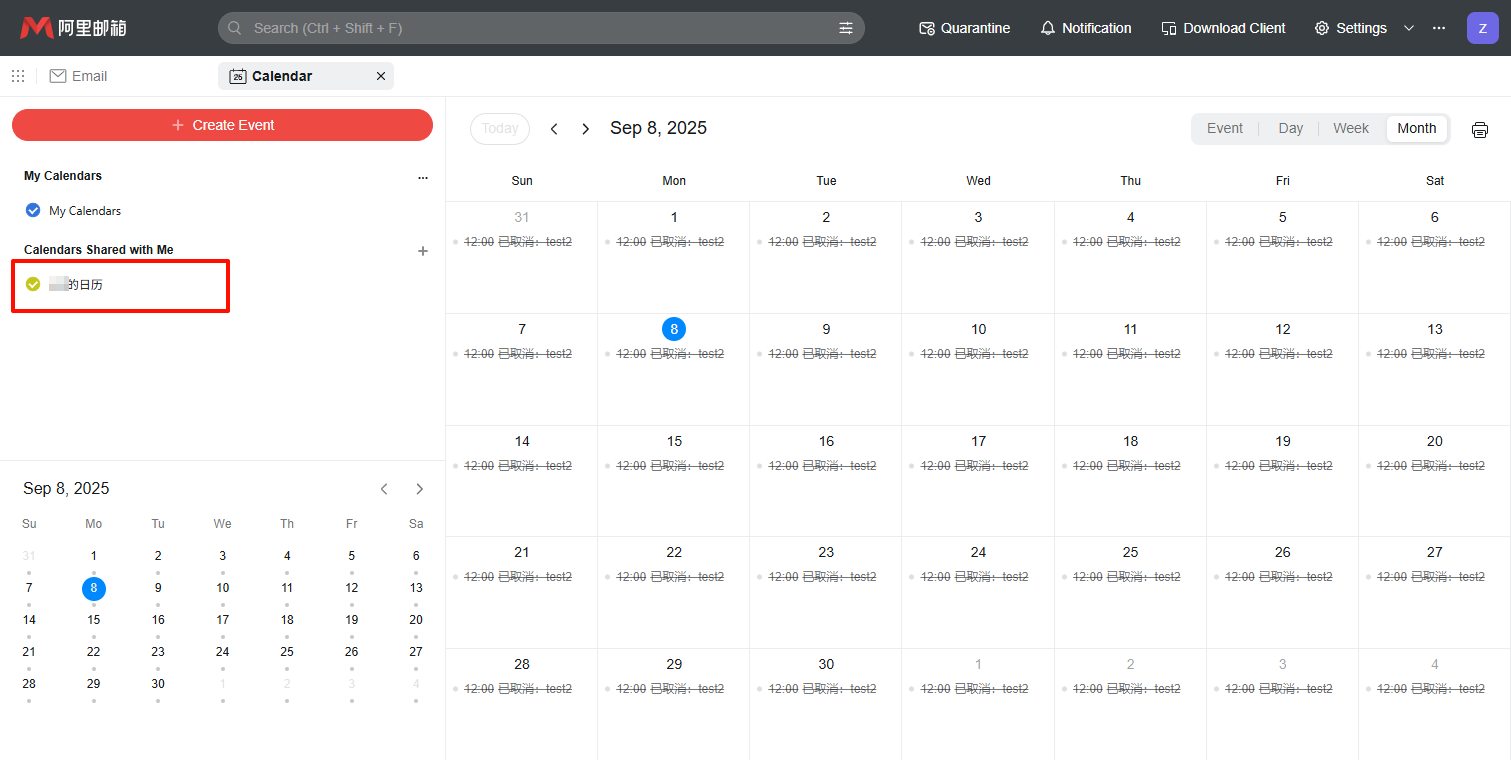
The Email Delegate feature in Alibaba Mail facilitates collaborative email management. After a manager and a delegate are configured, the delegate can send emails and create meetings on the manager's behalf.
Assign permissions
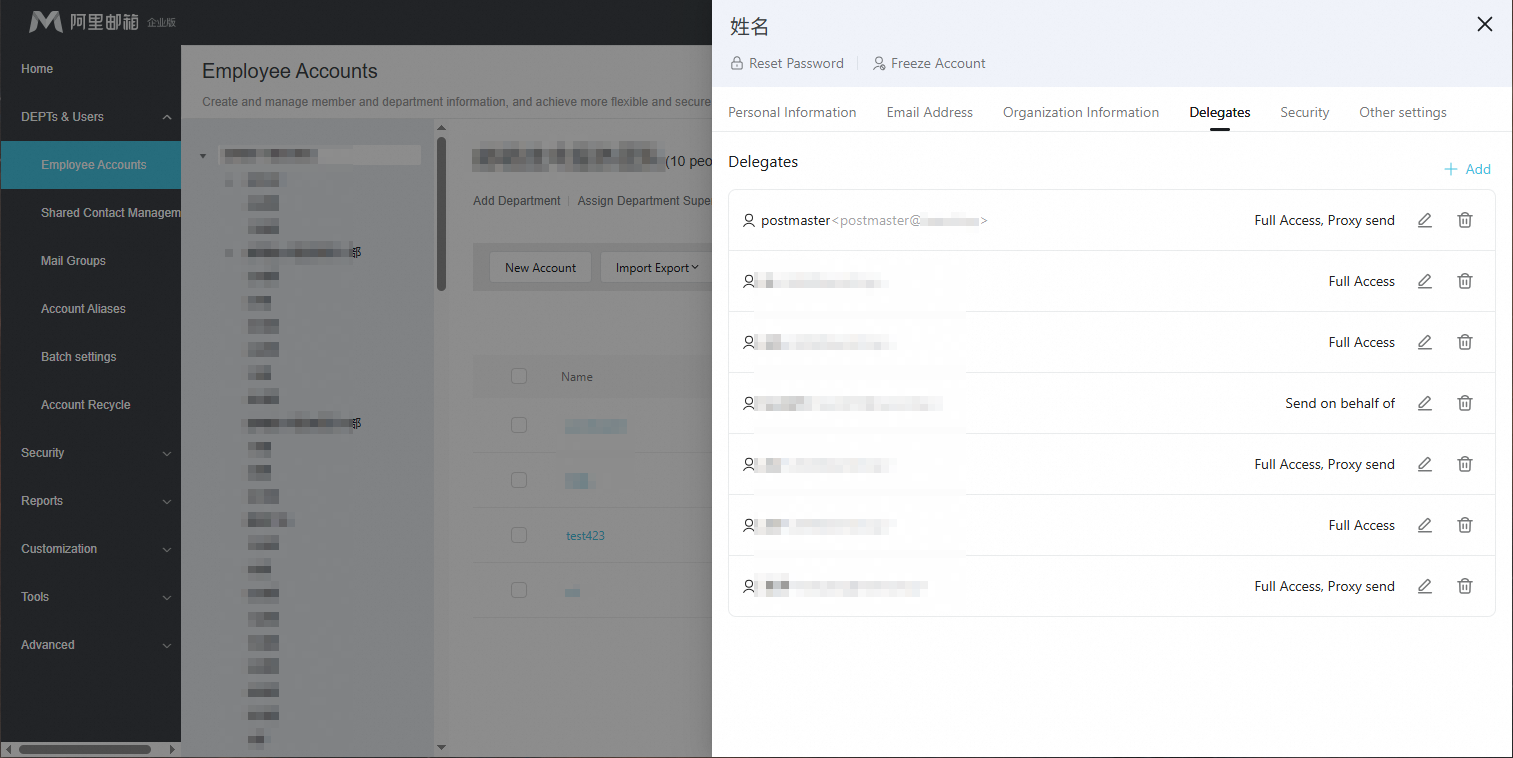
Log on to Alibaba Mail with an administrator account. Go to Domain Management > DEPTs & Users >Employee Accounts. Search for the target mailbox, click the mailbox name to open the edit page, and then click the Delegate tab.
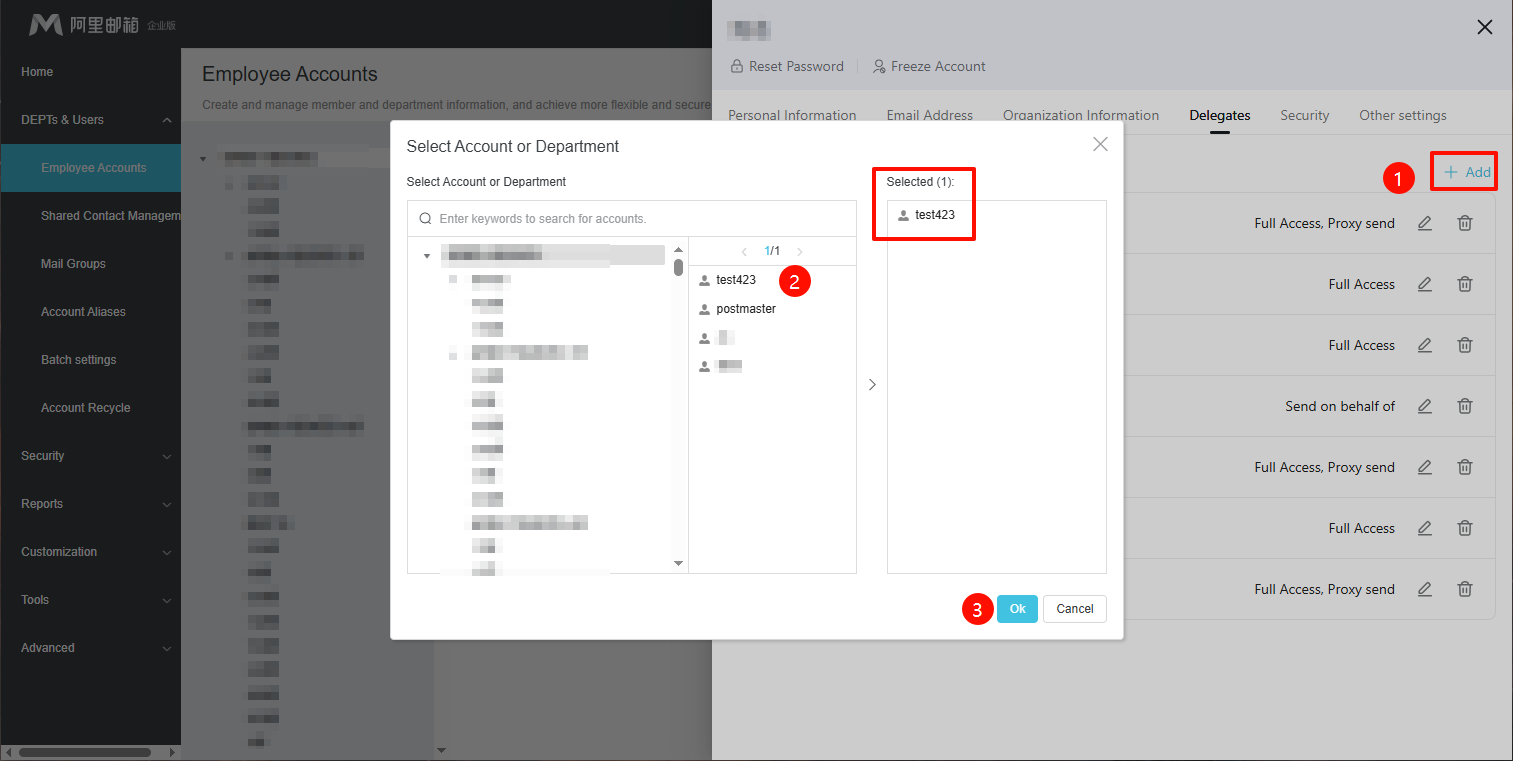
Click Add and select the delegate.
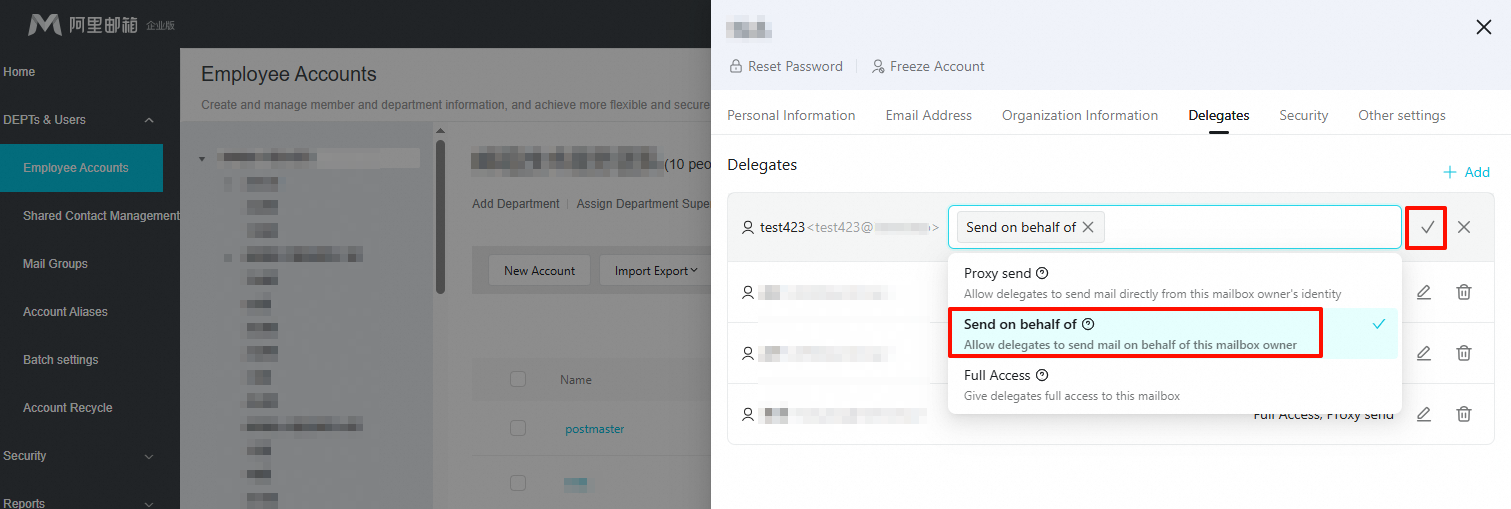
Select Send on behalf of.
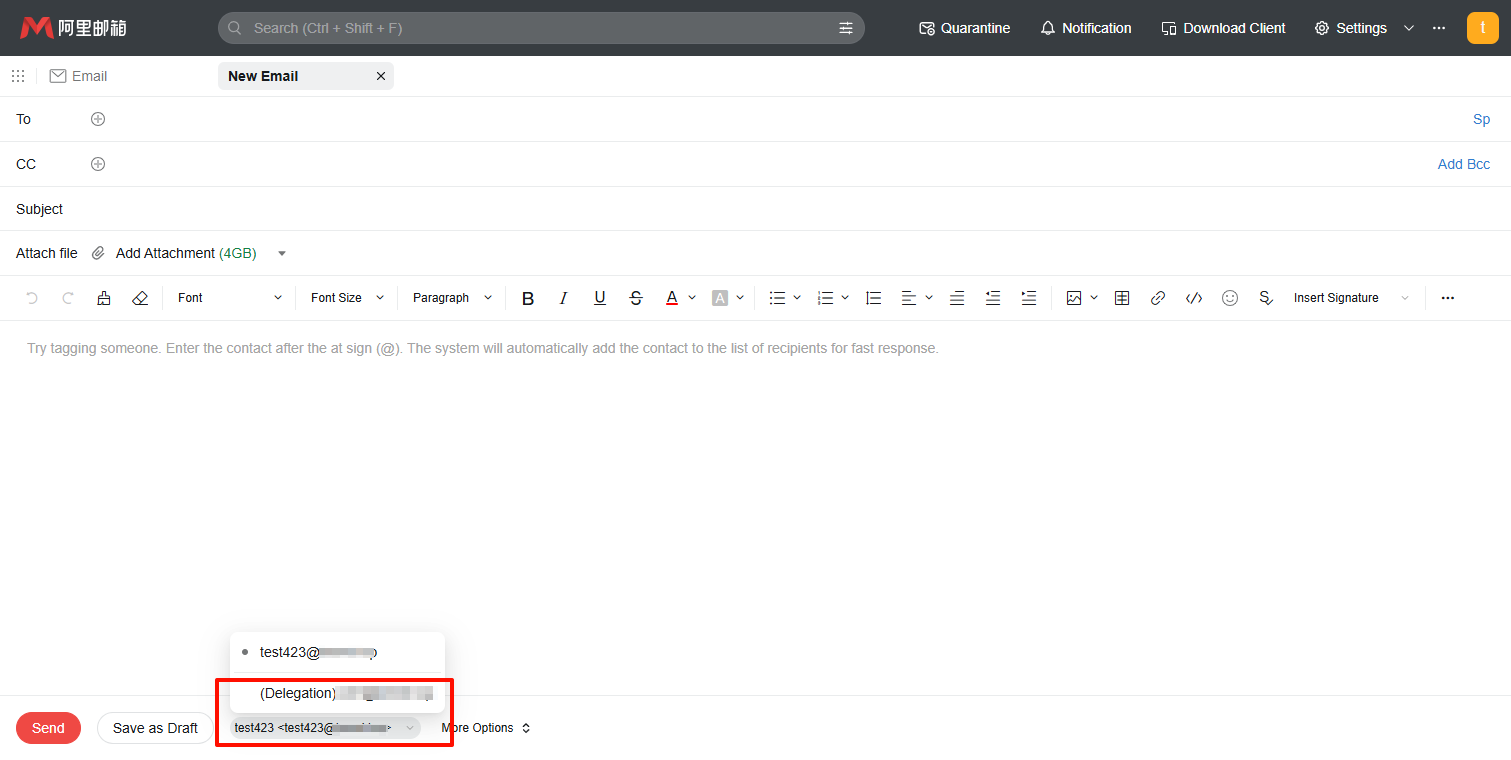
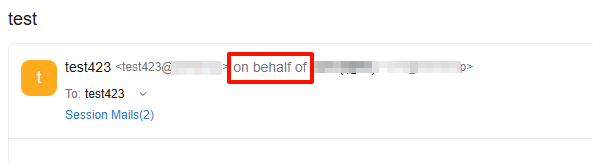
This permission allows the delegate to send mail on behalf of this mailbox owner. Recipients will see the 'Sent by' information clearly labeled as 'Sent by [Delegate Name] on behalf of this mailbox address'. Appropriate for situations where you need to make it clear to recipients that the mail is being handled by someone else on your behalf.For example,a secretary replying to some everyday matters on behalf of the CEO.
Act as a delegate
Send an email on behalf of the manager
Recipient view in Alibaba Mail
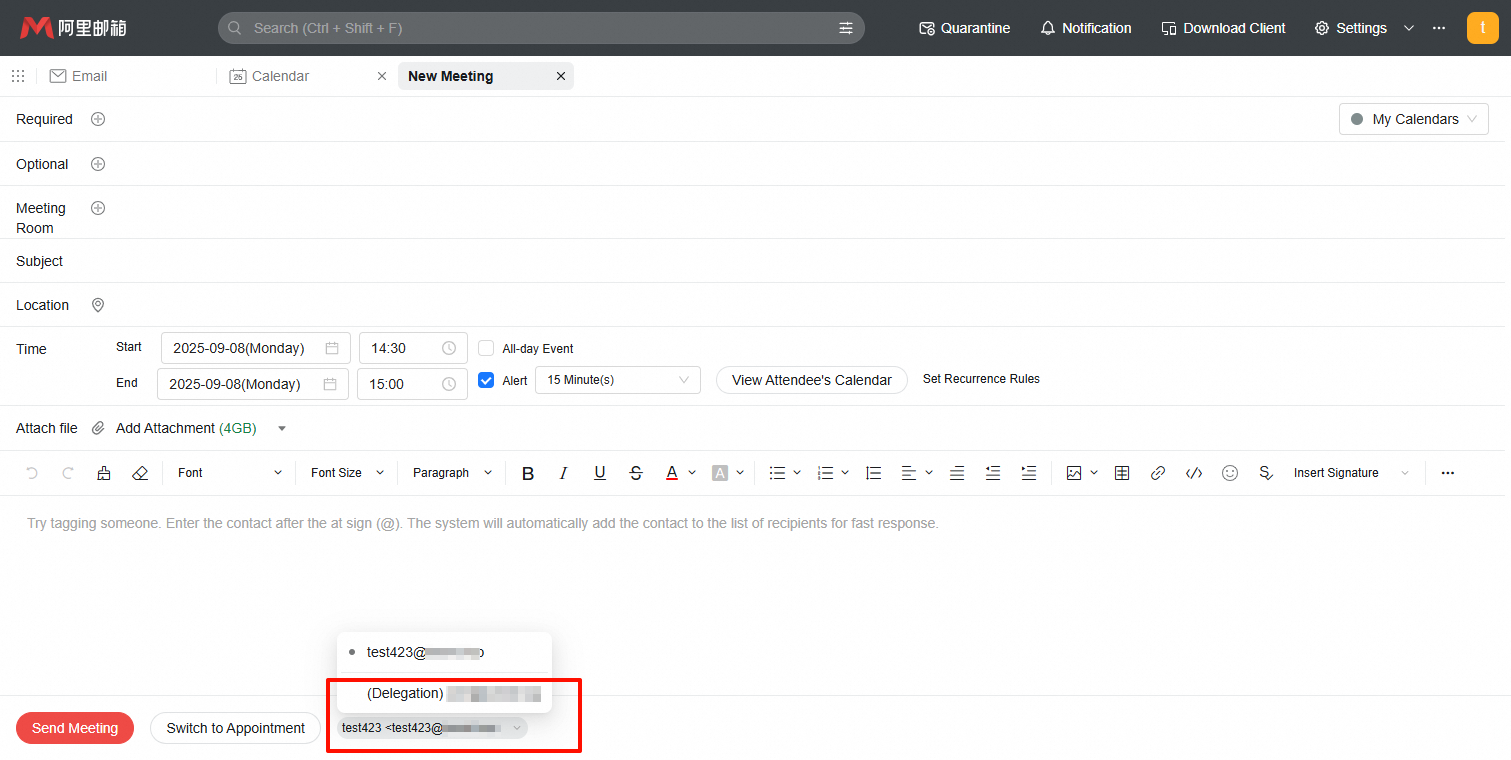
Create a meeting on behalf of the manager
Manage the calendar on behalf of the manager