Alibaba Mail supports automatic email replies through vacation replies or incoming mail rules.
Set up a vacation reply
1. Log on to the Alibaba Mail web client and click Settings in the upper-right corner.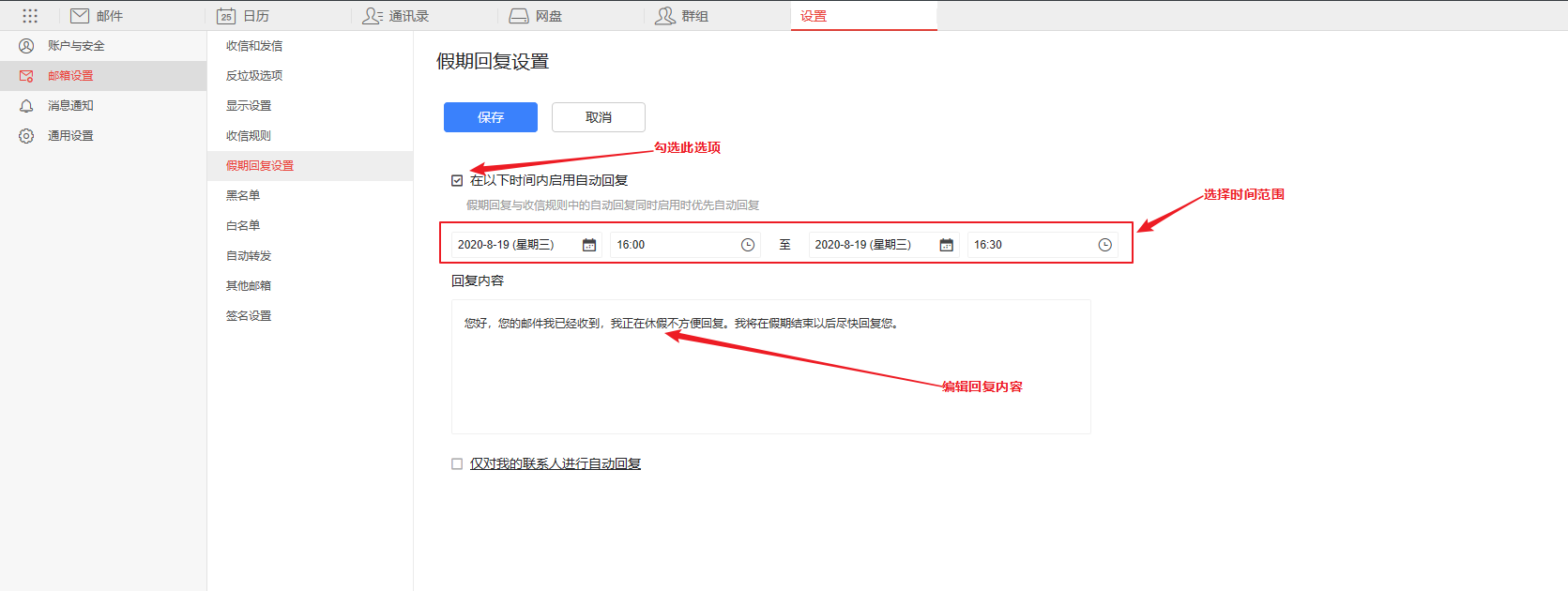
2. Choose Mailbox Settings > Vacation Reply Settings.
3. Select the Enable auto-reply during the following period check box.
4. Click the date and time fields to select a time period for the auto-reply.
5. In the text box, enter the body of your auto-reply email.
6. Click Save.
-
Select the check box below the text box to limit replies to contacts in your address book. Otherwise, all incoming emails receive auto-replies.
-
If both the vacation auto-reply and the Auto-reply rule are enabled, the Auto-reply rule takes precedence.
-
To prevent duplicate replies, the vacation reply rule runs only for the first email received from a specific sender on any given day.
Set up an auto-reply using an incoming mail rule
1. Choose Mailbox Settings > Incoming Mail Rules and click New Incoming Mail Rule.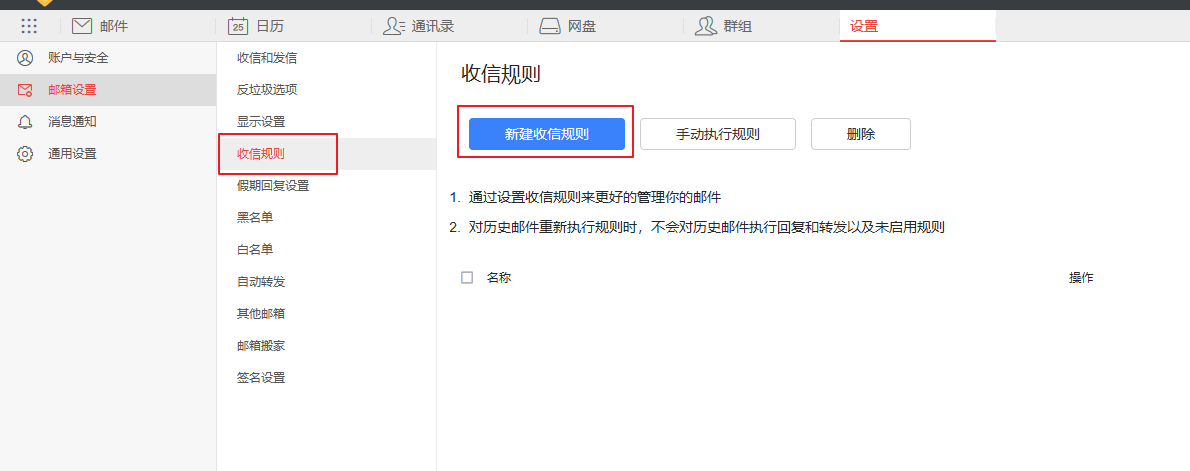
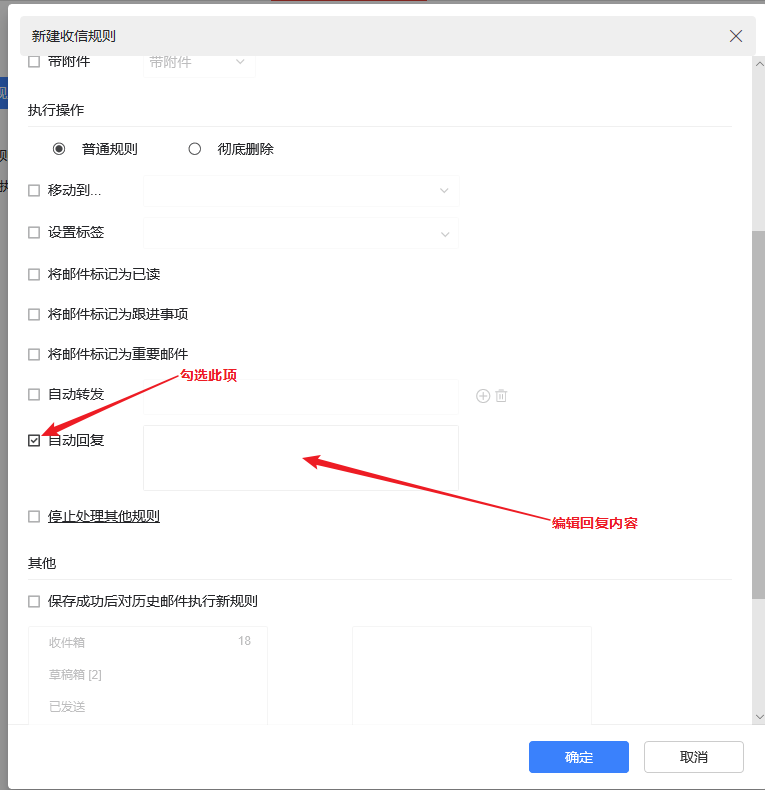
2. In the Execute when the above conditions are met section, select Auto-reply.
3. In the text box, enter the body of your auto-reply email.
4. Click Save.
An auto-reply set by an incoming mail rule replies to every email that matches the rule.