Based on the experiment report source table, you can configure business metrics such as unique visitors (UV), click-through rate (CTR), purchase conversion rate (CVR), and average GMV per user. To support significance calculations for experiment comparisons, PAI-Rec allows you to calculate metric significance based on the user dimension or the sample dimension. Calculations based on the user dimension use the number of users, while calculations based on the sample dimension use the number of samples.
Configure metrics
Create a metric
To create a metric, you must specify parameters such as a registration data table for which data registration and field configuration have been completed, a metric name, and a recommendation scenario.
-
Log in to the PAI-Rec console. In the left-side navigation pane, choose Metric management > Metric configuration.
-
Create a base metric.
-
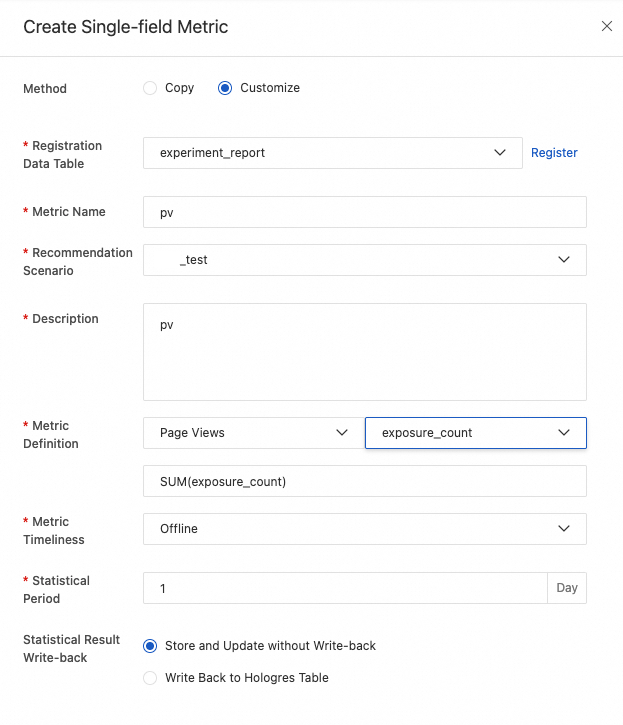
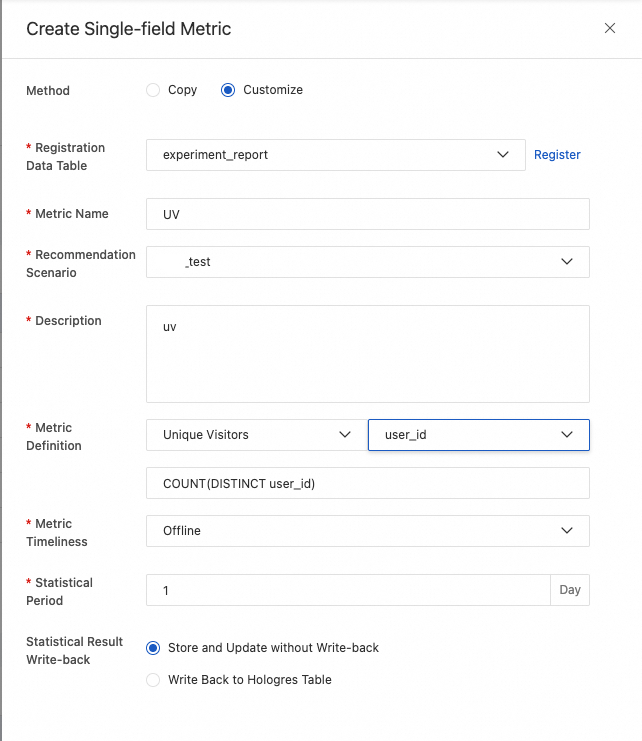
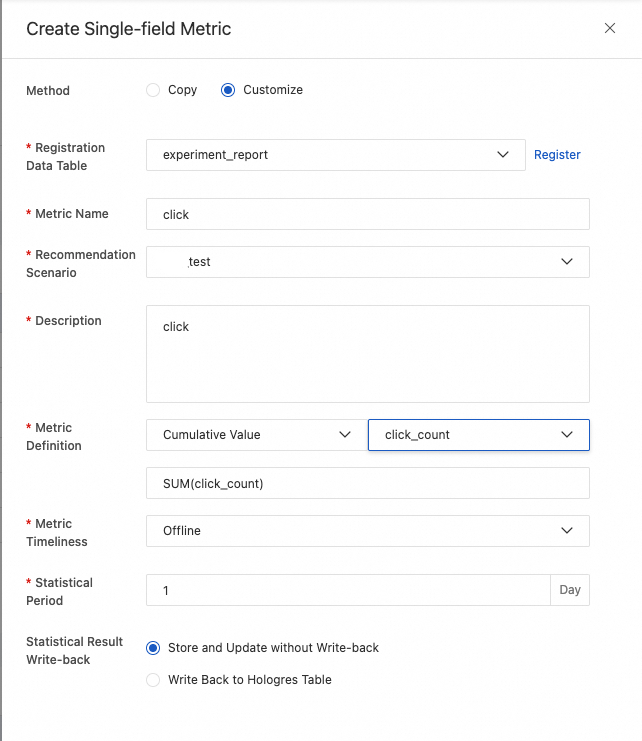
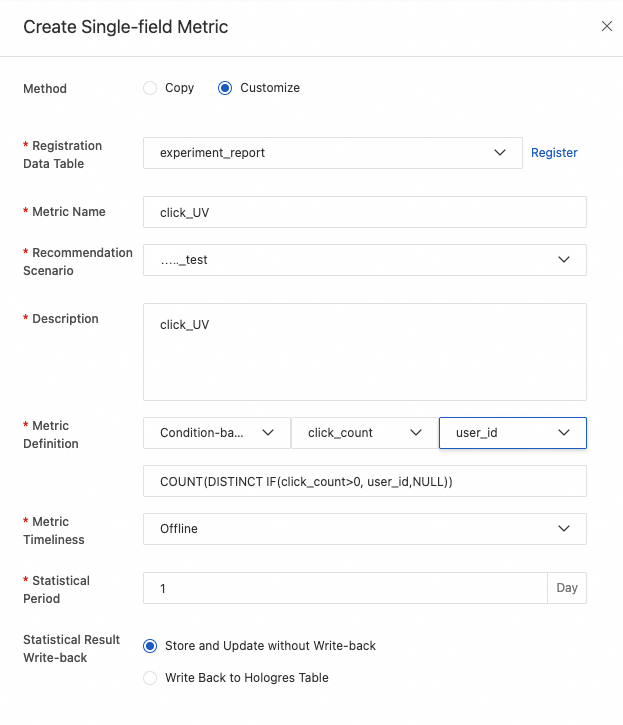
In the Base metric section, click Create and configure the following metrics: PV, UV, click, click_UV, ctr_sample_v1, and ctr_user_v1.
-
PV: Page views (PV)
-
UV: Unique visitors (UV)
-
click: Clicks
-
click_UV: Unique visitors (UV) who click
-
ctr_user_v1: Significance calculated based on the user dimension
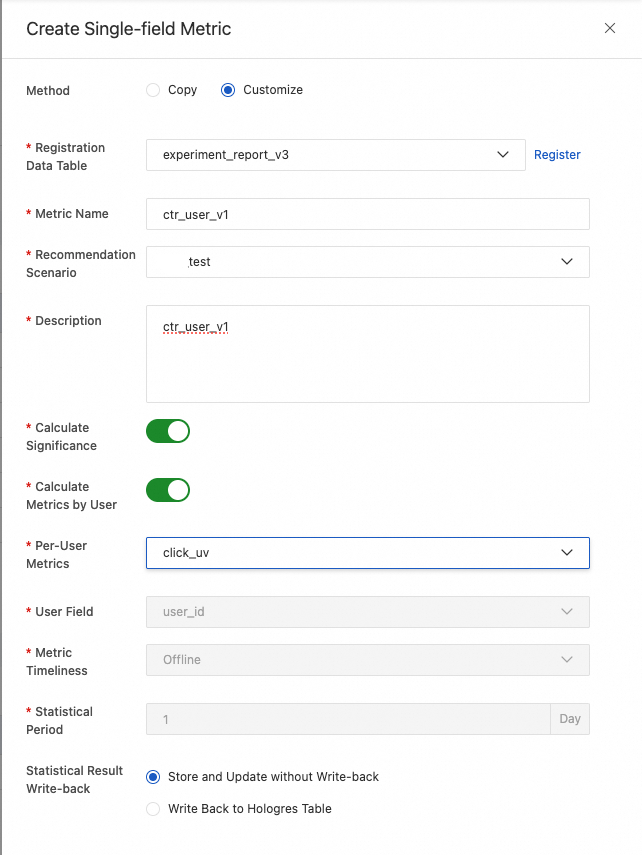
-
ctr_sample_v1: Significance calculated based on the sample dimension
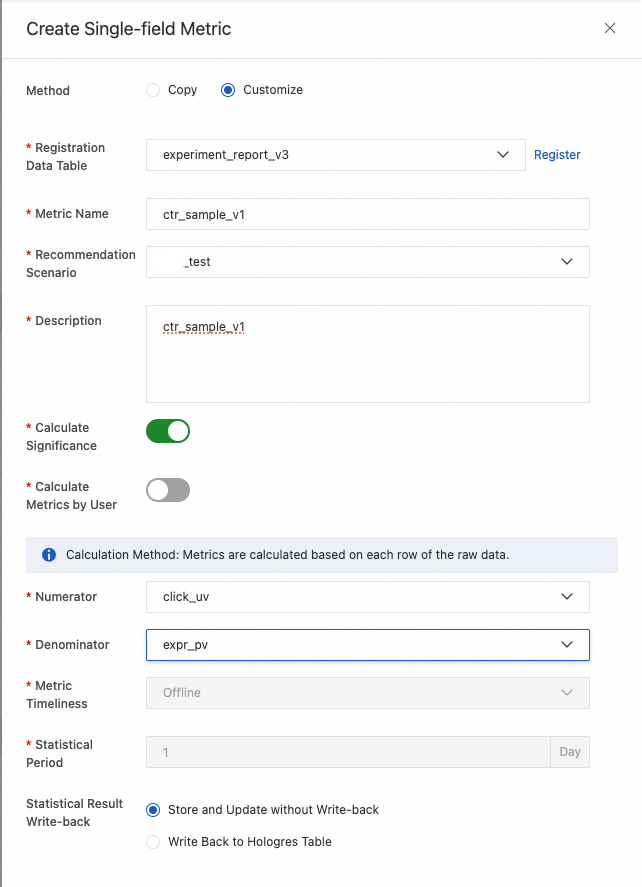
-
-
Click Save.
-
-
Create a derived metric.
-
In the Derived metric section, click Create and configure the uv_click_ctr metric.
Set Metric name to
uv_click_ctr, enterUser click-through ratein the Description field, and select offline for Metric timeliness. In the Metric definition section, selectclick_UV, the division operator (/), andUVin sequence. -
Click Save.
-
Modify a metric
In the metric list, you can filter created metrics by recommendation scenario and timeliness. To modify a metric, click Details on the right of the target metric, and then click Modify. Modify the parameters as needed and click Save.
Calculate a metric
In the metric list, click Calculate on the right of the target metric. Set the time window and specific metrics, and then click OK to create a calculation task for the metric.
Delete a metric
In the metric list, click Delete on the right of the target metric.
A deleted metric cannot be recovered. Proceed with caution.
Configure metric groups
You can group multiple metrics within a scenario. This lets you perform tasks, such as metric calculation, on the entire metric group.
Scheduled metric calculation
Each day, PAI-Rec dynamically assembles SQL statements based on your configured metrics. It reads data from the experiment report source table to calculate the metrics and stores the results in a specified Hologres table. For real-time metrics, the calculation job runs every 5 minutes.
