Container Service for Kubernetes (ACK) Serverless provides an Nginx Ingress Controller add-on optimized from the open-source community version. This topic describes how to install it in an ACK Serverless cluster, either during cluster creation or on the Add-ons page.
The open-source Ingress NGINX project will stop receiving maintenance updates after March 2026. As a result, Container Service for Kubernetes (ACK) will discontinue maintenance of the Nginx Ingress Controller add-on. Please fully assess the associated risks before continuing to use it.
Installation methods
ACK Serverless supports two installation methods:
| Method | When to use |
|---|---|
| During cluster creation | You have not yet created the cluster |
| From the Add-ons page | Your cluster is already running |
Install during cluster creation
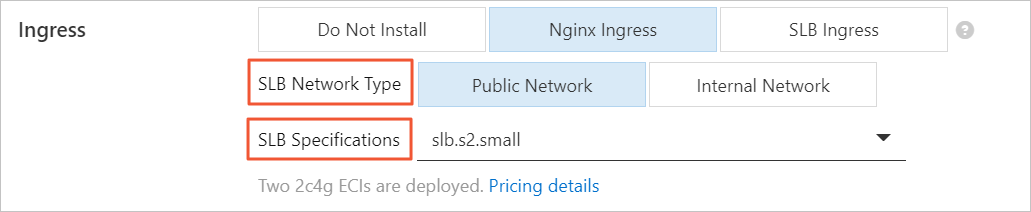
When creating an ACK Serverless cluster, select Nginx Ingress in the Ingress configuration section.
The NGINX Ingress controller requires:
-
Two Elastic Container Instance (ECI) instances, each with 2 CPU cores and 4 GiB of memory, used to run the controller
-
One Server Load Balancer (SLB) instance (Internet-facing or internal-facing; the SLB instance specification can be selected based on your requirements)
Install from the Add-ons page
-
Log on to the ACK console. In the left navigation pane, click Clusters.
-
On the Clusters page, click the target cluster name, or click Details in the Actions column.
-
In the left navigation pane of the cluster details page, click Add-ons.
-
On the Networking tab, in the Nginx Ingress Controller section, click Install.
-
In the Install Nginx Ingress Controller dialog box, click OK.
After installation, Installed appears in the Nginx Ingress Controller section.