このトピックでは、Alibaba Mail の自動開封確認機能について説明します。
問題の説明:
送信者は、Alibaba Mail の 開封確認 機能を設定することで、送信したメールが受信者によって開封されたかどうかを確認できます。送信者が開封確認のリクエストを設定した後、受信者はメッセージを受信し、開封確認のリクエストを求めるプロンプトが表示されますが、受信者が開封確認を送信するためにクリックするかどうかは、受信者の選択によって異なります。
設定方法:
Webmail を使用してメールを送信するには、次の 2 つの方法で設定できます。
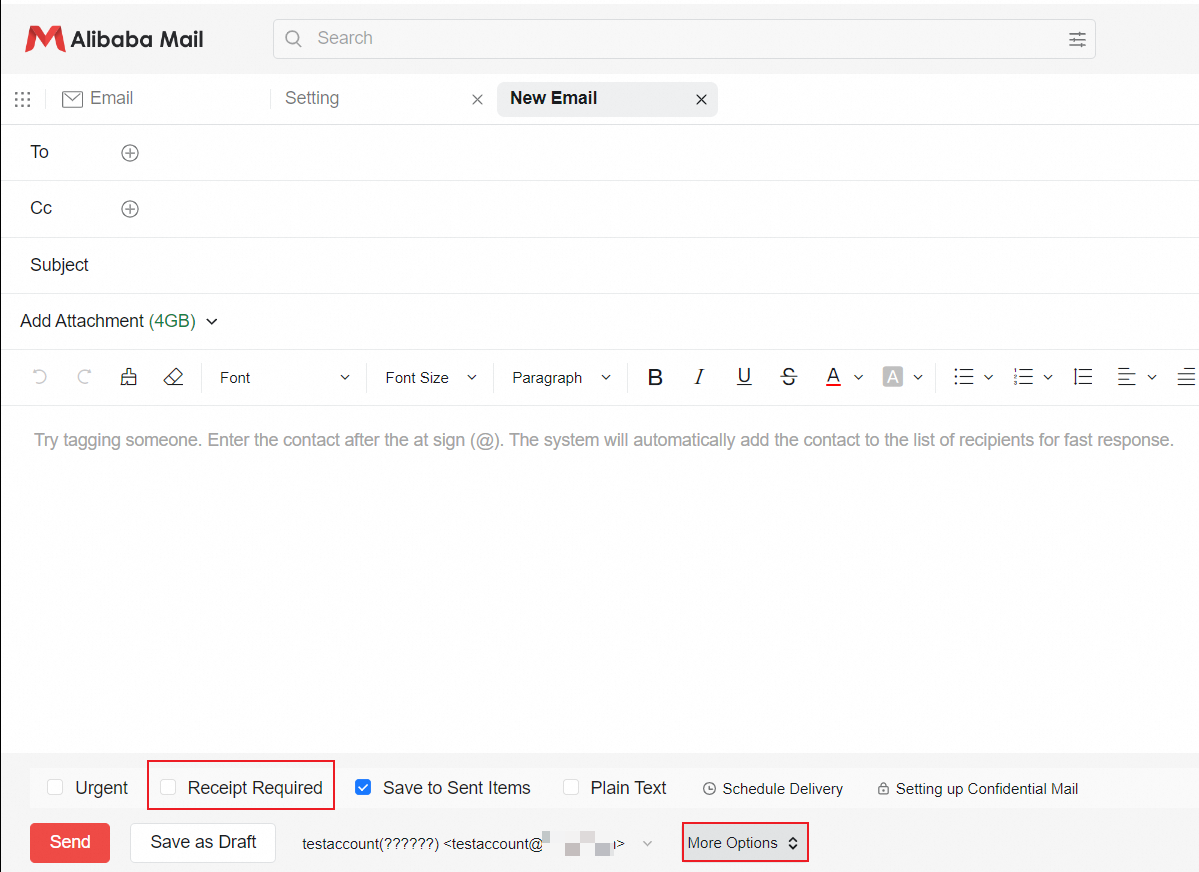
1. メールを作成するときに、領収書が必要その他のオプション セクションで を選択します。現在のメールには開封確認が必要です。
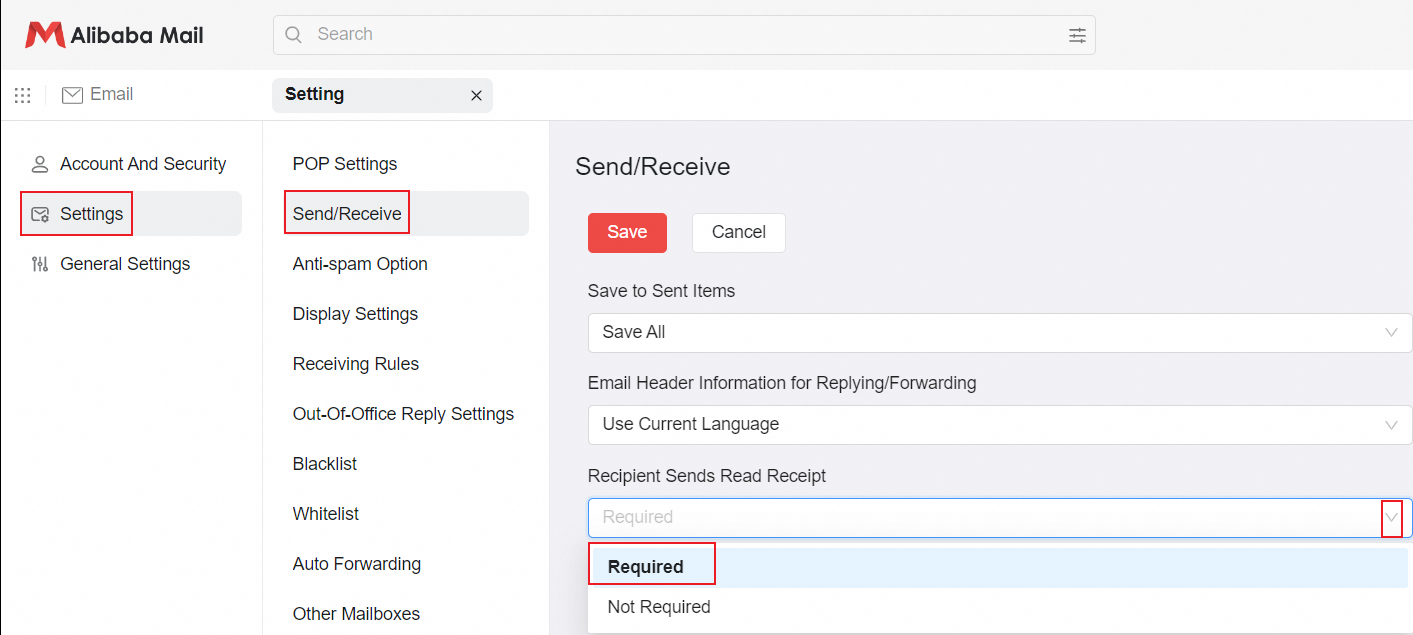
2. [設定] セクションで、受信確認が必要なオプションを選択します。 [設定] > [送受信] > [受信者が開封確認を送信する] > [必須] を選択し、[保存] をクリックします。その後、メールを送信する際に、開封確認が自動的に選択されるようになります。