本文介绍代码库容量限制,如何清理代码库容量,以及代码库的大文件(二进制文件)如何管理和清理。
代码库存储空间容量是否有限制?
组织代码库数量不限,默认单个代码库20GiB空间,包括20GiB Git容量和自由的LFS空间(LFS单库不受限,以总容量为限,超额可通过按量计费扩展)。
什么是大文件存储Git LFS容量?详情请参见Codeup Git LFS 功能简介。
按量计费参见按量计费规则。
如何清理代码库容量?
为了保证平台资源不被恶意滥用,同时保障每位用户流畅的使用体验,推荐单个代码库的 Git 数据保持在5GB以内,二进制大文件请使用 Git LFS 大文件存储管理。
单个代码库容量即将到达推荐阈值时,需要自行进行容量清理,强烈建议二进制文件切换为LFS存储,提升代码推拉速度,切换后不影响日常使用流程。
容量未达上限
当容量达到存储限额的90%时,针对本地推送行为平台将发起提醒,建议开发者及时进行仓库容量清理,当容量超过上限后将禁止写操作,届时将无法删除文件:
文件清理:作为开发者,请及时删除不需要的文件,释放仓库容量。
GC清理:作为代码库管理员,进入目标代码库,选择,可以在代码库接近存储限制时使用库GC功能,压缩存储库对象,减少磁盘占用,提升读写仓库的效率。
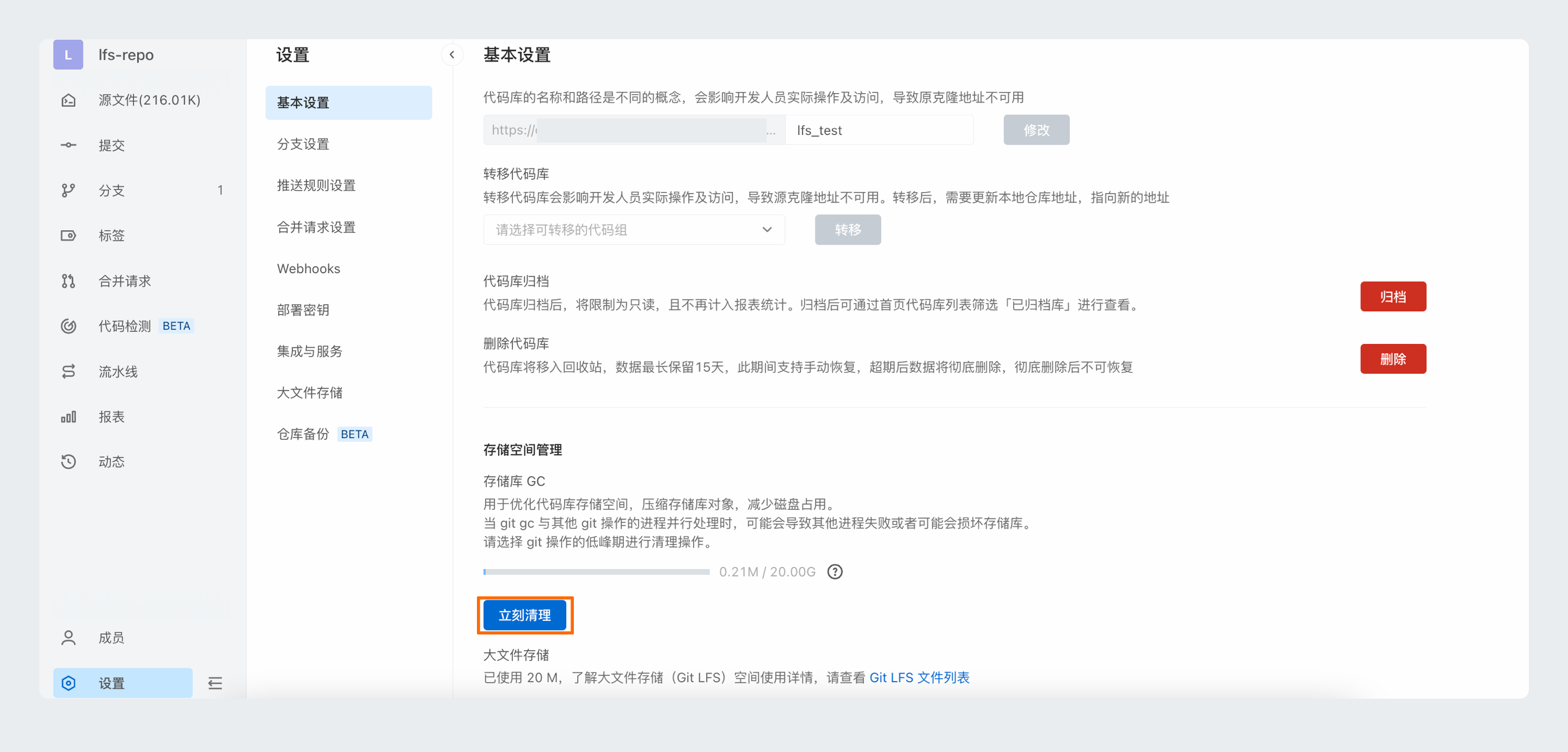
LFS空间清理:使用LFS管理二进制文件,当删除Git源文件时,LFS资源文件不会连带删除,仍然占用LFS存储空间,需要手动对LFS资源文件进行清理。库管理员进入目标代码库,选择,勾选期望删除的文件后进行删除:
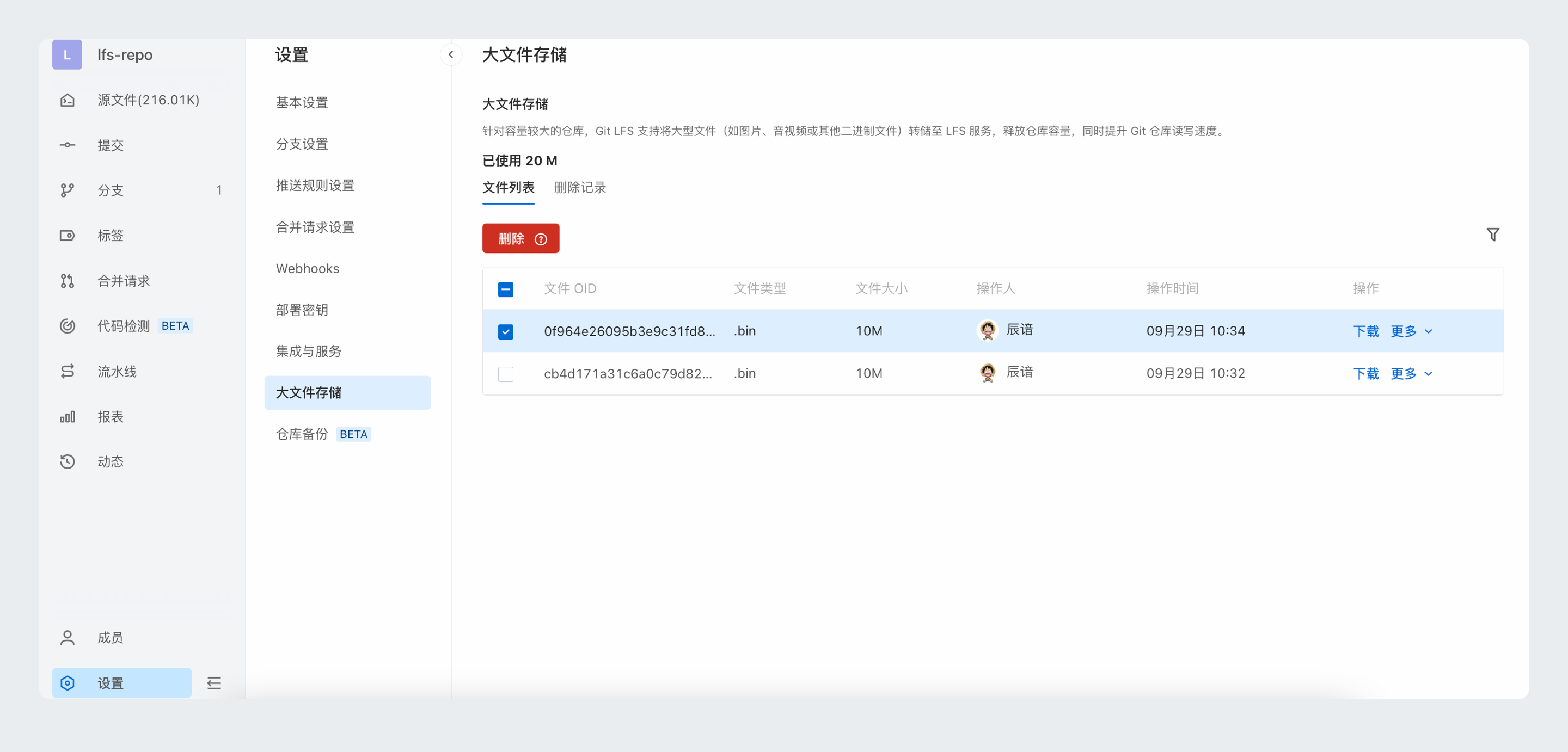
通过以下命令,可查看当前仓库正在关联的LFS资源文件,然后根据实际需要,按需删除此列表外的LFS资源文件。
git lfs ls-files容量已达上限
当达到推荐容量上限后,平台将暂时锁定仓库的写操作权限,此时仅允许在库设置中进行库容量GC优化。
代码库中 Git 大文件如何清理?
如果在代码库中提交了大量的二进制文件,可能导致代码库容量超出限制而无法写入,或者单个文件过大,超出单文件大小限制而无法写入。
此时建议对已提交代码库的历史大文件进行清理,然后将大文件使用Git-LFS进行存储管理,Git大文件转LFS管理,请参见LFS 迁移指南。
数据备份
清理操作会改写代码库提交历史,清除历史的大文件,建议将远程代码库克隆下来,先在本地进行备份。
工具安装
清理仓库大文件需要修改仓库的提交历史,git-filter-repo是Git官方社区推荐的修改仓库提交历史的工具,本文介绍使用git-filter-repo来清理仓库大文件的方法。
直接使用下述命令安装:
pip3 install git-filter-repo克隆裸库
从Codeup上克隆待处理的代码库裸库,以HTTP协议为例:
git clone --mirror --bare HTTPs://codeup.aliyun.com/example/example.git清理大文件
进入克隆好的裸库中:
cd example.gitgit-filter-repo支持三种方式的大文件清理:按照文件大小、路径或者按照文件blob ID,具体可以参考官方使用说明,以下通过示例详细说明其使用方法:
按文件大小清理
假如要清理大于100M的文件,执行下述命令:
git filter-repo --strip-blobs-bigger-than 100M--strip-blobs-bigger-than 参数支持K、M和G三种单位,比如这里的100M也可以换成10K,1G等。
按文件路径清理
假如已知大文件的路径,可以通过组合--path和--invert-paths参数来清理相关的文件。例如,要从仓库的提交历史中删除path/of/large/file.lib 文件和bin/目录,可以执行下述命令:
git filter-repo --path path/of/large/file.lib --path /bin/ --invert-paths这两个参数组合起来可保留除了--path指定的目录/文件外的其他所有文件/目录,即从仓库历史提交中清除--path指定的所有目录/文件。
按文件blob ID清理
假如已知大文件的blob ID,可以将大文件的blob ID写入一个文件中,比如在文件ids.txt中写入下述几个大文件blob ID:
e152814d14939a20f5399acf80b606ad018f872a
b747204ba81985a3f41314ef55d4c4a24868ede2
然后执行:
git filter-repo --strip-blobs-with-ids ids.txt更新服务端仓库
首先更新example.git仓库配置,在example.git中执行下述命令:
git config remote.origin.mirror false使用本地去除大文件后的仓库强制更新远程仓库:
git push -u origin refs/heads/*:refs/heads/* -f
git push -u origin refs/tags/*:refs/tags/* -f
查看远端更新效果
在 Codeup 页面上确认对应代码库的相关大文件已经从各个分支的提交历史中被清除。
仓库立即清理
执行完上述操作后,由于清理存在等待周期,服务端仓库大小此时可能并没有明显变化。
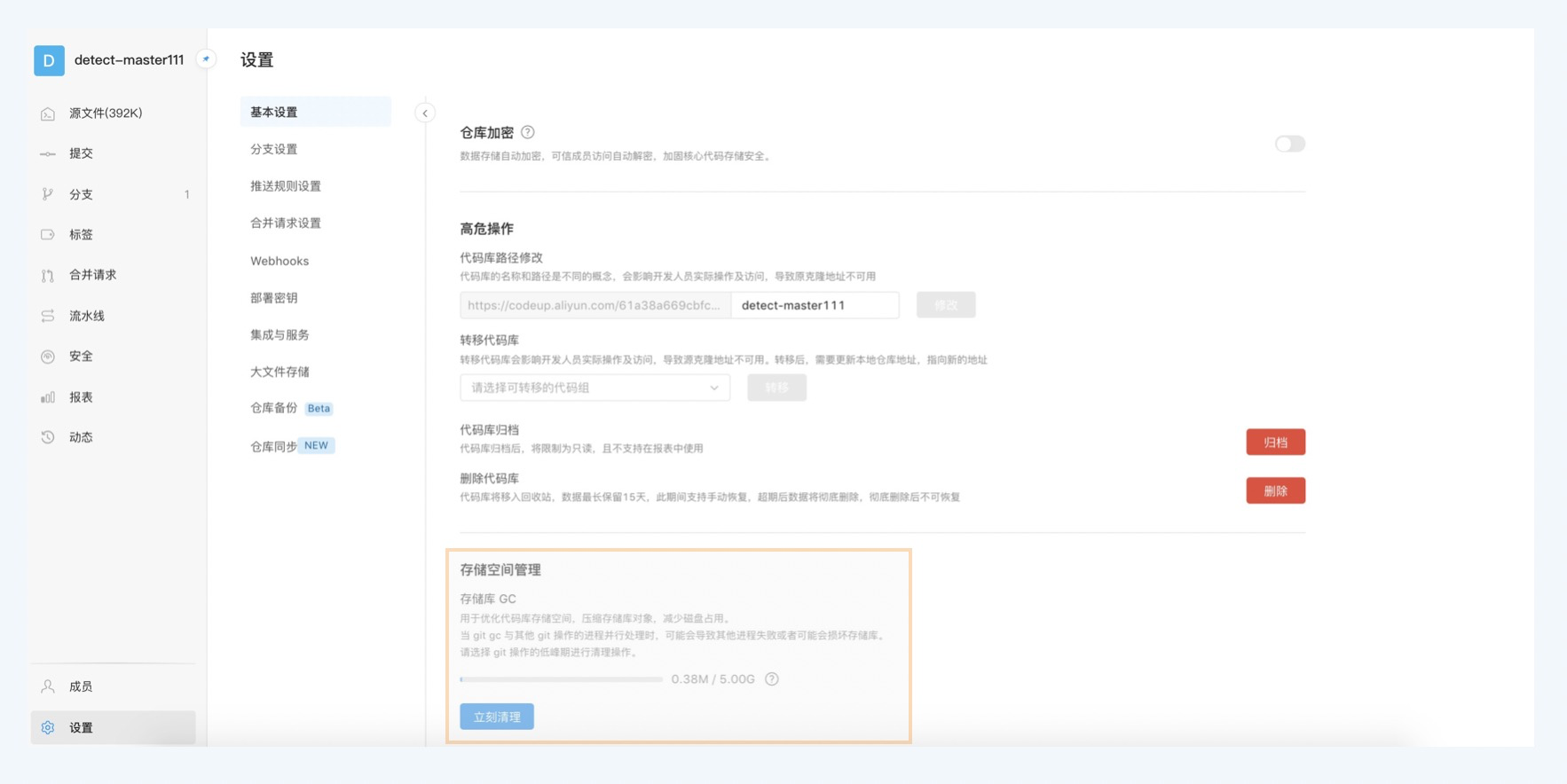
如需立即生效,需要仓库管理员在仓库的设置中,单击立即清理,并选择立即删除,执行完清理操作后相关大文件将从服务端仓库中彻底清除。
更多场景的大文件清理方法
通过Agit-Flow推送评审模式提交代码,原提交可能也携带了大文件,其清理方式参见如何清理Agit集中式评审引入的大文件空间?