Deploy IBM Db2 High-Availability Disaster Recovery (HADR) for SAP NetWeaver on Alibaba Cloud ECS instances, using HAVIP for virtual IP failover without a cluster manager.
IBM Db2 for SAP High Availability and Disaster Recovery
Version Control:
|
Version |
Revision Date |
Types Of Changes |
Effective Date |
|---|---|---|---|
|
1.0 |
2019/3/15 |
This guide walks through setting up SAP NetWeaver with IBM Db2 HADR on Alibaba Cloud Linux instances, without a cluster manager such as TSAMP. SUSE is used as the example OS, but other Unix and Linux distributions are also supported.
Solution Overview
Overview
This setup covers IBM Db2 HADR without a cluster manager. Manual takeover and failback are required.
The implementation uses HAVIP, a high-availability virtual IP service provided by Alibaba Cloud.
The deployment consists of three ECS instances: one SAP application server, one primary Db2 server, and one standby Db2 server. Db2 HADR replicates logged data changes to the standby database.
Architecture Overview
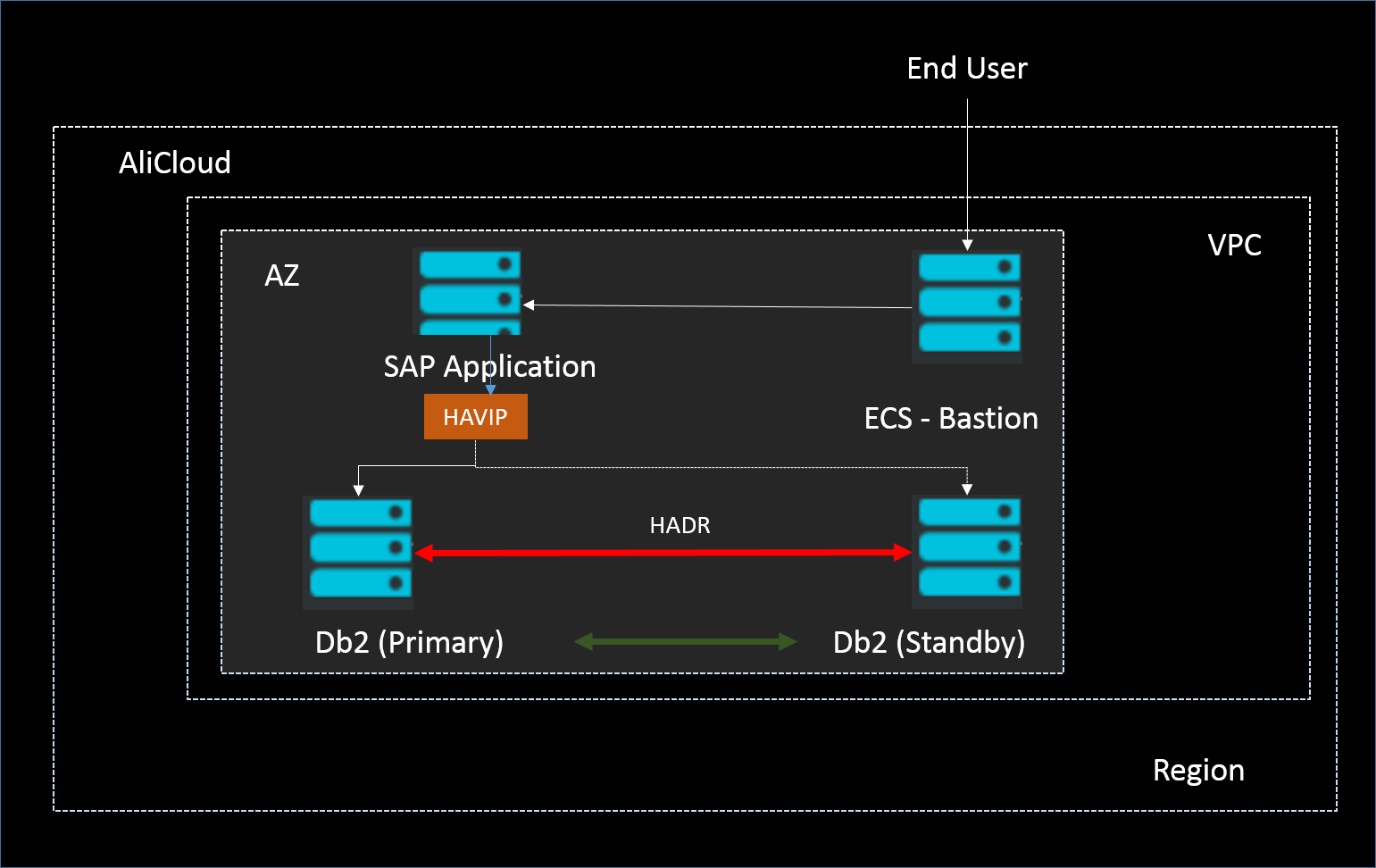
The following architecture applies to intra-zone and cross-zone deployments of SAP NetWeaver with Db2 HADR, without a cluster manager:
-
Db2 HADR is activated between the two database nodes.
-
One SAP application node and two Db2 nodes reside in one zone of the same region.
-
HAVIP controls which Db2 server the SAP application connects to.
Network Design
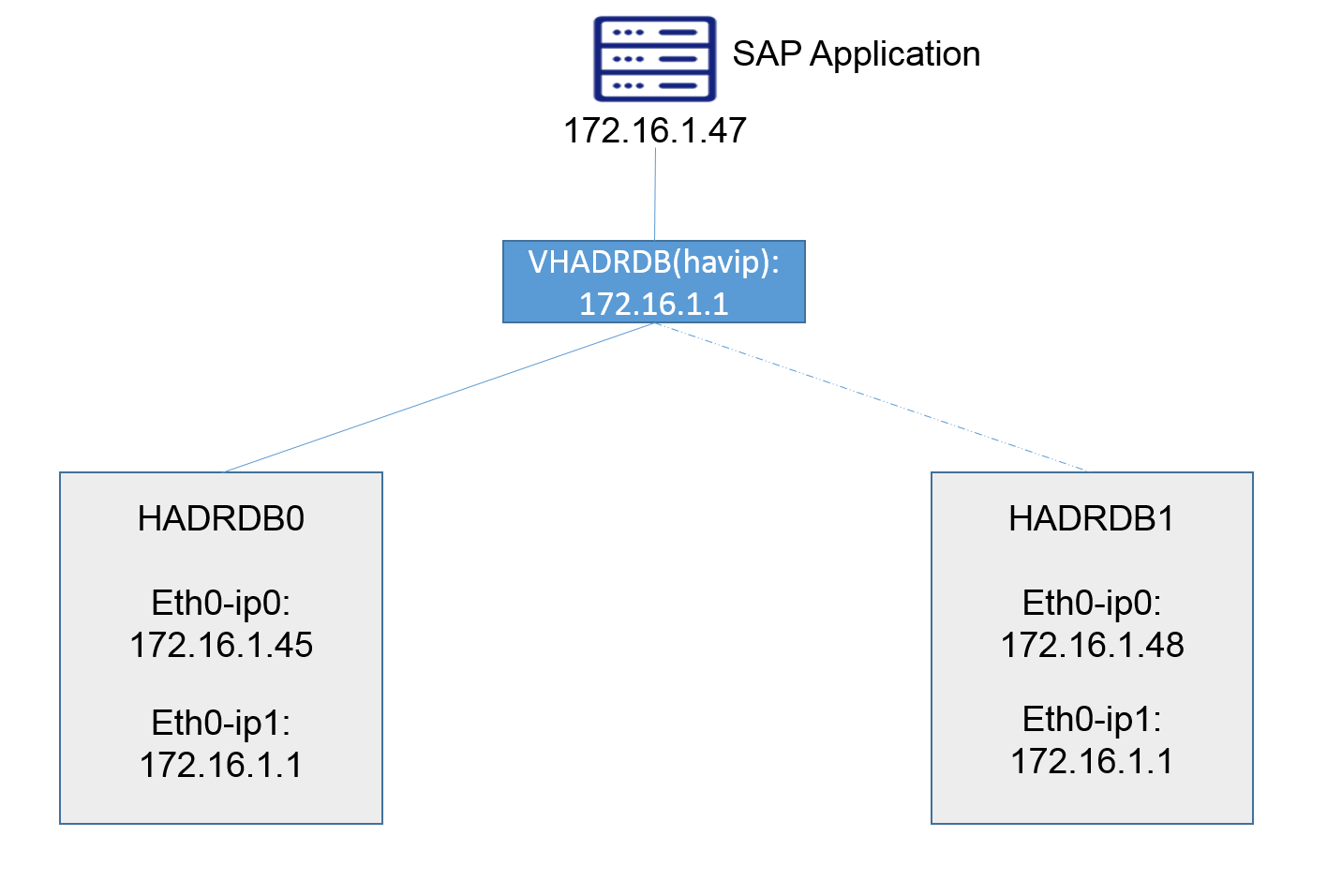
The following table shows the network design used in this example.
|
Physical Hostname |
Virtual Hostname |
Role |
IP1 |
VIP |
|---|---|---|---|---|
|
HADRSAP |
SAP application |
172.16.1.47 |
||
|
HADRDB0 |
VHADRDB |
Db2 |
172.16.1.45 |
172.16.1.1 |
|
HADRDB1 |
VHADRDB |
Db2 |
172.16.1.48 |
172.16.1.1 |
Infrastructure Preparation
Infrastructure List
-
1 VPC
-
3 ECS instances in one zone of the same VPC
-
HAVIP (High-Availability Virtual IP Address)
Creating VPC
Creating VPC
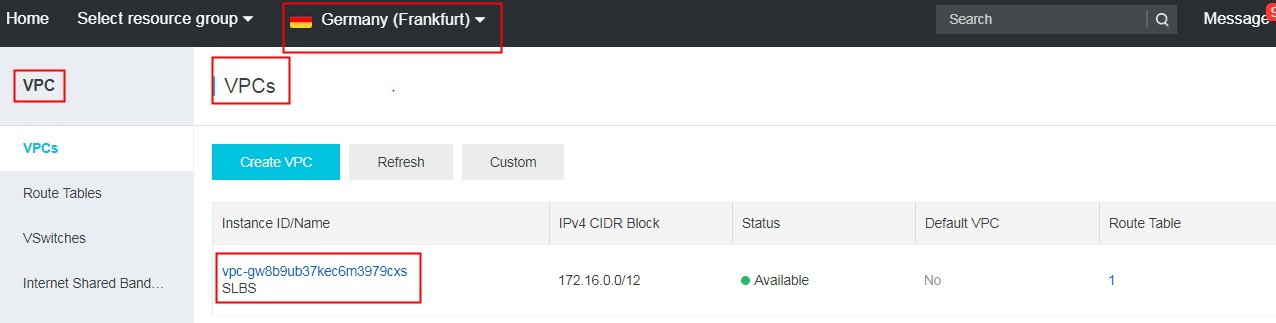
Create a VPC: Console > Virtual Private Cloud > VPCs > Create VPC. In this example, a VPC named SLBS is created in EU Central 1 (Frankfurt):
Creating ECS Instances
Create three ECS instances in one zone of the VPC: Console > Elastic Compute Service > Instances > Create Instance. Select the SUSE Linux Enterprise Server image from the public image tab.
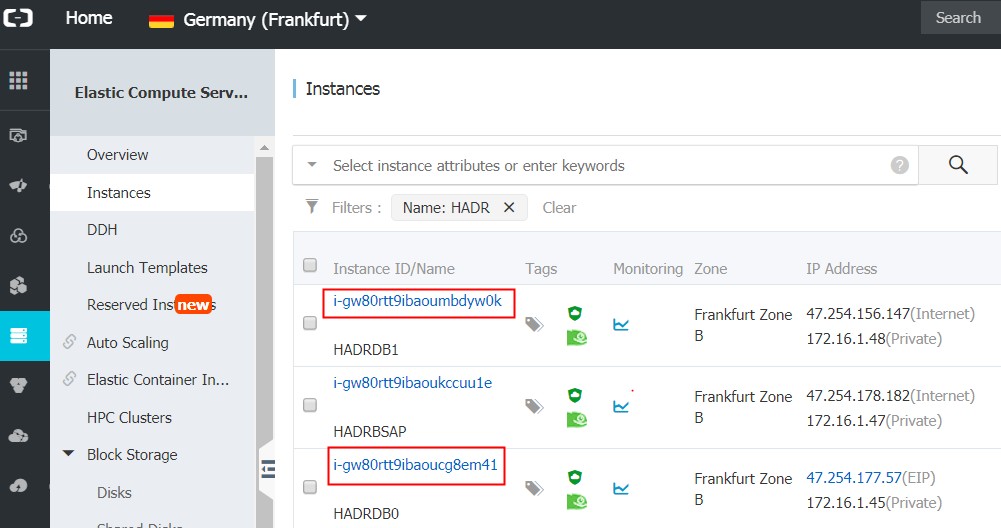
In this example, three ECS instances (HADRSAP, HADRDB0, HADRDB1) are created in eu-central-1 zone B within VPC SLBS, using SUSE Linux Enterprise Server 12 SP2. HADRSAP is the SAP application server, HADRDB0 is the primary Db2 node, and HADRDB1 is the standby node.
Creating HAVIP
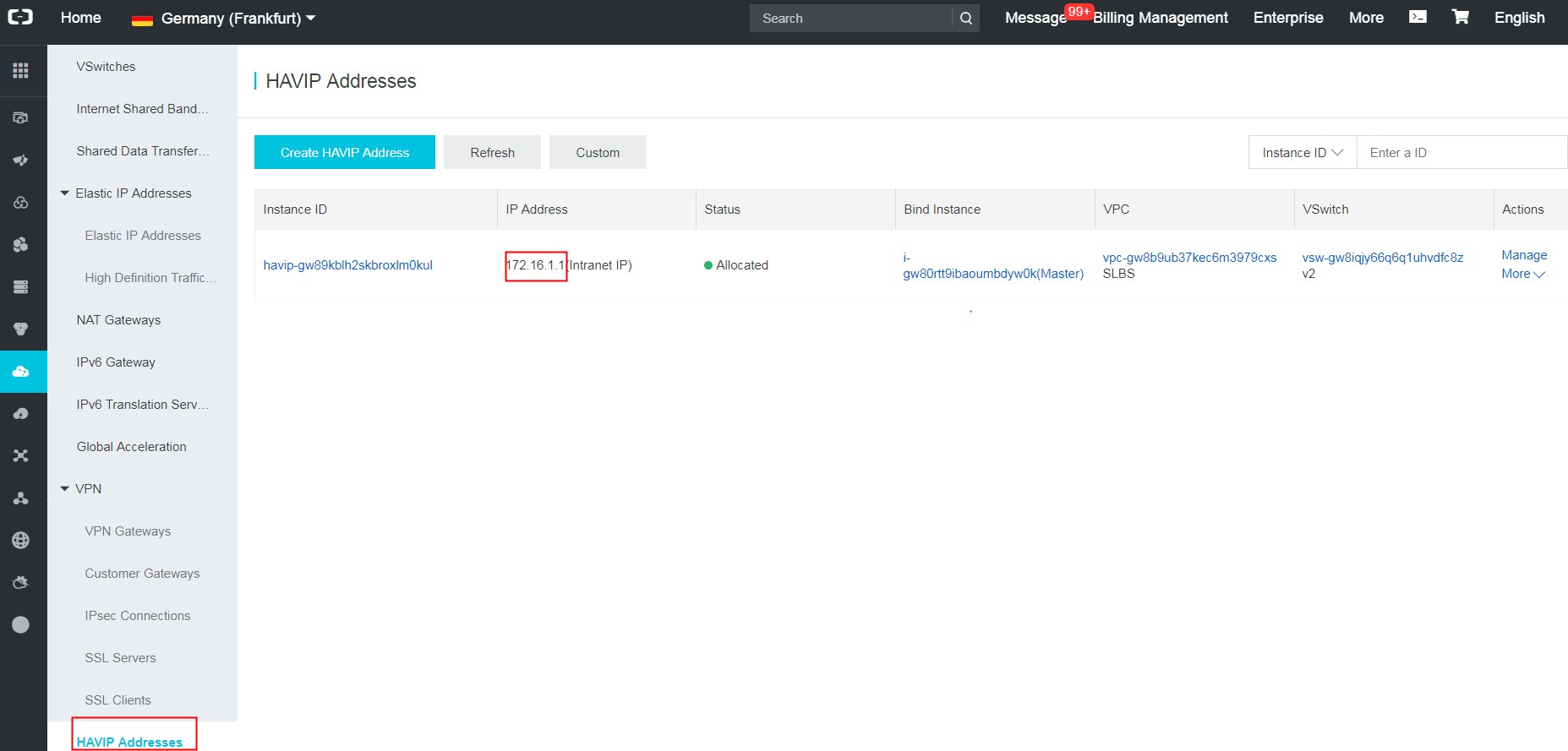
HAVIP is a private IP that can be created and released independently. You can broadcast it on ECS instances via ARP. In this deployment, HAVIP serves as the virtual IP of the Db2 instance and is attached to the primary Db2 node.
Create HAVIP
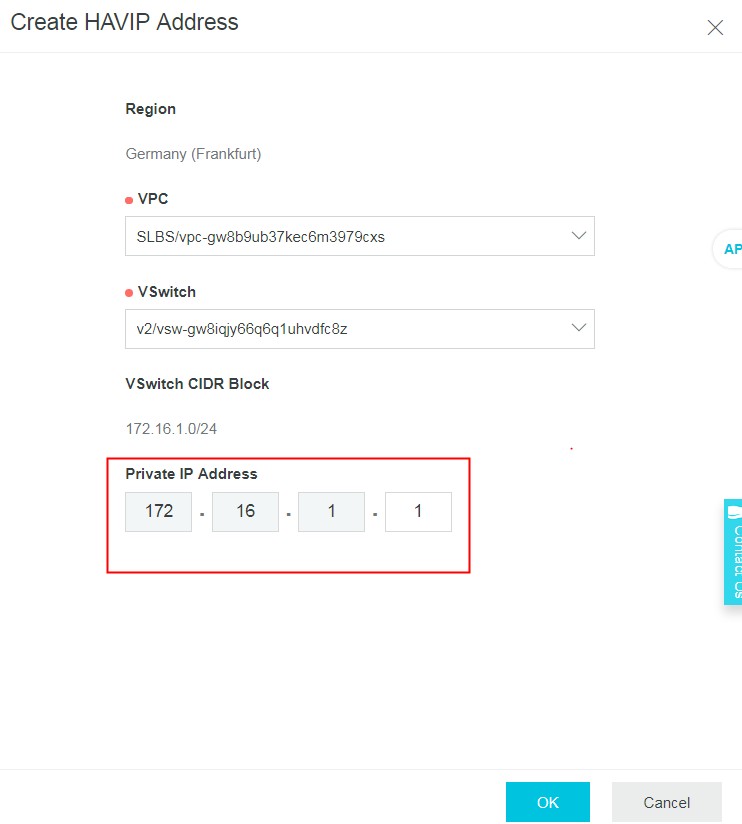
Create a HAVIP: Console > VPC > HAVIP > Create HAVIP Address. Assign the VPC, the vSwitch created earlier, and the HAVIP address to use as the virtual IP:
Configure Network Interface
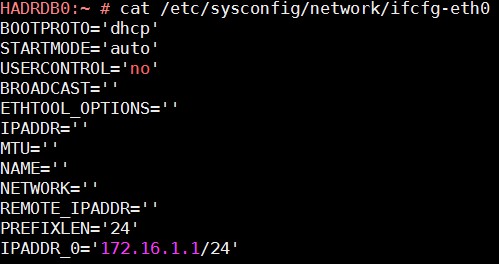
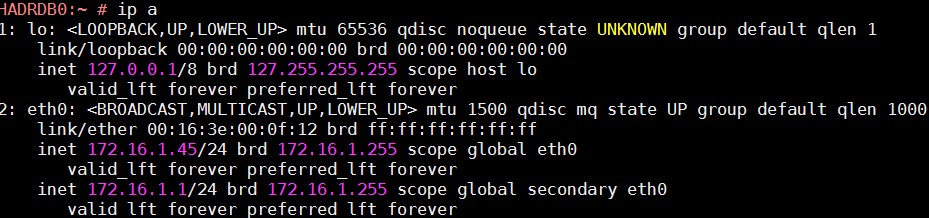
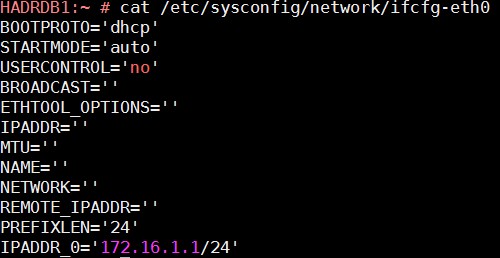
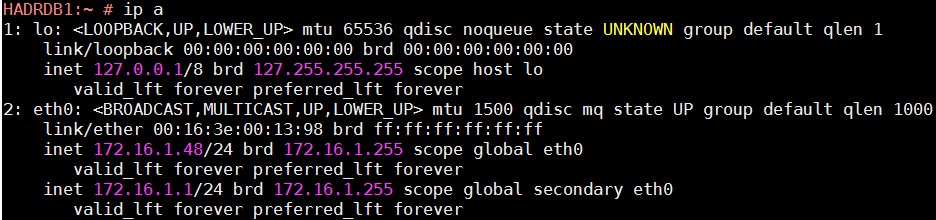
Add the HAVIP address as a secondary address on the network interface, and update /etc/hosts with the VIP and virtual hostname:
172.16.1.47     HADRSAP        HADRSAP
172.16.1.45     HADRDB0        HADRDB0
172.16.1.48     HADRDB1        HADRDB1
172.16.1.1      VHADRDB        VHADRDB
Bind Primary Db2 Node
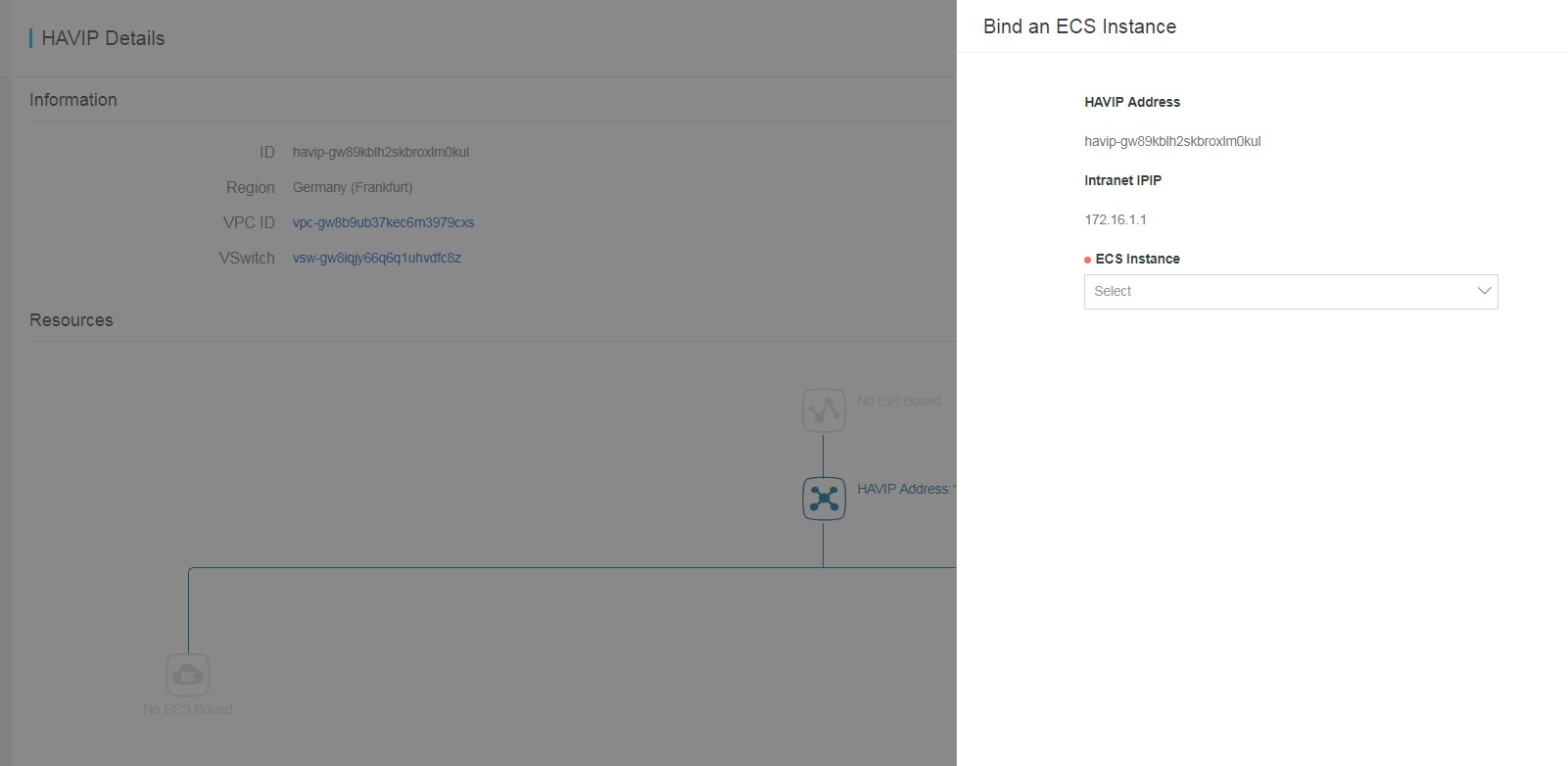
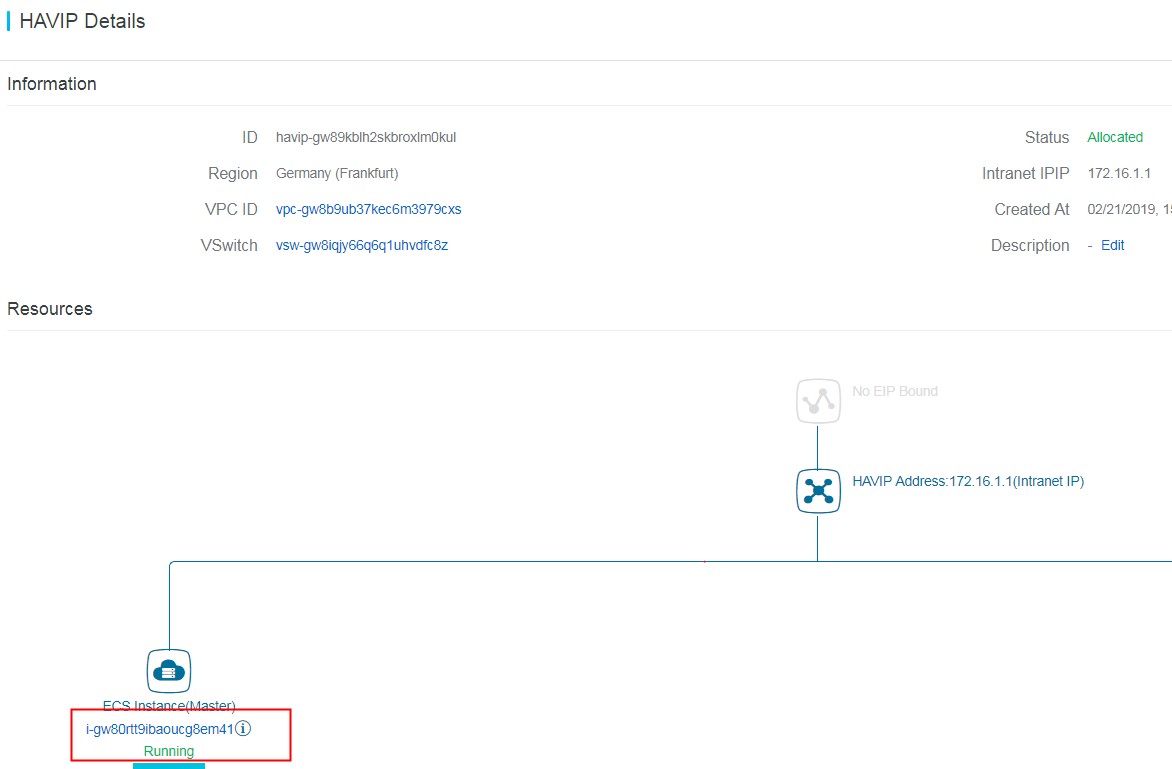
On the HAVIP page, click Bind: to attach the primary Db2 node HADRDB0:
Deployment
Environment Preparation
Before deployment, download the required SAP software from the SAP Software Center and initialize the Db2 server file systems as described in IBM Db2 for SAP Deployment Guide.
SAP ASCS Instance Installation
To make the SAP central services instance highly available, install it on a virtual hostname by using the SAPINST_USE_HOSTNAME parameter when starting the installer.
In this example, HA is not required for the SAP central service, so you can start the installer without the hostname parameter.
Refer to the SAP installation guide for detailed steps.
Primary IBM Db2 Instance Installation
Install the database server as described in the SAP installation guide.
Because HA is required for the DB instance, use SAPINST_USE_HOSTNAME=VHADRDB during installation.
Standby IBM Db2 Installation
Create a standby database as a copy of the primary database using SAP homogeneous system copy. IBM Db2 High Availability Solution: IBM Tivoli System Automation for Multiplatforms.
SAP PAS Instance Installation
SAP application server installation is not covered here. Refer to the SAP installation guides.
IBM Db2 HADR Configuration
Follow the steps in Initializing high availability disaster recovery (HADR).
Key steps:
-
Add a HADR service entry to /etc/services. In this example: DB2HADR 5917/tcp.
-
Execute command
db2 "UPDATE DB CFG FOR JLD USING LOGINDEXBUILD ONon both Db2 nodes. -
HADR configuration
-
Primary:
db2 "UPDATE DB CFG FOR JLD USING HADR_LOCAL_HOST HADRDB0 HADR_LOCAL_SVC DB2HADR HADR_SYNCMODE NEARSYNC"; db2 "UPDATE DB CFG FOR JLD USING HADR_TARGET_LIST HADRDB1:DB2HADR"; db2 "UPDATE DB CFG FOR JLD USING HADR_REMOTE_HOST HADRDB1 HADR_REMOTE_SVC DB2HADR HADR_REMOTE_INST db2jld"; -
Standby:
db2 "UPDATE DB CFG FOR JLD USING HADR_LOCAL_HOST HADRDB1 HADR_LOCAL_SVC DB2HADR HADR_SYNCMODE NEARSYNC"; db2 "UPDATE DB CFG FOR JLD USING HADR_TARGET_LIST HADRDB0:DB2HADR"; db2 "UPDATE DB CFG FOR JLD USING HADR_REMOTE_HOST HADRDB0 HADR_REMOTE_SVC DB2HADR HADR_REMOTE_INST db2jld"; -
Start HADR on both nodes
-
On host HADRDB1, execute:
Db2 "START HADR ON DB JLD AS STANDBY" -
On host HADRDB0, execute:
Db2 "START HADR ON DB JLD AS PRIMARY"
-
-
HADR Verification
After completing the preceding steps, verify the HADR status:
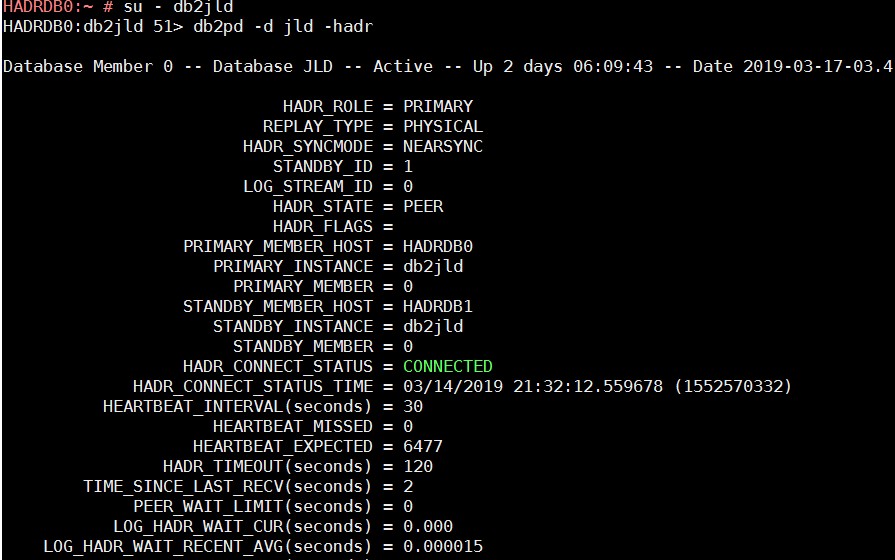
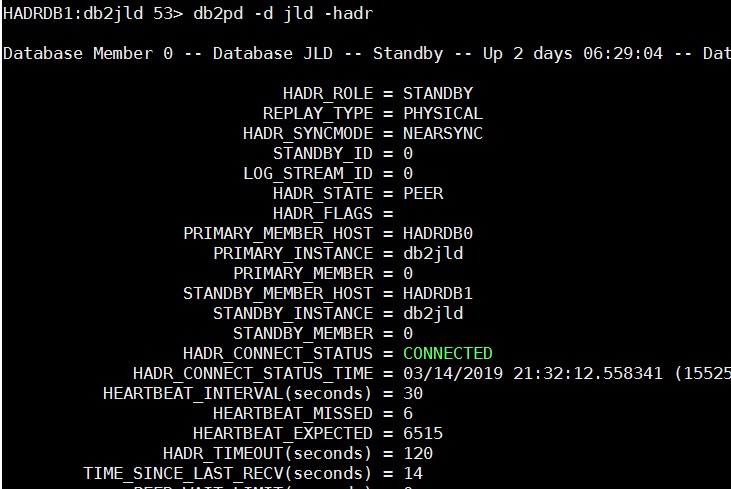
In SAP transaction DBACOCKPIT, verify the following:
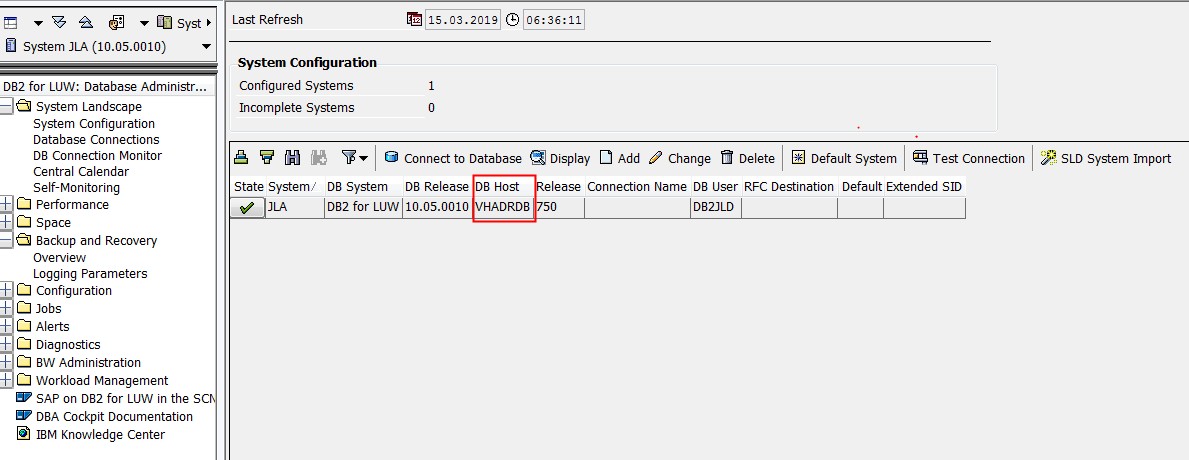
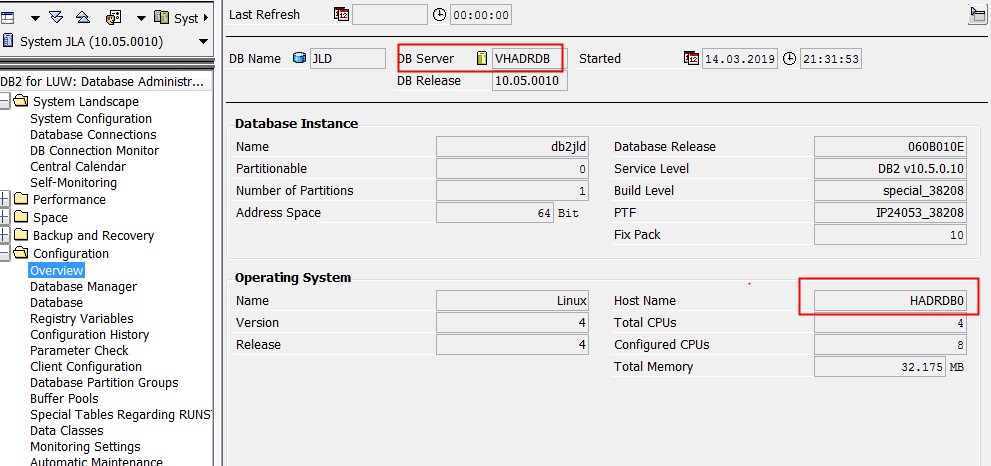
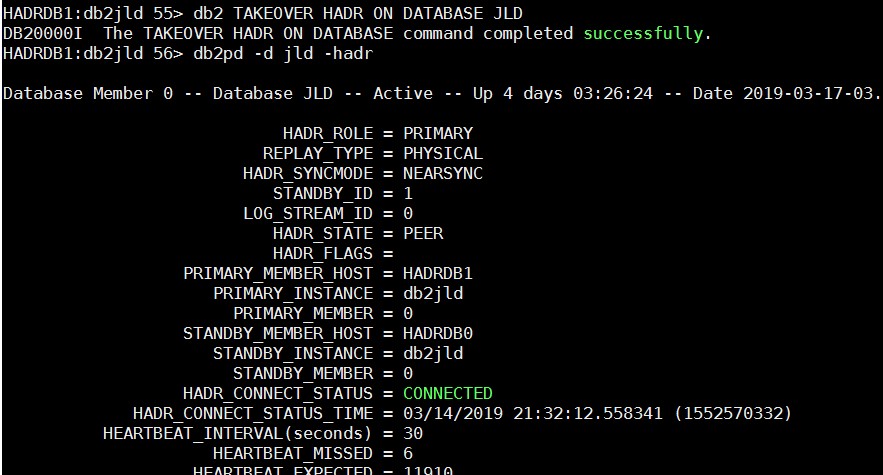
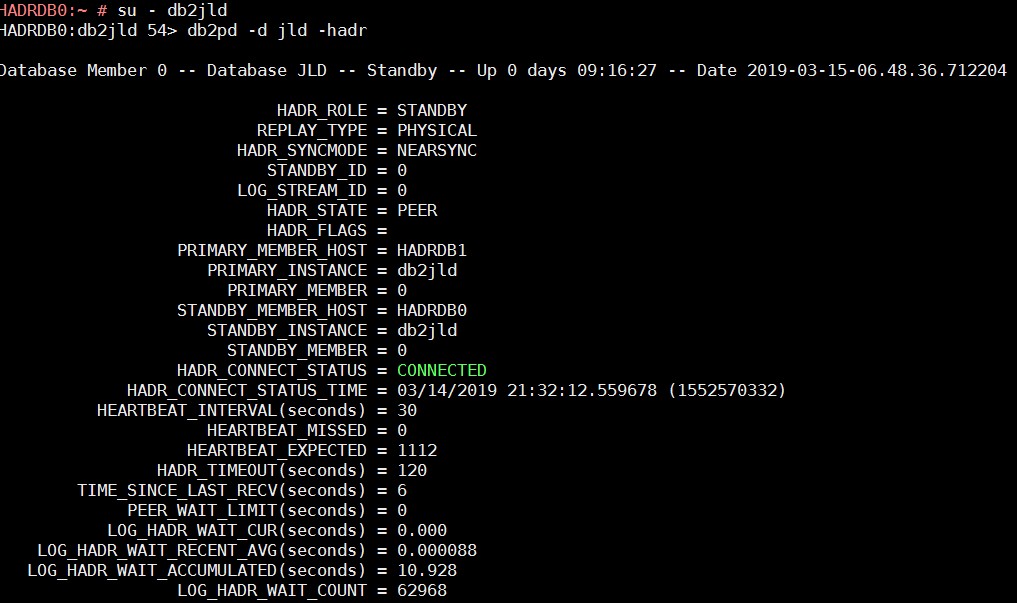
To test failover, perform a takeover on the standby node HADRDB1, then unbind HADRDB0 from HAVIP and bind HADRDB1:
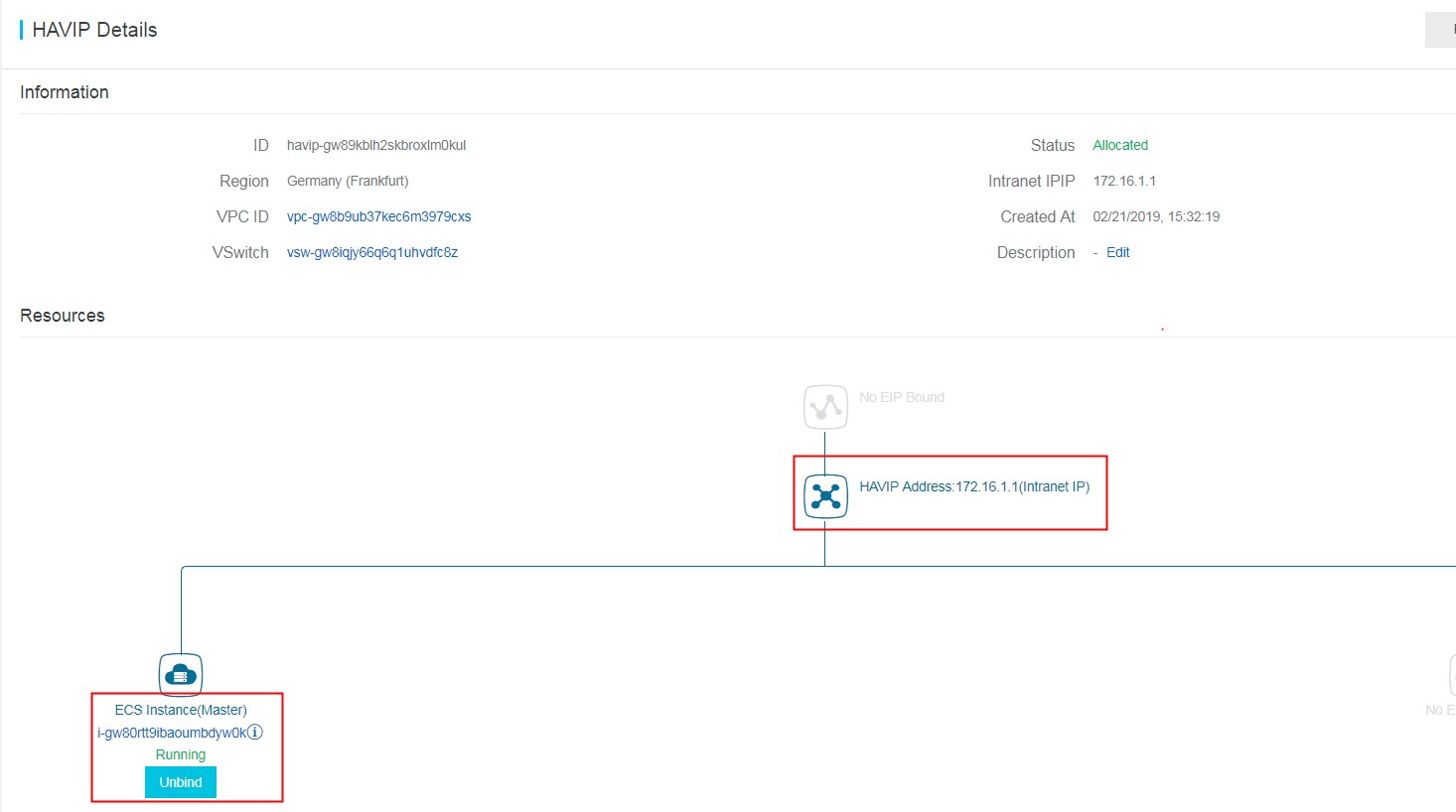
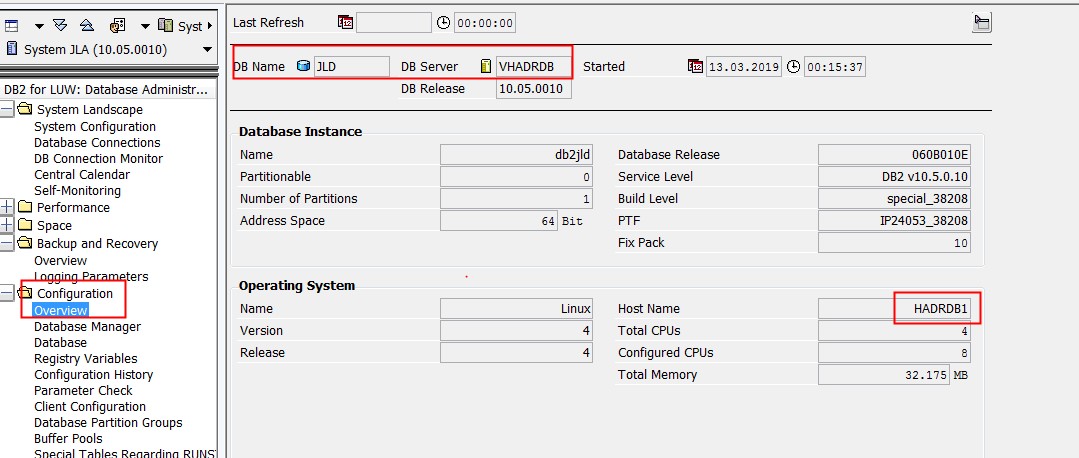
After the takeover, the database hostname in the SAP application changes to HADRDB1: