Check the PostgreSQL version
SELECT version();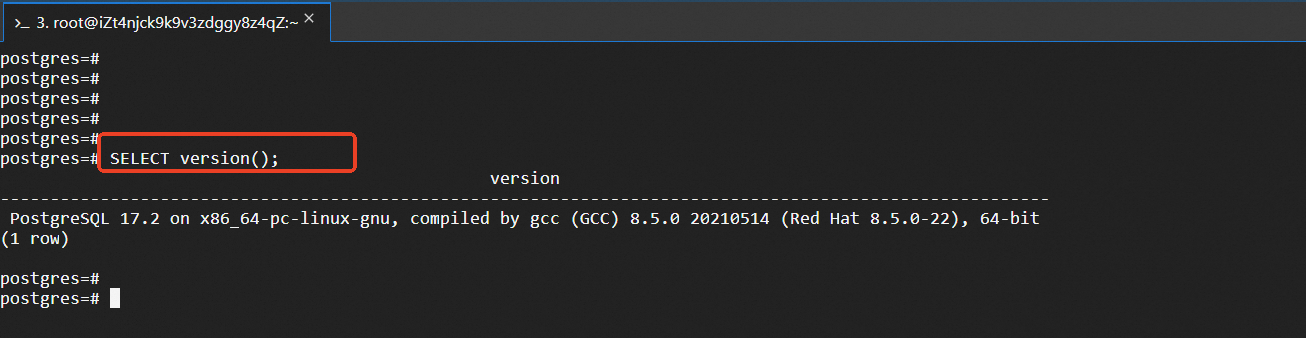
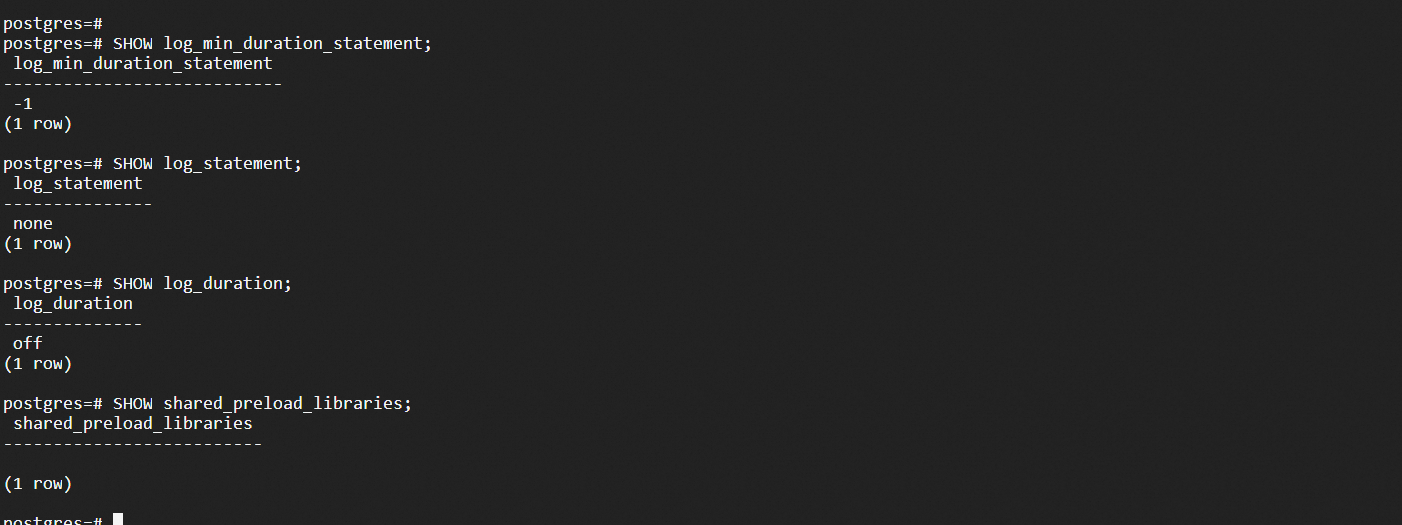
Check the configurations related to slow queries,
SHOW log_min_duration_statement; Used to record the minimum threshold for the execution time of SQL statements (in milliseconds)
SHOW log_statement; Used to control which types of SQL statements are logged
SHOW log_duration; Used to set whether to record the execution time of each SQL statement
SHOW shared_preload_libraries; Used to specify the shared libraries to be preloaded at PostgreSQL startups
The returned result is as follows: Slow SQL logging is not configured in the current environment.
Edit the postgresql.conf file:
# Locate the PostgreSQL configuration file.
psql -c "SHOW config_file;"

# Edit the configuration file.
vim /path/to/postgresql.conf# Basic configuration for slow query logs.
log_min_duration_statement = 1000 # Log SQL statements with execution time exceeding 1 second
log_statement='all ' # Record all SQL statements
log_duration=on # Record the execution time of each statement
log_line_prefix = '%t [%p]: [%l-1] user=%u,db=%d,app=%a,client=%h '
# Configuration of log details.
log_checkpoints = on
log_connections = on
log_disconnections = on
log_lock_waits=on # Record lock wait
log_temp_files =0 # Record temporary file usage
log_autovacuum_min_duration = 0 # Record autovacuum operations
# Log file management.
logging_collector = on
log_directory = 'log'
log_filename = 'postgresql-%Y-%m-%d_%H%M%S.log'
log_file_mode =0600
log_rotation_age = 1d
log_rotation_size =100MB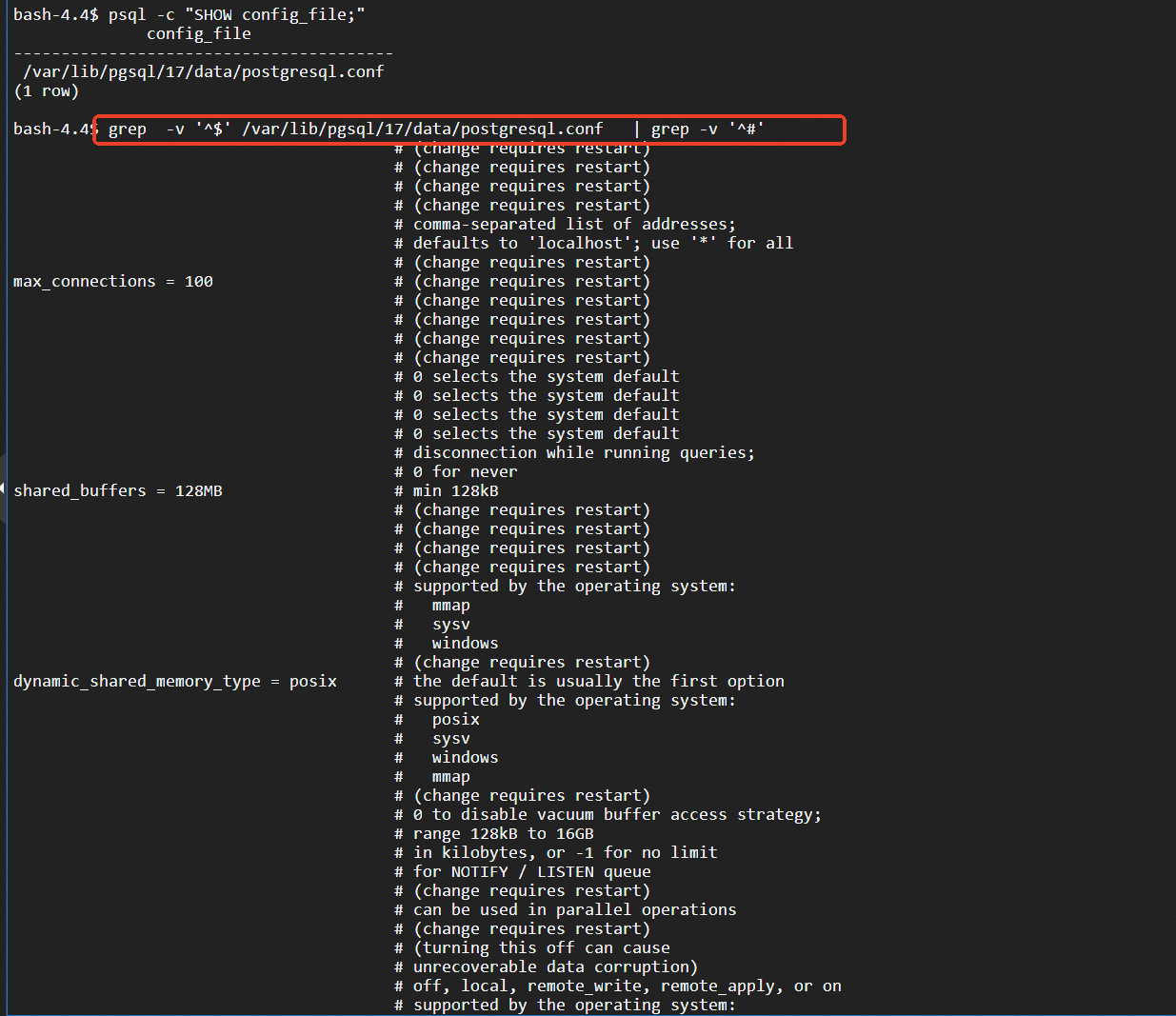
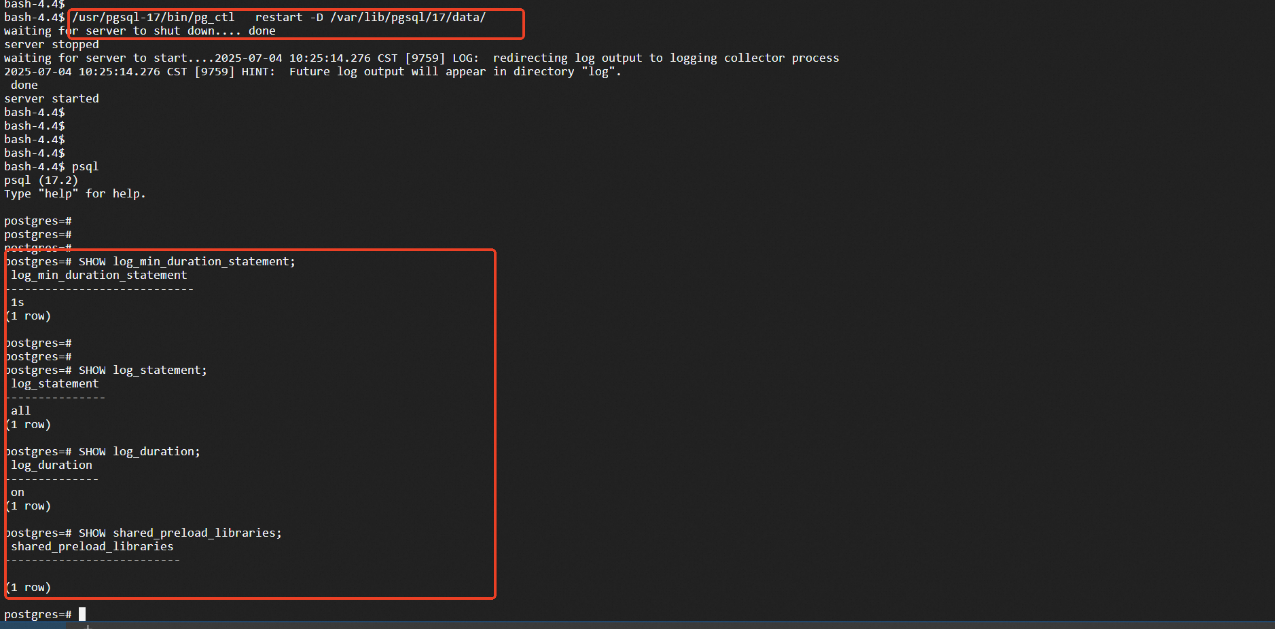
After modifying the configuration file, restart the PostgreSQL service.
After restarting, the modified configurations have taken effect:
-- Dynamically set the slow query threshold to 500ms.
ALTER SYSTEM SET log_min_duration_statement =500;
SELECT pg_reload_conf();

-- Verify whether the configuration has taken effect.
SHOW log_min_duration_statement;After restarting PostgreSQL, similar records will appear in the log file:
2025-07-04 10:59:53.730 CST [12420] LOG:  statement: SELECT * FROM user_info
WHERE EXTRACT(YEAR FROM birth_date) = 1990
AND LENGTH(username) > 8
AND UPPER(first_name) = 'ZHANG';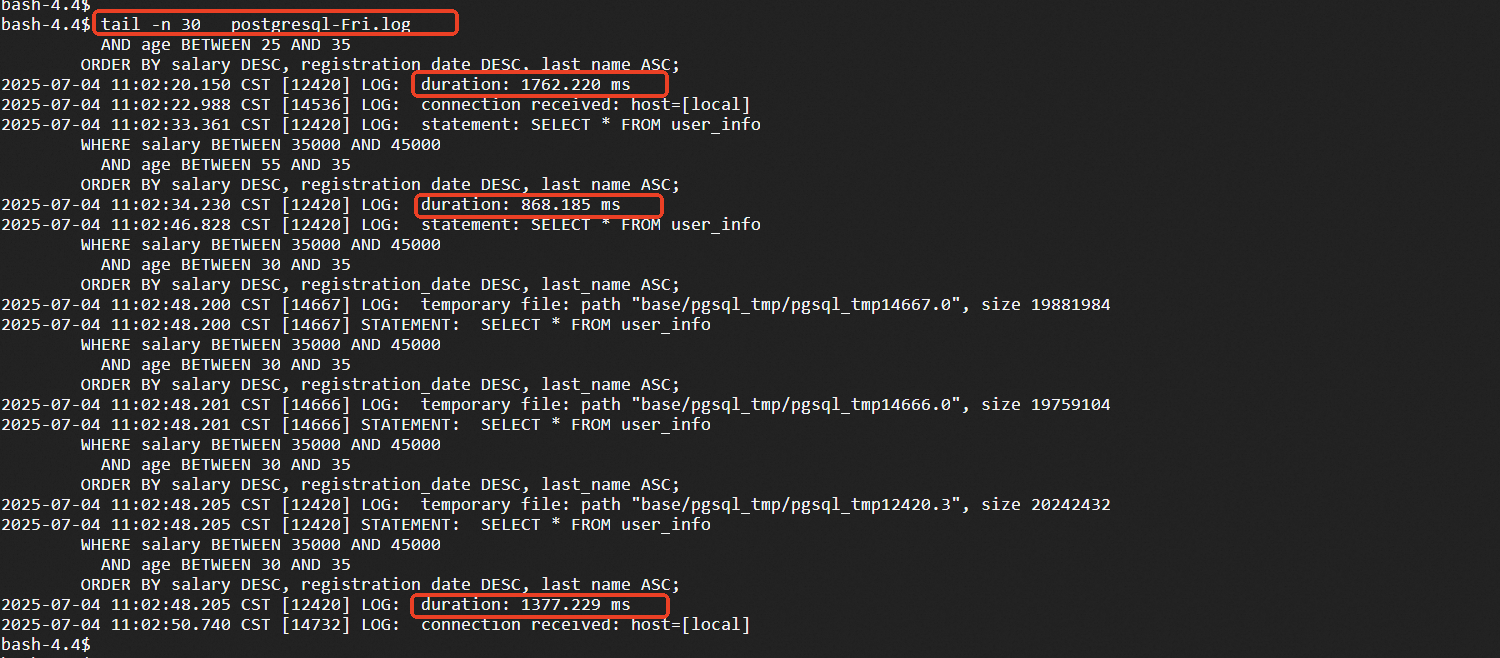
-- Check if the plug-in is available.
SELECT * FROM pg_available_extensions WHERE name = 'pg_stat_statements';

-- Create a plug-in.
CREATE EXTENSION IF NOT EXISTS pg_stat_statements;

-- Verify the plug-in status.
SELECT * FROM pg_extension WHERE extname = 'pg_stat_statements';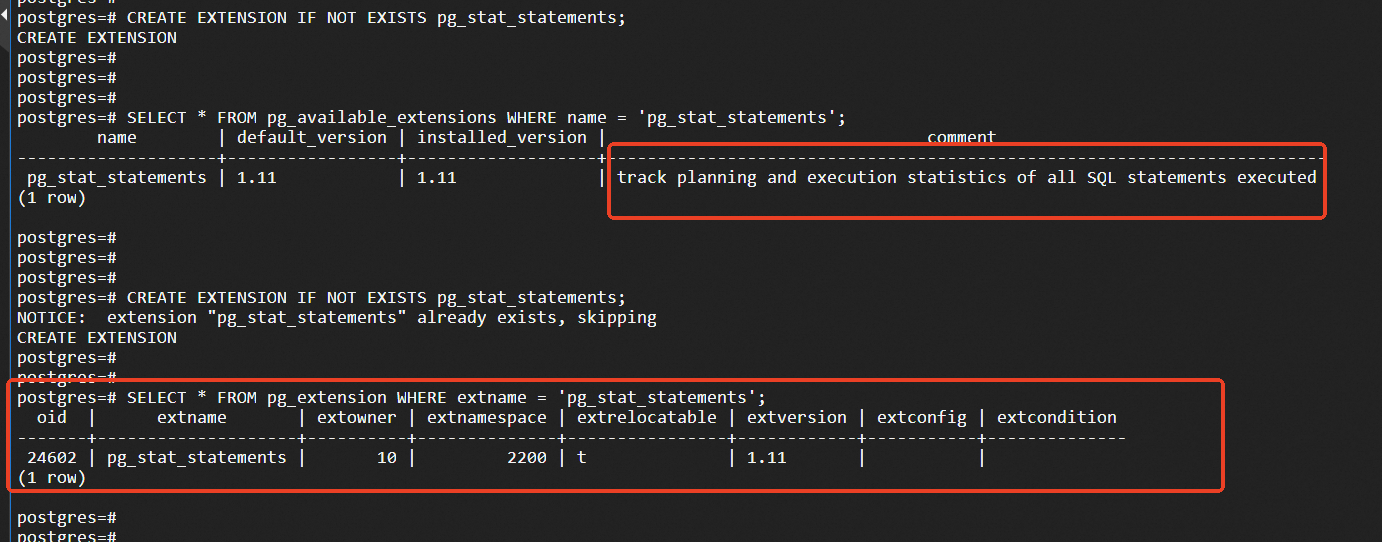
Add the following to postgresql.conf:
shared_preload_libraries ='pg_stat_statements'

# Plug-in configuration parameters.
pg_stat_statements.max = 10000 # Track a maximum of 10,000 statements
pg_stat_statements.track = all # Track all statements
pg_stat_statements.track_utility = on # Track utility statements
pg_stat_statements.save = on # Retain statistical information after restart
Restart PostgreSQL to make the configuration take effect.
-- Query the top 10 SQL statements with the longest average execution time.
SELECT
    query,
    calls,
    total_exec_time,
    mean_exec_time,
    max_exec_time,
    min_exec_time,
    stddev_exec_time,
    rows
FROM pg_stat_statements
ORDER BY mean_exec_time DESC
LIMIT 10;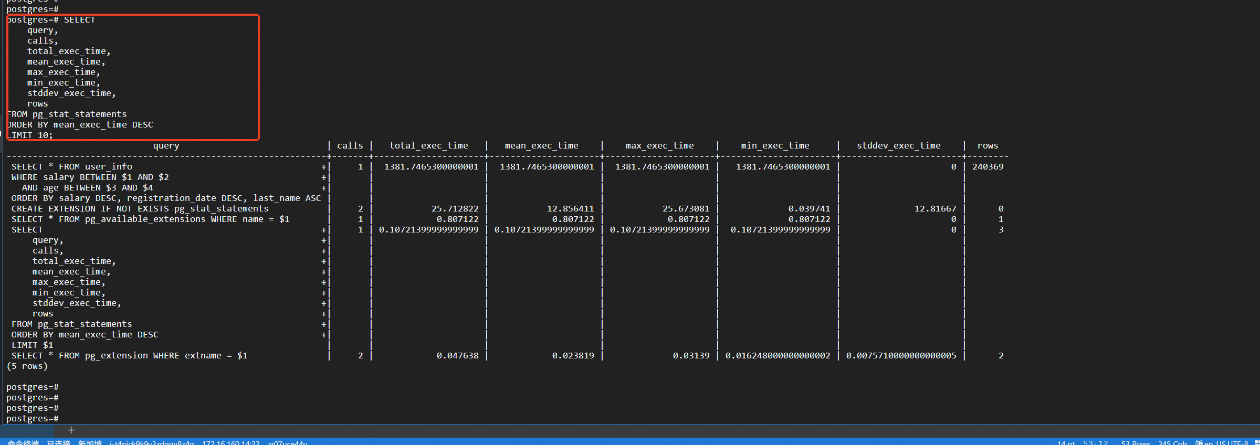
-- Reset statistical information.
SELECT pg_stat_statements_reset();

-- Reset statistical information of specific queries.
SELECT pg_stat_statements_reset(userid, dbid, queryid)
FROM pg_stat_statements
WHERE query LIKE '%specific_table%';

-- View statistical information of the plug-in.
SELECT
    dealloc,stats_reset,
    (SELECT count(*) FROM pg_stat_statements) as current_statements
FROM pg_stat_statements_info;Applicable to obtaining slow SQL for PolarDB for PostgreSQL versions 11 to 16.
1. Log in to the PolarDB console, and select Diagnosis and Optimization > Slow SQL.
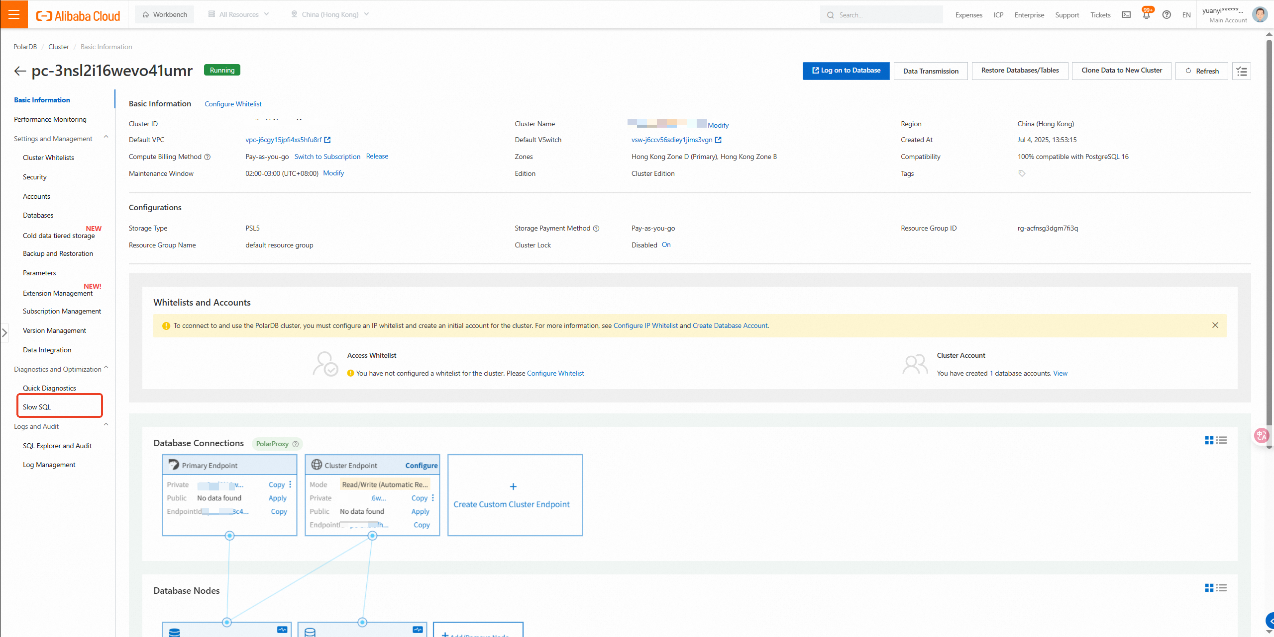
2. Select Slow SQL and view the details of the slow log.
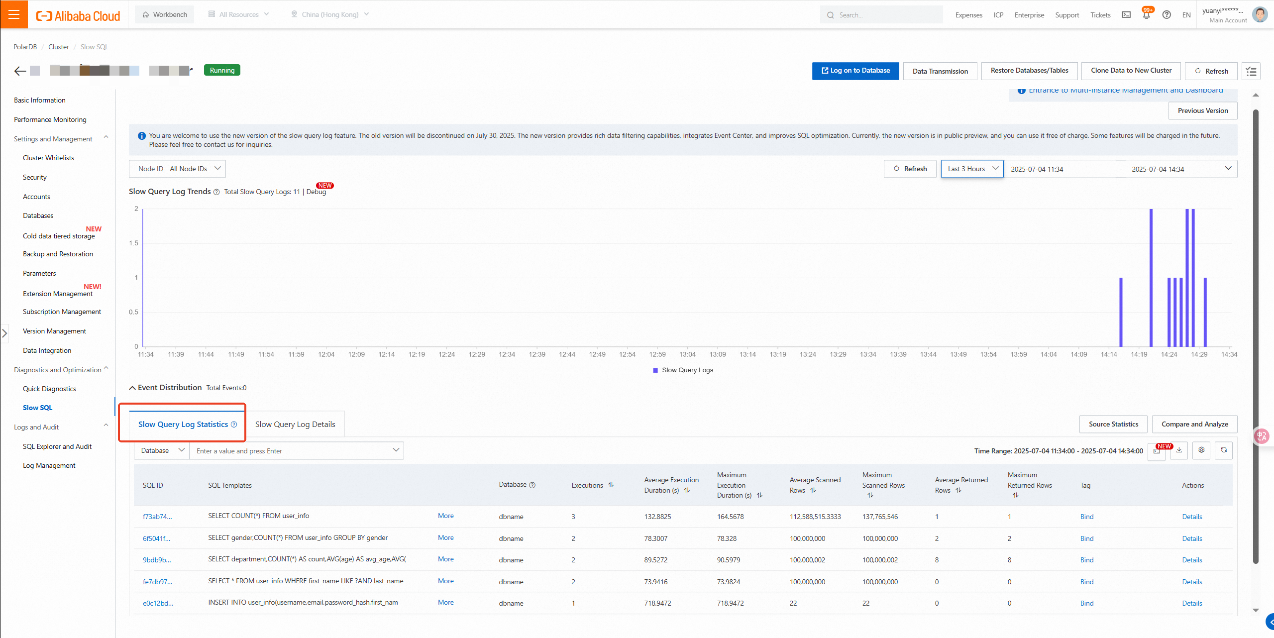
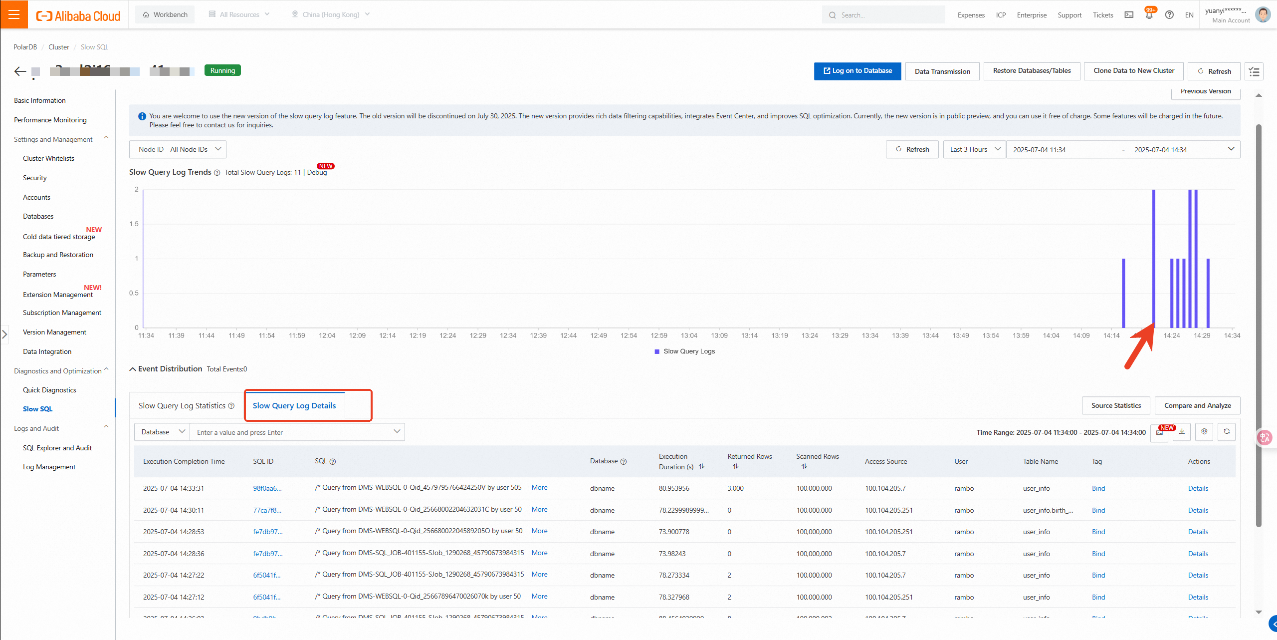
3. Select the desired period to view the slow log trends, event distribution, slow log statistics, and slow log details for that period.
You can select a time point in the slow log trend chart to view the slow log statistics and slow log details at that time.
Corresponding document: What is slow SQL and how to use the SQL analysis function
Applicable to obtaining slow SQL for PolarDB for PostgreSQL 14 and later versions.
PolarDB is compatible with PostgreSQL's open-source plug-in ecosystem. The pg_stat_statements plug-in is used to count SQL execution frequency and time consumption.
-- Check if the plug-in is available.
SELECT * FROM pg_available_extensions WHERE name = 'pg_stat_statements';

-- Create a plug-in.
CREATE EXTENSION IF NOT EXISTS pg_stat_statements;

-- Verify the plug-in status.
SELECT * FROM pg_extension WHERE extname = 'pg_stat_statements';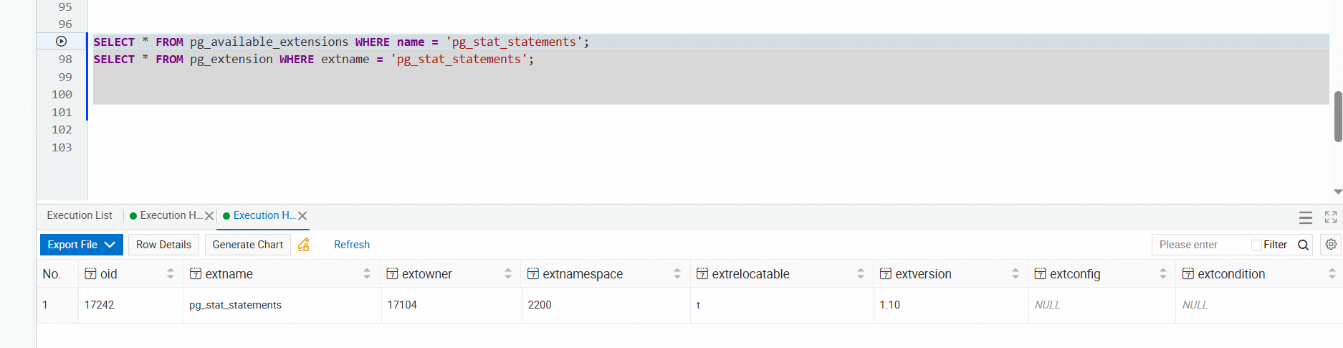
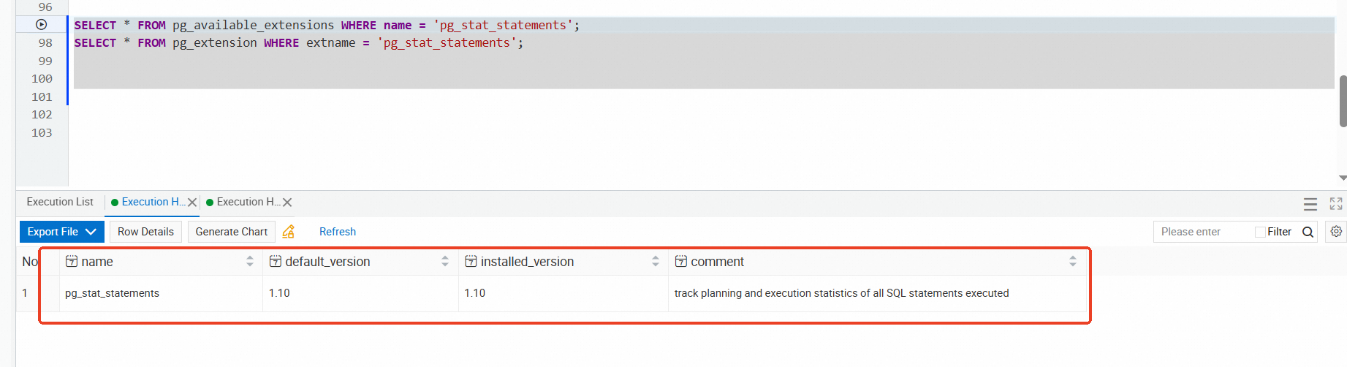
-- Query the top 10 SQL statements with the longest average execution time.
SELECT
    query,
    calls,
    total_exec_time,
    mean_exec_time,
    max_exec_time,
    min_exec_time,
    stddev_exec_time,
    rows
FROM pg_stat_statements
ORDER BY mean_exec_time DESC
LIMIT 10;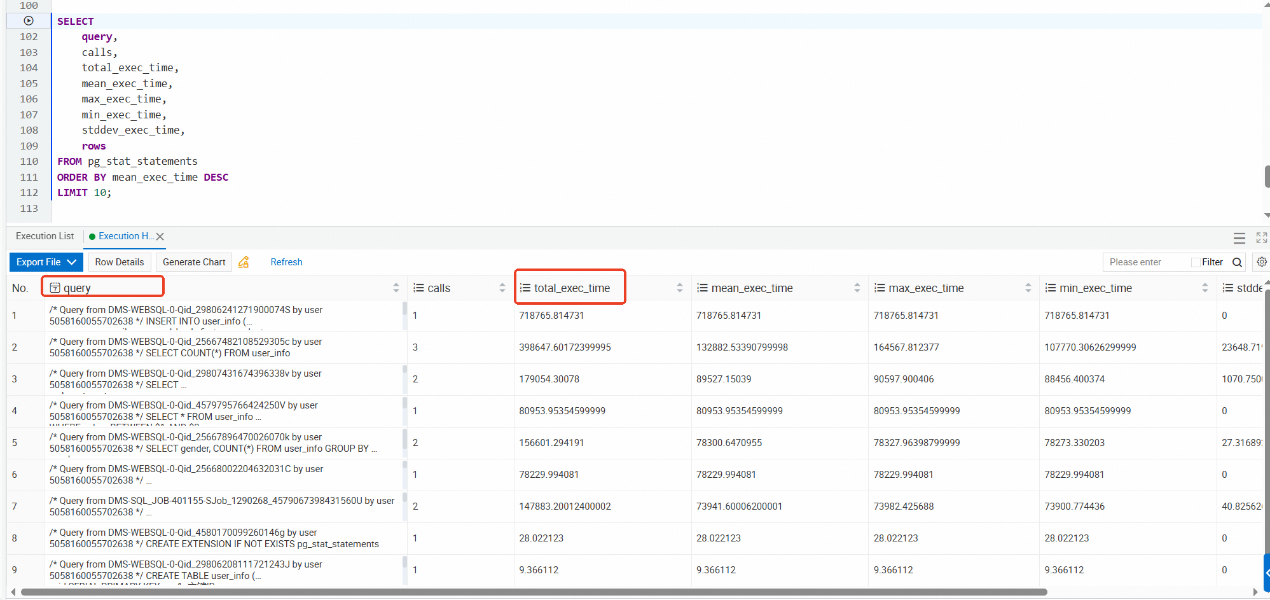
The PolarDB for PostgreSQL version not only inherits PostgreSQL's robust plug-in ecosystem but also enhances performance through features such as cluster architecture, parallel query, and shared storage. For the governance of slow SQL, a comprehensive approach should be adopted that combines multiple methods such as log analysis, monitoring tools, plug-in assistance, and SQL optimization, thereby ensuring the stability and response speed of the database system.
-- Obtain the detailed execution plan.
EXPLAIN (ANALYZE, BUFFERS, VERBOSE, FORMAT JSON)
SELECT * FROM orders o
JOIN customers c ON o.customer_id = c.id
WHERE o.created_at > '2024-01-01';

-- Analyze key indicators of the execution plan.
-- 1. Seq Scan: Usually requires an index addition for full-table scanning
-- 2. Nested Loop: Low efficiency with large data volume
-- 3. Hash Join: Related to memory usage
-- 4. Sort: Whether temporary files are required for the sort operation
-- 5. Buffers: Buffer hit rate-- Find tables with missing indexes.
SELECT
*
FROM pg_stat_user_tables
WHERE seq_scan >0
ORDER BY seq_tup_read DESC;
SELECT
schemaname,tablename,
indexname,
idx_scan,
idx_tup_read,
idx_tup_fetch
FROM pg_stat_user_indexes
WHERE idx_scan = 0
ORDER BY schemaname, tablename;-- View the current memory configuration
SHOW shared_buffers;
SHOW effective_cache_size;
SHOW work_mem;
SHOW maintenance_work_mem;
-- Recommended configuration (for a 16GB memory server)
ALTER SYSTEM SET shared_buffers = '4GB';
ALTER SYSTEM SET effective_cache_size = '12GB';
ALTER SYSTEM SET work_mem = '256MB';
ALTER SYSTEM SET maintenance_work_mem = '1GB';
ALTER SYSTEM SET random_page_cost =1.1;
SELECT pg_reload_conf();-- Connection and concurrency configuration
ALTER SYSTEM SET max_connections =200;
ALTER SYSTEM SET max_worker_processes = 8;
ALTER SYSTEM SET max_parallel_workers = 8;
ALTER SYSTEM SET max_parallel_workers_per_gather =4;
ALTER SYSTEM SET max_parallel_maintenance_workers =4;Practical Operations for Self-built ClickHouse Migration to the Cloud
ApsaraDB - June 26, 2025
digoal - February 23, 2022
Alibaba Cloud Native Community - July 31, 2025
Alibaba Cloud Indonesia - March 20, 2026
ApsaraDB - July 20, 2021
ApsaraDB - August 1, 2022
 PolarDB for PostgreSQL
Alibaba Cloud PolarDB for PostgreSQL is an in-house relational database service 100% compatible with PostgreSQL and highly compatible with the Oracle syntax.
Learn More AnalyticDB for PostgreSQL
An online MPP warehousing service based on the Greenplum Database open source program
Learn More ApsaraDB RDS for SQL Server
An on-demand database hosting service for SQL Server with automated monitoring, backup and disaster recovery capabilities
Learn More Managed Service for Prometheus
Multi-source metrics are aggregated to monitor the status of your business and services in real time.
Learn MoreMore Posts by ApsaraDB


