WSFC is a feature of the Windows Server platform, which is generally used to improve the high availability of applications and services on your network. WSFC is a successor to the Microsoft Cluster Service (MCS). We recommend you use Windows Server Failover Clustering (WSFC) and SQL Server AlwaysOn Availability Groups as your SQL Server high availability (HA) solution on Alibaba Cloud's Elastic Compute Service (ECS) instances.
An Alibaba Cloud ECS Instance provides fast memory and the latest Intel CPUs to help you to power your cloud applications and achieve faster results with low latency. All ECS instances come with Anti-DDoS protection to safeguard your data and applications from DDoS and Trojan attacks.
The Alibaba Cloud ECS allows you to load applications with multiple operating systems and manage network access rights and permissions. Within the user console, you can also access the latest storage features, including auto snapshots, which is perfect for testing new tasks or operating systems as it allows you to make a quick copy and restore later. It offers a variety of configurable CPU, memory, data disk and bandwidth variations allowing you to tailor each Instance to your specific needs.
When using WSFC in conjunction with Alibaba Cloud ECS, if one cluster node fails, another node can take over. We can configure this failover to happen automatically, which is the usual configuration, or we can manually trigger a failover.
In this tutorial, we deploy a Cross-Availability Zone (AZ) WSFC on an Alibaba Cloud ECS instance. This tutorial assumes a basic understanding of Alibaba Cloud's suite of products and services, the Alibaba Cloud Console, failover clustering, the Active Directory (AD), and the administration of Windows Server.
We recommend the following configuration, which contains three servers and runs across the Alibaba Cloud Virtual Private Cloud (VPC) to provide an isolated cloud network to operate your resource in a secure environment:
• A primary ECS instance running Windows Server 2016.
• A secondary ECS instance, configured to match the primary instance, running in another Availability Zone.
• An Active Directory (AD) / domain name server (DNS) instance. This server will serve several roles:
Note: the quorum is sometimes referred to as the Disk or File Witness. It is simply a small clustered disk which is in the available cluster storage group.
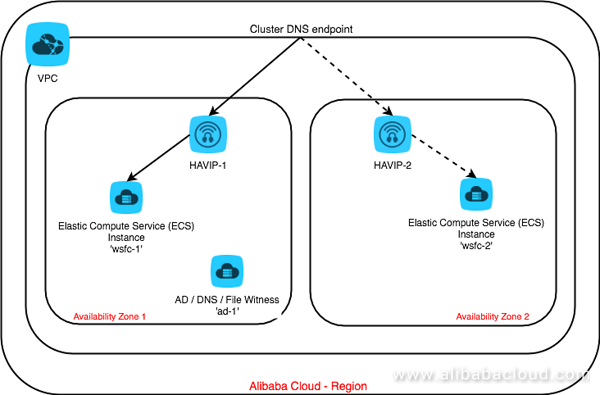
Figure 1: The Architecture
When the cluster fails, requests must go to the newly active node. This routing is usually handled by the address resolution protocol (ARP), which associates IP addresses with MAC addresses.
However, in Alibaba Cloud, the VPC system uses software-defined networking, which does not provide MAC addresses. This means the changes broadcast by ARP don't affect routing. To make routing work, we need to make use of an Alibaba Cloud product called HAVIP (Highly Available Virtual IP).
In this scenario we need to form a cluster across two different subnets in two availability zones. So, we will need to employ two HAVIPs.
When a failover happens in the cluster, the following changes take place:
That's it! Let's start the tutorial from the Alibaba Cloud Console.
First, login to your Alibaba Cloud Console. We are now going to set up your Alibaba Cloud account to work with the WSFC environment.


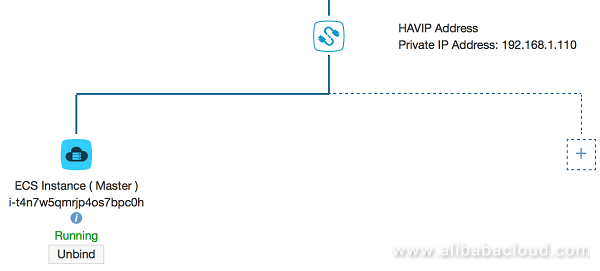
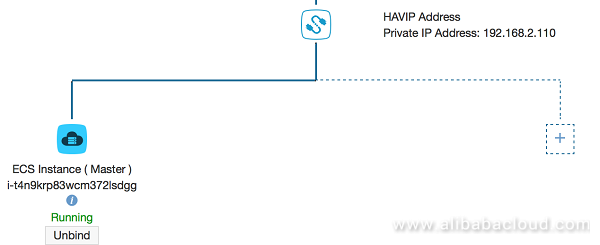
Next, we need to create two HAVIPs, one in each availability zone, and then bind the corresponding instance to that subnet behind the HAVIP.
In Alibaba Cloud, all IPs on any VPC and underlying switches are assigned dynamically. So, you must use "HAVIP" to configure a static IP that can be used as Virtual IP for Windows Server Failover Cluster and other application clusters on ECS.
By default, HAVIP button is not available for use. So, you will need to log a support ticket "To whitelist HAVIP".
Once HAVIP is available under VPC, complete the following steps:

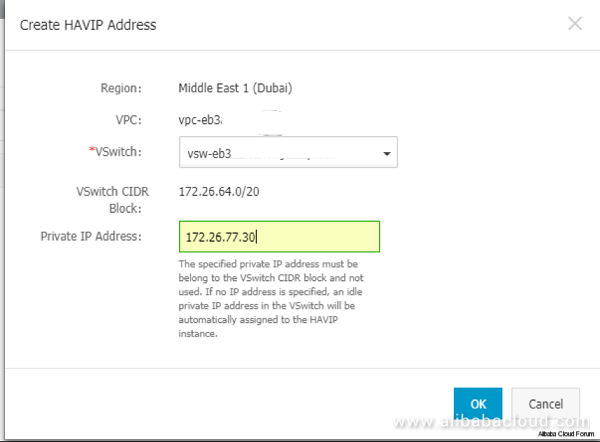
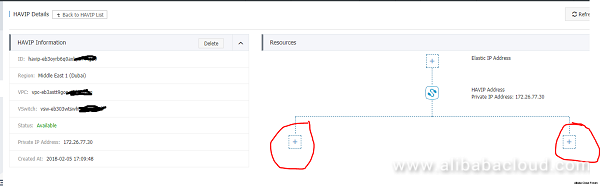
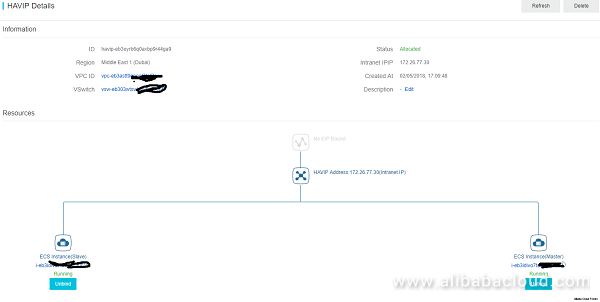
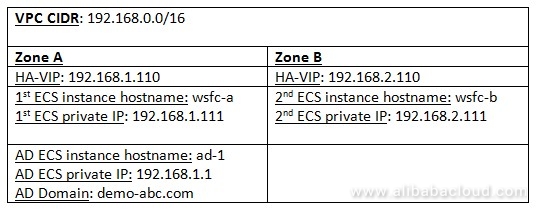
For the remainder of this tutorial, we will assume the following environment has been set up:
[wsfc-a]> .\Sysprep.ps1 -ReserveHostname -ReserveNetwork -skiprearm -post_action "reboot">
[wsfc-a]> $DNS = "192.168.1.1"                 # Private IP of ad-1 instance
[wsfc-a]> $LocalStaticIp = "192.168.1.111"     # Private IP of this instance
[wsfc-a]> $DefaultGateway = "192.168.1.253" [wsfc-a]> netsh interface ip show address
Configuration for interface "Ethernet"
DHCP enabled: No
IP Address: 192.168.1.111
Subnet Prefix: 192.168.1.0/24 (mask 255.255.255.0)
Default Gateway: 192.168.1.253
Gateway Metric: 1
InterfaceMetric: 15`[wsfc-a]> netsh interface ip set address name="Ethernet" static `
$LocalStaticIp 255.255.255.0 $DefaultGateway 1```
Note: RDP might lose connectivity for a few seconds or require you to reconnect.
[wsfc-a]> netsh interface ip set dns name="Ethernet" static $DNS
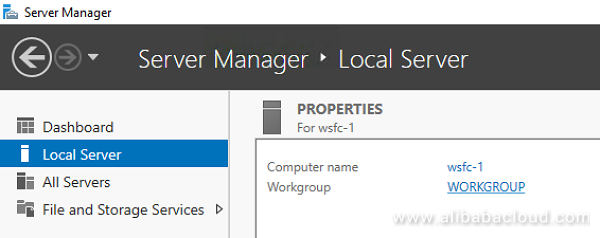
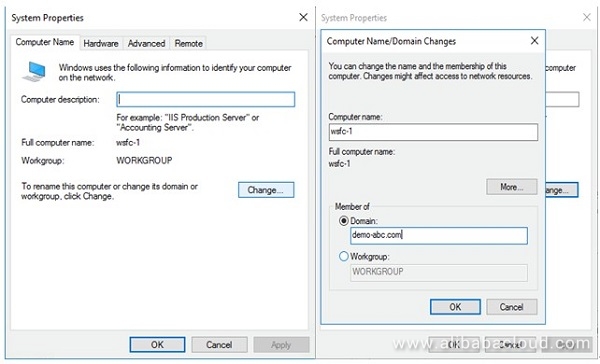
Enter the credentials of an account with the permission to join the domain when prompted.
[wsfc-a]> Install-WindowsFeature Failover-Clustering -IncludeManagementTools
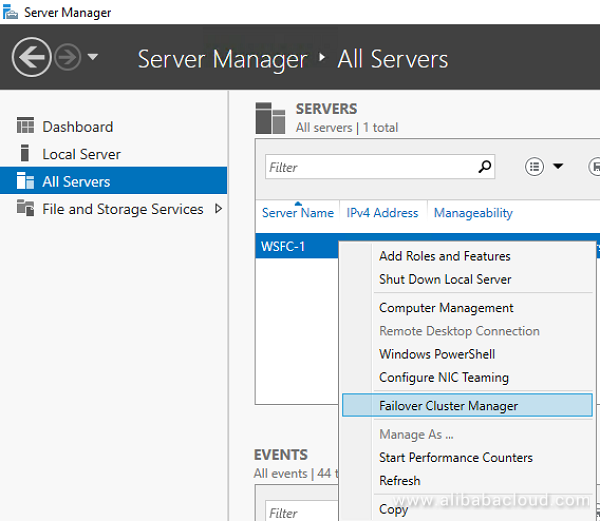
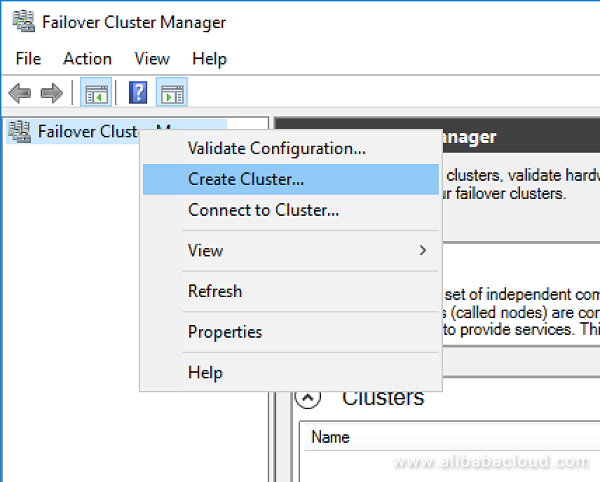
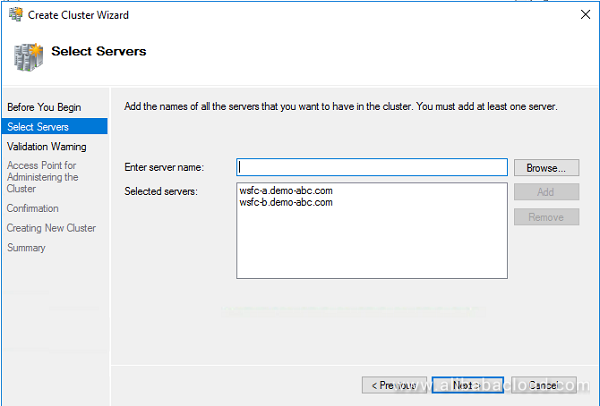
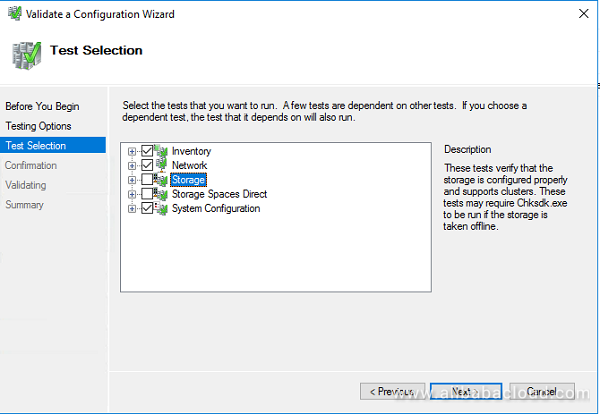
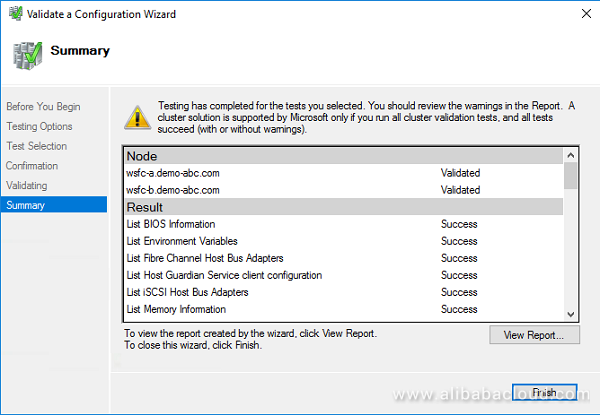
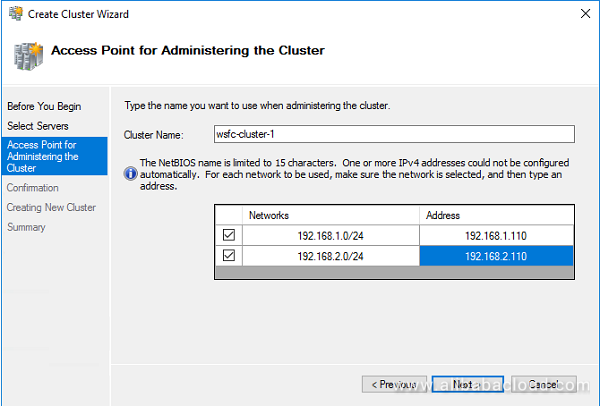
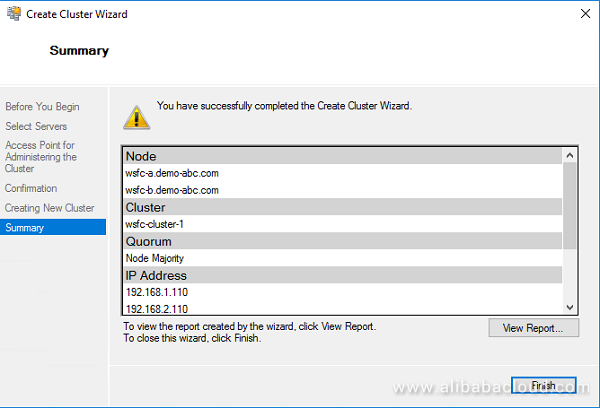
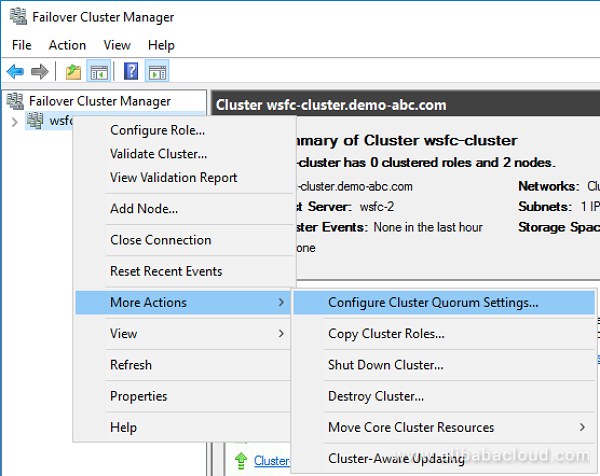
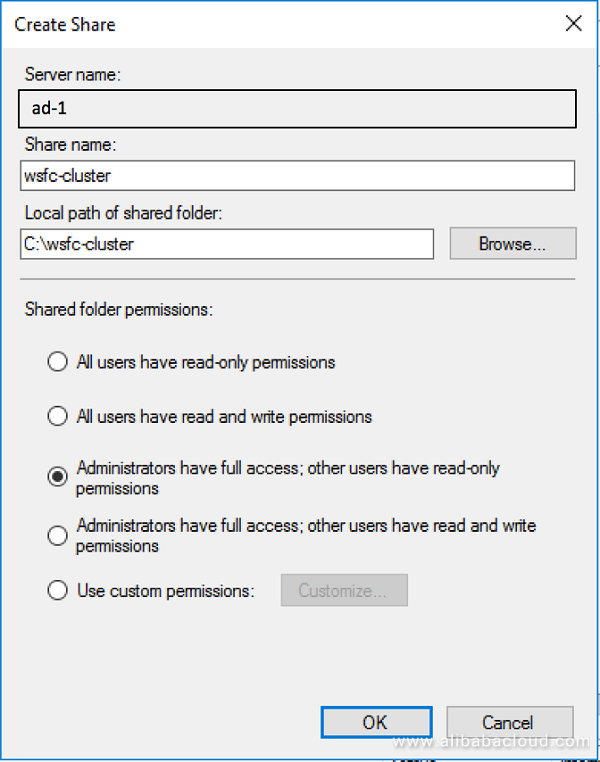
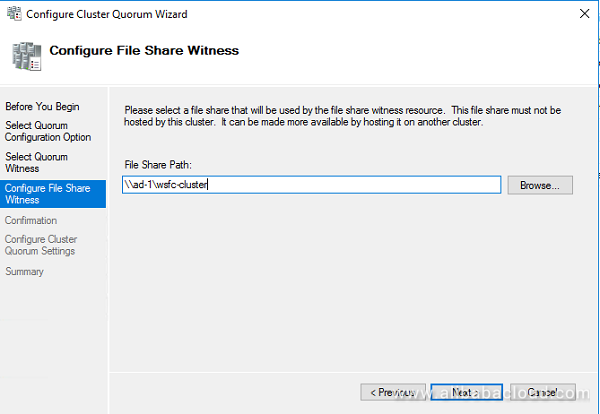
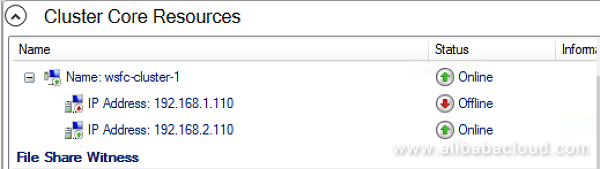


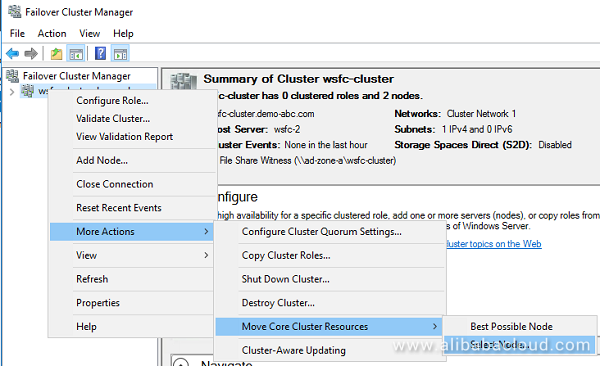
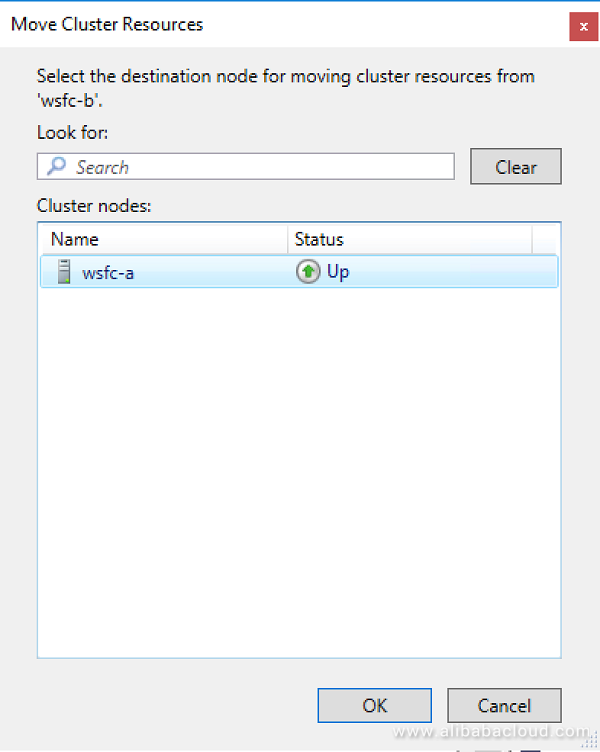
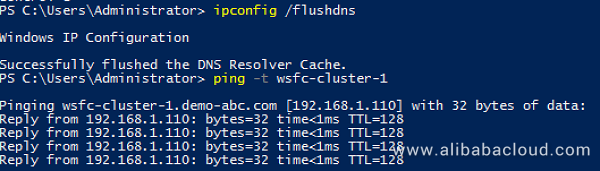
That's it! We have successfully created a cross-AZ failover cluster using Windows Server on Alibaba Cloud.
To read the other tutorials covering Windows Server Failover Clusters, SQL Servers and Windows Server Failover Clustering, you can visit: https://www.alibabacloud.com/getting-started/projects

2,593 posts | 795 followers
FollowAlibaba Clouder - August 20, 2020
Alibaba Clouder - February 25, 2020
Alibaba Clouder - September 29, 2018
Alibaba Clouder - September 27, 2018
Alibaba Clouder - August 9, 2019
Alibaba Clouder - September 28, 2018
2,593 posts | 795 followers
Follow ECS(Elastic Compute Service)
Elastic and secure virtual cloud servers to cater all your cloud hosting needs.
Learn More Server Load Balancer
Respond to sudden traffic spikes and minimize response time with Server Load Balancer
Learn MoreLearn More
More Posts by Alibaba Clouder

