既然使用雲端服務,首要處理的問題就是現有的服務、web的調校怎麼辦?是不是需要重新在雲端上架設呢?阿里雲提供便利好用的工具讓服務搬上雲,不需要再將辛苦經營的網站及系統環境重新架設。
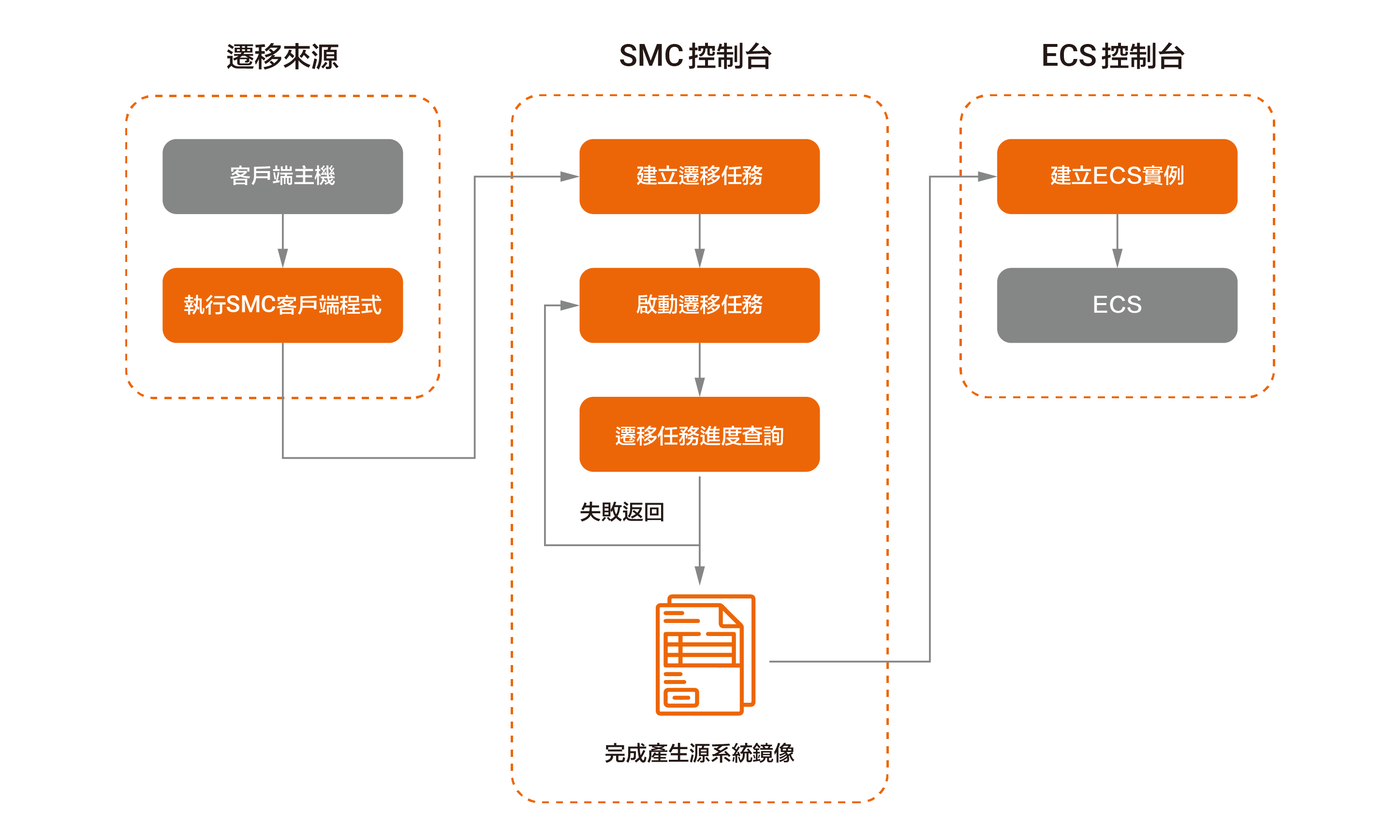
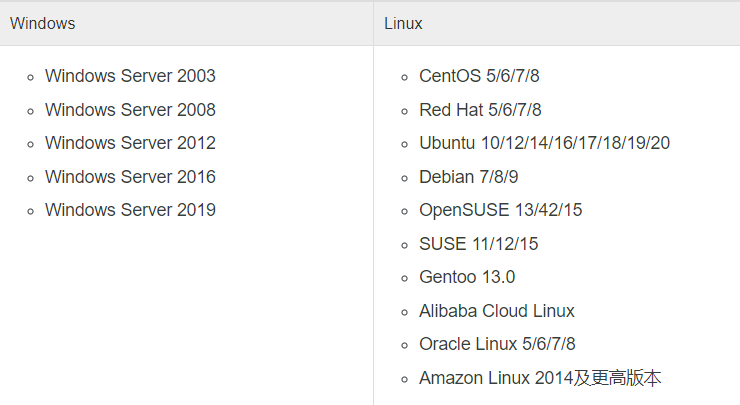
SMC是將系統搬遷上阿里雲的一款方便快速的工具,透過直觀性介面可以詳細觀察遷移進度,並支援 P2C(實體到雲) / V2C(虛擬到雲) / C2C(雲到雲) 等遷移模式,基本上只要作業系統允許都可以透過 SMC 遷移工具進行雲上鏡像建立。
(1) 左上產品導覽雲服務器 ECS 裡裡找到 SMC 服務,進入後下載右上方的遷移客戶端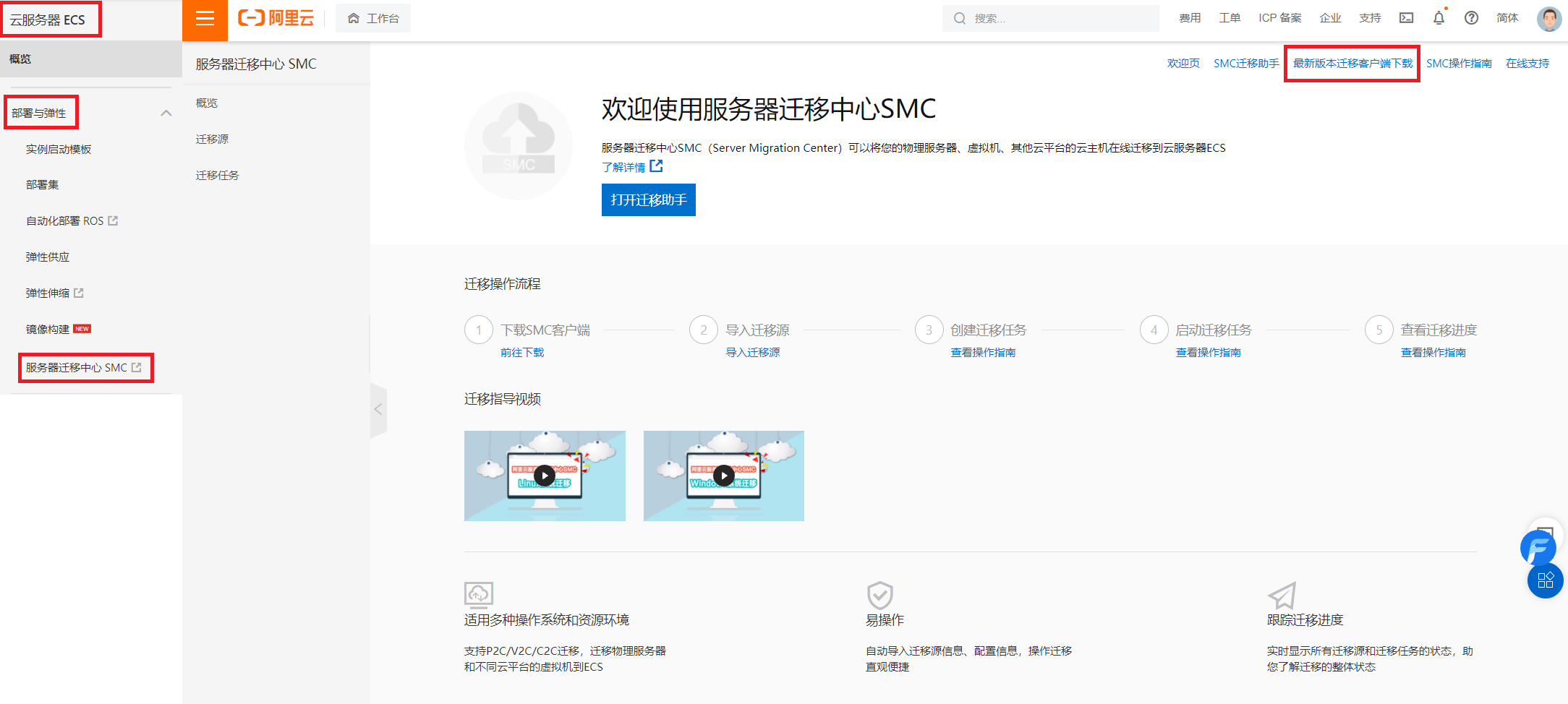
(2) 首先我們要產生一組授權讓被搬遷目標主機可以與阿里雲平台帳號溝通,先在右上角的頭像找到 AccessKey 管理,並建立一組 Access ID & Secret Key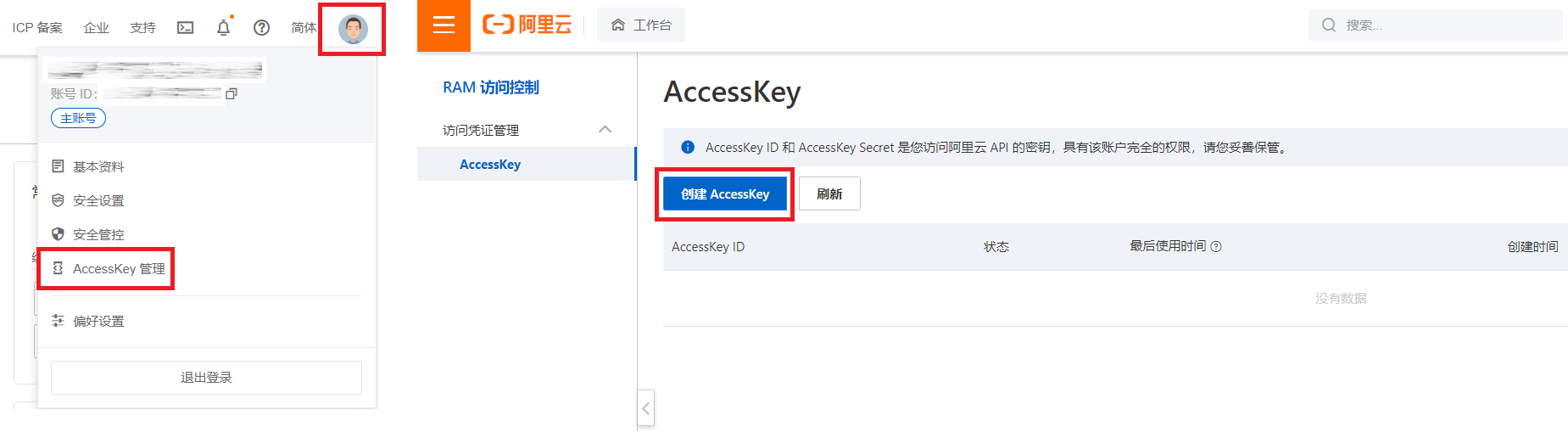
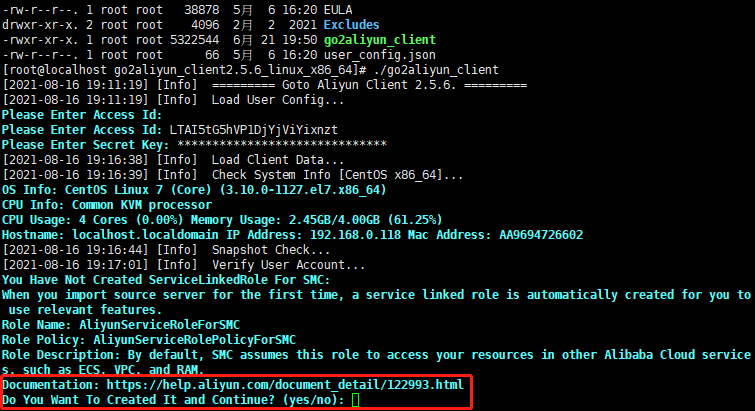
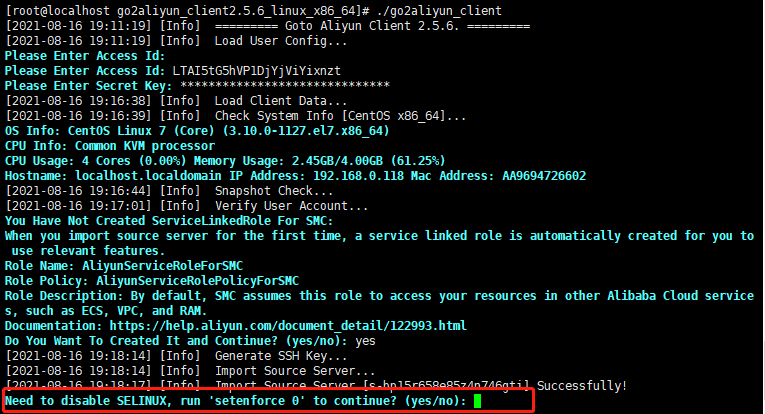
(3) 將下載的客戶端 Agent 放到要遷移的主機裡,解壓縮並執行go2aliyun_client 這支 script,並輸入 Access ID & Secret Key 後自動進行
註:此次搬遷對象環境為 Proxmox(開源虛擬化平台) 上的 VM 主機作業系統為 CentOS 7.6 版本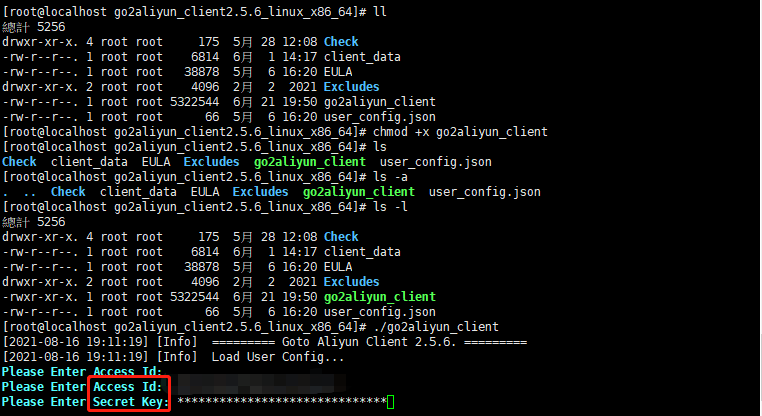
(4) 完成後會在平台上看到準備遷移的主機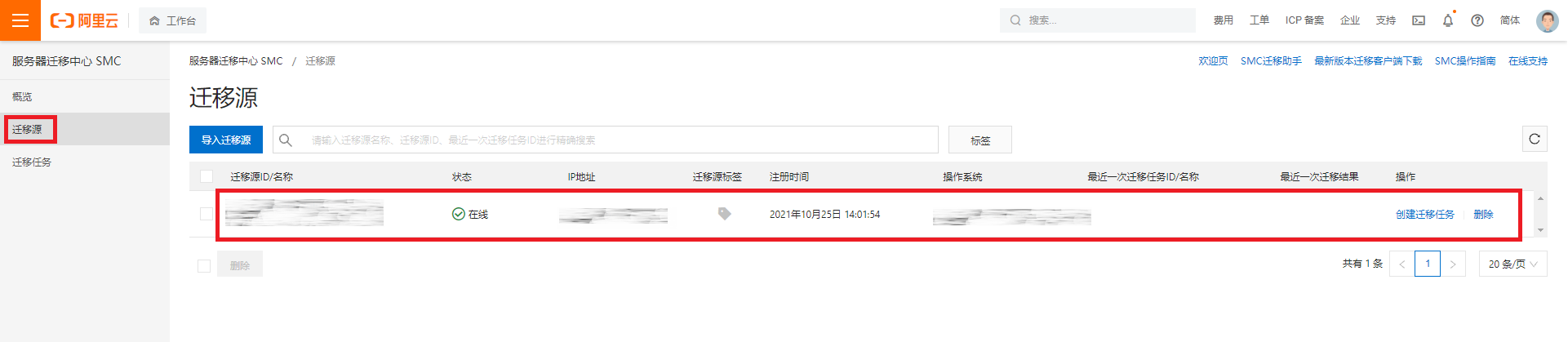
(5) 建立遷移設定,這邊可以看到有許多細項可以設定,包含可以增量同步的功能,本次實驗選擇預設方式將主機進行搬遷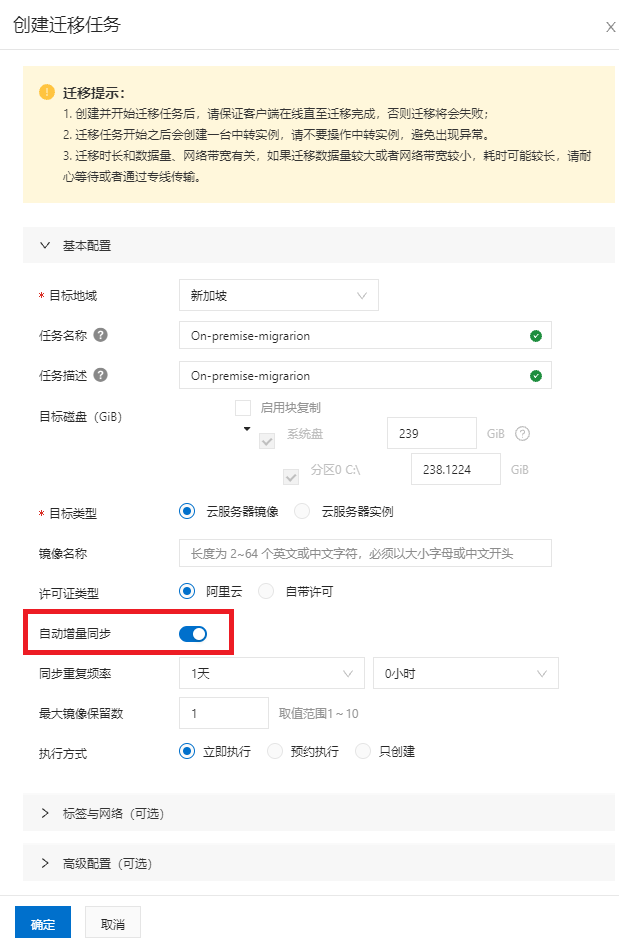
(6) 設定完成後可以在遷移任務進度上看到,遷移已經可以運行,也可以從主機端看到遷移進行的過程
(7) 等待遷移進度條完成後,會在 ECS 服務鏡像裡產生一個系統鏡像檔,就完成主機搬遷上雲了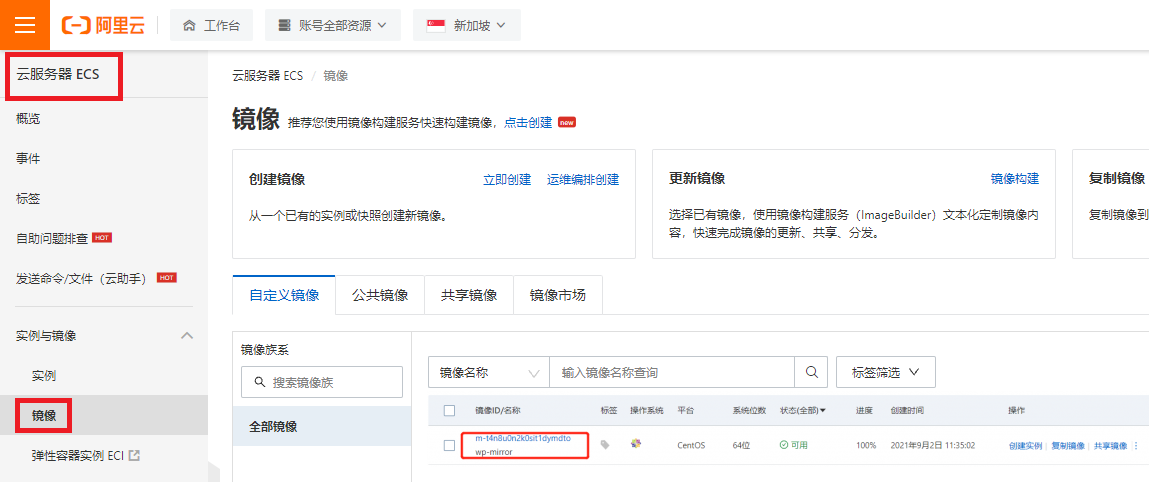
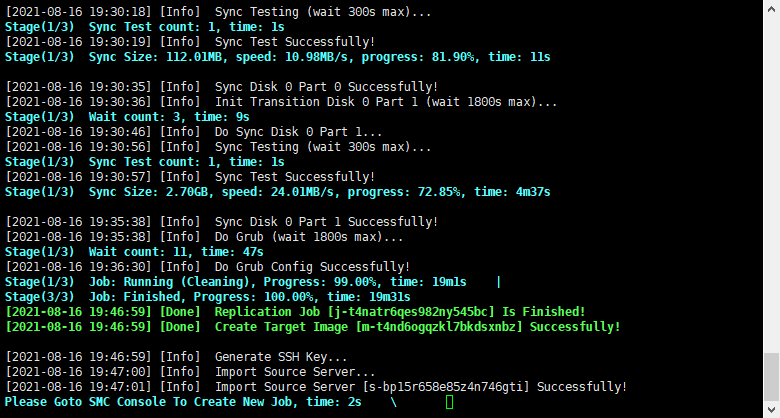
接下來我們就可以使用該鏡像在阿里雲上建立主機囉!
看完後是不是也想動手做呢?趕緊註冊申請免費試用方案,無痛與我們一步步探究阿里雲的功能吧!
本篇作者為海爾雲端科技(Alibaba Cloud Channel Partner)技術團隊。

43 posts | 5 followers
FollowAlibaba Cloud TC Content - January 14, 2022
Alibaba Cloud TC Content - December 2, 2021
Alibaba Cloud TC Content - December 8, 2021
Alibaba Cloud TC Content - January 27, 2022
Alibaba Cloud TC Content - July 21, 2022
Alibaba Cloud TC Content - December 8, 2021
43 posts | 5 followers
Follow Cloud Migration Solution
Secure and easy solutions for moving you workloads to the cloud
Learn More Security Center
A unified security management system that identifies, analyzes, and notifies you of security threats in real time
Learn More Data Security Center (Original SDDP)
An all-in-one data security solution that provides various features, such as sensitive data detection, classification, grading, and de-identification, to help you meet compliance requirements specified in General Data Protection Regulation (GDPR) and personal information protection
Learn More Oracle Database Migration Solution
Migrate your legacy Oracle databases to Alibaba Cloud to save on long-term costs and take advantage of improved scalability, reliability, robust security, high performance, and cloud-native features.
Learn MoreMore Posts by Alibaba Cloud TC Content

