We are excited to open-source Qwen-Image-2.1, an image model in the Qwen family that balances generation quality, inference efficiency, and cost. Qwen-Image-2.1 unifies text-to-image generation and image editing in a single model, with just 7B parameters in its visual generation component and native support for generating and editing transparent images.
This update introduces four key improvements:
Qwen-Image-2.1 uses a lightweight architecture. Its visual generation component contains 32 Single-Stream DiT layers and 7B parameters. Despite its compact size, the model delivers strong image generation quality. The Qwen-Image-Bench comparison below shows its performance alongside other open-source and closed-source models.
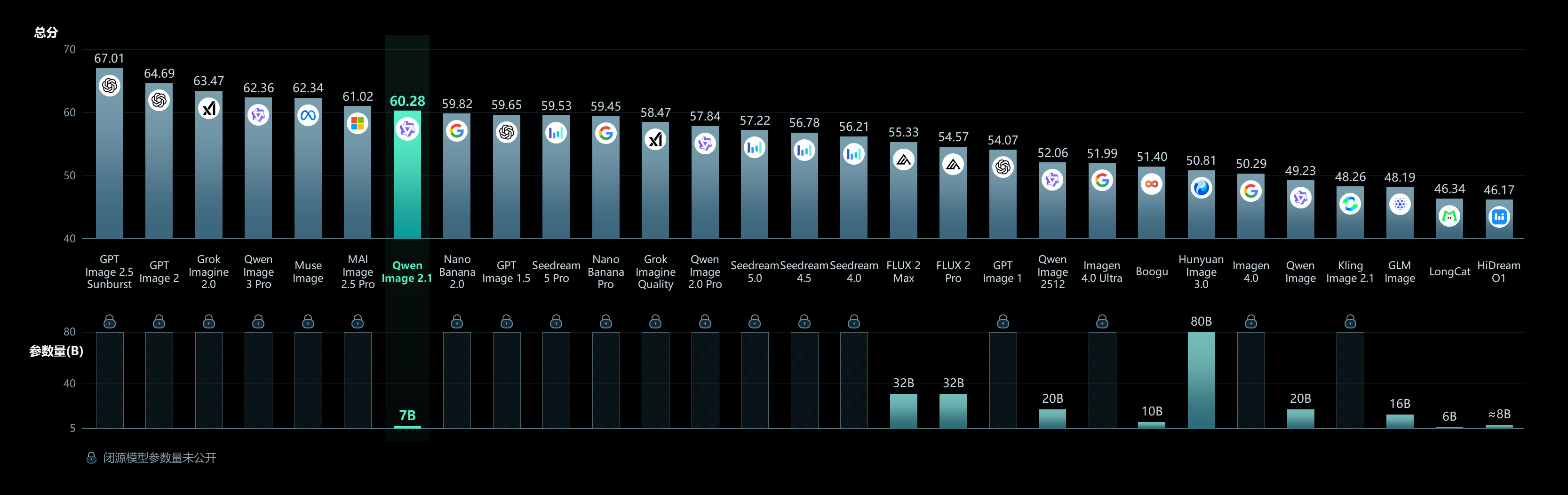
Qwen-Image-Bench evaluation comparison
Inference efficiency is another focus, particularly when editing with multiple input images. This optimization comes from a mixed-granularity attention architecture. Text, including the system prefix and editing instructions, uses a token-level causal mask, while image generation uses a chunk-level mask. KV cache reuse allows input images and editing instructions to serve as static context, computed and cached in the first step to improve inference efficiency and reduce memory usage.
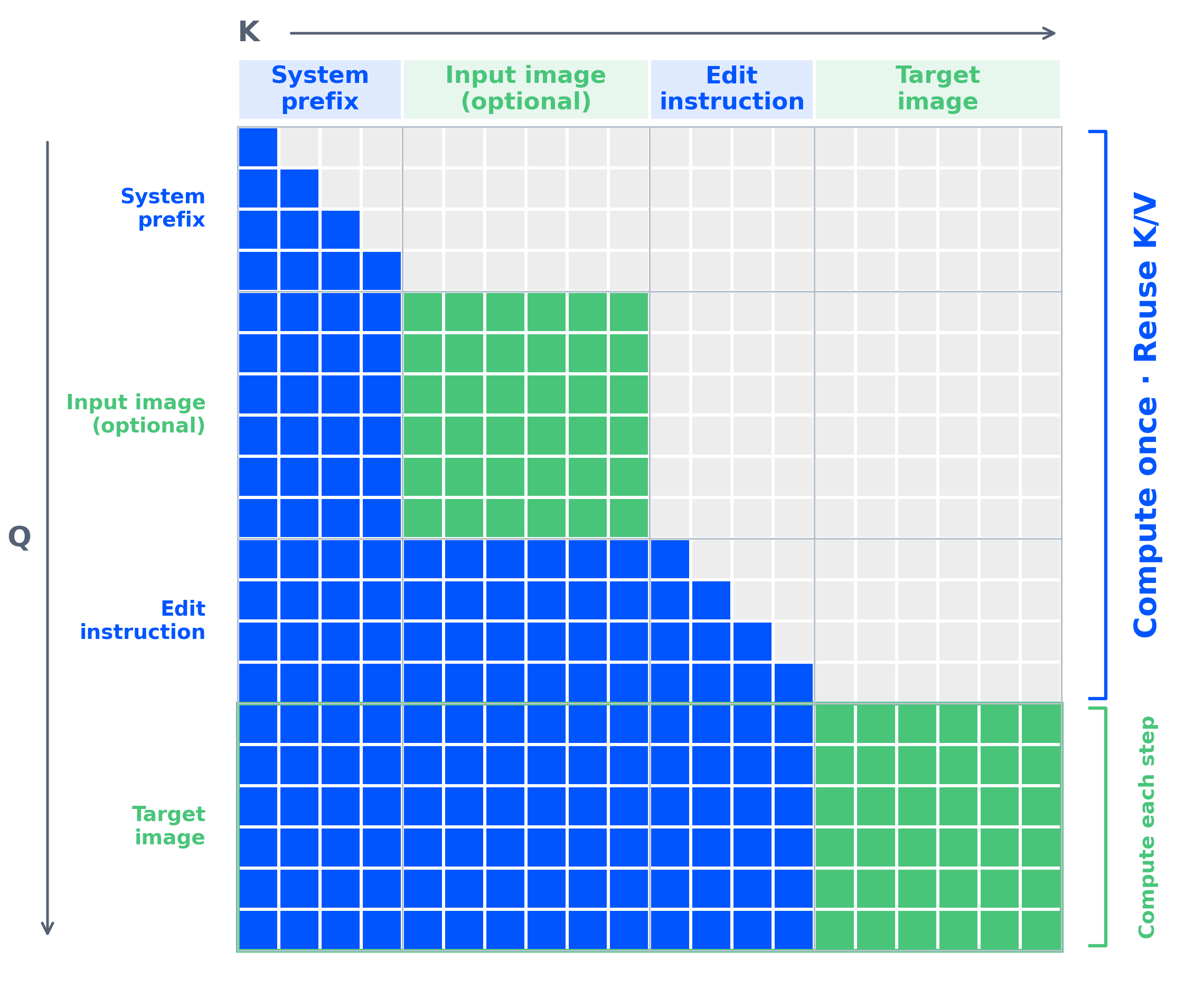
Qwen-Image-2.1 mixed-granularity attention architecture
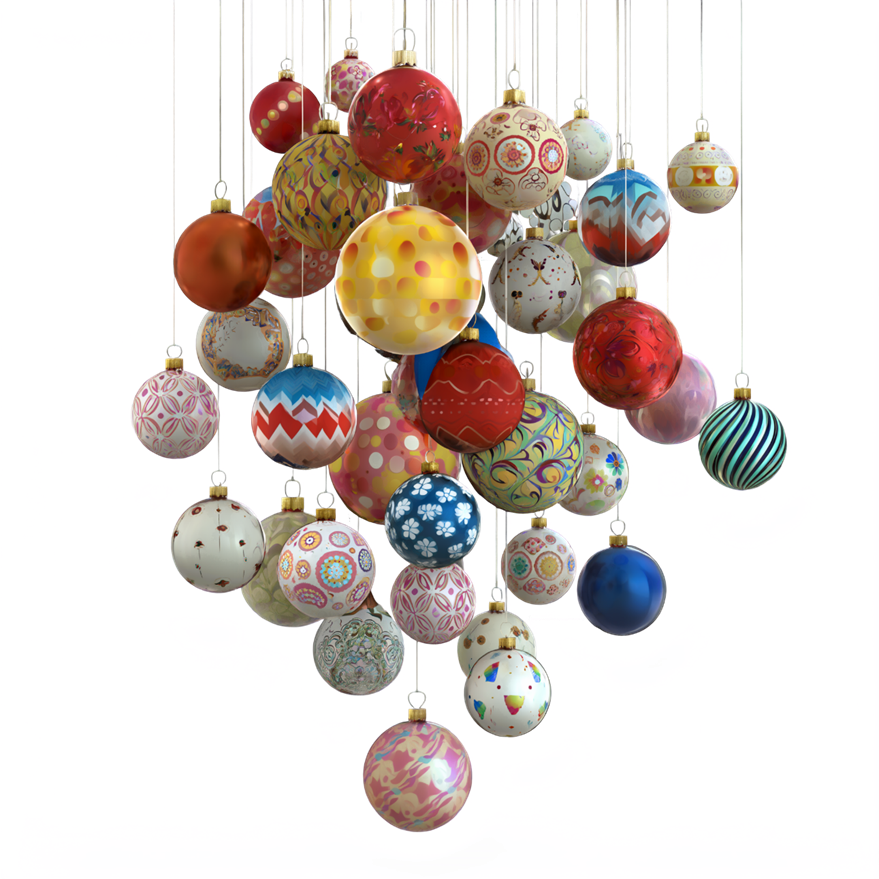
Native transparency is a major addition in this release. In December 2025, we introduced Qwen-Image-Layered as a dedicated model supporting transparent image generation. Qwen-Image-2.1 now integrates this capability into a unified model, using the prompt to determine whether to output a regular image or an image with a transparency channel.
Here are examples of transparent images generated directly from text:



Beyond individual subjects, the model can generate more complex transparent images composed of multiple elements, opening up further possibilities for design and asset creation.

By unifying generation and editing, Qwen-Image-2.1 also supports editing transparent images directly. For example, it can change a subject’s expression while retaining the transparent background. The input is on the left and the edited result on the right.


Text within a transparent layer can also be edited. In the following example, “BLOOM” is replaced with “Qwen-Image”.


This capability extends to real photographs. Given an RGB image, the model can extract the desired subject as an RGBA layer with transparency, making it easier to reuse elements in subsequent design and composition work.
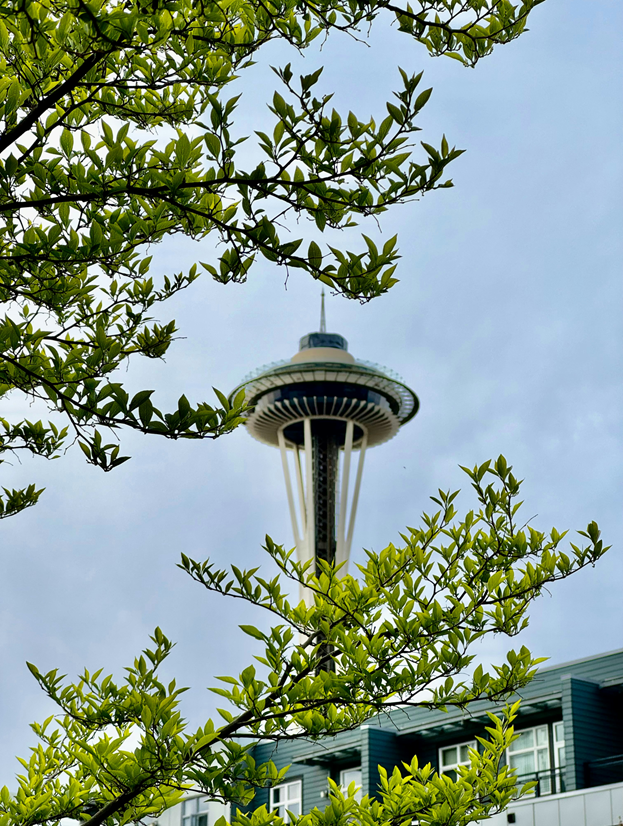
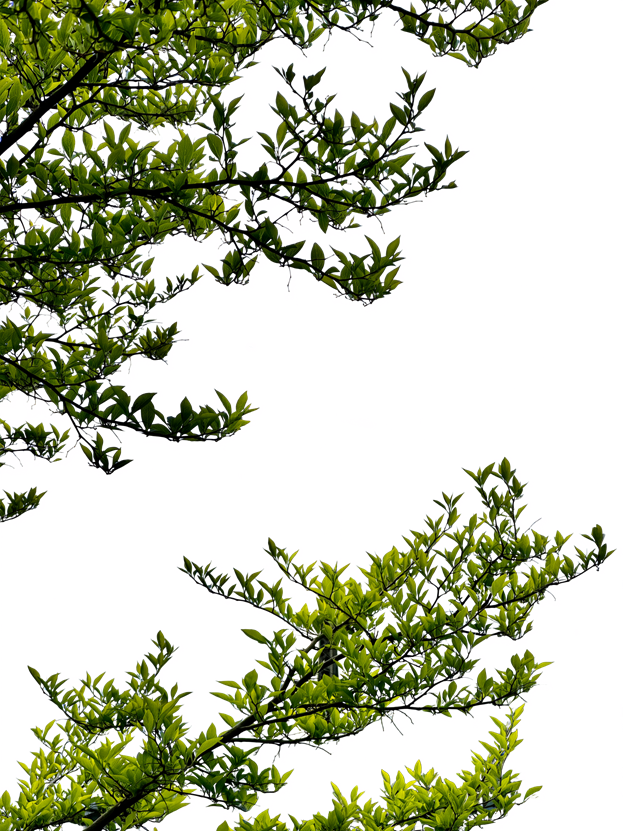
Qwen-Image-2.1 improves editing in four areas: multiple reference images, local editing, fidelity preservation, and task coverage.
Qwen-Image-2.1 supports up to 10 reference images, combining multiple subjects and assets into a coherent composition. In the group portrait example below, six individual portraits on the left are brought together in one photograph.
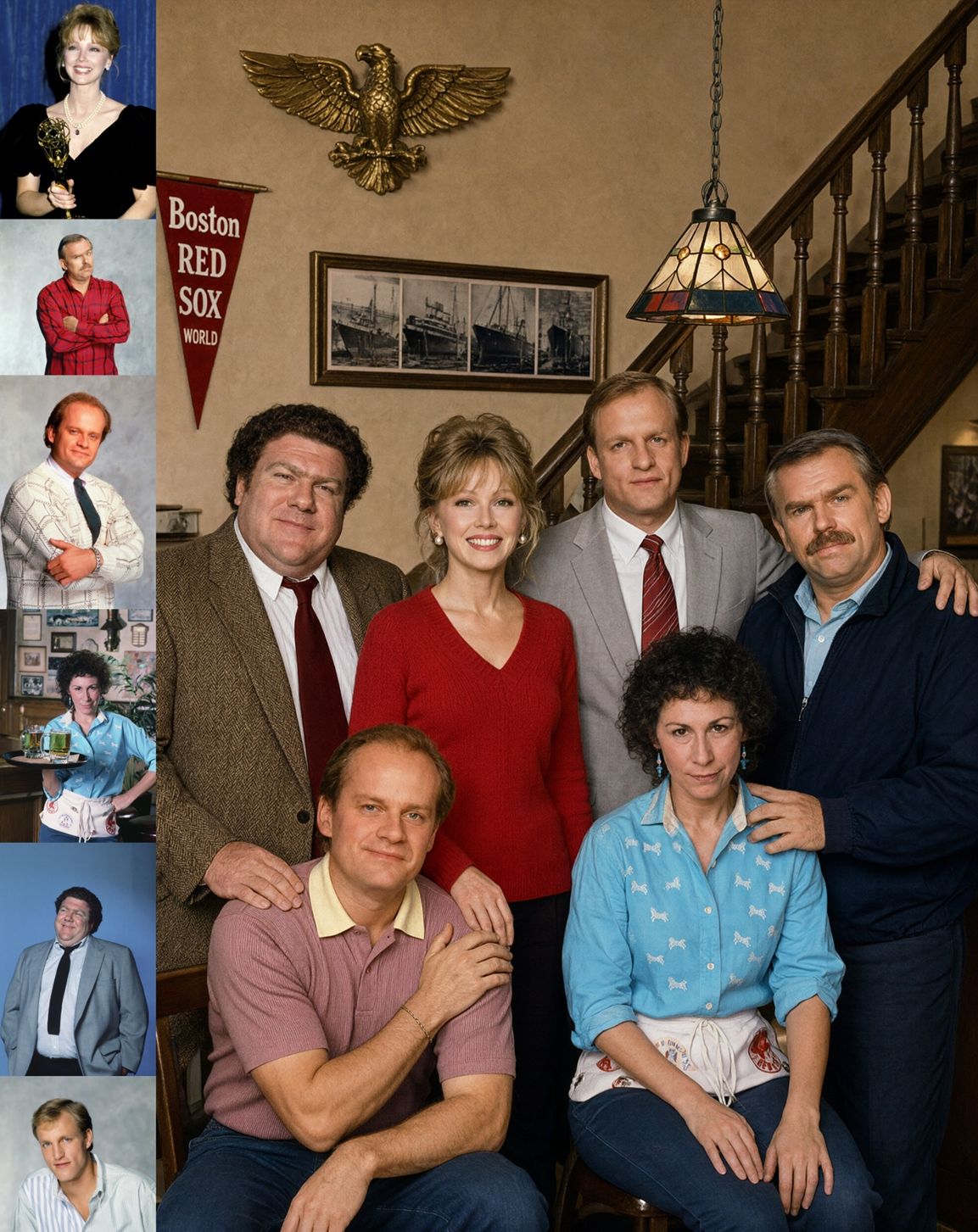
A group photograph generated from six portrait references
For virtual try-on, five inputs—a model, clothing, shoes, a bag, and a hat—can be combined into a complete outfit.
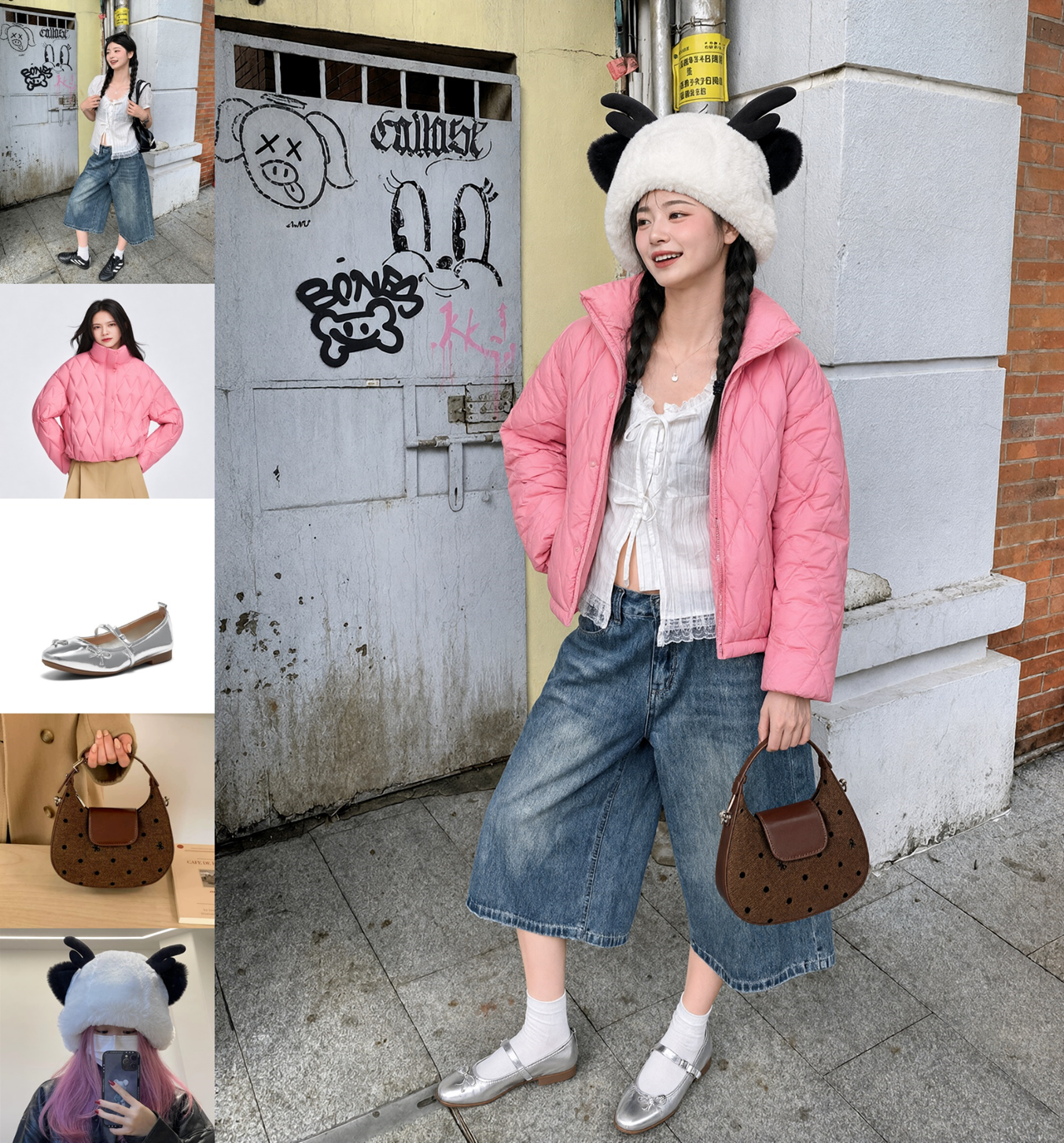
A complete outfit generated from five reference images
For interior design, the model can use 10 images of furnishings to generate a complete room arrangement.
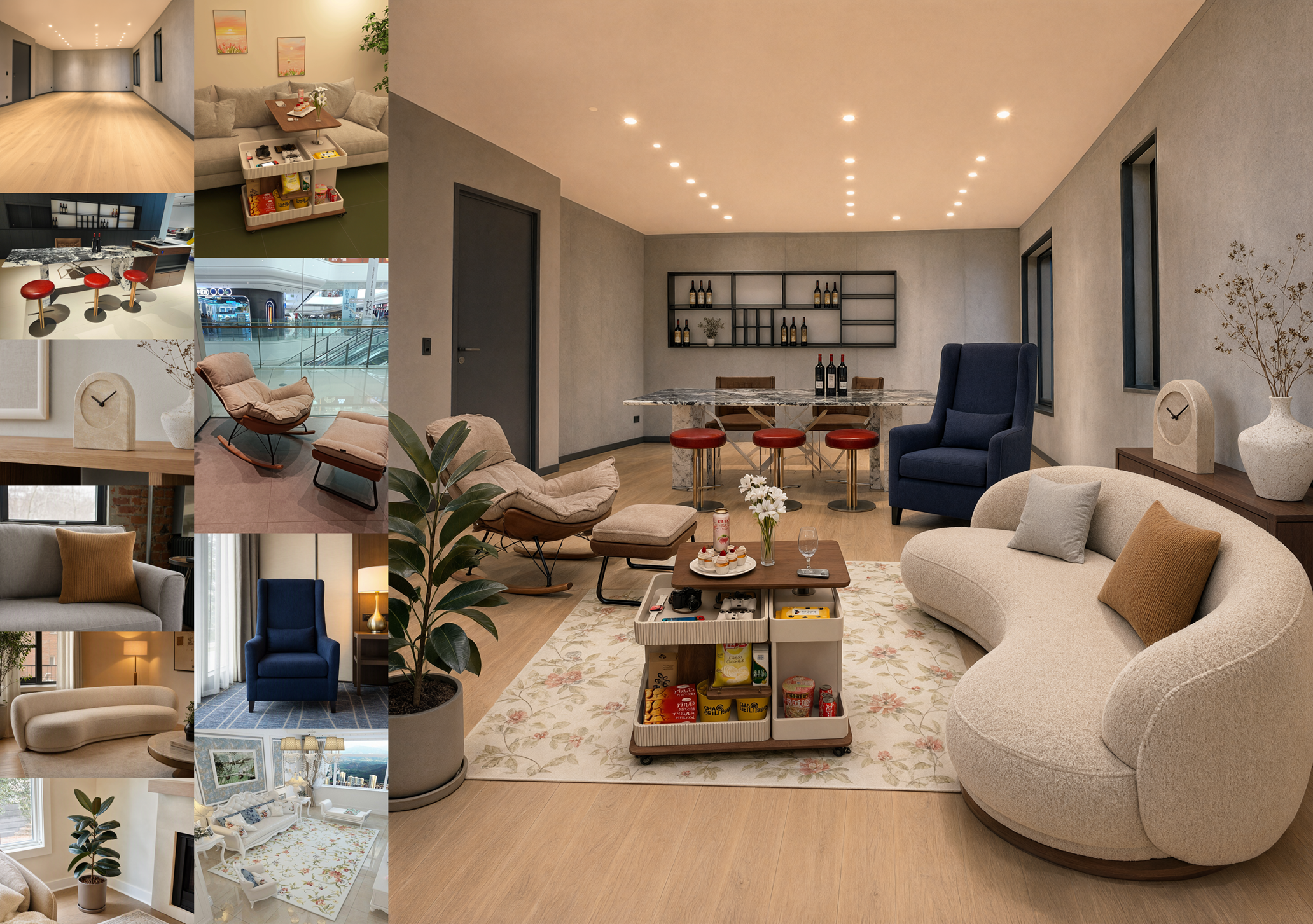
An interior generated from ten furnishing references
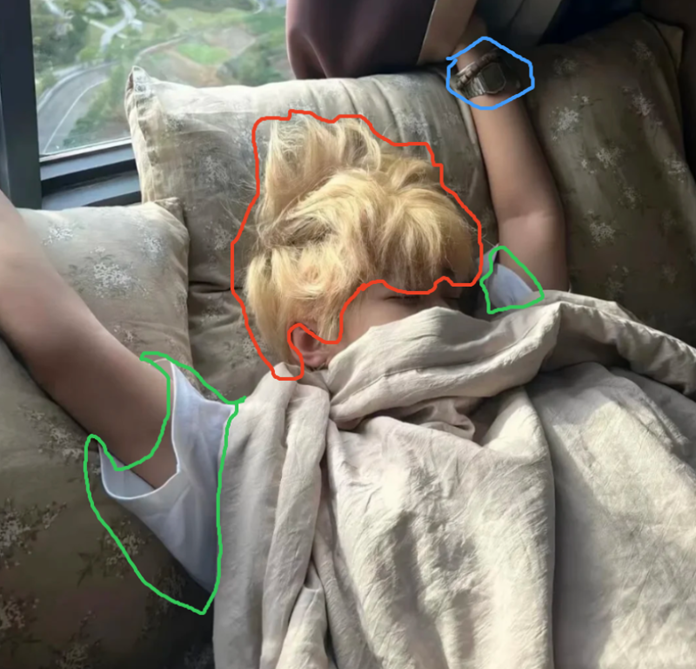
Qwen-Image-2.1 supports circles, painted annotations, and separate masks to specify where an edit should take place.
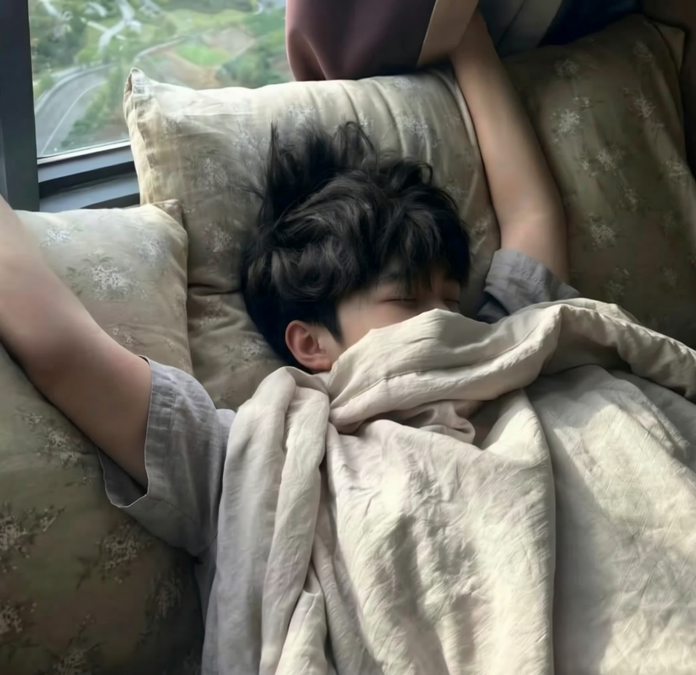
The first example uses circles of different colors to identify three regions at once: “Remove the metal watch in the blue circle, change the hair in the red circle to black, and replace the area in the green circle with gray short-sleeved linen pajamas.” The annotated input is on the left, and the result is on the right.
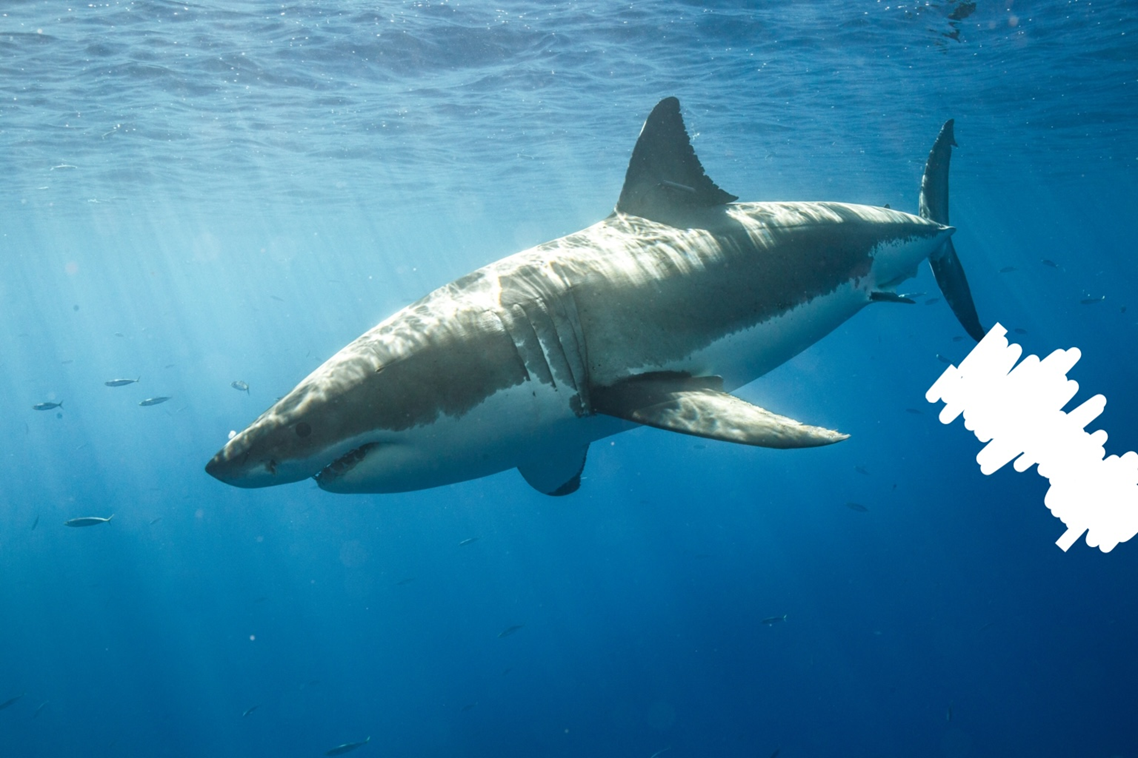
Painted annotations provide another way to identify a region. In this example, the model adds a diver to the area marked in white on the right side of the input image.
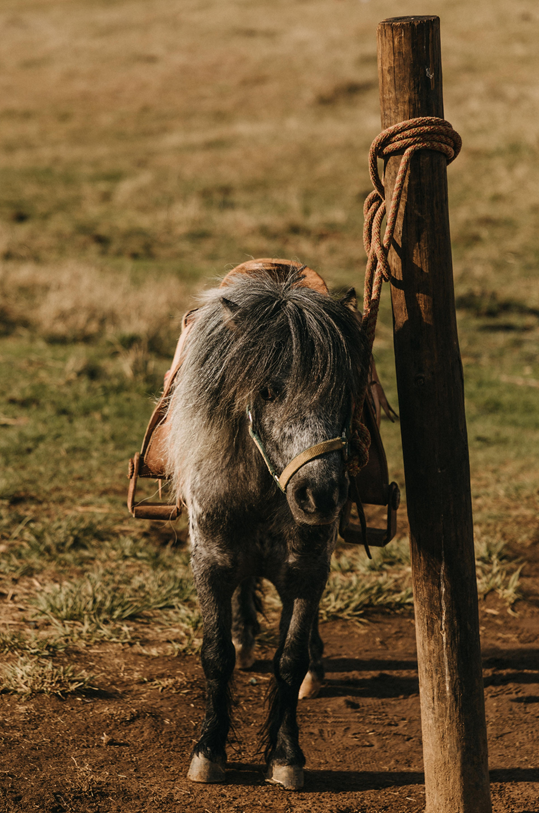
Circles and painted annotations obscure some of the original content. To preserve the complete input, Qwen-Image-2.1 also accepts the original image and a separate mask as two inputs. The following example asks the model to generate a cowboy on horseback, using these two images:
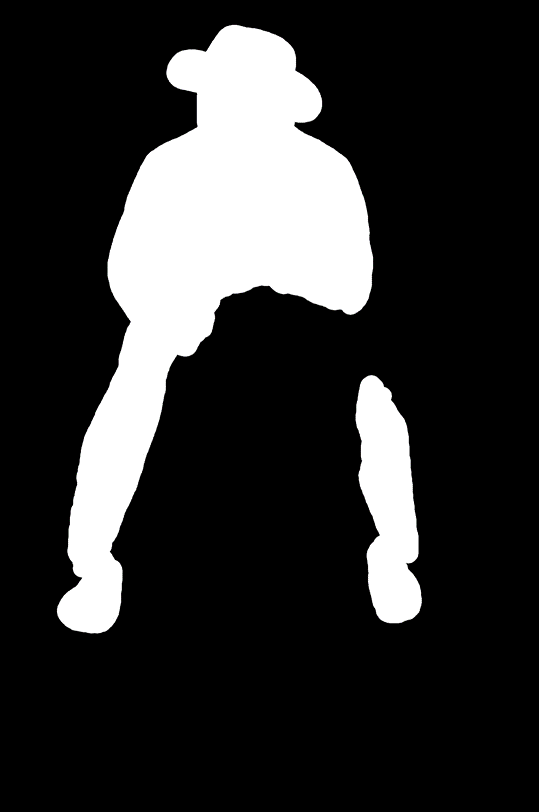
The model edits the region specified by the mask, producing the following result:
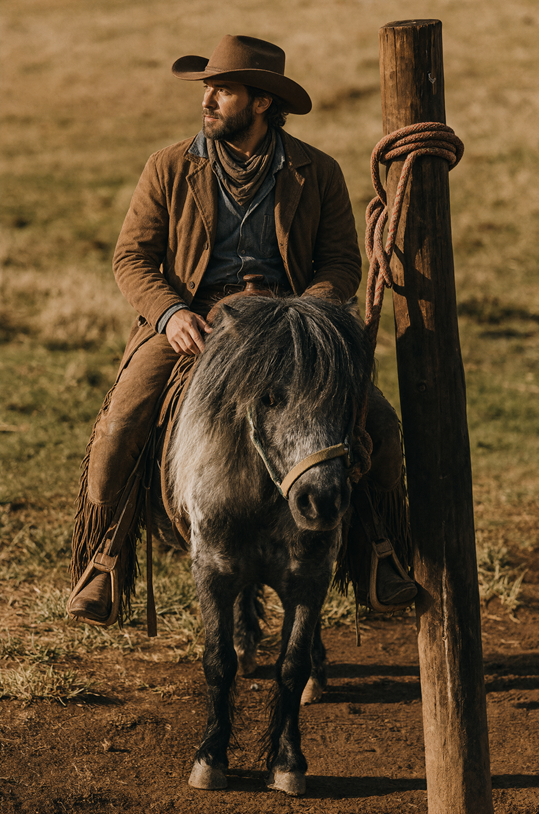
Mask-guided editing result: a cowboy on horseback
Local editing can also support sequential creation. By making successive changes while preserving the rest of the scene, edited images can be assembled into simple animations, as illustrated by the capybara Calabash Brothers example below.
Fidelity improvements focus on portrait identity and product consistency. For portraits, the model better preserves facial features so that a person’s identity remains more consistent across edits. Each pair below shows the input on the left and the edited result on the right.
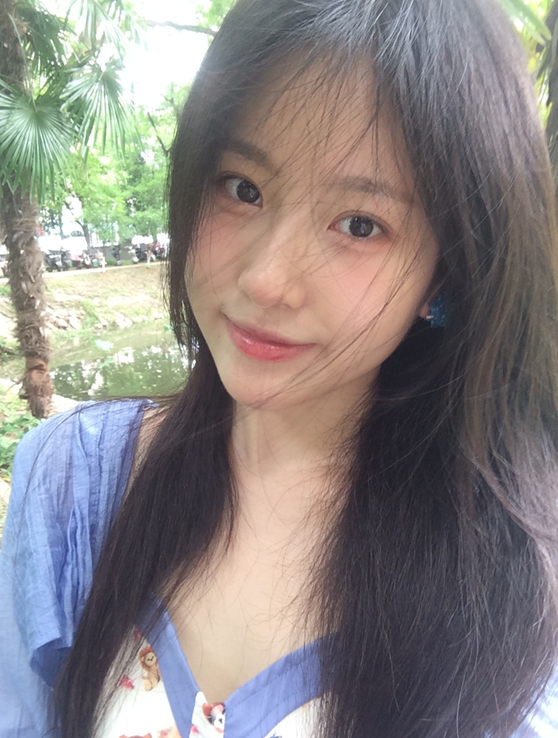
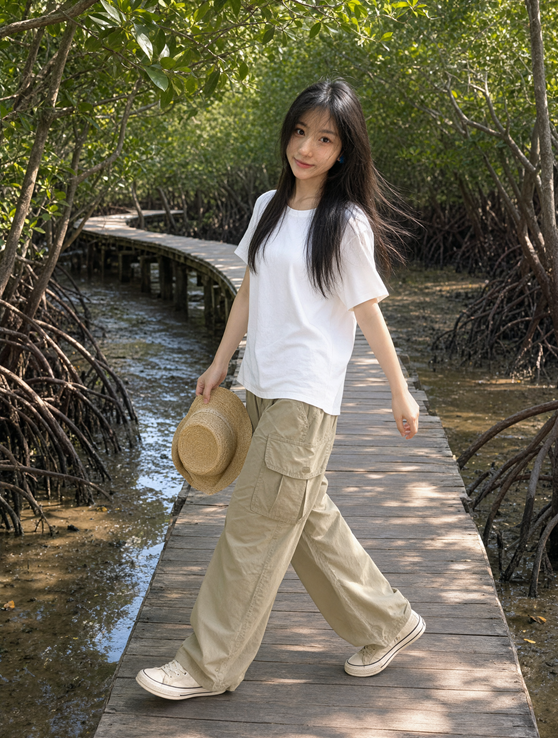
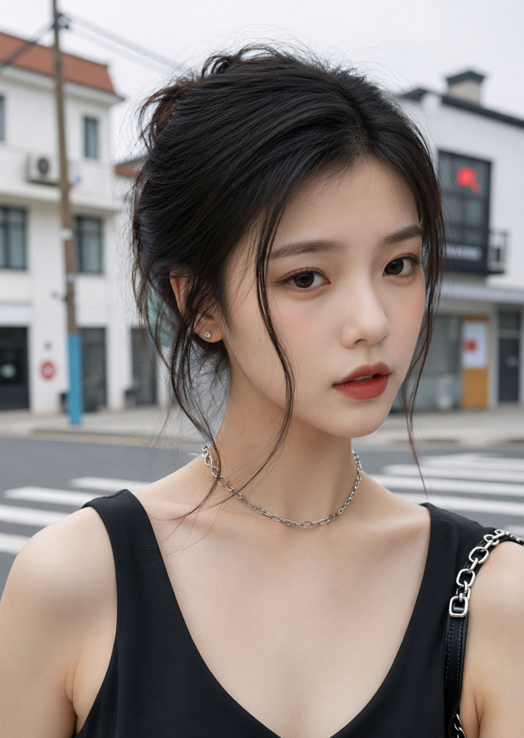
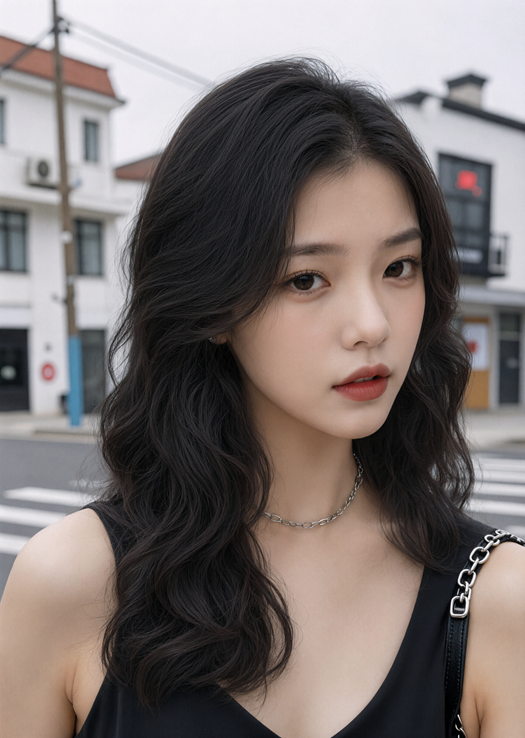
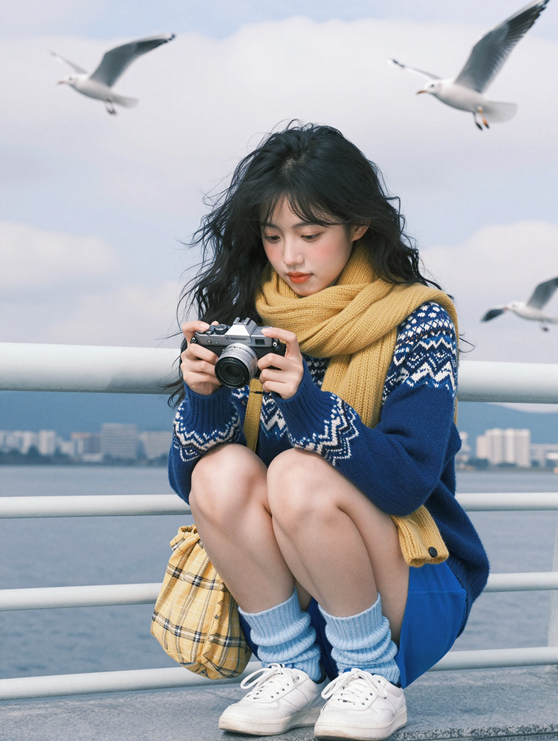
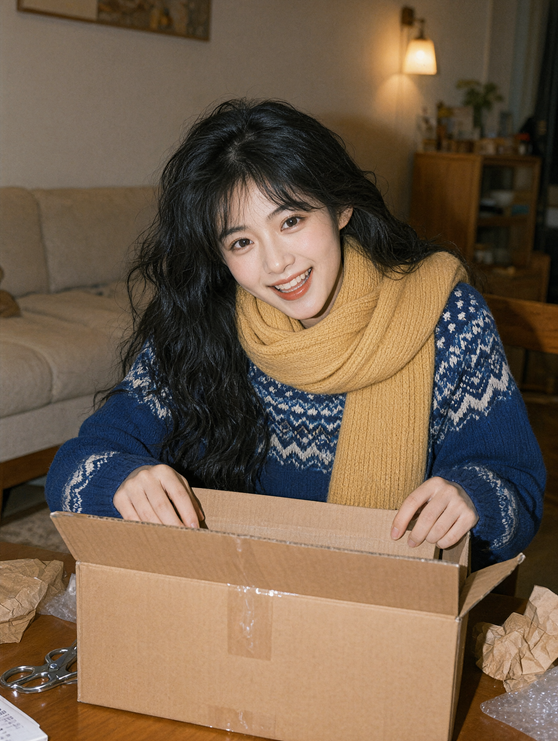
For product editing, the model aims to preserve text, textures, and shape, keeping the product’s defining features consistent in a new image.
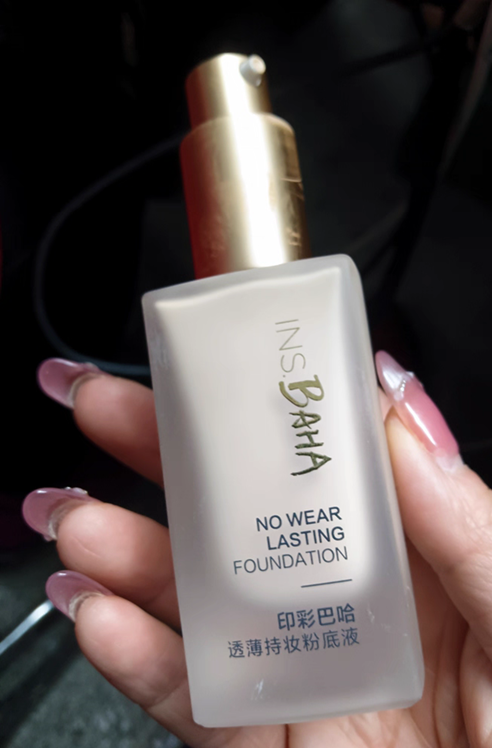
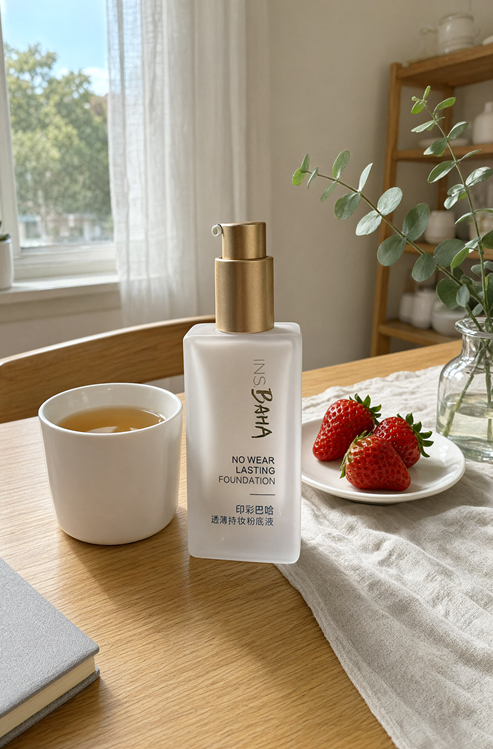
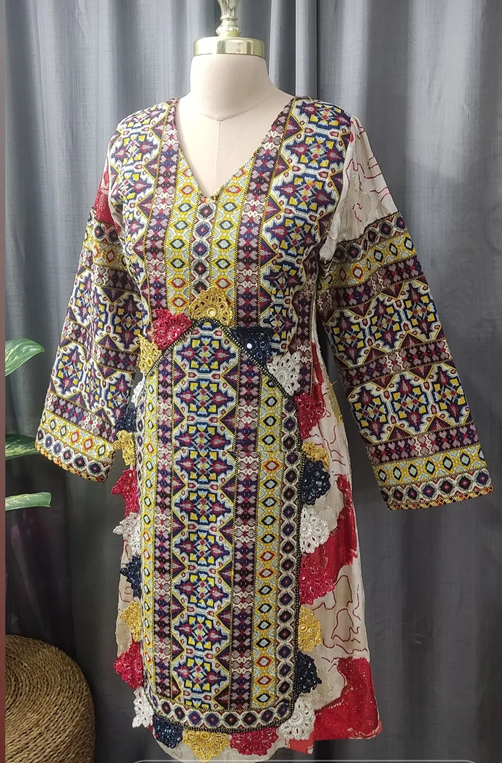
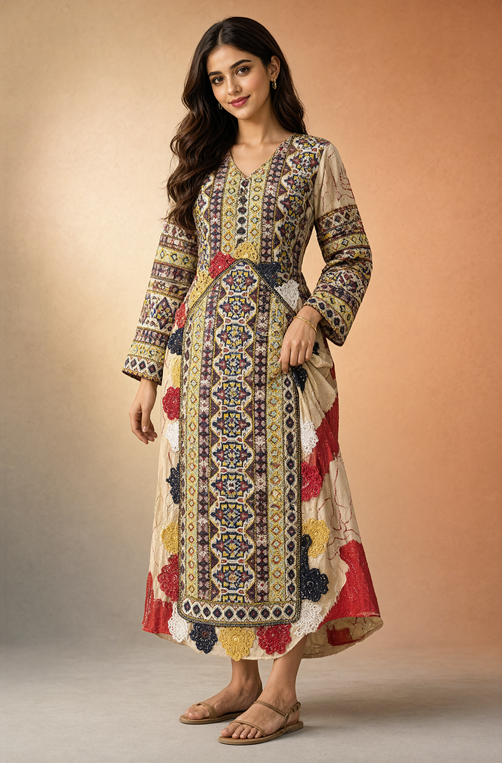
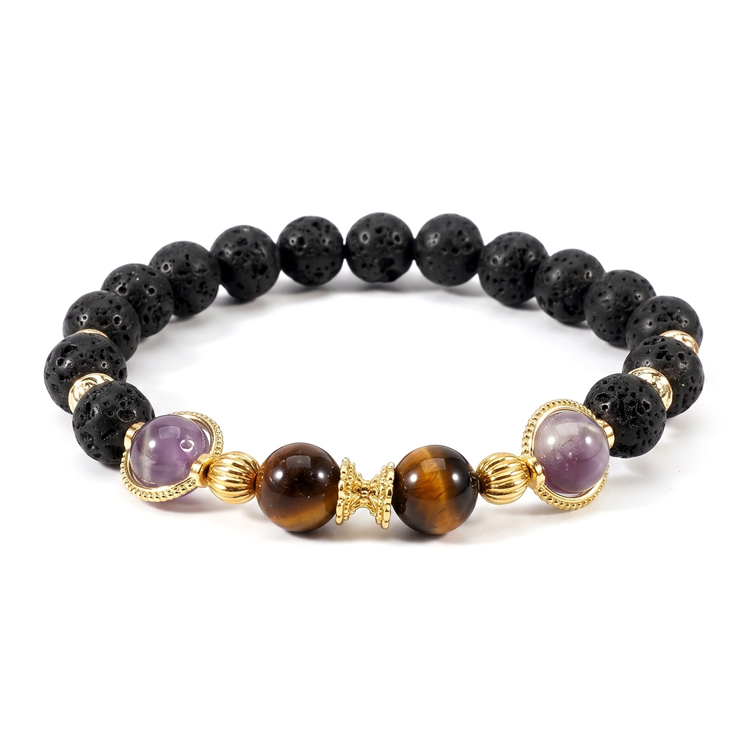
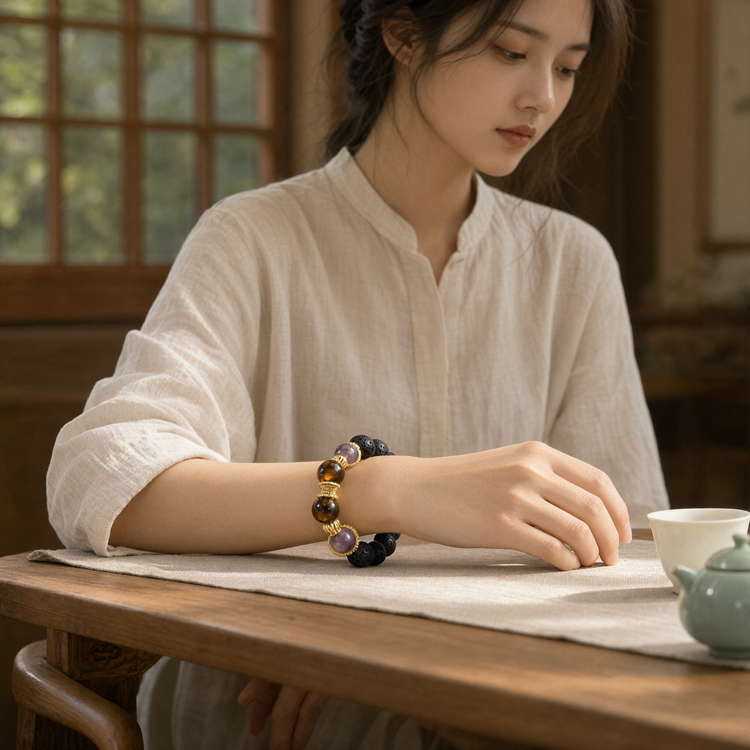
Qwen-Image-2.1 supports a broad range of editing tasks, including panorama, infographic, and storyboard generation, balancing capabilities across different applications.
For example, starting from this selfie:
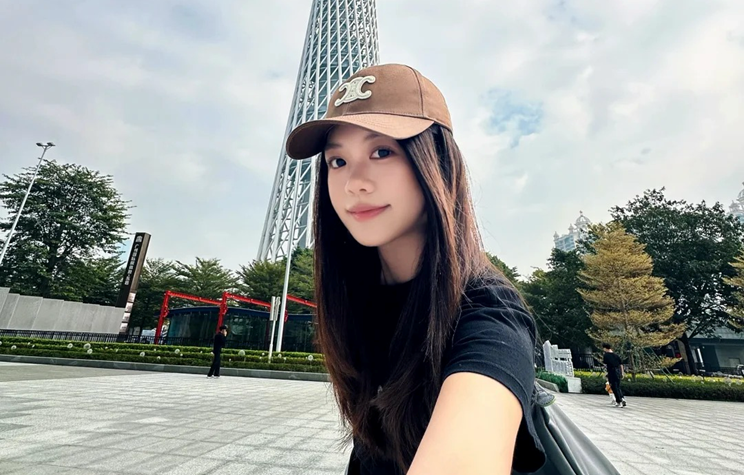
Input selfie for panorama generation
The model generates the following panorama:
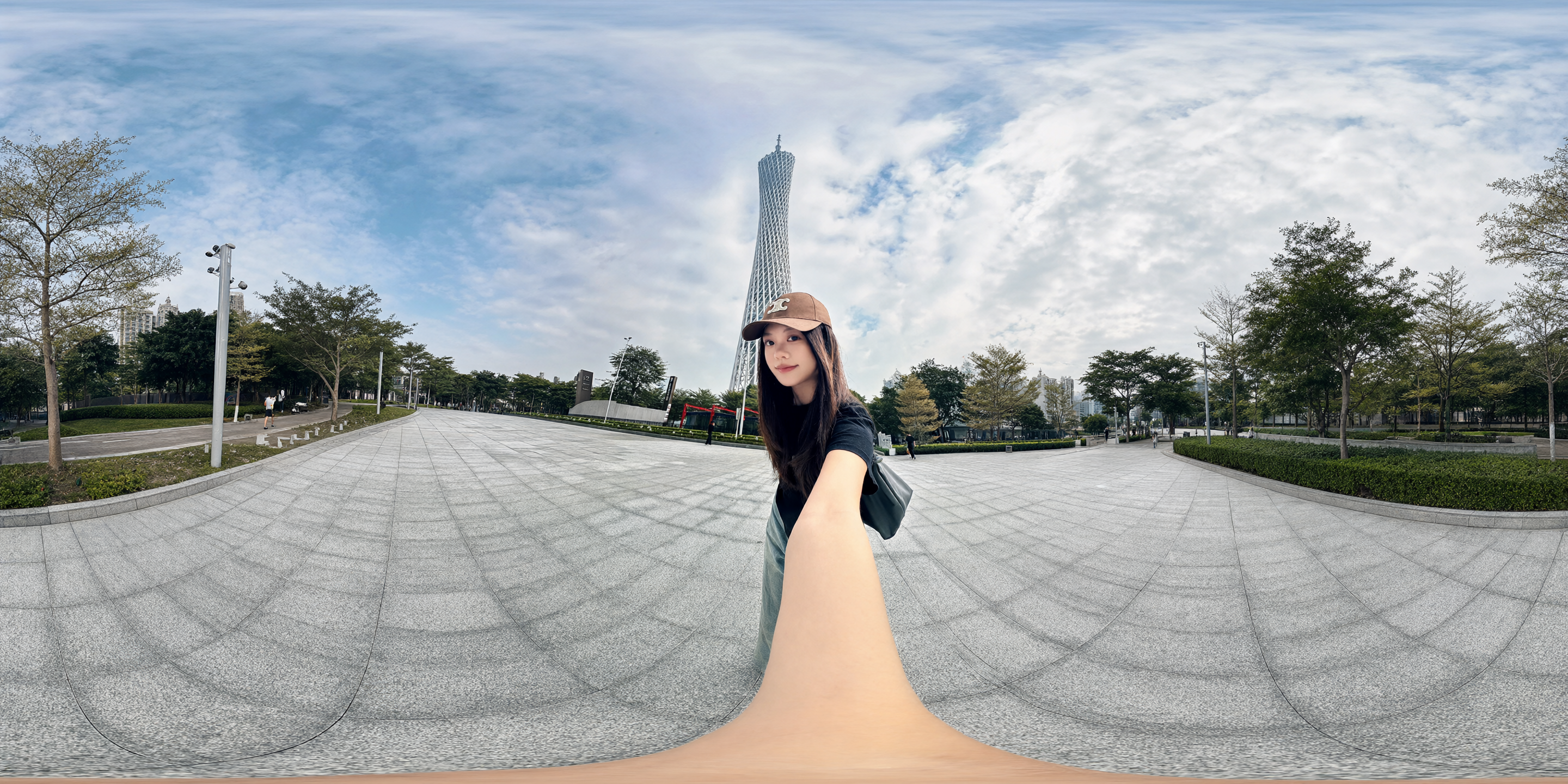
anorama generated from the selfie
The panorama can then be explored from different viewing directions in a visualization tool.
For infographic generation, a model photograph can be expanded into a detailed, information-rich composition.
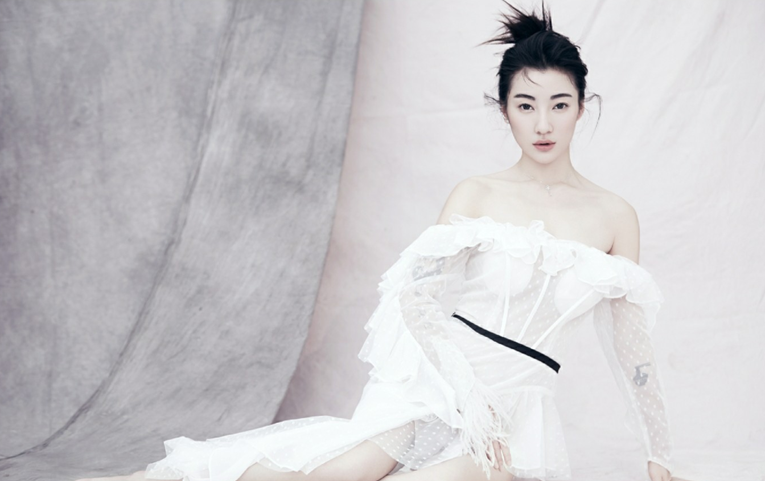
Input model photograph for infographic generation
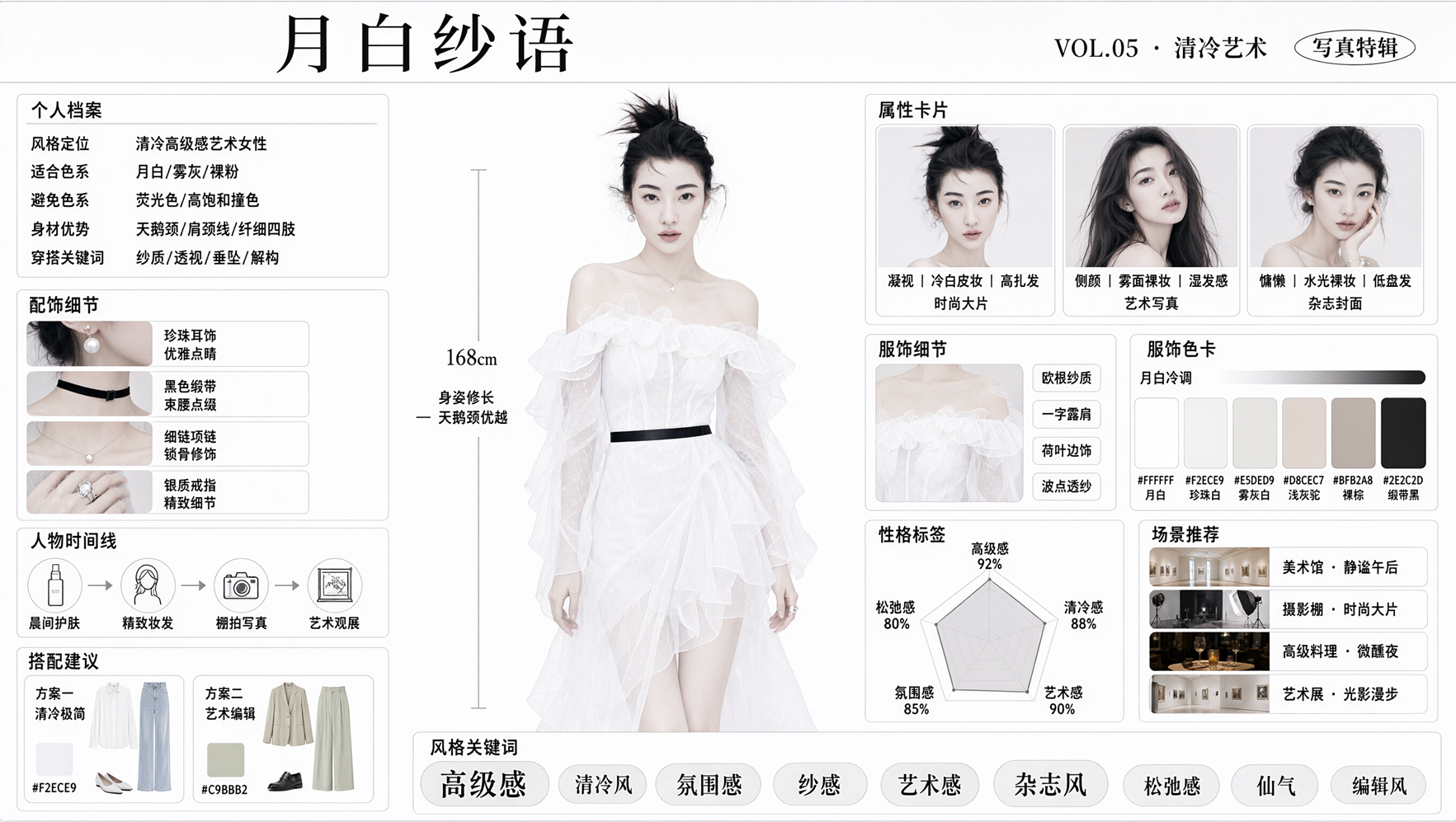
Complex infographic generated from the model photograph
The model can also turn a three-view character reference into a complete storyboard, providing material for storytelling and visual narratives.
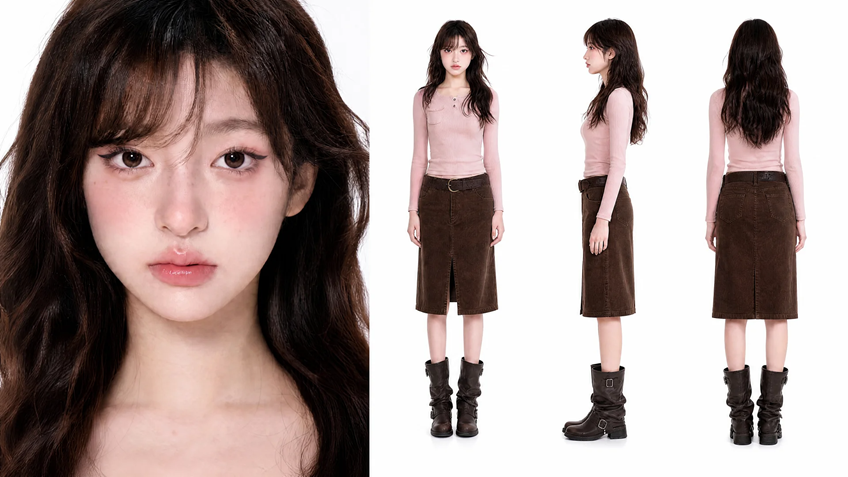
Three-view character reference for storyboard generation
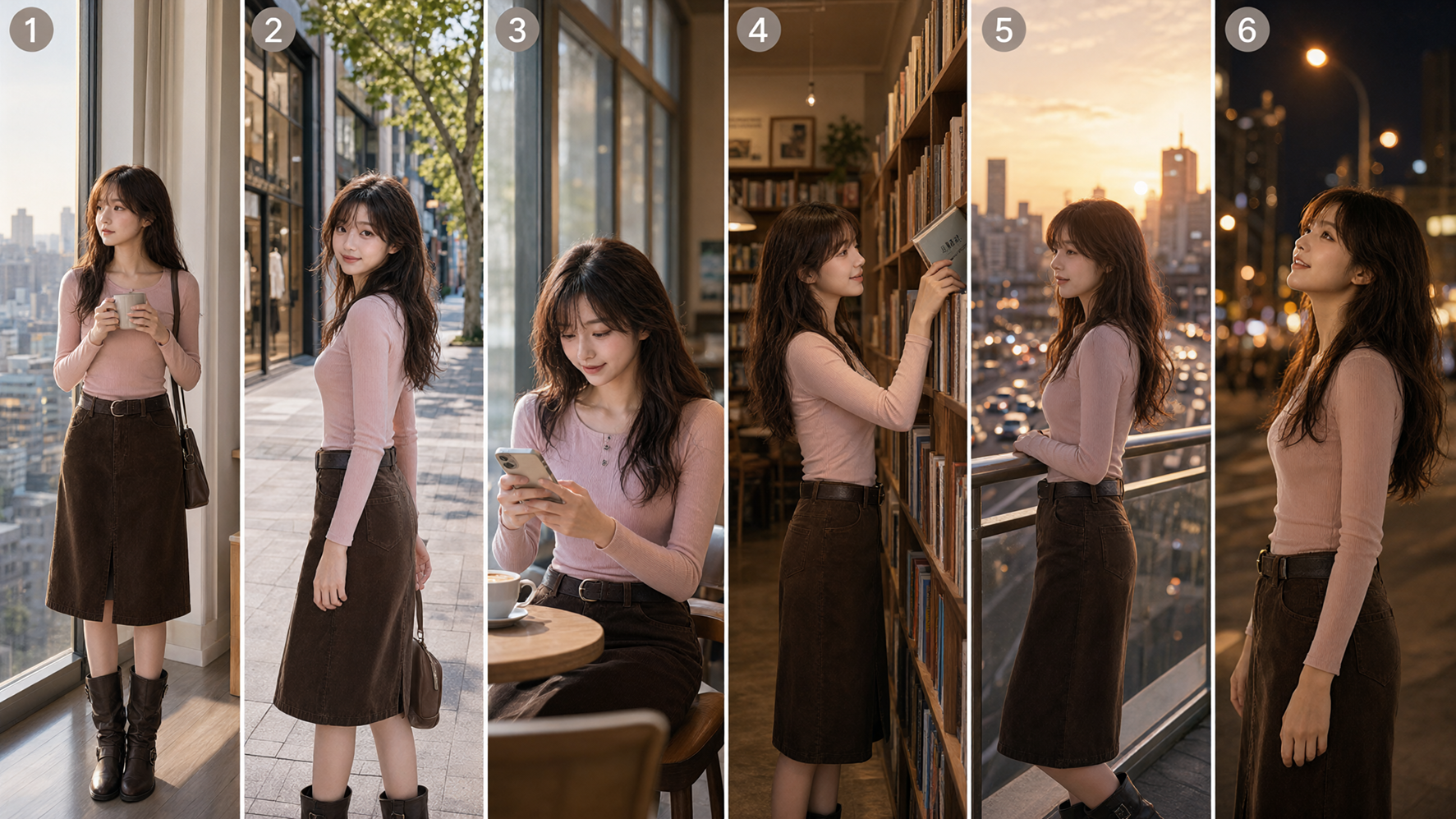
Complete storyboard generated from the character reference
Qwen-Image-2.1 further improves visual quality, with particular attention to typography and portraits. Text rendering considers not only the content itself, but also type styles, layout, and their relationship to the overall composition. The following examples showcase text rendering across different settings.
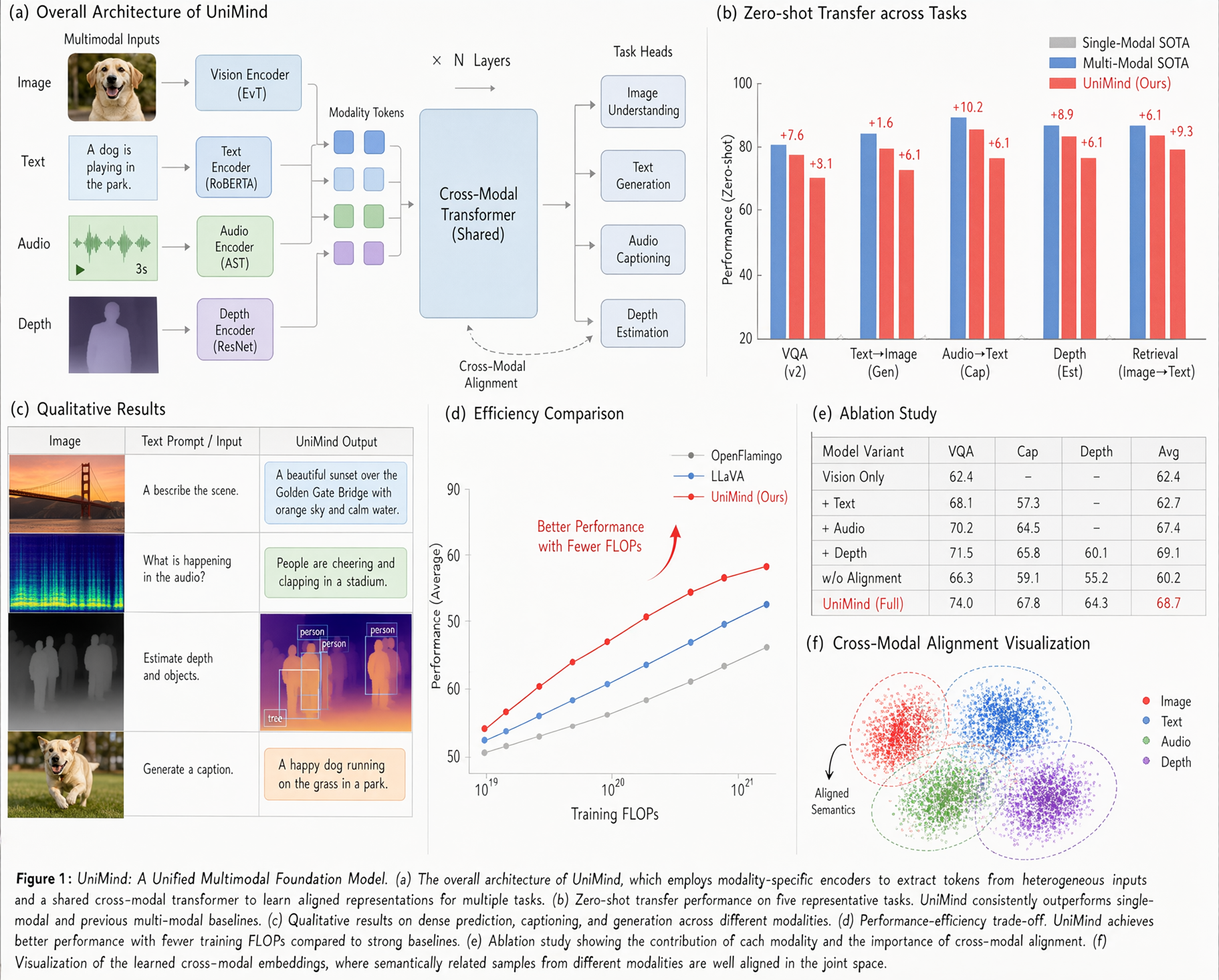
Text rendering example one
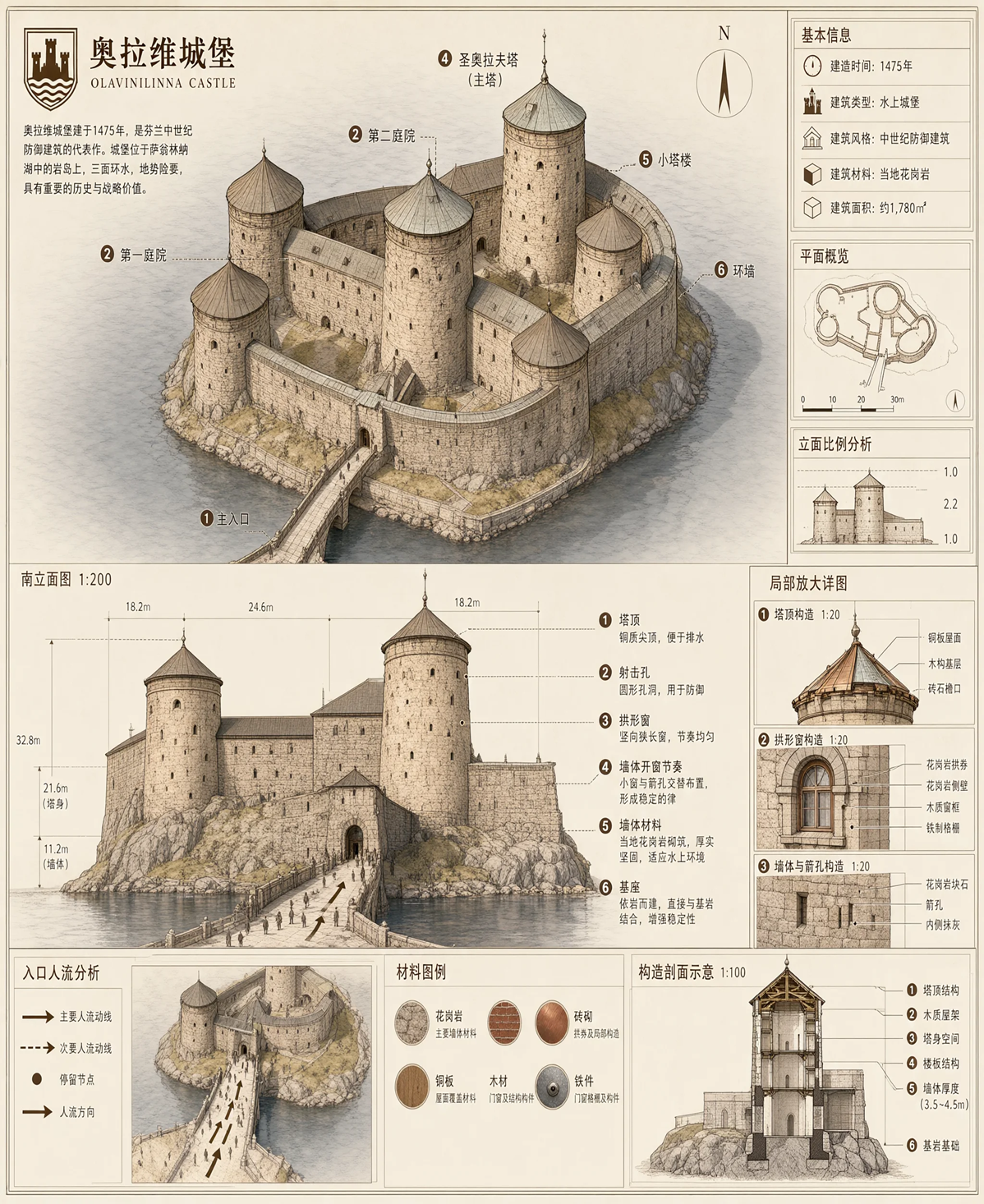
Text rendering example two

Text rendering example three
Text rendering example four
For portraits, improved lighting and fine details give generated images a more realistic appearance.
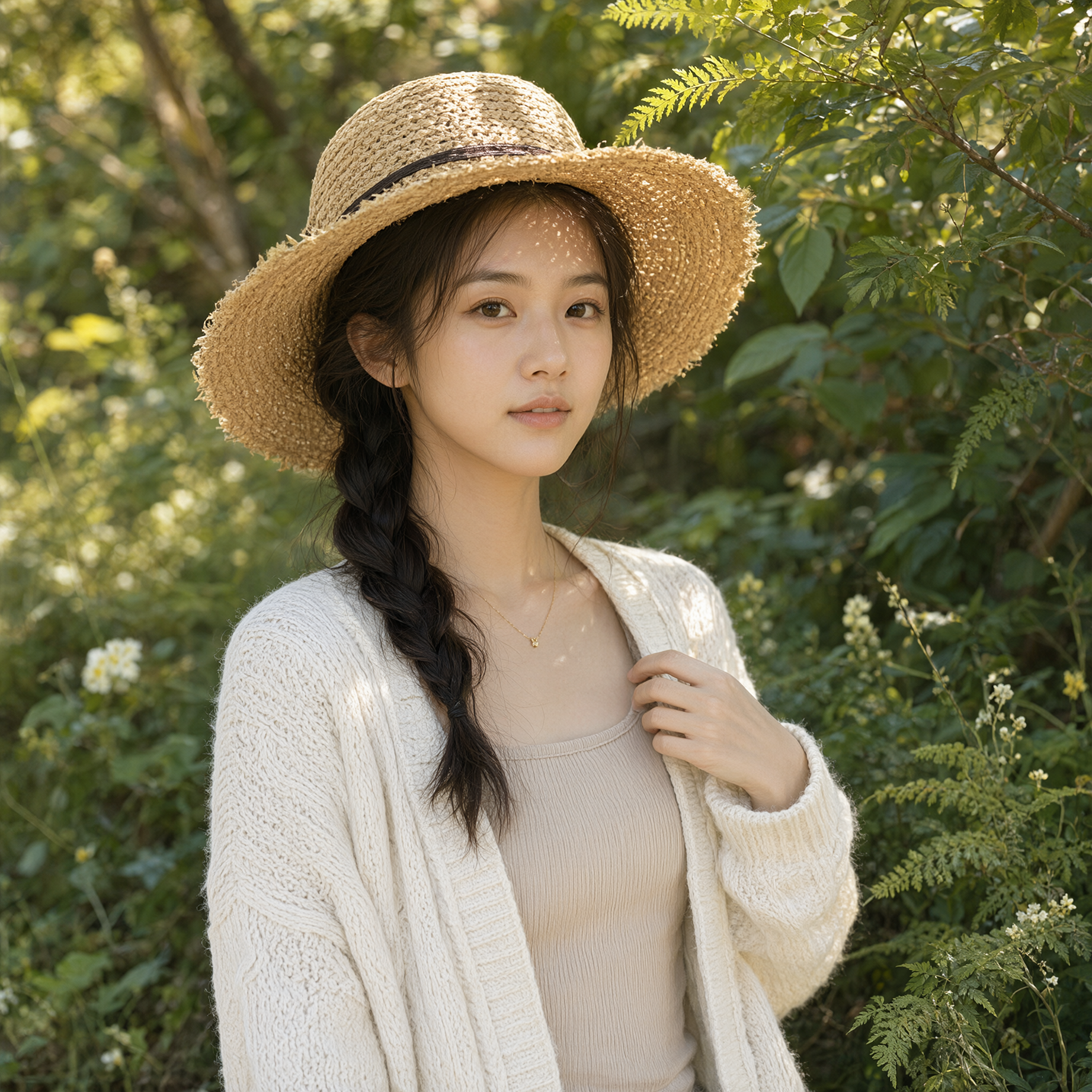
Portrait lighting and detail example one
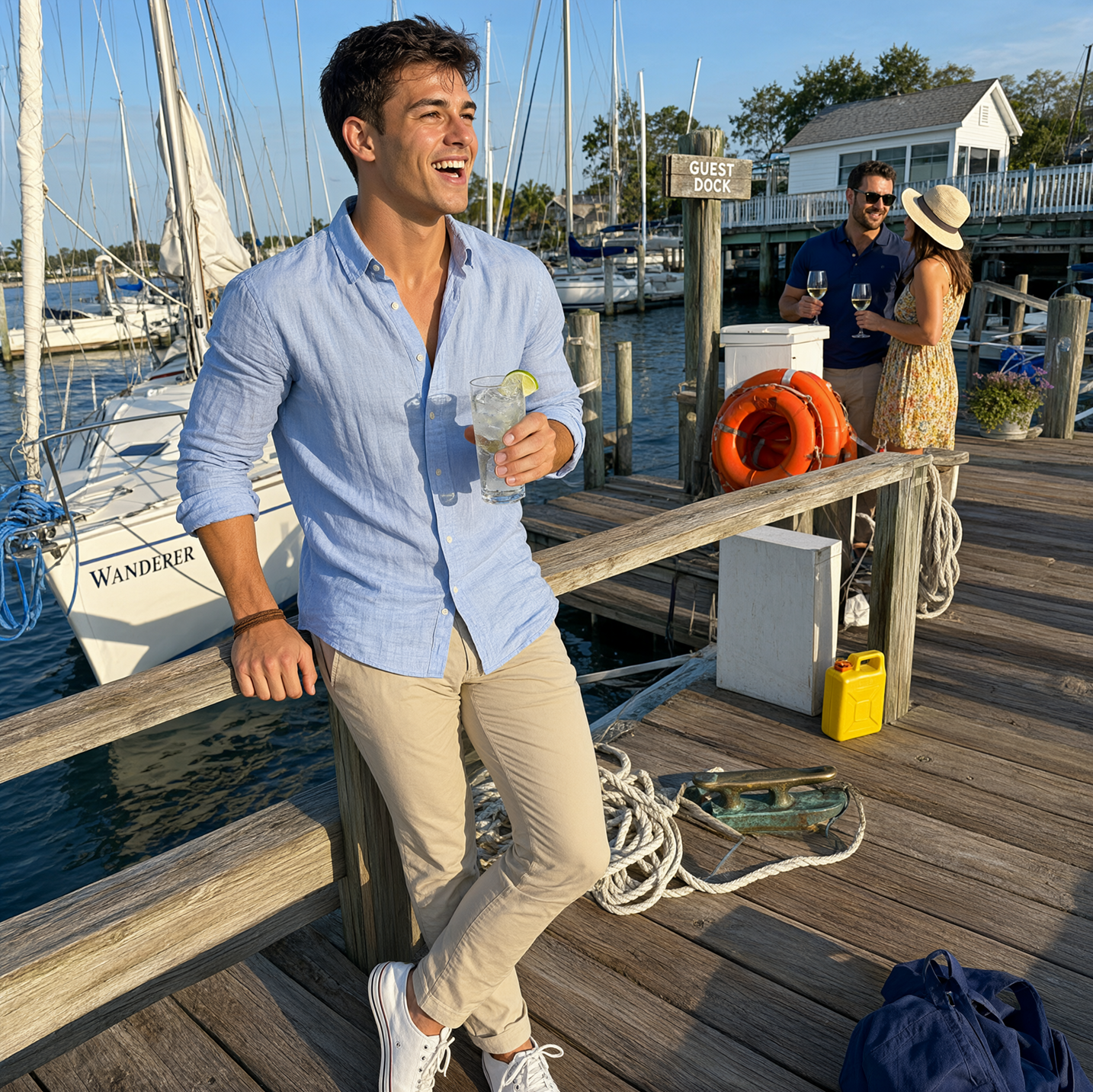
Portrait lighting and detail example two
With a compact 7B visual generation component, Qwen-Image-2.1 brings image generation, transparency, and a wide range of editing capabilities together in one model. Faster inference, support for up to 10 reference images, flexible local editing, and improved fidelity for people and products make it a practical tool for design, content creation, e-commerce, and visual storytelling.
We hope you enjoy creating with Qwen-Image-2.1!
Qwen3.8-LiveTranslate: Names the Speaker. Carries the Meaning.

1,540 posts | 516 followers
FollowAlibaba Cloud MaxCompute - June 25, 2024
Alibaba Cloud Indonesia - June 3, 2024
Alibaba Cloud Community - July 29, 2025
Alibaba Developer - August 19, 2021
Alibaba Cloud Community - August 15, 2025
Alibaba EMR - November 14, 2024
1,540 posts | 516 followers
Follow Alibaba Cloud Model Studio
A one-stop generative AI platform to build intelligent applications that understand your business, based on Qwen model series such as Qwen-Max and other popular models
Learn More Qwen
Qwen
Full-range, open-source, multimodal, and multi-functional
Learn More
Token Plan
Build more, spend less. One plan, every modality.
Learn More QwenWork
QwenWork is dedicated to helping employees strengthen their professional competitiveness in the AI era and to enabling enterprises to improve organizational effectiveness.
Learn MoreMore Posts by Alibaba Cloud Community

