Welcome to our video on Alibaba Cloud's innovative Data Management (DMS) and Dify solution for ChatBI scenarios!
In today’s fast-paced digital world, data-driven insights have never been more crucial. With Dify integrated into DMS, you can transform your business analytics, making data not only more accessible but also actionable. Let’s explore how this solution can revolutionize your data interaction.
First, let's clarify what DMS and Dify are.
DMS, or Data Management, is Alibaba Cloud’s powerful platform that offers a comprehensive suite of tools for database management, providing you with real-time monitoring, data migration, and streamlined query management.
On the other hand, Dify is an intelligent AI model that simplifies data interaction, allowing for natural language queries and insights generation, perfect for business intelligence tasks. Since its open-source debut in May 2023, Dify has skyrocketed in popularity, achieving 100K GitHub stars by June 2025, and ranking among the top 100 open-source projects globally. Its powerful yet accessible nature has made it a favorite among enterprises.
Now, how do these two platforms come together for ChatBI scenarios? Picture this: You have a vast amount of data stored across different systems. With DMS, you can automate and manage your databases effortlessly, ensuring that your data is always up-to-date and organized. Once your data is in place, Dify takes over, allowing you to interact with your data through simple conversations. This means you can ask questions like, 'What were our sales last quarter?' or 'Which products are underperforming?' and receive insights without in-depth technical skills!
Let’s explore the setup process in seven steps.
Now, let’s walk through the setup process in seven straightforward steps.
Begin by logging into your Alibaba Cloud account and navigating to Data Management (DMS).
Locate Dify under the Data + AI menu, select "Create Workspace," and ensure you choose the same region and VPC as your existing production databases.
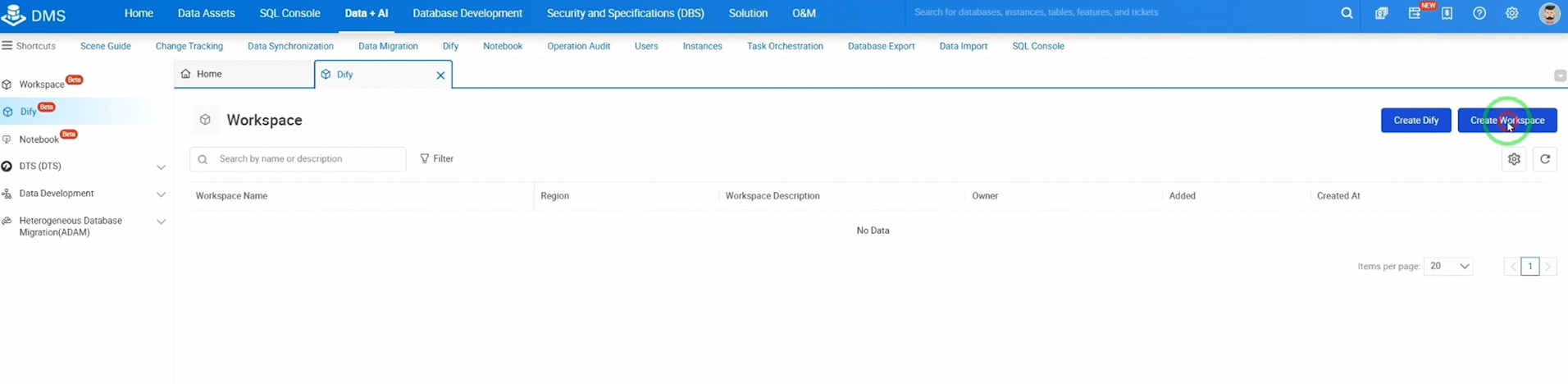
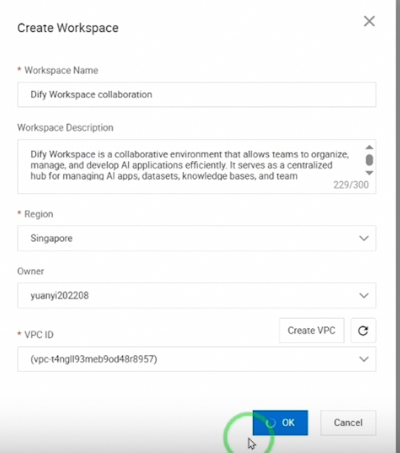
Click "Create Dify" to provision your cloud-managed Dify in just a few clicks. For billing, you may select either a subscription or pay-as-you-go model.
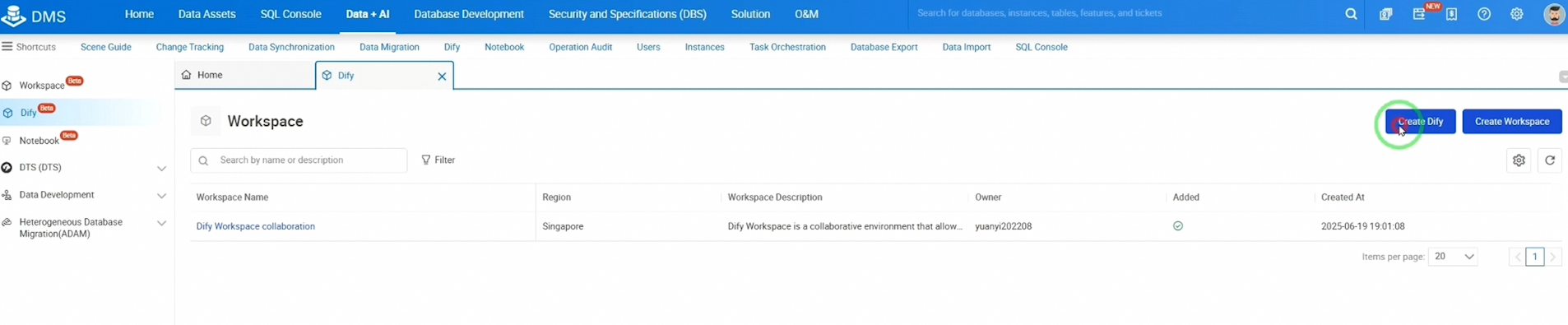
For our example, we’ll opt for pay-as-you-go. On the purchase page, configure your resource specifications, including ApsaraDB RDS for PostgreSQL, Tair (Redis-OSS Compatible), and AnalyticDB for PostgreSQL.
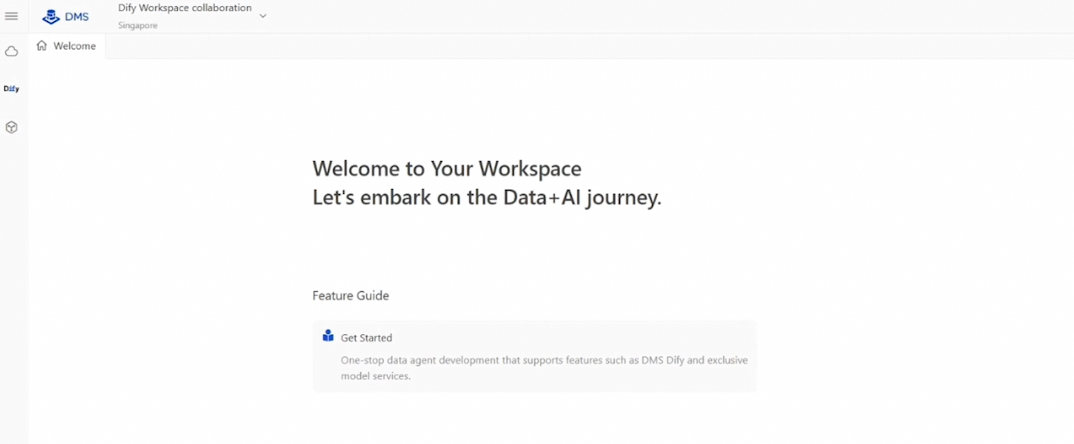
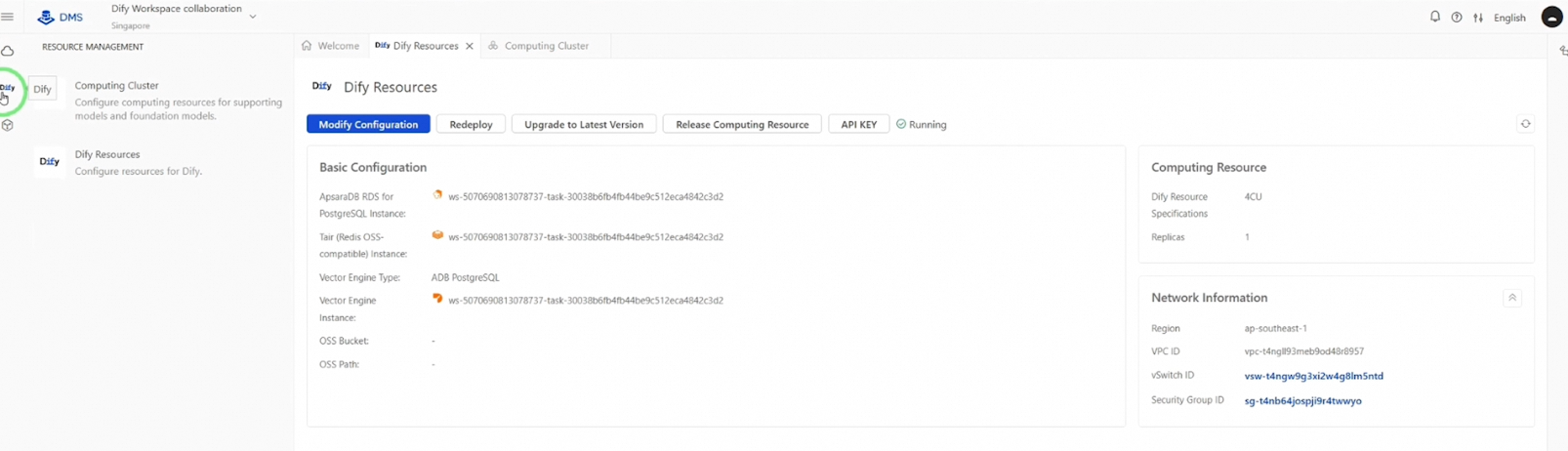
Once completed, click "Buy Now" to proceed to the Dify welcome page. Your resources will begin provisioning, and you’ll be able to see their details on the Dify Resources page within 10 to 15 minutes.
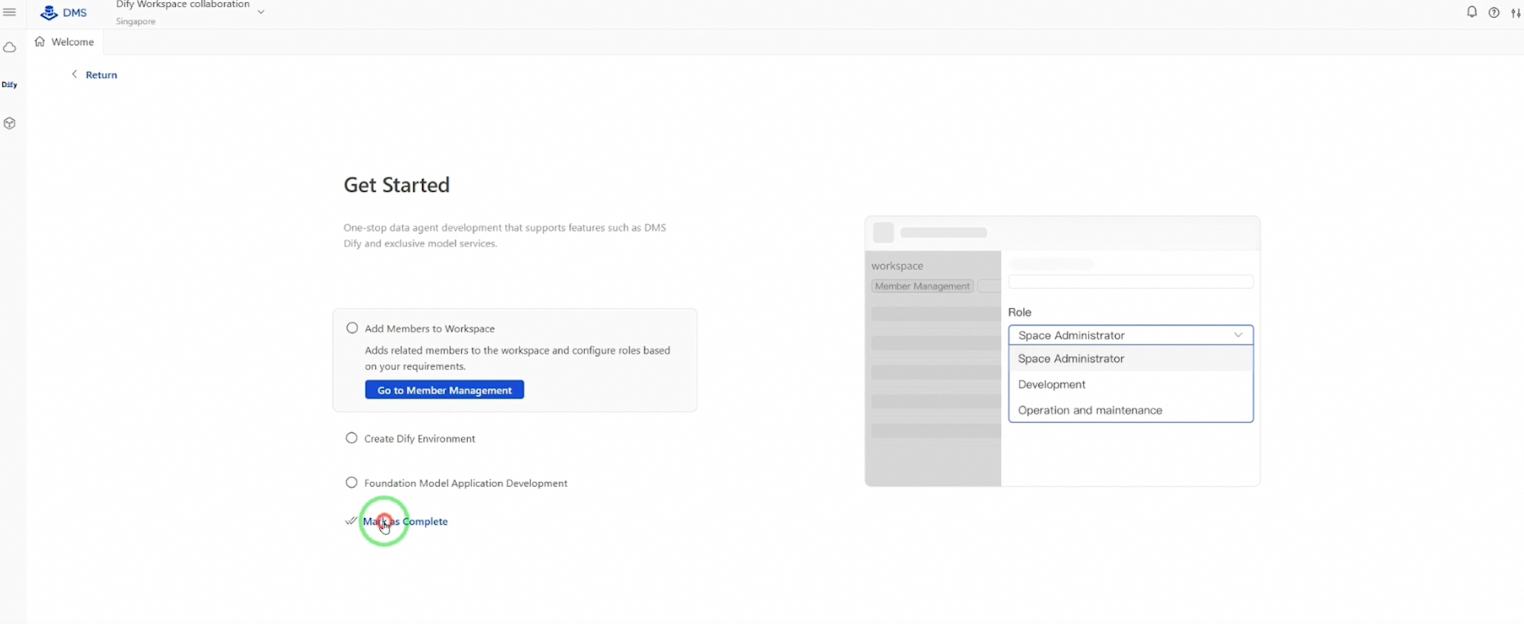
Once the status turns to "Running", click "Studio" to set everything up.
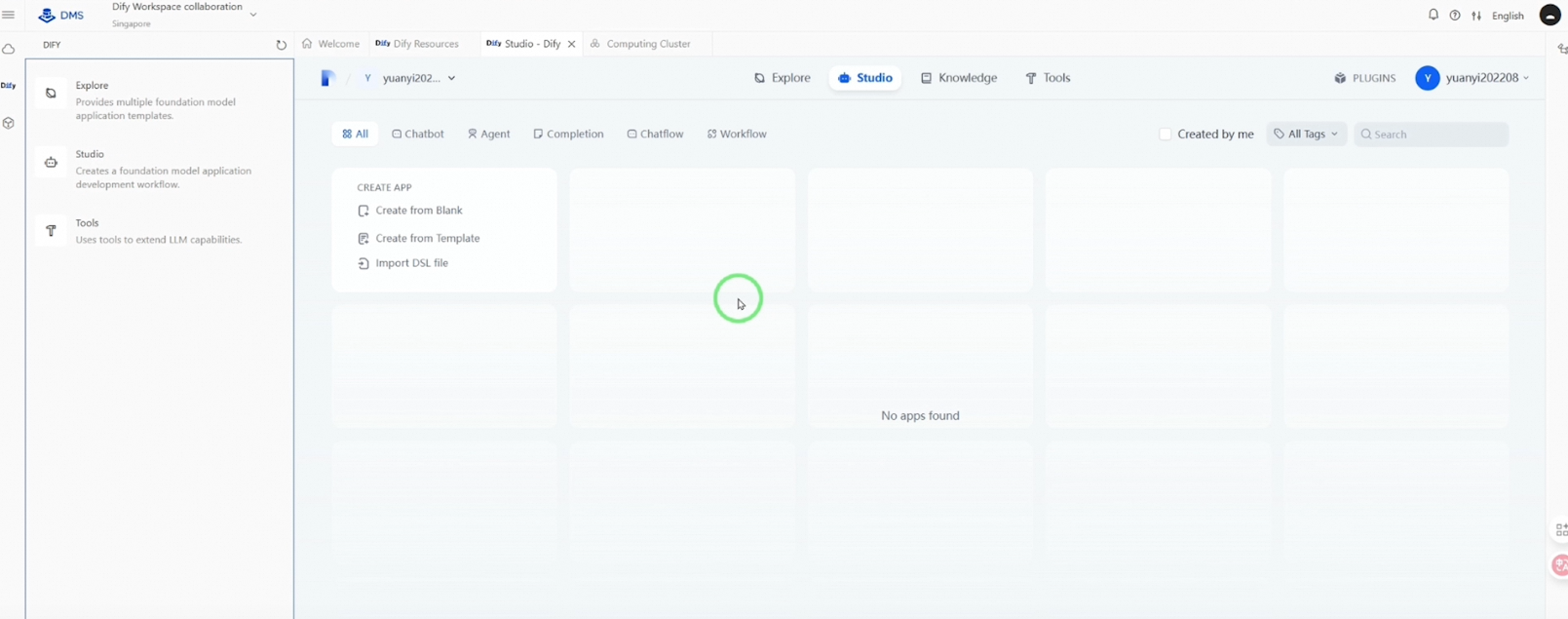
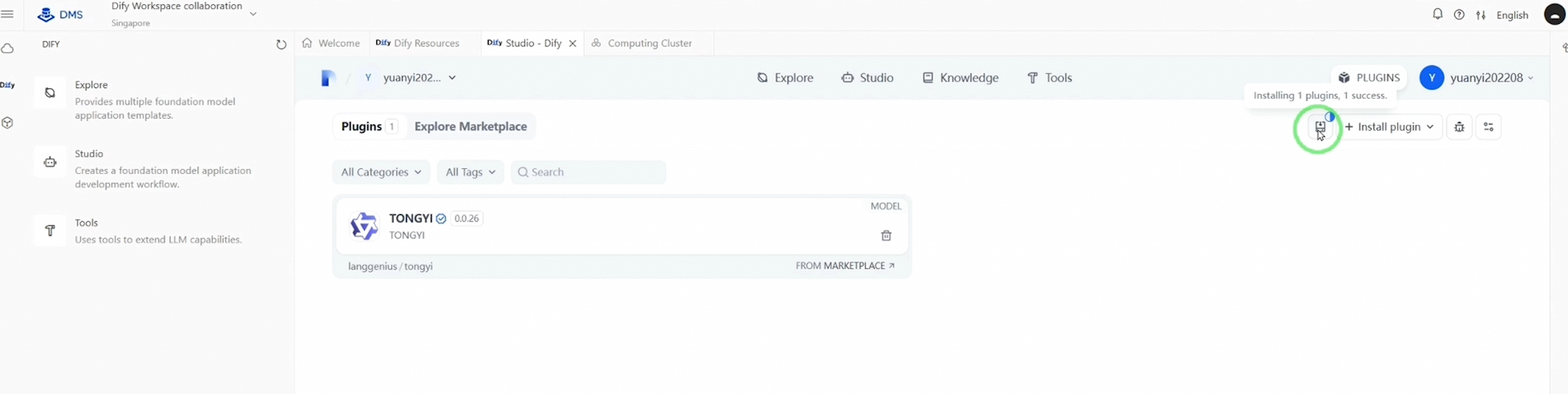
Access your user profile at the upper right, click "Settings," then navigate to "Model Provider" to select public LLM plugins—here, we will choose Alibaba Cloud Qwen.
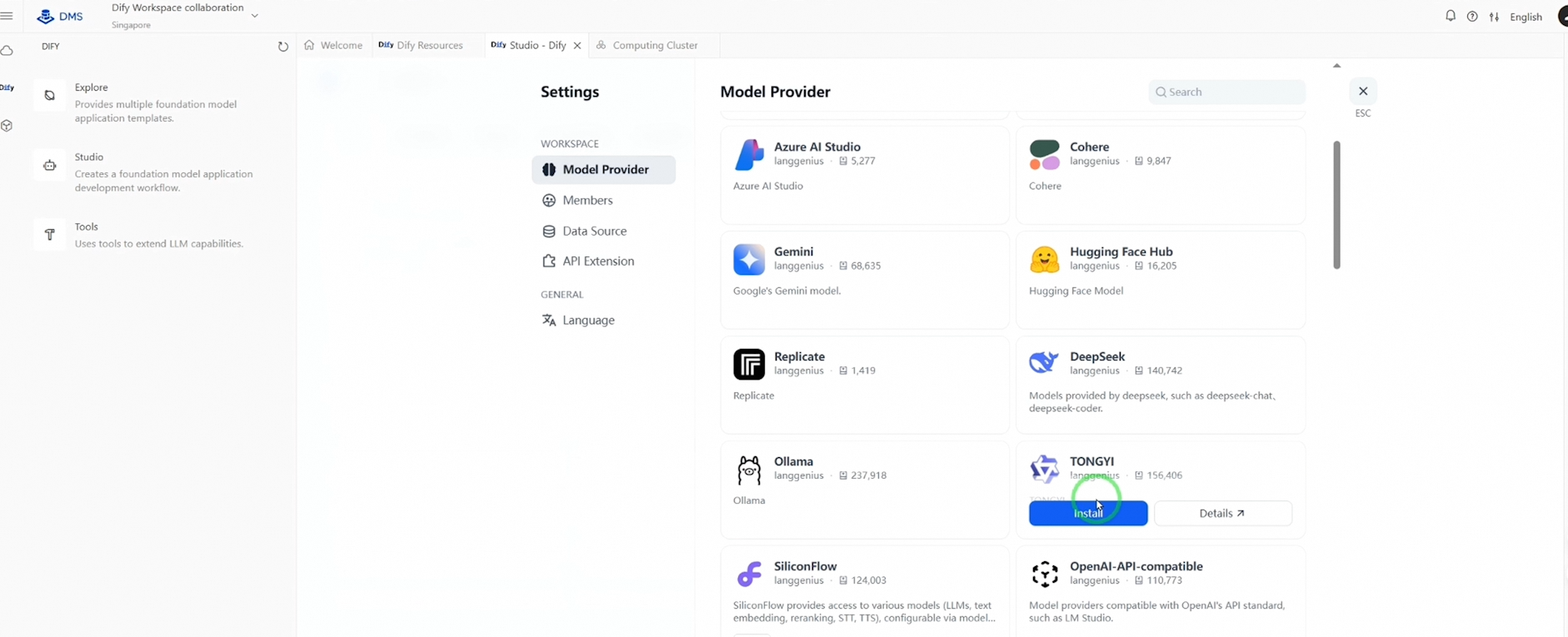
After installing, return to "Model Provider" to complete the API key setup. If successful, you’ll see all available LLM models.
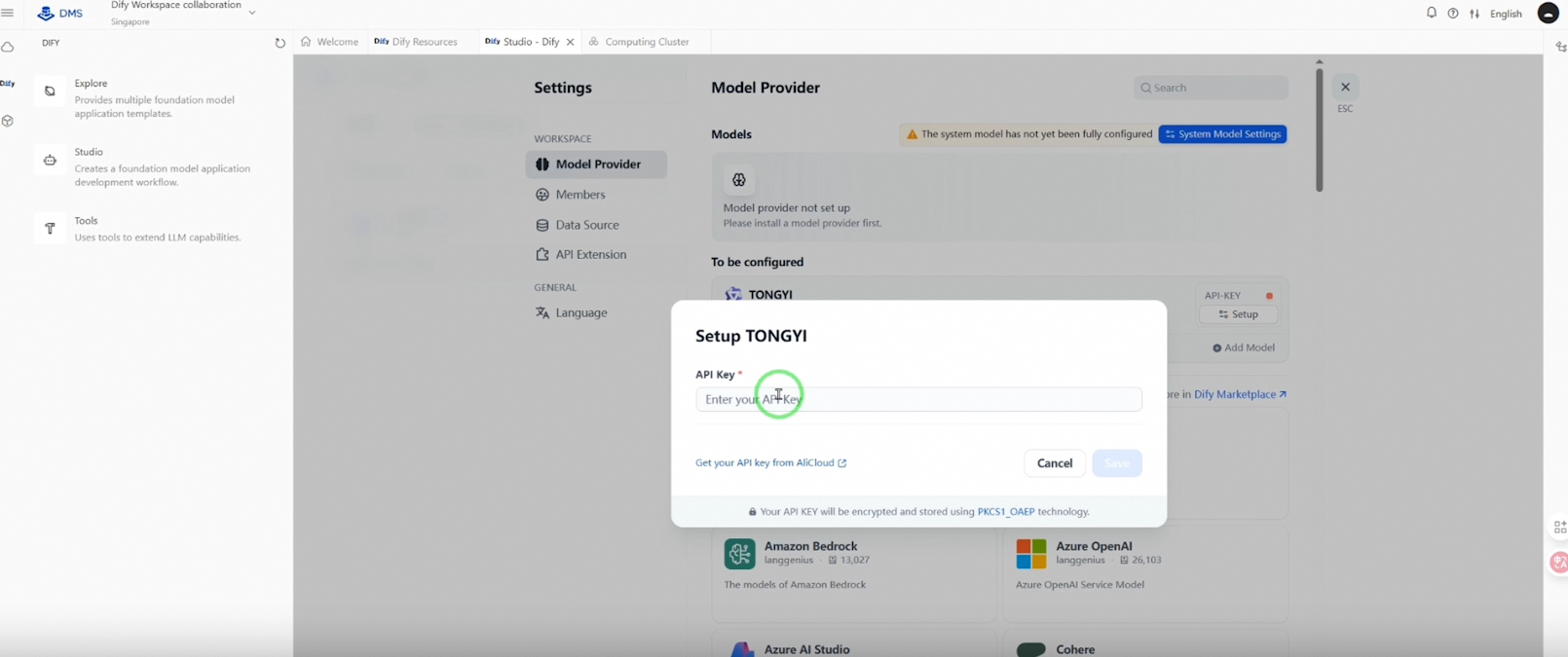
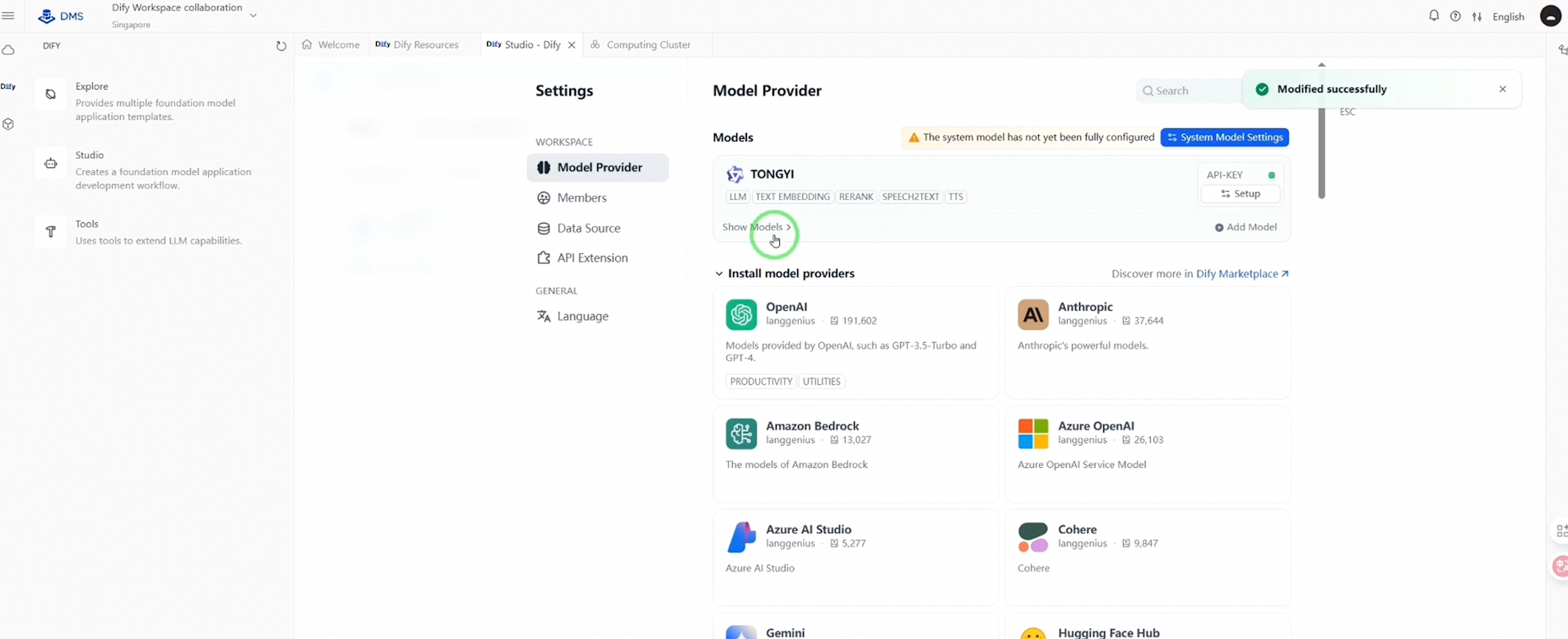
After that, close the settings page to continue.
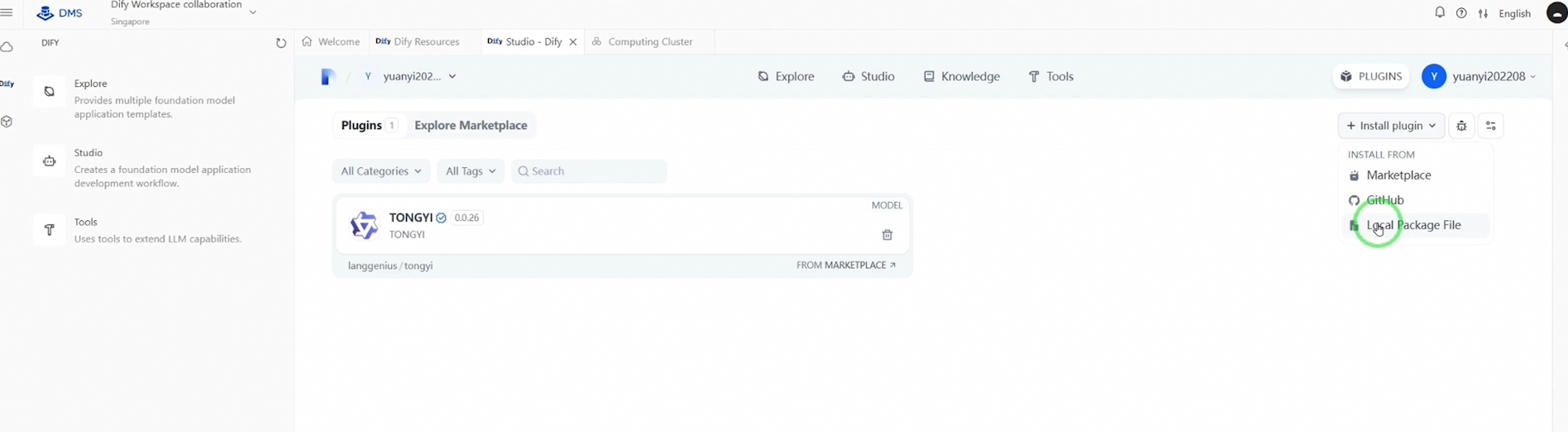
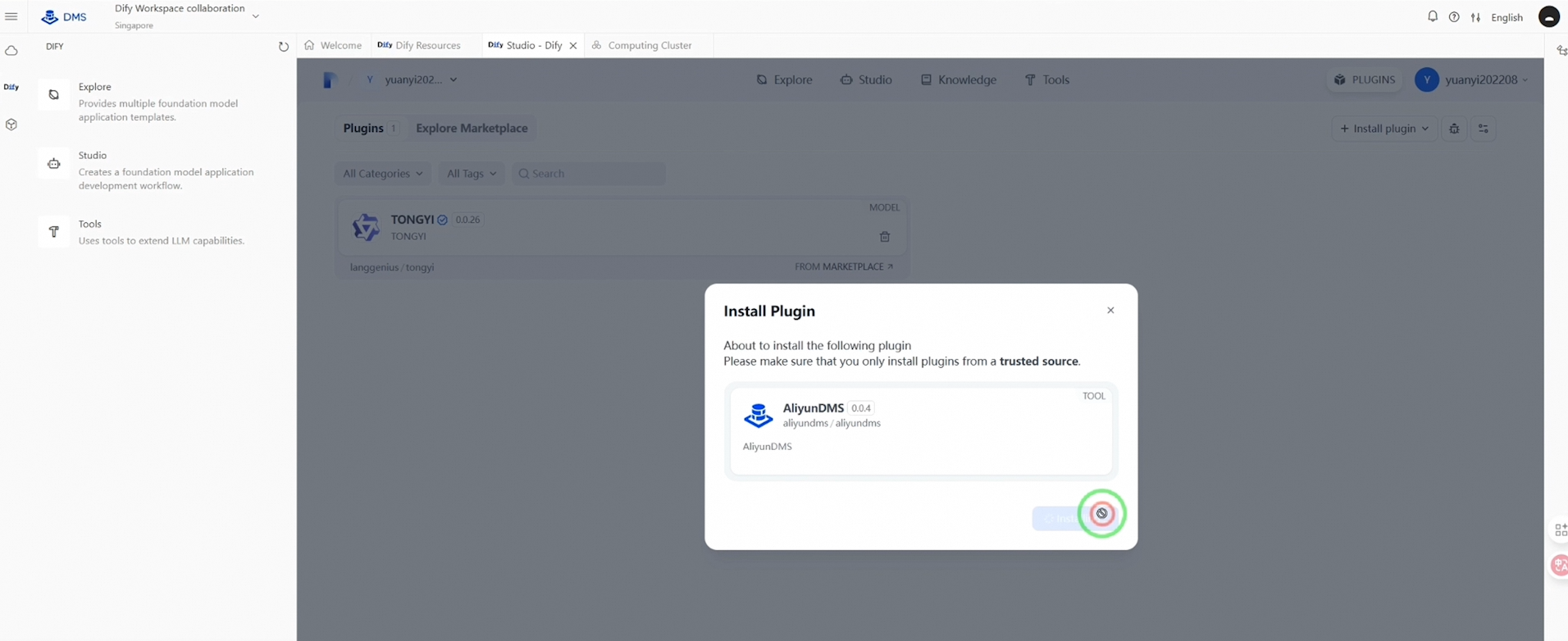
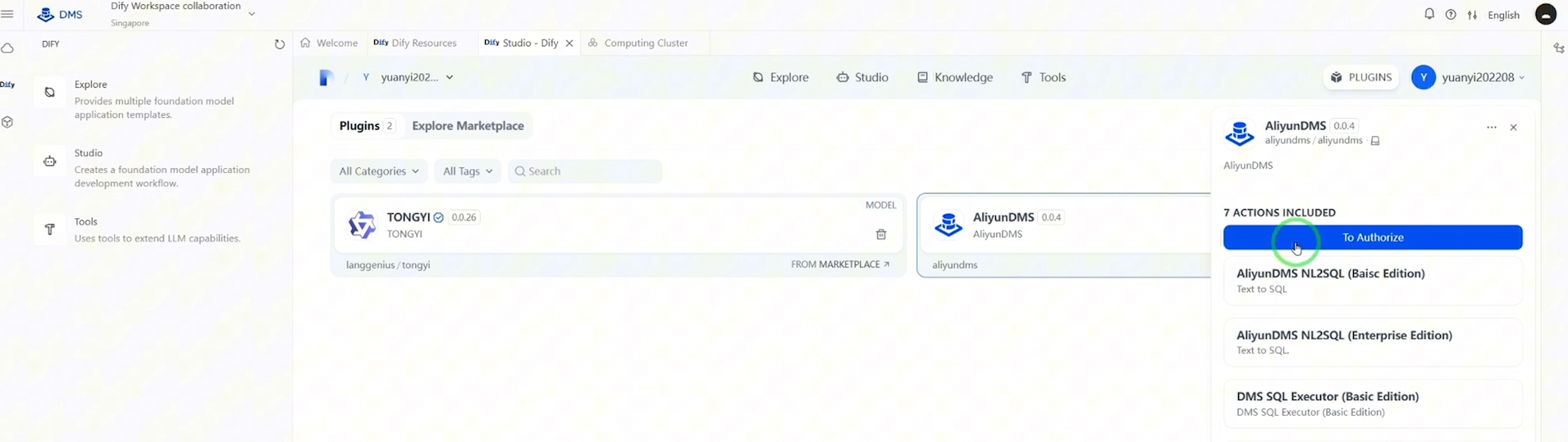
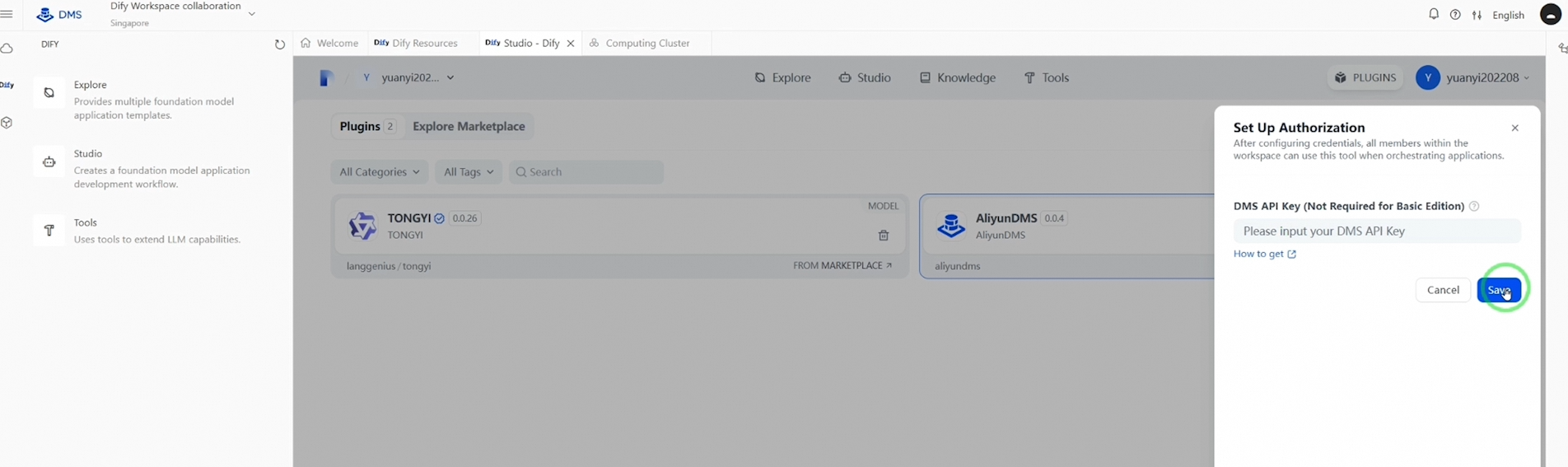
Click "Install Plugins" and select "Local Package File" to add the DMS plugin. After installation, click to authorize, then move on to the Knowledge section.
Click "Create Knowledge" to import your knowledge base. You may upload files directly or sync them from Notion or your website.
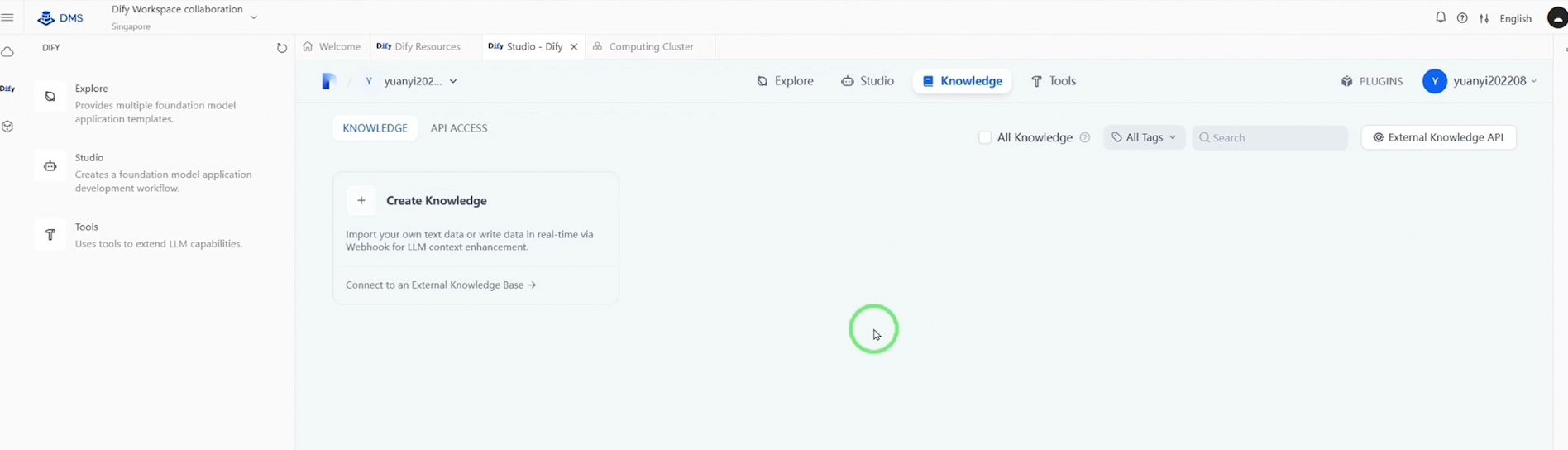
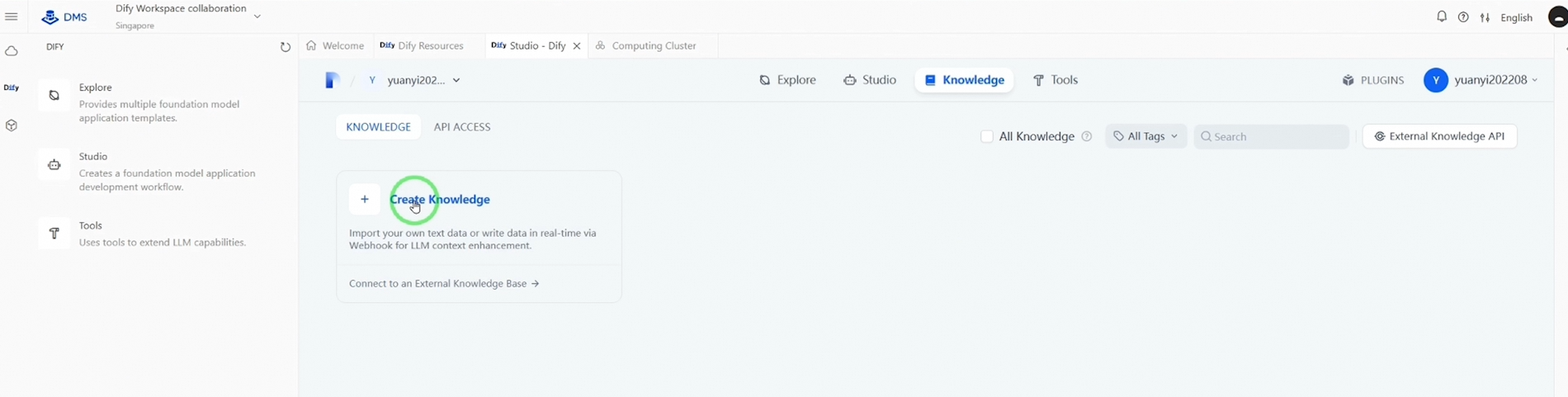
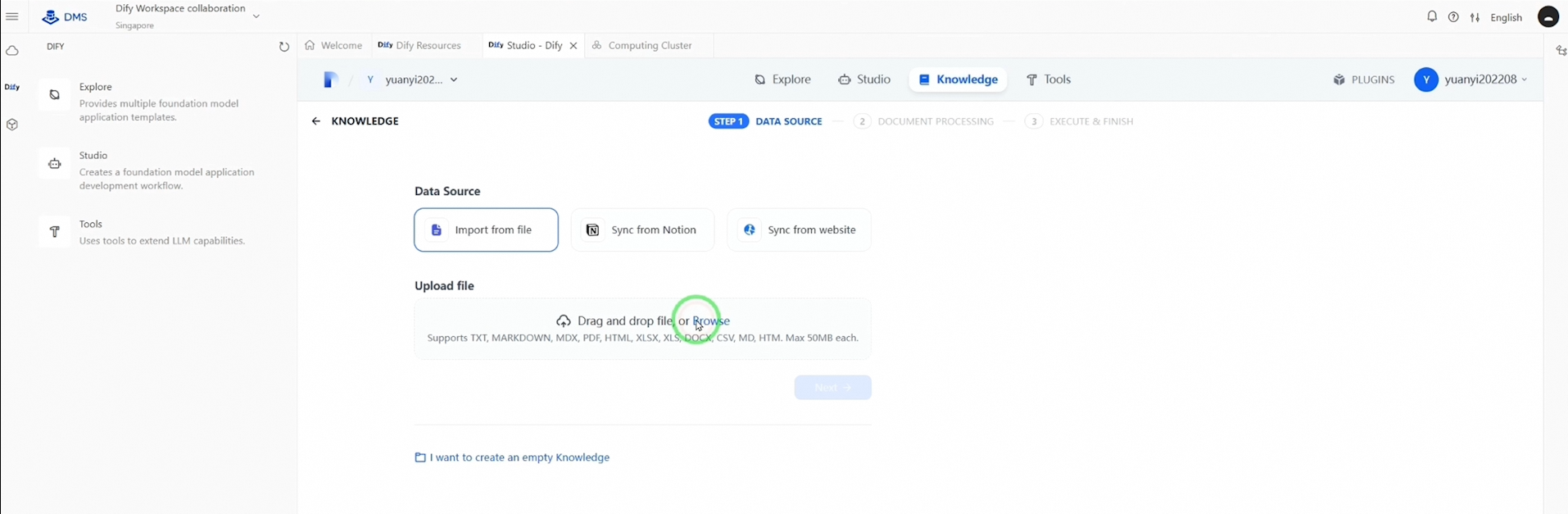
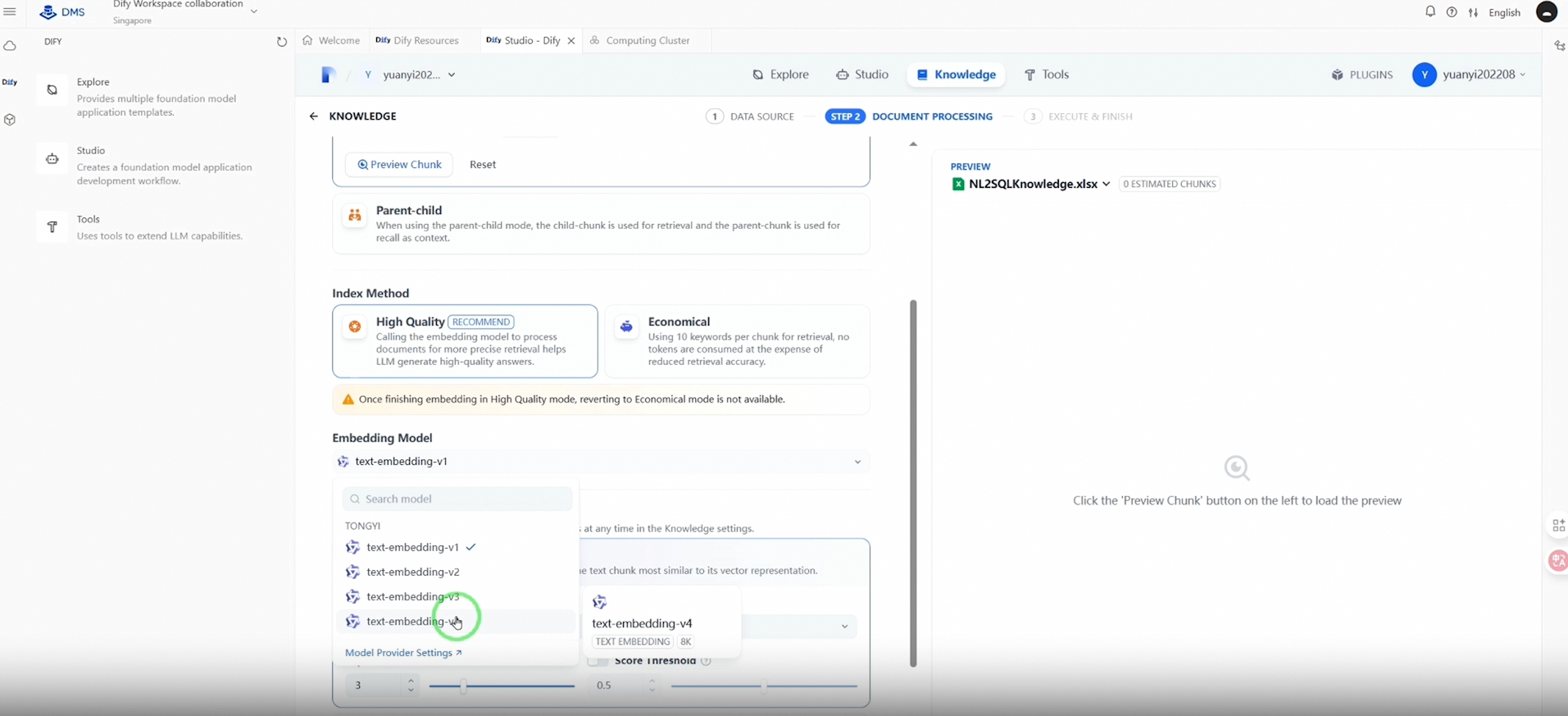
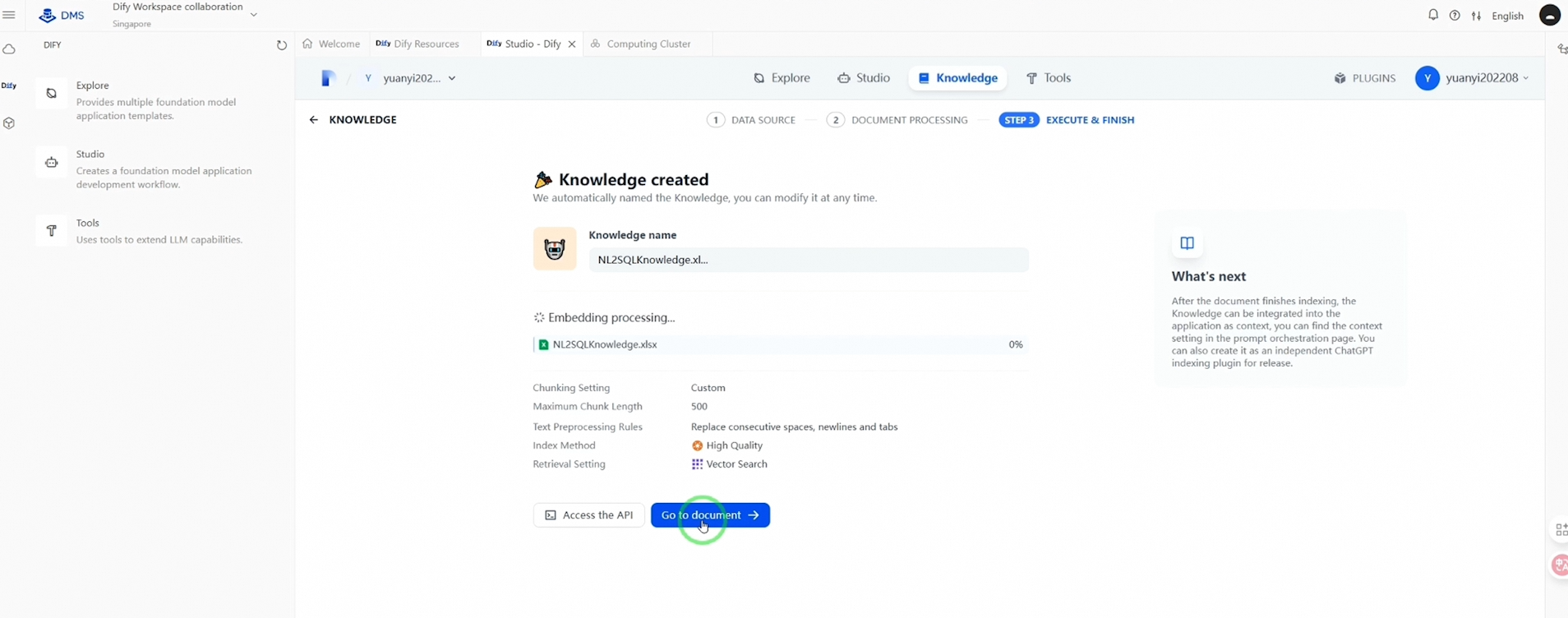
In this demonstration, we’ll choose to upload. After uploading, select an appropriate embedding model for your knowledge base, confirm your selection, and navigate back to the Studio.
Here, you have three options to create your AI applications: Create from Blank, Create from Template, or Import DSL File. For this session, we’ll import an existing workflow that has already been developed for our ChatBI application.
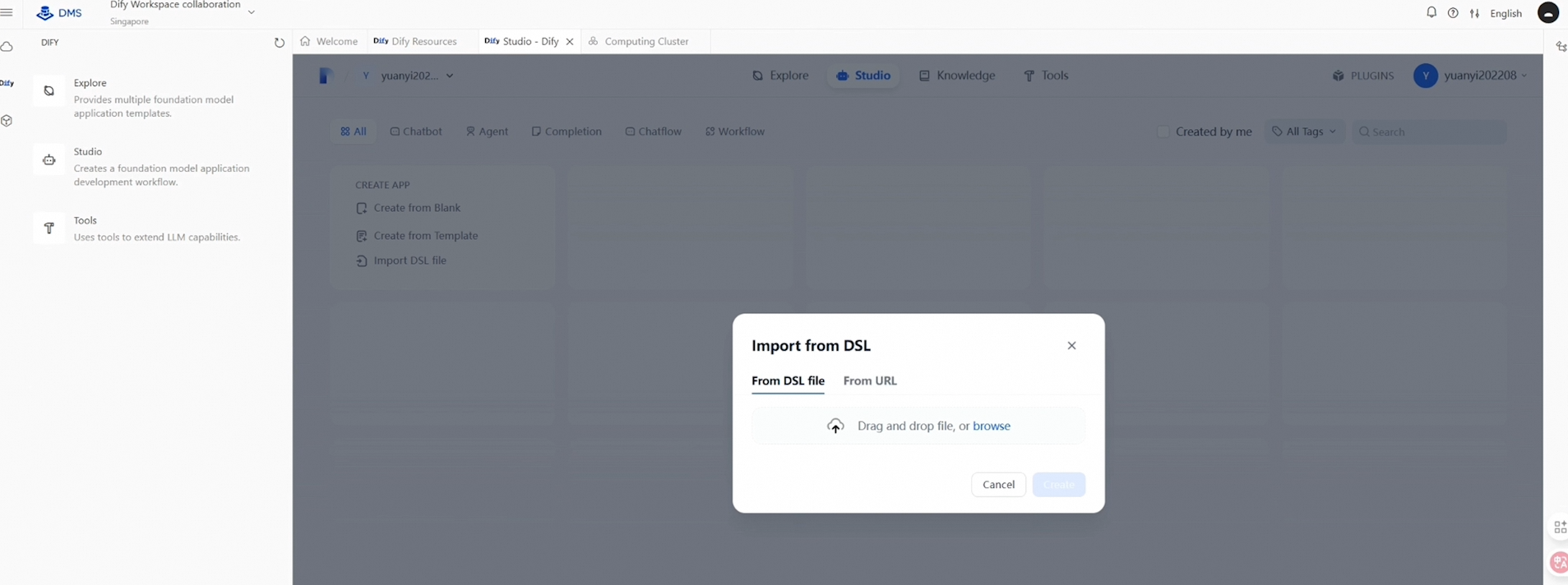
Following the DSL file import, review the necessary configurations before launching your AI application:
● First, select LLM models for the Query Classifier.
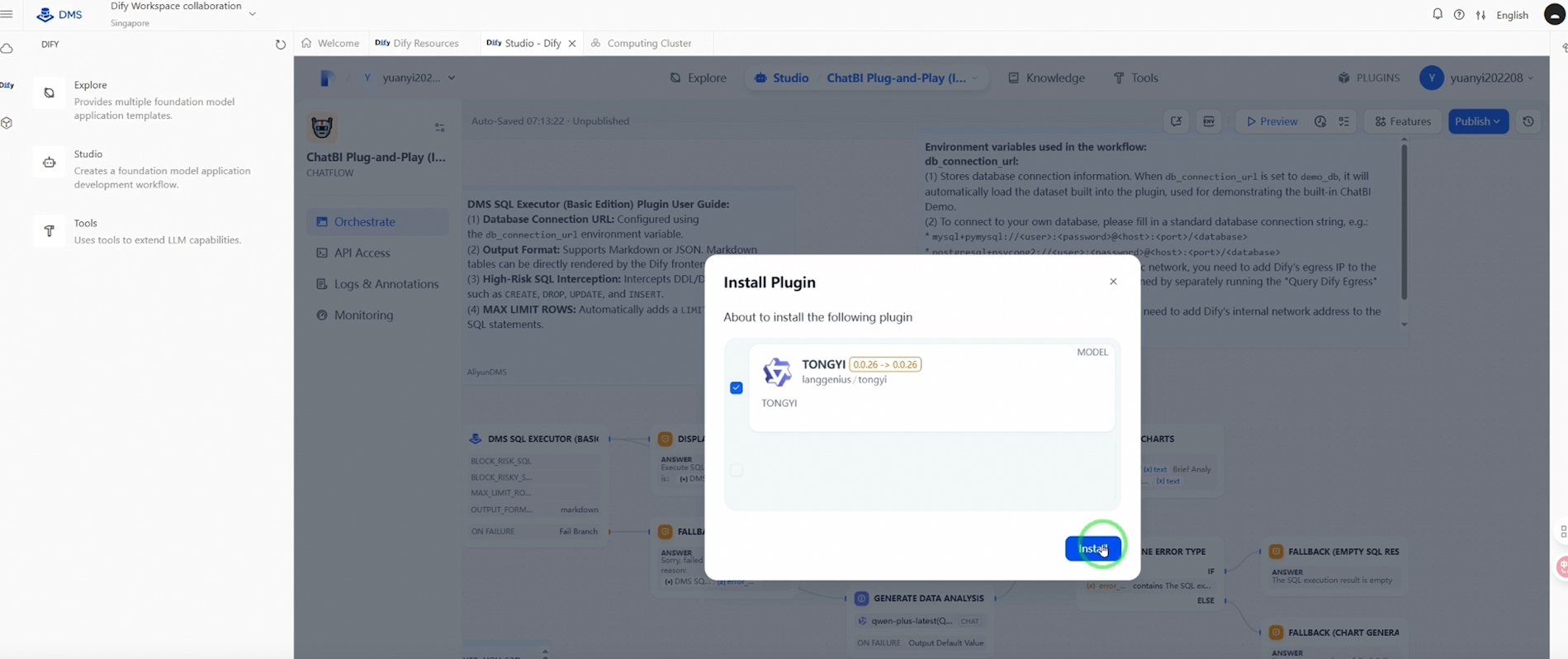
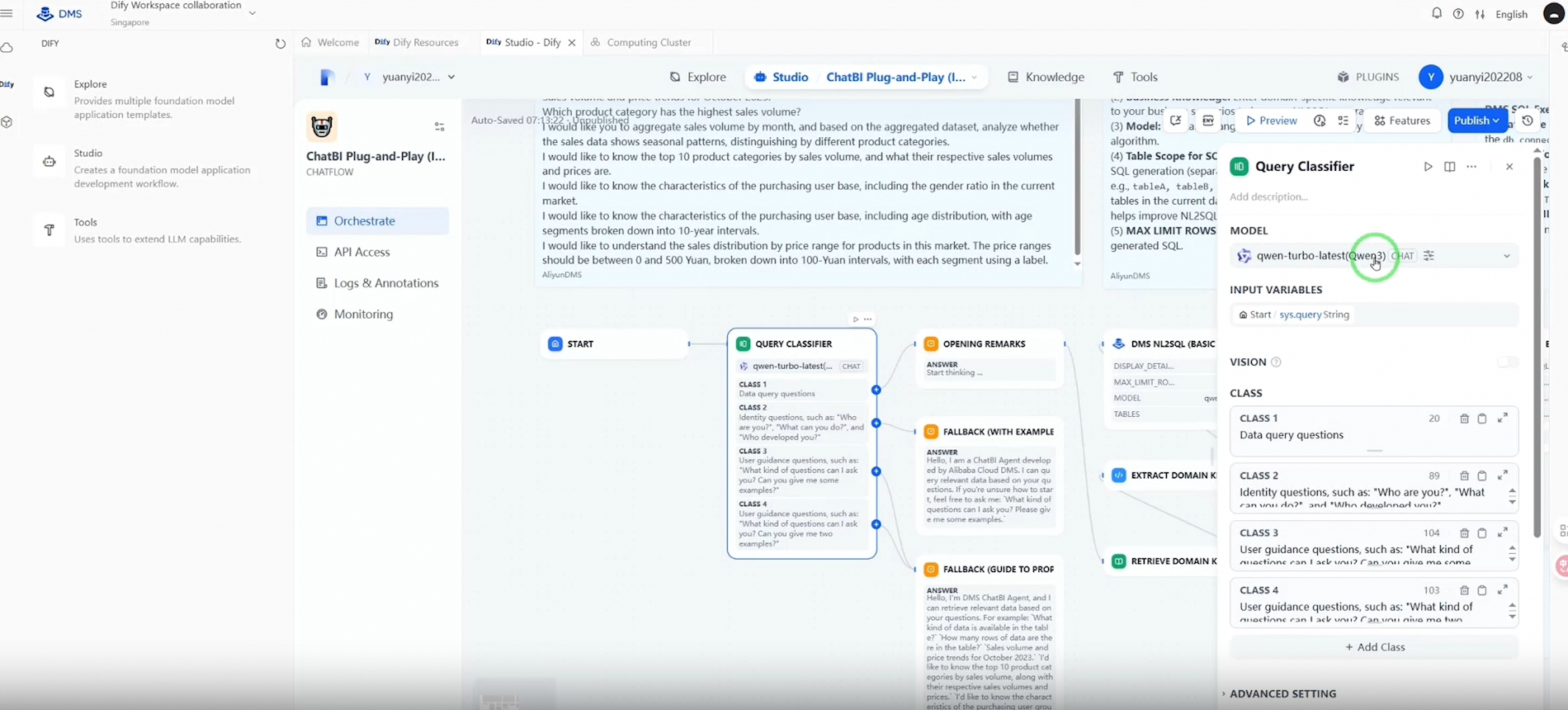
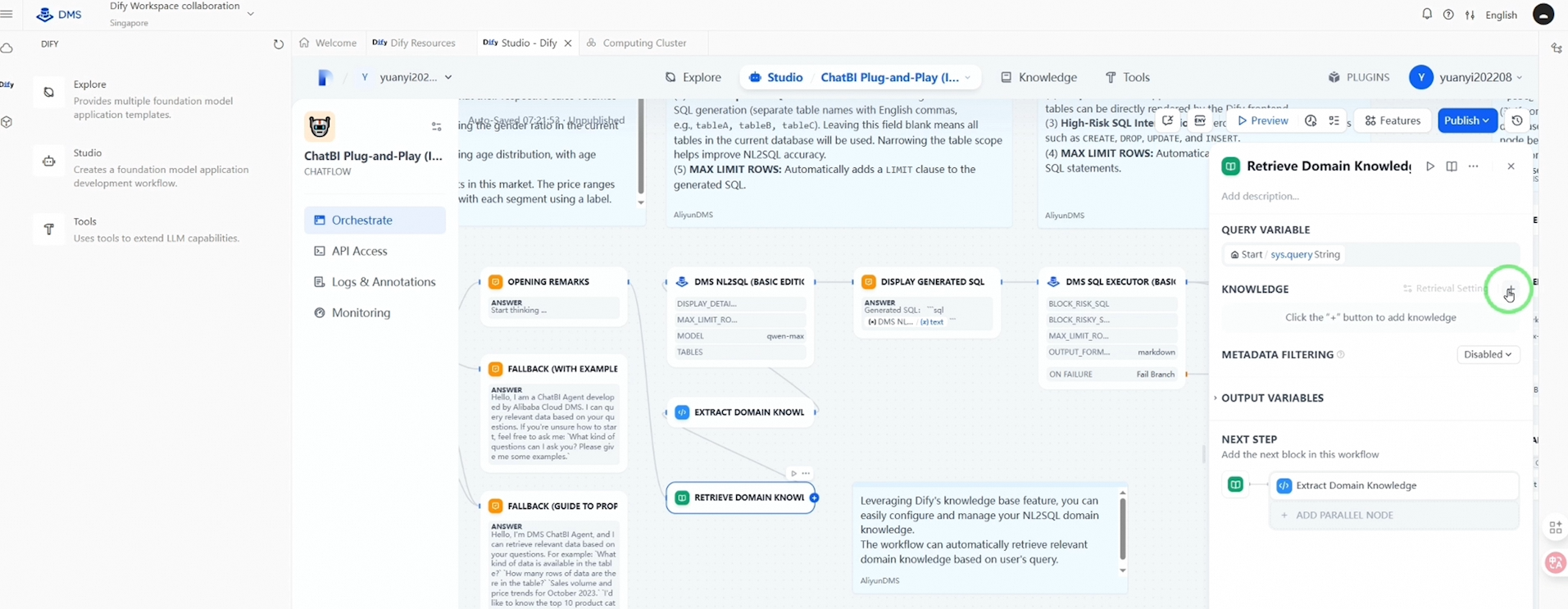
● Next, connect the application to your uploaded knowledge base, stored in AnalyticDB for PostgreSQL.
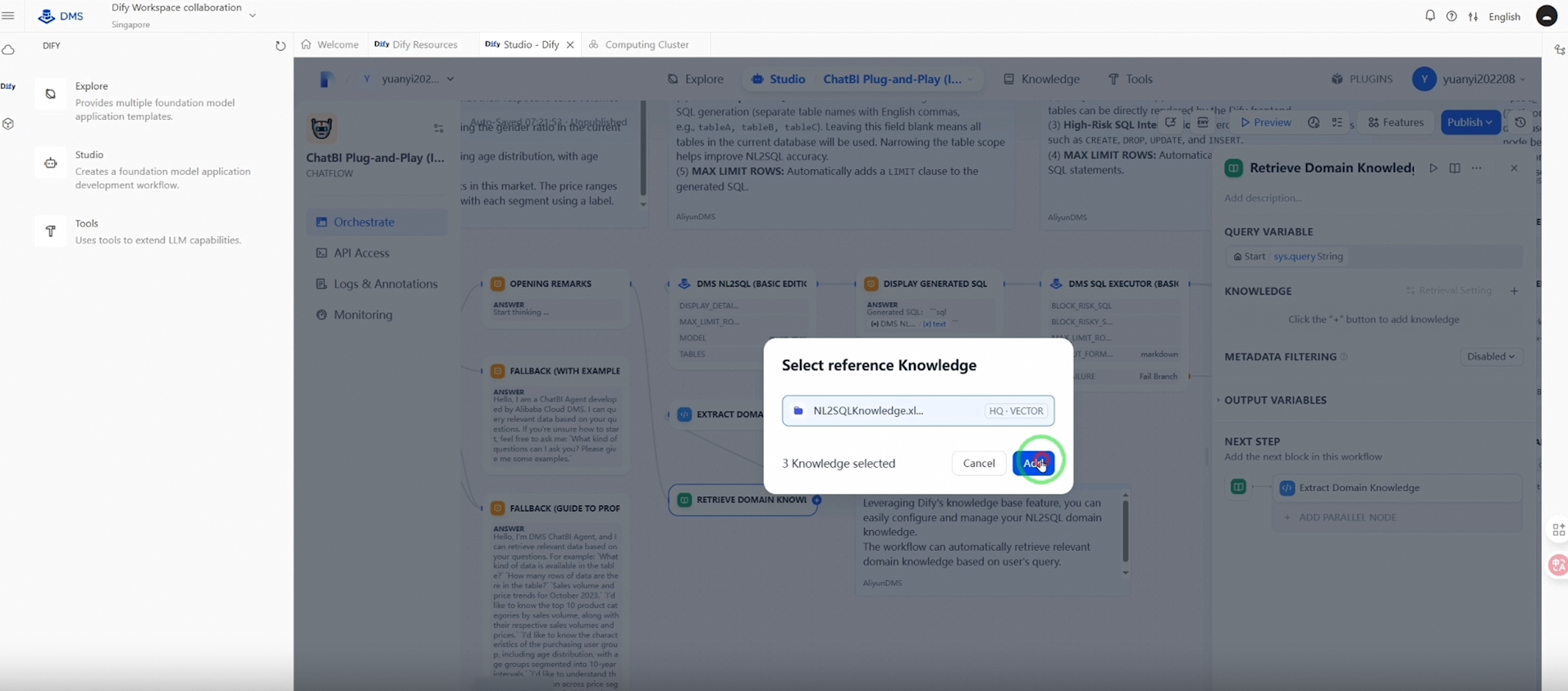
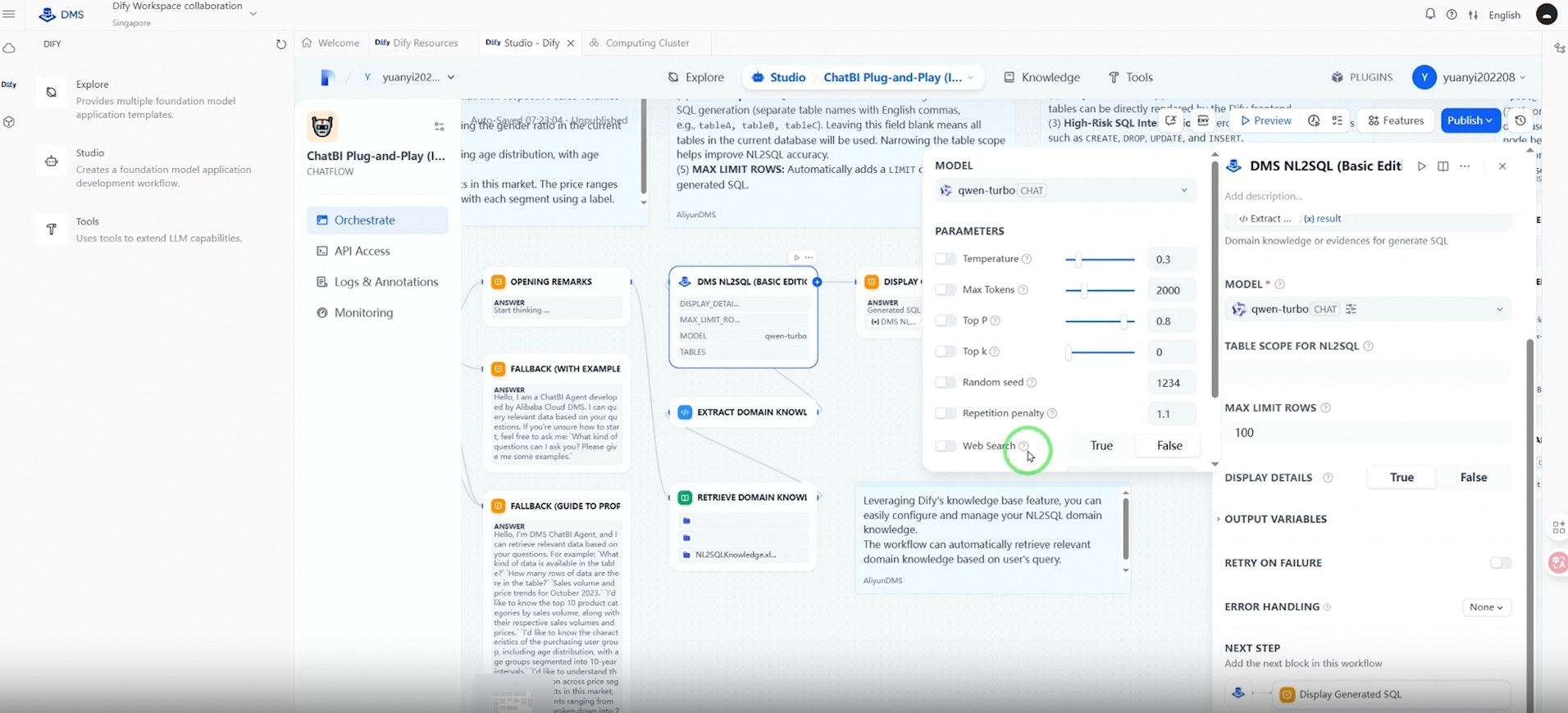
● Then, choose LLM models for DMS NL2SQL.
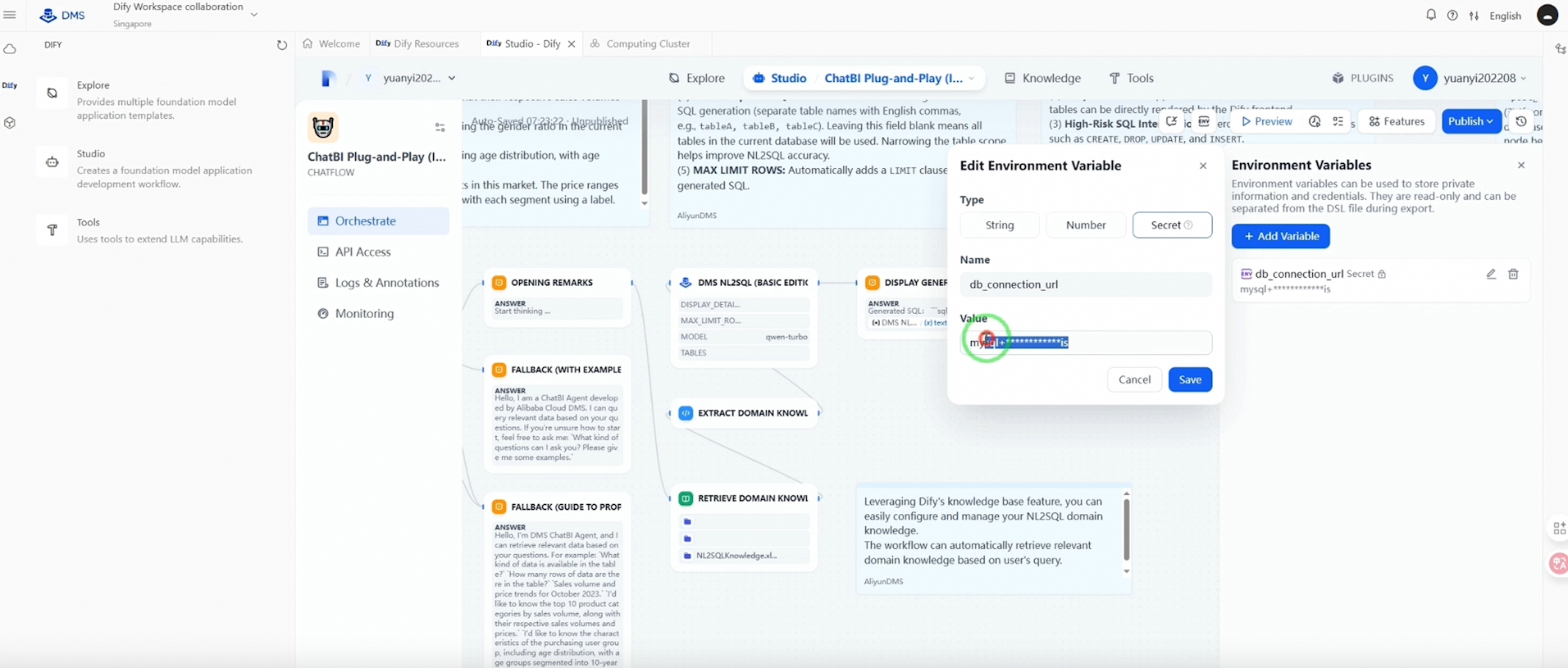
● Finally, configure the global variable to specify the production database (with VPC endpoint) for SQL query execution.
Once done, you can publish and test your application.
This is where the excitement begins—Dify enables conversational business intelligence. Simply ask your questions, and Dify will translate them into SQL queries, providing you with immediate insights, like having a personal data analyst at your service.
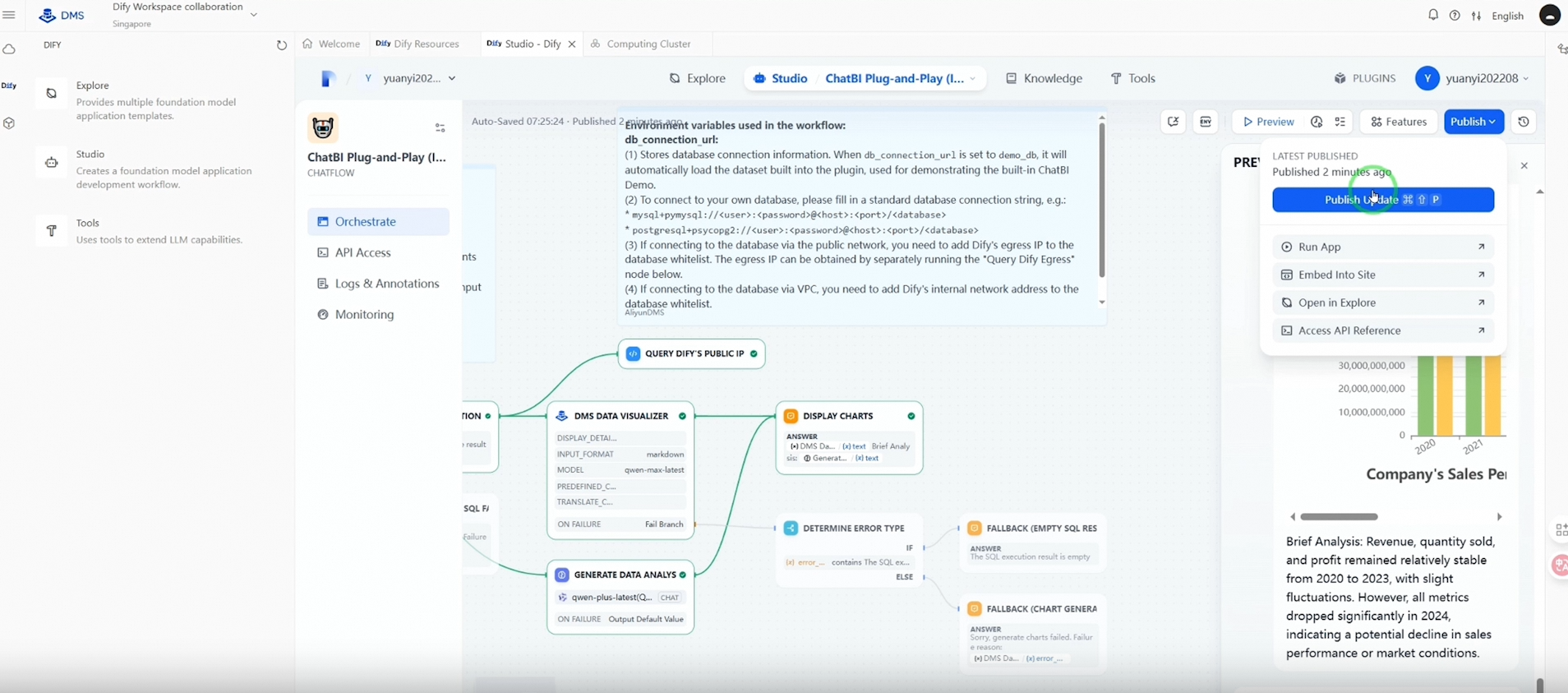
Click "Publish" and then "Preview" to test your AI application. Evaluate the quality of the question classification and the accuracy of the answers. If needed, adjust your LLM models to optimize performance.
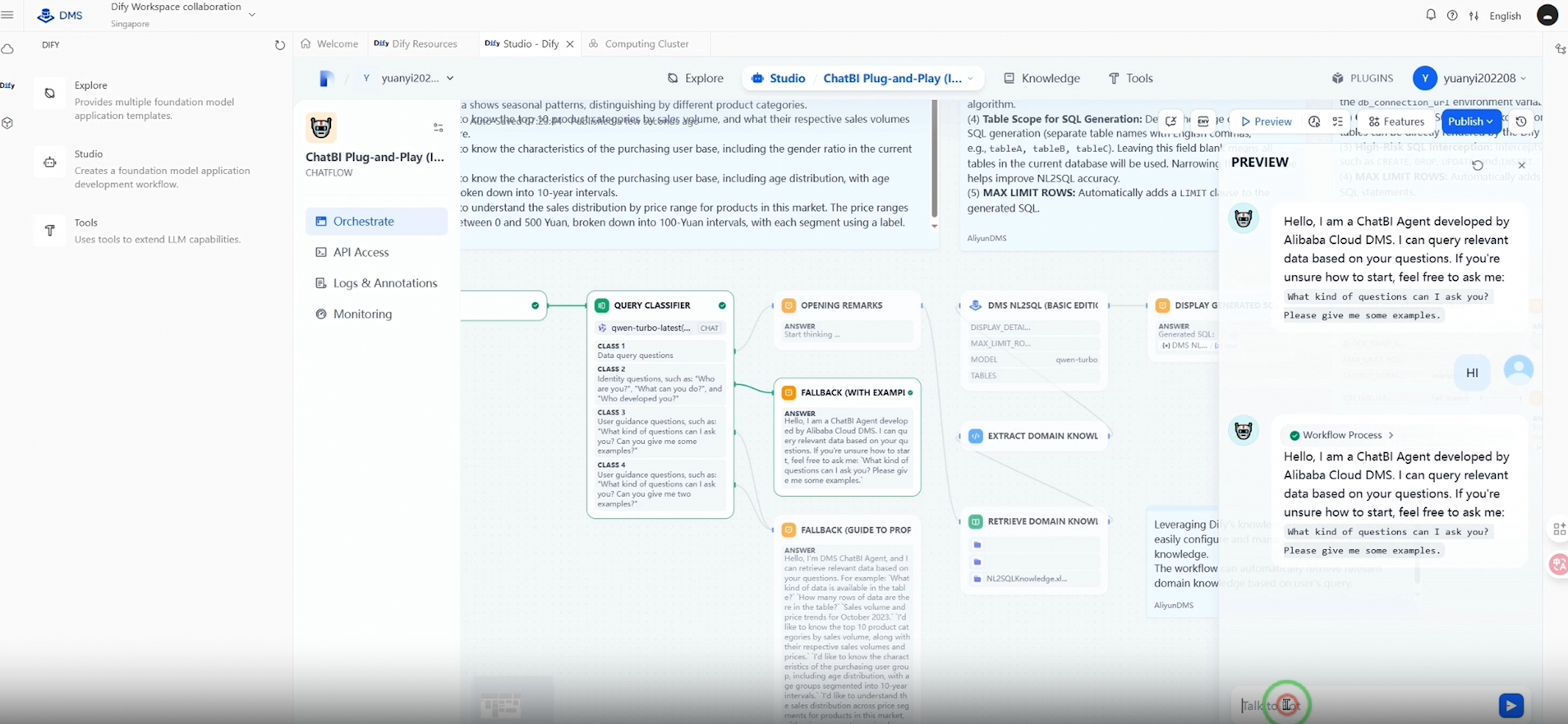
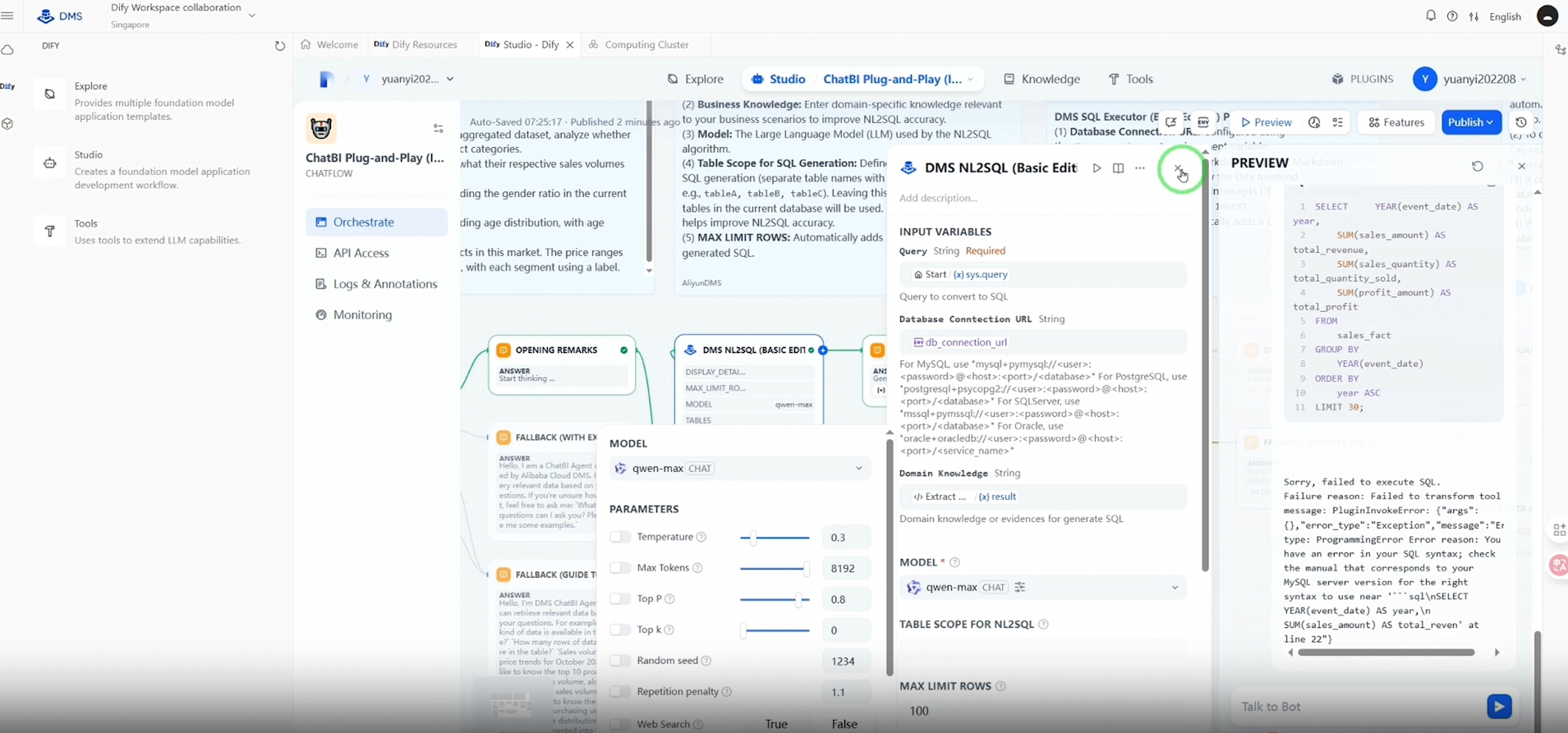
Once you are satisfied with the results, click "Publish" again to deploy your application in a production environment. Now, you can interact with your data using natural language.
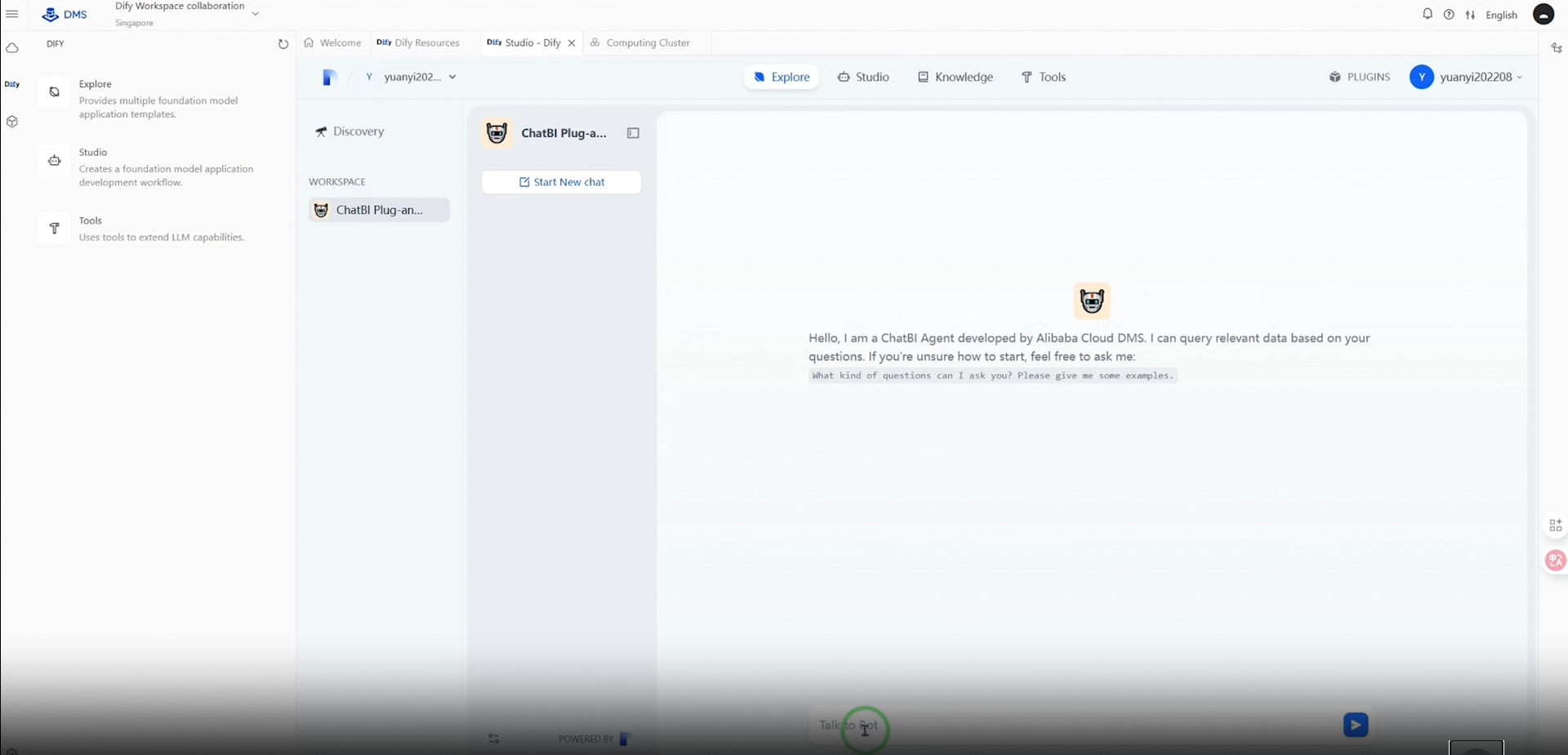
Ask Dify anything, just type and hit “Enter” to get a real-time response. For instance, type in your query regarding revenue trends and marketing campaign performance, press “Enter” and watch Dify provide insightful analytics and visualizations instantly!
What’s the takeaway here? By using a DMS+Dify solution, you give your organization the power to reduce the complexity of data management while increasing the efficiency of data utilization. Effortlessly address questions in real-time, gain actionable insights, and make informed decisions faster than ever before.
Are you ready to transform your data into actionable insights? Explore Alibaba Cloud's DMS + Dify solution for ChatBI scenarios today. Visit our website to learn more and start your journey toward smarter data interactions.
Thank you for watching. Let's redefine business intelligence together with Alibaba Cloud!
Cross-region Read and Write Performance Testing for PolarDB GDN
ApsaraDB - May 19, 2025
Della Wardhani - February 23, 2026
Alibaba Cloud Indonesia - July 16, 2025
Alibaba Cloud Native Community - June 13, 2025
Alibaba Cloud Native Community - September 9, 2025
Alibaba Cloud Native Community - September 9, 2025
 Container Compute Service (ACS)
A cloud computing service that provides container compute resources that comply with the container specifications of Kubernetes
Learn More
Container Service for Kubernetes
Alibaba Cloud Container Service for Kubernetes is a fully managed cloud container management service that supports native Kubernetes and integrates with other Alibaba Cloud products.
Learn More Big Data Consulting for Data Technology Solution
Alibaba Cloud provides big data consulting services to help enterprises leverage advanced data technology.
Learn More Big Data Consulting Services for Retail Solution
Alibaba Cloud experts provide retailers with a lightweight and customized big data consulting service to help you assess your big data maturity and plan your big data journey.
Learn MoreMore Posts by ApsaraDB


